

Creating an S3 Bucket
First, create a new S3 bucket. For demonstration purposes, we will name the bucket “kk-sc-demo” and use the default configuration settings.Uploading a File and Setting the Storage Class
After creating the bucket, click on Upload to add a file. Select any file from your local system. As you proceed with the upload process, navigate to the Properties section. Here you can set the desired storage class. By default, the storage class is set to “Standard.”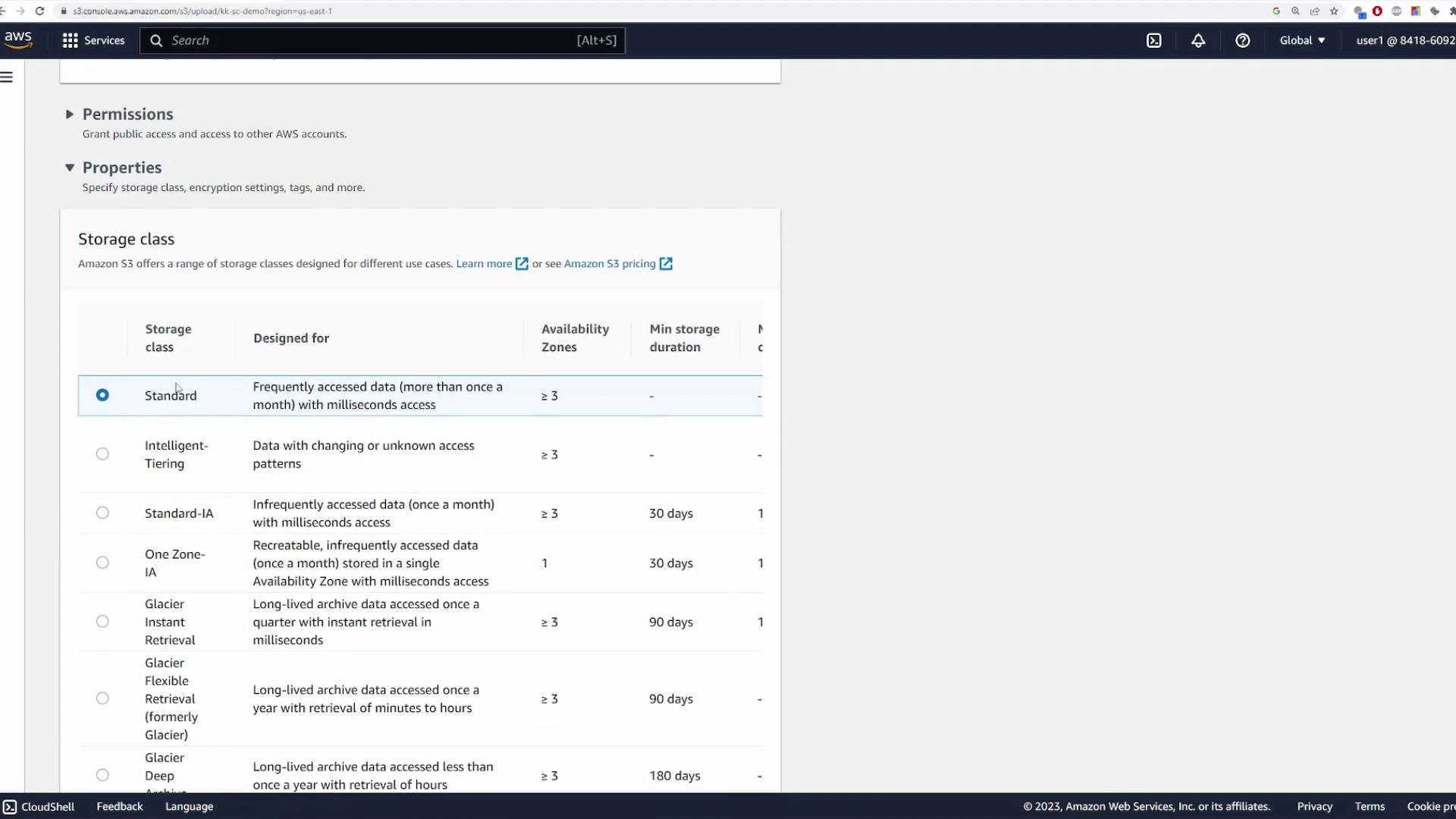
After uploading, verify that the file’s storage class is set to “One Zone-Infrequent Access” by checking the file details in the S3 console.
Modifying the Storage Class of an Existing File
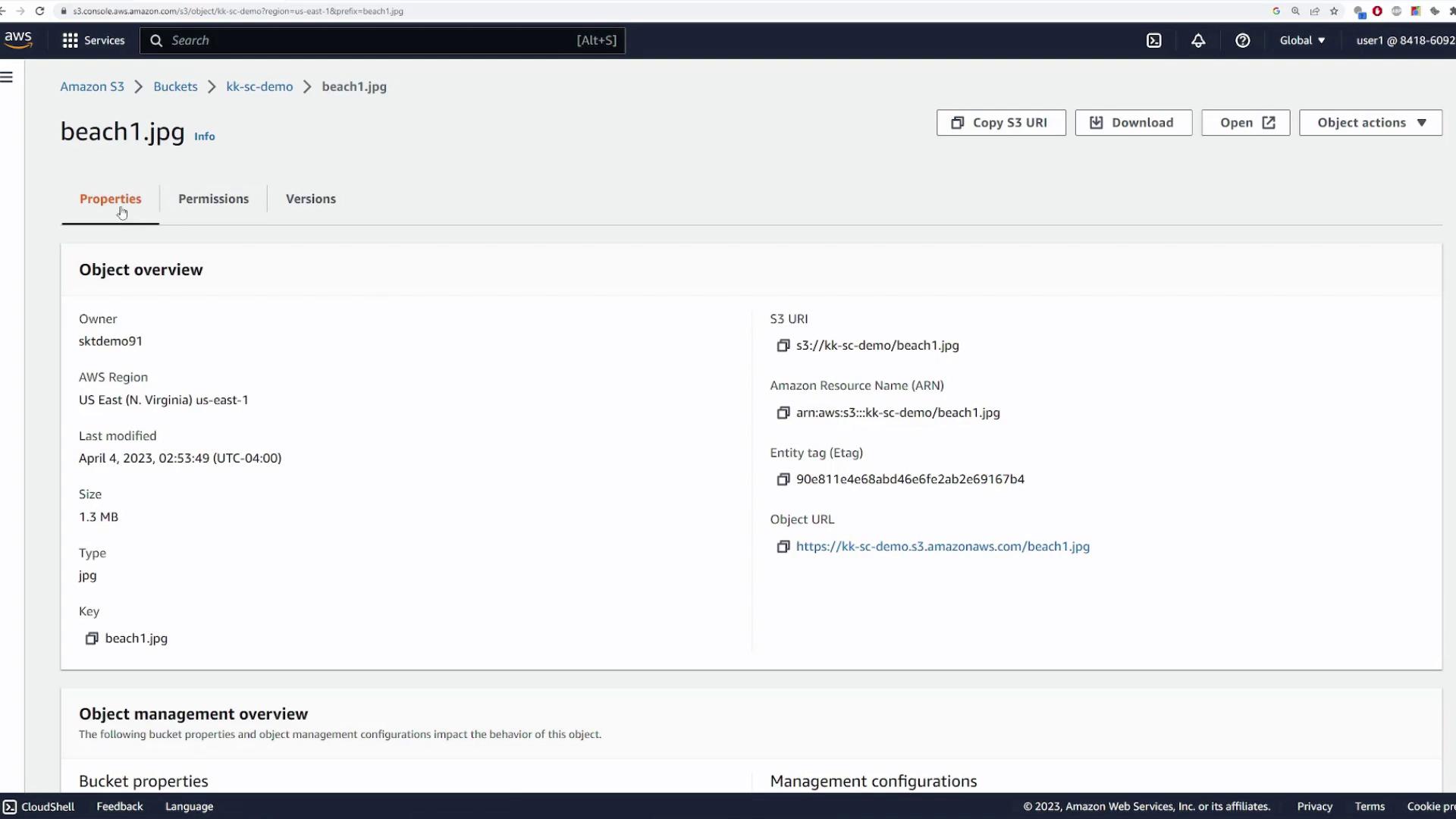
If you wish to change the storage class after the file has been uploaded, follow these steps:- Navigate to the file’s Properties tab in the Amazon S3 console.
- Locate the storage class section.
- Select the new storage class (for example, “Standard”) from the options provided.
Remember that each S3 storage class is optimized for different use cases. Choose the class that best meets your performance, durability, and cost requirements.