

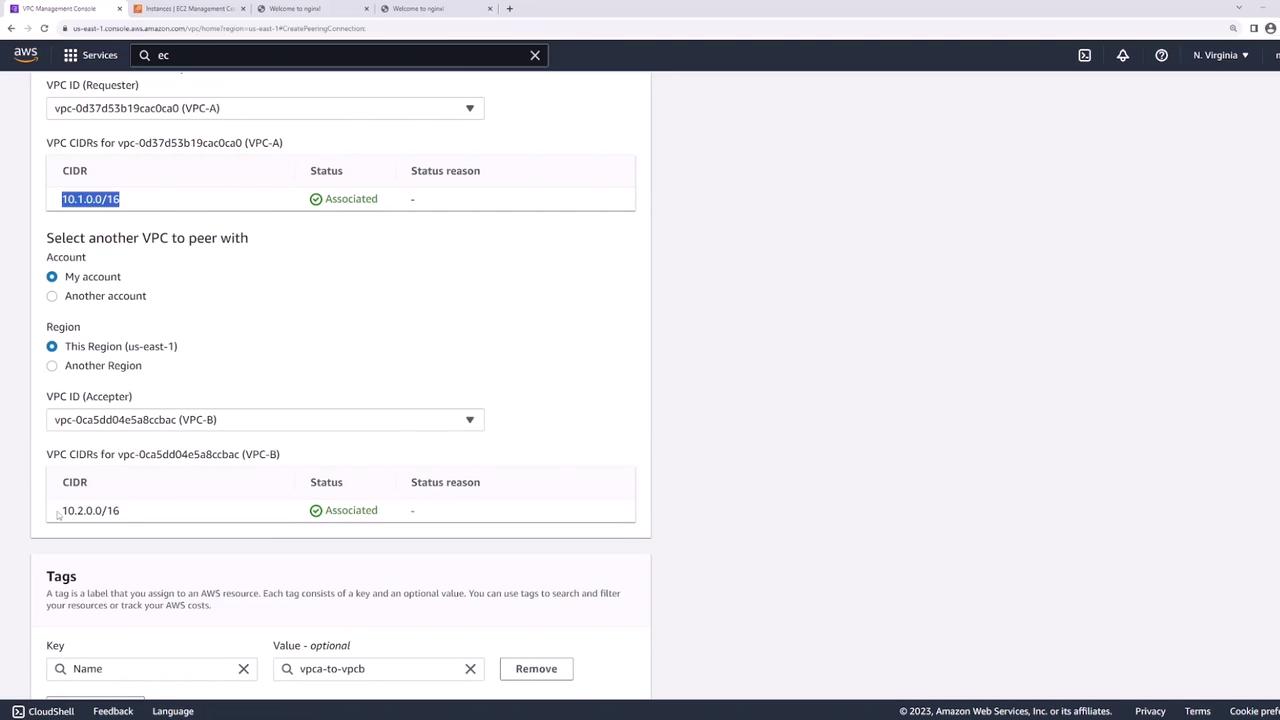
- VPC-A: CIDR block 10.1.0.0/16 (with an EC2 instance named “server one”)
- VPC-B: CIDR block 10.2.0.0/16 (with an EC2 instance named “server two”)

Even though all security groups and NACLs allow all traffic, the failure occurs due to the absence of a VPC peering connection.
Establishing the VPC Peering Connection
To configure connectivity between the VPCs, follow these steps:- Create the Peering Connection
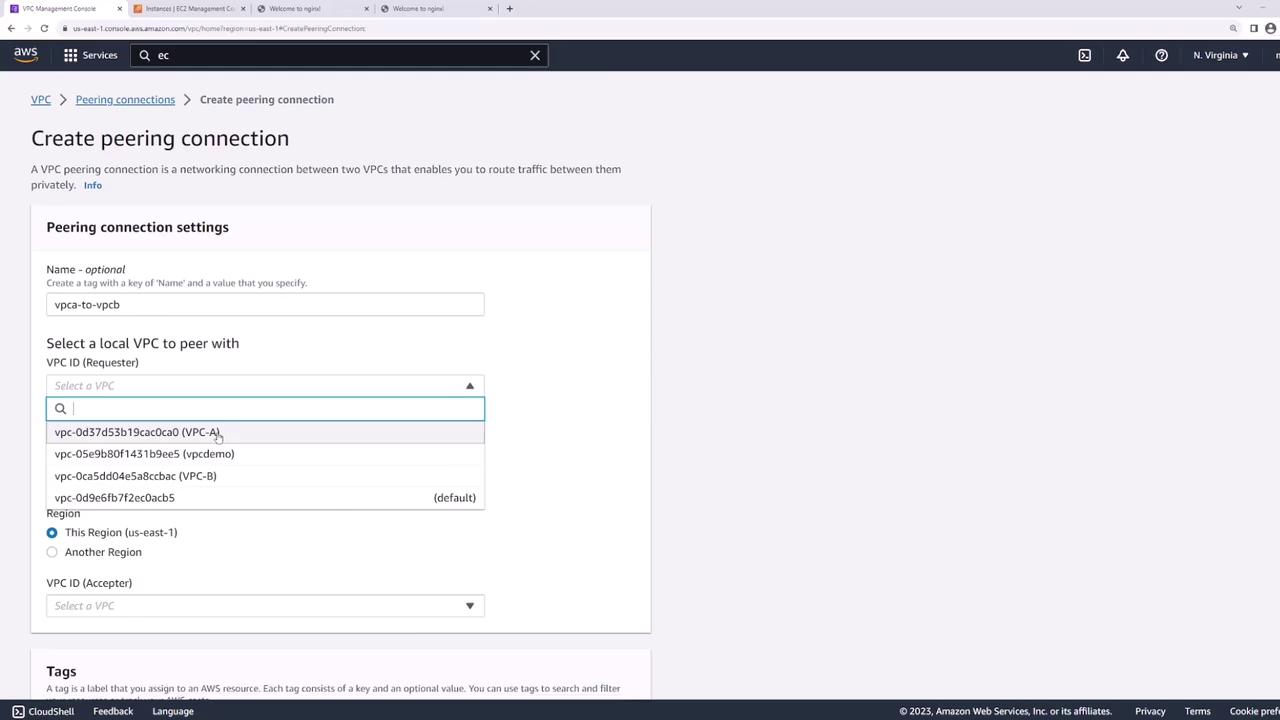
In the AWS Management Console, navigate to the VPC peering section. Click on Create Peering Connection and name the connection “VPC A to VPC B” for clarity.- Select VPC-A as the requester (local VPC).
- Choose VPC-B as the target VPC.
- Note that VPC peering connections can be established between different AWS accounts or across regions. In this demo, both VPCs are in the US East 1 region.
- Reviewing and Sending the Request
After configuring the peering request, review the CIDR blocks. It is critical that the CIDR blocks do not overlap to ensure proper routing. Once confirmed, create the peering connection and navigate to the peering connections page to verify its status.
- Accepting the Peering Request
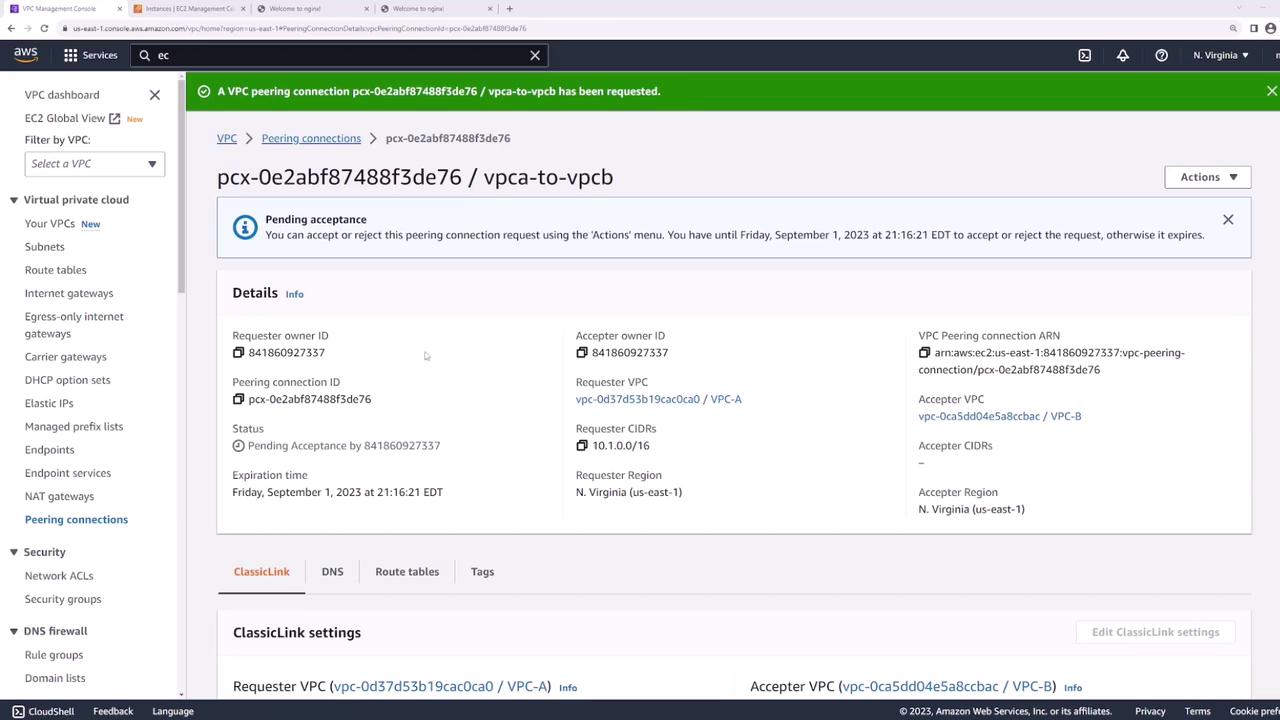
Initially, the peering connection remains in a “pending acceptance” state because VPC-B must accept the request. Since both VPCs are in the same account, select the pending connection, use the Actions menu, and click Accept Request.
Updating Route Tables
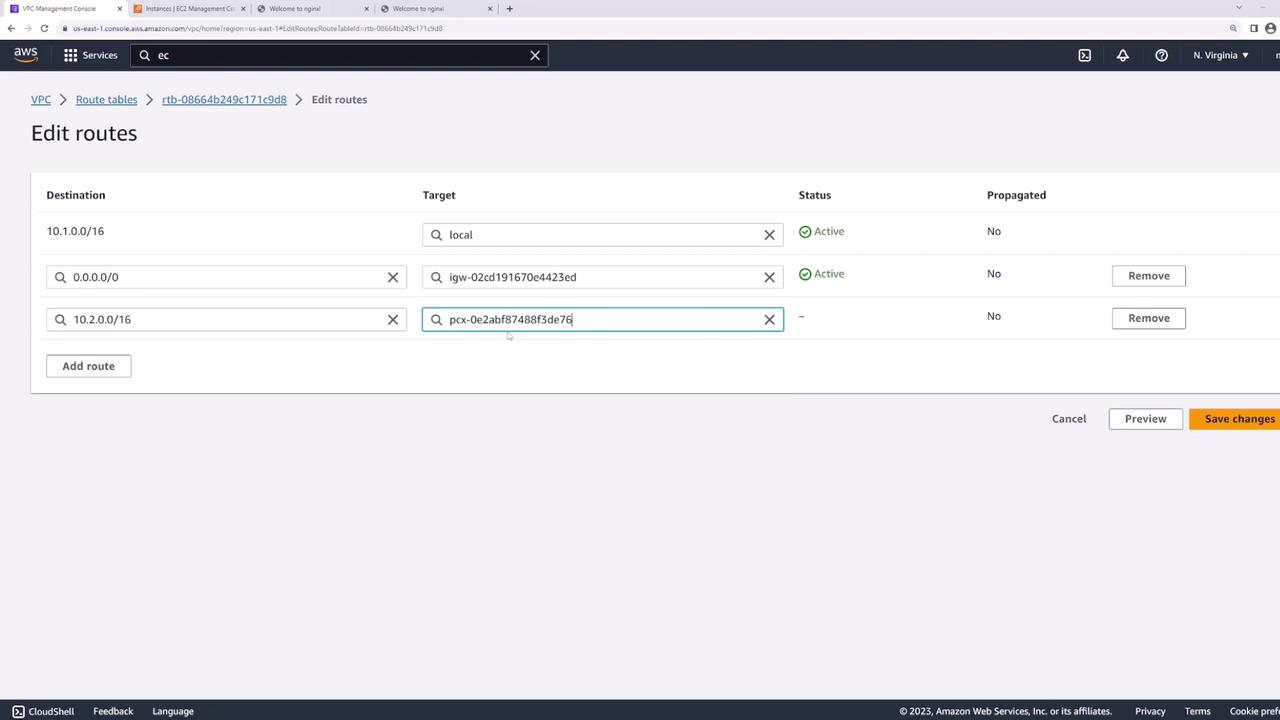
Even after the peering connection is active, the connection may not function until the route tables in both VPCs are updated. Initially, re-run the ping command from server one:- A route for local VPC traffic (10.1.0.0/16)
- A default route through the Internet Gateway
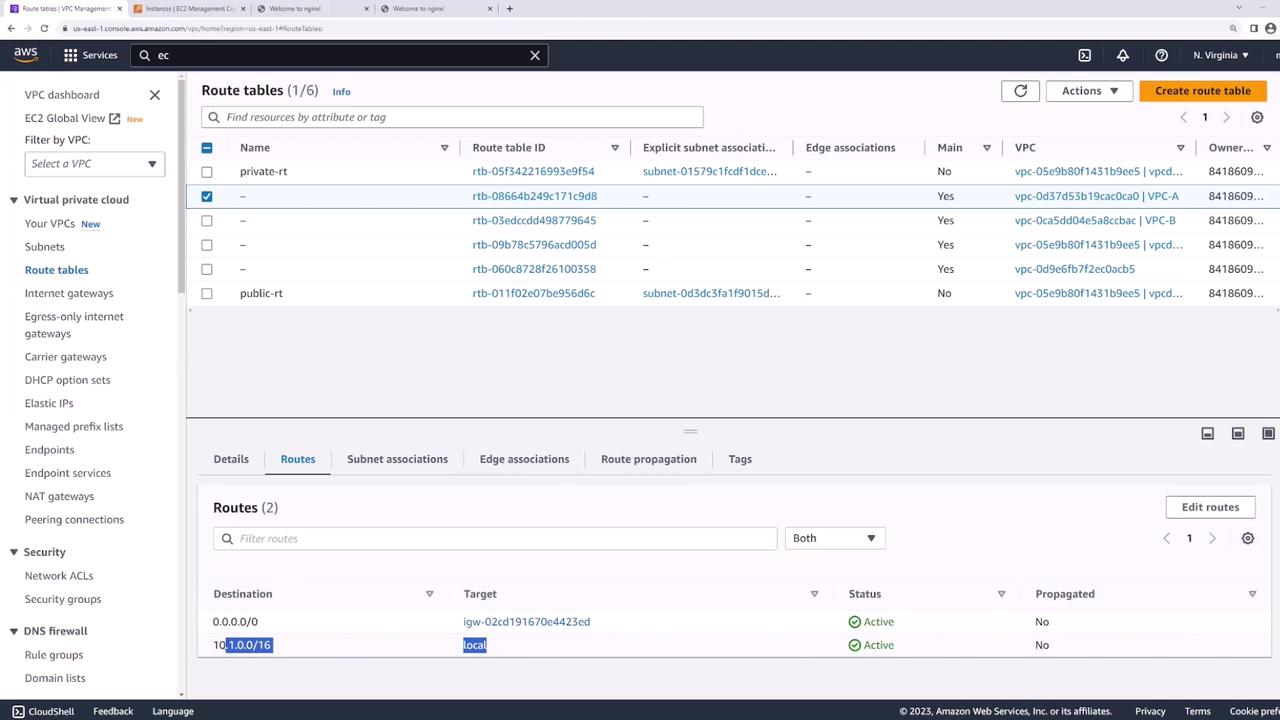
- For VPC-A: Add a new route with the destination 10.2.0.0/16, and set the target to the newly created peering connection.
- For VPC-B: Update the route table by adding a route with destination 10.1.0.0/16 and use the same peering connection as the target.
Verifying Connectivity
Now that the routing is correctly configured, re-run the ping command from “server one” to “server two”:Summary
To set up VPC peering, complete the following steps:- Create a Peering Connection Request: Initiate the request from one VPC to another.
- Accept the Request: Approve the pending connection in the target VPC.
- Update Route Tables: Add routes in both VPCs to direct traffic via the peering connection.