Before starting, ensure that you are logged into your AWS Management Console and have selected the appropriate region for your deployment. For this demo, we are using the US East 1 (Northern Virginia) region.
Step 1: Select the AWS Region
Open your AWS console and select the region where you want to deploy your VPC. VPCs are region specific, so be sure to choose the proper region for your application.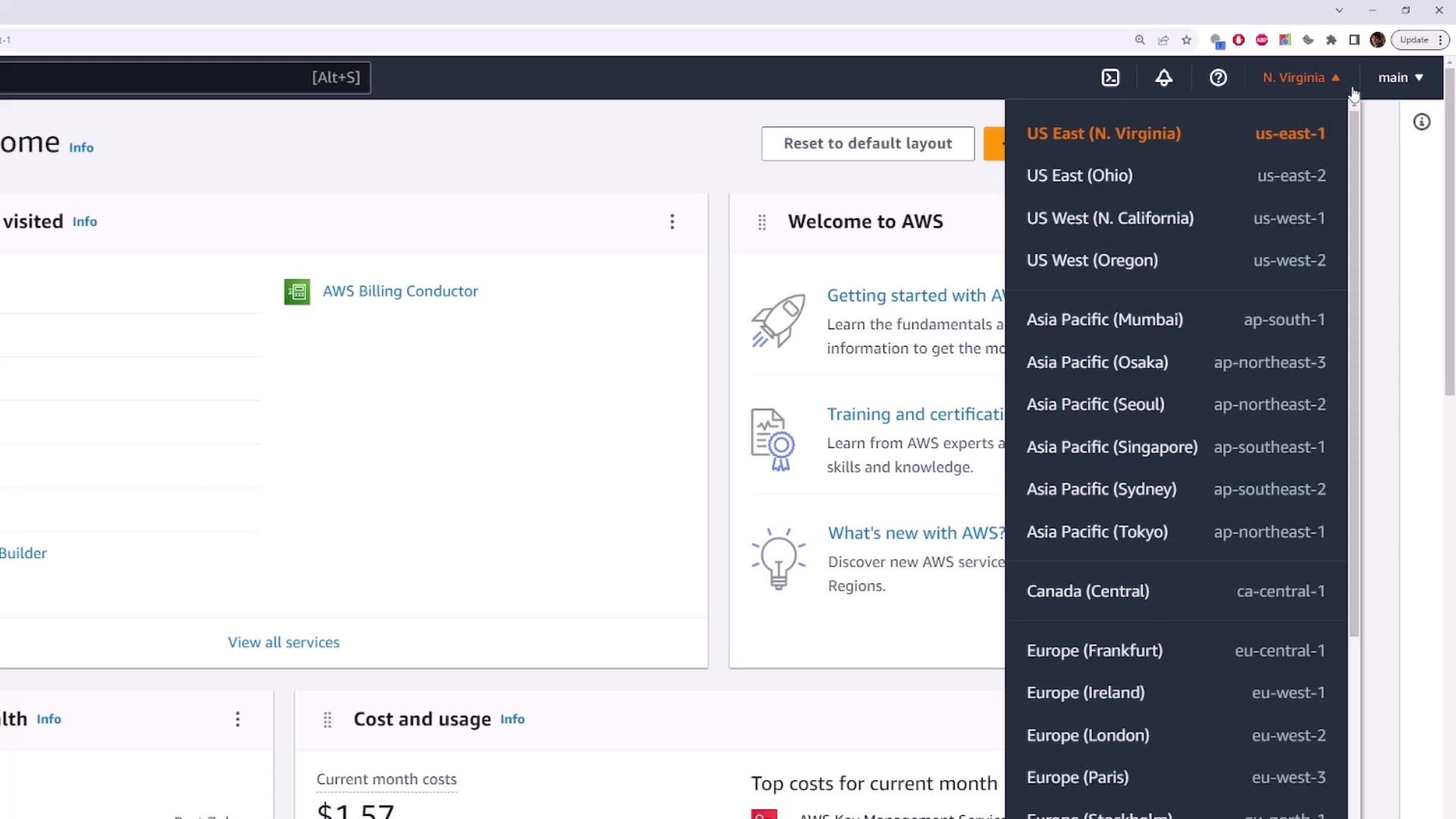
Step 2: Access the VPC Dashboard
In the AWS console, type “VPC” in the search bar at the top and select the VPC service from the results. This action will navigate you to the VPC dashboard, where you can manage your VPCs and networking resources. On the left sidebar, click on “Your VPCs”. Note that new AWS accounts typically display one default VPC, which AWS creates automatically.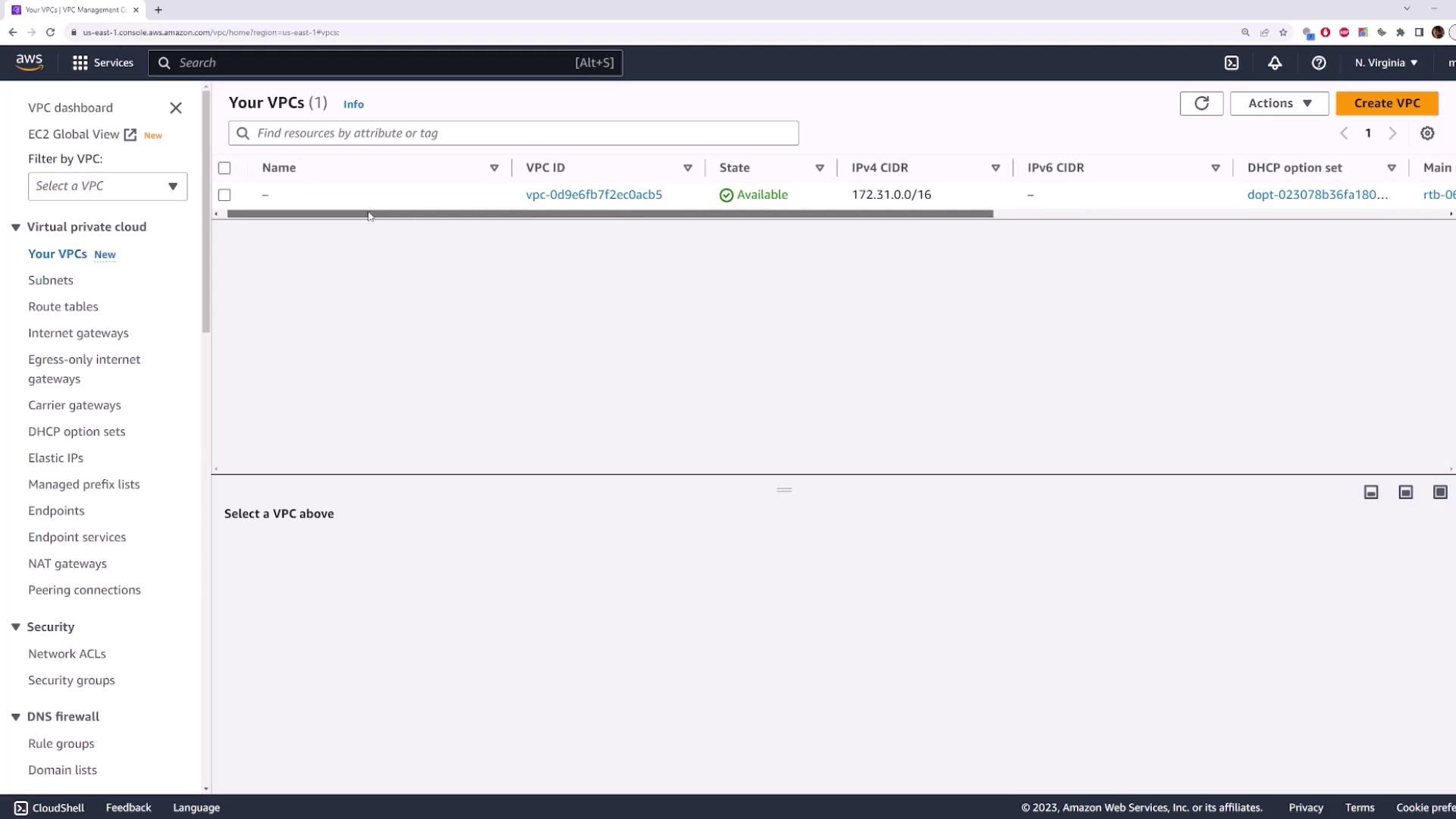
Step 3: Create a Custom VPC
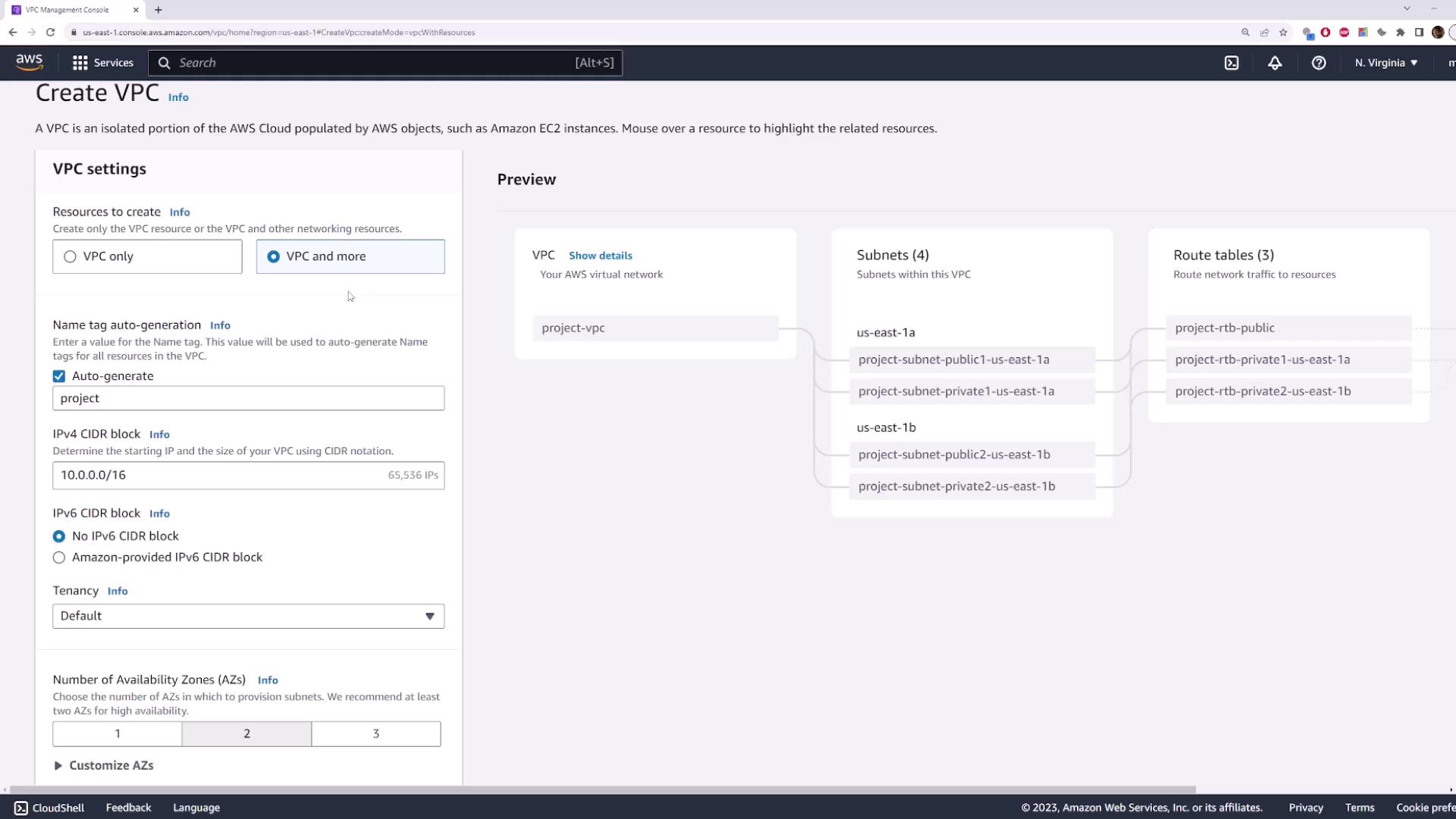
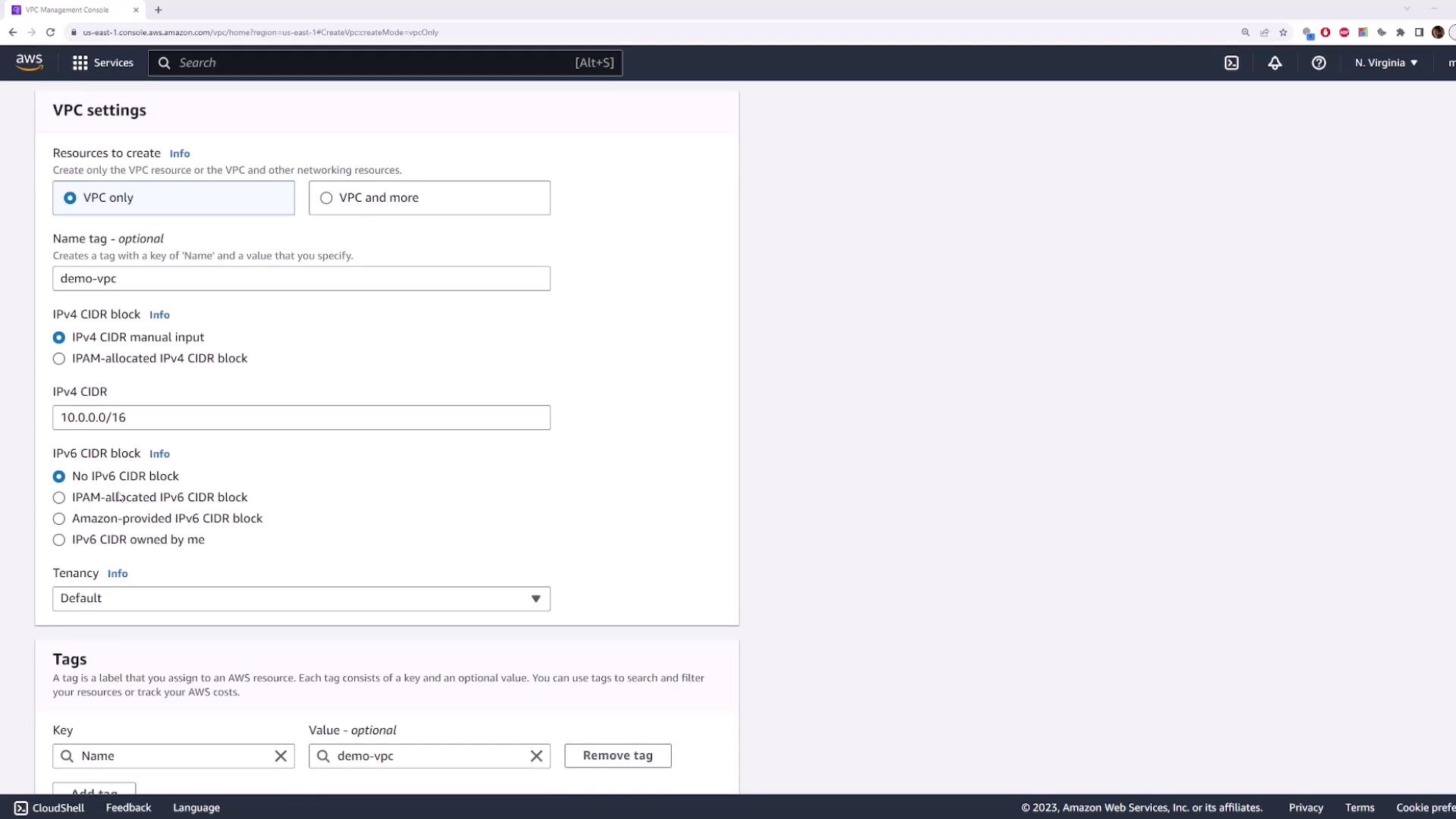
Instead of using the default VPC, we will create our own custom VPC. Click on the Create VPC button to begin. You will be presented with two options:- A traditional VPC deployment.
- A new feature that deploys a VPC along with additional resources (such as subnets, route tables, Internet Gateways, and NAT Gateways) simultaneously.
VPC Configuration Options
Enter a name for your VPC (e.g., “demo VPC”) and specify the IPv4 CIDR block – we will use10.0.0.0/16 for this demo. You can also configure an IPv6 CIDR block if required. AWS gives you the option to use your own IPv6 CIDR block or let AWS provide one. For simplicity, we will opt for the AWS-provided IPv6 CIDR block and retain the default settings for all additional configurations.
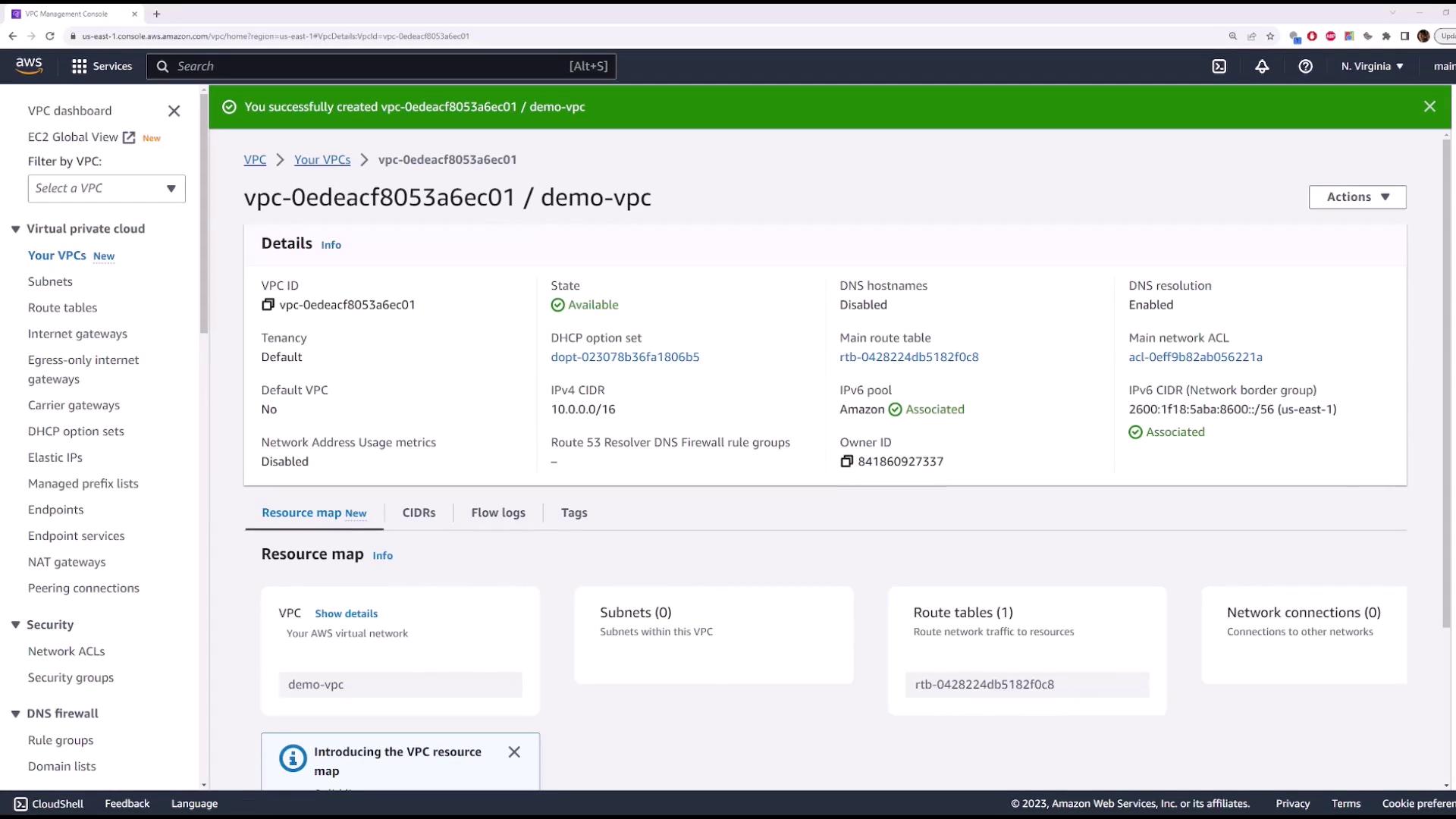
- VPC ID
- Current state
- CIDR blocks
- DNS hostname and resolution settings
- Tenancy information
- Automatically generated route table for internal network routing
- Network ACLs that filter traffic for subnets
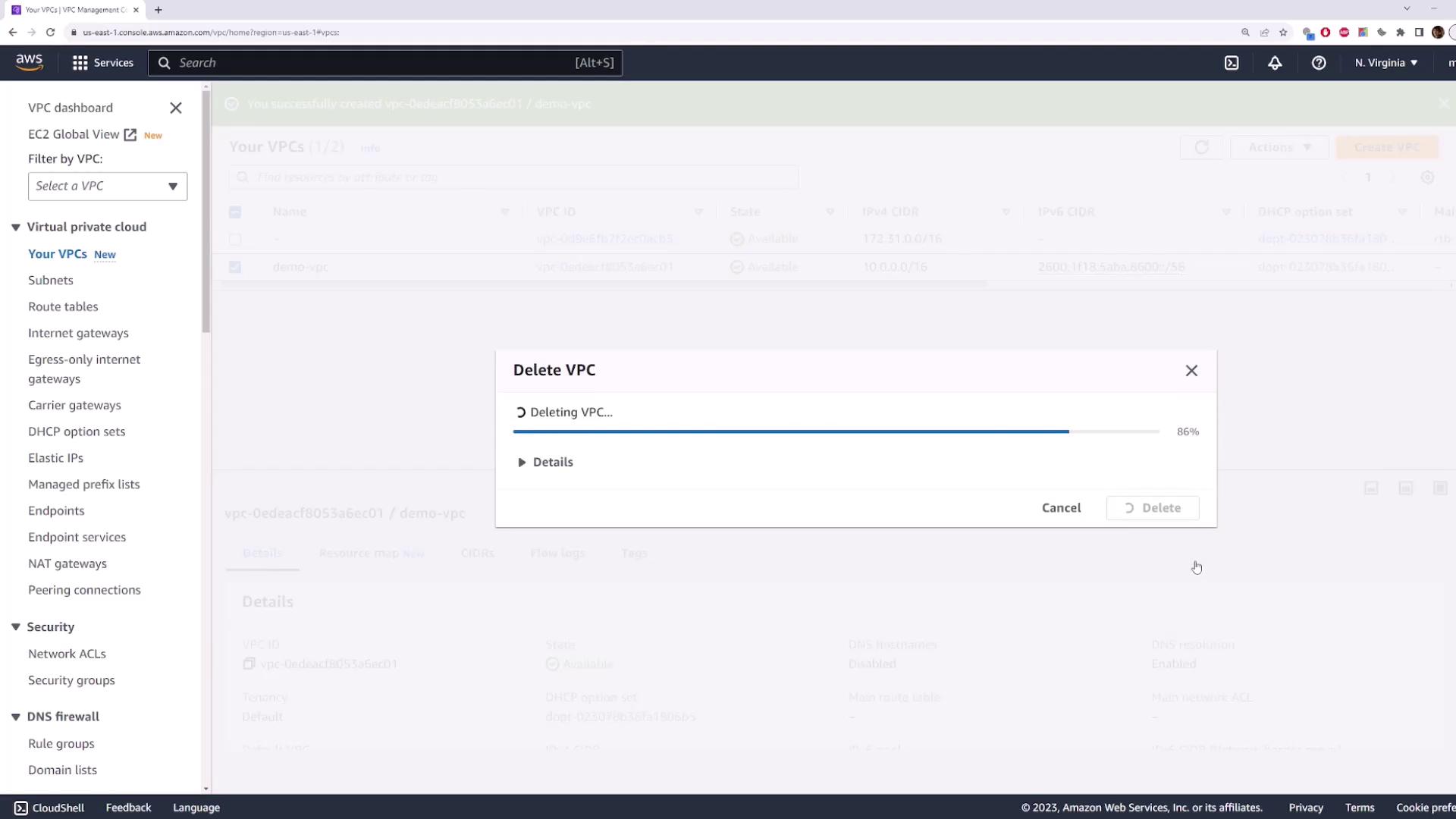
Step 4: Delete the VPC
Once you are comfortable with your custom VPC setup, you can delete it by following these steps:- Return to the Your VPCs page.
- Select the VPC you just created.
- Click Actions, then choose Delete VPC.
- Confirm the deletion by typing the word
deletewhen prompted.