How Subnets Work
Consider a scenario with two subnets: one in Availability Zone 1 and the other in Availability Zone 2. Launching an instance in the first subnet places it in Availability Zone 1, while deploying an instance in the second subnet locates it in Availability Zone 2. This capability allows precise control over resource placement according to availability and fault tolerance requirements. Subnets are categorized as either public or private:- Public Subnets: Deploy resources that require external network access, such as web servers.
- Private Subnets: Use for resources that do not need direct internet connectivity, such as backend servers.
CIDR Ranges and IP Address Allocation
A VPC is defined by a CIDR range. For example, if a VPC has a CIDR range of 192.168.0.0/16, every subnet must fall within this range. A subnet like 192.168.10.0/24 is valid because it fits within the VPC’s CIDR range, whereas an IP range such as 10.100.1.0/24 would be invalid and trigger an error from AWS. It is crucial to note that the subnet block size must be between /16 and /28. Additionally, the first four and the last IP addresses in every subnet are reserved:- Reserved Addresses:
- The first address is reserved for the network address.
- The next three addresses (e.g., 192.168.10.1, 192.168.10.2, and 192.168.10.3 in a 192.168.10.0/24 subnet) are allocated for AWS services. Typically, .1 is used for the VPC router, .2 for DNS, and .3 for future use.
- The final IP address in the range (e.g., 192.168.10.255) serves as the broadcast address.
When planning your subnet configurations, always ensure the CIDR ranges you allocate for your subnets are fully contained within the VPC’s overall CIDR range.
Visualizing Subnets in a VPC
When configuring subnets, refer to the diagram below which illustrates the structure of subnetting within a VPC. It details CIDR ranges, reserved IP addresses, and the division of public subnets across different Availability Zones.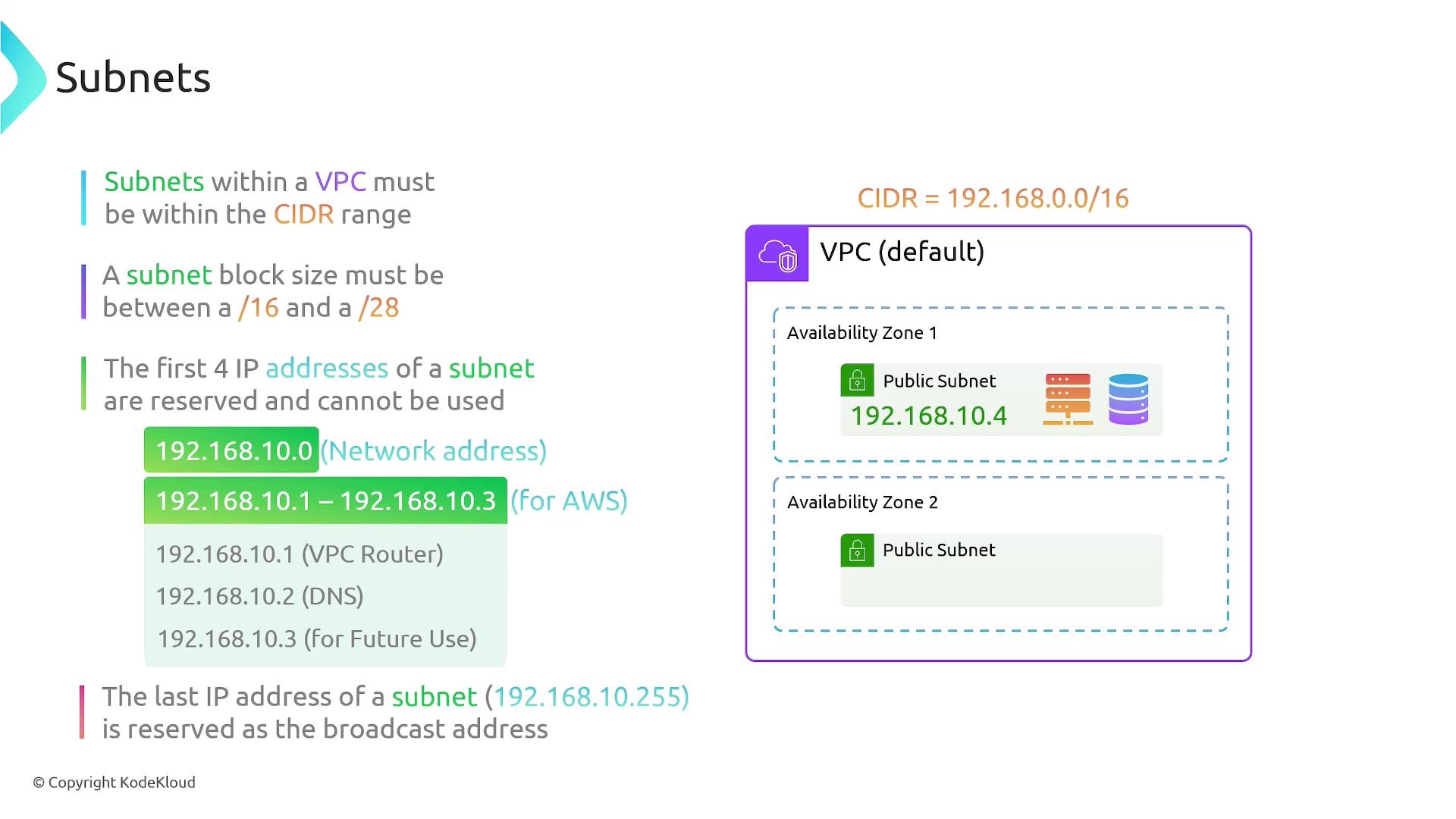
Additional Subnet Considerations
-
Non-Overlapping IP Ranges:
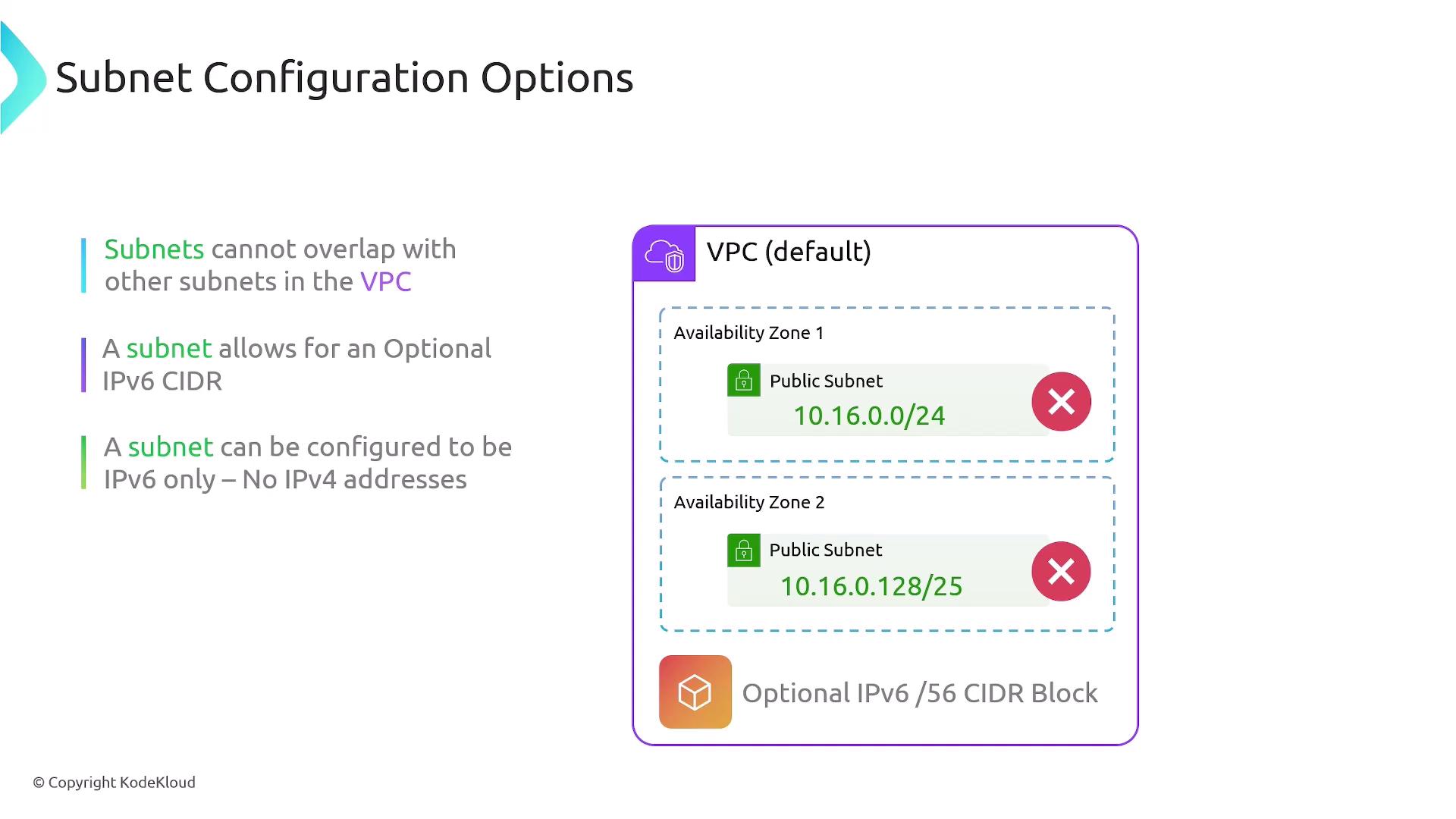
Subnets within the same VPC must have non-overlapping IP ranges. For instance, having one subnet with an IP range of 10.16.0.0/24 and another defined as 10.16.0.128/25 results in overlapping ranges, which is invalid. Although overlapping IP ranges are acceptable across different VPCs, they are not permitted within a single VPC. -
IPv6 Support:
It is possible to define an optional IPv6 /56 CIDR block for a subnet. Some configurations might utilize exclusively IPv6 addresses without any IPv4 addresses. -
Internal Communication:
By default, subnets within the same VPC can communicate with each other through full internal routing. This seamless connectivity eliminates the need for additional routing configuration for internal communication between resources. -
Auto-Assignment of Public IP Addresses:
You can enable auto-assignment for public IPv4 or IPv6 addresses on your subnets. Resources launched in a public subnet can be configured to receive a public IP in addition to the default private address. This feature is especially beneficial for deploying web servers that require direct internet connectivity.
- Subnets must not overlap within the same VPC.
- Optionally, a subnet can be assigned an IPv6 CIDR block.
- Public subnets can be configured to enable external access.