

Creating the Base Table
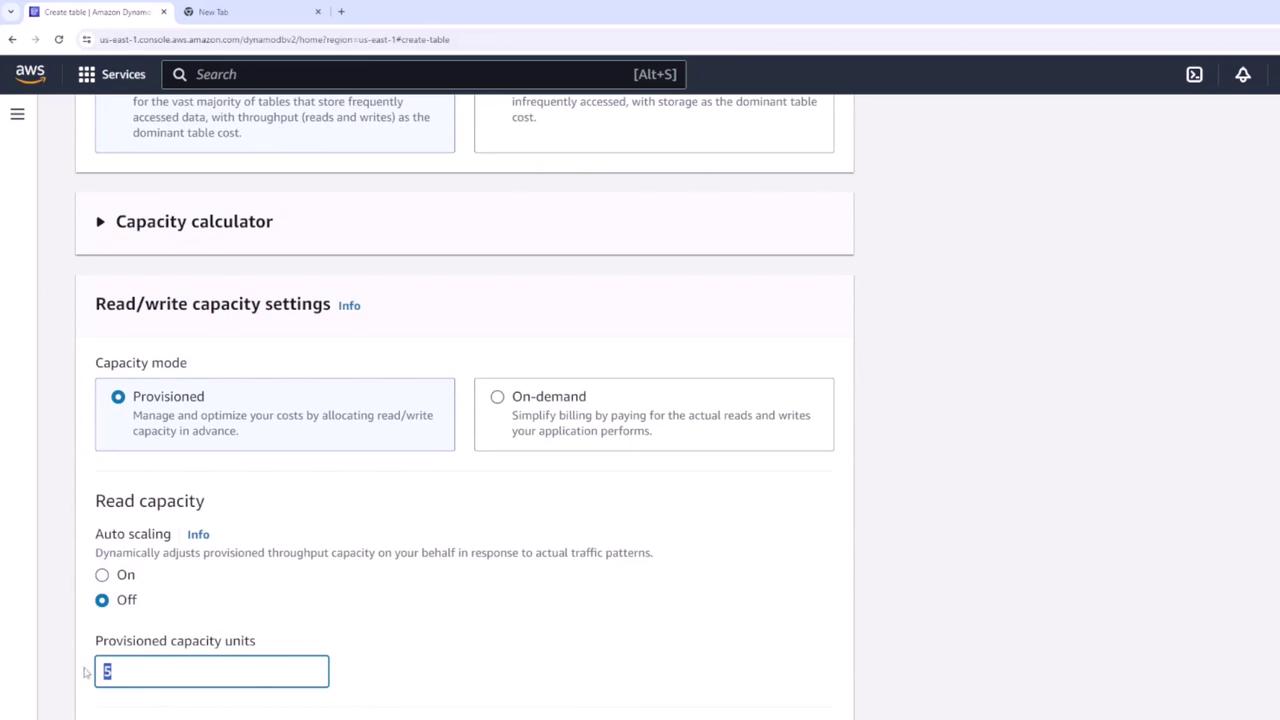
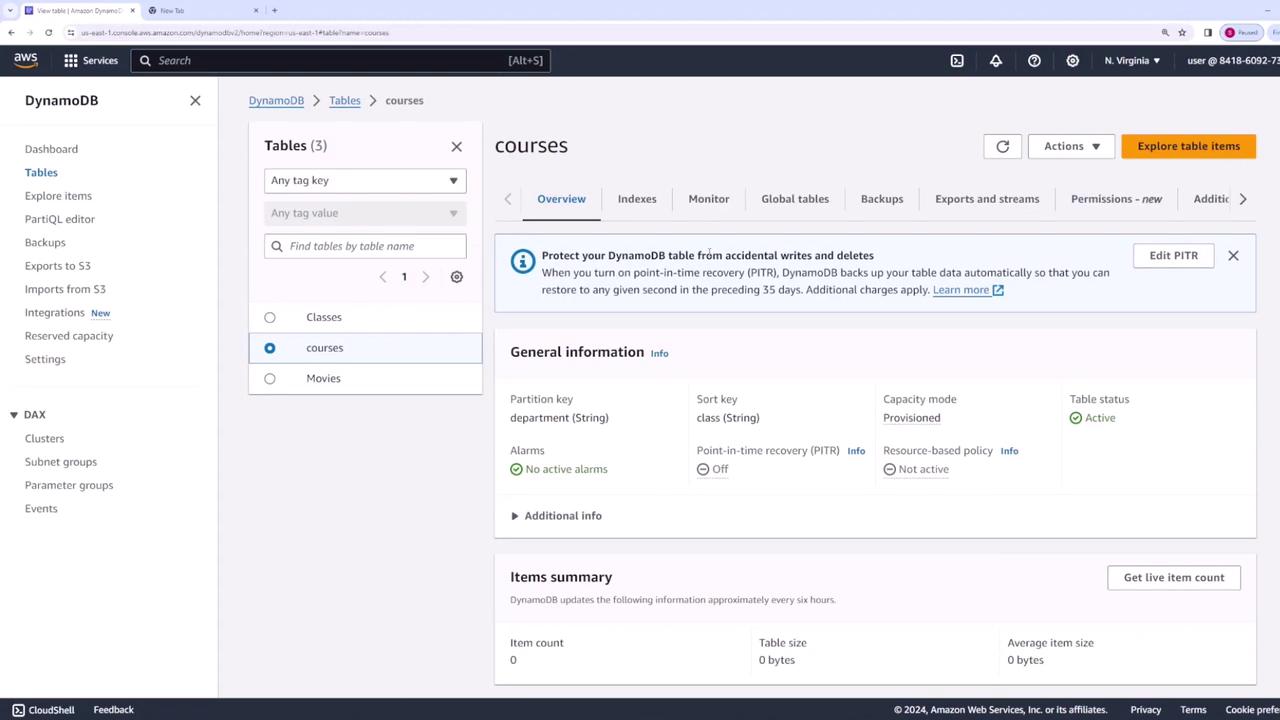
We begin by creating a table named “courses” to represent various university classes or courses. This table uses a partition key called “department” (e.g., Math, English) and a sort key called “class” (e.g., Calculus I, Algebra).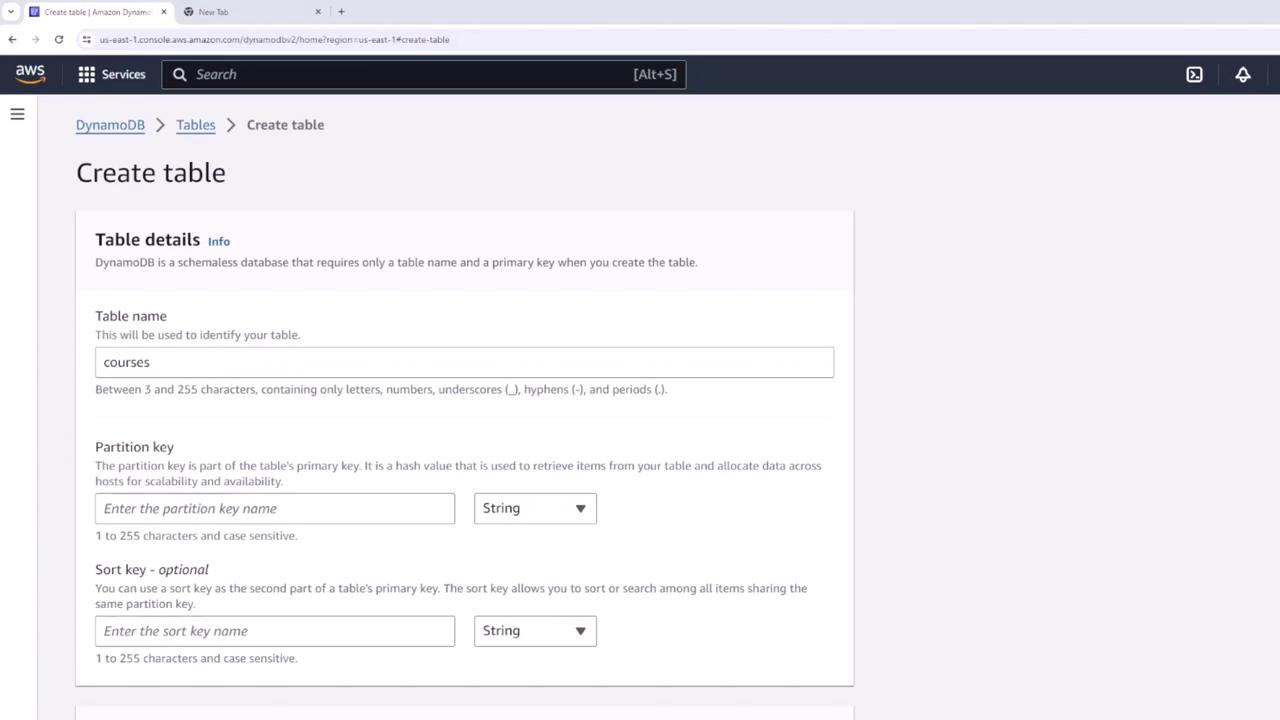
Adding Data to the Table
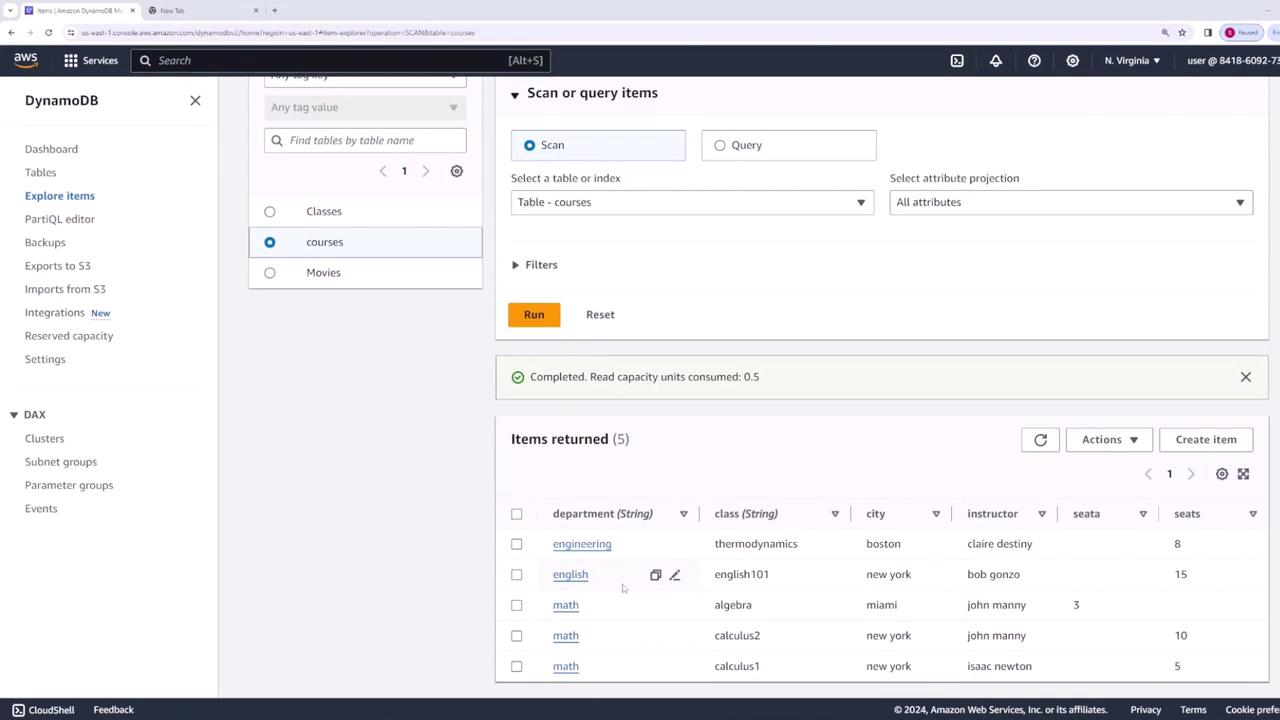
We proceed to insert data into the table. For instance, an item representing a Calculus One course offered by the Math department includes additional attributes such as:- Instructor: Isaac Newton
- City: New York
- Seats: 5
Querying the Table without Secondary Indexes
Querying by Partition Key
If a student wants to view all courses offered by the Math department, the query leverages the partition key by specifying “math” as its value. This query is highly efficient because it directly targets the partition key.Querying by Partition and Sort Key Combination
To retrieve a specific course, such as Algebra within the Math department, both the partition key (“math”) and the sort key (“algebra”) are specified. This combination uniquely identifies the course.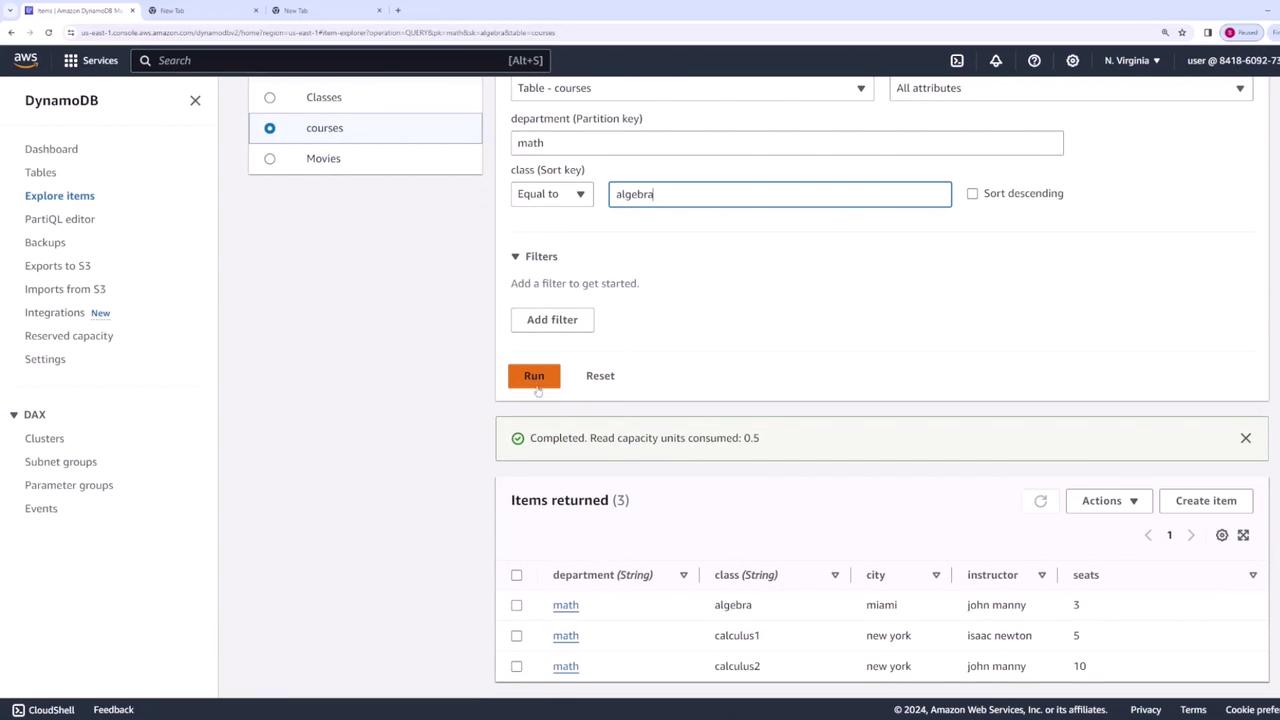
Limitations with Filters for Non-Key Attributes
When filtering courses by non-key attributes such as city (e.g., all Math courses in New York) or instructor (e.g., courses taught by John Mann), the query must use additional filters because these attributes are not part of the primary key. This approach first retrieves all courses under the Math department and then applies the filter client-side, leading to inefficient use of read capacity units.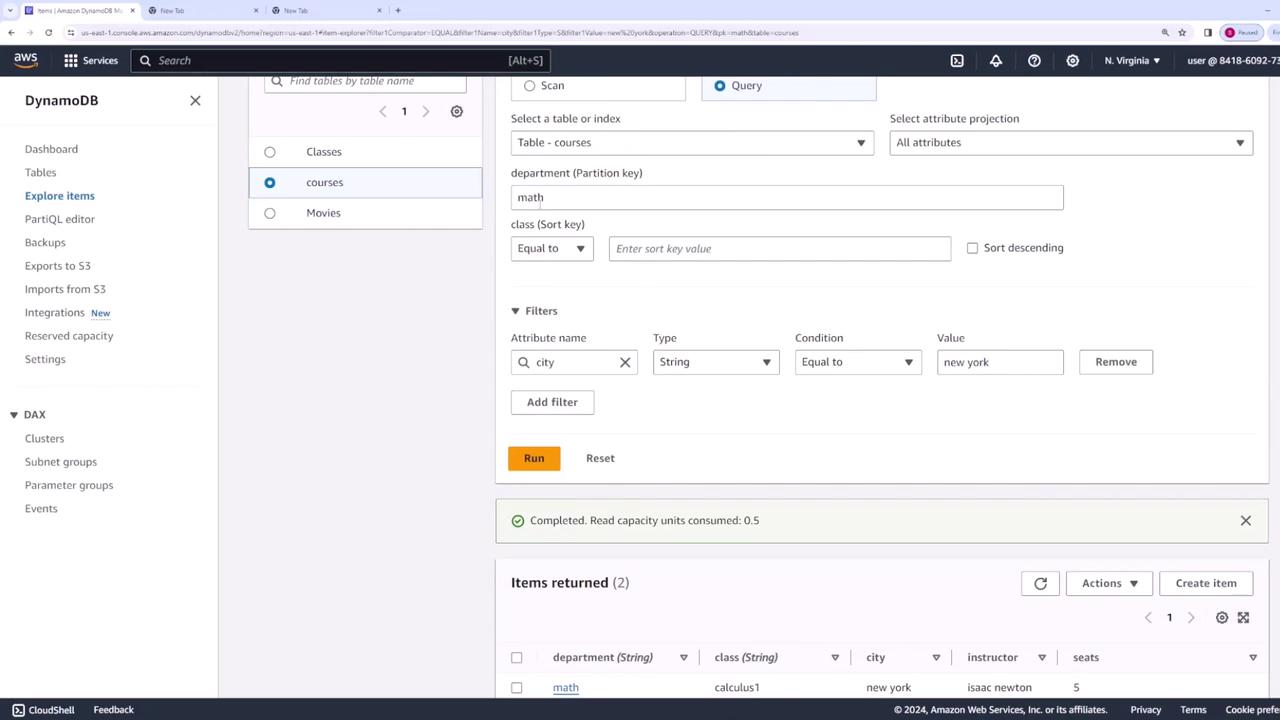
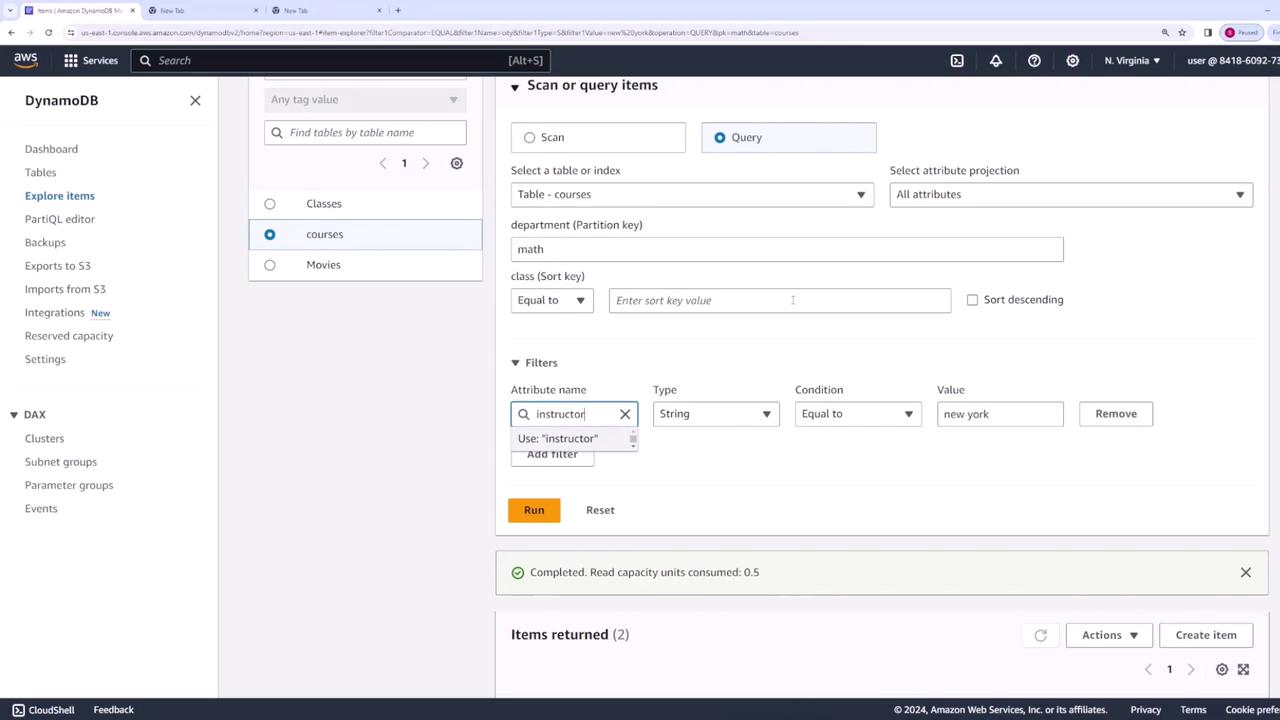
Filtering on non-key attributes involves additional costs in read capacity units since the filtering is applied after retrieving data using the partition key.
Introducing Local Secondary Indexes (LSI)
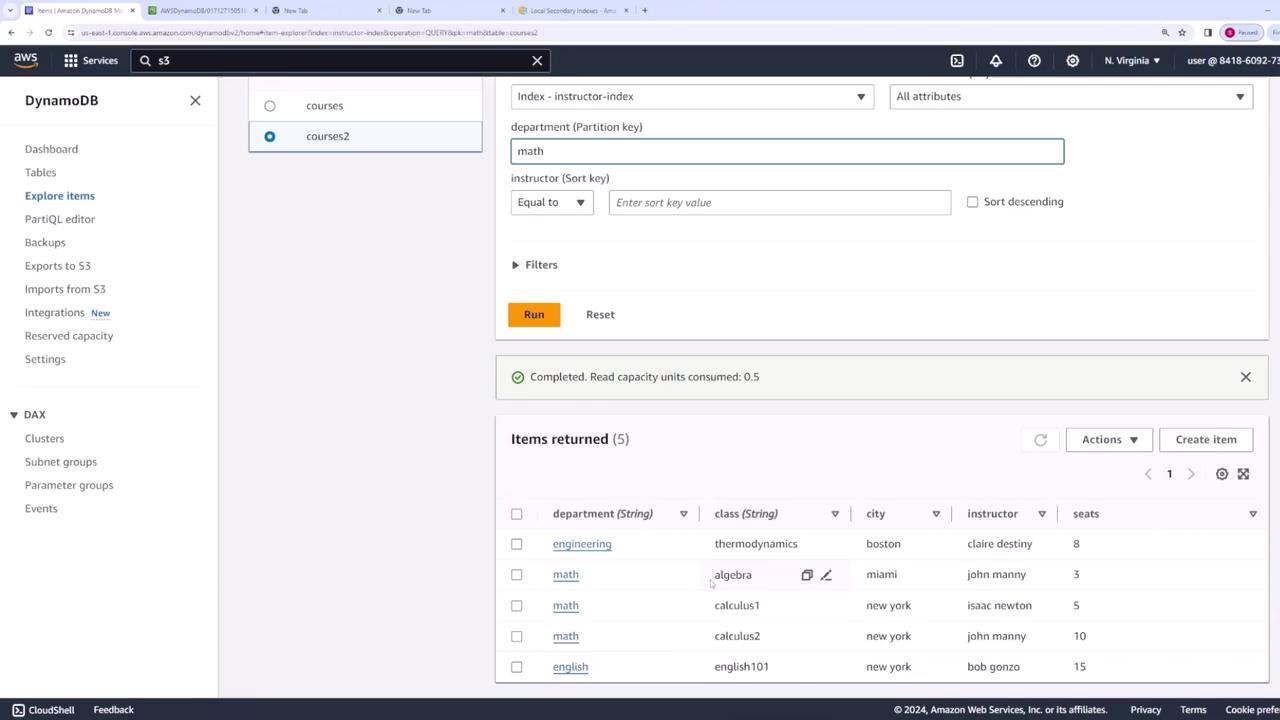
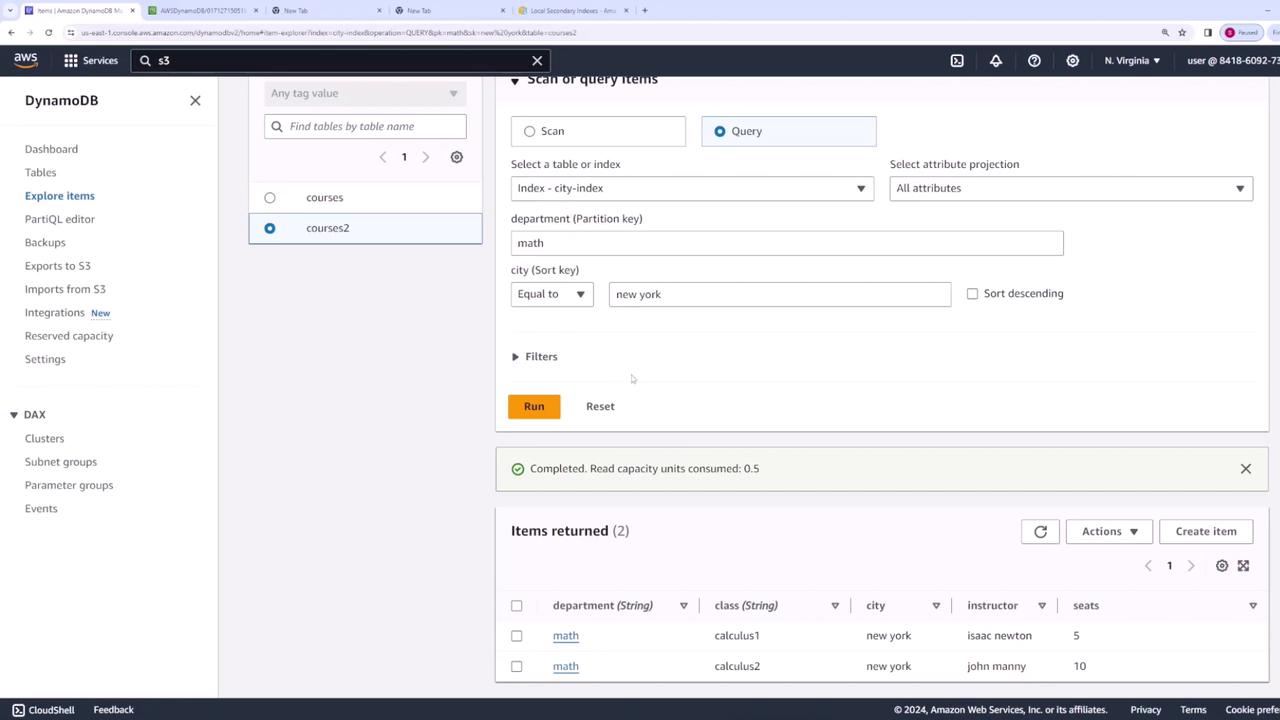
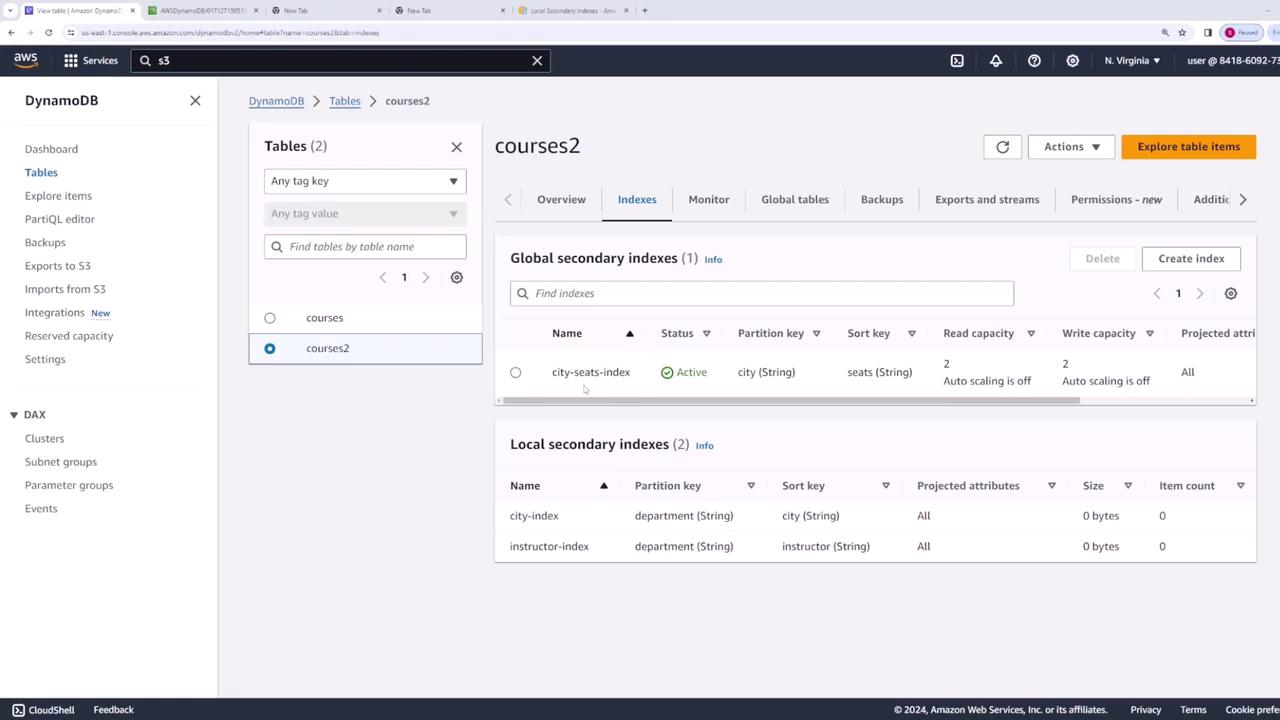
Local Secondary Indexes provide an alternate sort key while using the same partition key, enabling efficient queries without client-side filtering. Because LSIs must be defined during table creation, we create a new table named “courses2” with the same base configuration (partition key “department” and sort key “class”). In addition, we add LSIs for the “instructor” and “city” attributes.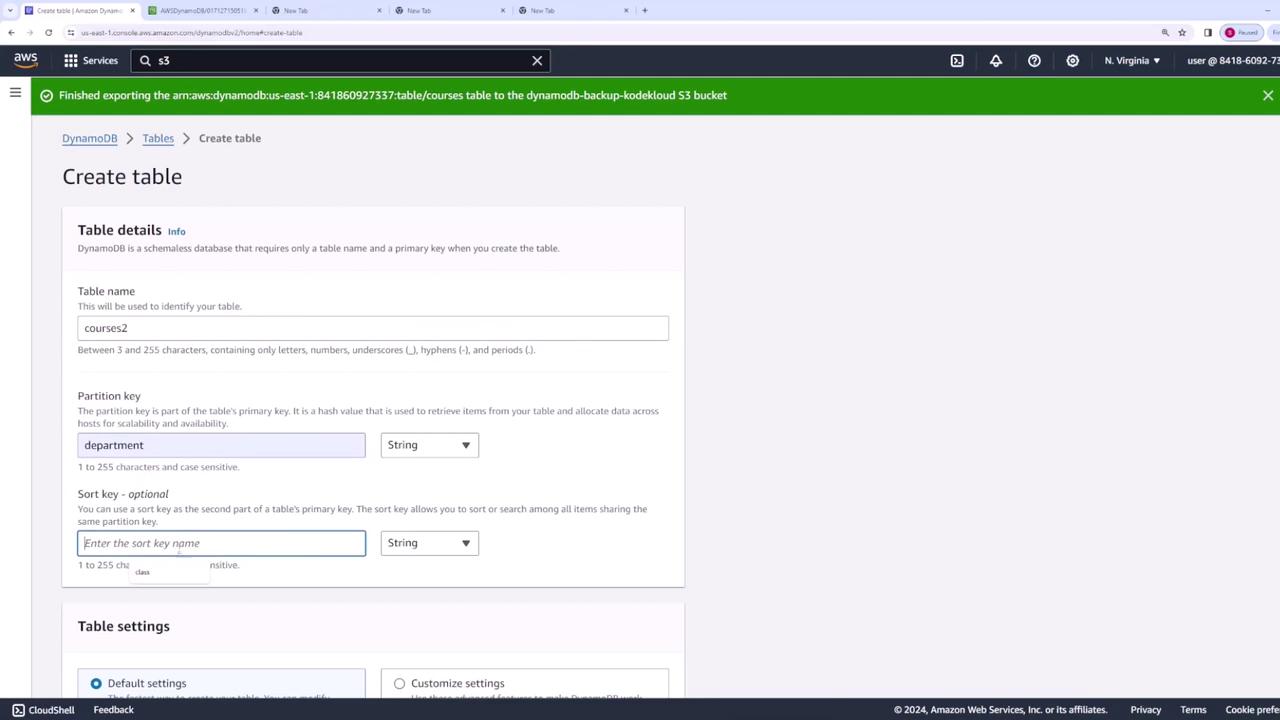
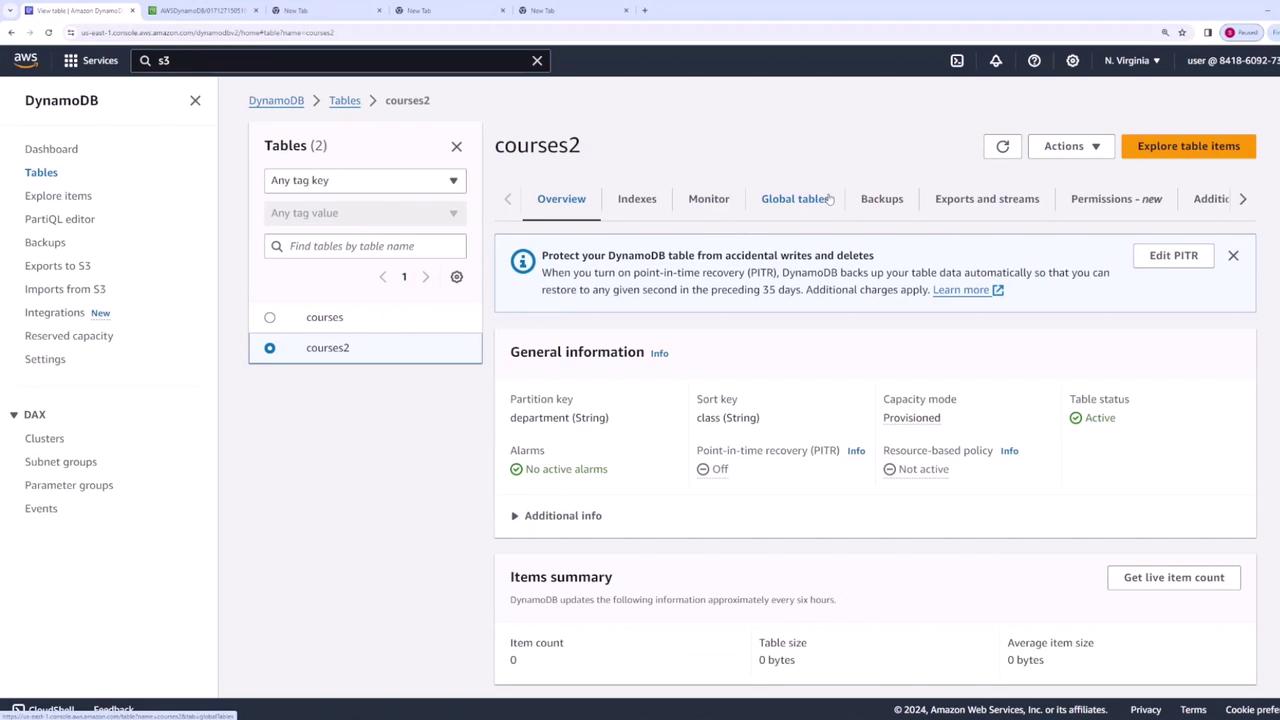
- The “instructor” index enables efficient queries for courses taught by a specific instructor within a department.
- The “city” index allows you to quickly retrieve courses based on city for a given department.
Introducing Global Secondary Indexes (GSI)
Global Secondary Indexes allow you to define a completely new primary key (with a partition key and an optional sort key), independent of the base table’s keys. This is particularly useful for queries that require filtering solely based on non-primary key attributes. In our example, if the requirement is to retrieve courses solely by city (regardless of department), a GSI is created on the “courses2” table with “city” as the partition key. Optionally, a sort key (such as “instructor” or “seats”) can be added to support range-based queries—like filtering for classes with a minimum number of available seats.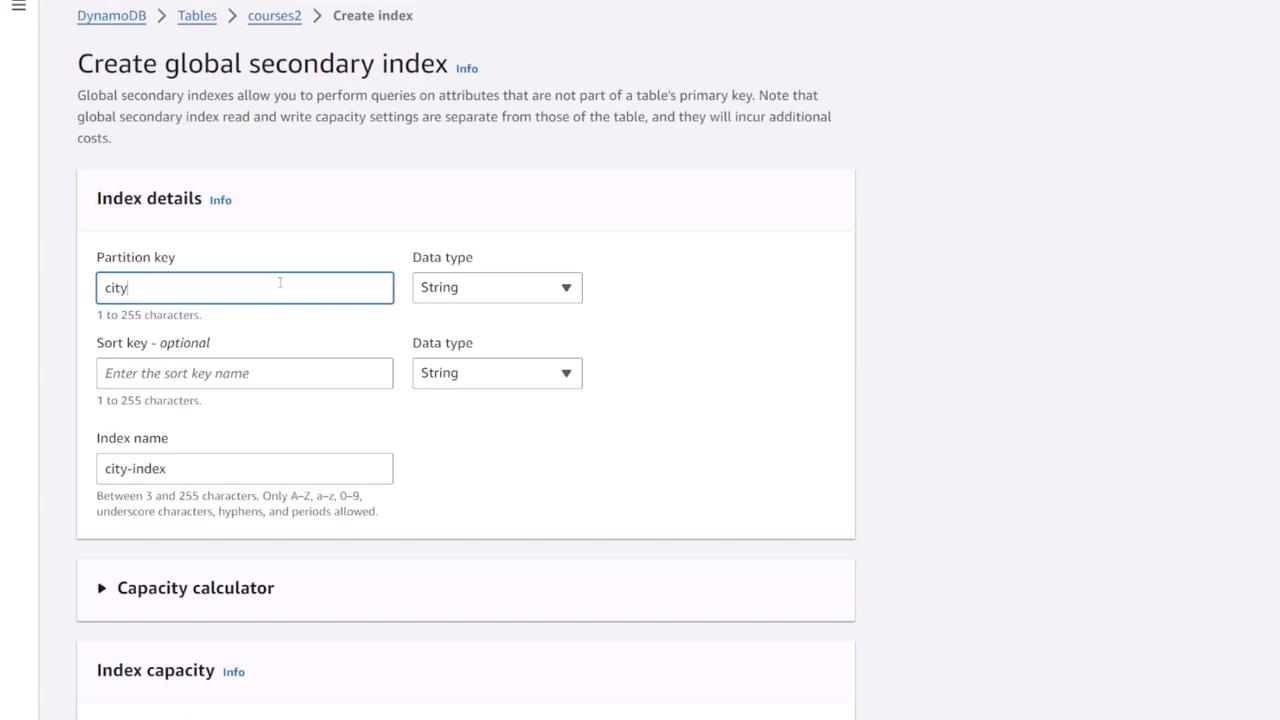
Ensure that you configure adequate write capacity for your GSIs to prevent throttling of both the index and the base table.
Conclusion
In summary:- Primary key queries using only the partition key or a combination of the partition and sort key are highly efficient in DynamoDB.
- Using filters on non-key attributes consumes extra read capacity, so it is best to avoid them when possible.
- Local Secondary Indexes (LSIs) offer an alternative sort key while maintaining the base table’s partition key but must be set during table creation.
- Global Secondary Indexes (GSIs) enable completely new primary key configurations and can be added after table creation, making them ideal for queries that span attributes outside the base table’s primary key.