How It Works
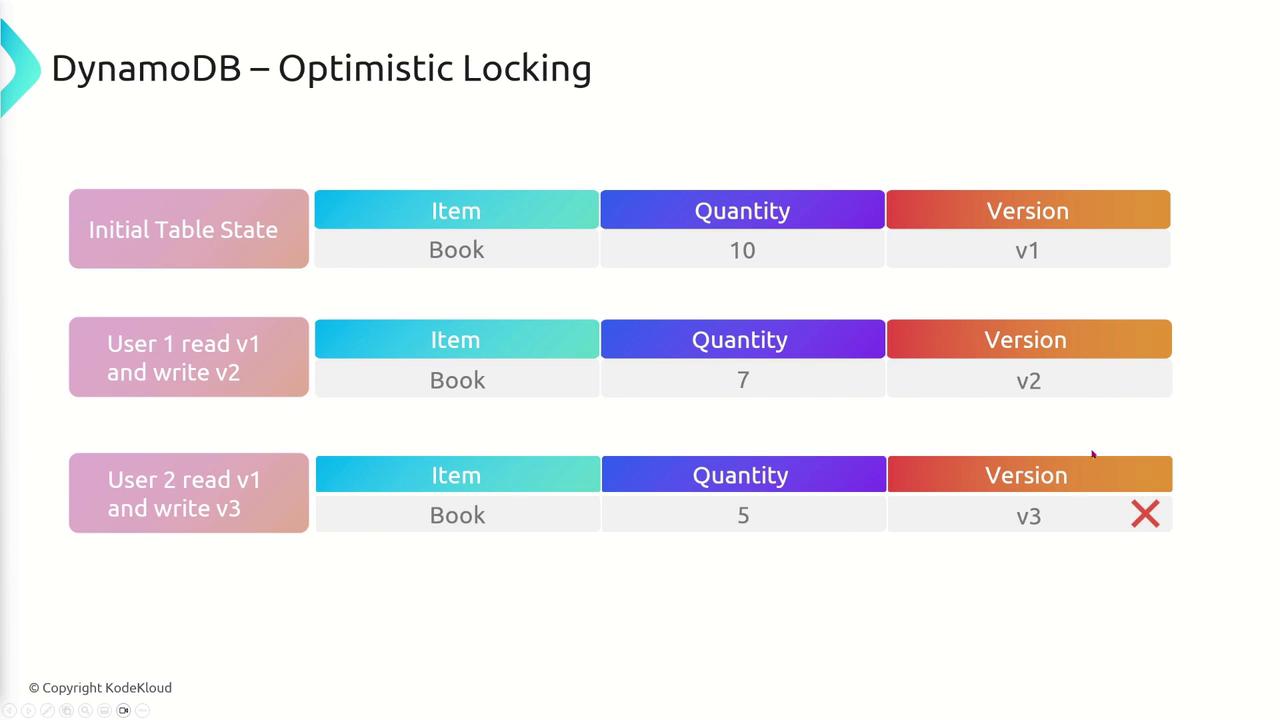
Imagine you have an item in your DynamoDB table that starts at version one. When a user reads the item and applies changes, the item is updated to version two. If another user reads the updated item (version two) and then applies changes, it will correctly update to version three since the operations follow the sequential version increments—thus, no conflict occurs. However, consider a scenario where two users simultaneously read the item at version one:- The first user updates the item to version two.
- The second user, still holding the initial version one, also attempts to update the item, expecting it to change to version two.
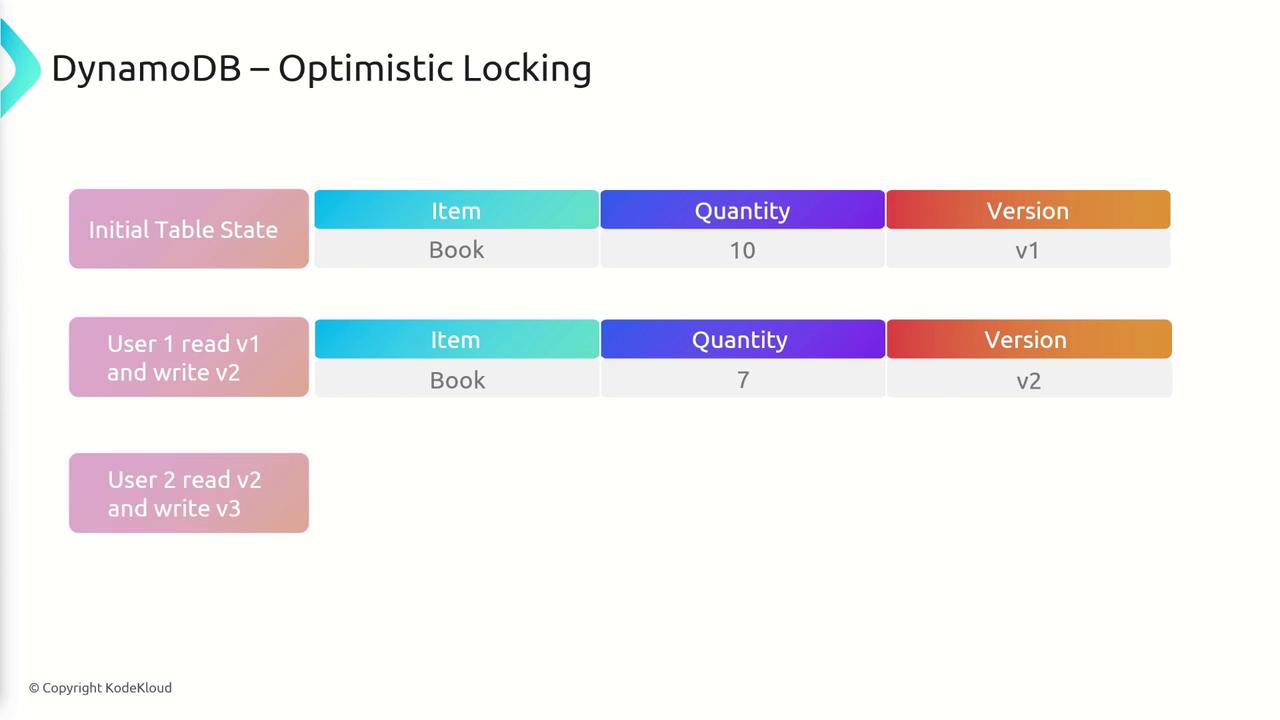
When performing an update, DynamoDB uses a conditional write operation. This operation checks that the version number of the item being updated matches the version number that was originally read. If the condition fails, the update is aborted, indicating that another operation has modified the item.
Step-by-Step Process
The typical process for applying optimistic locking in DynamoDB is as follows:- Read the item: Fetch the item along with its current version number.
- Modify the item: Apply the necessary changes to your data.
- Write with condition: Attempt to write the updated item using a conditional expression (e.g., “if version equals X”). This ensures that no other process has updated the item in the meantime.
- Increment the version: If the write operation succeeds, increment the version number of the item.
- Handle conflicts: If the operation fails due to a version mismatch, retrieve the latest version of the item and retry the update operation using an exponential backoff strategy.
If multiple processes frequently update the same item, be careful to implement an adequate retry mechanism. Failure to do so may result in increased latency or frequent update failures.
How DynamoDB Manages Optimistic Locking
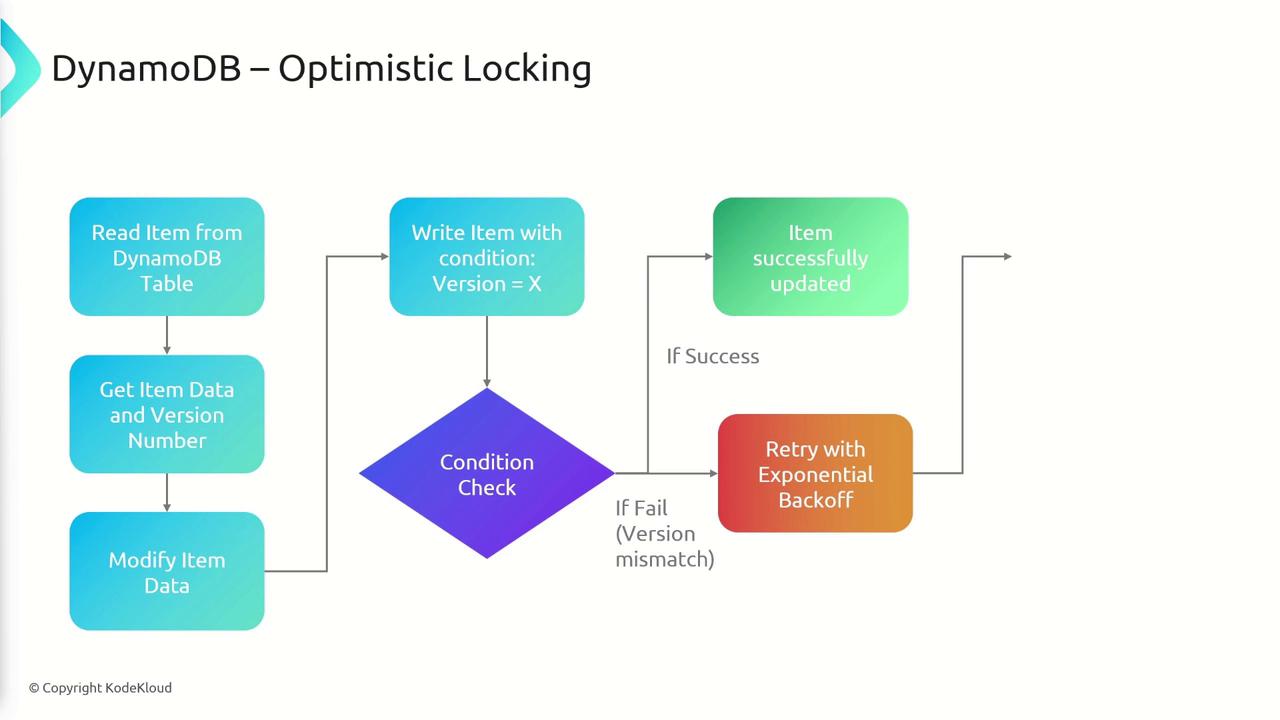
Under the hood, DynamoDB uses conditional writes to enforce version checks. The detailed flow is illustrated in the diagram below:- Read an item from the DynamoDB table along with its current version.
- Modify the item data accordingly.
- Write the updated item back using a conditional expression (e.g., “if version equals X”).
- If the conditional write is successful, the version number is incremented.
- In case of a version mismatch, the operation fails and can be retried after fetching the latest data with exponential backoff.