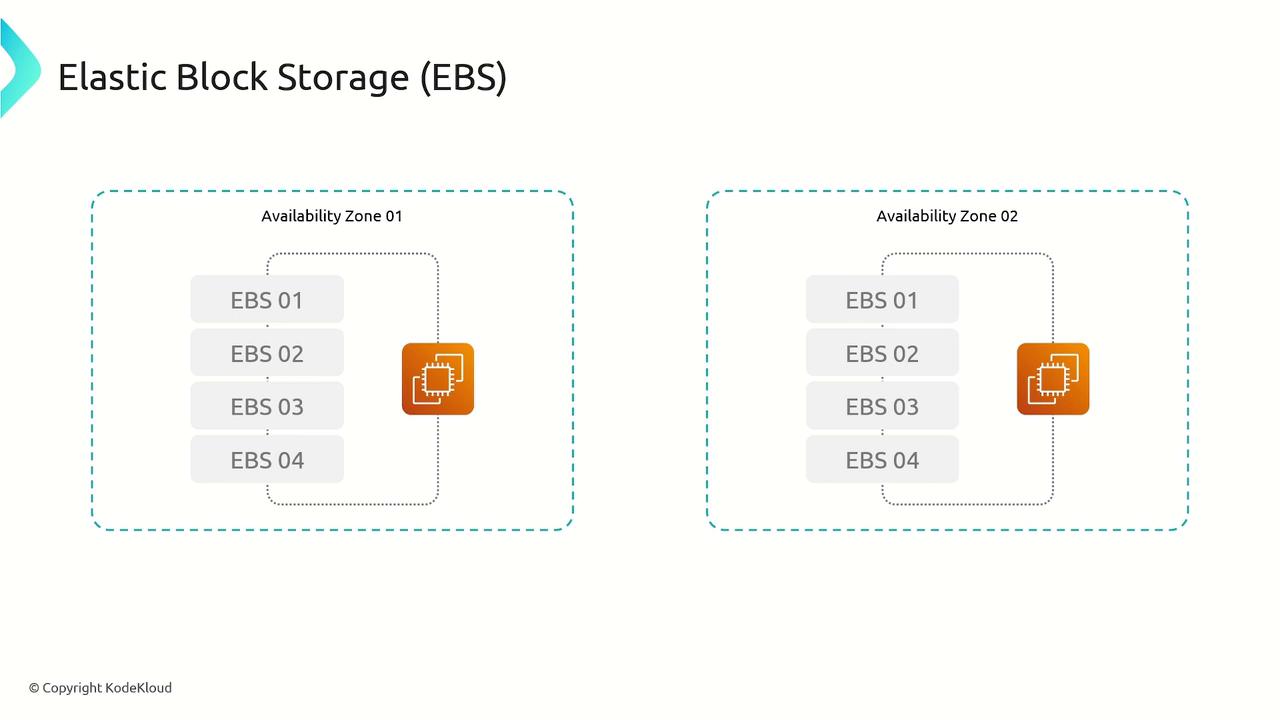
One major advantage of EBS is its flexibility. You can detach an EBS volume from one EC2 instance and later attach it to another, with all data preserved. While generally an EBS volume is linked to a single EC2 instance, some volume types support multi-attach, allowing multiple instances to access the same volume. In such setups, it is vital that only one instance performs write operations at a time to prevent data corruption.
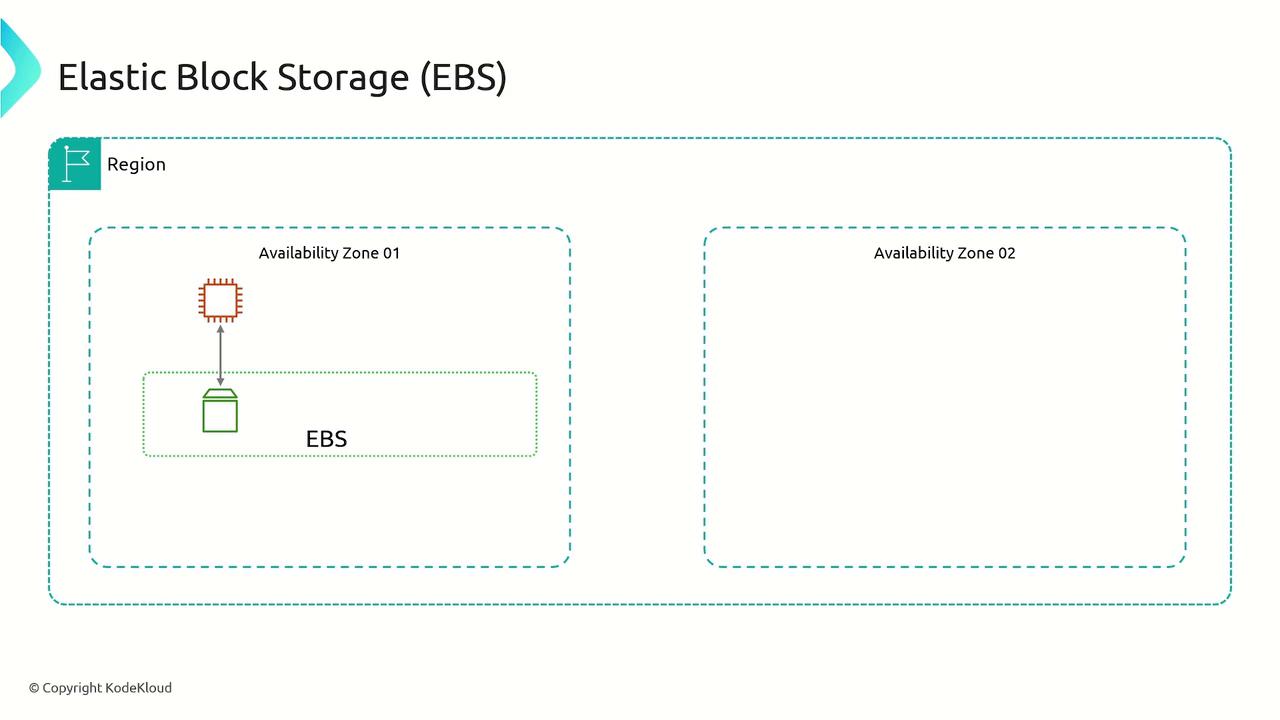
EBS in Action
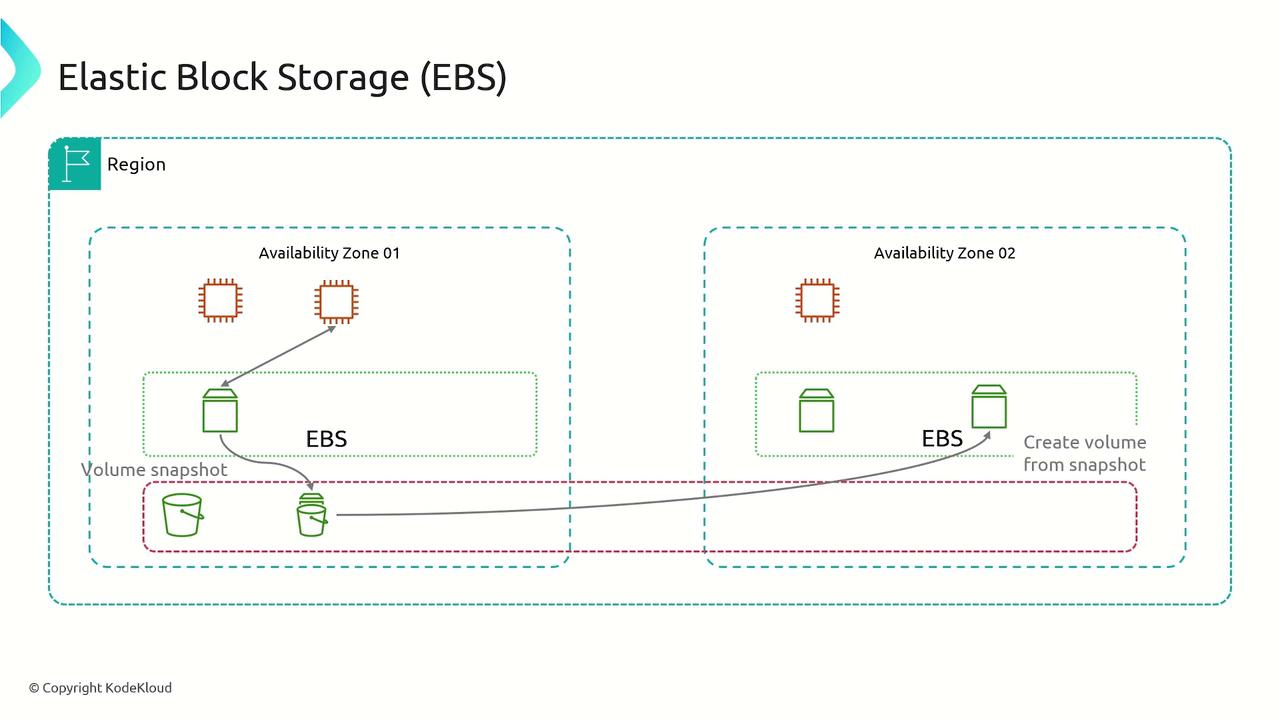
To understand how EBS works in practice, consider the following process:- Choose an availability zone because EBS volumes are specific to a zone.
- Create an EBS volume in the selected zone.
- Launch an EC2 instance within the same zone.
- Attach the volume as a block device to the EC2 instance.
EBS Volume Types
Amazon EBS offers a variety of volume types to balance performance, reliability, and cost-efficiency. These volume types are broadly categorized by their backing storage technology and specific performance capabilities.SSD-Based Volumes
-
General Purpose SSD (GP2 and GP3):
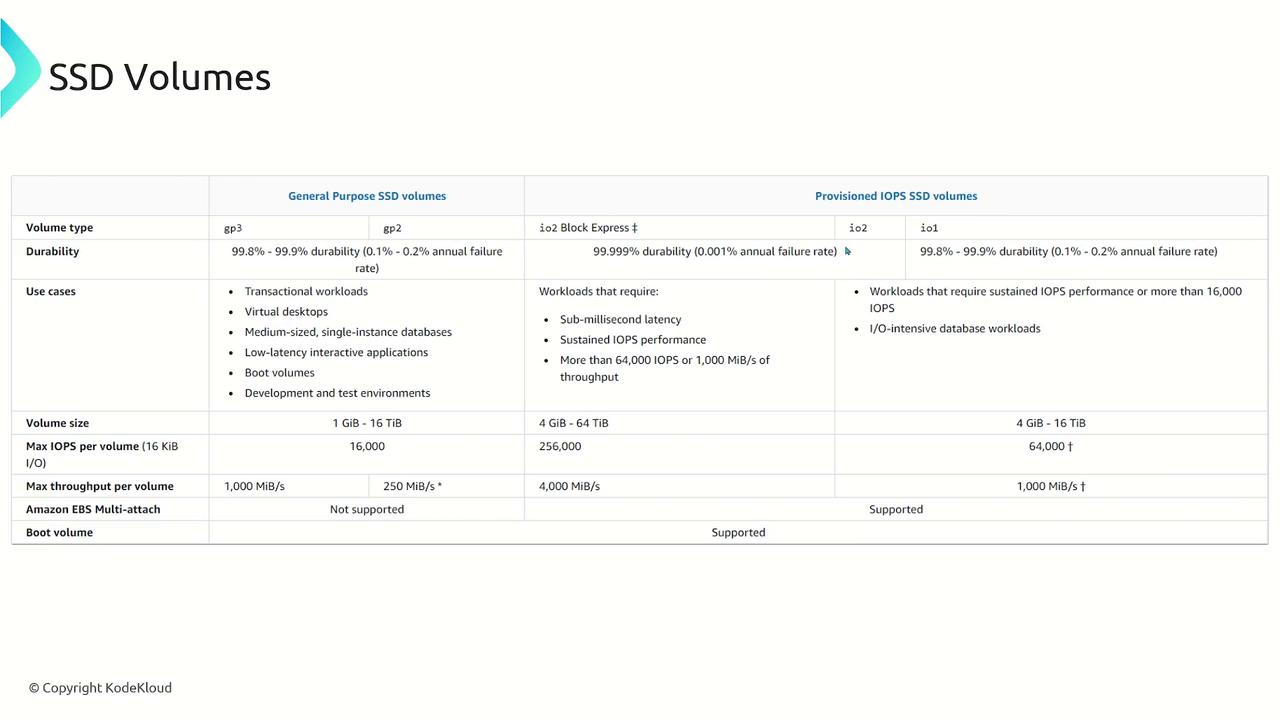
- These volumes are backed by solid state drives (SSDs) and provide a balanced mix of price and performance, making them suitable for a wide range of transactional workloads. These include virtual desktops, medium-sized databases, latency-sensitive interactive applications, and development or test environments.
- GP3 offers improved cost efficiency by being approximately 20% lower in price per gigabyte compared to GP2 while allowing independent scaling of performance relative to the volume size.
- GP2 remains the default choice for many EC2 instances, with performance that scales with the volume size.
-
Provisioned IOPS SSD:
- Designed for critical, high I/O workloads, these volumes provide low latency and high throughput, making them ideal for database operations where consistent performance is crucial.
The available variants include: - IO1
- IO2
- IO2 Block Express
- Designed for critical, high I/O workloads, these volumes provide low latency and high throughput, making them ideal for database operations where consistent performance is crucial.
IO2 provides enhanced durability (99.999% compared to IO1’s 99.8%–99.9%). IO2 Block Express further supports larger volume sizes (up to 64 TB vs. 16 TB) and offers significantly higher IOPS and throughput, making it suitable for workloads requiring sub-millisecond latency.
HDD-Based Volumes
For workloads that require cost-effective storage with moderate performance, AWS provides HDD-based volumes:-
Throughput Optimized HDD (st1):
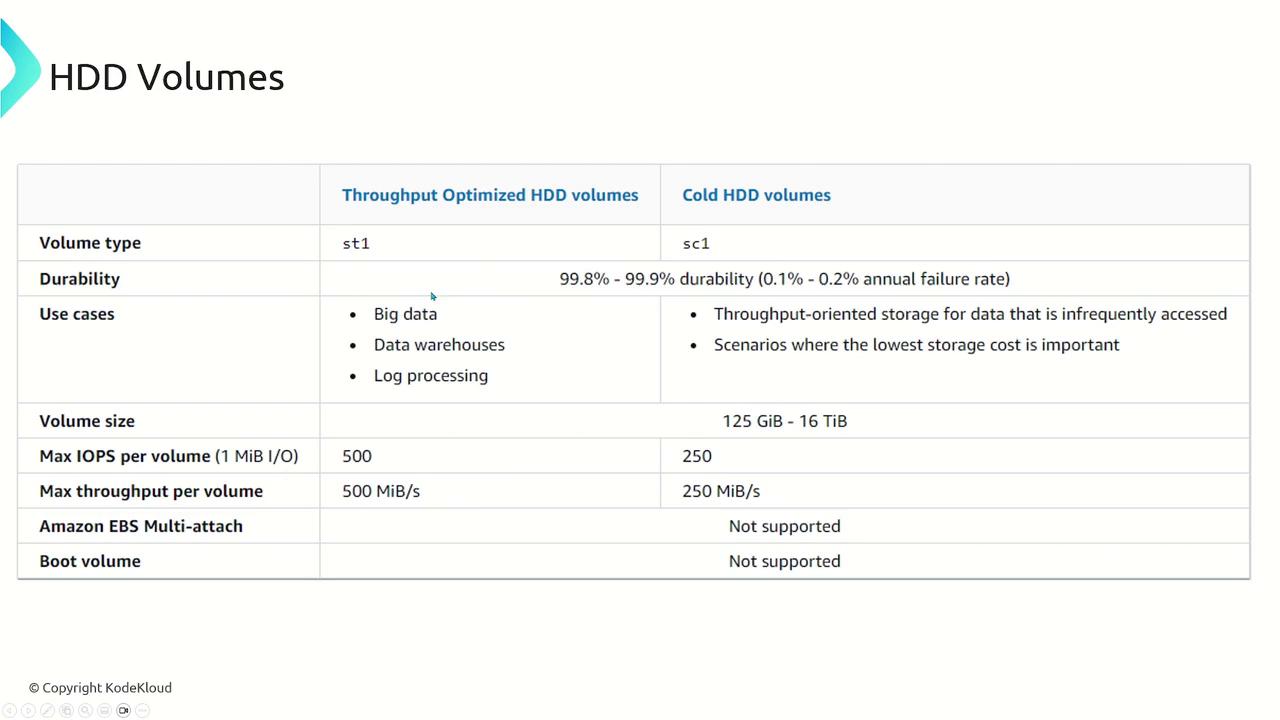
- Optimized for frequently accessed data and throughput-intensive workloads, these volumes offer higher IOPS and throughput compared to cold HDD volumes. They are well-suited for big data applications, data warehouses, and log processing.
-
Cold HDD (sc1):
- Intended for infrequently accessed data, cold HDD volumes emphasize cost savings over performance while still providing reliable storage.
Magnetic Volumes
Magnetic volumes represent an earlier generation of storage technology using magnetic drives. They are best suited for small, infrequently accessed data sets where high performance is not a primary concern. Typically, magnetic volumes deliver around 100 IOPS on average with burst capabilities that may only reach a few hundred IOPS, and they support volume sizes ranging from 1 GB to 1 TB.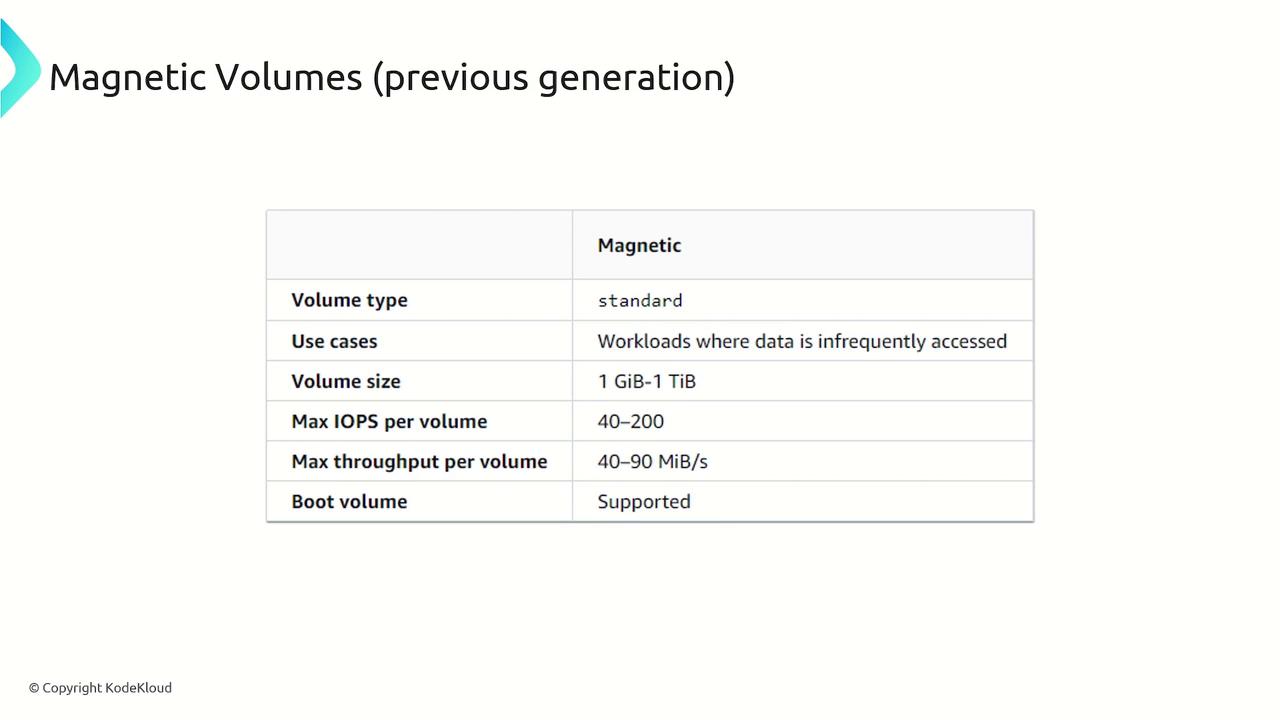
EBS Pricing
Amazon EBS employs a pay-as-you-go pricing model, charging on a per gigabyte, per month basis. The cost per gigabyte varies by volume type, with faster, high IOPS volumes carrying a premium. Additionally, EBS snapshots incur charges per gigabyte per month. It is important to note that snapshots are full snapshots (not incremental), meaning the billing is based on the entire size of the snapshot data.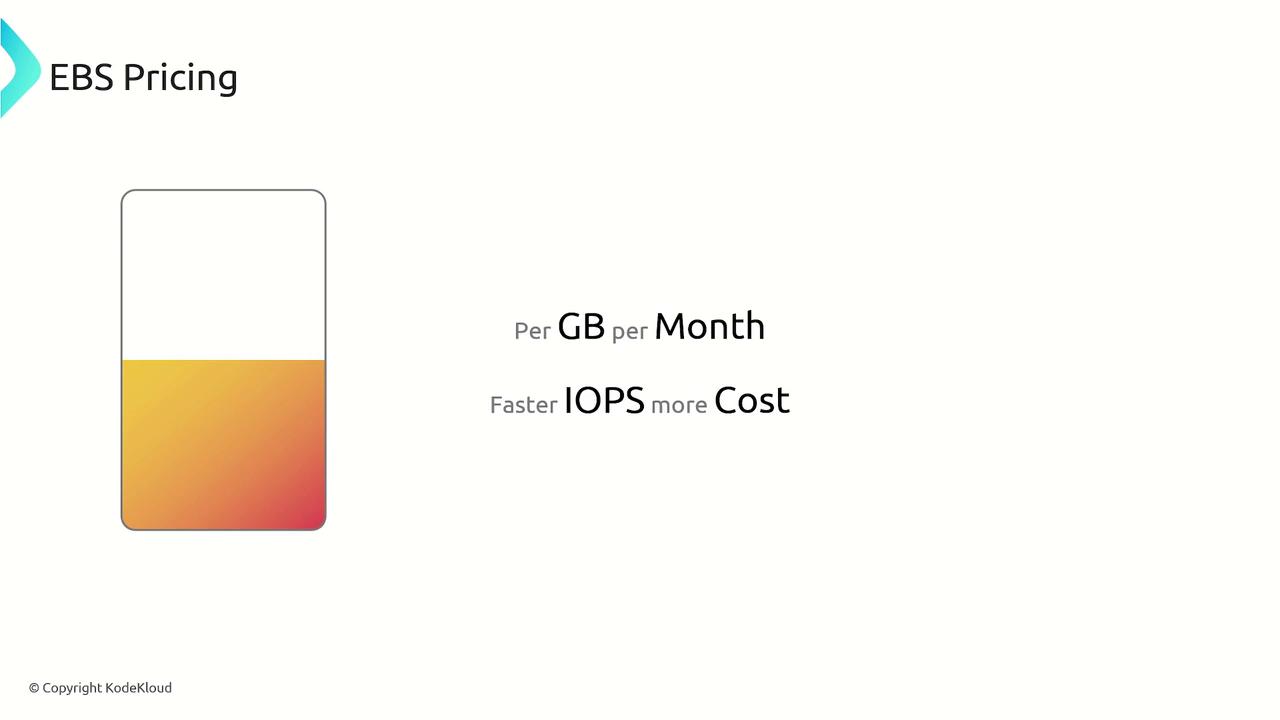
Summary
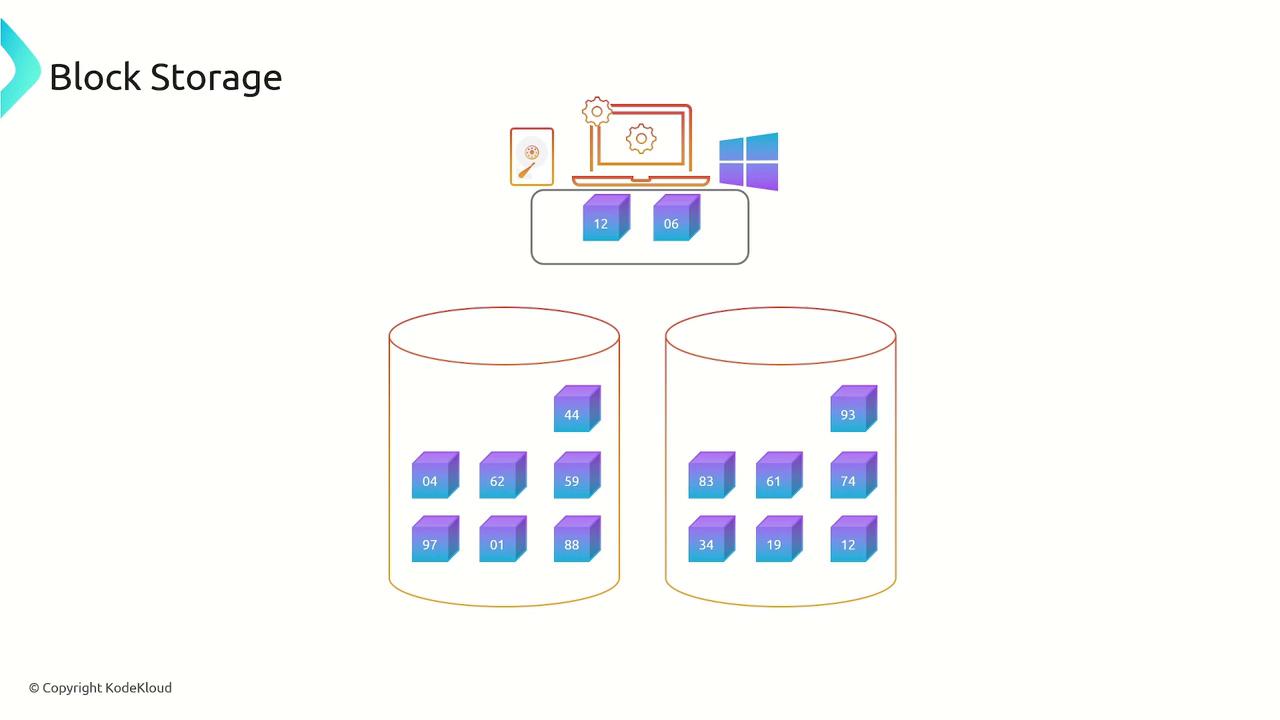
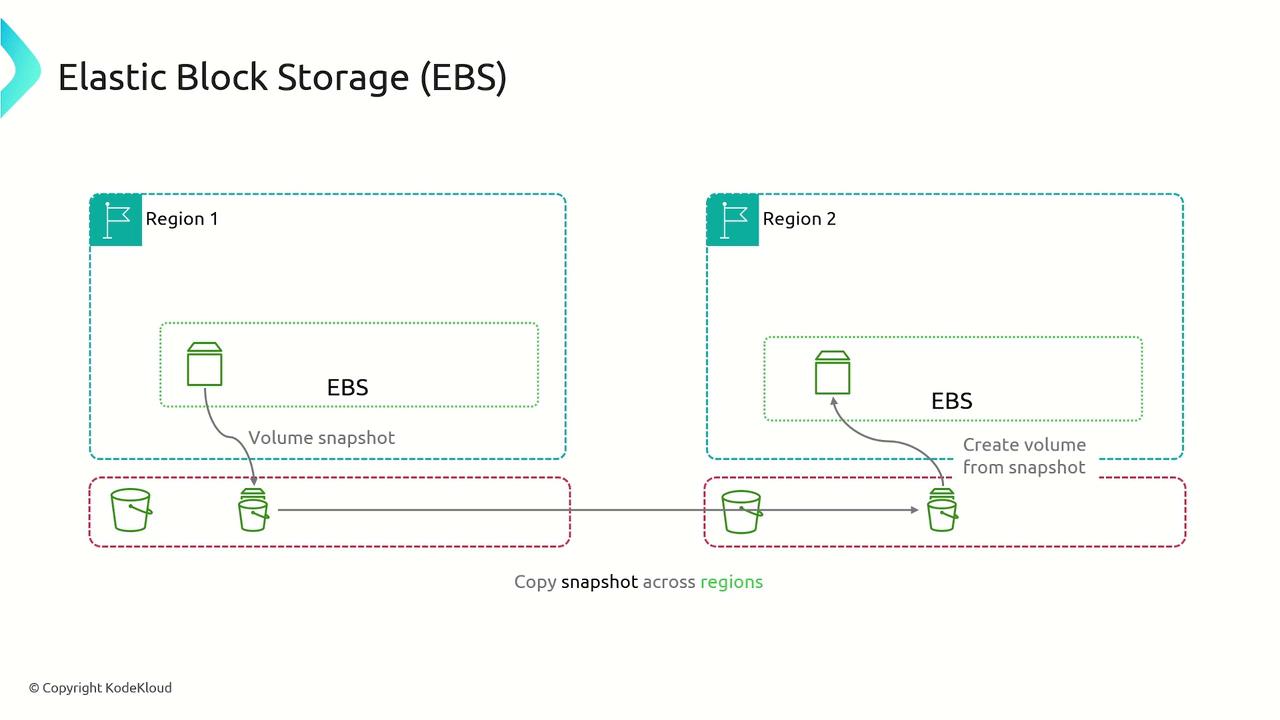
Block storage divides data into individual blocks, each uniquely identified, and can present these blocks as a mountable file system or a bootable device. AWS Elastic Block Store (EBS) leverages this principle to provide block-level storage volumes for EC2 instances, with volumes being provisioned within a single availability zone. To move data between availability zones, you can create a snapshot of the EBS volume and generate a new volume in the target zone. AWS offers multiple EBS volume types to optimize performance and cost based on your workload’s needs, with pricing determined by the storage you provision.