

Overview of Capacity Modes
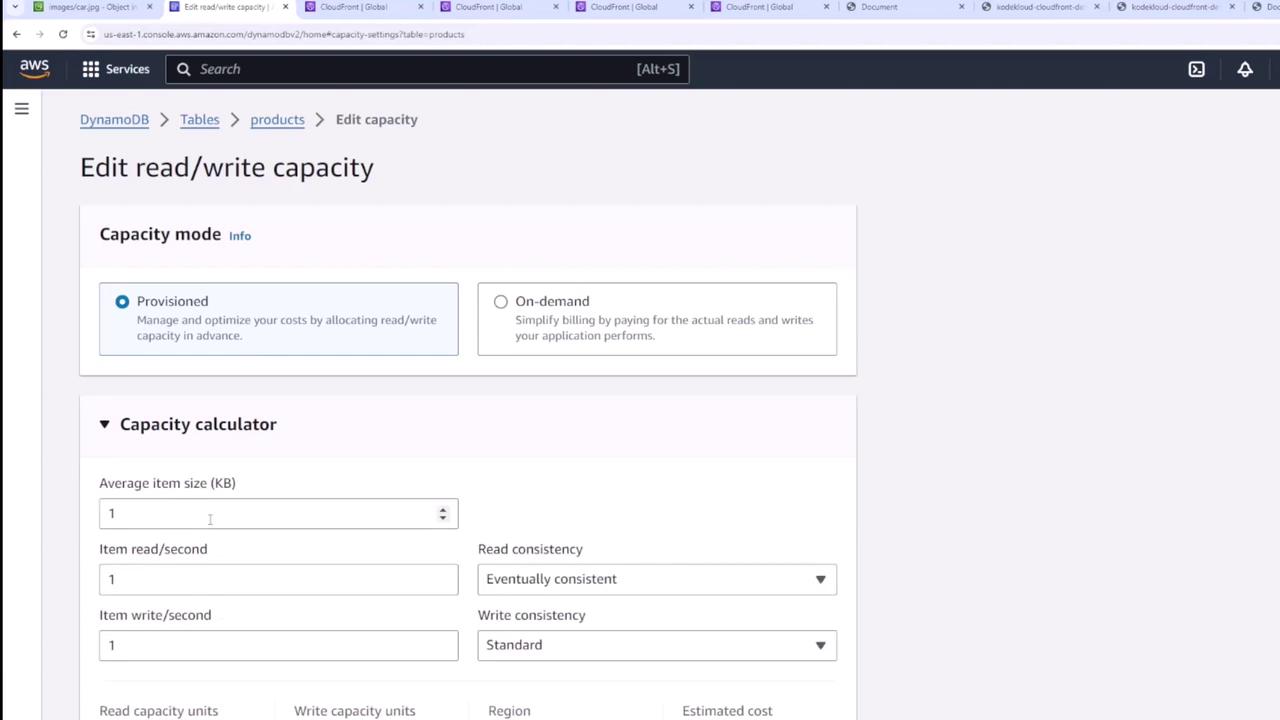
When managing a DynamoDB table, you can choose between two capacity modes:- On-Demand: This mode bills you based on actual read and write requests. It is ideal for workloads with unpredictable or fluctuating throughput requirements.
On-demand pricing typically carries a premium cost.
- Provisioned: In this mode, you specify the predetermined read and write capacity units. If you have a clear understanding of your throughput requirements, this option can be more cost-effective.
Using the Capacity Calculator
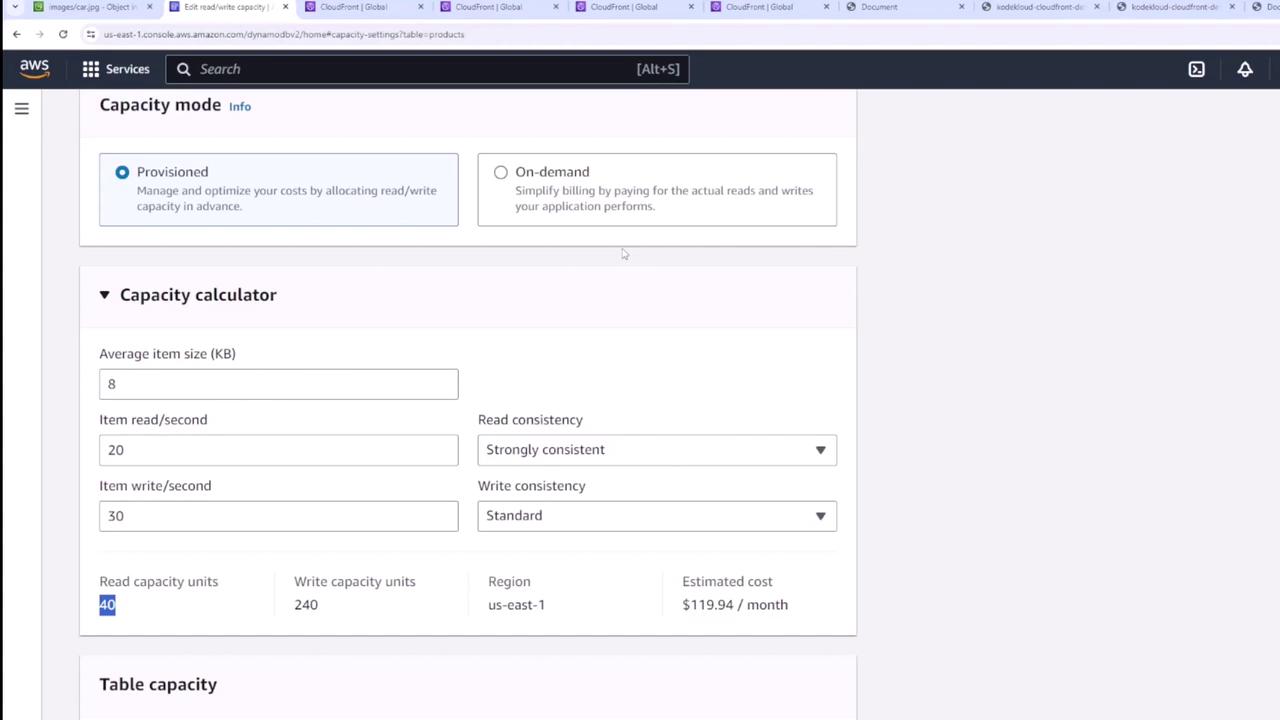
If you are unsure about the appropriate capacity units for your workload, use the capacity calculator available in the DynamoDB console. For example, if your application has the following requirements:- An average of eight items with a size of eight kilobytes each.
- Approximately 20 strongly consistent reads per second.
- About 30 standard writes per second.
Configuring Table Capacity
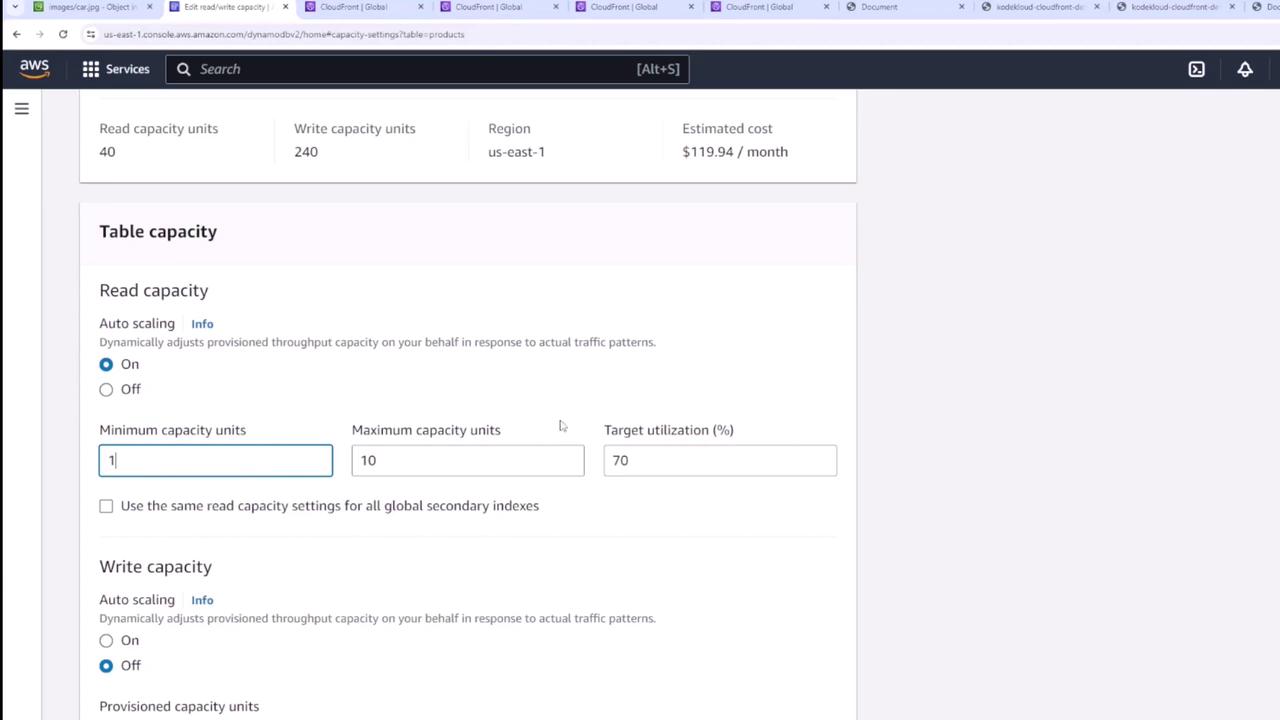
Access the table capacity settings to define your read and write capacity units. For example, if your current configuration is set to 2 read and 2 write capacity units, update these values to match the calculator’s recommendation of 40 read capacity units and 240 write capacity units.Auto Scaling
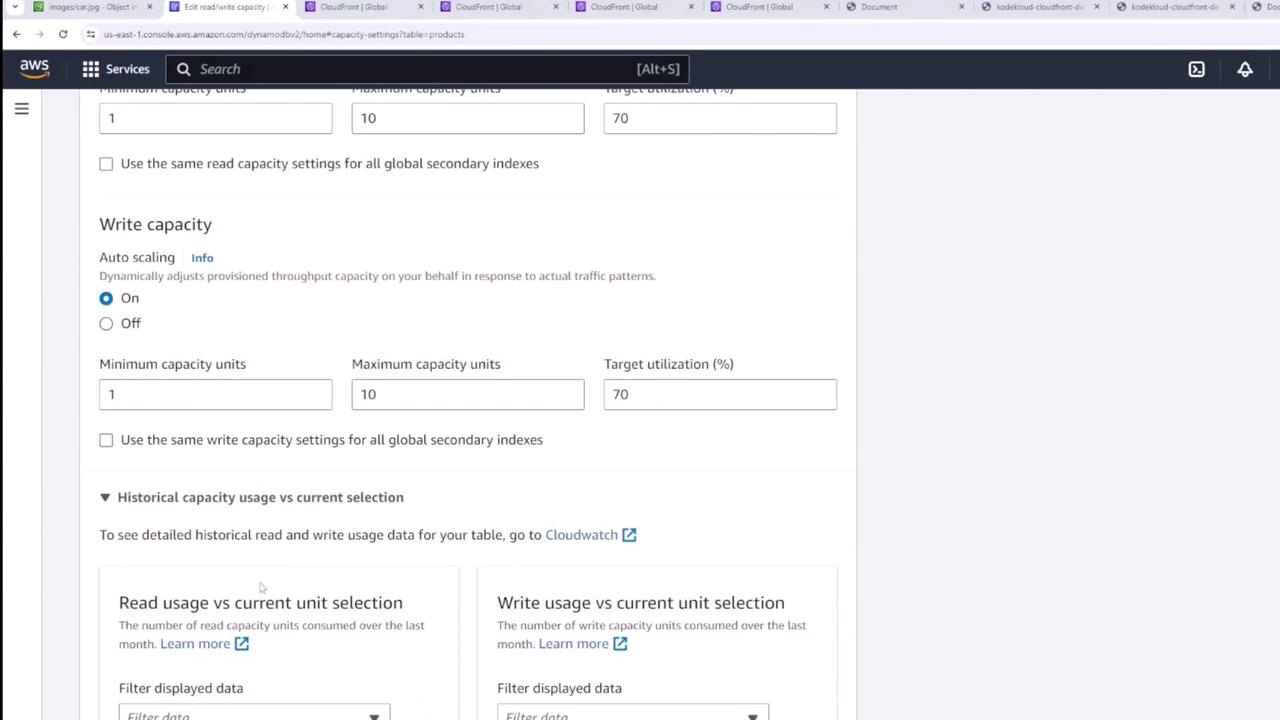
DynamoDB provides an auto scaling feature that dynamically adjusts your provisioned throughput based on actual traffic patterns. Key auto scaling settings include:- Minimum Capacity Units: The lower limit for throughput scaling.
- Maximum Capacity Units: The upper limit for scaling based on traffic.
- Target Utilization: Typically set around 70%, this percentage helps maintain optimal use of the provisioned capacity.
Regularly monitor your table’s performance metrics and adjust capacity settings accordingly to optimize both cost and throughput.