Ensure that your CSV file is correctly formatted and stored in an S3 bucket before proceeding.
Uploading the CSV File and Configuring Amazon Athena
Once the CSV file is uploaded to your S3 bucket, you can use Amazon Athena to directly query the data.Setting Up the Athena Table
After placing the CSV file in S3, open the Amazon Athena console. By default, you will see the default database. For this demonstration, you will create a new database and an external table to work with your CSV data.Clearing Existing Test Databases
If you have any pre-existing test databases, clear them using:Creating or Replacing a View
Before setting up the external table, you might need to create or replace a view. Here is an example:Creating an External Table for CSV Data
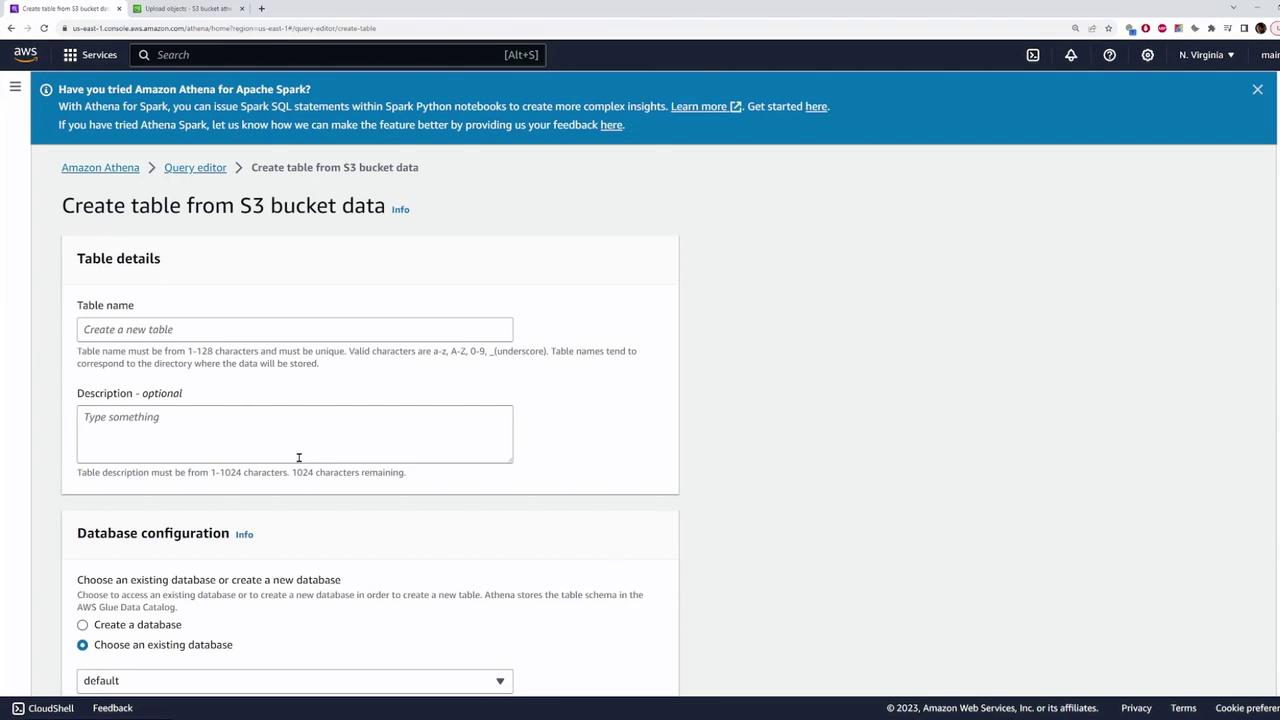
To create an external table that points to your CSV file in S3, follow these steps in the Athena console:- Click on “Create Table” to specify a table from your S3 data source.
- Provide a table name (for instance, “users”) and choose to create a new database (e.g., “athena_demo”).
- Specify the S3 bucket location where your CSV file is stored.
- Select the table type corresponding to your file format (ensure the CSV option is selected).
- Set the field delimiter to a comma.
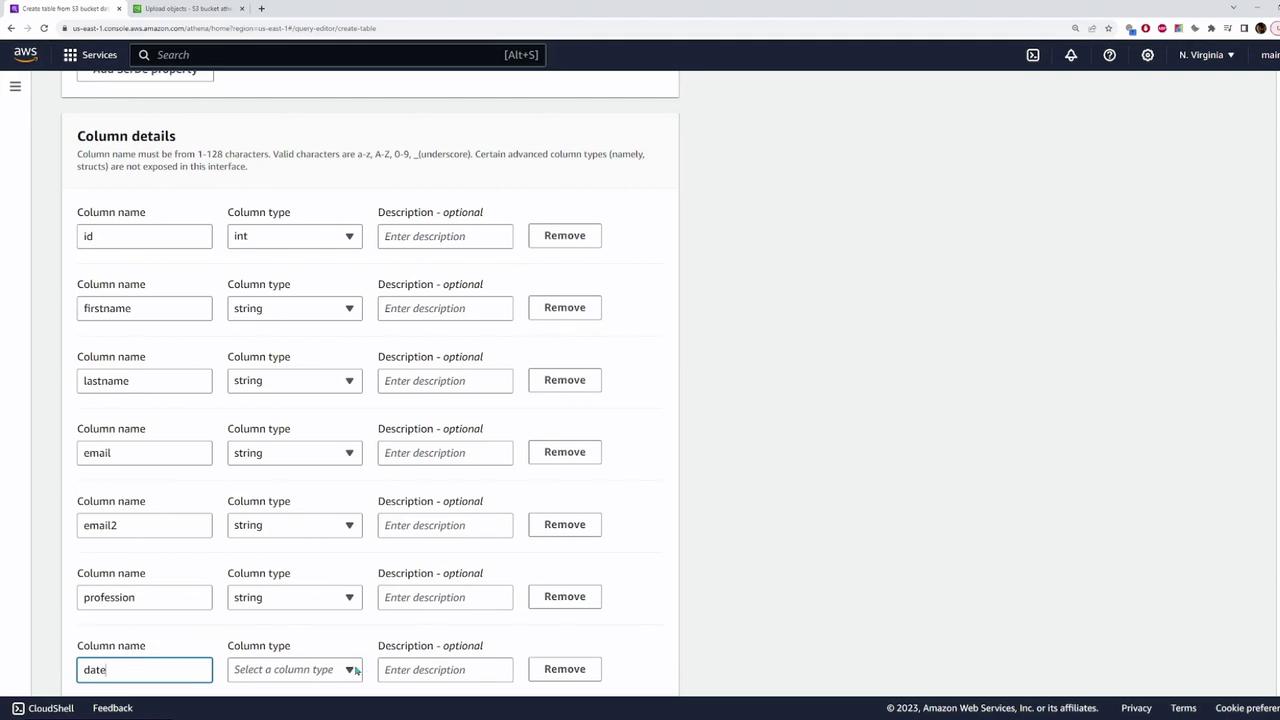
- Define the column details that match your CSV file. For example:
- id: integer
- firstname: string
- lastname: string
- email: string
- email2: string
- profession: string
- date joined: date
- Country: string
Reviewing Column Details
Review the column details carefully using an excerpt similar to the following:Adjust the column types as necessary—for example, converting the ID to an integer and the date joined to a date type.
Sample SQL for Creating the External Table
Once you have configured the table details, Athena will generate an SQL statement. An example statement might look like:Querying the Data
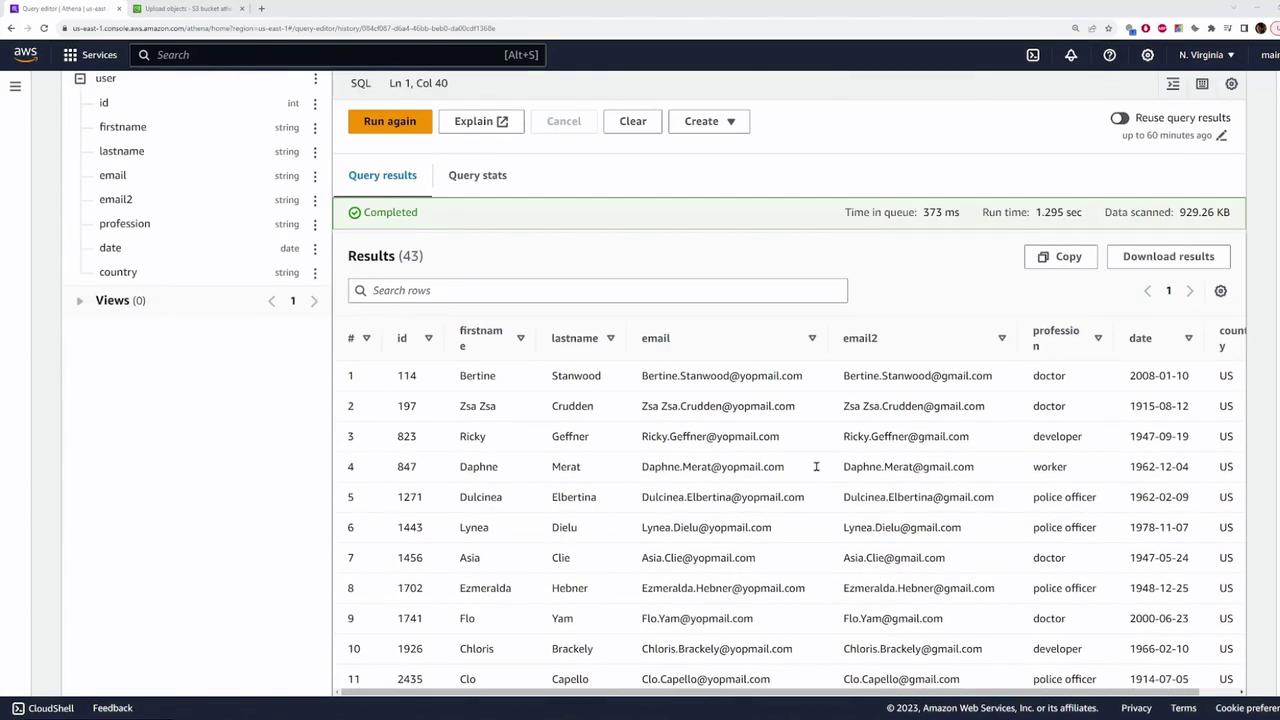
To retrieve all records from your table, run:Dropping the Table and Database
If needed, you can remove the table or database using standard SQL commands:-
To drop the table:
-
To drop the database:
Conclusion
This demonstration explained how to upload a CSV file to an S3 bucket, create an external table in Amazon Athena that references the CSV data, and execute SQL queries to retrieve and filter your data. For further details, refer to the Amazon Athena documentation.