In this tutorial, you’ll learn how to integrate a custom TrivyScan shared library into your Jenkins pipeline to automate vulnerability scanning and report generation. We will walk through the following steps:
Define TrivyScan methods in your shared library
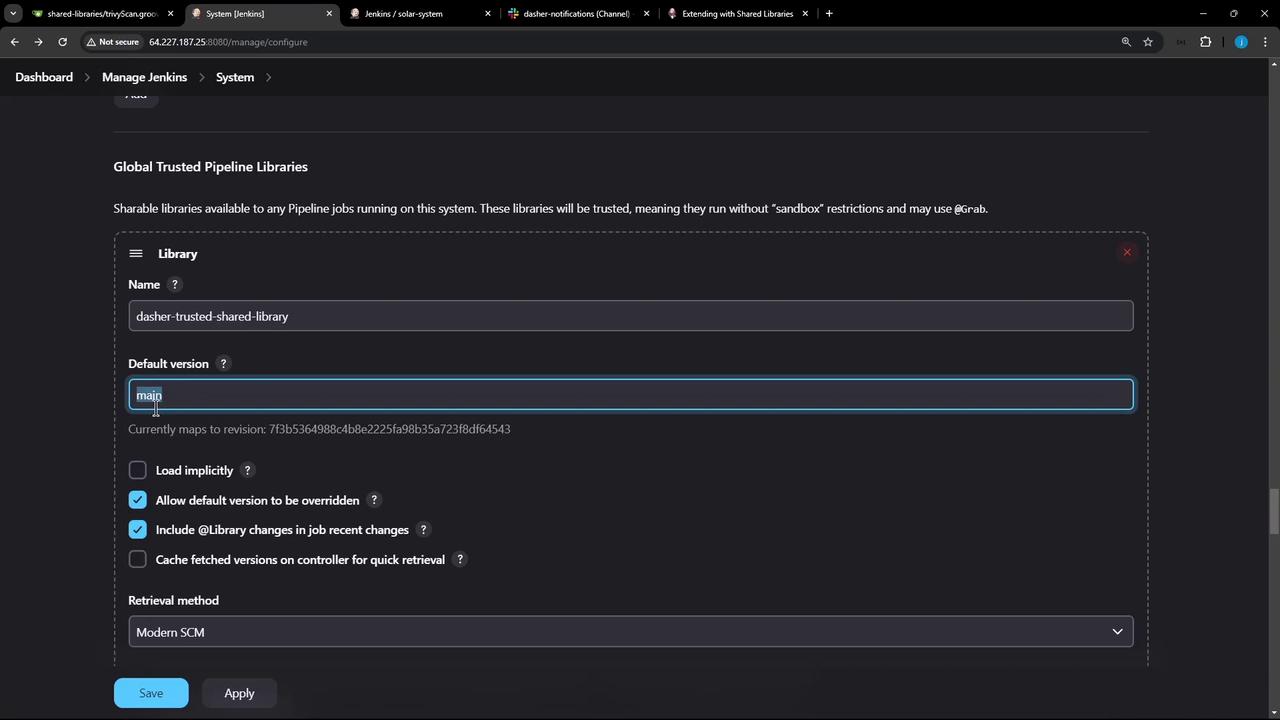
Configure the global pipeline library in Jenkins
Override the default library version using a feature branch
Invoke the vulnerability and reportsConverter methods inside a declarative pipeline
Wrap library calls in script blocks to comply with pipeline syntax
View generated reports and Slack notifications
1. Define TrivyScan Methods in Your Shared Library Create vars/TrivyScan.groovy in your shared library repository with two methods:
vulnerability : Runs Trivy image scans with different severity thresholdsreportsConverter : Converts JSON scan results into HTML and JUnit XML
// vars/TrivyScan.groovy def vulnerability ( String imageName ) { sh """ echo "Scanning image: ${ imageName } " trivy image ${ imageName } \ --severity LOW,MEDIUM,HIGH \ --exit-code 0 --quiet \ --format json -o trivy-image-MEDIUM-results.json trivy image ${ imageName } \ --severity CRITICAL \ --exit-code 1 --quiet \ --format json -o trivy-image-CRITICAL-results.json """ } def reportsConverter () { sh """ # Convert to HTML reports trivy convert --format template \ --template "@/usr/local/share/trivy/templates/html.tpl" \ --output trivy-image-MEDIUM-results.html trivy-image-MEDIUM-results.json trivy convert --format template \ --template "@/usr/local/share/trivy/templates/html.tpl" \ --output trivy-image-CRITICAL-results.html trivy-image-CRITICAL-results.json # Convert to JUnit XML reports trivy convert --format template \ --template "@/usr/local/share/trivy/templates/junit.tpl" \ --output trivy-image-MEDIUM-results.xml trivy-image-MEDIUM-results.json trivy convert --format template \ --template "@/usr/local/share/trivy/templates/junit.tpl" \ --output trivy-image-CRITICAL-results.xml trivy-image-CRITICAL-results.json """ }
Commit and push on a feature branch:
git checkout -b featureTrivyScan
git add vars/TrivyScan.groovy
git commit -m "Add TrivyScan shared library methods"
git push origin featureTrivyScan
In Jenkins, go to Manage Jenkins → Configure System → Global Pipeline Libraries and add or update your library:
Property Value Name dasher-trusted-shared-library Default version main Allow default version override ☑️ Enabled
Enabling version override allows pipelines to specify a branch or tag in the @Library annotation.
3. Load a Specific Library Version in Your Jenkinsfile At the very top of your Jenkinsfile, reference the feature branch:
@Library ( 'dasher-trusted-shared-library@featureTrivyScan' ) _
This makes the trivyScan methods available to your pipeline.
4. Invoke TrivyScan Methods in a Declarative Pipeline Below is a sample Declarative Pipeline that:
Builds a Docker image
Runs Trivy scans
Converts scan results to HTML and JUnit
Publishes the reports
@Library ( 'dasher-trusted-shared-library@featureTrivyScan' ) _ pipeline { agent any environment { GIT_COMMIT = " ${ env.GIT_COMMIT } " } stages { stage( 'Build Docker Image' ) { steps { echo "Building Docker image" sh 'docker build -t myrepo/solar-system:${GIT_COMMIT} .' } } stage( 'Trivy Vulnerability Scanner' ) { steps { script { trivyScan . vulnerability( "myrepo/solar-system: ${ GIT_COMMIT } " ) } } post { always { script { trivyScan . reportsConverter() } publishHTML([ allowMissing : true , alwaysLinkToLastBuild : true , keepAll : true , reportDir : '.' , reportFiles : 'trivy-image-*.html' , reportName : 'Trivy HTML Reports' ]) publishHTML([ allowMissing : true , alwaysLinkToLastBuild : true , keepAll : true , reportDir : '.' , reportFiles : 'trivy-image-*.xml' , reportName : 'Trivy JUnit Reports' ]) } } } } }
In Declarative Pipelines, any method calls on shared library objects must be wrapped inside a script {} block to avoid syntax errors.
5. View Pipeline Output and Reports Once you push your branch, Jenkins will trigger a build. In the Console Output , look for trivy image ... commands:
echo "Scanning image: myrepo/solar-system:c9dc5eb9b28174642a87fb0e2c8f92845fa4b1d"
trivy image myrepo/solar-system:c9dc5eb9b28174642a87fb0e2c8f92845fa4b1d --severity LOW,MEDIUM,HIGH --exit-code 0 --quiet --format json -o trivy-image-MEDIUM-results.json
trivy image myrepo/solar-system:c9dc5eb9b28174642a87fb0e2c8f92845fa4b1d --severity CRITICAL --exit-code 1 --quiet --format json -o trivy-image-CRITICAL-results.json
...
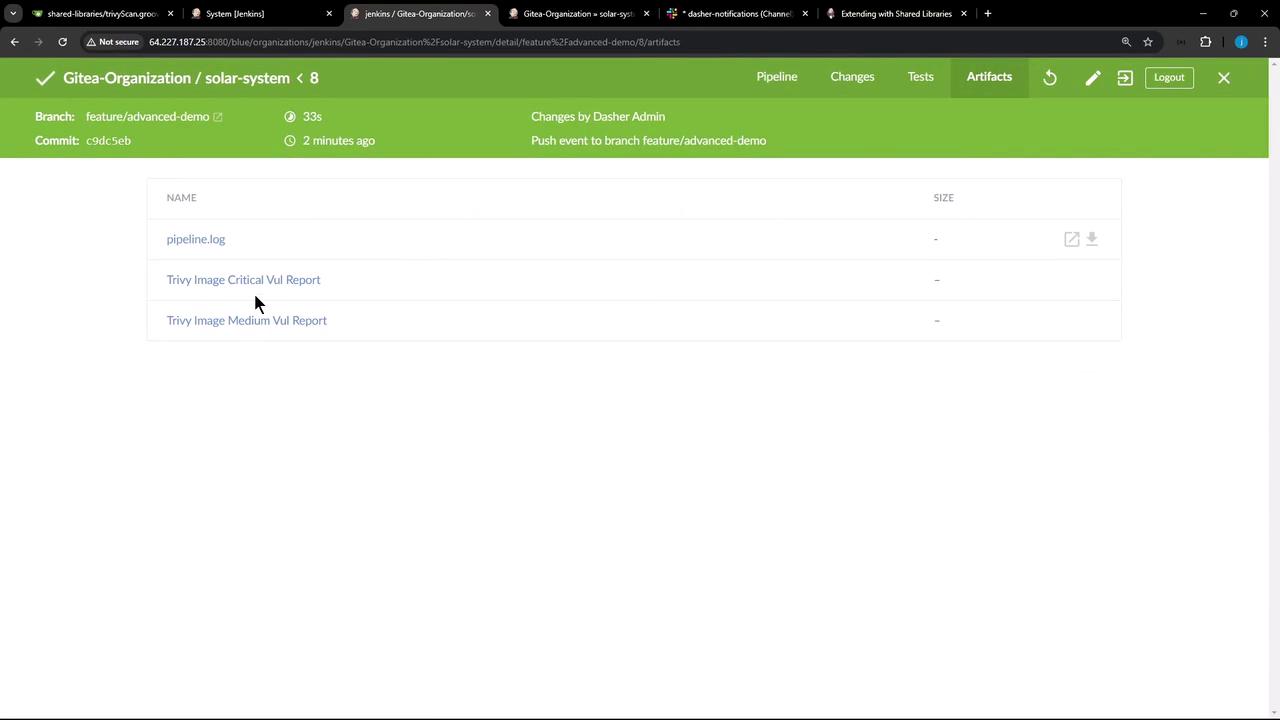
In Pipeline Artifacts , you’ll find both HTML and XML reports:
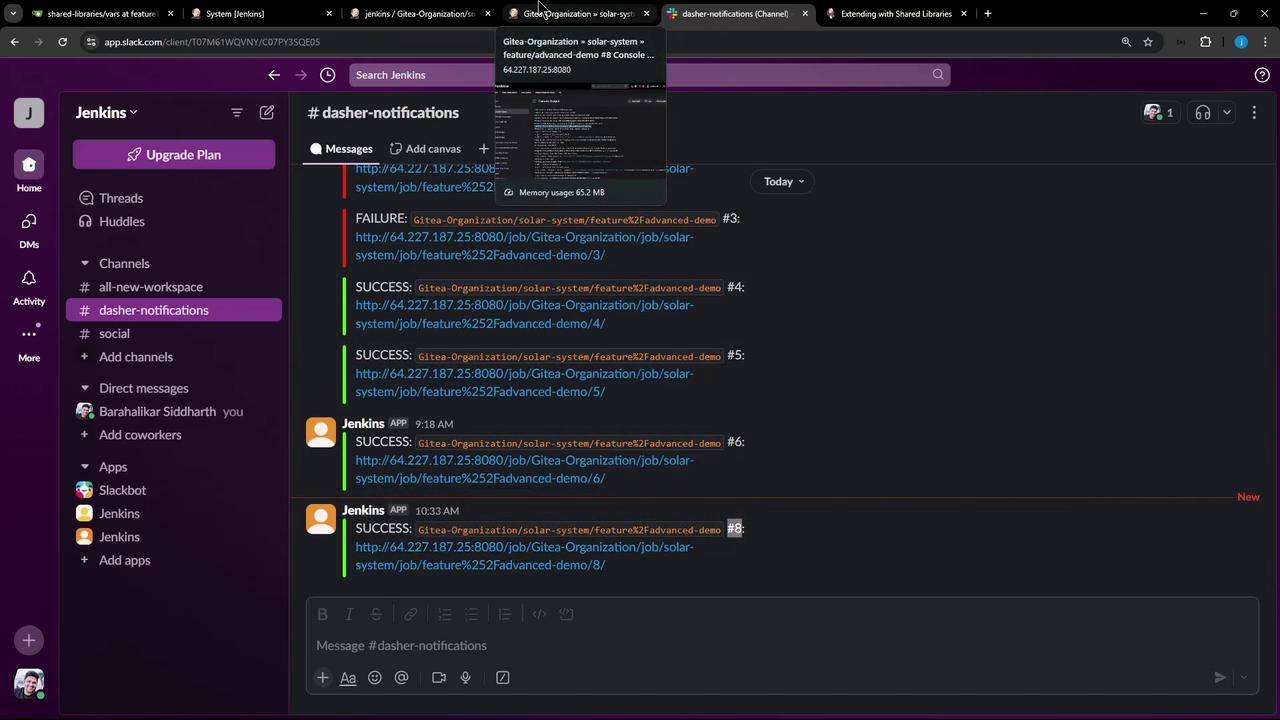
6. Verify Slack Notifications If you also have a Slack notifications shared library on this branch, you should see build alerts in your channel:
Make sure your Slack token and channel are configured securely in Jenkins credentials to prevent unauthorized access.
Links and References