Table of Contents
- Understanding Whitelists & Blacklists
- Inspecting the Whitelist
- Inspecting the Blacklist
- Adding Blacklisted Calls to a Pipeline
- First Build:
getInstanceBlocked - Approving Signatures in Jenkins
- Second Build:
getPropertyBlocked - Final Build: Success!
- References
Understanding Whitelists & Blacklists
Jenkins uses the script-security plugin to sandbox Groovy scripts.Under
src/main/resources/org/jenkinsci/plugins/scriptsecurity/sandbox/whitelists you’ll find files that list allowed methods. The same folder contains a blacklist file defining methods that are blocked by default and require admin approval.
| List Type | Purpose | Sample Entry |
|---|---|---|
| Whitelist | API methods and signatures allowed in sandbox | method hudson.model.Run getFullDisplayName |
| Blacklist | Methods blocked unless approved via Script Approval | method java.io.Reader read |
Inspecting the Whitelist
Browse the Jenkins script-security-plugin repository on GitHub and open thewhitelists folder:
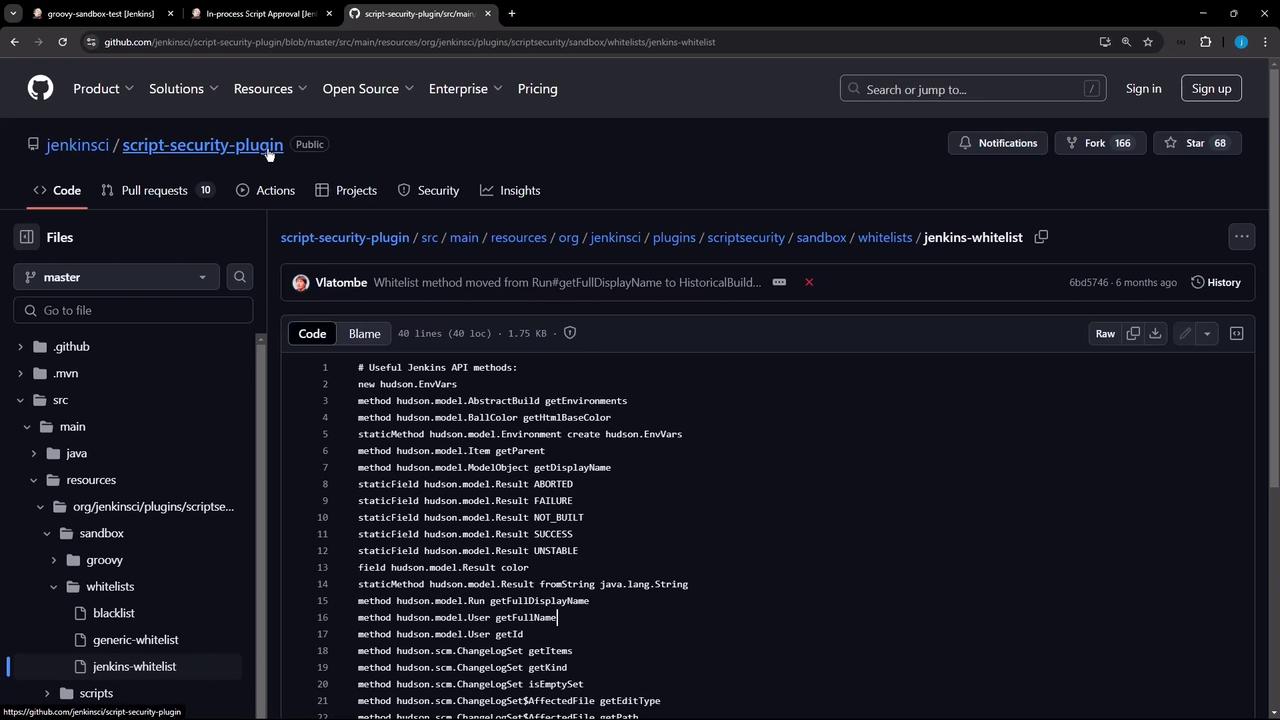
jenkins-whitelist:
Inspecting the Blacklist
Theblacklist file in the same directory lists methods that are disallowed by default:
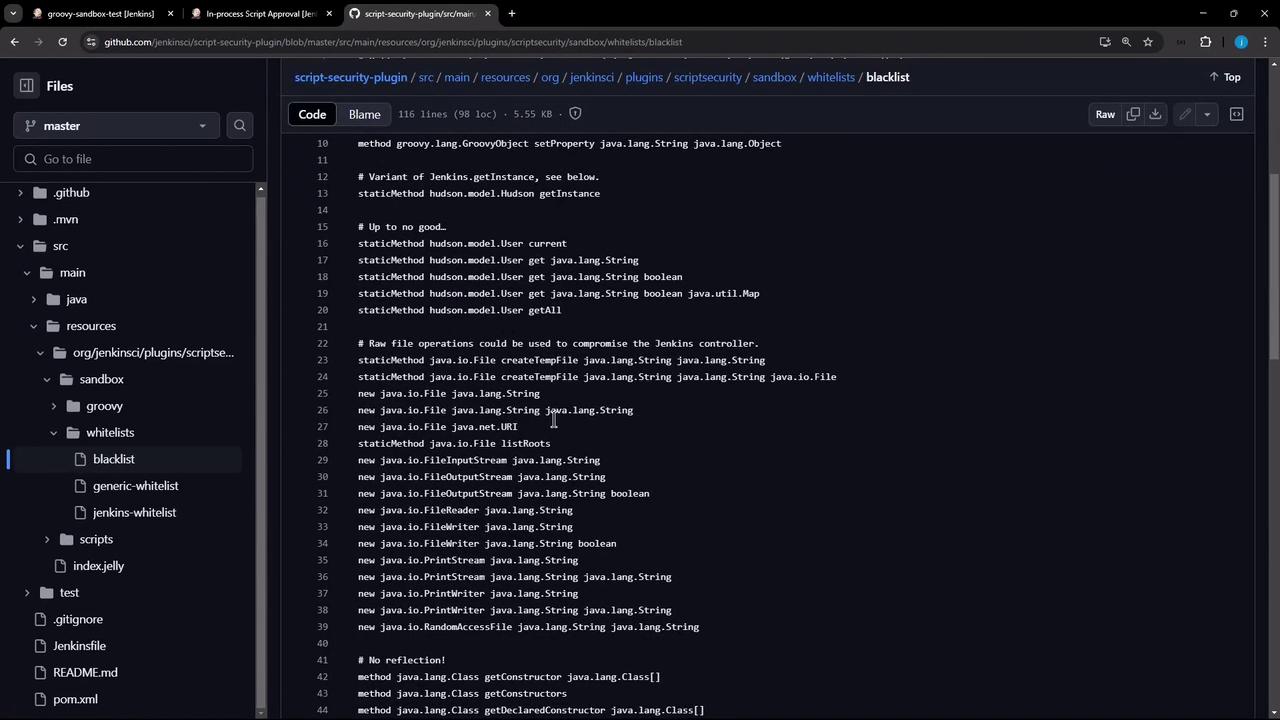
Adding Blacklisted Calls to a Pipeline
Let’s modify a declarative pipeline to call two blacklisted methods:Make sure Use Groovy Sandbox is checked in your pipeline configuration before running the build.

First Build: getInstance Blocked
The Topic stage will pass, but Get Hudson Instance fails due to the blacklist:
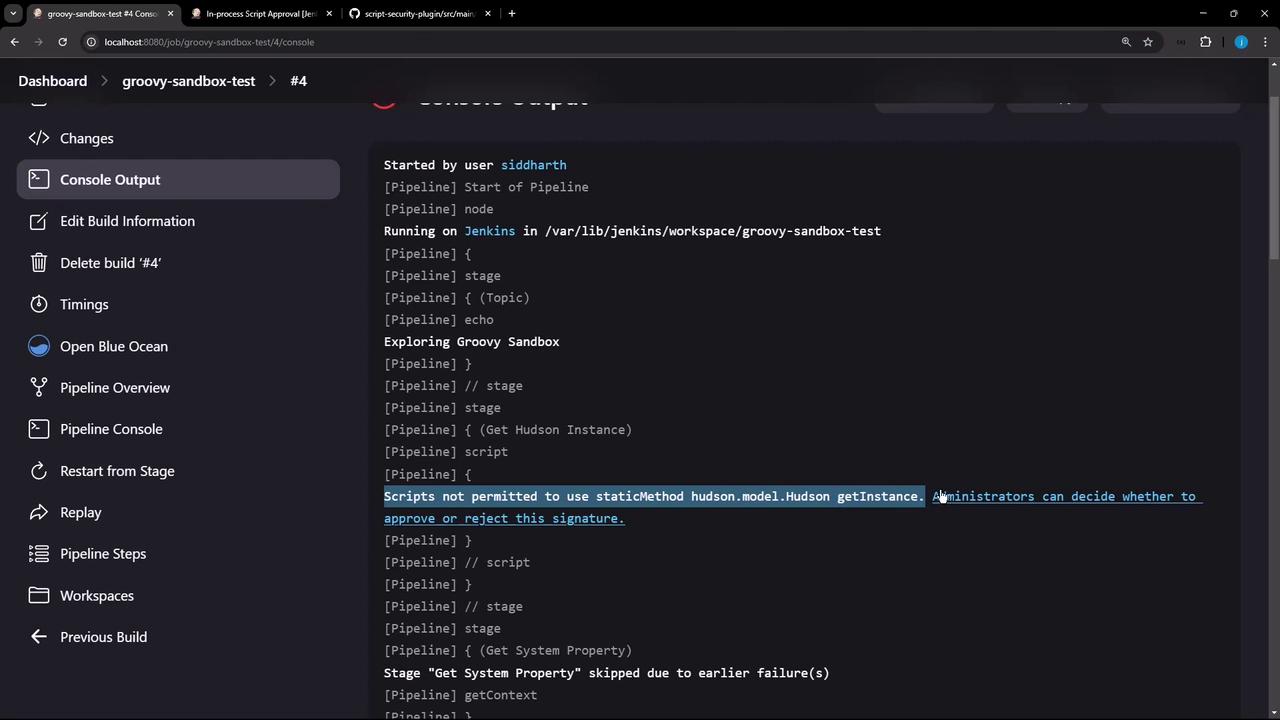
Approving Signatures in Jenkins
Click the error link or navigate to Manage Jenkins → In-process Script Approval to review pending signatures: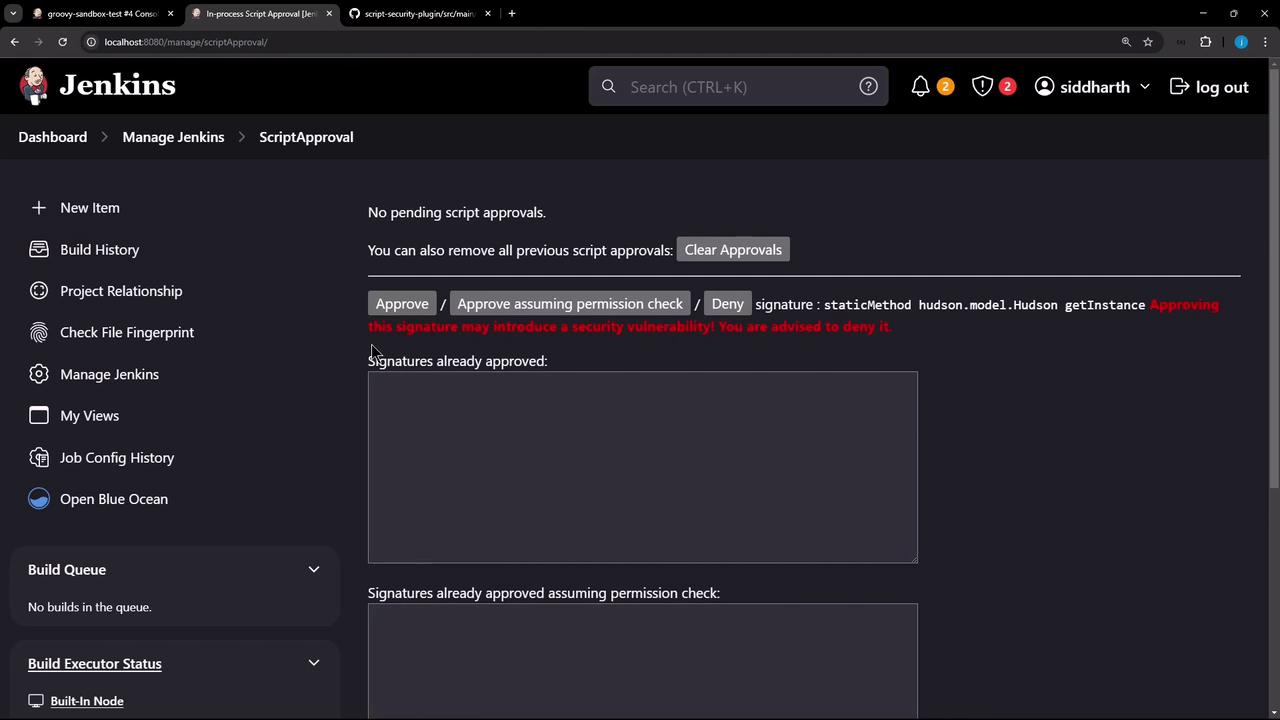
Approving method signatures grants scripts additional privileges. Review each request carefully.
hudson.model.Hudson getInstance signature, then rerun the build.
Second Build: getProperty Blocked
After approving, Get Hudson Instance now succeeds but Get System Property fails: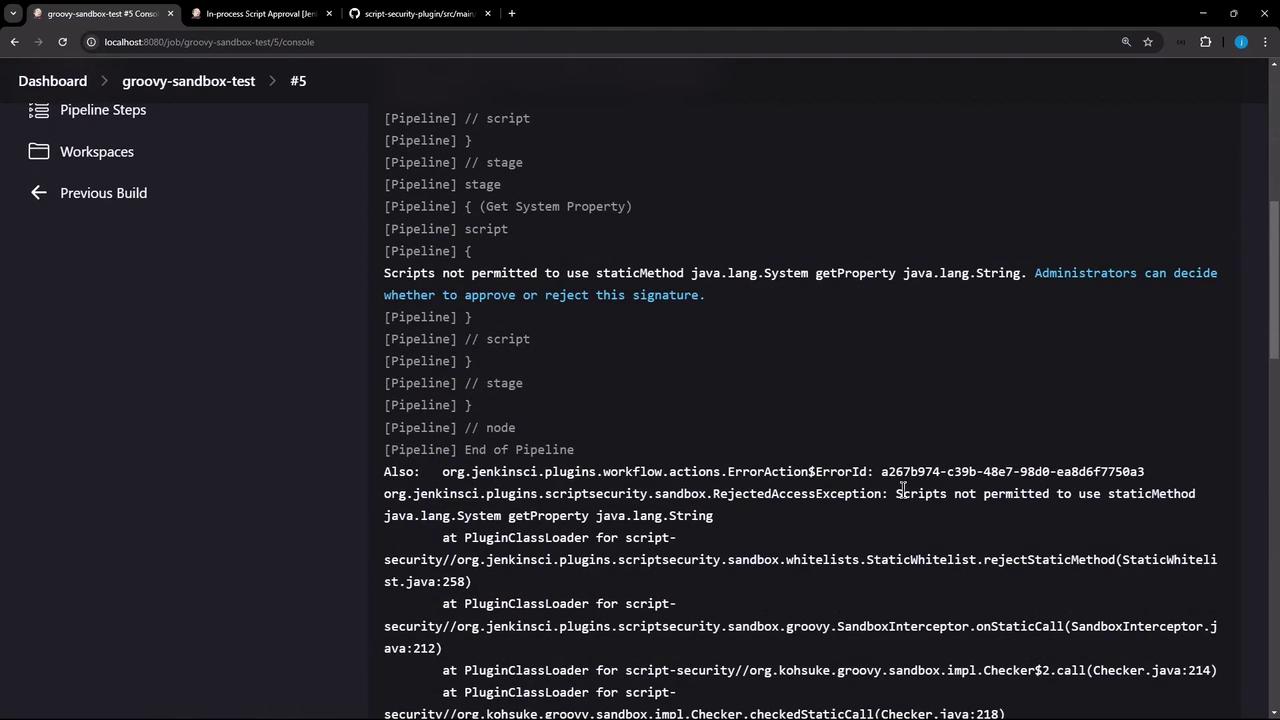
java.lang.System getProperty signature:
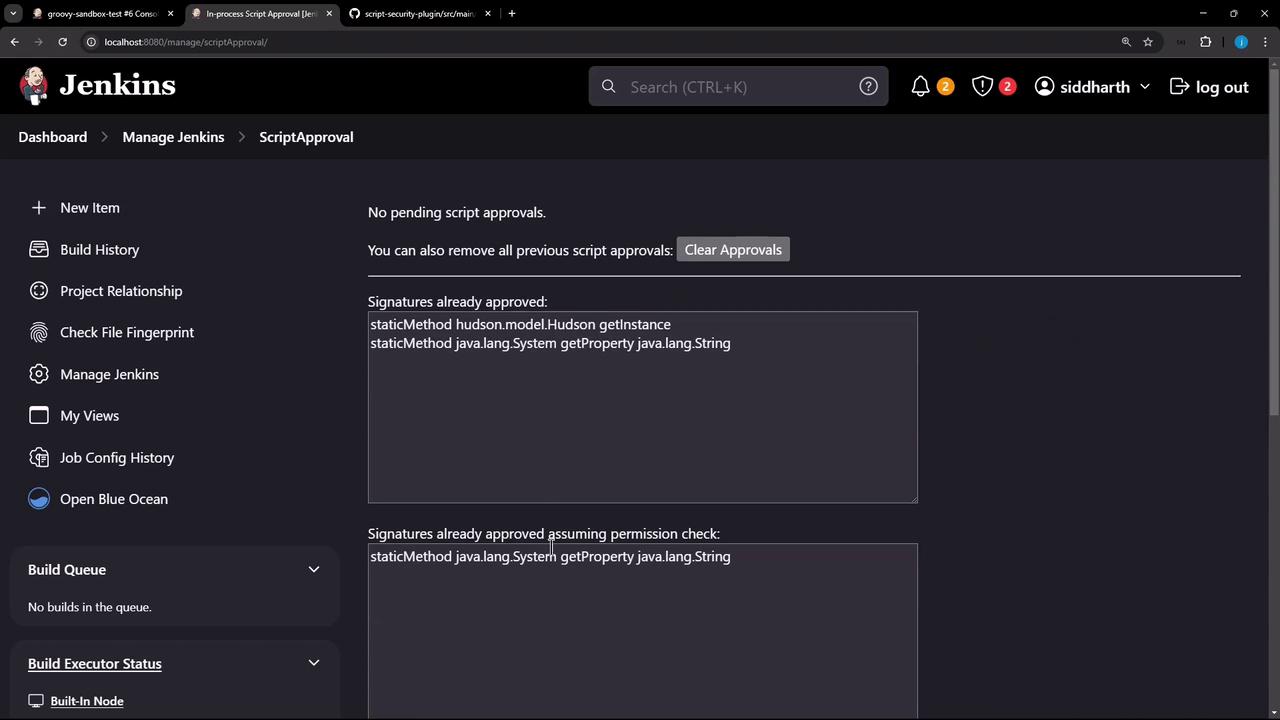
Final Build: Success!
Run the pipeline one last time. All stages should complete without errors: