

node_modules for an npm-based project.
Why Cache Dependencies in Jenkins?
- Avoid repeated
npm installon every build - Save minutes or even hours for large dependency sets
- Ensure consistent environments by locking on
package-lock.json
Caching works best when build agents start from a clean state (e.g., containers). The Job Cacher plugin handles archiving and restoring cache transparently.
1. Install the Job Cacher Plugin
- Navigate to Manage Jenkins › Manage Plugins › Available.
- Search for Job Cacher and install.
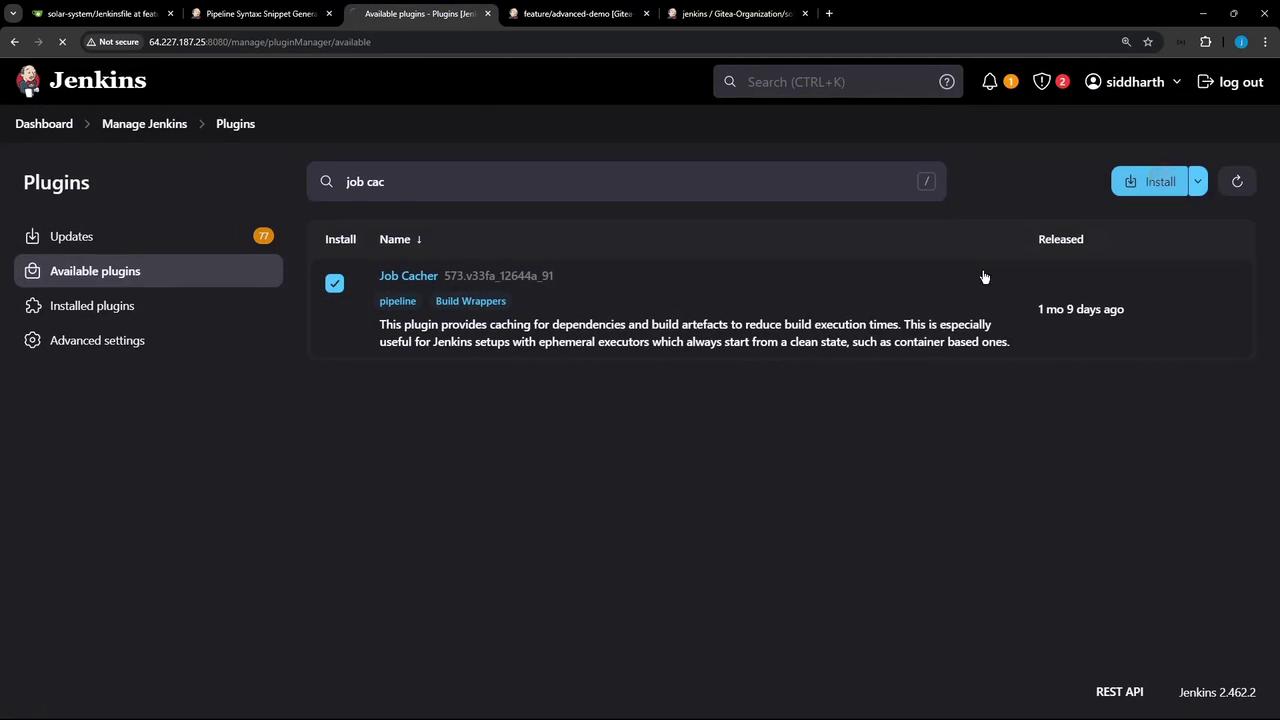
- After installation, perform a Safe Restart to activate the plugin:

2. Configure Cache via Snippet Generator
Open your Pipeline job configuration and click Snippet Generator. From the Sample Step dropdown, select cache: Caches files from previous build to current build.| Field | Example Value |
|---|---|
| Cache name | npm-dependency-cache |
| Path | node_modules |
| Includes | **/* |
| Excludes | (leave empty) |
| Cache validity deciding file | package-lock.json |
| Compression | tar or zip |
| Max cache size (MB) | 550 |
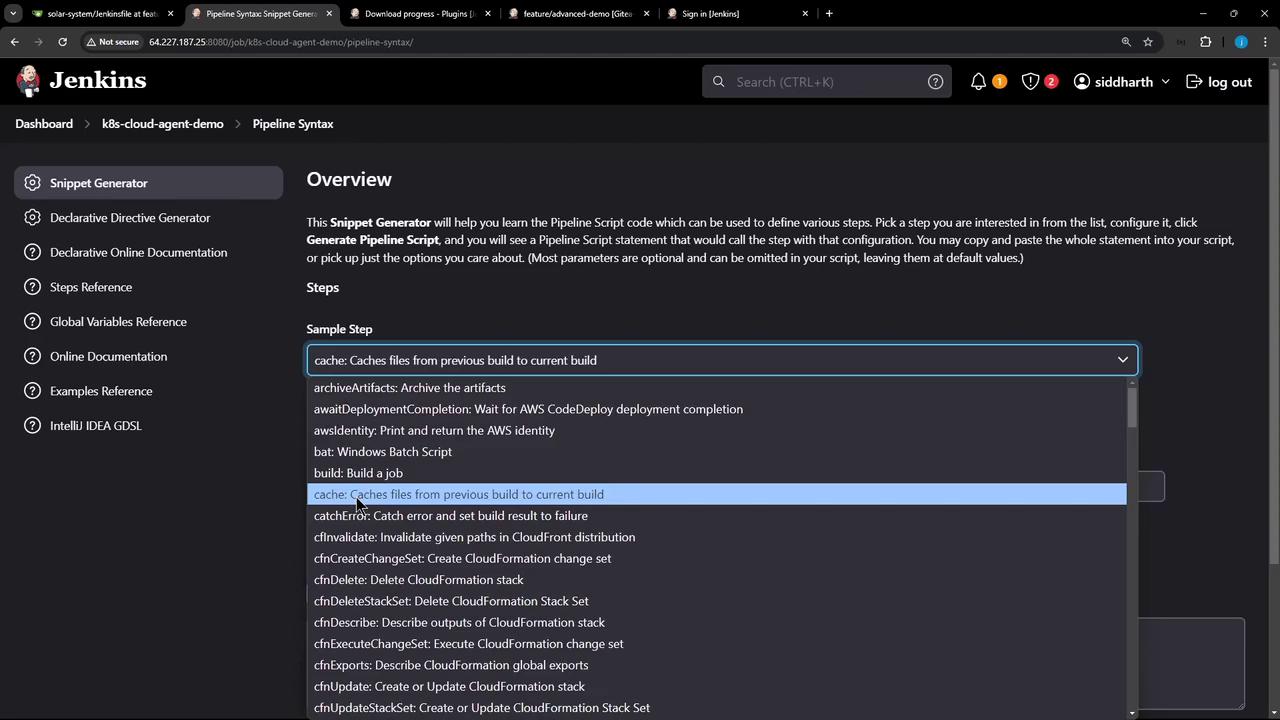
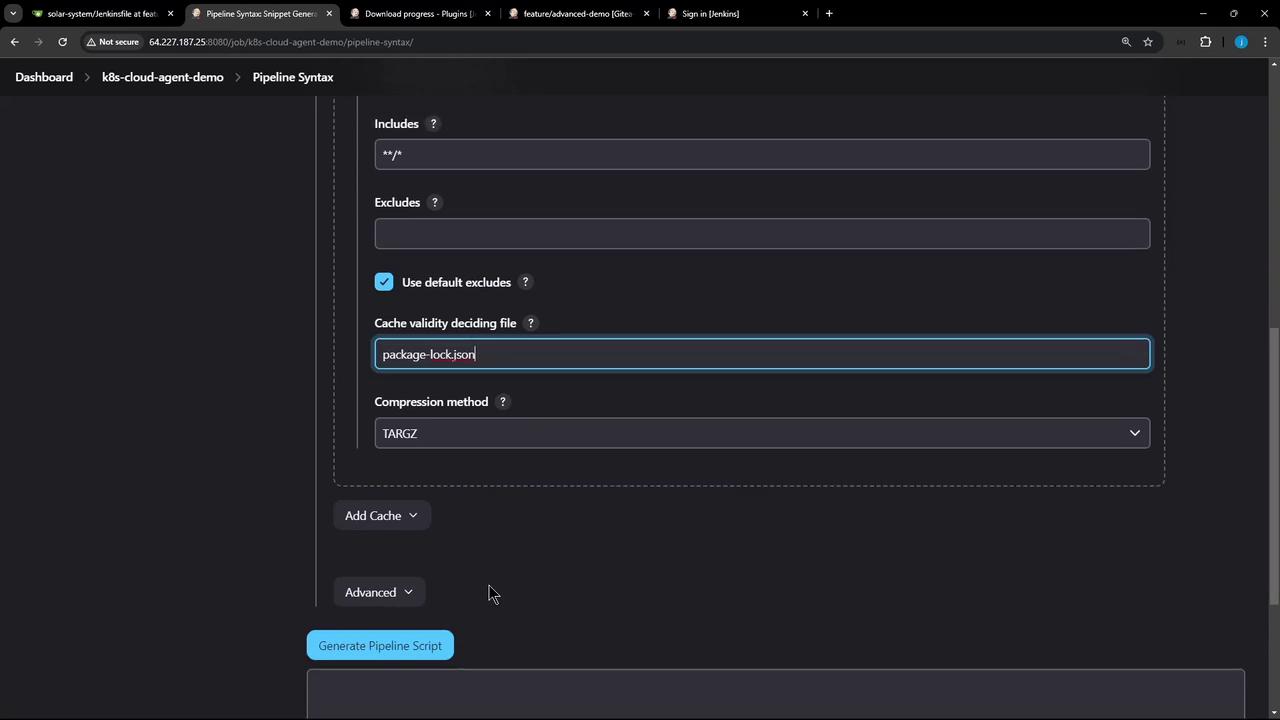
Advanced Settings
For additional tuning—such as custom includes/excludes or compression—you can tweak the advanced fields: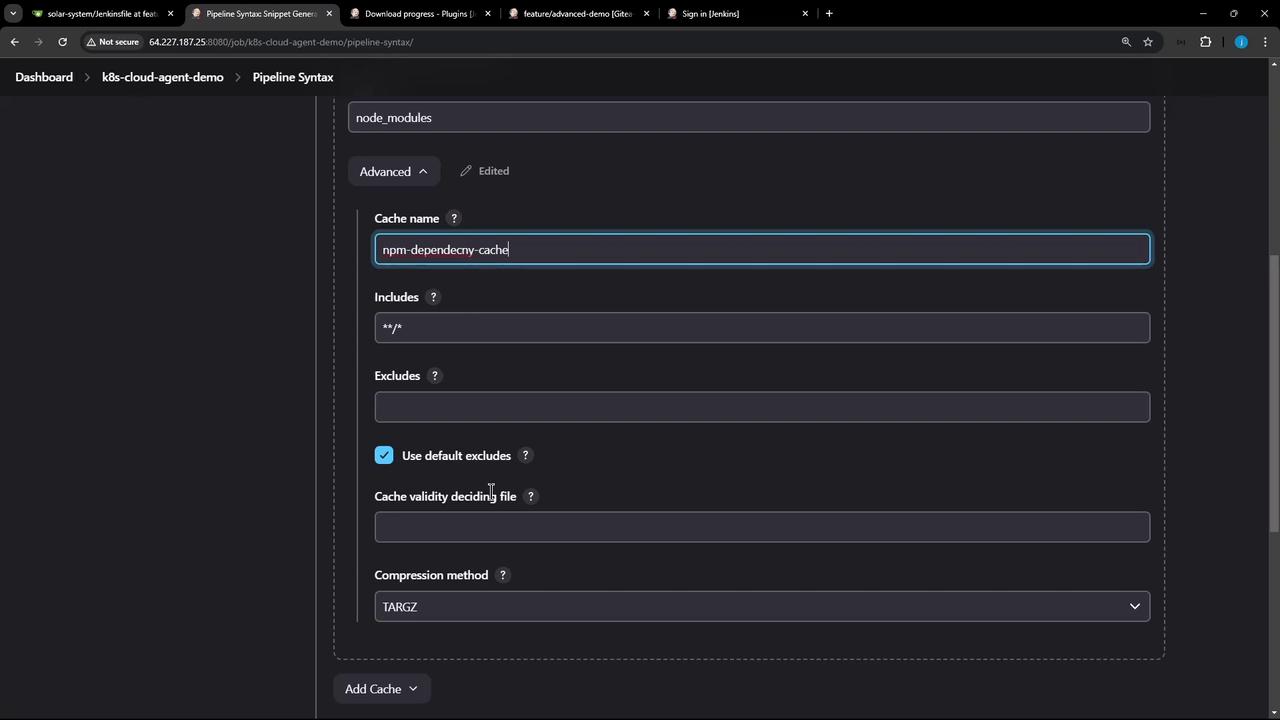
3. Update Your Jenkinsfile
Embed the generated cache block in yourJenkinsfile to wrap the Installing Dependencies stage. Then use stash and unstash to share the cached folder across parallel and subsequent stages.
Always commit your
package-lock.json to source control. The cache validity hinges on this file’s checksum to detect changes.4. Observe the First Build: Cache Miss
When you run the pipeline the first time, Jenkins will not find an existing cache, executenpm install, then create and store a new cache.
5. Subsequent Build: Cache Hit
On the next build, the plugin will detect thatpackage-lock.json is unchanged, restore the node_modules folder, and skip reinstalling.
6. Visualizing the Pipeline
Here’s a classic Jenkins Blue Ocean (or classic) view showing stages from Installing Dependencies through Code Coverage: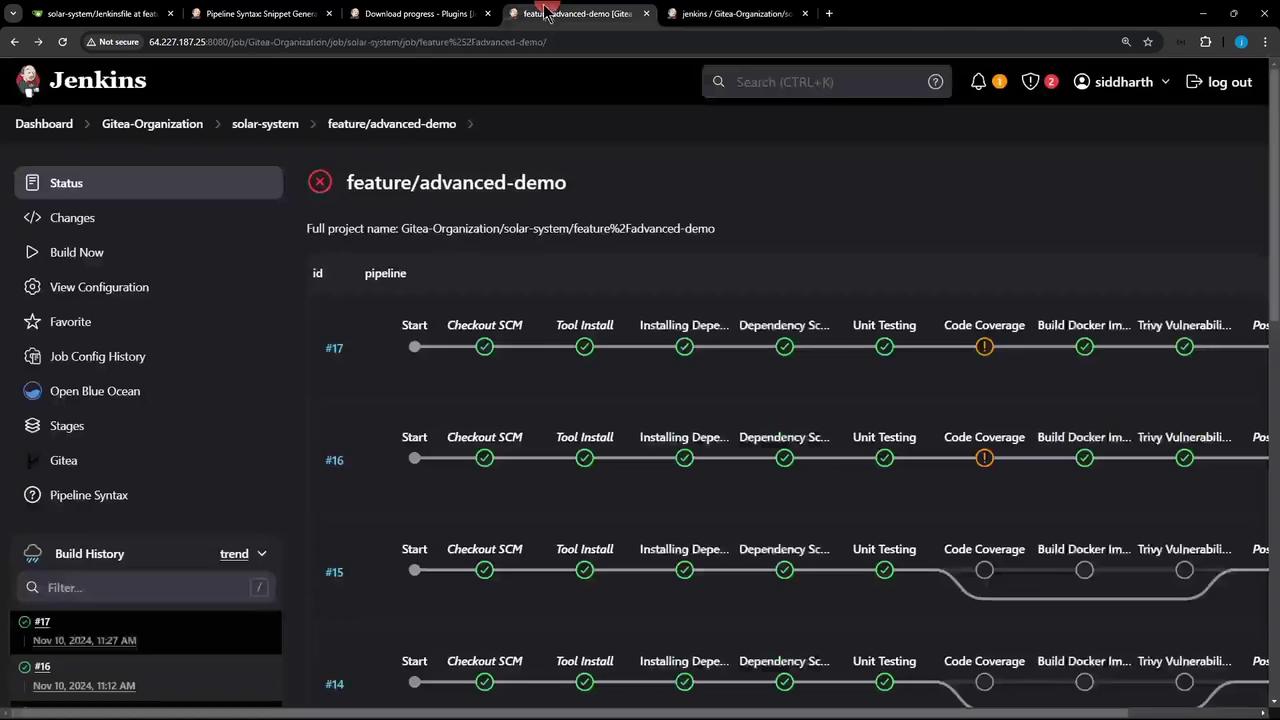
By integrating Job Cacher into your Jenkins Pipeline, you’ll eliminate redundant dependency installs and accelerate your CI process. Next, try modifying
package-lock.json to see cache invalidation in action!