Leverage the Jenkins REST API to automate common CI/CD tasks—listing jobs, inspecting job details, triggering parameterized builds, and installing plugins programmatically. This tutorial demonstrates each step using curl commands, JSON/XML endpoints, and Jenkins API tokens.
Key Jenkins REST API Endpoints Endpoint Action HTTP Method /api/json?tree=jobs[name]List all jobs GET /job/{JOB_NAME}/api/jsonRetrieve detailed job metadata GET /job/{JOB_NAME}/buildWithParametersTrigger a parameterized build POST /crumbIssuer/api/jsonObtain CSRF crumb GET /pluginManager/installNecessaryPluginsInstall one or more plugins POST
1. Retrieving the List of Jobs Fetch all jobs in JSON and limit the fields with the tree parameter to minimize payload:
curl http://JENKINS_URL/api/json?tree=jobs[name]
Sample response:
{ "_class" : "hudson.model.Hudson" , "jobs" : [ { "_class" : "hudson.model.FreeStyleProject" , "name" : "ascii-build-job" }, { "_class" : "hudson.model.FreeStyleProject" , "name" : "ascii-deploy-job" }, { "_class" : "hudson.model.FreeStyleProject" , "name" : "ascii-test-job" }, { "_class" : "hudson.model.FreeStyleProject" , "name" : "Generate ASCII Artwork" }, { "_class" : "org.jenkinsci.plugins.workflow.job.WorkflowJob" , "name" : "hello-world-pipeline" }, { "_class" : "org.jenkinsci.plugins.workflow.multibranch.WorkflowMultiBranchProject" , "name" : "jenkins-hello-world" }, { "_class" : "org.jenkinsci.plugins.workflow.job.WorkflowJob" , "name" : "parameterized-pipeline-job" } ] }
The tree=jobs[name] query reduces the JSON to just the name field of each job.
2. Retrieving Job Details Query a specific job’s API endpoint with authentication. Using jq
curl -u admin:API_TOKEN \ http://JENKINS_URL/job/parameterized-pipeline-job/api/json | jq
Abbreviated example output:
{ "name" : "parameterized-pipeline-job" , "url" : "http://JENKINS_URL/job/parameterized-pipeline-job/" , "buildable" : true , "builds" : [ { "number" : 5 , "url" : ".../job/parameterized-pipeline-job/5/" }, { "number" : 4 , "url" : ".../job/parameterized-pipeline-job/4/" } ], "nextBuildNumber" : 6 , "property" : [ { "_class" : "hudson.model.ParametersDefinitionProperty" , "parameterDefinitions" : [ { "name" : "BRANCH_NAME" , "defaultParameterValue" : { "value" : "main" }, "description" : "The Git branch to build" }, { "name" : "APP_PORT" , "defaultParameterValue" : { "value" : "6767" }, "description" : "Application port for tests" } ] } ] }
3. Triggering a Build with Parameters Use the buildWithParameters endpoint to start a parameterized job. Always use the POST method:
curl -u admin:API_TOKEN \ -X POST \ http://JENKINS_URL/job/parameterized-pipeline-job/buildWithParameters \ -d BRANCH_NAME=test \ -d APP_PORT= 6767
If Jenkins enforces CSRF protection, you will receive a 403 No valid crumb error unless you include a valid crumb header.
3.1 Obtaining and Using a Crumb
Fetch the crumb from Jenkins:
CRUMB = $( curl -u admin:API_TOKEN \ http://JENKINS_URL/crumbIssuer/api/json | jq -r .crumb )
Include the crumb in your build request:
curl -u admin:API_TOKEN \ -H "Jenkins-Crumb: $CRUMB " \ -X POST \ http://JENKINS_URL/job/parameterized-pipeline-job/buildWithParameters \ -d BRANCH_NAME=test \ -d APP_PORT= 6767
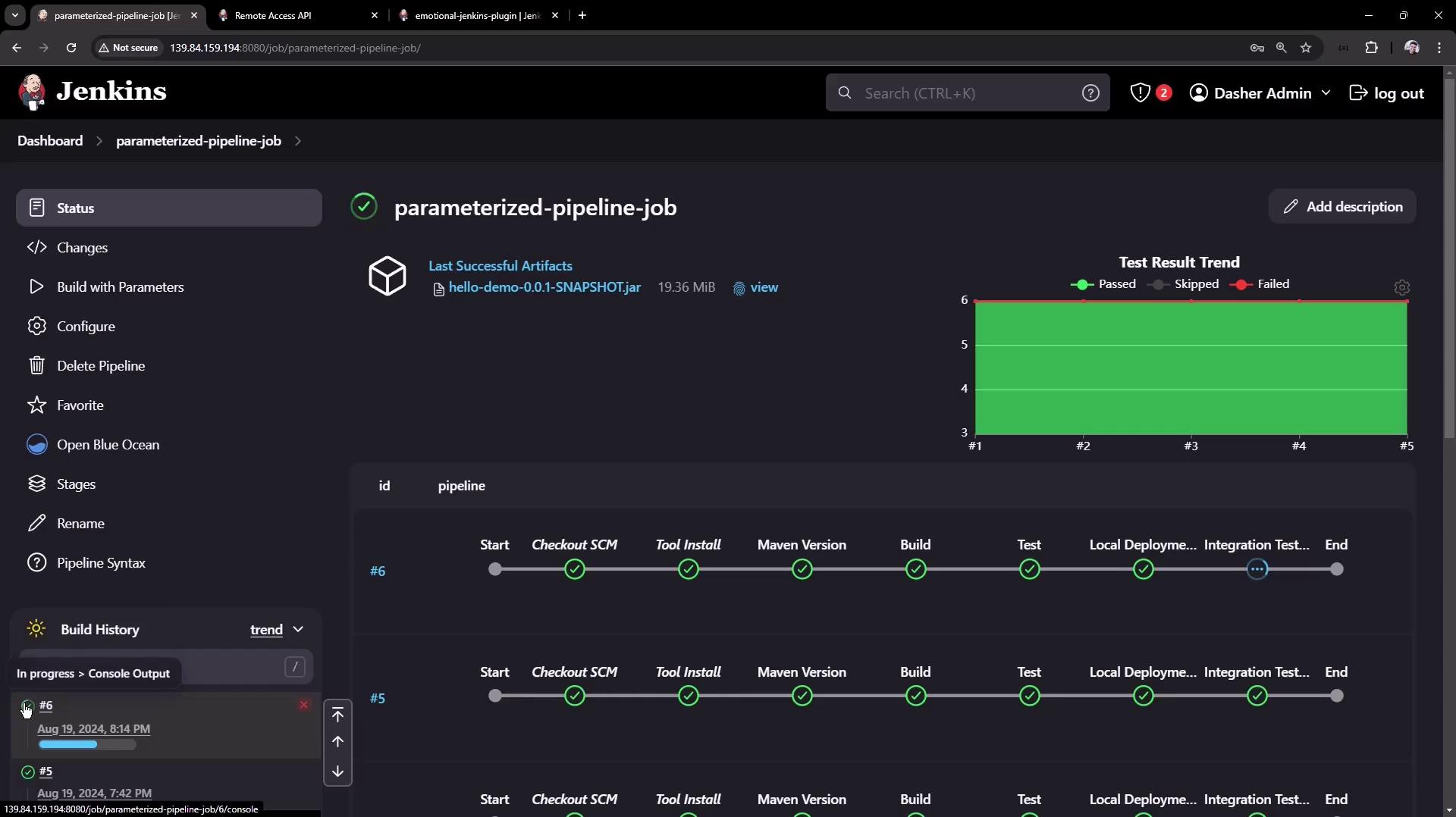
After triggering, verify in the Jenkins UI that build #6 is “in progress”:
4. Installing a Plugin via REST API You can install plugins by posting an XML payload to the installNecessaryPlugins endpoint.
curl -u admin:API_TOKEN \ -X POST http://JENKINS_URL/pluginManager/installNecessaryPlugins \ -H 'Content-Type: text/xml' \ -d '<jenkins> <install plugin="[email protected] " /> <!-- Add more <install plugin="groupId/artifactId@version" /> entries as needed --> </jenkins>'
Always authenticate using an API token and set Content-Type: text/xml when sending XML payloads.
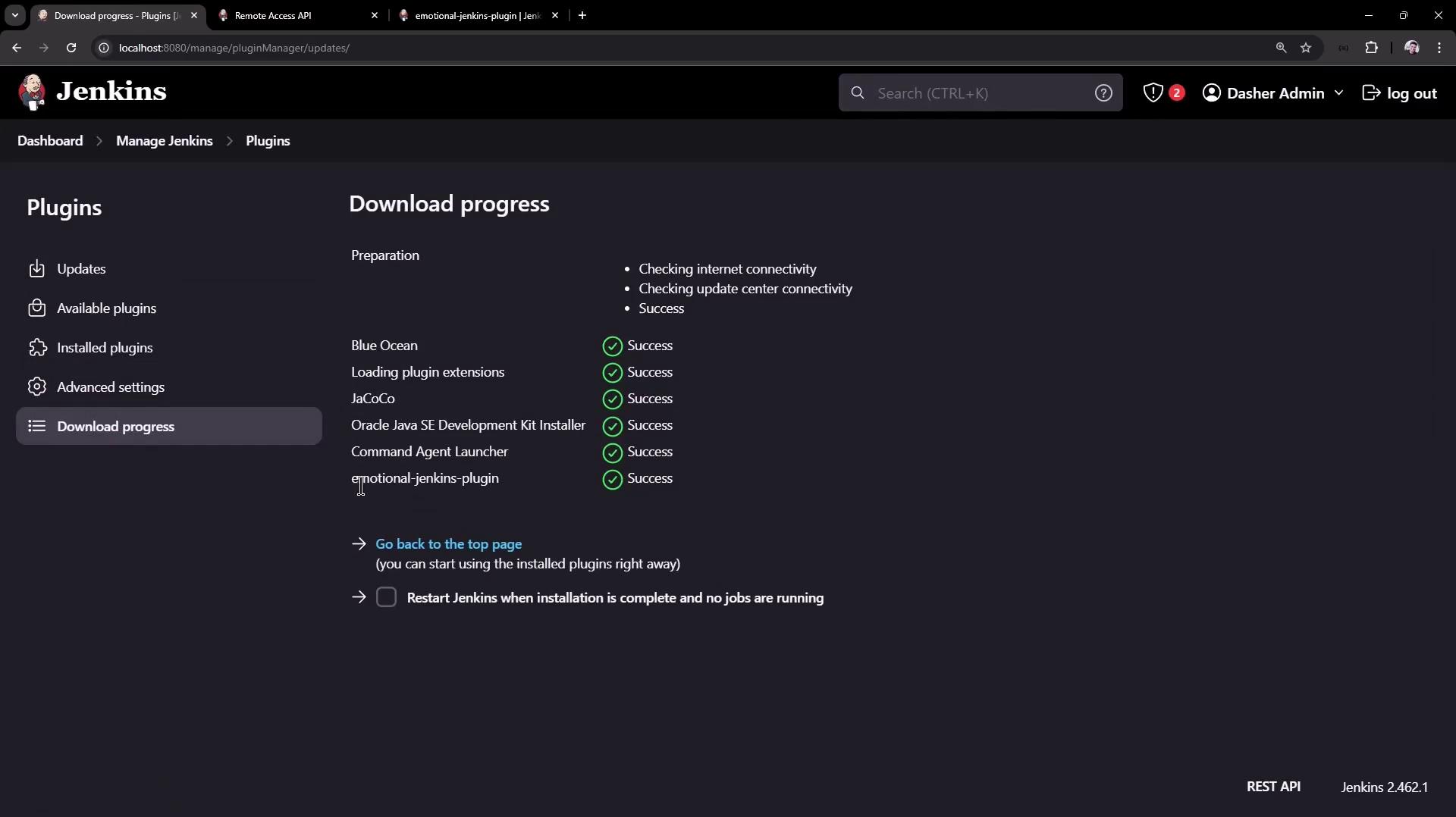
Once the request completes, navigate to Manage Jenkins → Manage Plugins → Advanced to monitor download progress:
Conclusion In this article, you have learned how to:
List and filter jobs using the Jenkins REST API
Retrieve detailed metadata for a given job
Trigger parameterized builds, handling CSRF crumbs
Install and manage Jenkins plugins programmatically
Use these API techniques to integrate Jenkins into your automation workflows and scale your CI/CD pipelines.
Links and References