

node level, you ensure consistent build environments for your projects.
1. Confirm Your Static Agent
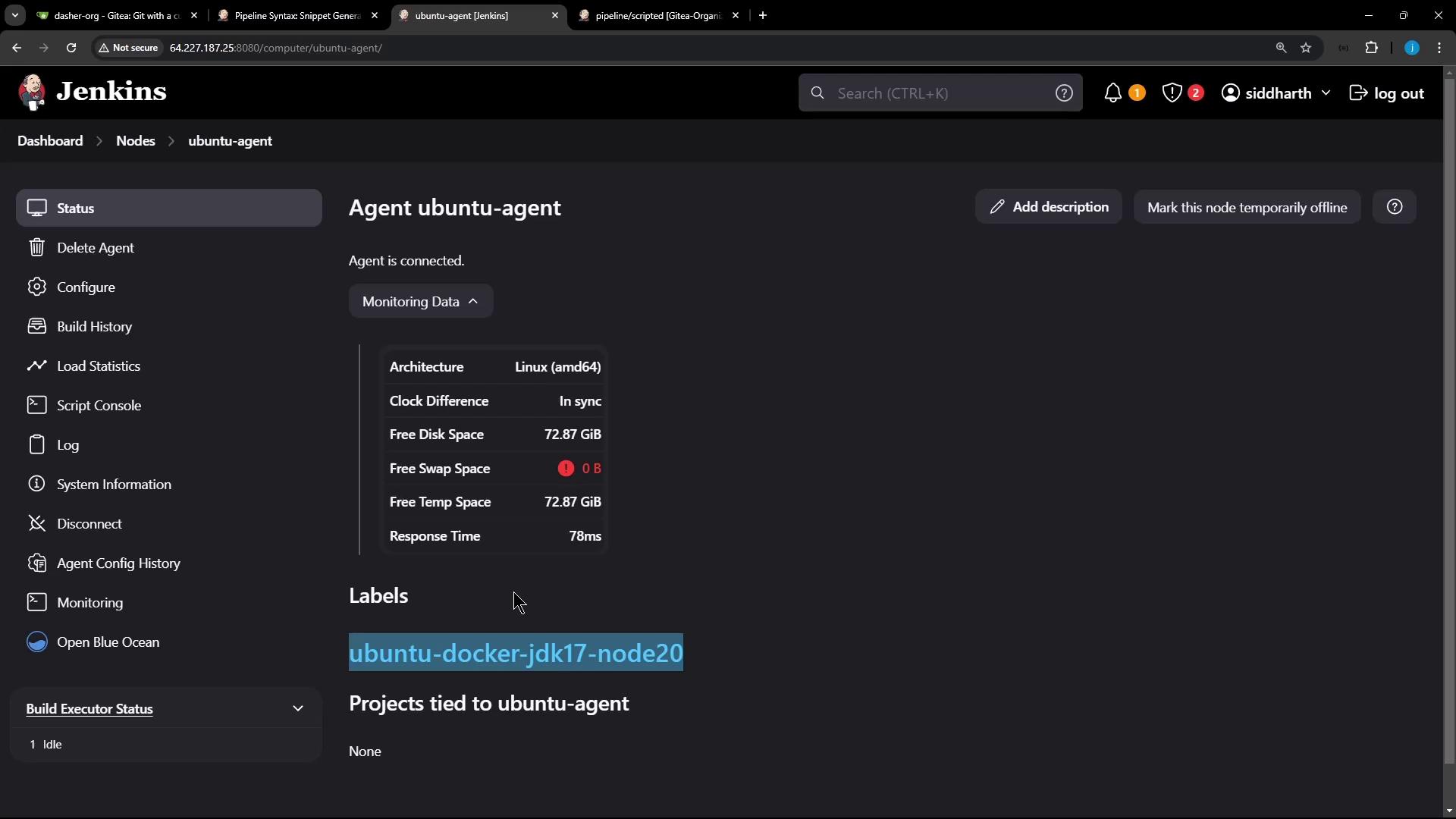
We’ve provisioned a static agent labeledUbuntu-Docker-JDK-17-node20. Verify its status in the Jenkins dashboard:
2. Wrap All Stages in a node Block
Open your Jenkinsfile and nest every stage inside a node block that targets the static agent:
Scripted pipelines don’t support declarative
environment blocks. Use withCredentials to inject secrets at runtime without exposing them in your repository.3. Generate the withCredentials Snippet
To obtain the exact snippet for your setup, use the Jenkins Pipeline Syntax generator:
- Navigate to Dashboard → Pipeline Syntax
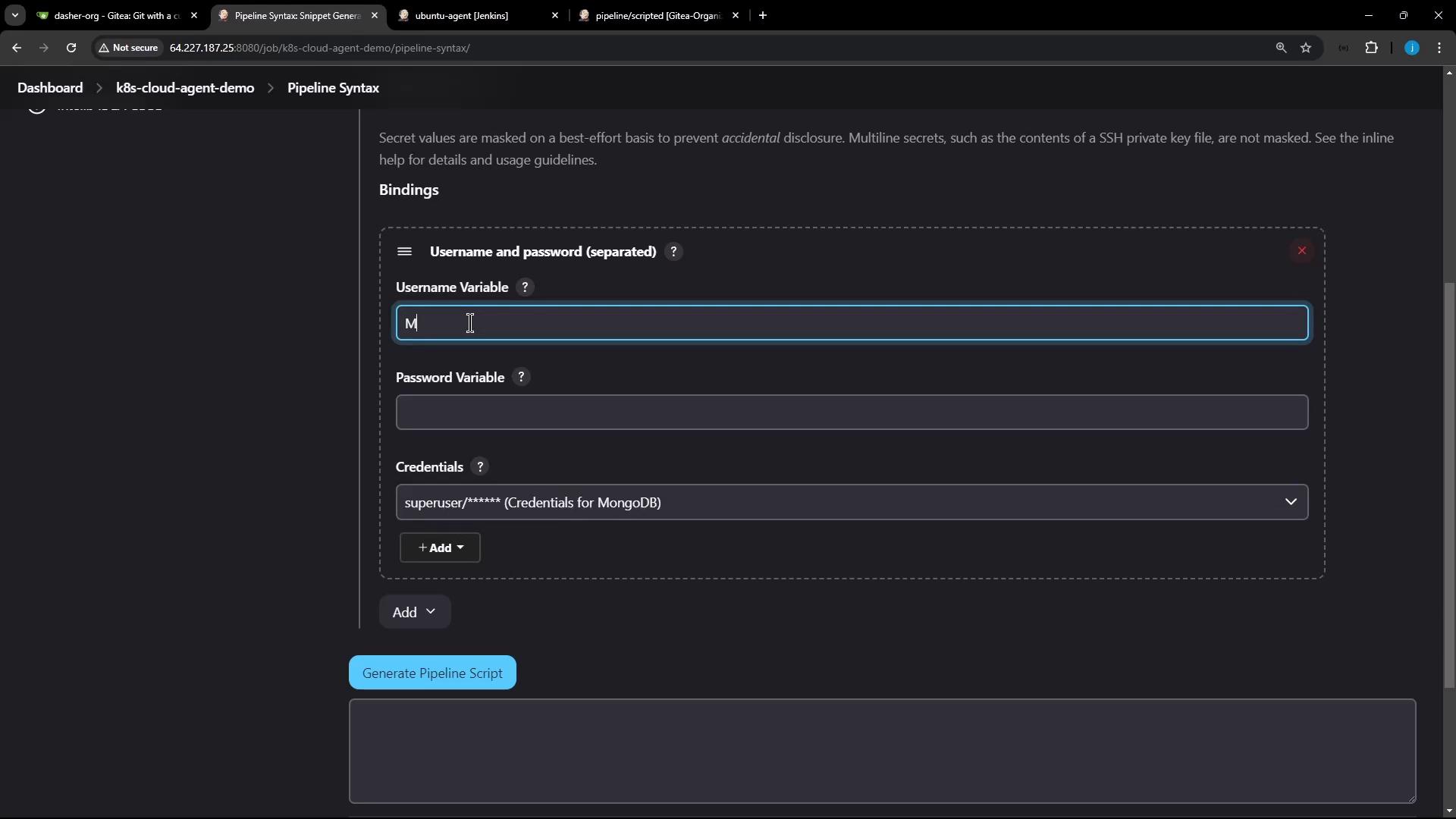
- Select withCredentials: Username and password (separated)
- Choose the
mongo-db-credscredential - Set Username Variable to
MONGO_USERNAMEand Password Variable toMONGO_PASSWORD - Click Generate Pipeline Script
4. Stage Overview
| Stage | Purpose | Commands / Steps |
|---|---|---|
| Checkout | Clone the Git repository | git url: ..., branch: ... |
| Installing Dependencies | Install project dependencies | npm install --no-audit |
| Unit Testing | Run tests with MongoDB credentials | withCredentials + npm test |
5. Commit and Push
Once yourJenkinsfile is updated:
pipeline/scripted branch.
6. Monitor the Build
Open Blue Ocean or the Classic UI to watch your pipeline execute all stages on the static agent: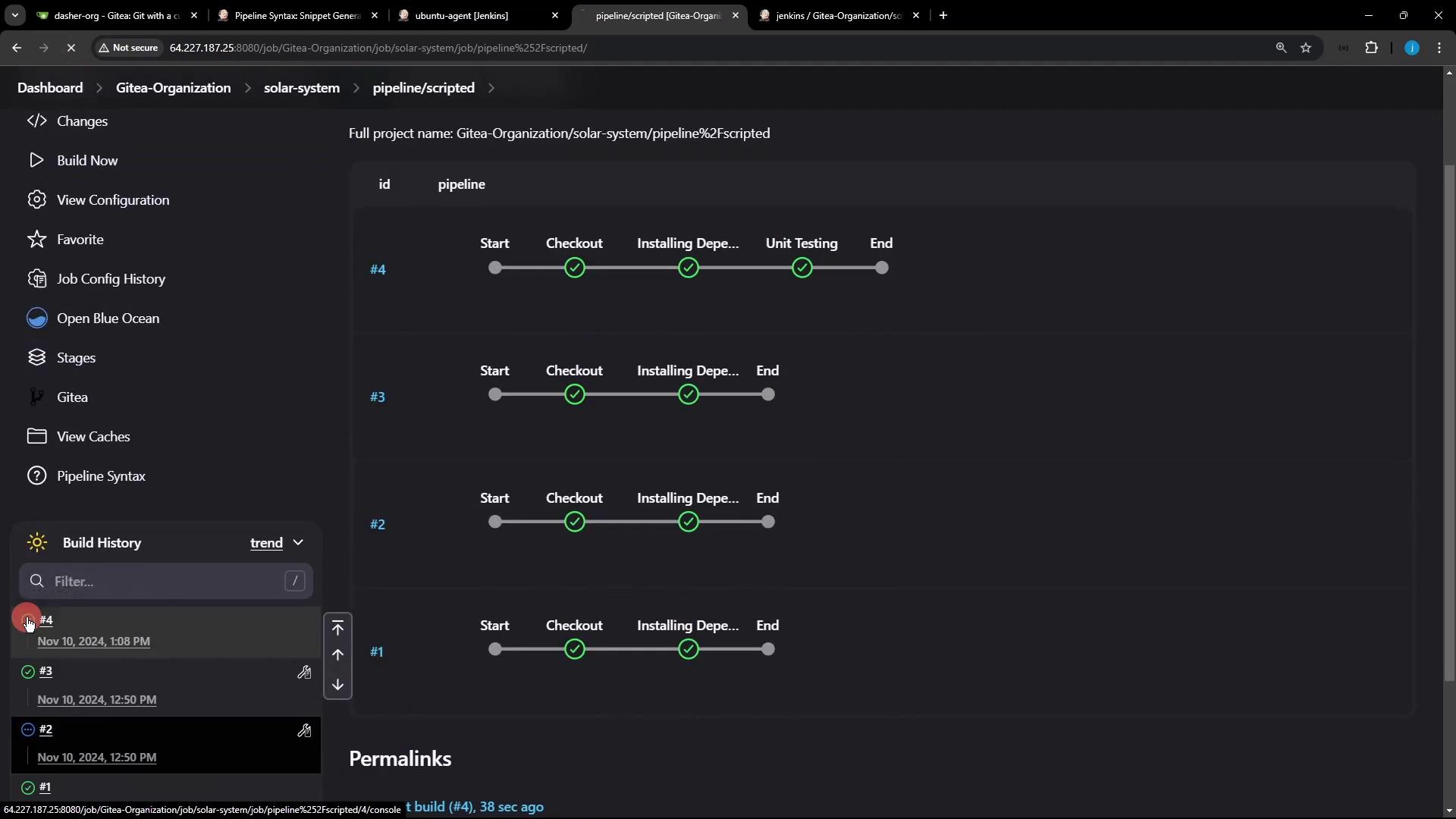
Sample Console Output
Ubuntu-Docker-JDK-17-node20, with MONGO_URI, MONGO_USERNAME, and MONGO_PASSWORD injected for your tests.