This guide explains how to create and manage loggers in Jenkins for troubleshooting and debugging purposes.
In this guide, we’ll show you how to create and manage loggers in Jenkins for effective troubleshooting and debugging. Jenkins offers multiple methods to adjust logging levels—ideal for diagnosing issues in plugins, pipelines, and integrations.
Increasing verbosity generates more log output and can impact controller performance due to higher disk and I/O usage. Only raise logging levels during active troubleshooting, and revert to defaults afterward.
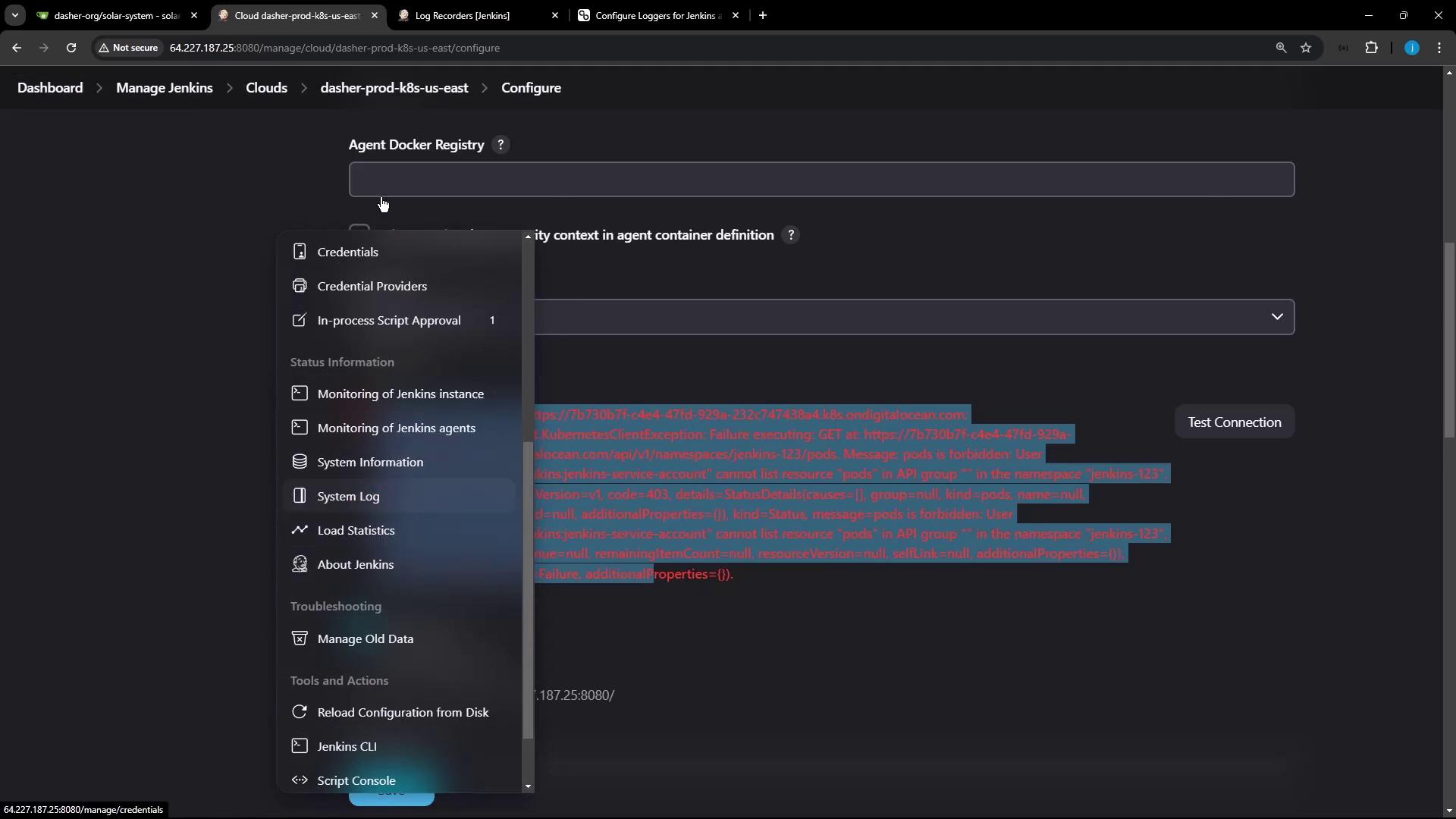
When testing your Kubernetes cloud in Jenkins, you might see a generic error:
Copy
Ask AI
Error testing connection https://7b730b7f-4e4e-471d-929a-23267474384a.k8s.onddi...io.fabric8.kubernetes.client.KubernetesClientException: Failure executing: GET at: https://7b7.../pods. Message: pods is forbidden: User "system:serviceaccount:jenkins:jenkins-service-account" cannot list resource "pods" ... Received status: Status(apiVersion=v1, code=403...))
A 403 Forbidden often indicates missing RBAC permissions for the Jenkins service account.
To capture HTTP-level details:
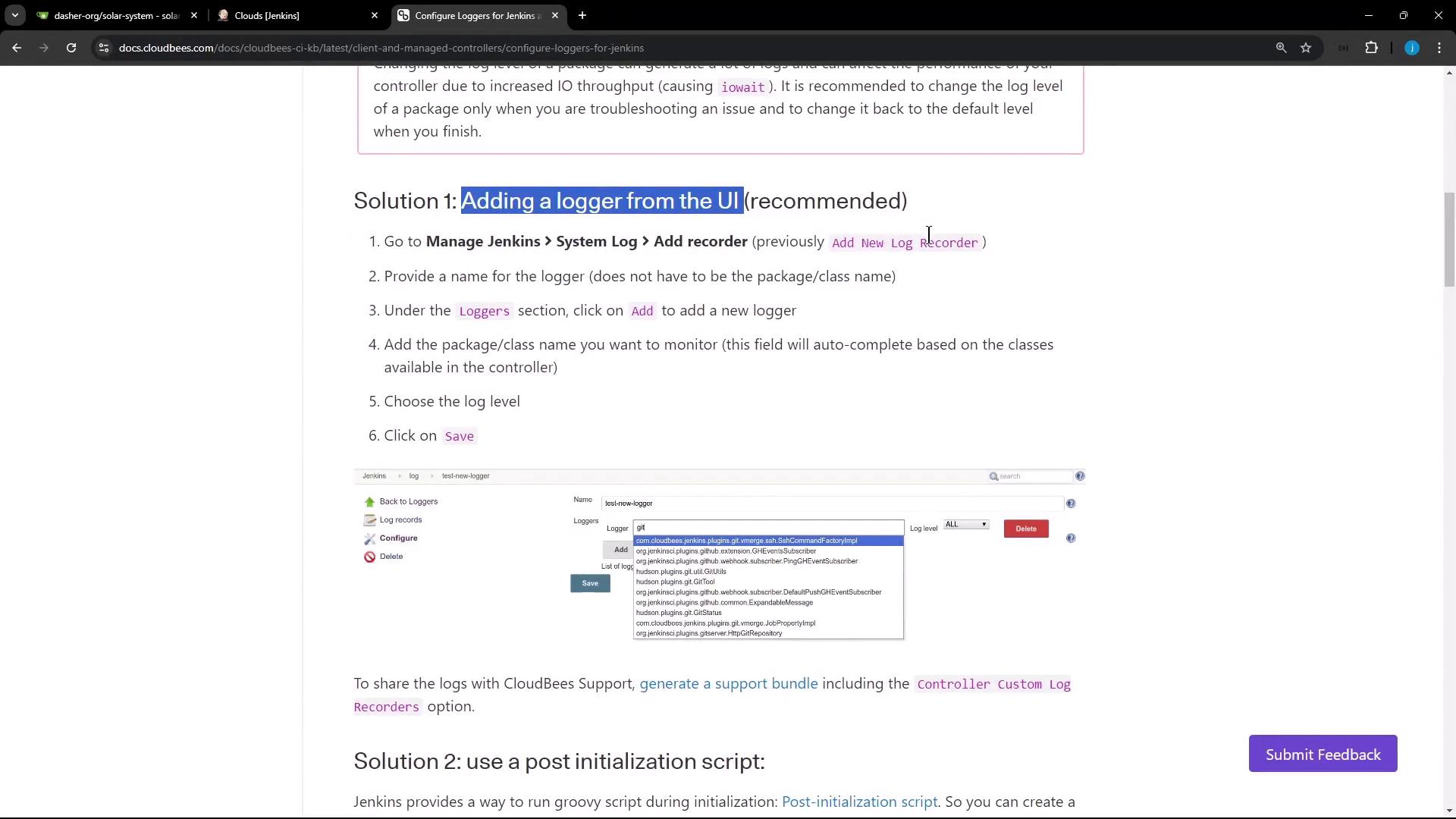
Go to Manage Jenkins → System Log.
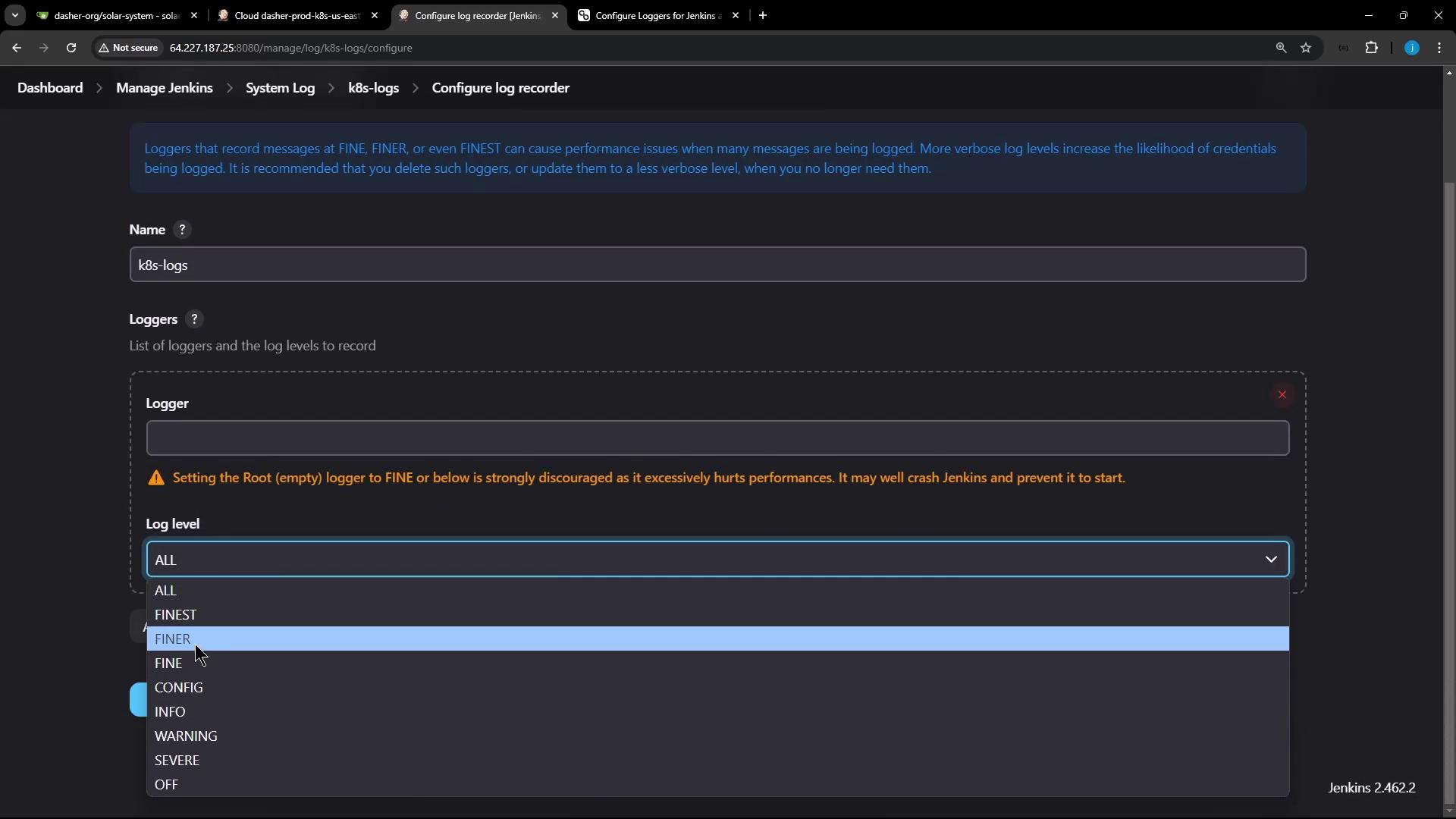
Click Add new log recorder, name it (e.g., k8s-logs), and set level to All.
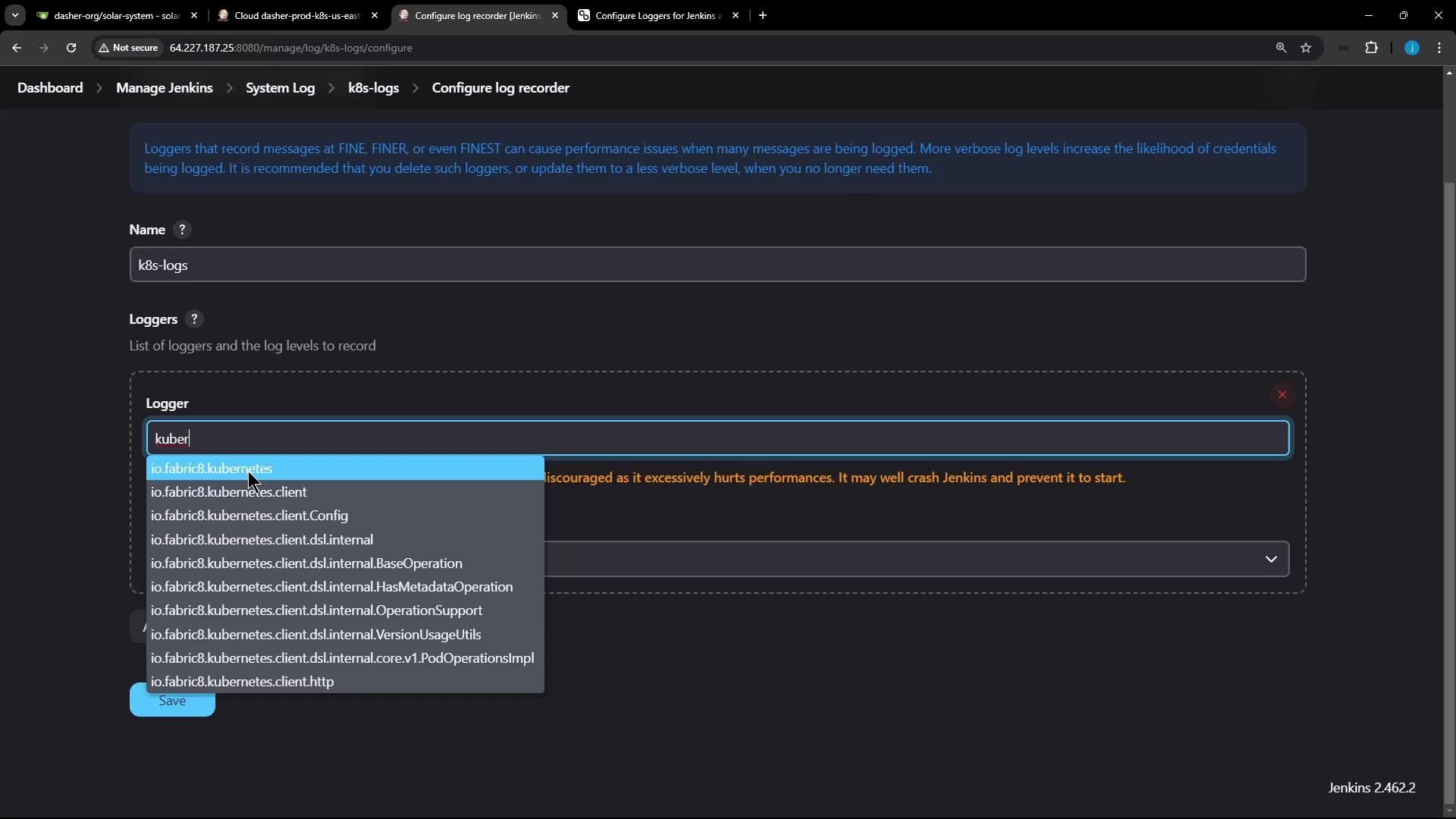
Search for Kubernetes and select io.fabric8.kubernetes.client or the specific subpackage.
After saving, retry the connection and then refresh the log recorder view to see detailed HTTP exchanges:
Copy
Ask AI
Nov 10, 2024 5:34:35 PM FINE io.fabric8.kubernetes.client.utils.HttpClientUtils getHttpClientFactoryUsing httpclient io.fabric8.kubernetes.client.okhttp.OkHttpClientFactory factoryNov 10, 2024 5:34:35 PM FINEST io.fabric8.kubernetes.client.HttpLoggingInterceptor$HttpLogger logStart-HTTP START-Nov 10, 2024 5:34:35 PM FINEST io.fabric8.kubernetes.client.HttpLoggingInterceptor$HttpLogger logRequest> GET https://7b7b35ef-.../namespaces/jenkins-123/pods> Authorization: Bearer eyJh...> User-Agent: fabric8-kubernetes-client/6.1.0< 403 ForbiddenNov 10, 2024 5:34:35 PM FINEST io.fabric8.kubernetes.client.HttpLoggingInterceptor$HttpLogger logResponse< content-type: application/json...Nov 10, 2024 5:34:35 PM FINE io.fabric8.kubernetes.client.impl.BaseClient closeThe client and associated httpclient ... have been closed...
These entries reveal the full request headers, status codes, and JSON payload.
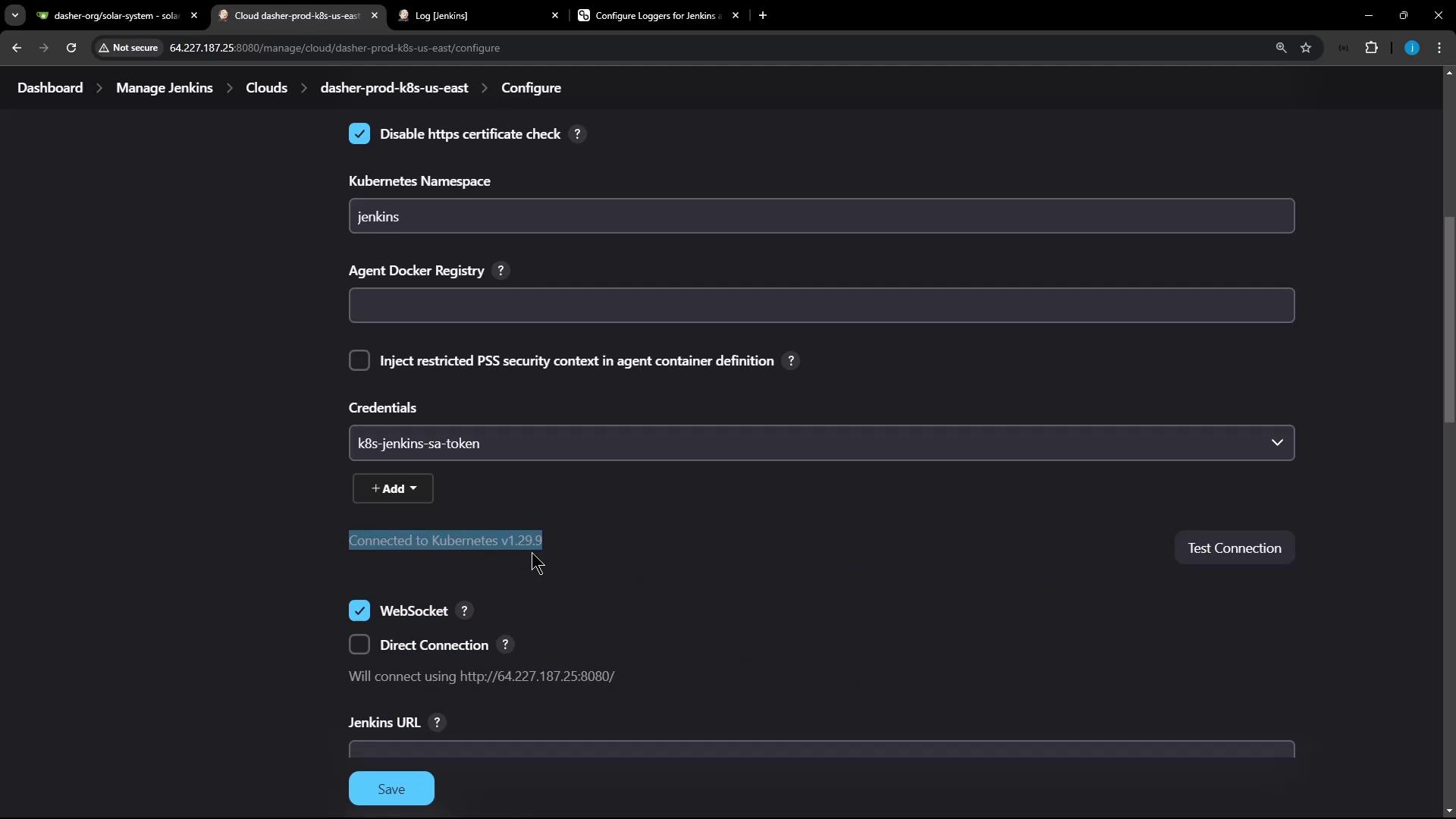
With correct RBAC and service account settings, the UI will show a one-line success. Jenkins will still record the detailed HTTP lifecycle if debug logging is enabled:
Copy
Ask AI
-HTTP START-> GET https://bhb3f7f-4e4d-99a2-237c7438a.k8s.digitalocean.com/api/v1/namespaces/jenkins/pods... (headers)-HTTP END-Nov 10, 2024 5:34:35 PM FINE io.fabric8.kubernetes.client.impl.BaseClient close