This article explores subnets in a Virtual Private Cloud, detailing their configuration, types, and importance in resource deployment and network architecture.
In this lesson, we explore subnets and their function within a Virtual Private Cloud (VPC). Subnets are defined as groups of IP addresses within your VPC, allowing you to deploy resources into isolated segments. When you launch an AWS resource—such as an EC2 instance—it must be assigned to a specific subnet.
Subnets can be designated as either public or private based on the intended use:
Public Subnets:
Ideal for resources that need direct internet connectivity, such as web servers or public applications. Public subnets have a direct route to an Internet Gateway.
Private Subnets:
Best suited for resources that do not require exposure to the internet, such as databases or internal applications. Internet-bound traffic in private subnets typically routes via a NAT Gateway.
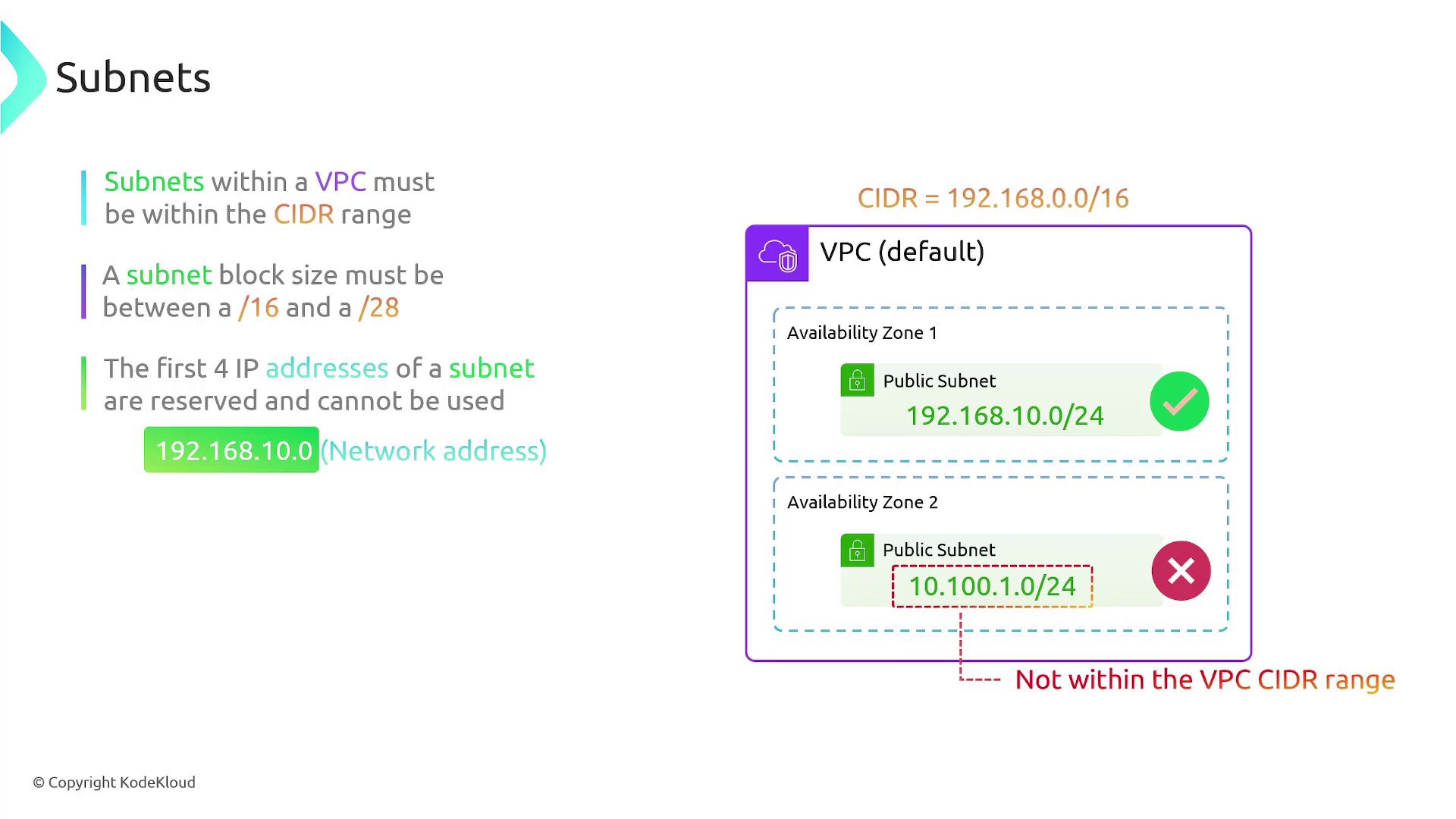
A key aspect of subnet configuration is the CIDR range. For example, if your VPC is assigned a CIDR of 192.168.0.0/16, every subnet you create must have an IP address range within this block. Examples include:
A subnet defined as 192.168.10.0/24 is valid.
A subnet defined as 10.100.1.0/24 is outside the VPC’s CIDR range and would trigger a configuration error.
Further, the block size of any subnet must be between /16 and /28. Note the following reserved IP address rules within each subnet:
The first four IP addresses in every subnet are reserved:
The first address serves as the network address.
The second address is typically used by the VPC router.
The third address is reserved for DNS.
The fourth address is held for future use.
Additionally, the last IP address in a subnet (e.g., 192.168.10.255 in a /24 subnet) is reserved as the broadcast address.
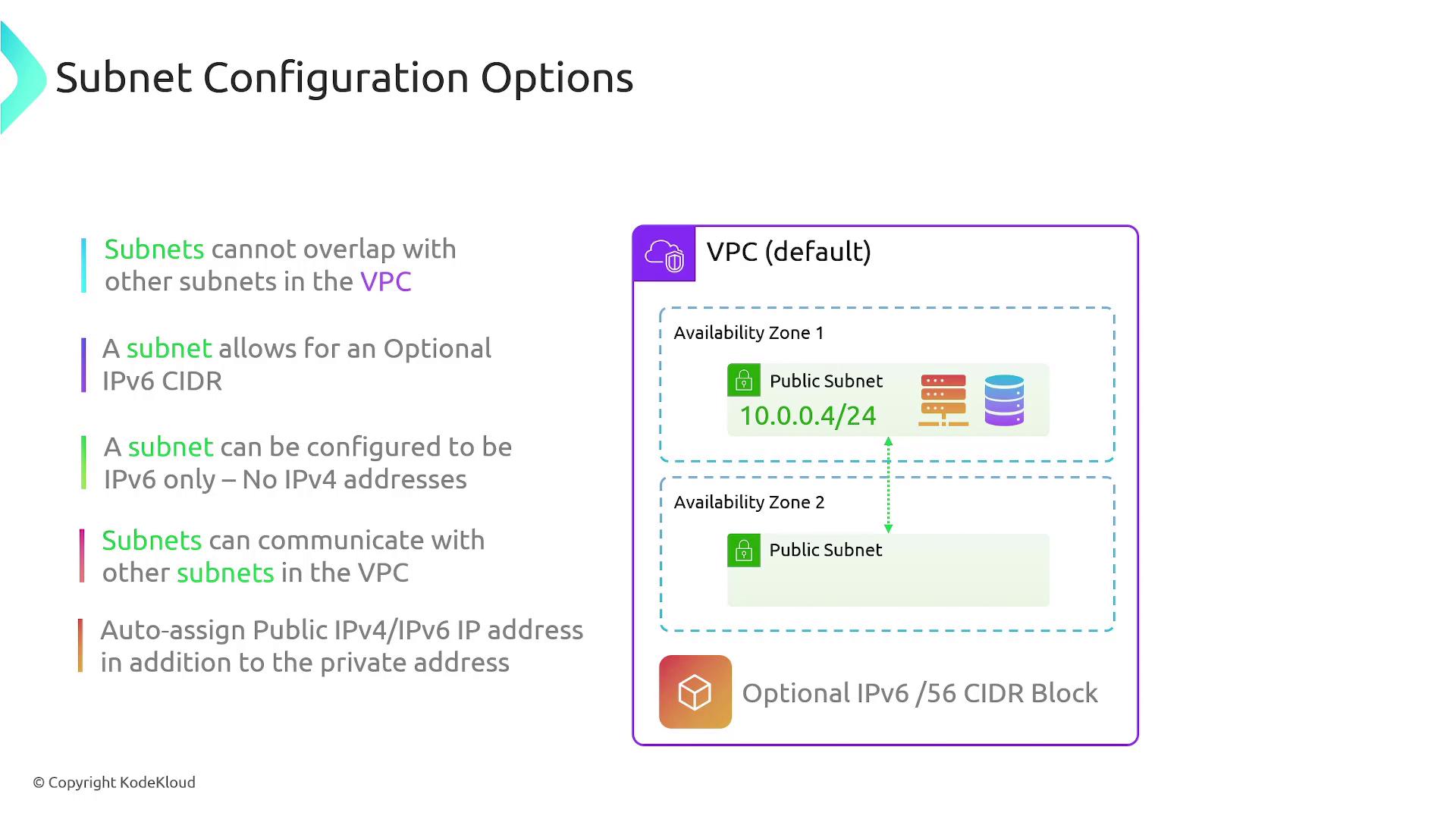
Subnets can also be assigned an IPv6 CIDR block (commonly a /56) or even be configured to use exclusively IPv6 addresses. By default, resources in subnets can communicate with one another within the same VPC without requiring additional routing configurations in route tables.
When configuring a subnet, you can enable the option to auto-assign a public IPv4 or IPv6 address to a resource upon deployment. Typically, instances receive a private IP address by default. Enabling this feature is particularly useful for resources in public subnets that require internet connectivity. When this setting is enabled:
A public IP address is automatically assigned alongside the private IP.
This ensures that resources, such as internet-facing web servers, are reachable by external users.
Subnets are integral to defining IP address ranges within a VPC and are confined to a single availability zone, which in turn determines resource placement. They can be configured as public or private depending on your requirements for internet connectivity. All subnets must comply with the VPC’s CIDR range, and specific IP addresses within each block are reserved for essential network functions. Remember that while overlapping IP ranges are not allowed within a single VPC, such overlaps are permissible across different VPCs. Finally, subnet settings offer advanced options, such as IPv6 addressing and automatic public IP assignment, to help you build a scalable and robust AWS network architecture.For additional details, explore AWS VPC Documentation and other related resources for best practices in network design.