

How AWS Polly Works
At its core, Polly takes text input, synthesizes it, and returns voice output. For example, if you ask, “Hey, tell me about the weather,” Polly will generate a spoken response like “Today’s forecast is mostly sunny with a high of 25°C.”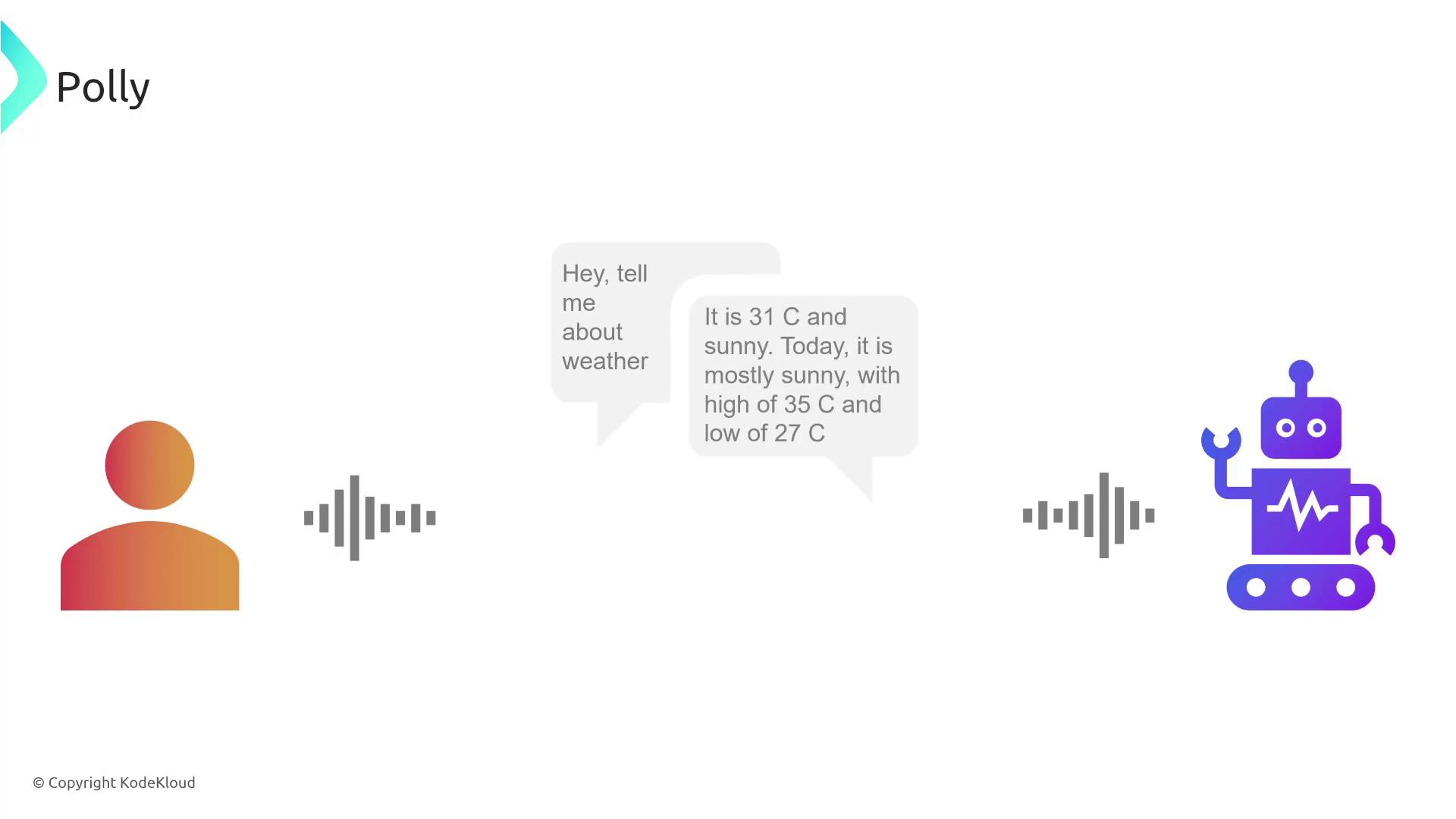
Polly allows the use of custom lexicons, essentially custom dictionaries, to accommodate specialized pronunciations or terminology unique to your business or specific use case.
Key Features of AWS Polly
Polly’s feature set makes it an essential tool for voice-enabled applications: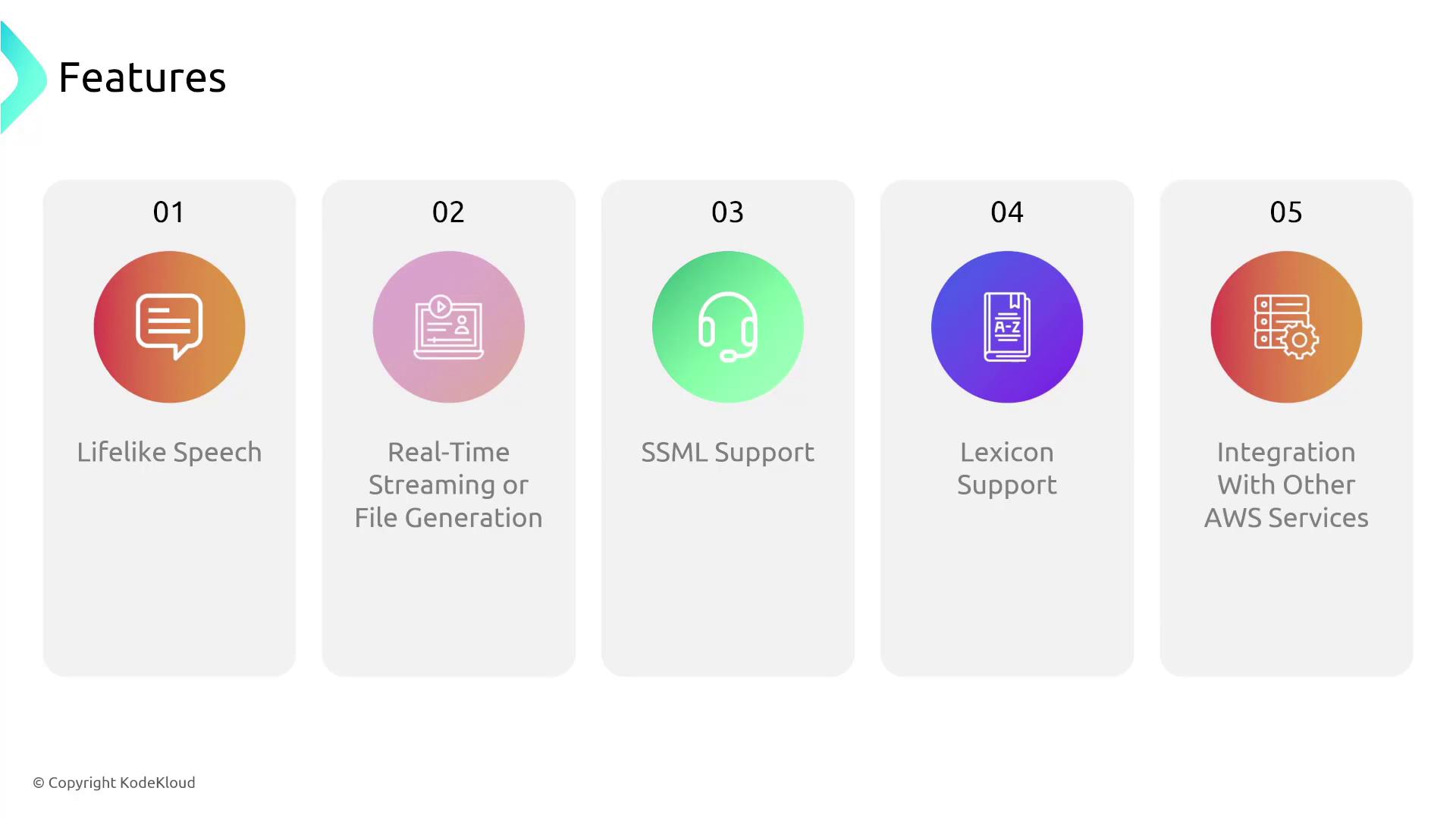
- Lifelike Speech: Generate natural-sounding audio from text.
- Real-Time Streaming and File Generation: Choose between streaming audio directly or saving it for later use.
- SSML Support: Control pronunciation, volume, pitch, and speed.
- Custom Lexicons: Use dictionaries tailored to your specific needs.
- AWS Integration: Easily integrate Polly with other AWS services.
Example Implementation Workflow
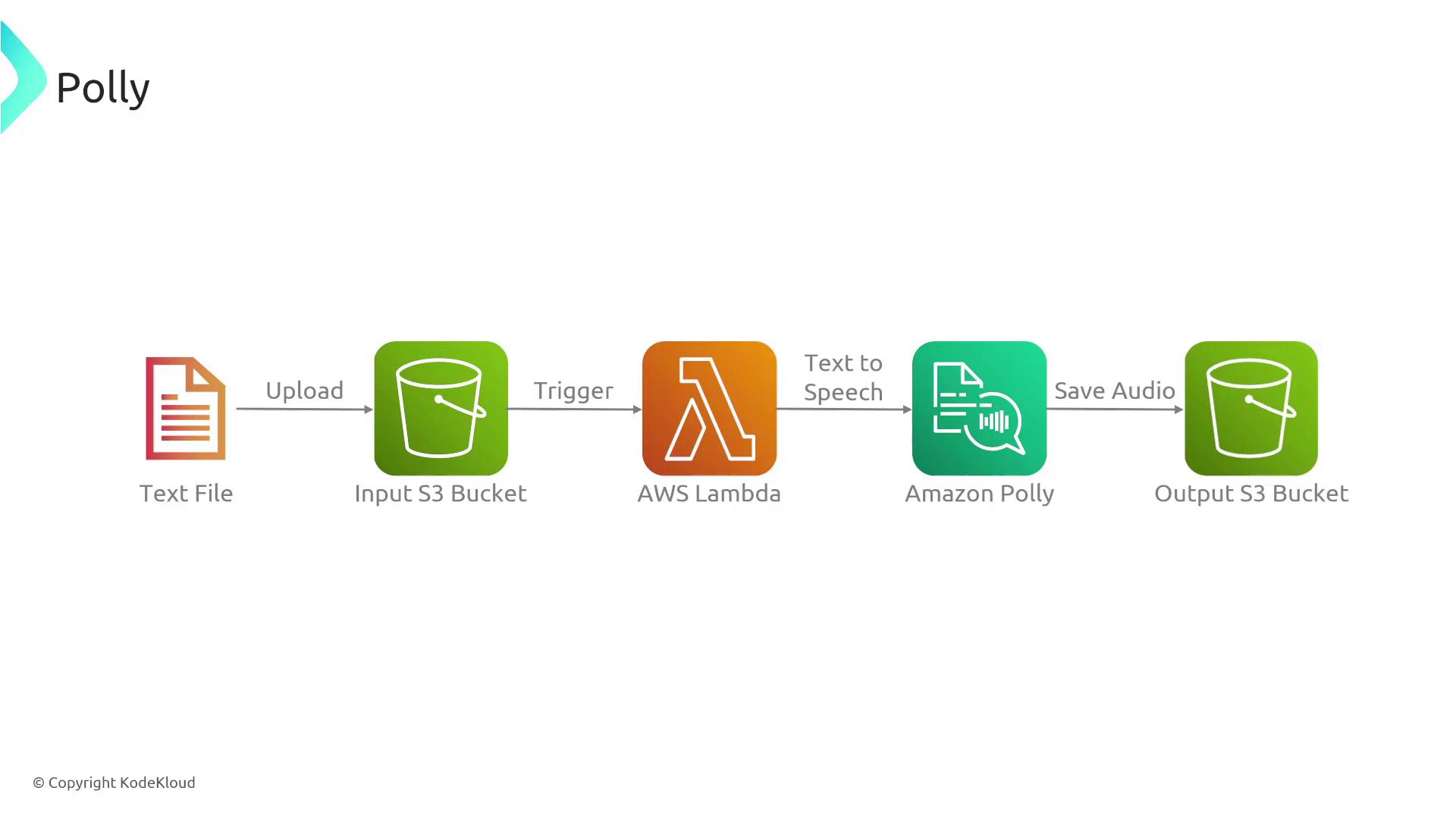
A typical implementation of AWS Polly involves the following steps:- A transcription file (e.g., a video script or document) is uploaded to an Amazon S3 bucket.
- This event triggers an AWS Lambda function that calls Polly to perform text-to-speech conversion.
- The resulting audio file is then saved to an output S3 bucket, making it immediately available for playback or further dissemination.
Practical Use Case: Smart Thermostat Integration
Consider a practical example where a smart thermostat, equipped with sensors and connected via AWS IoT Core, responds to voice commands. Here’s how it works:- The thermostat sends a voice command using the MQTT protocol.
- Amazon Transcribe converts the spoken command into text.
- An AWS Lambda function processes the text and interacts with AWS IoT Core.
- AWS Polly converts the resulting text (e.g., “Temperature set to 22°C”) back into spoken audio for the user.
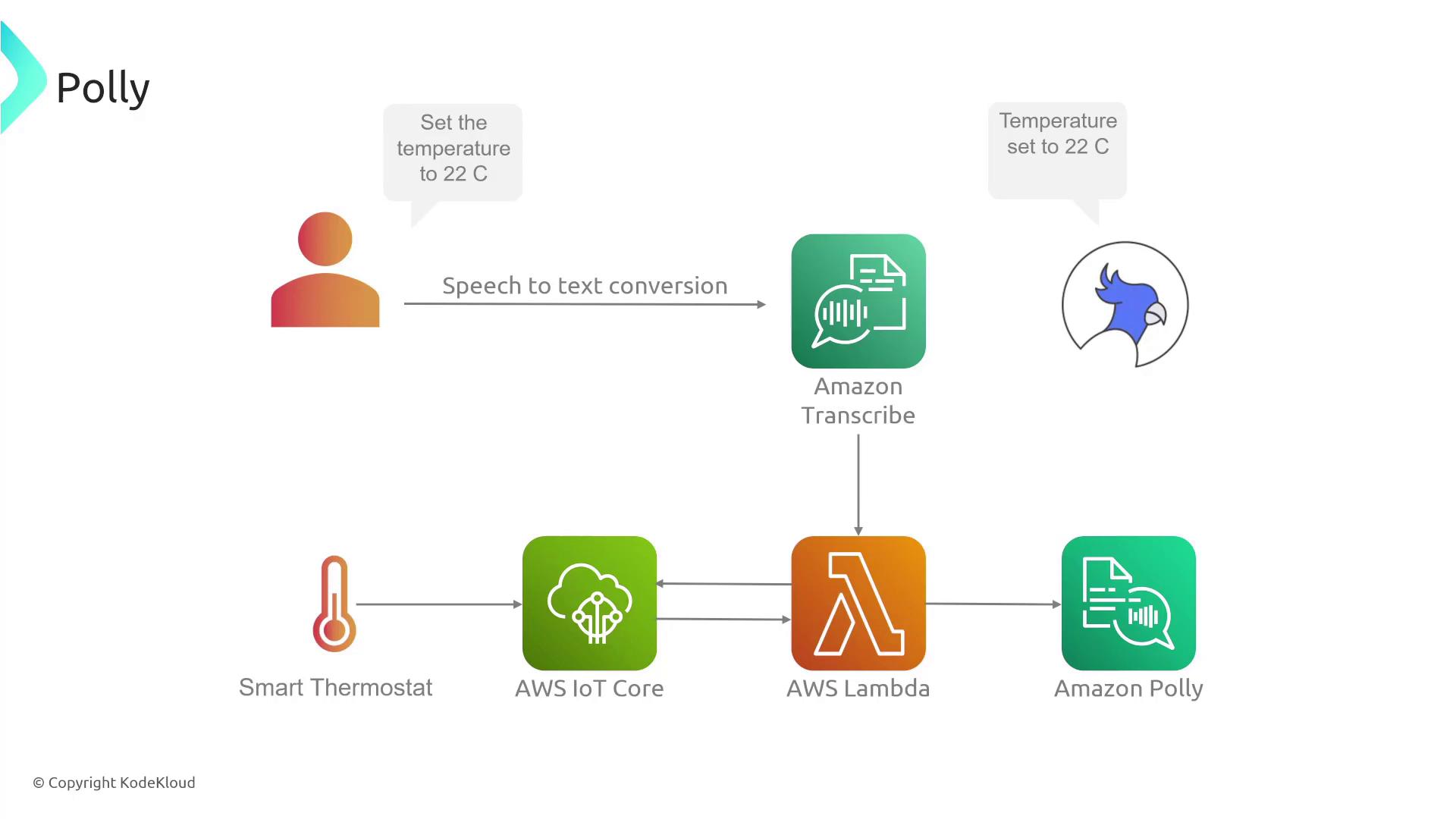
Note that AWS Transcribe handles the conversion of speech to text, while AWS Polly solely focuses on transforming text back into speech. This clear separation ensures optimal performance and smoother interactions across your applications.