

Key Use Cases
AWS RAM supports various resource sharing scenarios. For instance:-
S3 Bucket Sharing:
When you create an S3 bucket in one account, you can share it with authorized accounts using AWS RAM. This allows collaborative access, where users can securely view, modify, or retrieve objects. Any changes made—such as adding or removing items—are reflected automatically across all accounts with access. -
Subnet Sharing:
If you create a subnet in one account, you can share it with other accounts. The recipient accounts can then deploy EC2 instances into the shared subnet, even though the physical infrastructure remains in the provider’s account. This capability streamlines operations in multi-account AWS environments.
Ensure that IAM policies are meticulously configured when sharing resources to avoid potential security vulnerabilities. Misconfigurations can lead to unauthorized access or data breaches.
How AWS RAM Works
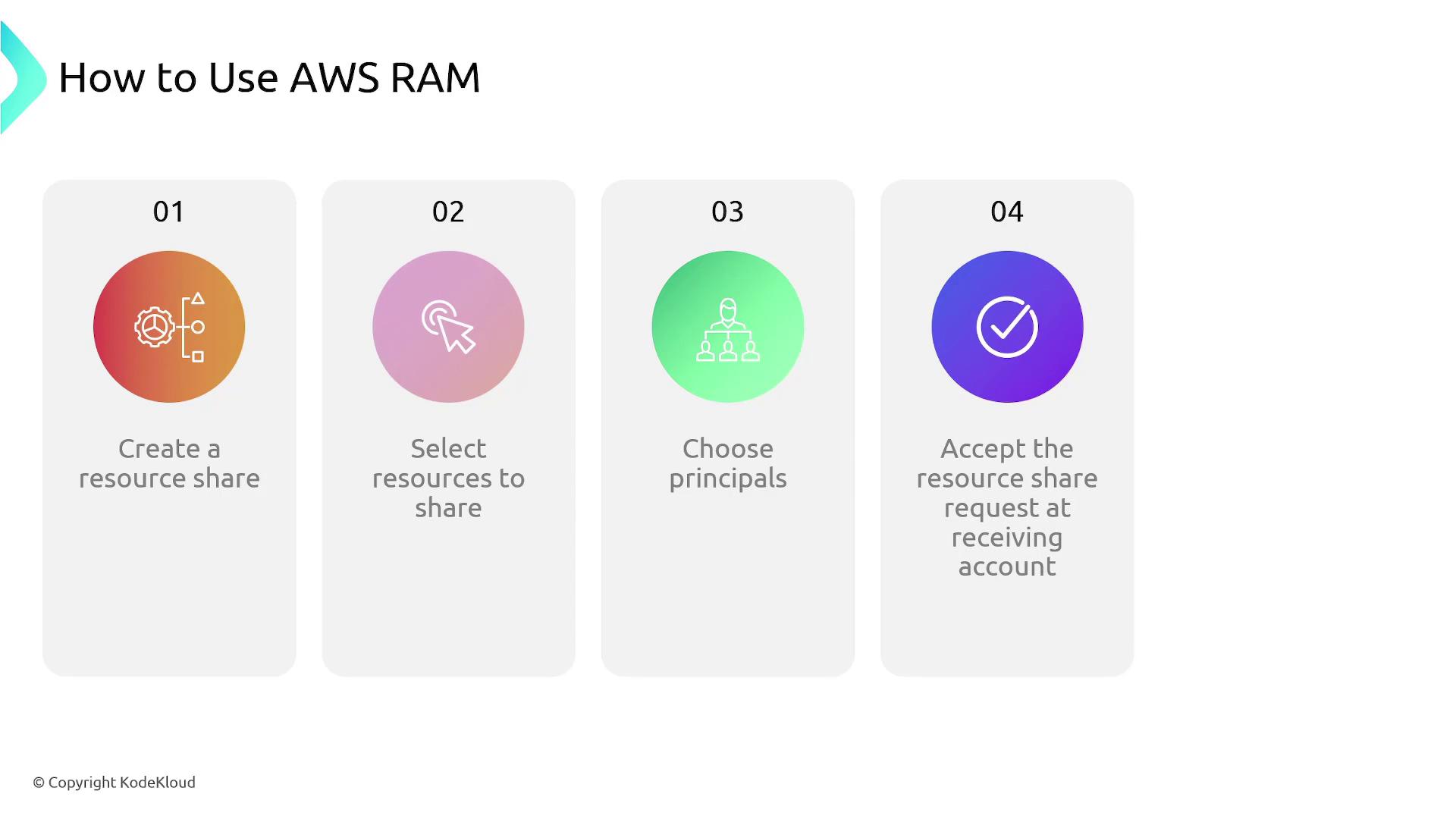
The process to share resources with AWS RAM is straightforward:-
Create a Resource:
Begin by creating the resource in your AWS account. -
Select the Resource:
Identify the resource you wish to share. -
Choose Principals:
Specify the AWS accounts (principals) with which you want to share the resource. -
Accept the Share:
On the recipient account, accept the resource share to gain access.
AWS RAM not only simplifies resource sharing but also enhances collaboration among different teams by centralizing resource management. This makes it an essential tool for enterprises with multi-account AWS environments.