

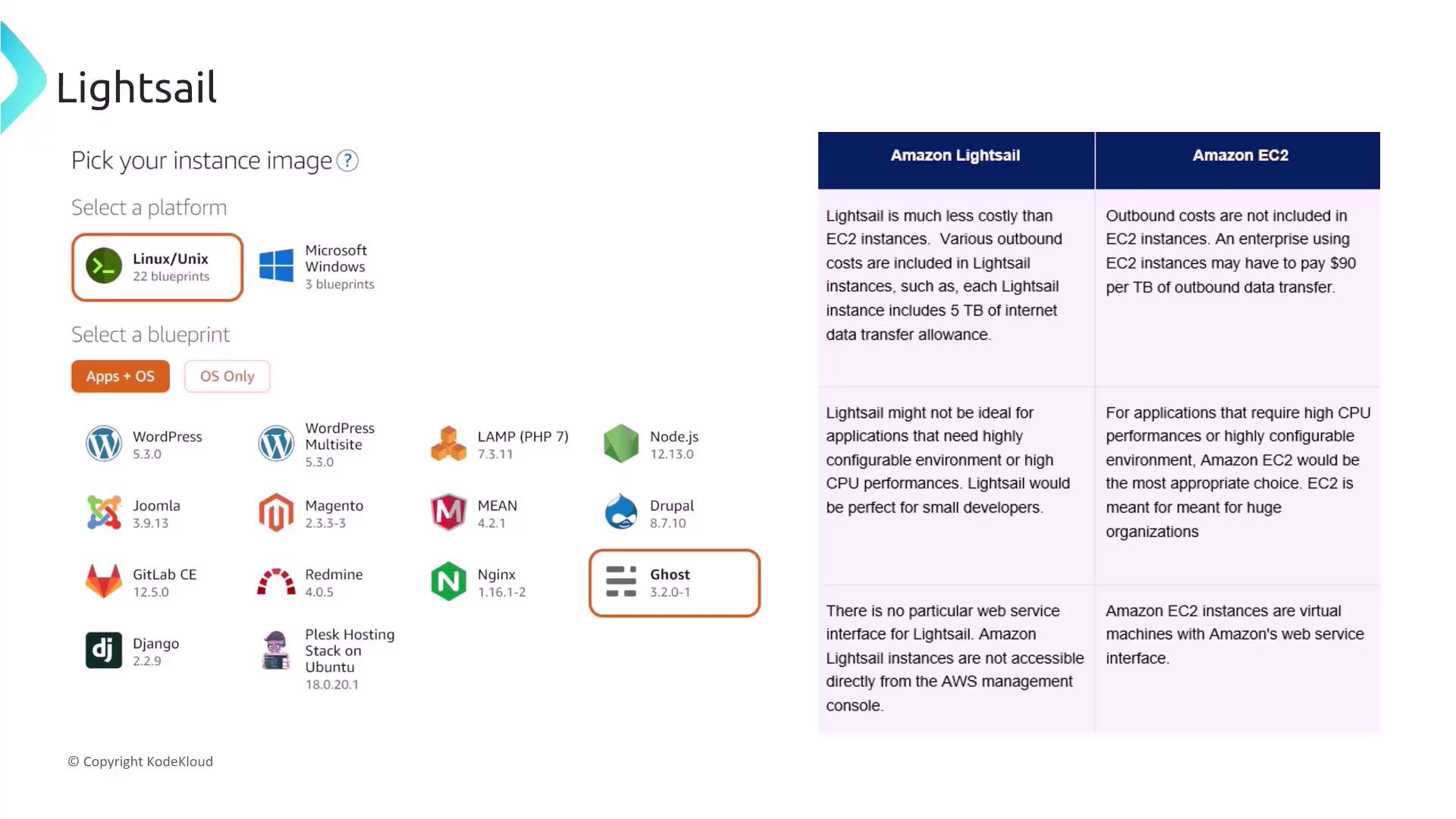
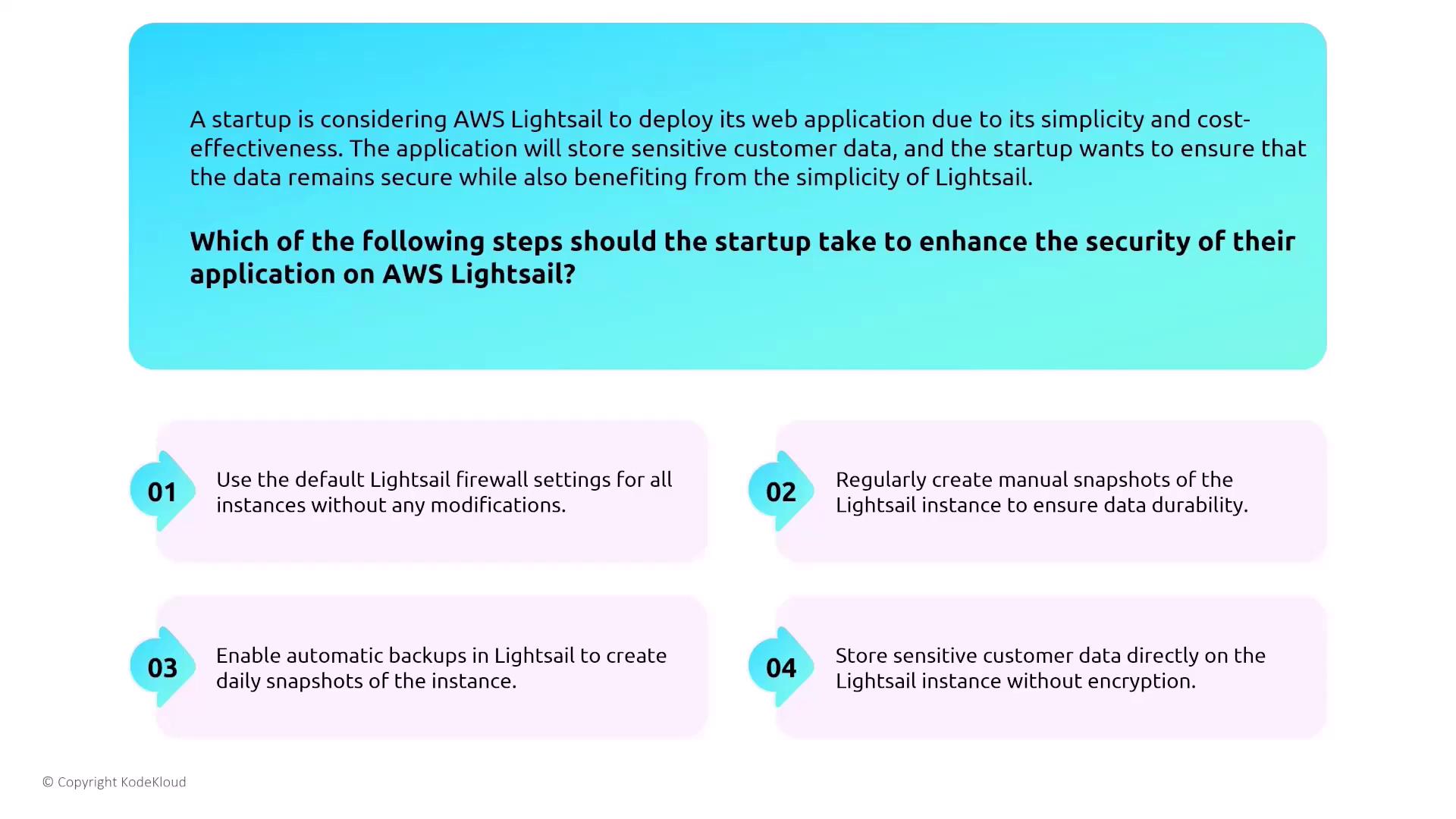
Ensure that you enable automation and avoid embedding sensitive information directly on the instance.
Designing for Security with Containers
This section focuses on container security using AWS Elastic Container Service (ECS) and Elastic Container Registry (ECR). ECS offers two deployment options: using EC2 launch types or the Fargate launch type. Fargate provides a serverless container experience by abstracting the management of the underlying infrastructure, enabling you to define tasks that launch containers effortlessly.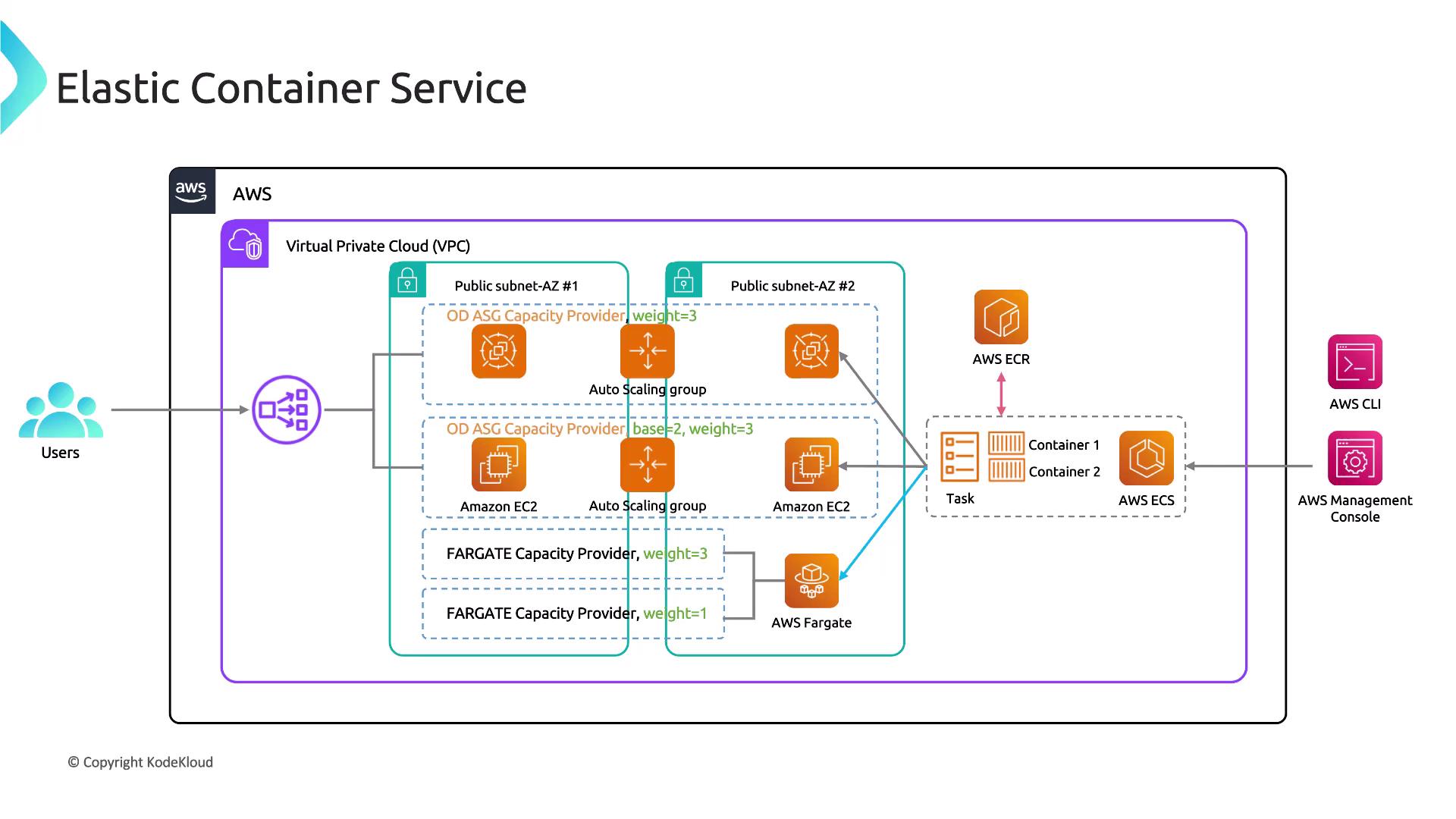
Securing ECS Tasks
Securing ECS tasks is similar to EC2 security but with container-specific nuances. Consider this scenario: A media streaming company deploys a video processing application on ECS. The application processes large video files and stores the outputs in an S3 bucket, scaling based on the processing queue length. Security is achieved by dynamically scaling the service and applying appropriate IAM roles to tasks to grant secure access to S3 resources.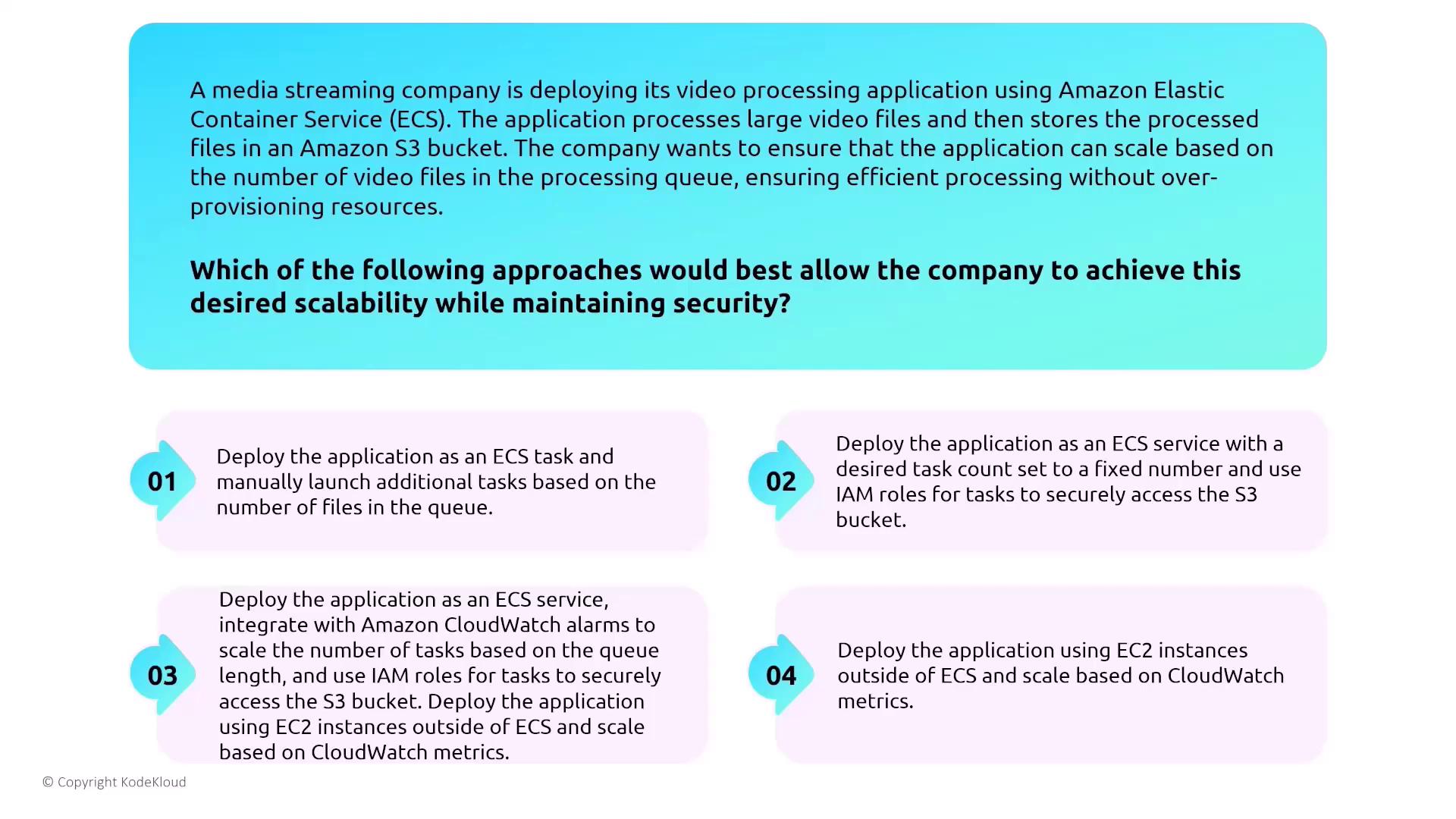
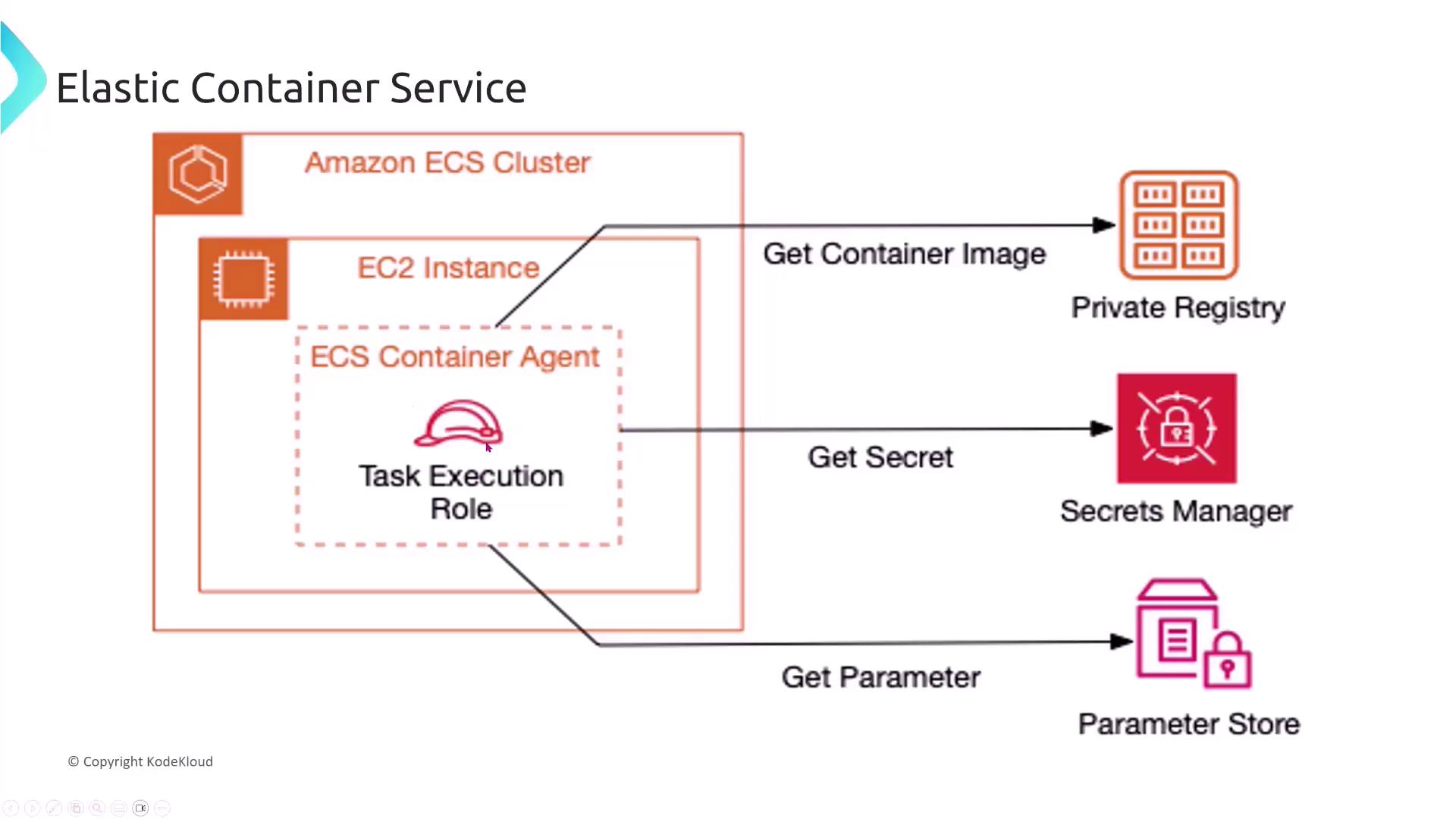
Always ensure ECS tasks are assigned the proper IAM roles to prevent unauthorized access to critical resources.
Managing Secrets and Credential Security
Imagine a FinTech company deploying a microservices application on ECS. To securely access other AWS services, ECS tasks should be assigned appropriate IAM roles instead of embedding AWS credentials in container images. This method, recommended by AWS, enhances security by eliminating the risk of exposing sensitive data.ECS in Practice: Designing Scalable, Secure Architectures
A detailed example from ECSworkshop.com illustrates an ECS architecture designed for multiple services. In this architecture, a load balancer directs traffic to front-end services that communicate securely via service meshes like App Mesh (with AWS Lattice on the horizon). This design guarantees encryption in transit and resilient infrastructure through load balancer scaling and automatic task replacement.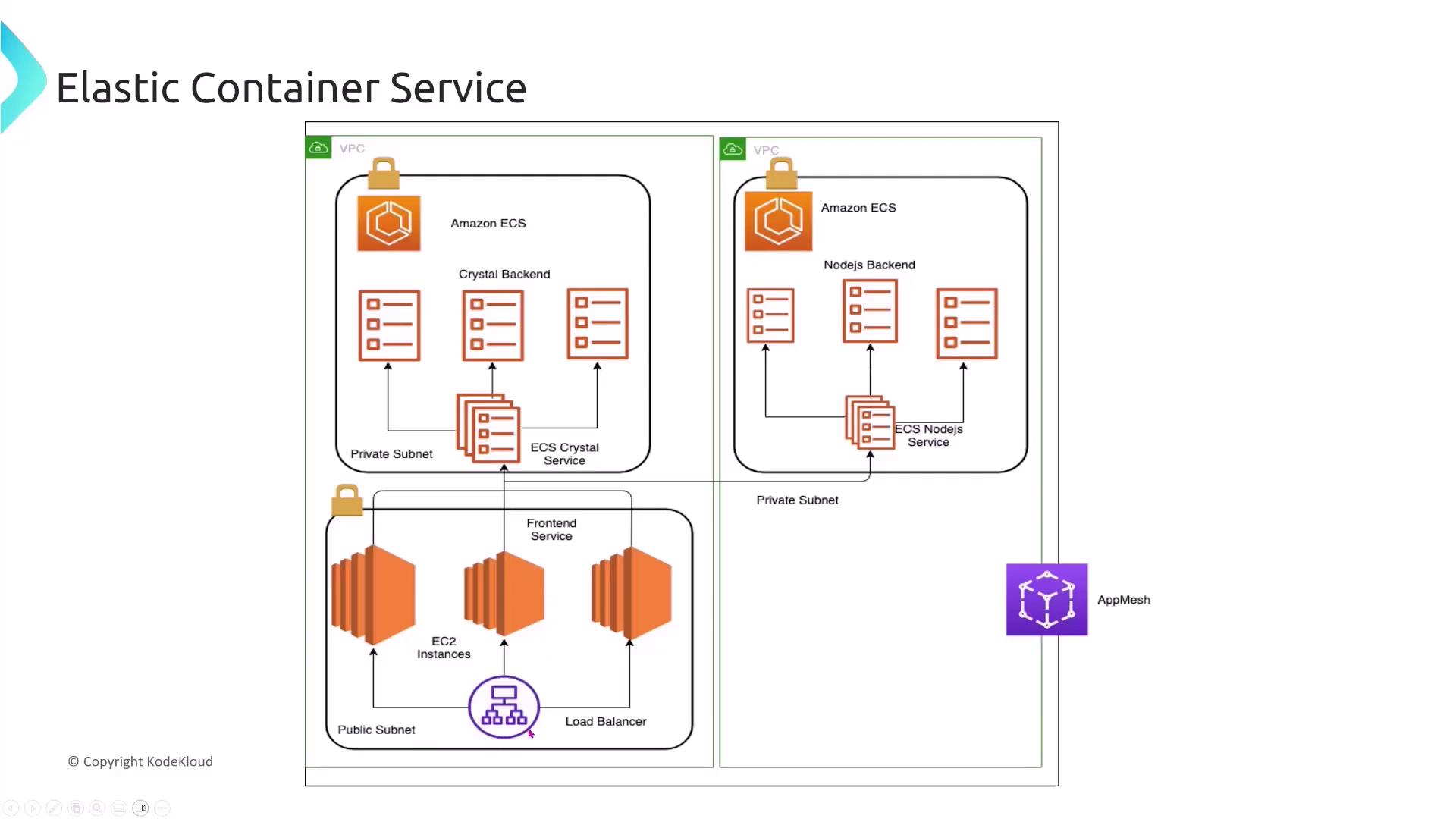
Scaling Microservices with ECS Services
Consider a scenario where a FinTech startup deploys a microservices-based application using ECS. Each microservice (such as ordering, product management, or customer profiles) needs to scale independently based on demand, with automatic task replacement for failures. The best practice is to deploy each microservice as a separate ECS service with defined minimum and maximum task counts, leveraging CloudWatch metrics for autoscaling. Using the ECS service abstraction, rather than deploying all microservices within a single ECS task or service, provides the necessary management functions for scaling and health monitoring.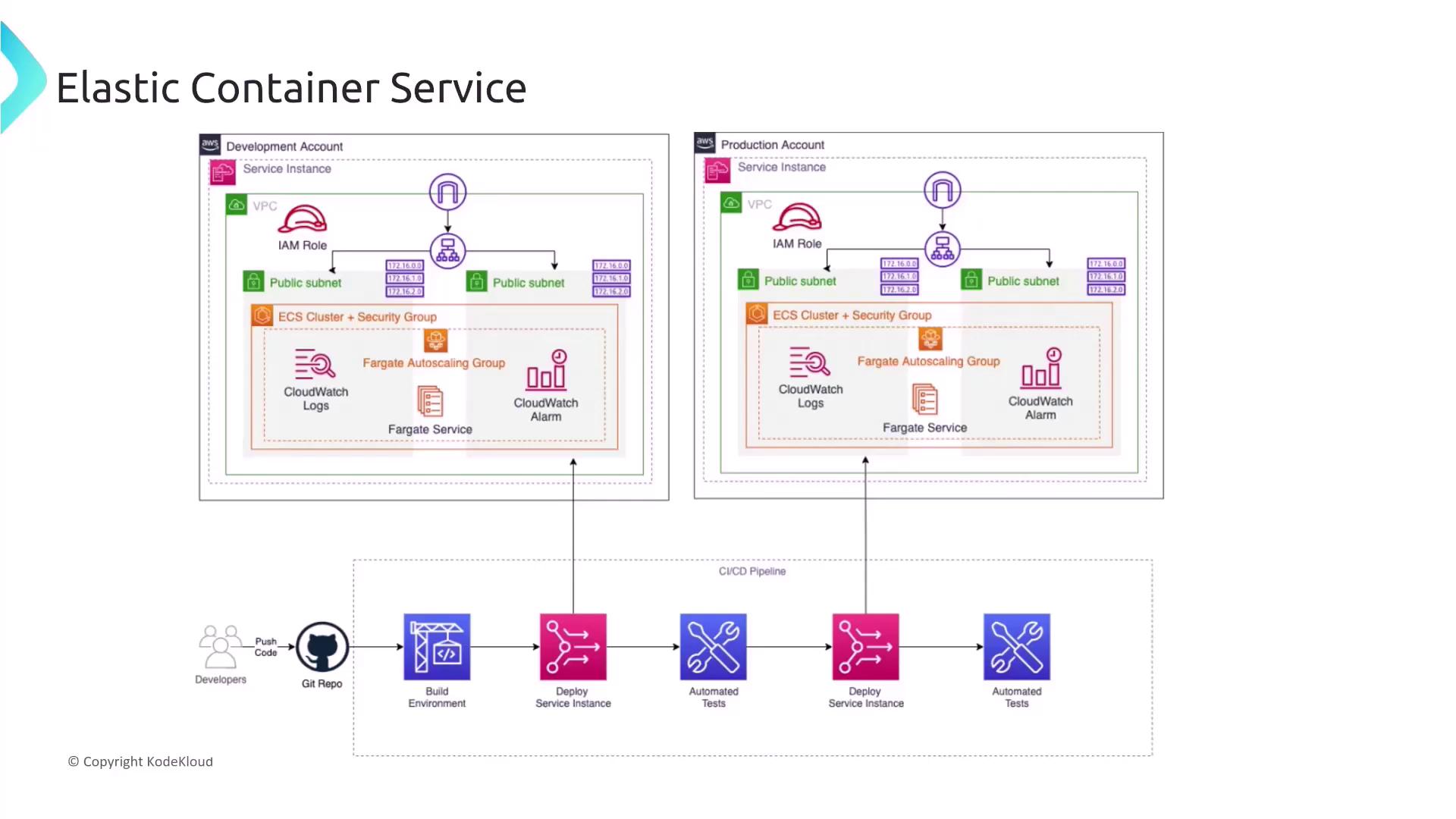
Migrating to ECS with Fargate
For organizations seeking a serverless container experience without the burden of managing underlying infrastructure, ECS with Fargate is an excellent choice. Fargate abstracts the management of EC2 instances and provides a scalable, secure environment where AWS handles server provisioning, patching, and other maintenance tasks.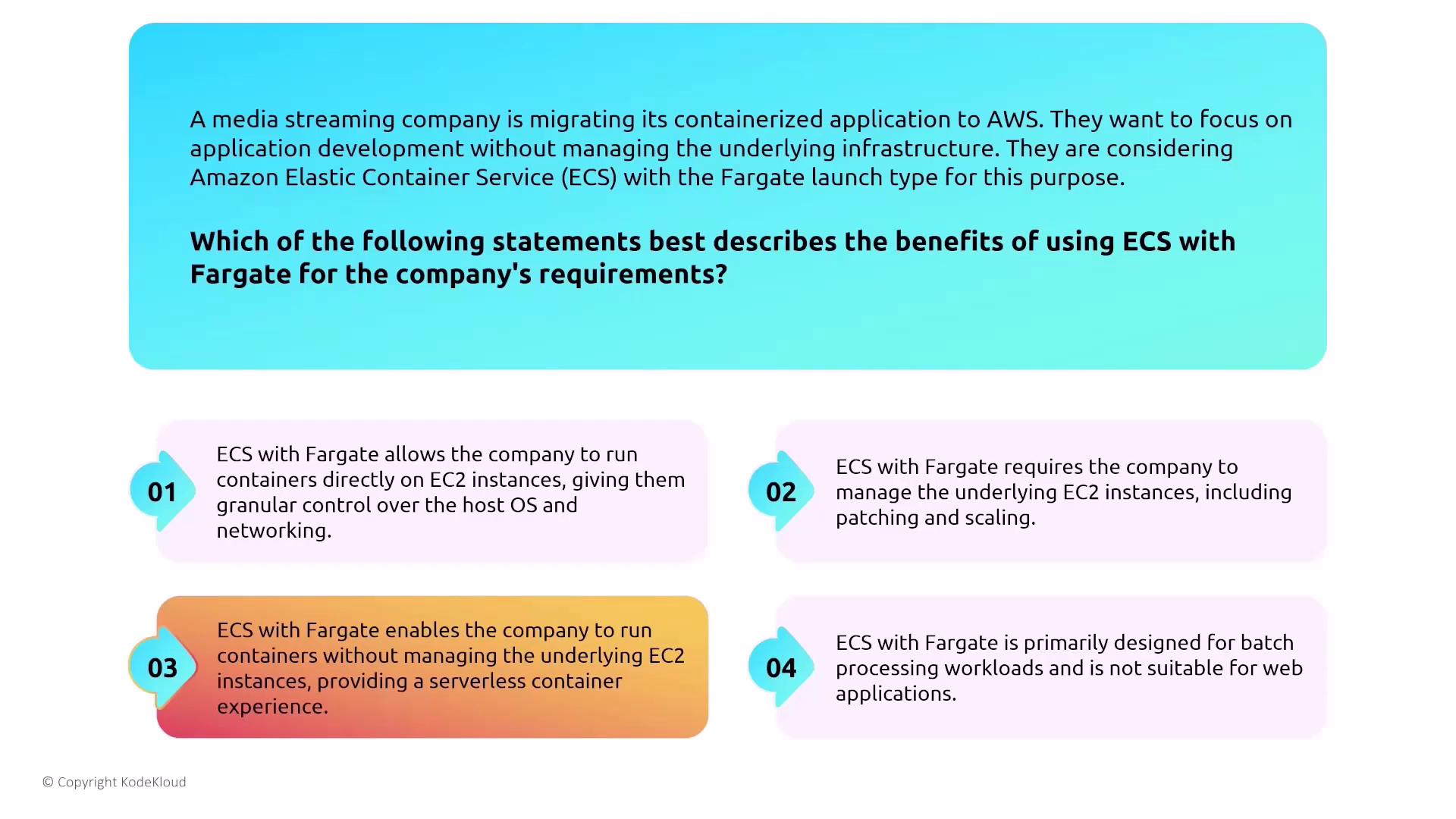
Monitoring ECS with CloudWatch
A robust monitoring strategy is essential for any cloud deployment. For a FinTech company deploying microservices on ECS, AWS CloudWatch provides detailed metrics for tasks, services, and containers in real time. CloudWatch enables operations teams to set alarms, identify issues early, and visualize performance and system health—all without the need for manual agent installation on each container.Final Thoughts on Security and Compute Services
Securing compute services on AWS requires a comprehensive strategy that includes:- Using Lightsail for basic VPS needs while understanding its limitations.
- Leveraging ECS for containerized applications with proper IAM roles to avoid embedding credentials.
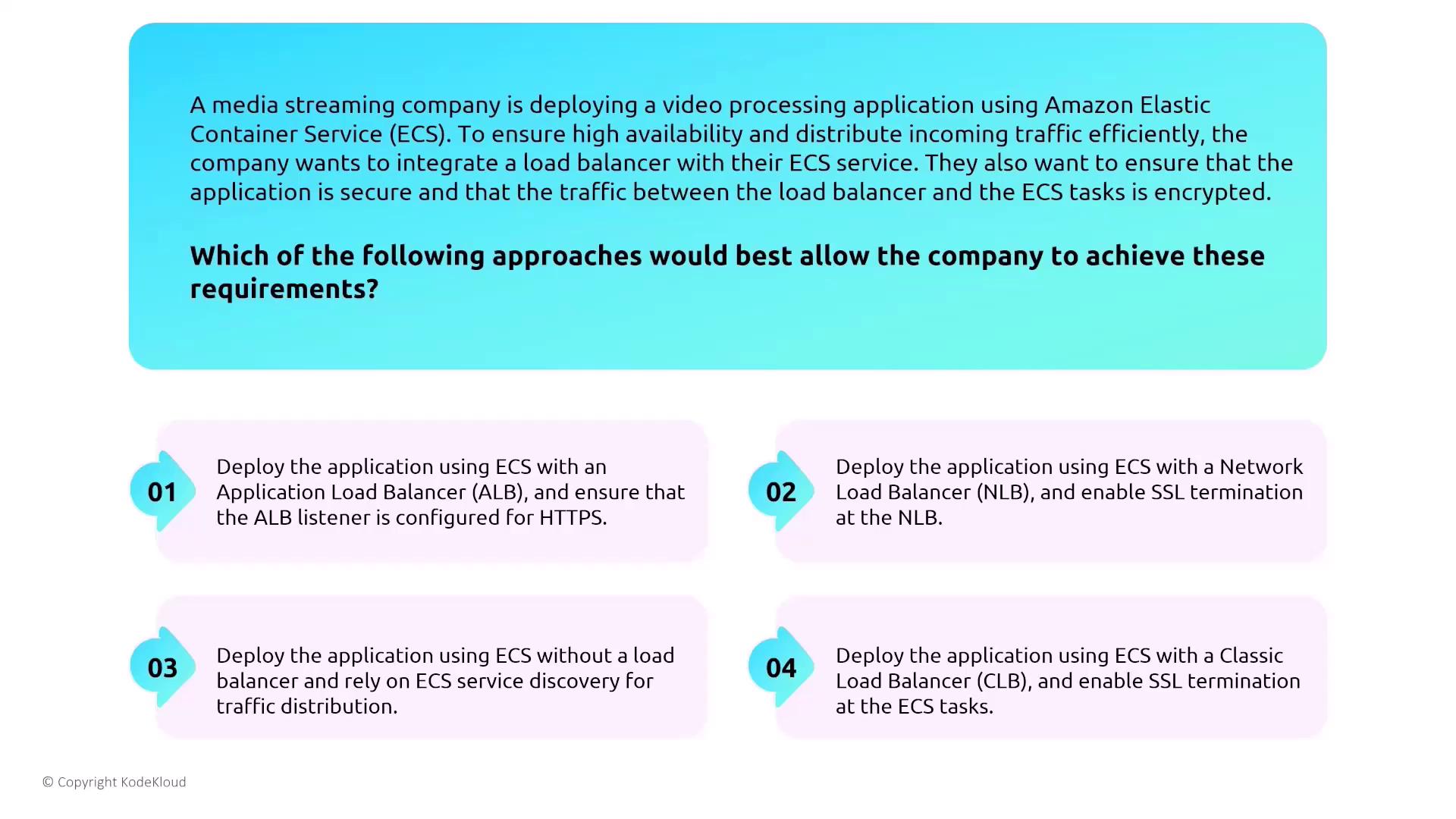
- Deploying load balancers—preferably an Application Load Balancer with HTTPS—to secure traffic between clients and ECS tasks.
- Scaling microservices independently using ECS service autoscaling.
- Utilizing AWS Fargate for a serverless container experience that removes the complexity of managing EC2 instances.
- Employing AWS CloudWatch for continuous, real-time monitoring.
Implementing the above best practices will help maximize your security posture across AWS compute services while simplifying management and scaling challenges.