

Introduction to Load Balancers
Imagine hosting your website, mywebsite.com, on a single EC2 instance. Initially, as traffic remains low, a single instance may be sufficient. However, as your site gains popularity, a single server may struggle to handle increased load. There are two primary scaling strategies:- Vertical Scaling: Increase the capacity (CPU, RAM) of your EC2 instance.
- Horizontal Scaling: Add more EC2 instances to distribute the traffic. However, even with multiple servers, the domain (mywebsite.com) still points to a single IP address unless a load balancer is implemented.
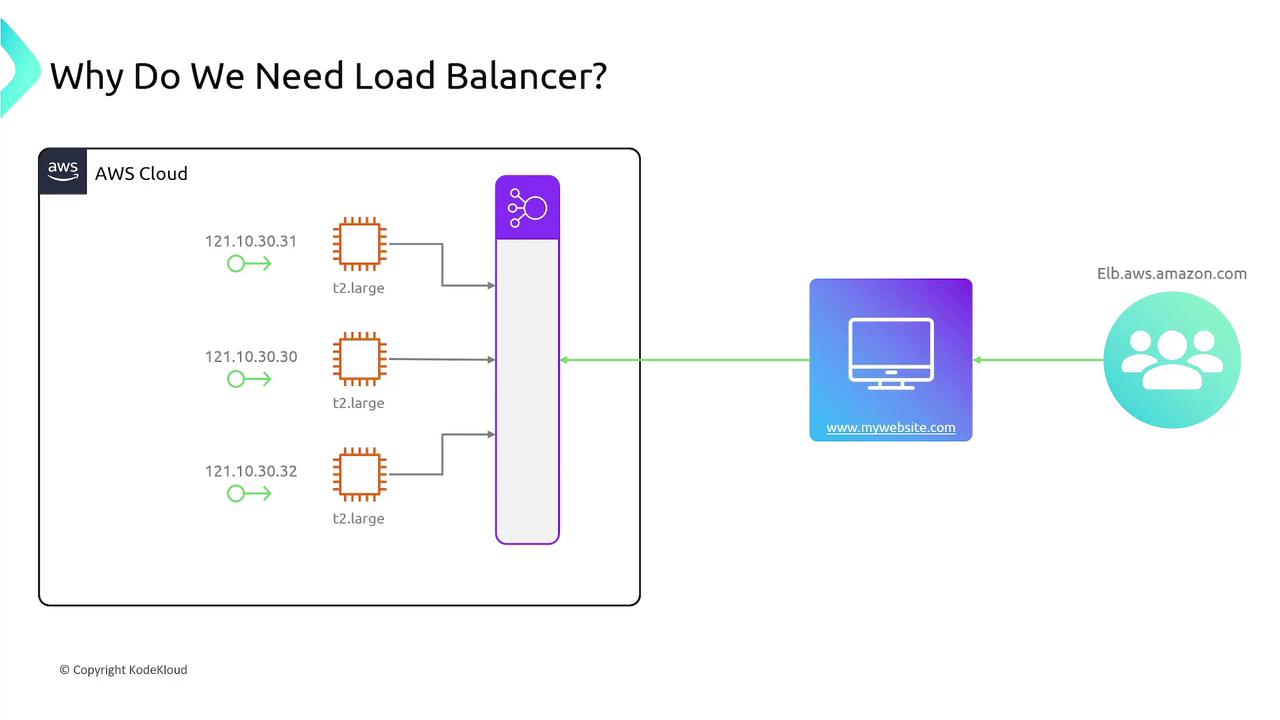
AWS Elastic Load Balancers Overview
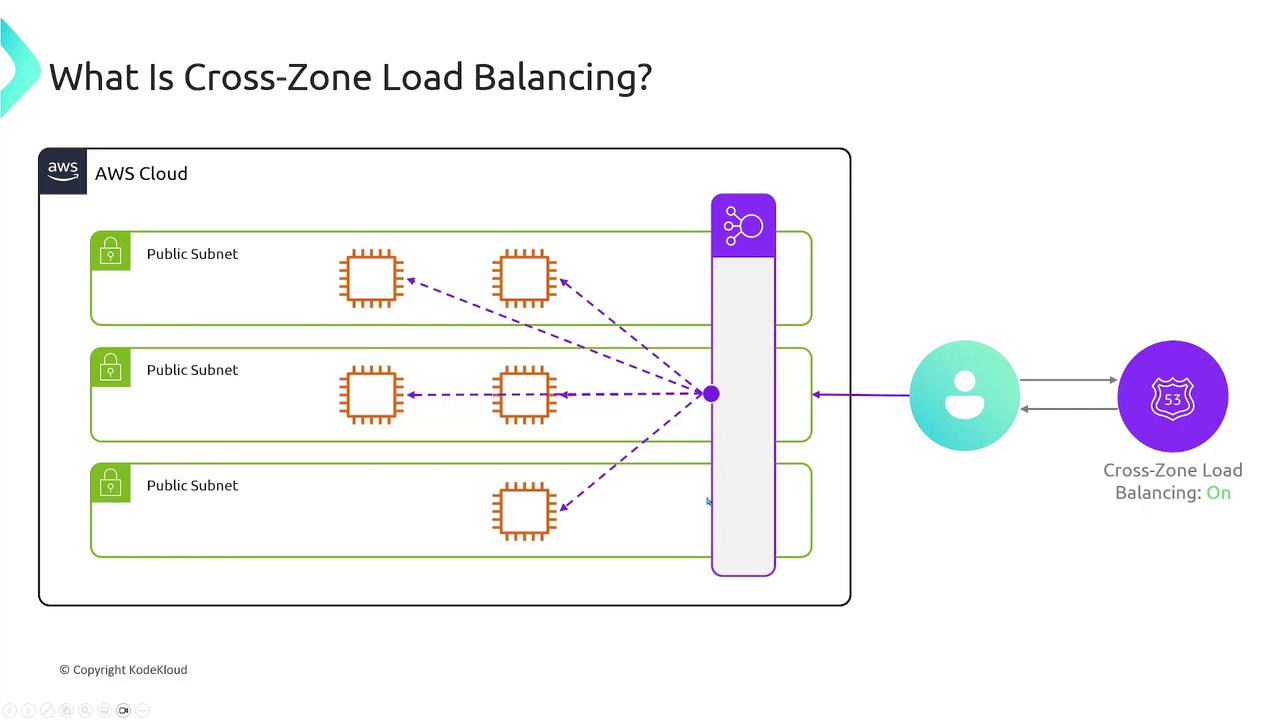
AWS offers a robust, scalable, and fault-tolerant load balancing service that spans multiple availability zones. Instead of restricting traffic to a single EC2 instance or availability zone, the load balancer intelligently forwards incoming requests to all configured instances across zones. Before exploring the different types of load balancers, let’s review two critical components of their configuration: Listeners and Target Groups.Listeners and Target Groups
- Listener: A listener defines the rules for processing incoming traffic. For instance, you might configure a listener to accept HTTP requests for
http://www.mywebsite.com.
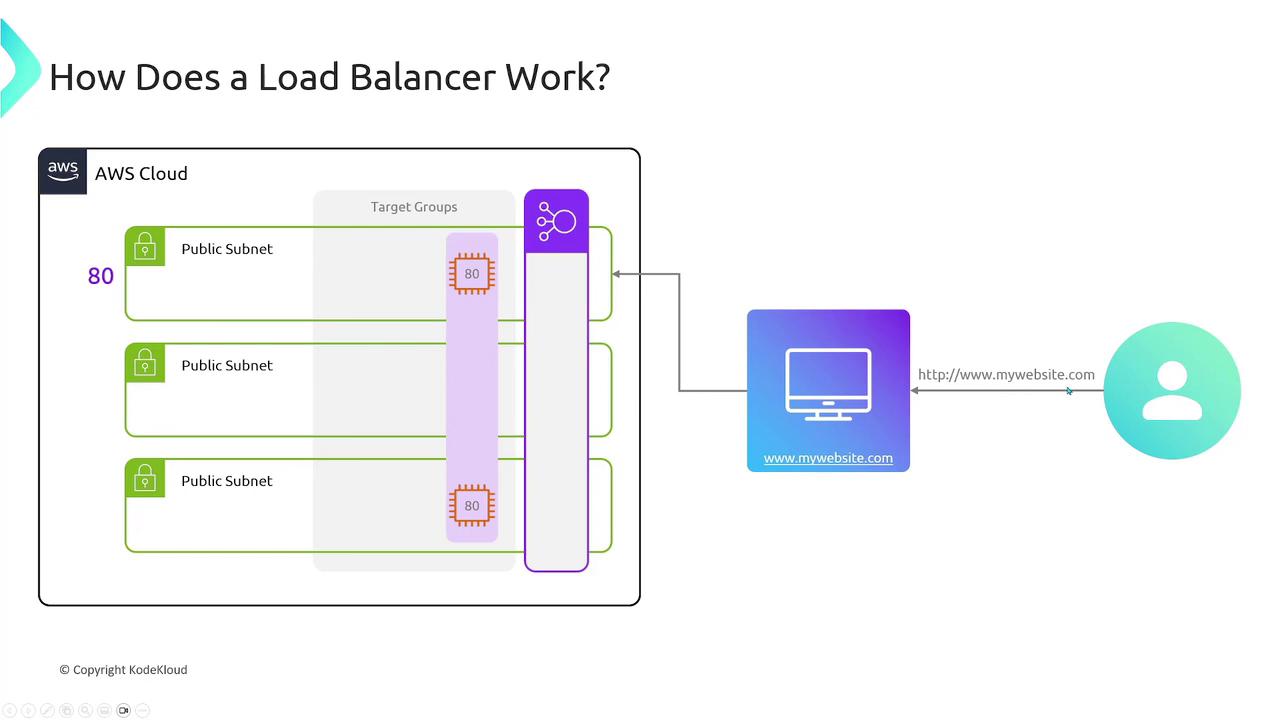
- Target Group: A target group is a collection of endpoints, such as EC2 instances, that receive the forwarded requests. You can specify the port on which these endpoints listen (e.g., port 80 for HTTP or port 443 for HTTPS).
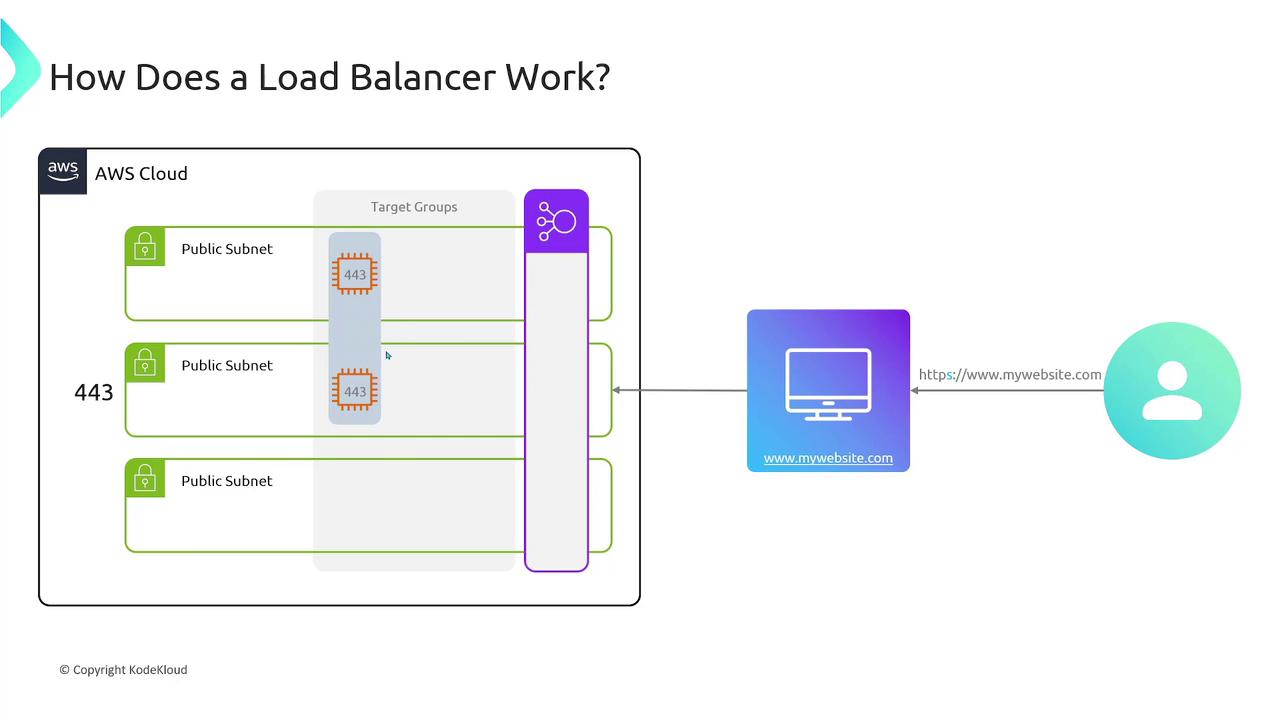
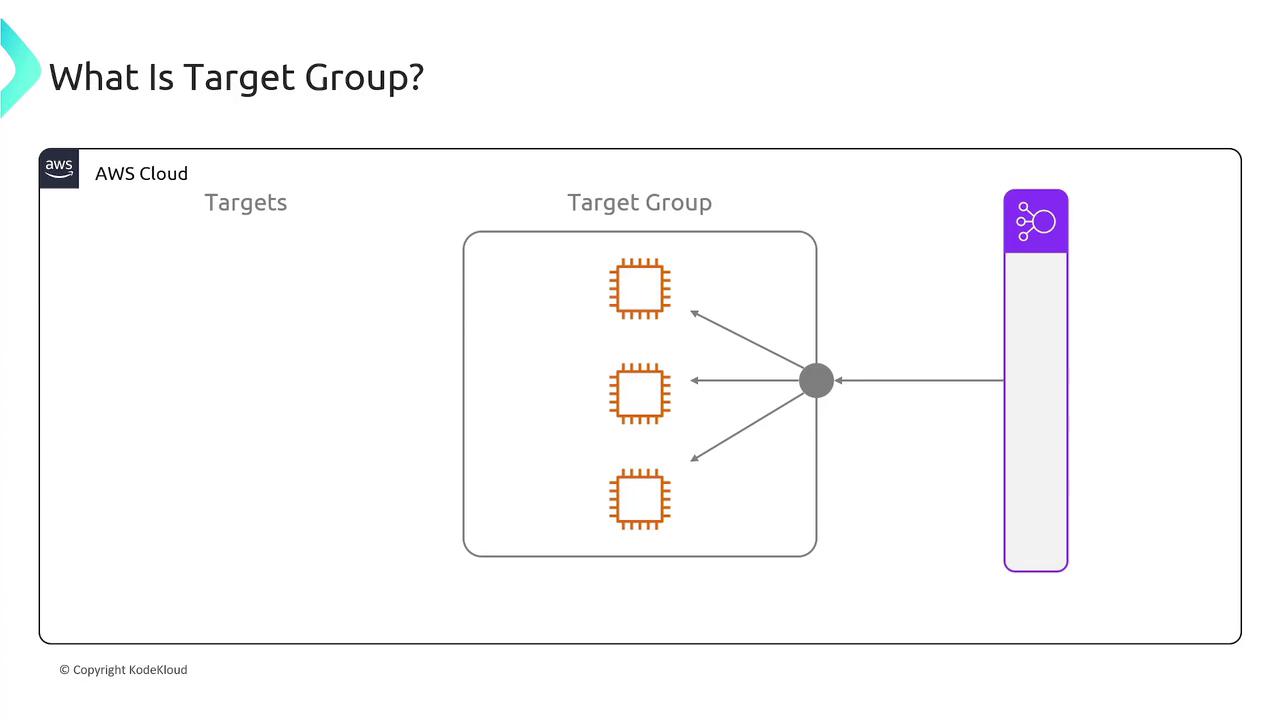
Key Characteristics of Target Groups
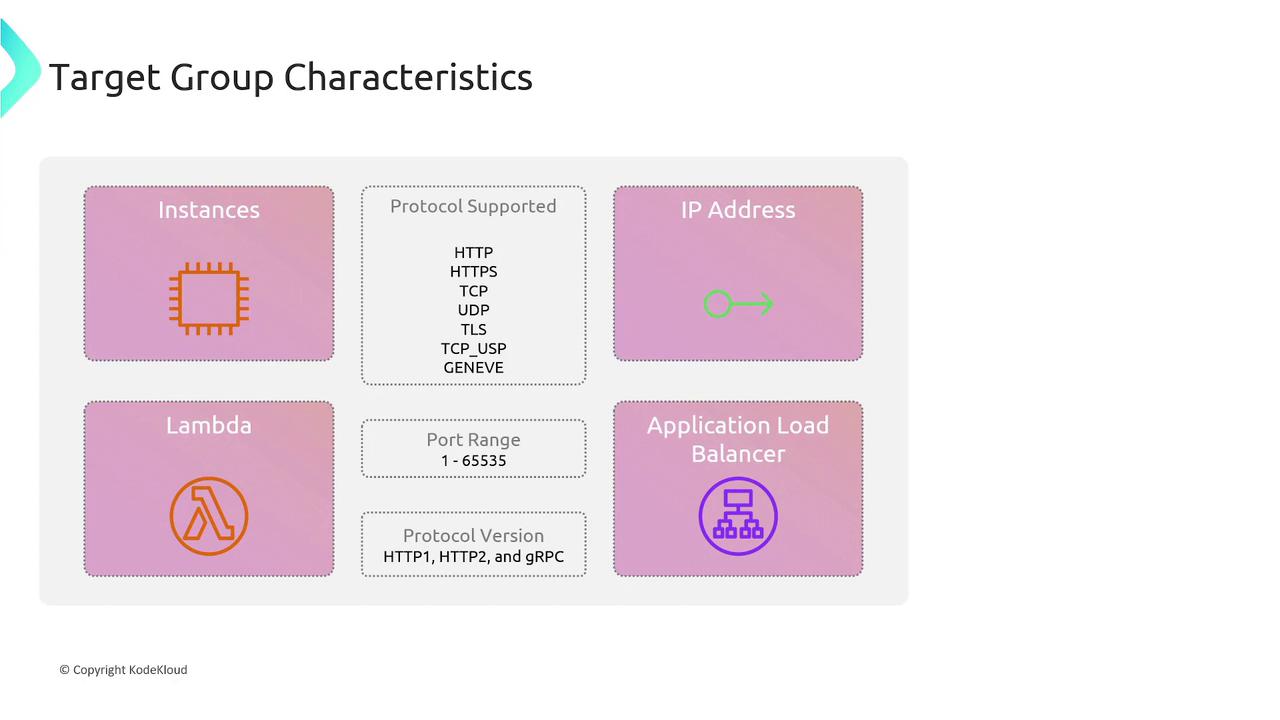
A target group in AWS can include:- EC2 Instances: Multiple instances that handle traffic.
- IP Addresses: Direct traffic to specific IP addresses, whether hosted on-premises or in another cloud.
- Lambda Functions: Use serverless functions as backend endpoints.
- Other Load Balancers
Public vs. Private Load Balancers
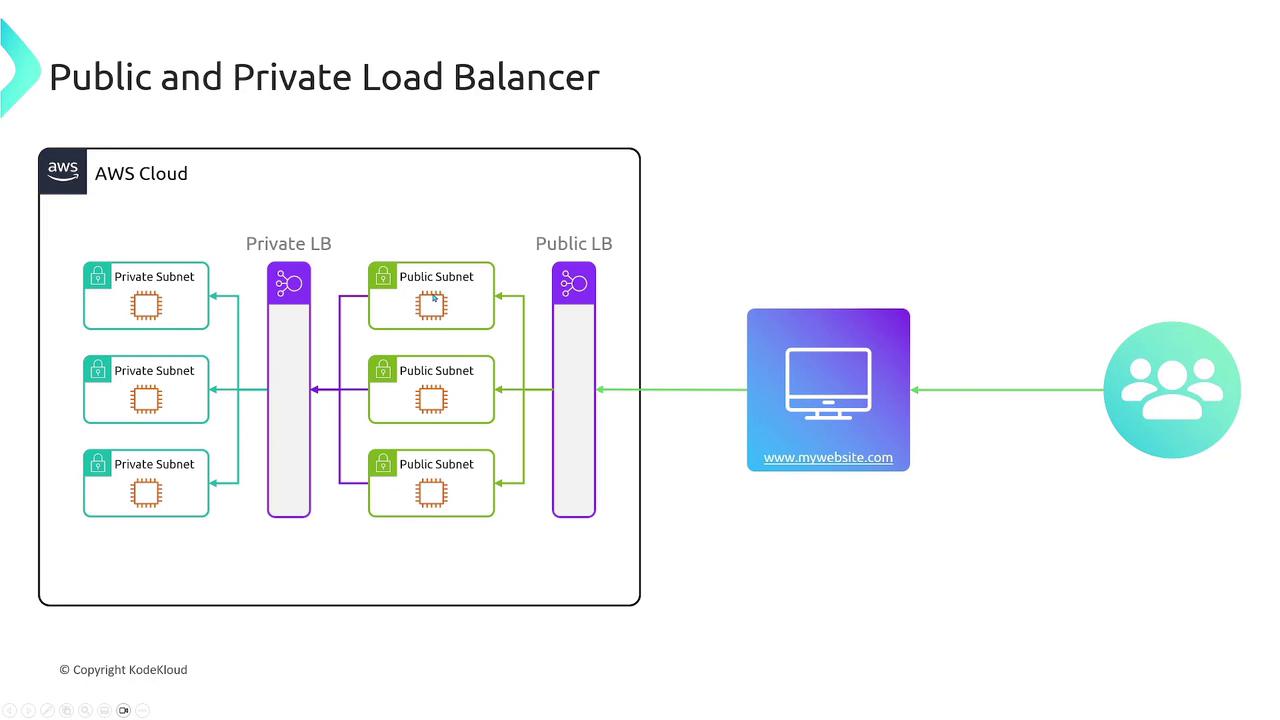
AWS load balancers can be deployed as either:- Public Load Balancers: Exposed to the internet, ideal for public APIs and web applications.
- Private Load Balancers: Restricted to a private network, perfect for backend services or databases where security is a priority.
Types of AWS Load Balancers
AWS offers several types of load balancers, each designed for specific use cases:Application Load Balancer (ALB)
- Operates at Layer 7 (the application layer) and is aware of HTTP/S traffic.
- Supports advanced routing rules based on host headers, URL paths, HTTP methods, query strings, and custom headers.
- Ideal for web applications and microservices requiring flexible routing and redirection.
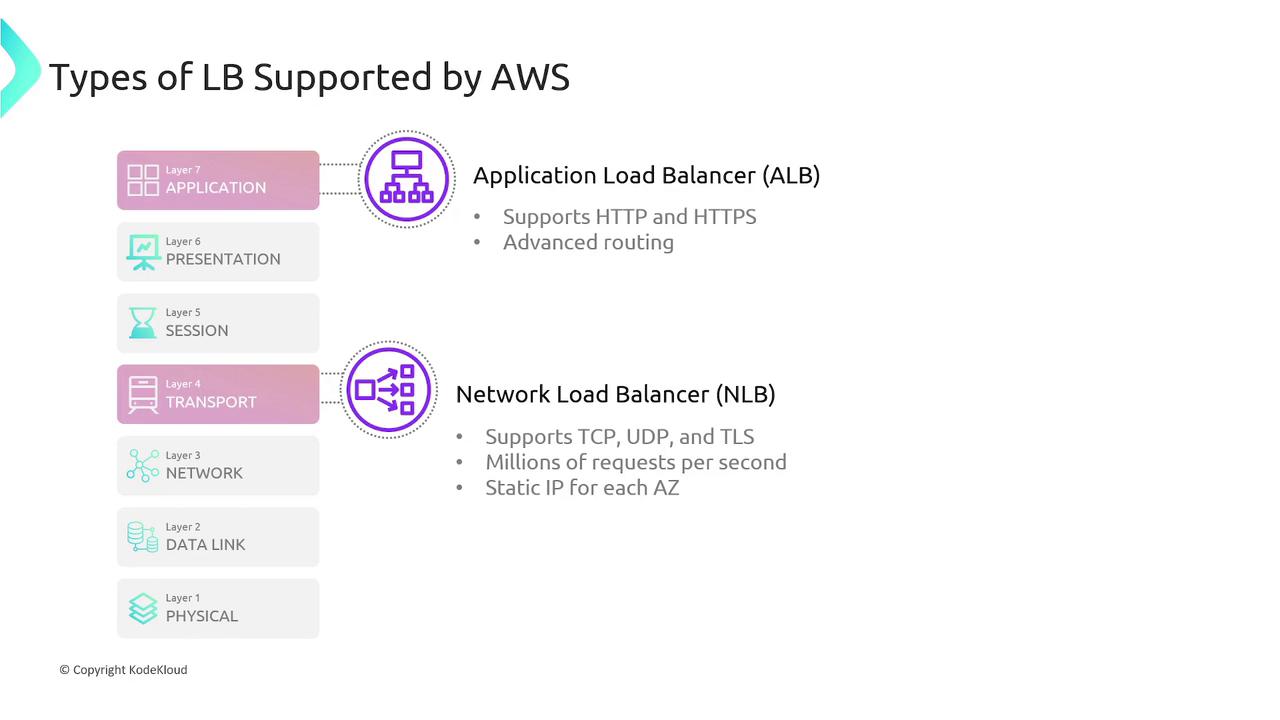
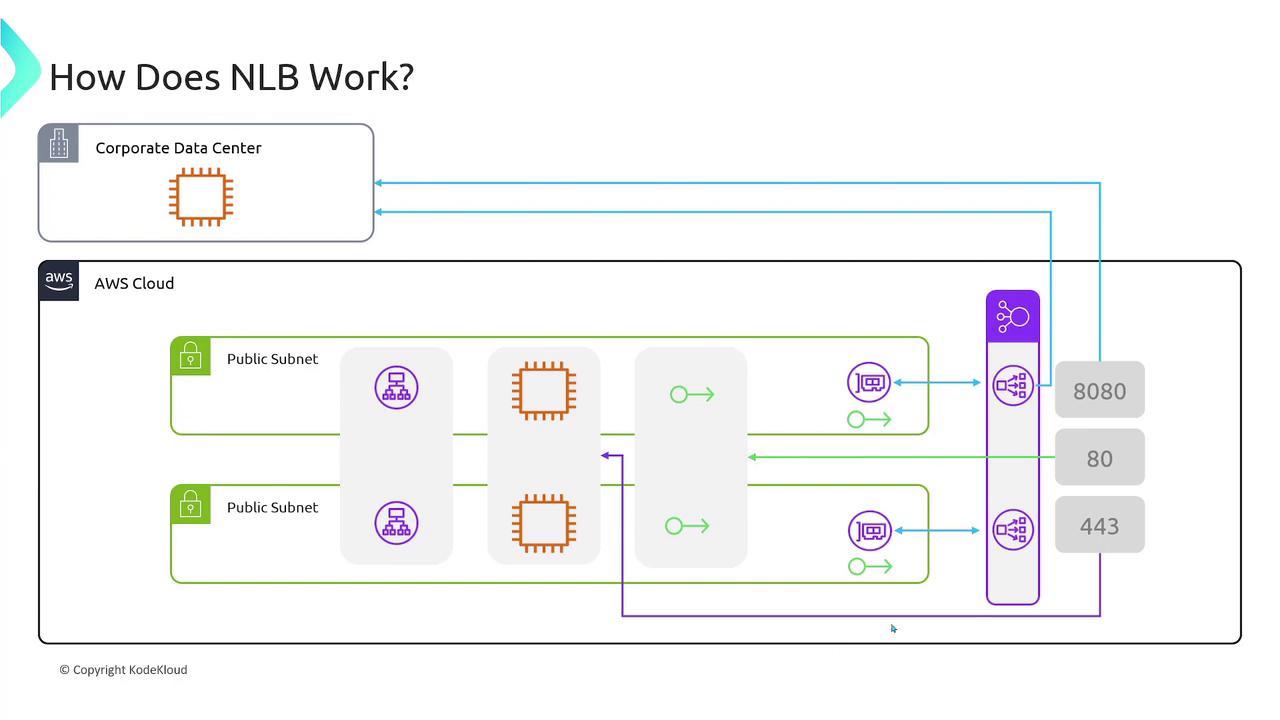
Network Load Balancer (NLB)
- Operates at Layer 4 (the transport layer) and supports protocols such as TCP, UDP, and TLS.
- Designed for high-performance applications, capable of handling millions of requests per second.
- Provides static IP addresses per availability zone, offering greater routing control.
Advanced ALB Features and Routing Rules
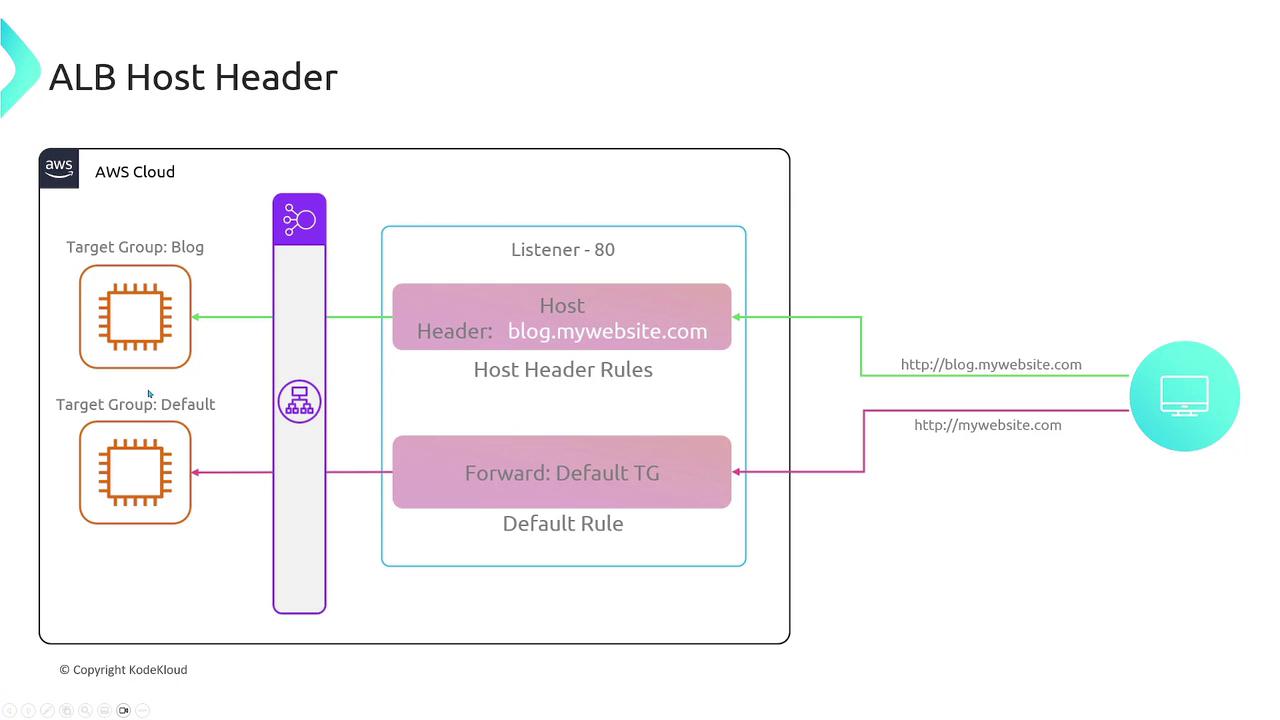
Because the Application Load Balancer operates at Layer 7, it provides advanced traffic management options:- Host Header Matching: Route traffic based on domain names.
- Default rule: Applies when no specific host is matched.
- Custom rule: For instance, route traffic for
blog.mywebsite.comto a dedicated target group.
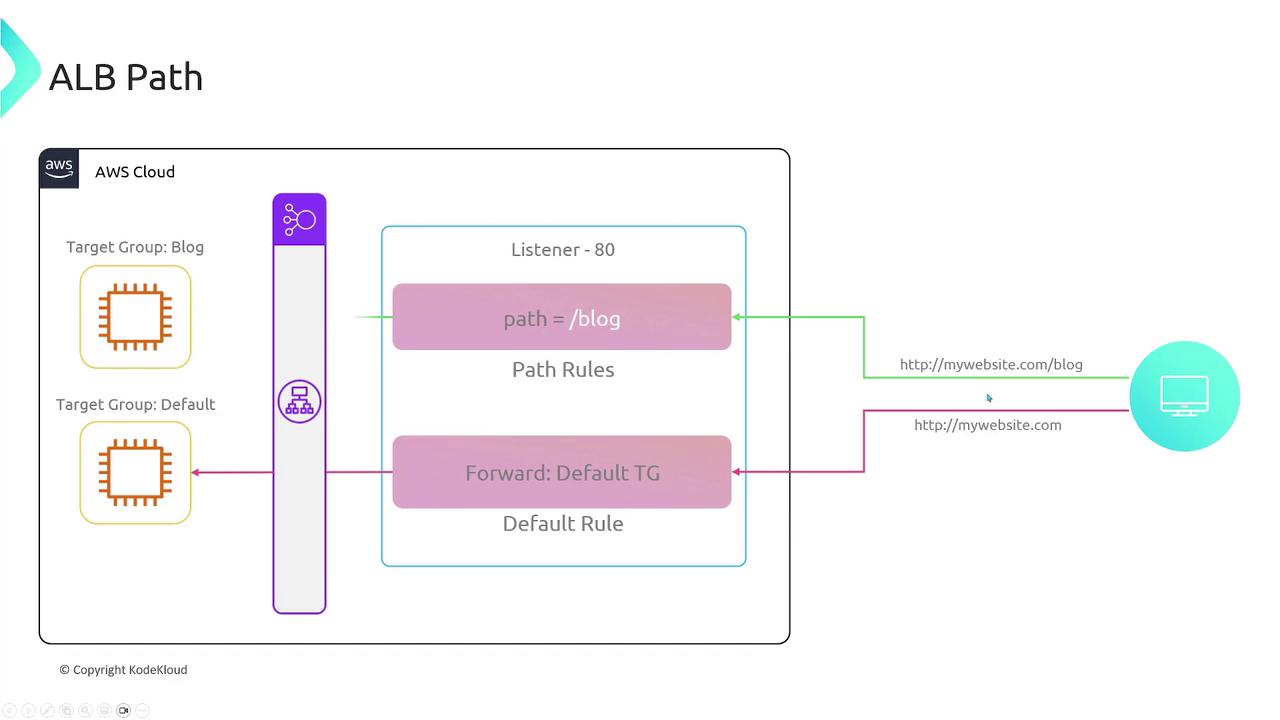
- Path-Based Routing: Direct traffic based on URL paths (e.g., routing
/blogto a specific group).
-
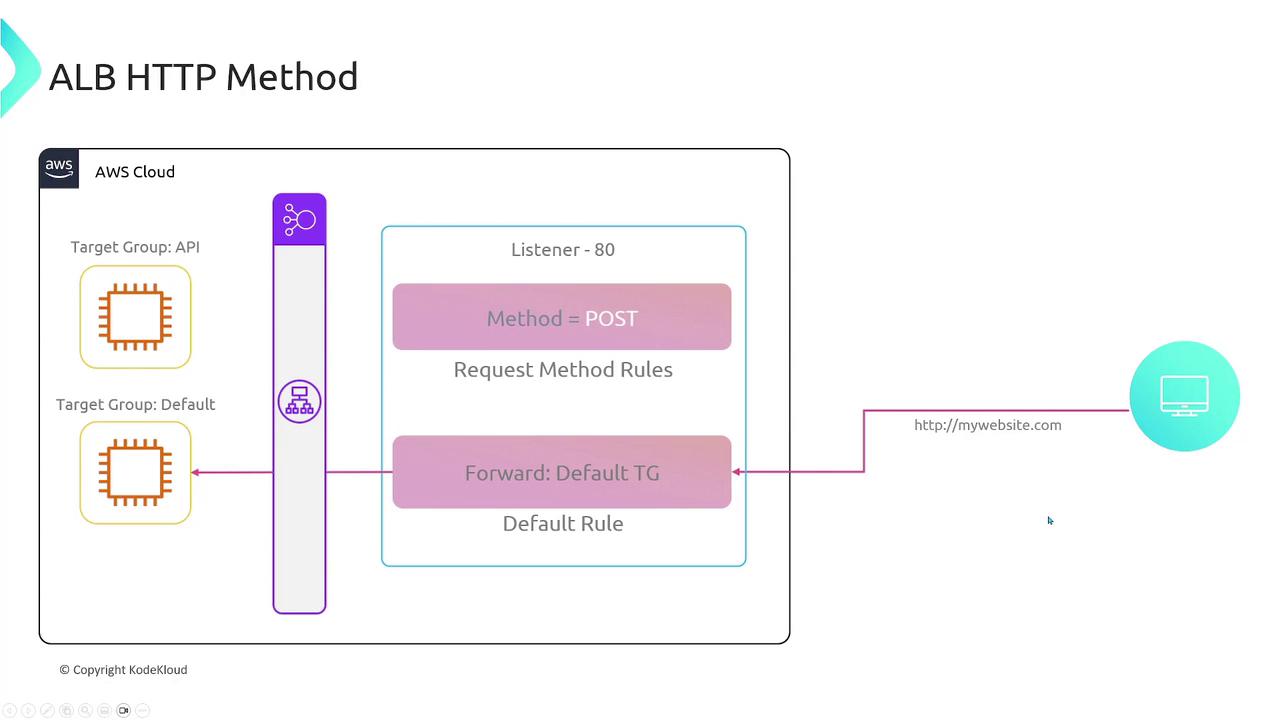
HTTP Method Matching: Distribute traffic based on HTTP methods (e.g., GET vs POST). For example, you might have separate target groups for POST requests.
An example using curl for a POST request:
For clarity, here is a similar command with escaped quotes:
-
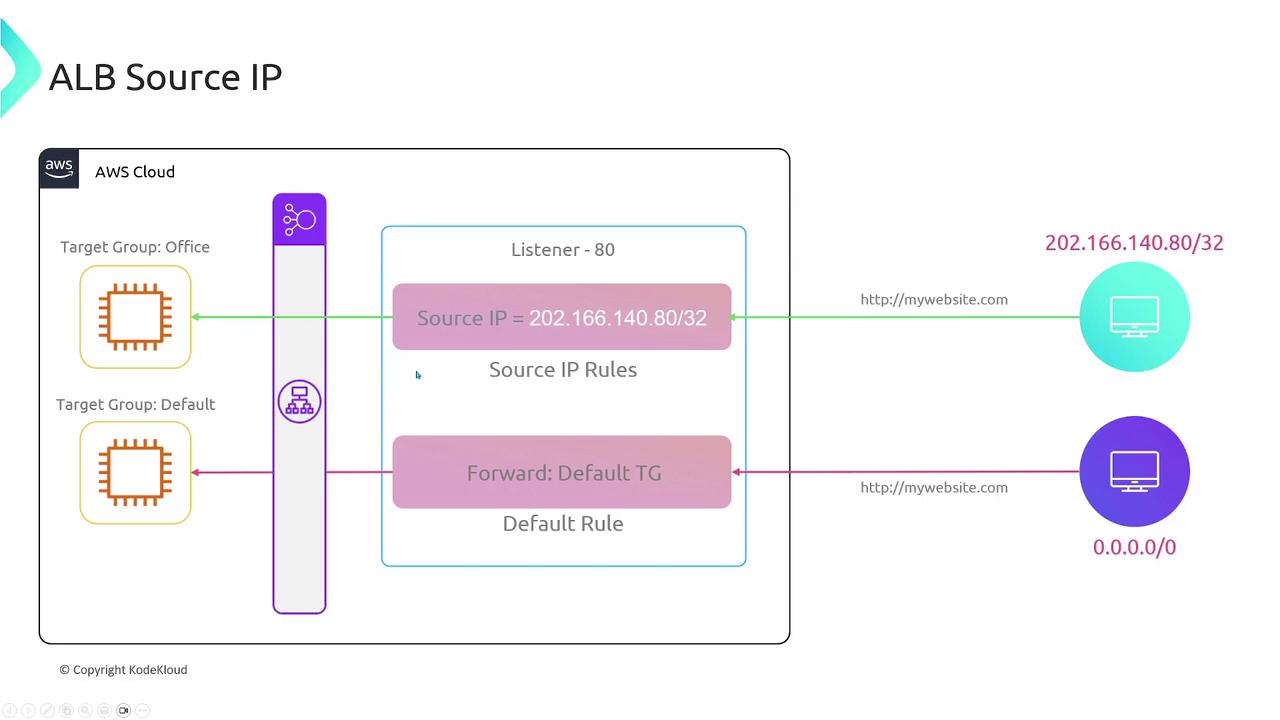
Source IP and Custom Header Matching: Create rules to match specific source IP addresses or HTTP headers (e.g.,
x-environment). For example, matching a header with curl: -
Query String Matching: Route traffic based on query parameters, such as
?category=books.
Integrations with AWS Services
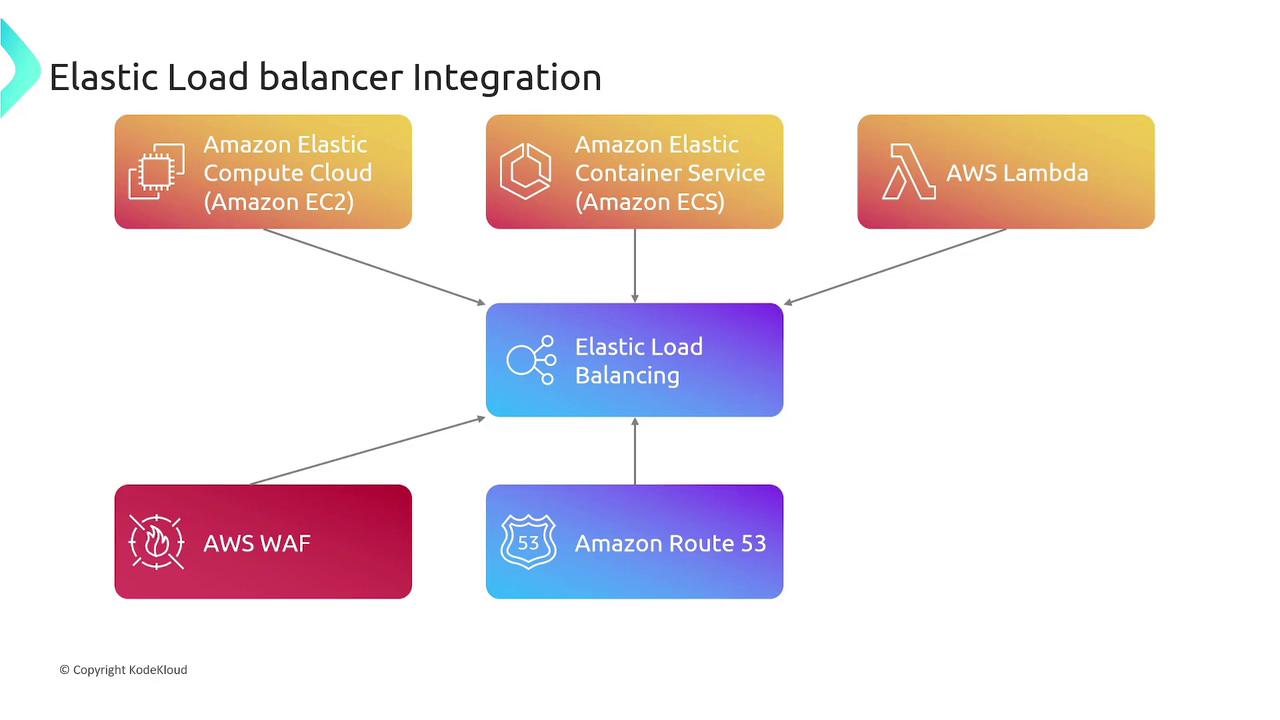
Elastic Load Balancers seamlessly integrate with numerous AWS services, creating a robust and scalable architecture:| AWS Service | Use Case | Example |
|---|---|---|
| Amazon EC2 | Distributing traffic to virtual servers | EC2 instances |
| Amazon ECS | Running containerized applications | Amazon ECS |
| AWS Lambda | Serverless computing for backend endpoints | AWS Lambda |
| AWS WAF | Adding web application firewall for security | Learn more about AWS WAF |
| Amazon Route 53 | Managing custom domains and routing policies | Learn more about Route 53 |
| Auto Scaling Groups | Automatically adjusting resource capacity | Auto Scaling Documentation |
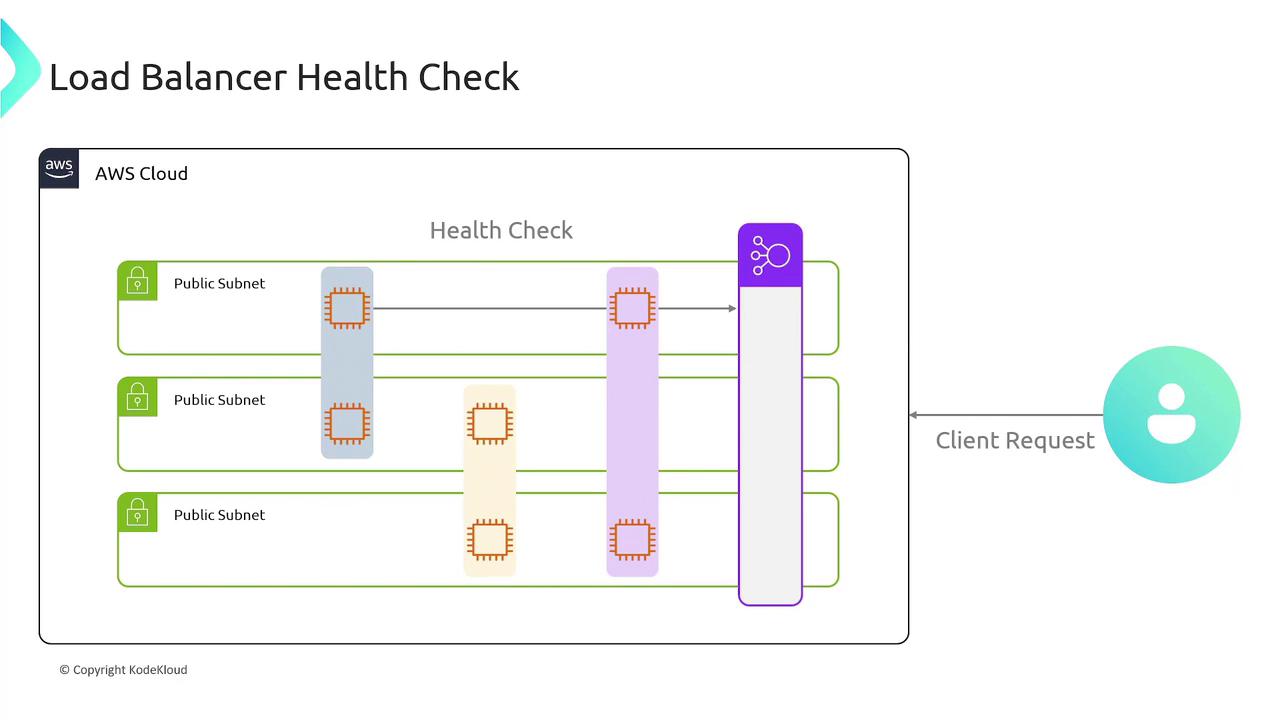
For optimal performance, always configure health checks on your target groups. This ensures that traffic is routed only to healthy endpoints.
This article provided an in-depth overview of AWS Elastic Load Balancers, discussing basic concepts, setup with listeners and target groups, distinctions between ALBs and NLBs, advanced routing techniques, and key integrations with other AWS services. By leveraging these capabilities, you can build a robust mechanism for managing traffic and ensuring high availability in your AWS cloud environment.