Repository Types in ECR
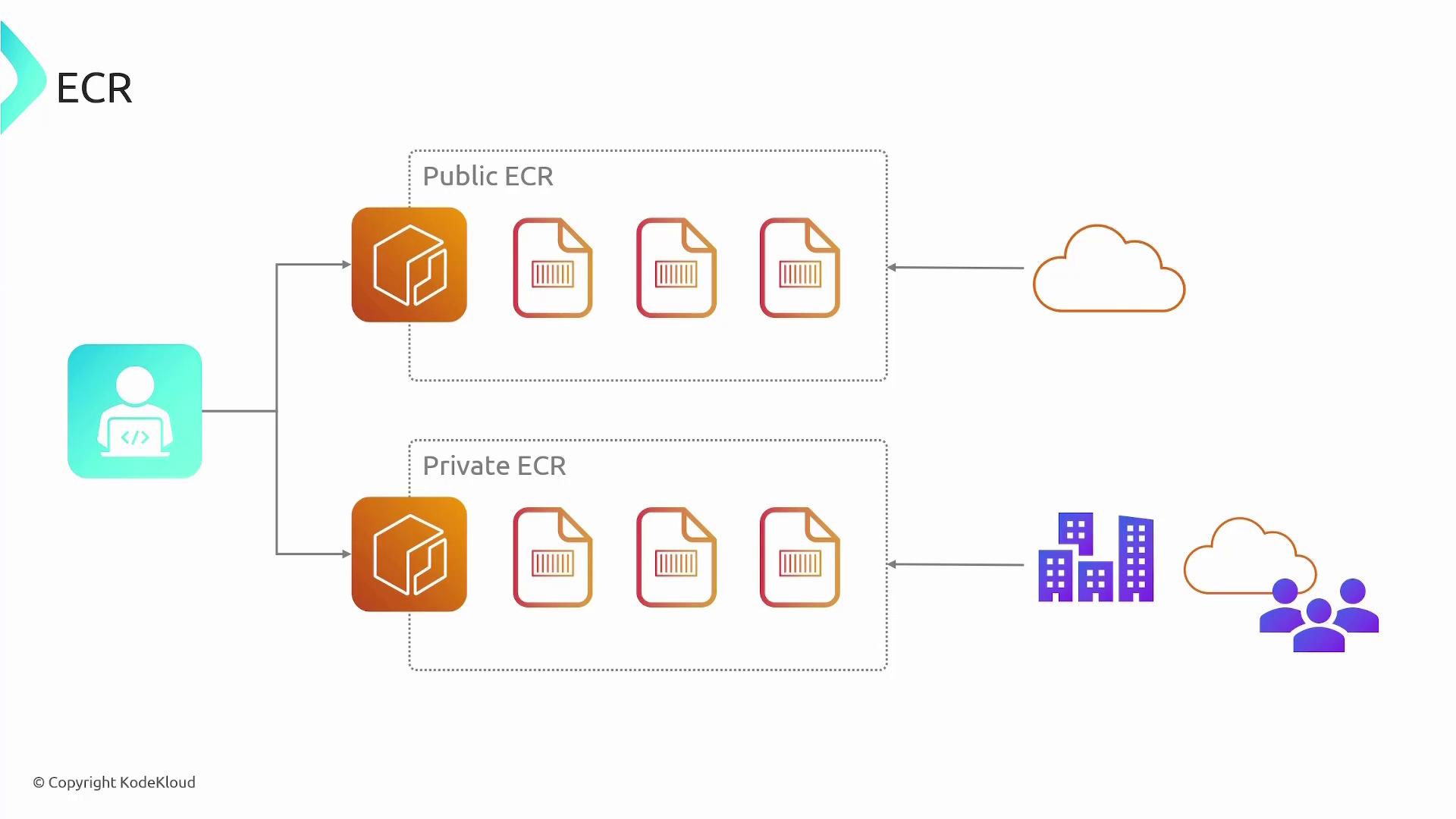
ECR supports two types of repositories, each designed for different use cases:-
Public ECR Repository:
Public repositories allow anyone on the internet to access the container images, making them ideal for open-source projects. While anyone can pull images from a public repository, pushing images requires authentication. AWS bills for storage in public repositories, but data transfer out to the internet is free. -
Private ECR Repository:
Private repositories restrict access to specific AWS accounts or IAM users. These repositories are not accessible to the public, providing a secure option for proprietary software. Authentication is required for both pulling and pushing images, and AWS charges for both storage and data transfers.
Integrating ECR with a CI/CD Pipeline
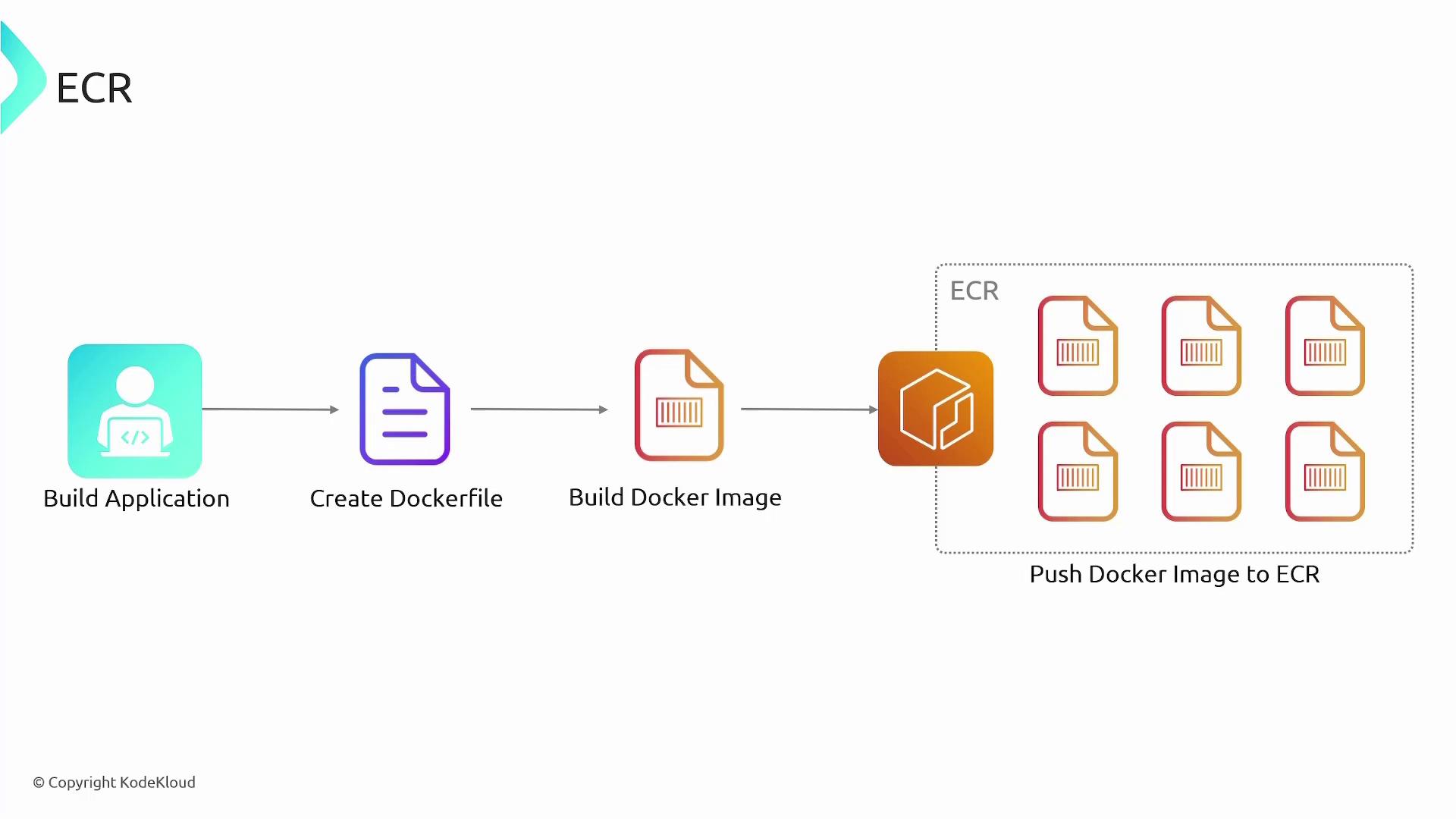
Integrating ECR with your CI/CD pipeline can enhance your deployment workflow by automating the build, test, and deployment processes within AWS. A typical CI/CD workflow includes the following steps:- Update your source code and push it to AWS CodeCommit.
- Trigger a pipeline run in CodePipeline upon code commit.
- AWS CodeBuild picks up the changes, builds the Docker image after running tests, and uploads the final image to ECR.
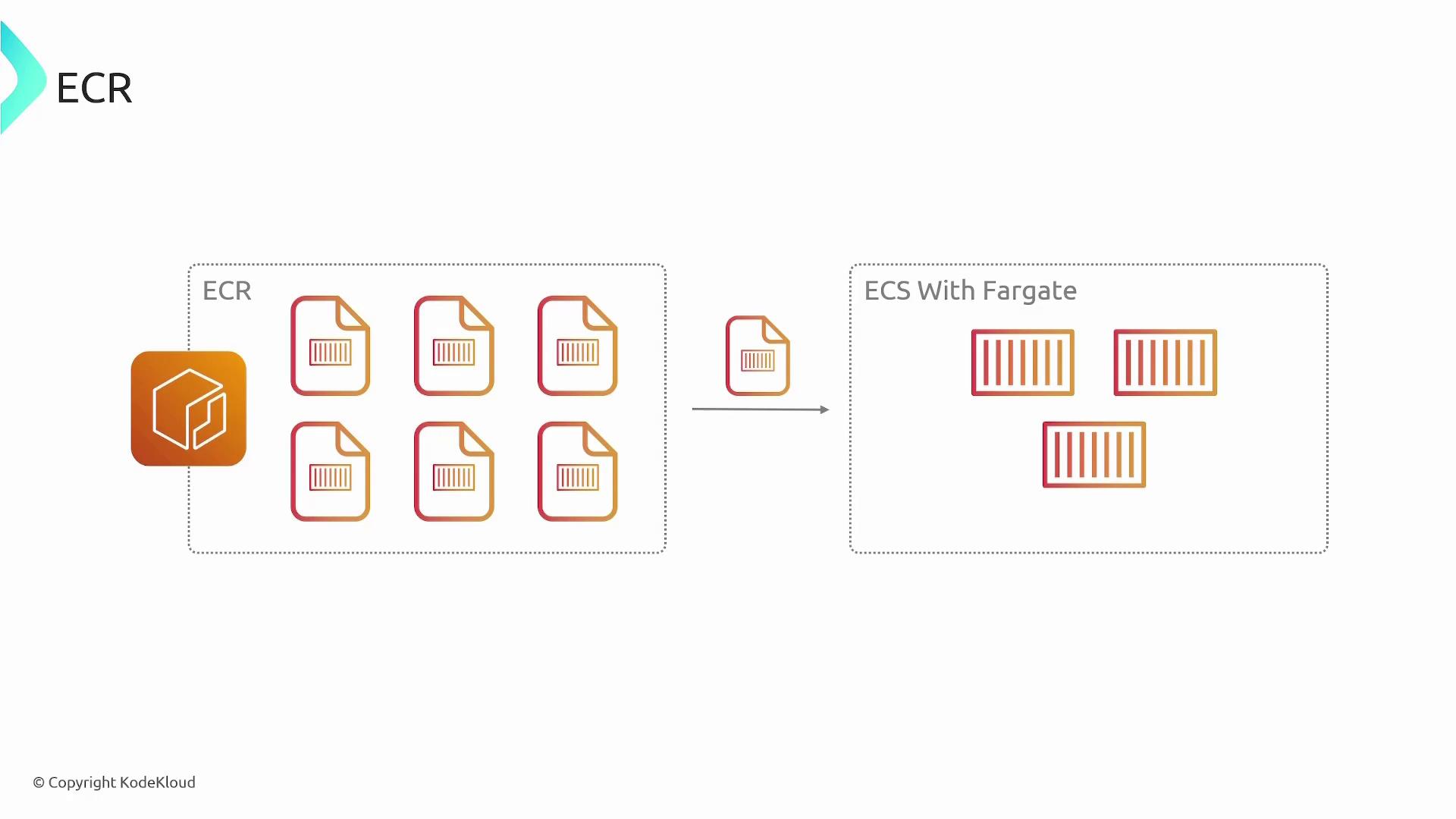
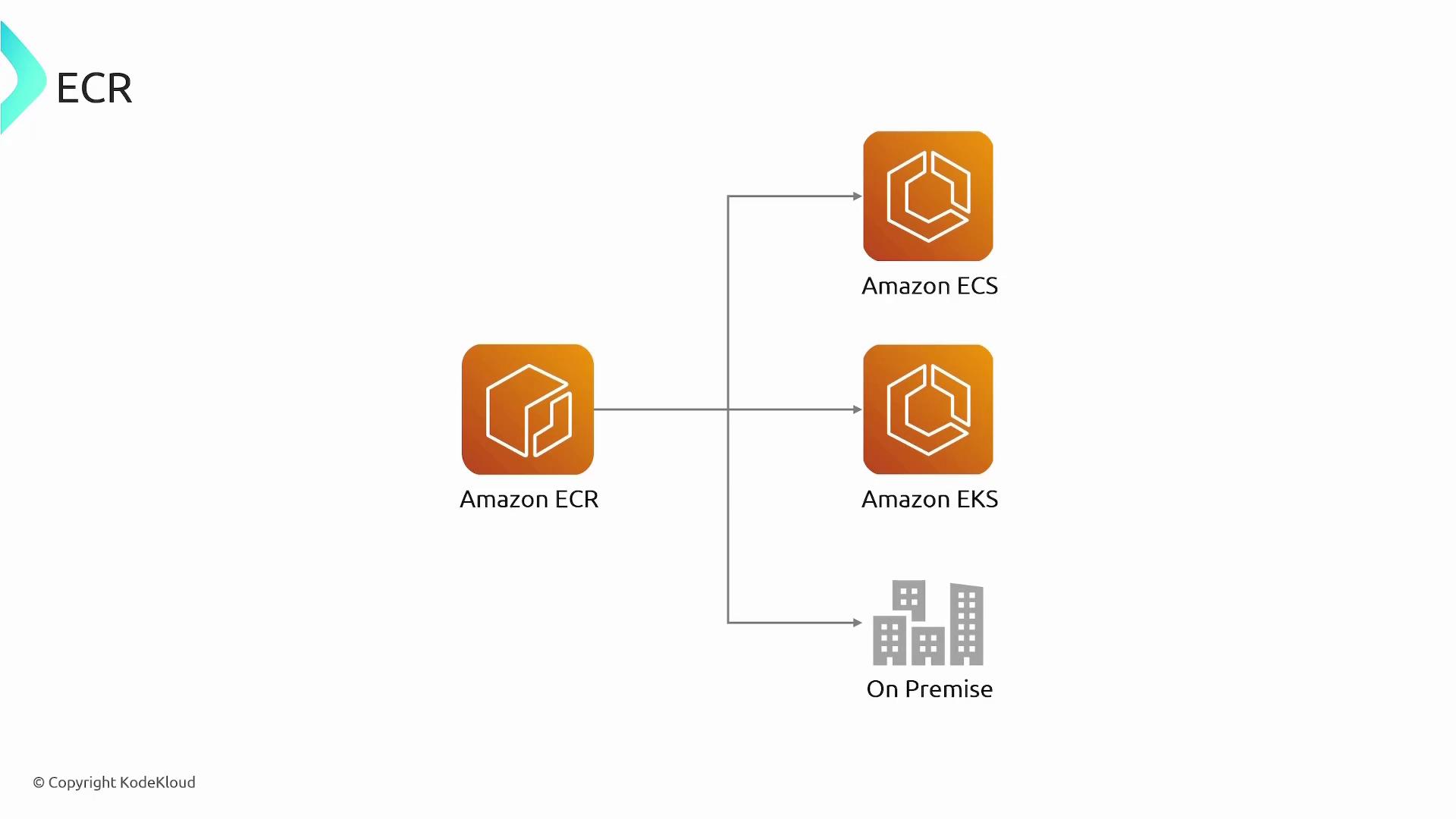
- Your preferred orchestration service (ECS, EKS, or an on-premises solution) deploys the updated image.
Automating your CI/CD pipeline not only saves time but also ensures consistency across deployments by integrating source control, continuous integration, and deployment into one smooth process.
Key Features of ECR
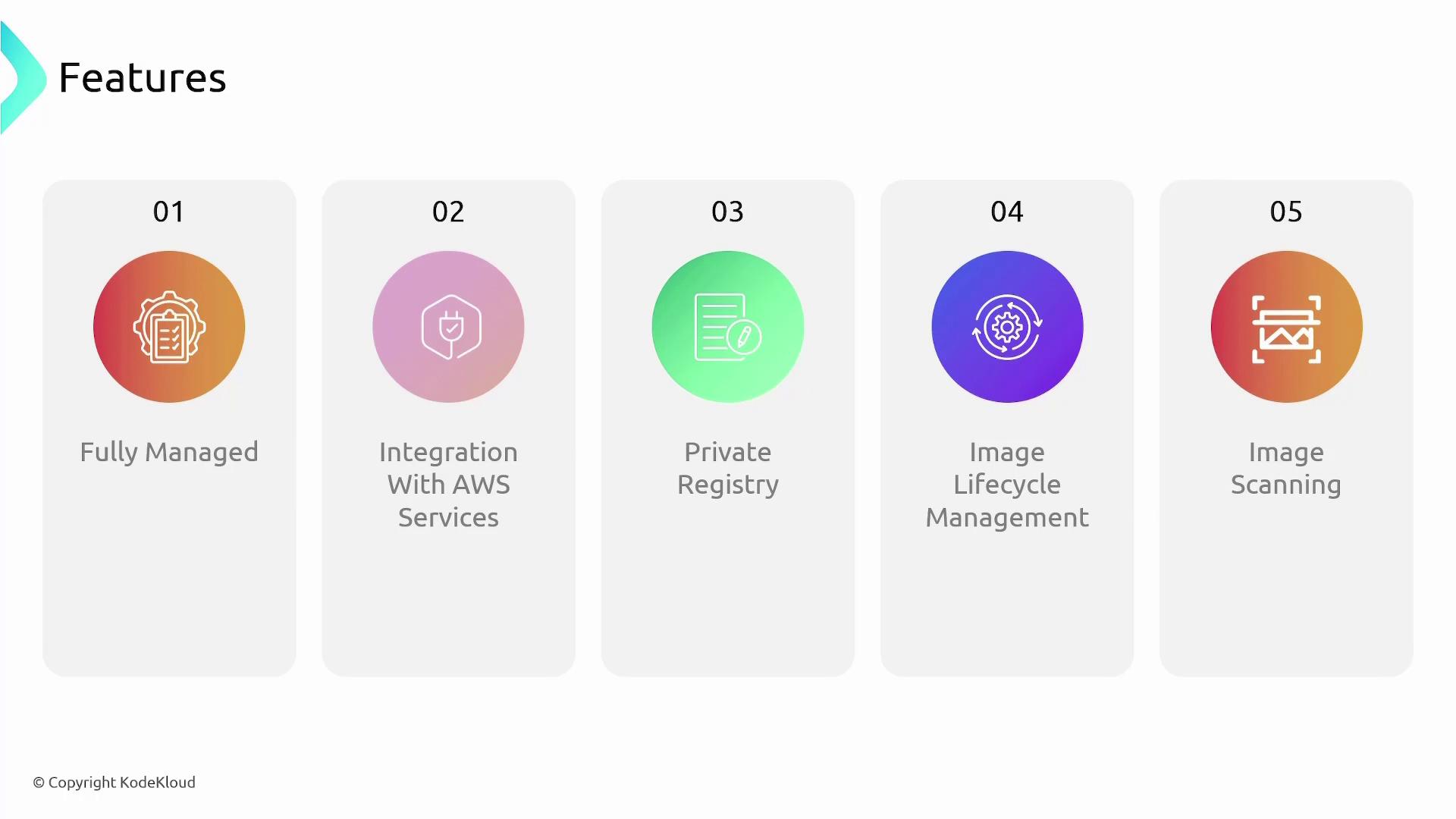
ECR provides a robust and secure platform for managing container images, with features designed to support modern DevOps practices. Here are some of the key features:- Managed Service: Fully managed by AWS, reducing operational overhead.
- Seamless AWS Integration: Integrates easily with ECS, EKS, Fargate, and Lambda.
- Repository Flexibility: Choose between public or private repositories based on your security and accessibility needs.
- Lifecycle Policies: Automate image retention policies to remove outdated or unused images, optimizing storage costs.
- Image Scanning: Automatically scan images for vulnerabilities using Amazon Inspector during the security assessment process.