

Make sure to correctly configure your VPC, subnets, security groups, and NACLs when setting up DNS endpoints.
Outbound Endpoint
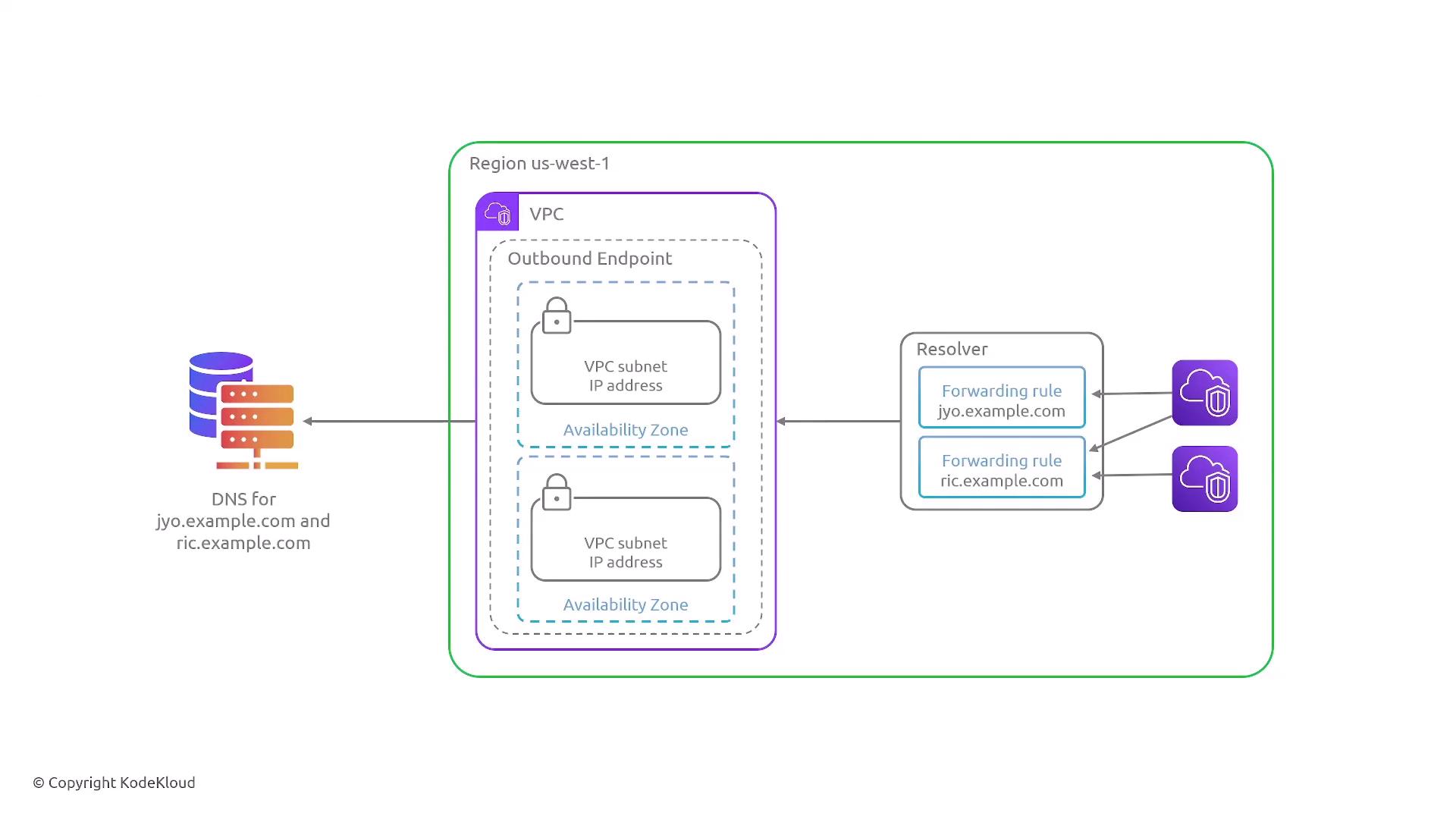
The outbound endpoint configuration enables your resolver to use an external source for resolving DNS queries. Below is an overview of the steps required: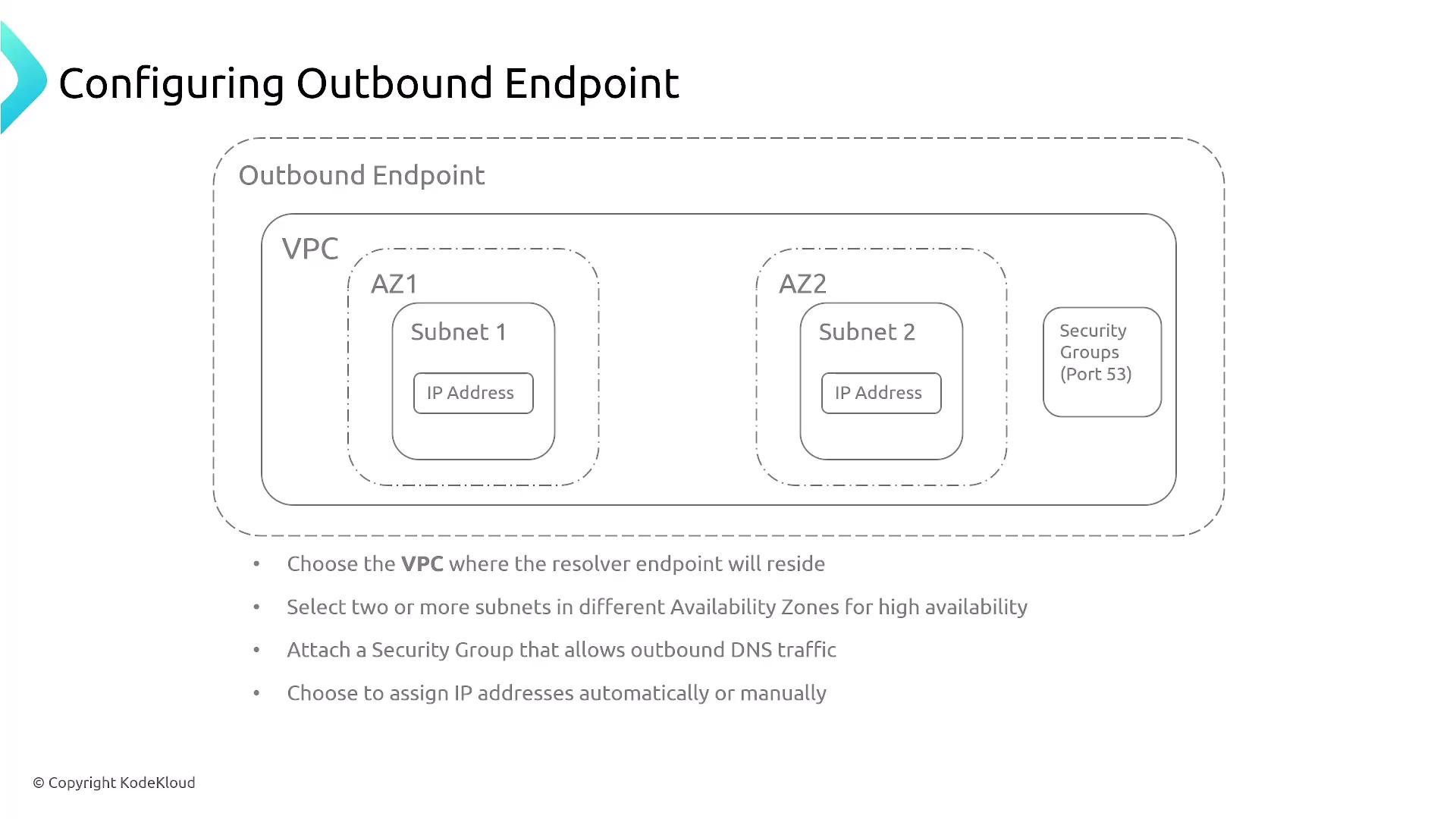
- Select the VPC where the resolver endpoint will reside.
- Choose one or more subnets to ensure high availability.
- Attach an appropriate security group to the network interface. Ensure that port 53 is permitted for outbound traffic.
- Confirm that the endpoint is assigned an internal or public IP address based on your setup.
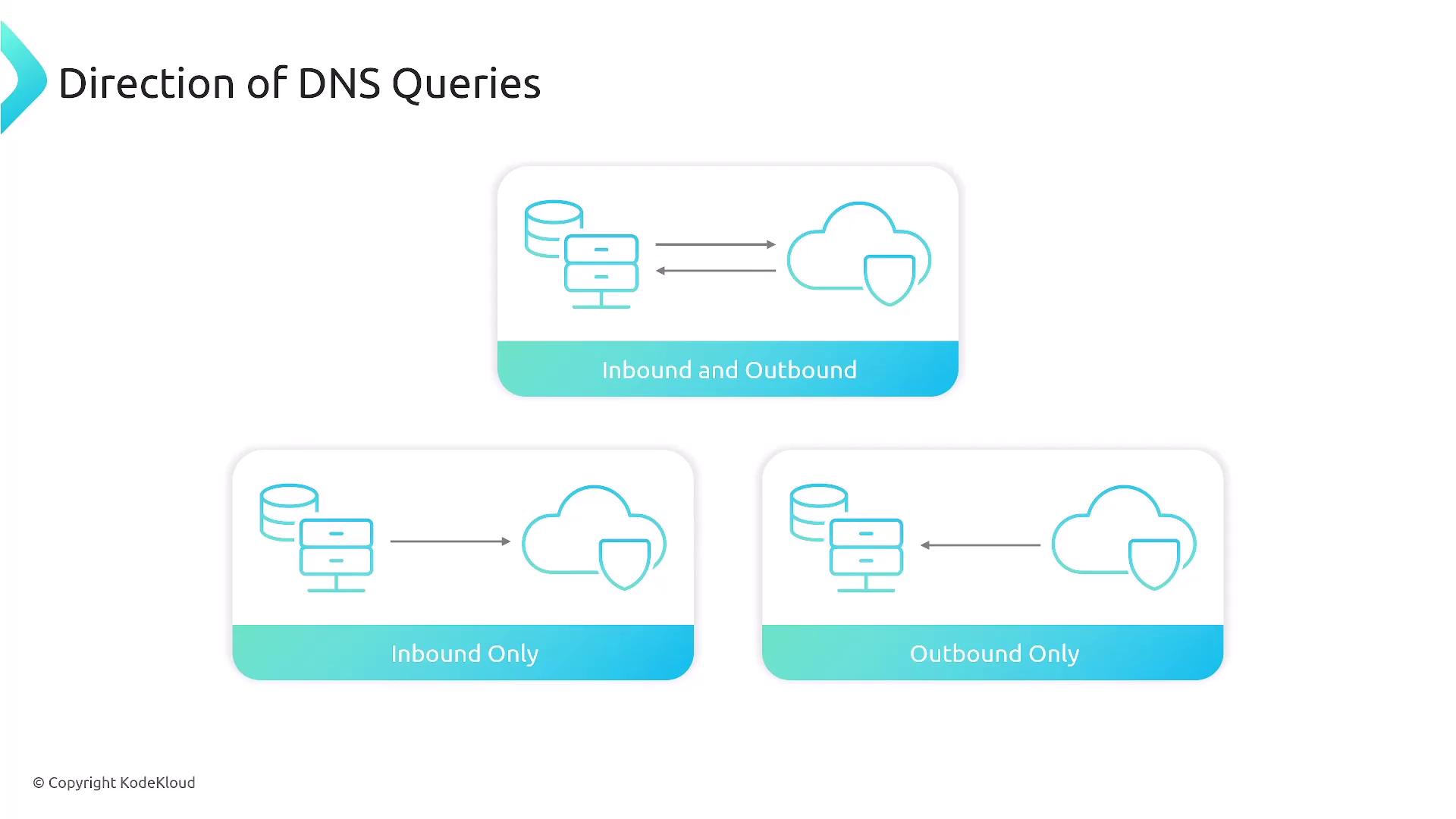
- Inbound and outbound resolver (handles both directions)
- Outbound resolver only
- Inbound resolver only
Inbound Endpoint
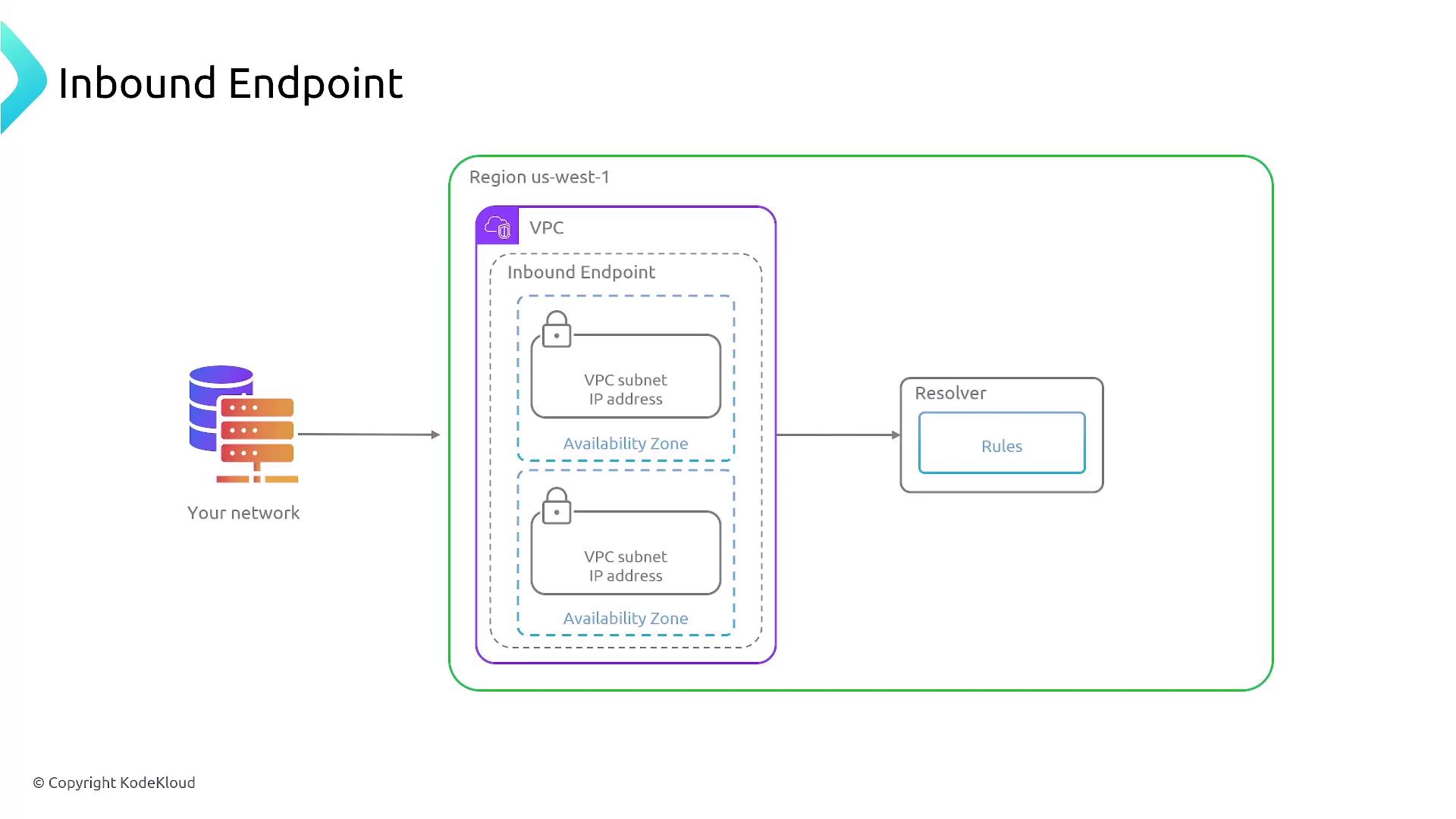
Next, consider the inbound endpoint, which allows an external DNS server to forward queries for specific domain names to an AWS DNS resolver endpoint.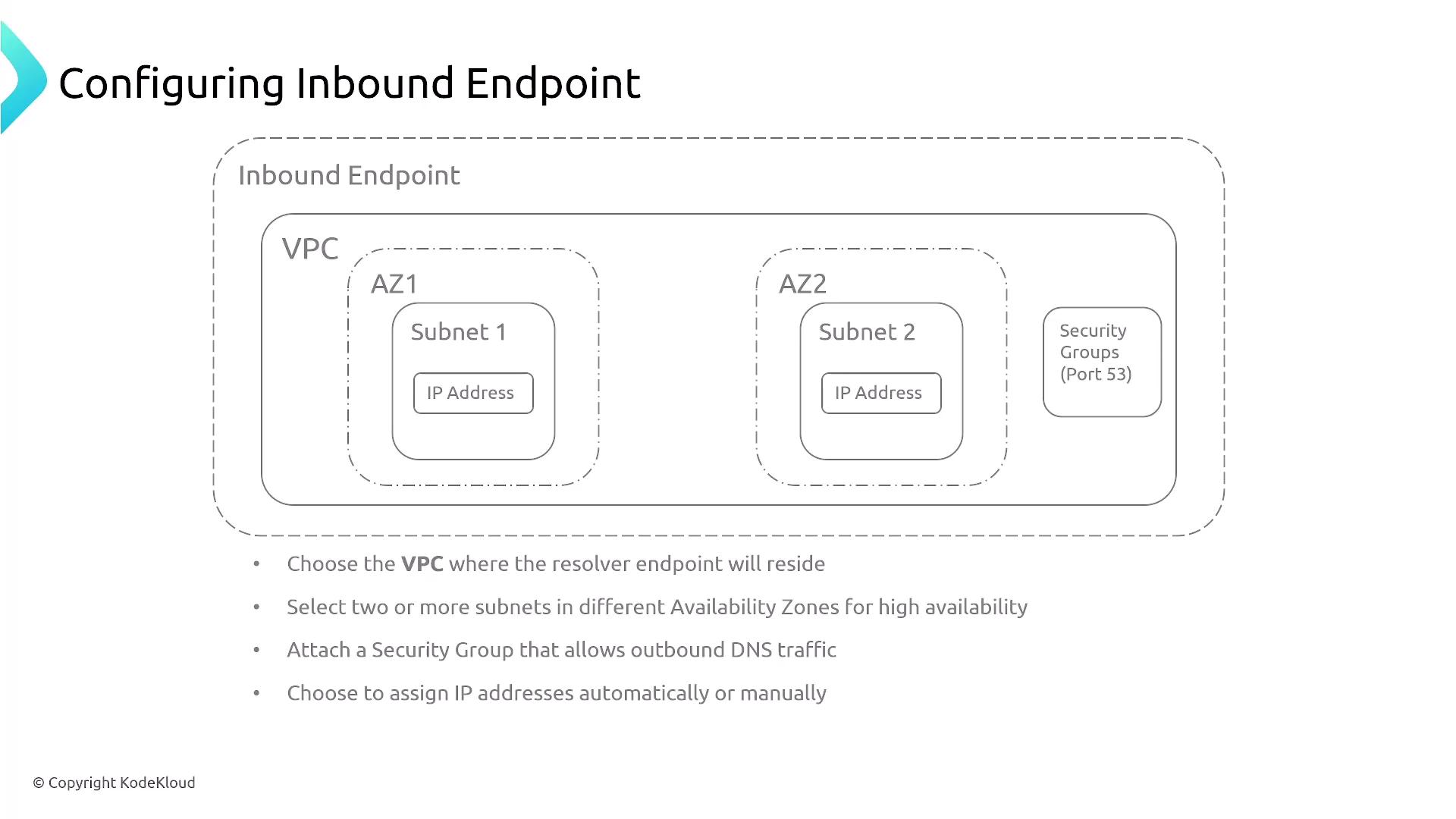
- Deploy the inbound endpoint within your chosen VPC.
- Select one or more subnets to maintain high availability.
- Attach a security group that permits the required traffic (typically port 53).
- Ensure that DNS queries from your on-premises network—forwarded over VPN, Direct Connect, or through a public connection (if configured)—are routed to this AWS endpoint.
Conditional Forwarding
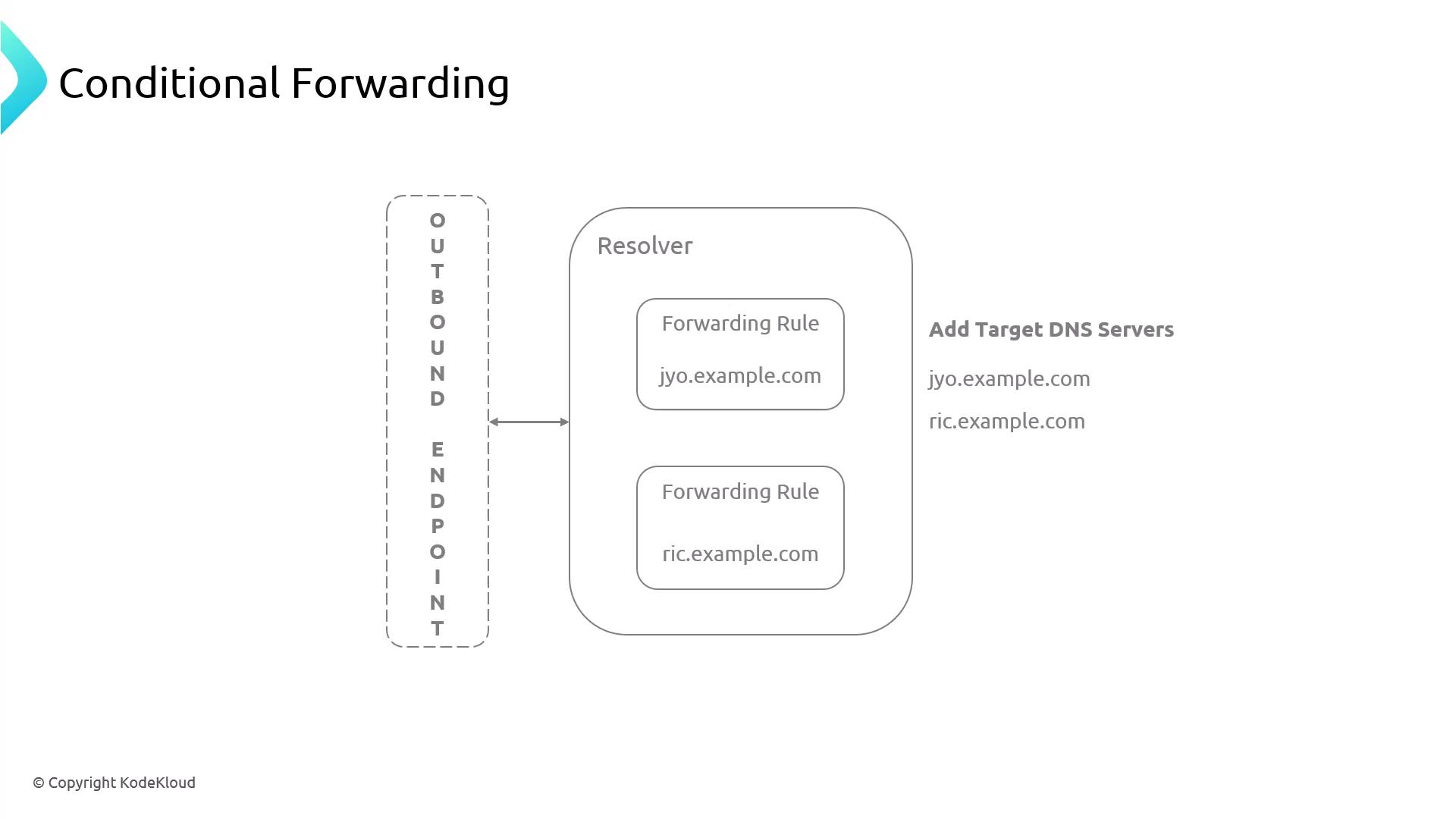
Conditional forwarding provides an additional layer of flexibility by allowing you to apply different forwarding rules based on specific conditions. This means you can forward DNS queries outbound to a corporate network or inbound to AWS depending on the domain name or chosen DNS server.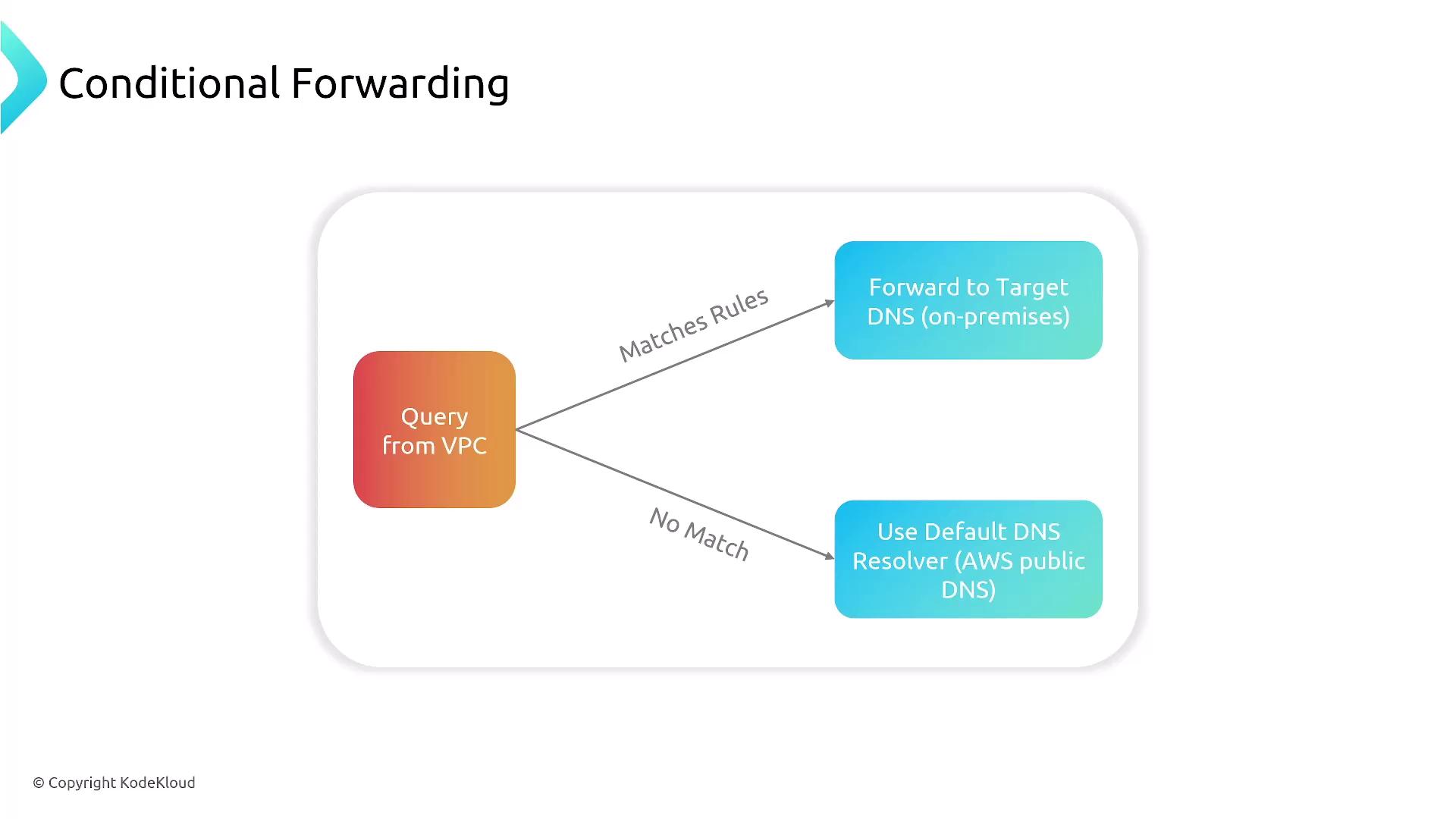
- Define a rule that specifies conditions (for example, matching a particular domain name or IP address) for the DNS queries.
- If the condition is satisfied, forward the query to the designated target DNS server—this may be on-premises or in another network.
- If the condition is not met, the default forwarding behavior is used.
Both inbound and outbound endpoints for Route 53 resolvers are critical topics for certification exams. Ensure you understand and practice these configurations thoroughly.