

CloudFormation Template for DynamoDB Table
The following CloudFormation template creates a basic DynamoDB table named “CustomerData.” The table uses on-demand pricing (PAY_PER_REQUEST) and defines two attributes: CustomerId (partition key) and OrderDate (sort key). Additionally, it is configured with a stream that captures both new and old images—a prerequisite for enabling global tables.Verifying DynamoDB Table Settings
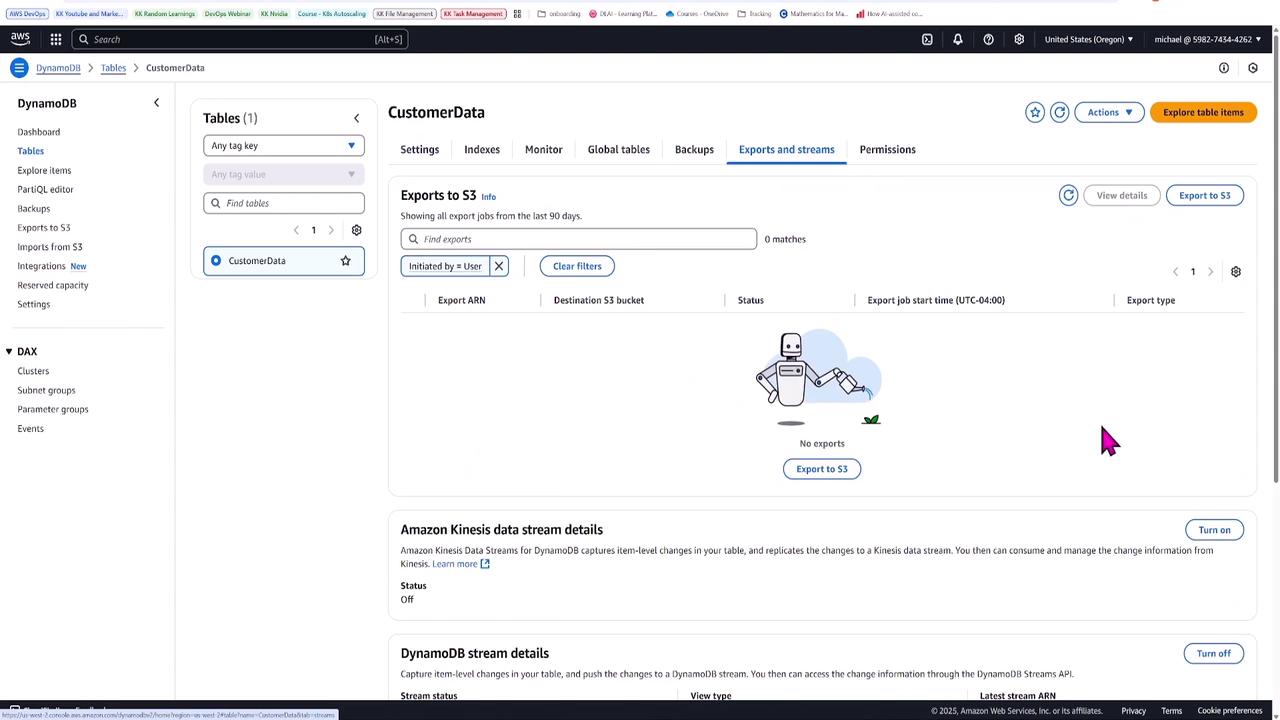
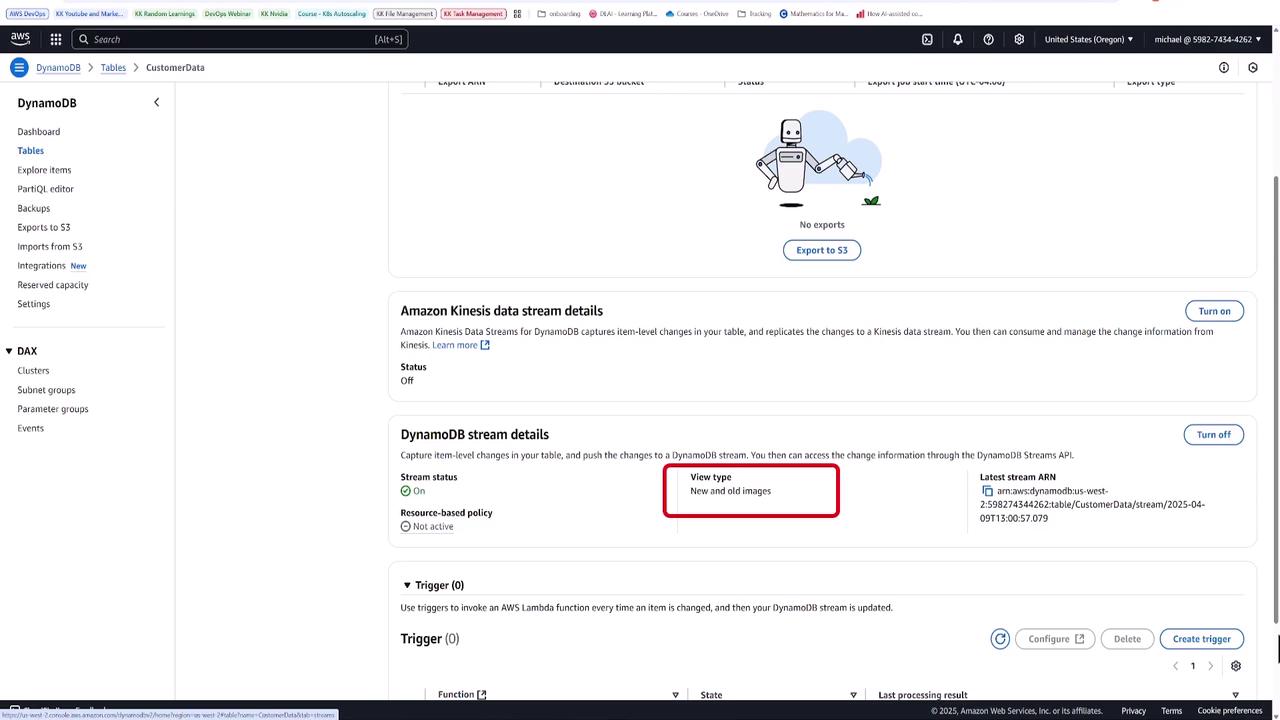
After deploying the table, log in to the DynamoDB console to verify its configuration. Navigate to the table details and check the “Exports and streams” tab to ensure that the DynamoDB stream is enabled and configured to capture both new and old images. The following images illustrate the settings you should see: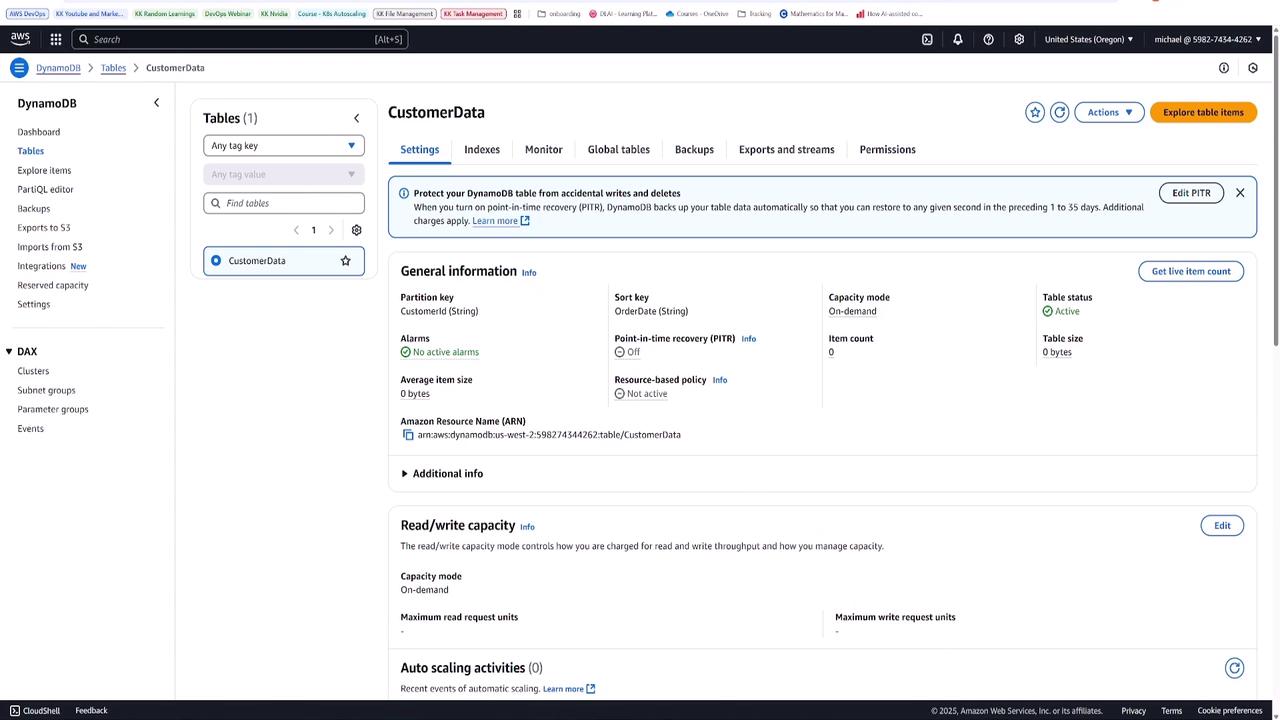
Creating Global Table Replicas
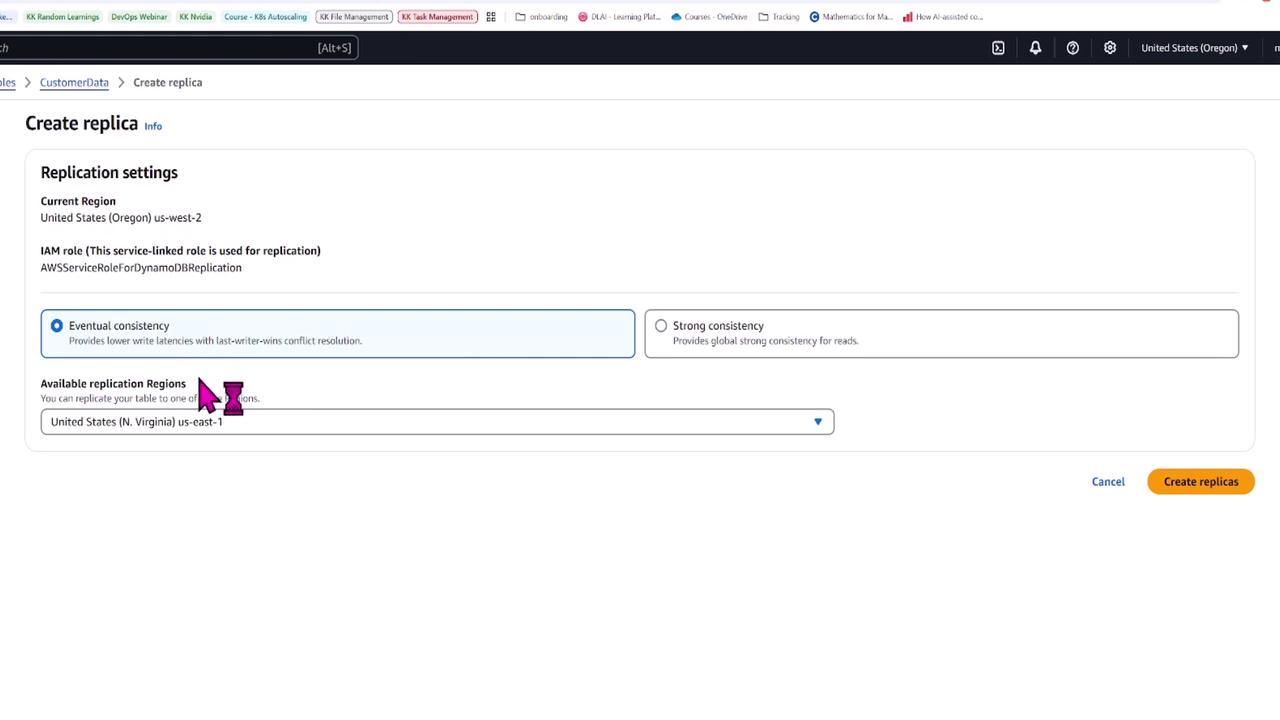
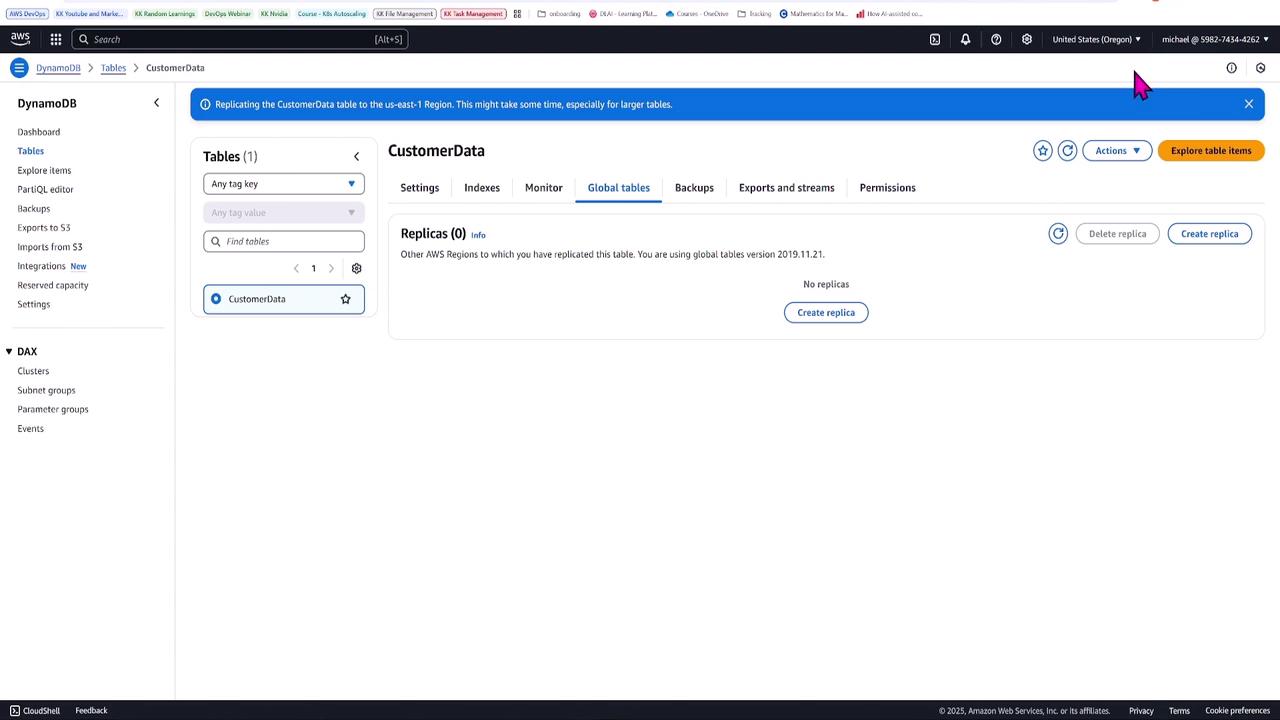
Once your table is properly configured and verified, switch to the Global Tables tab in the console. Historically, setting up DynamoDB Global Tables required creating separate tables and manually configuring replicas. With the latest update, you can simply select your existing table and create a replica in another region. Currently, the table is set up in the US West 2 region. You have the option to choose between eventual consistency, which offers lower write latencies, or global strong consistency for reads (which might introduce some delay due to additional replication overhead). In this example, you will create a replica in US East 1 (North Virginia) using eventual consistency.Strong consistency for global tables is still in preview and is not generally available.
Testing Global Replication
Once the global table is fully configured, test the replication by inserting sample items into the table. For instance, insert an item with a CustomerId such as “customer 123” and an OrderDate like “2023-01-15.” Then, add additional items—e.g., with CustomerIds “customer four, five, and six” and an OrderDate set to “2025-04-09.” These entries will help you confirm that changes in one region are automatically replicated to the other. When you inspect the table in both Oregon and North Virginia, the presence of identical records verifies successful replication.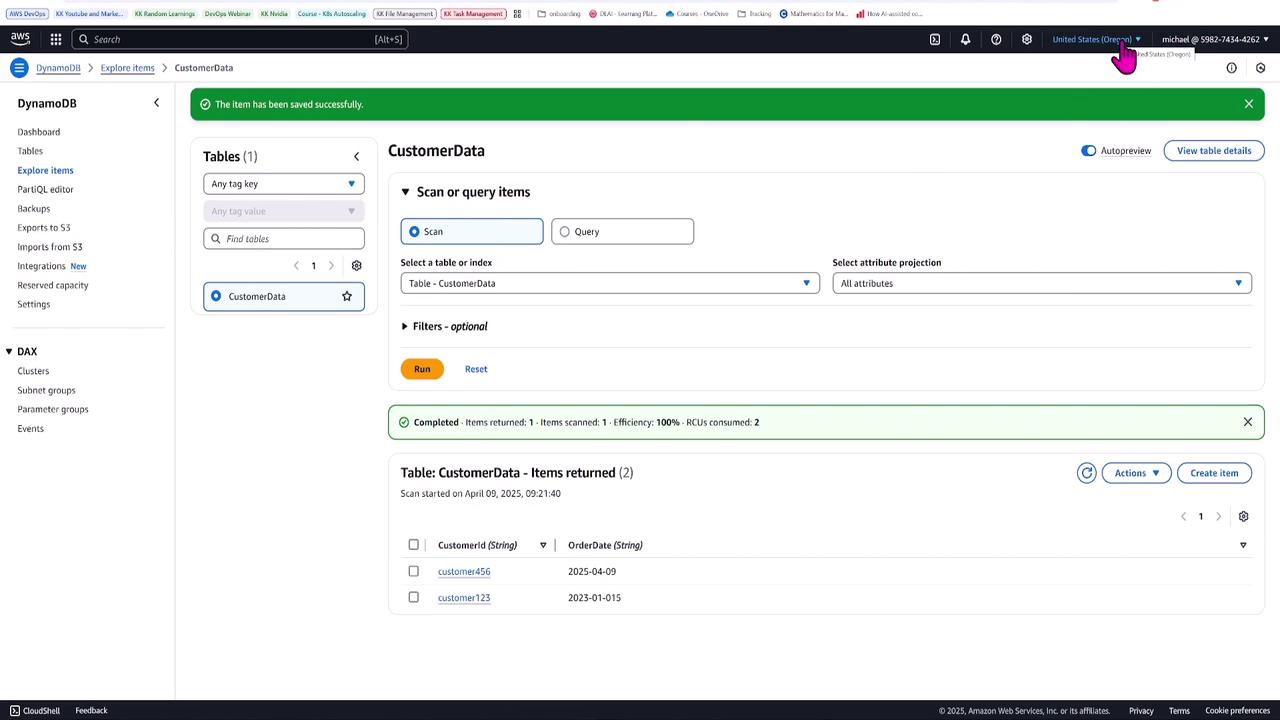
Monitoring Replication Latency
Keeping an eye on replication performance is crucial. Navigate to the Monitor section of your DynamoDB table to view key metrics such as query latency, scan latency, and replication latency. Replication latency (sometimes called replication lag) measures the delay—often in milliseconds—in propagating changes across regions. In this demonstration, you might observe a latency of approximately 300 milliseconds.Key Takeaways
- Global Tables can be easily configured by creating a DynamoDB table with a stream enabled for new and old images.
- Maintaining a consistent table name and key schema across regions is essential.
- CloudFormation automates the creation and configuration of DynamoDB tables, simplifying deployment.
- Global replication is achieved by creating replicas in additional regions directly from the Global Tables tab.
- Monitoring replication latency ensures your application meets cross-region consistency requirements.