

Full Backups vs. Snapshots
Understanding the differences between full backups and snapshots is fundamental. With Amazon EBS (Elastic Block Store), a snapshot is an incremental point-in-time copy of your volume. Initially, a full backup is created, followed by incremental snapshots that only capture changes made since the last snapshot. In contrast, a full backup involves capturing the entire dataset each time, which is the ideal option when a complete restore is required in one go.
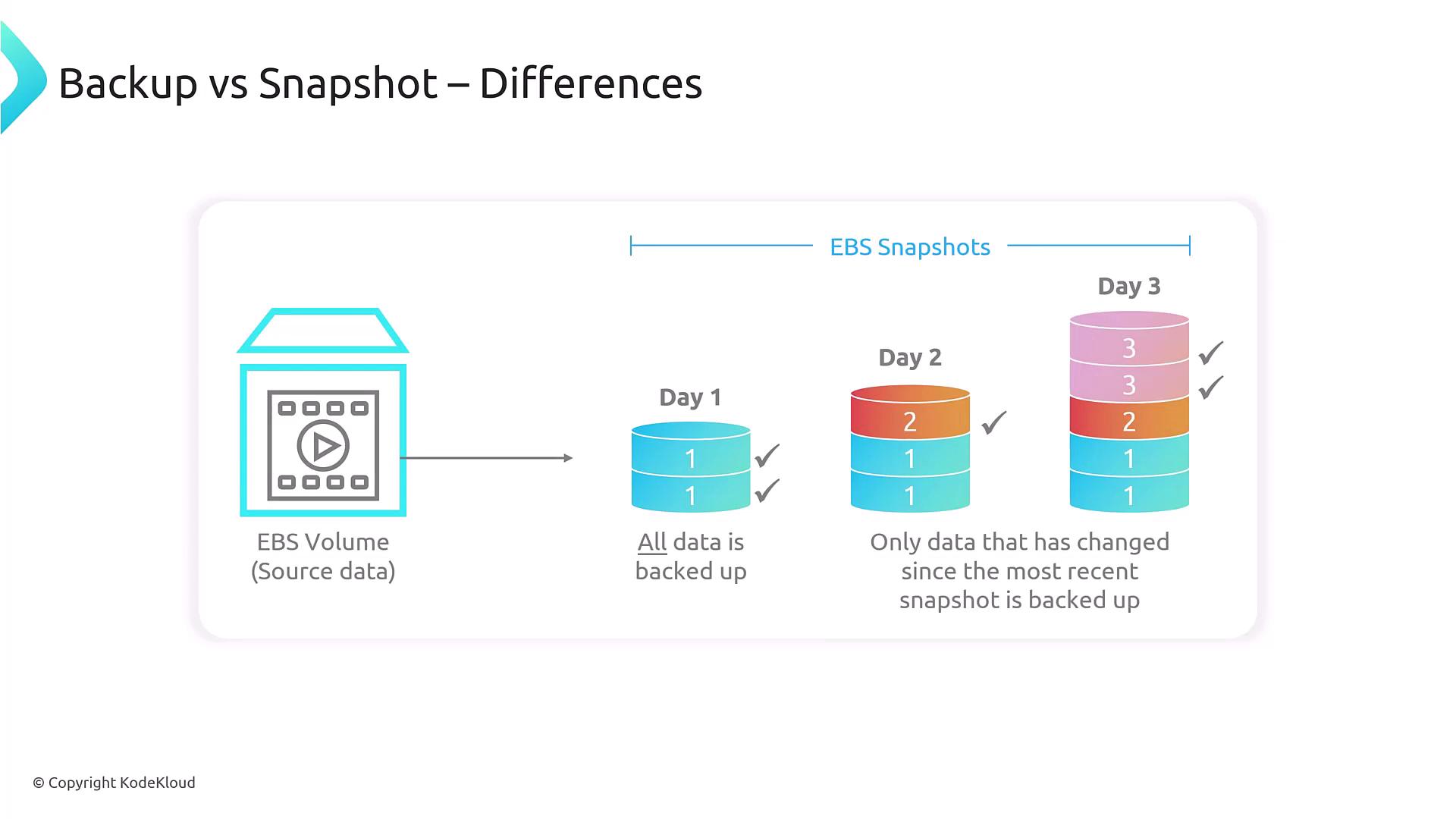
EBS snapshots record only the changes made since the previous snapshot, effectively saving storage space and reducing backup duration. However, this incremental strategy might complicate restore processes as it requires the assembly of multiple snapshot segments.
Automated Backup Management with AWS Backup
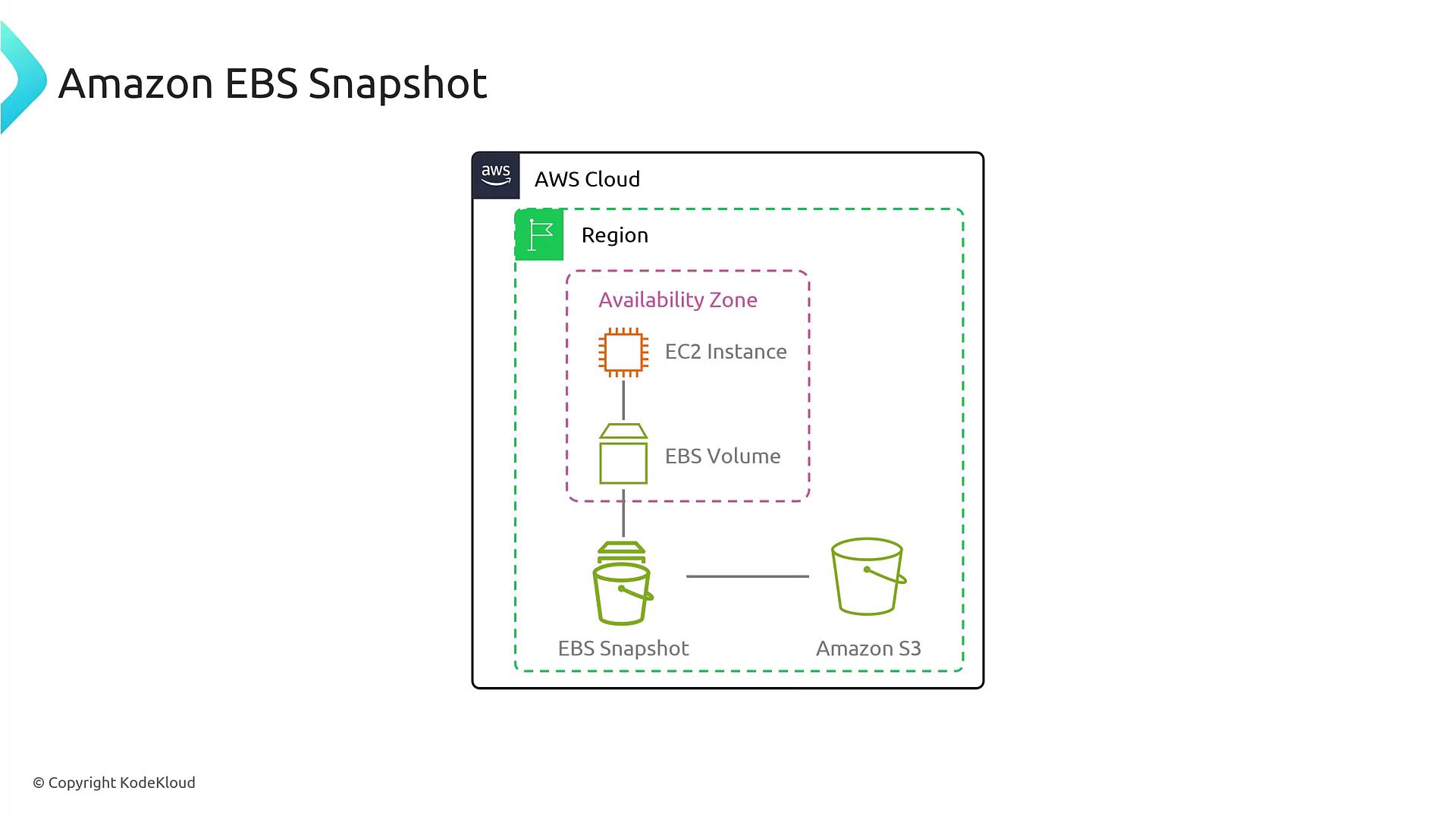
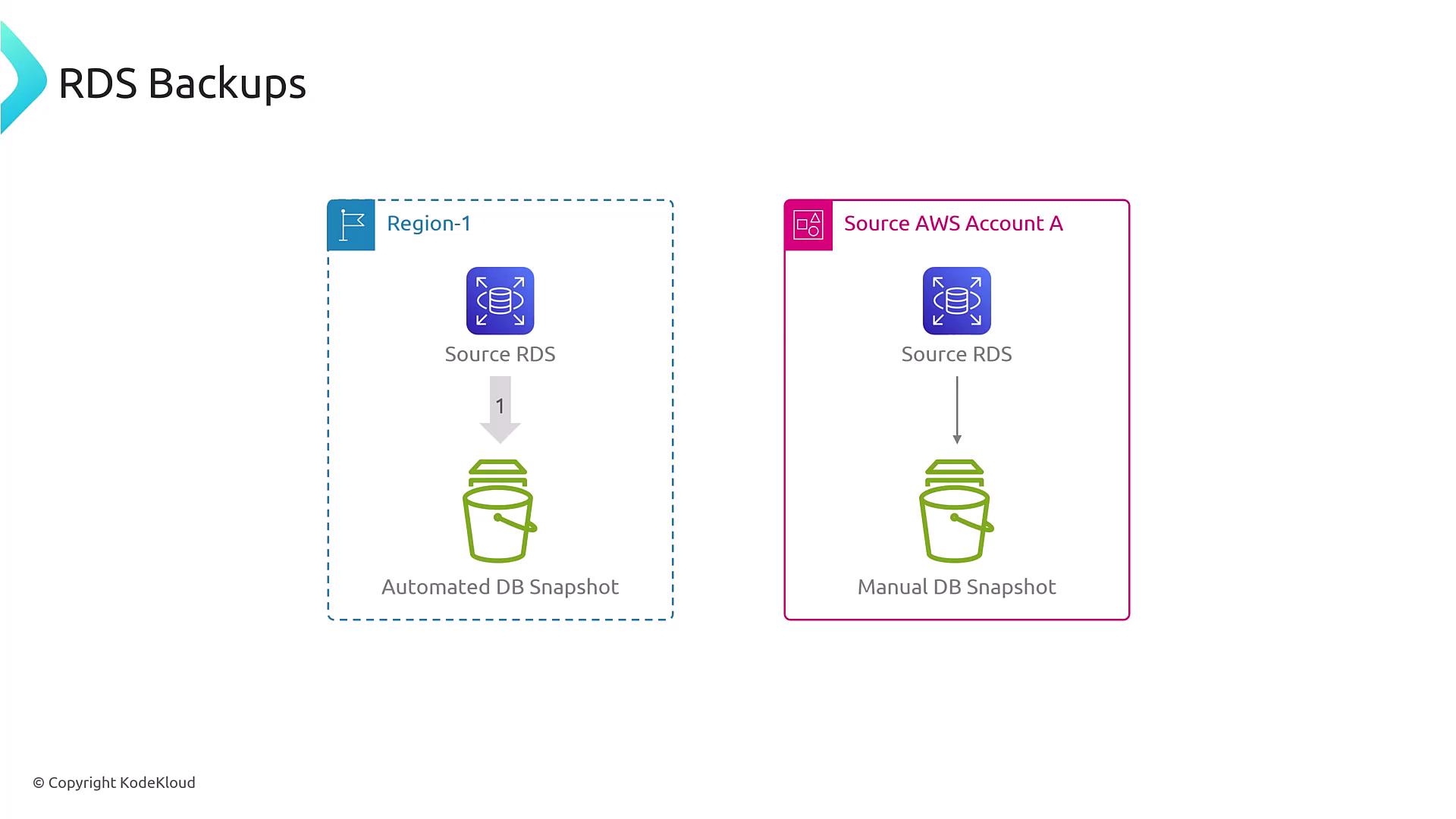
AWS Backup offers a centralized solution for managing backups across various services by automating scheduling and retention policies. Through a unified console, you can seamlessly manage backups for services such as EBS, RDS (Relational Database Service), and even configure manual snapshot processes. For example, EBS snapshots are stored within Amazon S3, making it convenient to enforce lifecycle policies and automate regular backups. Similarly, RDS supports automatic backups by default, with the optional capability for manual snapshots during maintenance or planned modifications. Amazon S3 also leverages versioning and cross-regional replication to further enhance data durability and availability.
Backup Options Across AWS Storage Services
AWS provides backup solutions across a range of storage services:| AWS Service | Backup Method | Key Feature |
|---|---|---|
| EBS | Snapshots and Full Backups | Incremental snapshots for efficient storage |
| RDS | Automated and Manual Snapshots | Point-in-time recovery and full backups |
| DynamoDB | On-demand Full Backups and PITR | Restore tables to any point within 35 days |
| EFS / FSx | Integrated Backup Solutions | Service-specific backup support |

Ensure that you understand the unique backup mechanisms of each AWS service. This knowledge is critical for designing a resilient and scalable disaster recovery plan.