Introduction to VPCs
A VPC is a secure, isolated network segment hosted within AWS, providing complete control over subnetting, IP addressing, routing, firewalls, and gateways. When services are launched with an associated network interface, they are typically placed within a VPC and become isolated by default. Each VPC is tied to a single region, acting as a network boundary between resources. Although VPCs can be interconnected through VPC peering or a transit gateway, each VPC remains a separate security domain by default.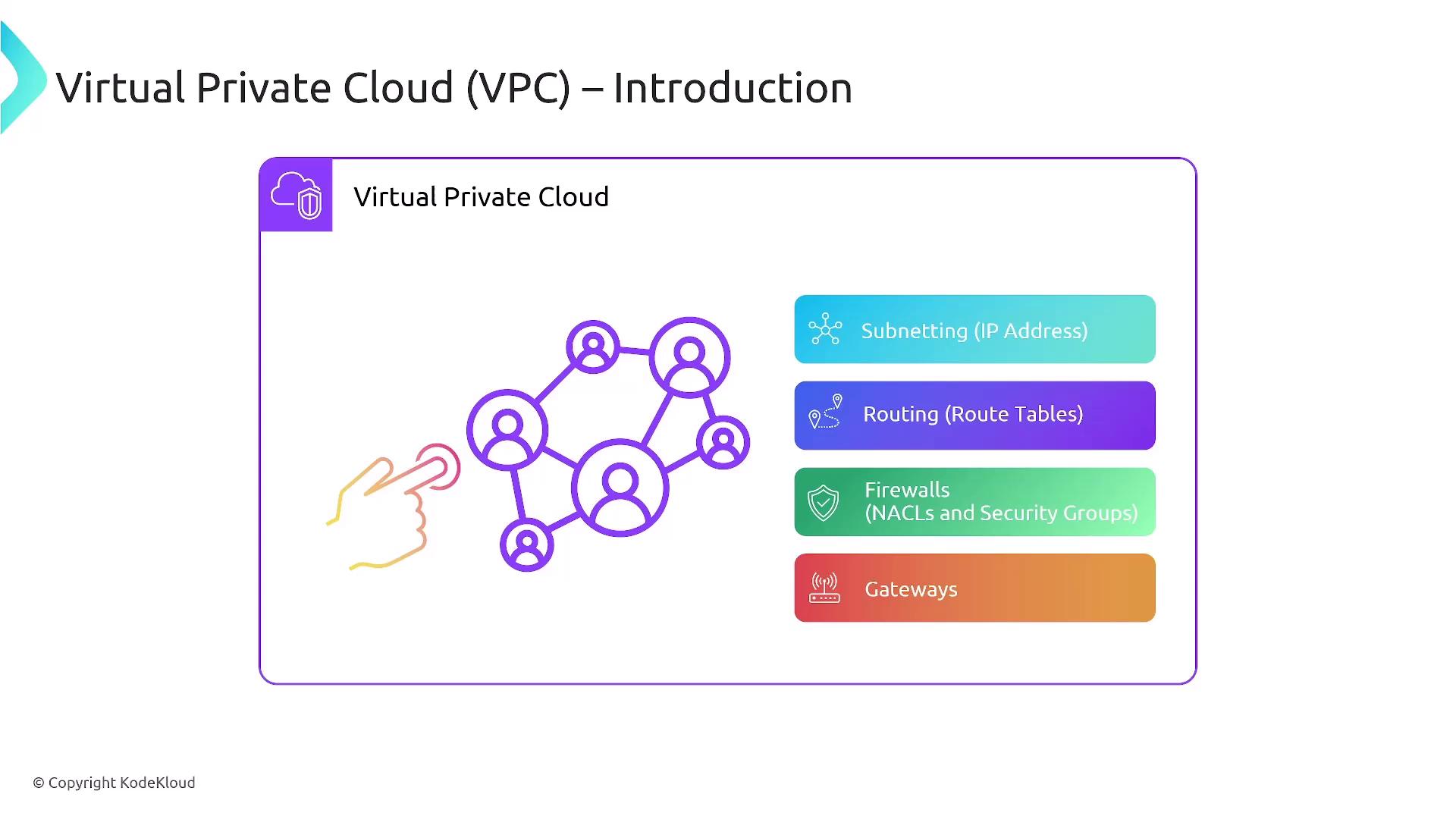
Default VPCs vs. Custom VPCs
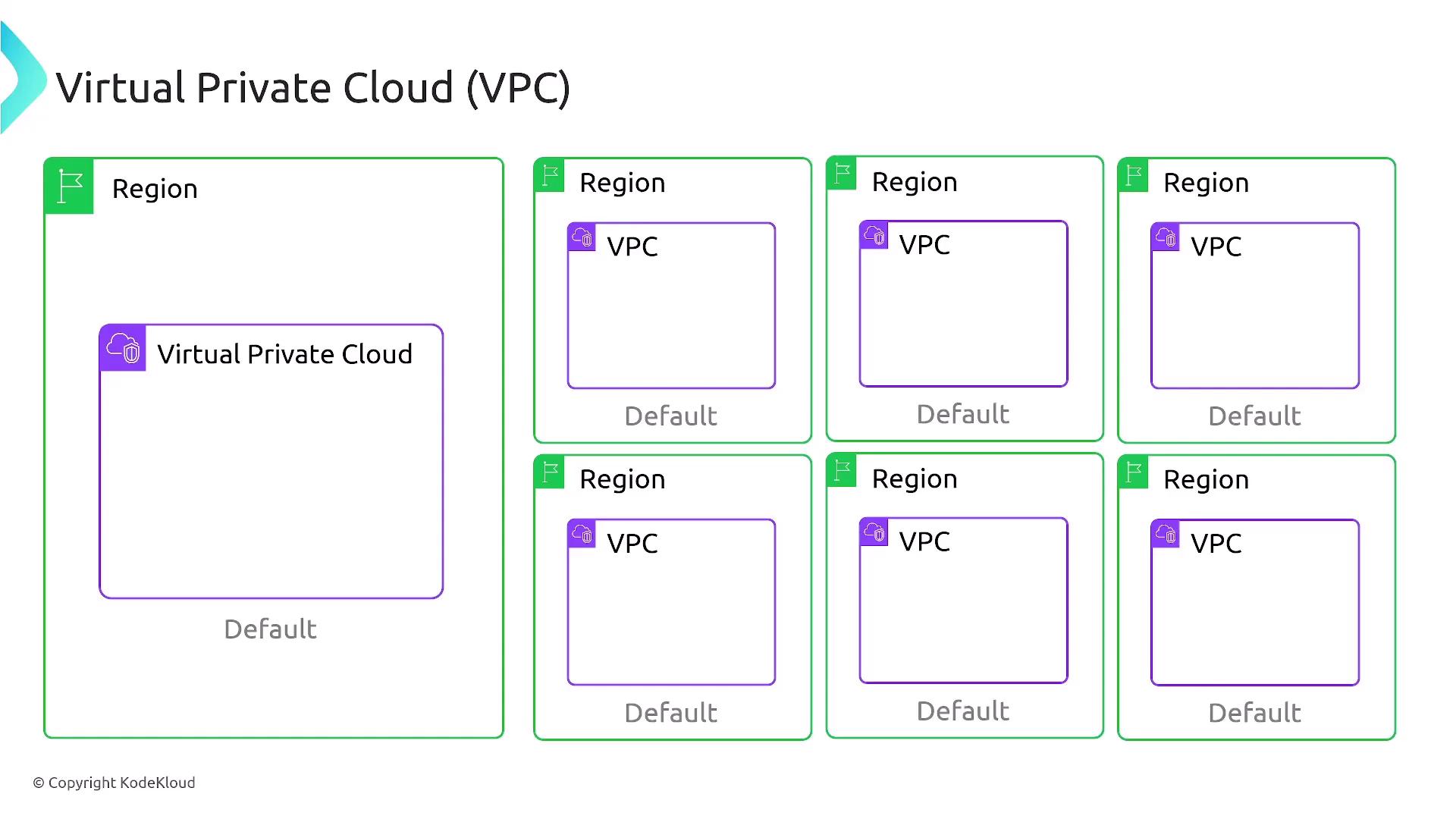
By default, AWS provides five VPCs per account in each region. These include:- Default VPC: Preconfigured with a /16 CIDR block (typically 172.31.0.0/16), two public subnets (often /20 each), and an associated Internet Gateway.
- Custom VPCs: VPCs you create manually.
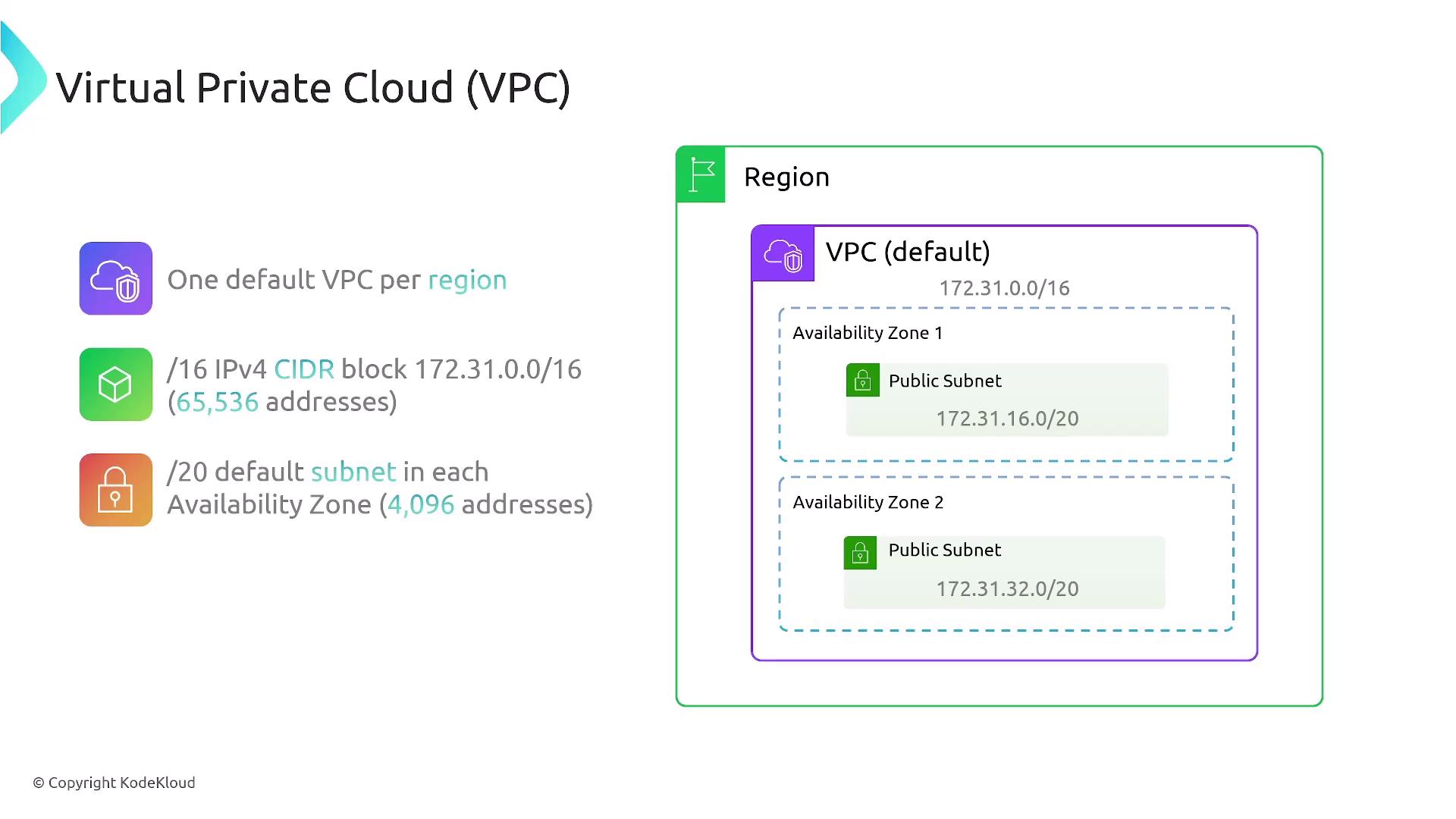
Subnets: Structure and Configuration
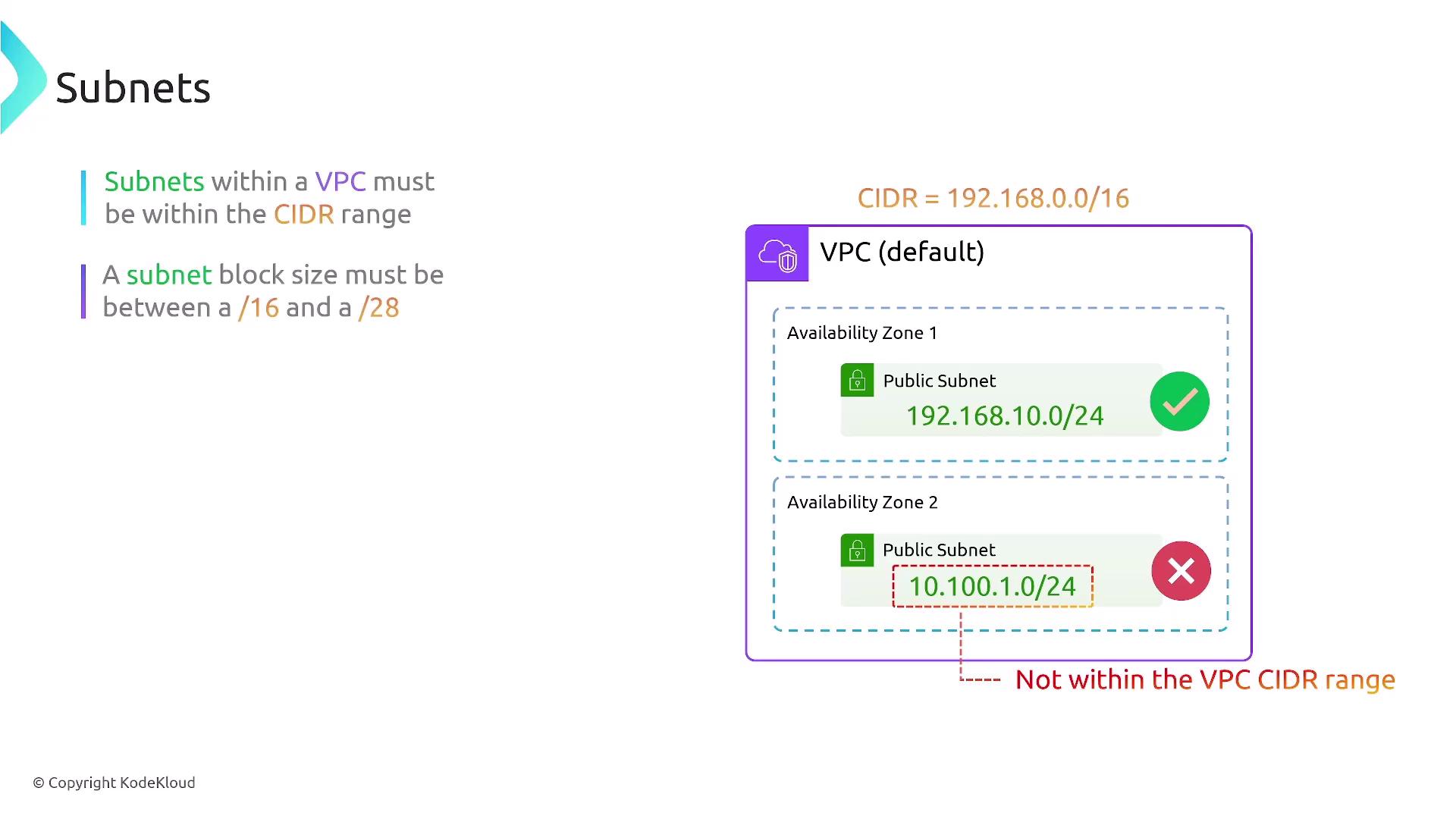
Subnets are subdivisions within a VPC’s overall CIDR block and must reside entirely within one availability zone, even though the VPC itself spans an entire region. When configuring subnets, ensure that:- They fit within the VPC’s primary CIDR block.
- They do not overlap.
- For IPv4, subnet sizes vary between /16 and /28. Overlapping of IPv6 subnets is strictly prohibited.
AWS reserves the first three and the last IP address of every subnet. For example, in a subnet with the CIDR 192.168.10.0/24, the addresses *.0, *.1, *.2, *.3, and *.255 are reserved, making the usable addresses start from *.4.
Routing within a VPC
Each subnet has a default router, typically the first usable IP address in the subnet (e.g., 192.168.1.1 in a 192.168.1.0/24 subnet). The default VPC includes a route table that primarily allows local traffic, though custom route tables can be created to control traffic between subnets or direct traffic to external locations using Internet Gateways, NAT devices, or Virtual Private Gateways. Route tables support both IPv4 and IPv6, offering flexibility in traffic management.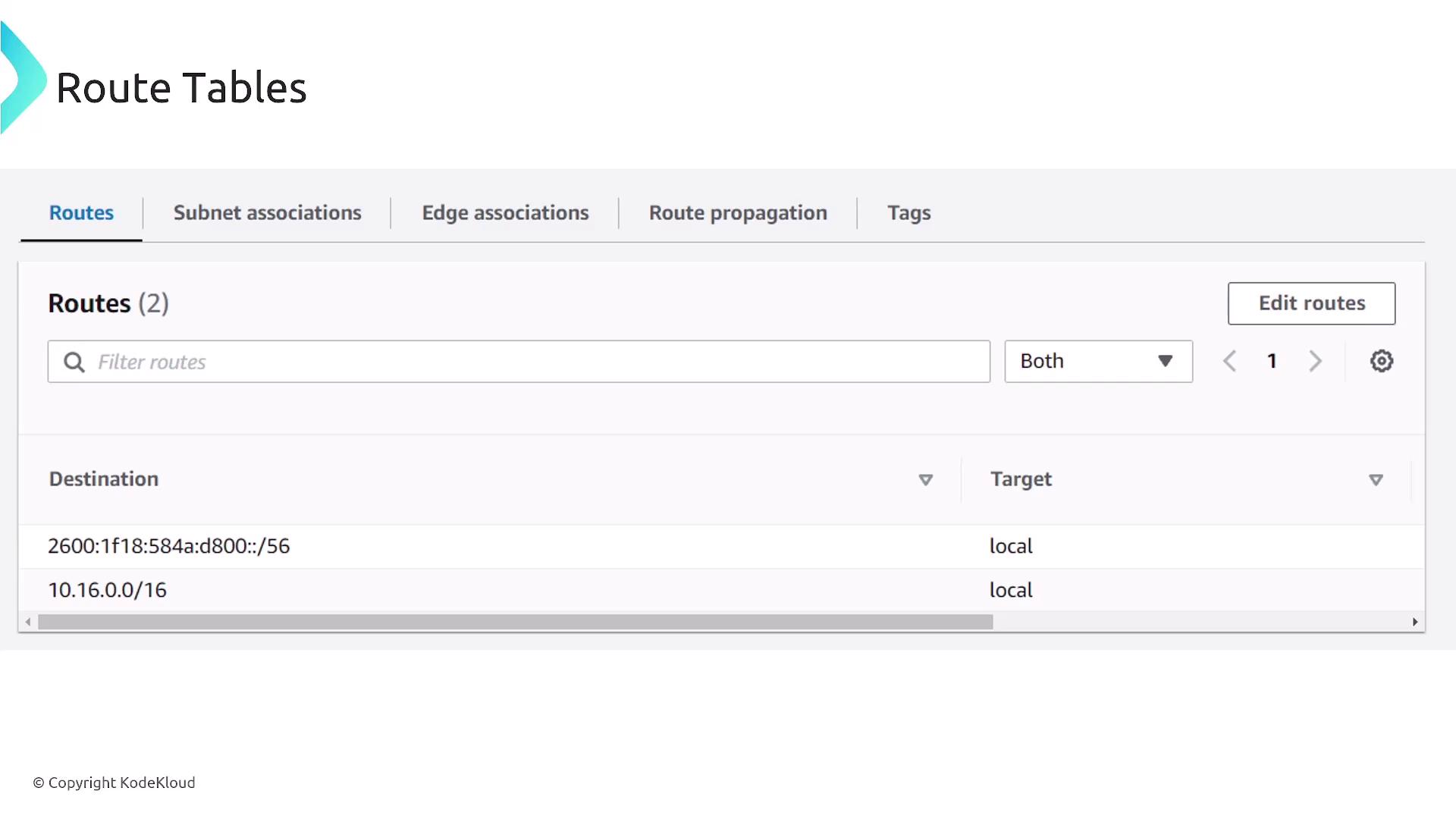
Network Access Control Lists (NACLs) and Security Groups
NACLs: Stateless Firewalls
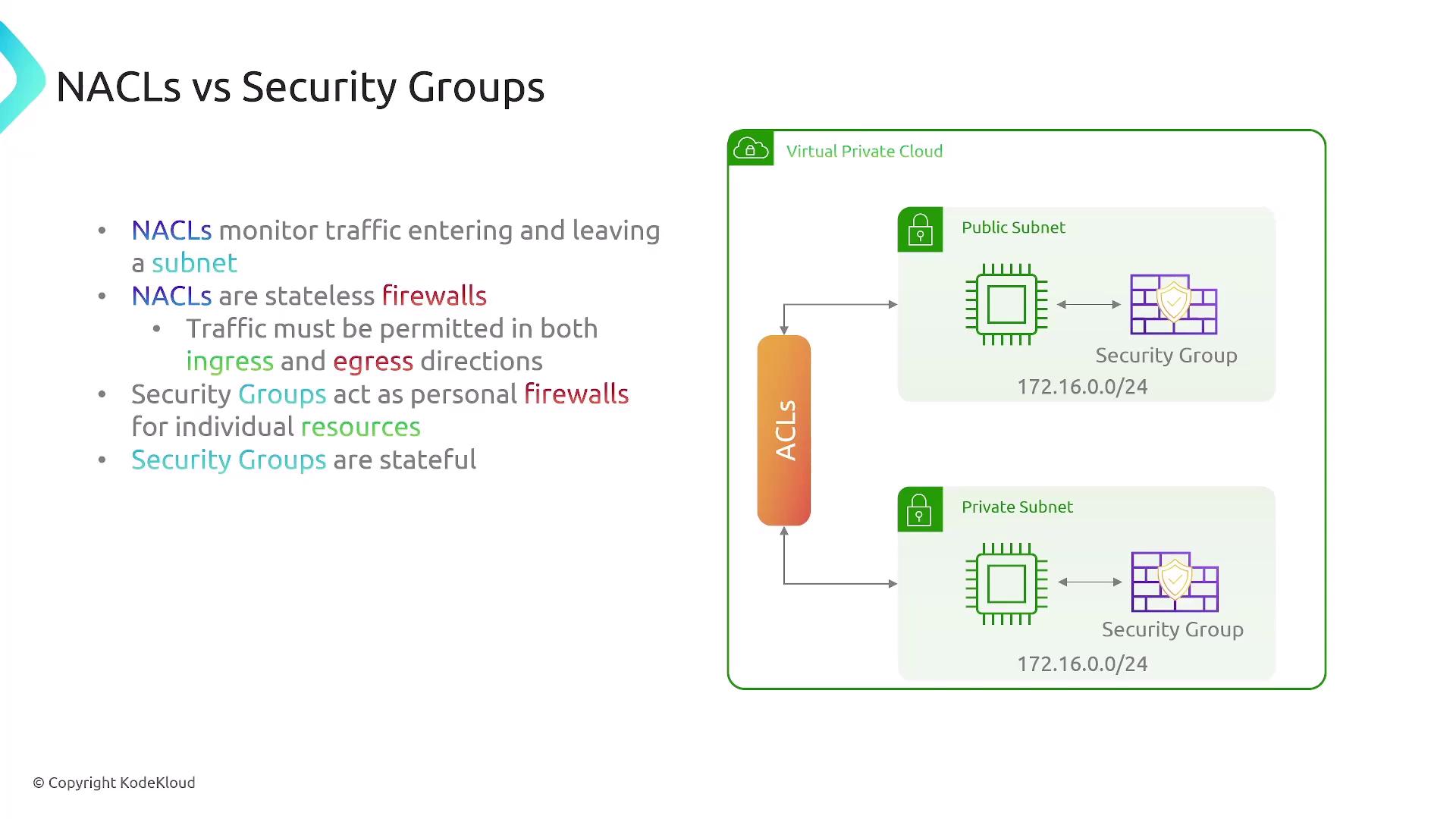
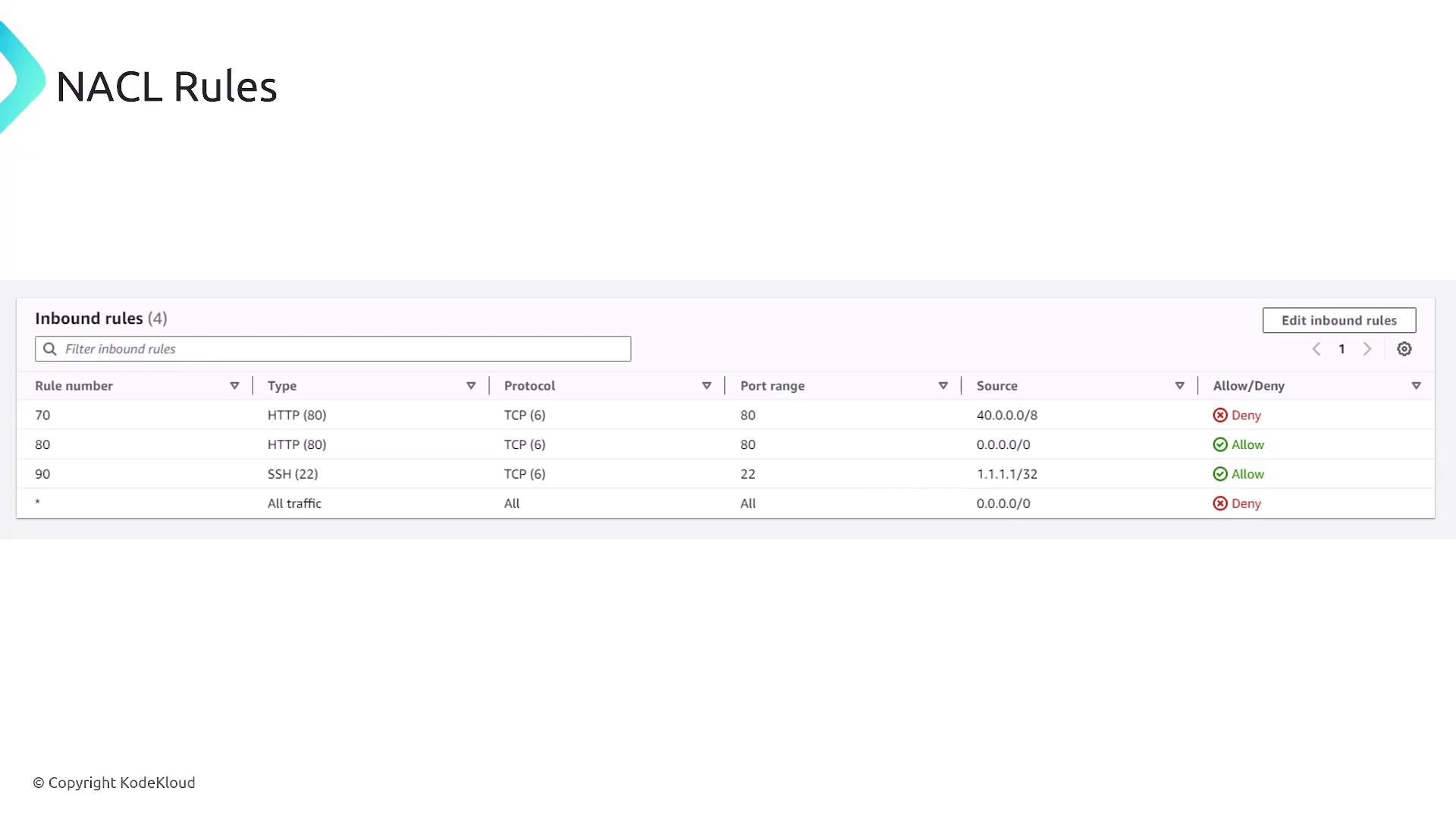
NACLs act as stateless firewalls that manage inbound and outbound traffic at the subnet level. Because they are stateless, rules must be defined for both directions. They operate sequentially, meaning the order of rules is crucial. NACLs are best used to explicitly deny specific IP ranges or ports.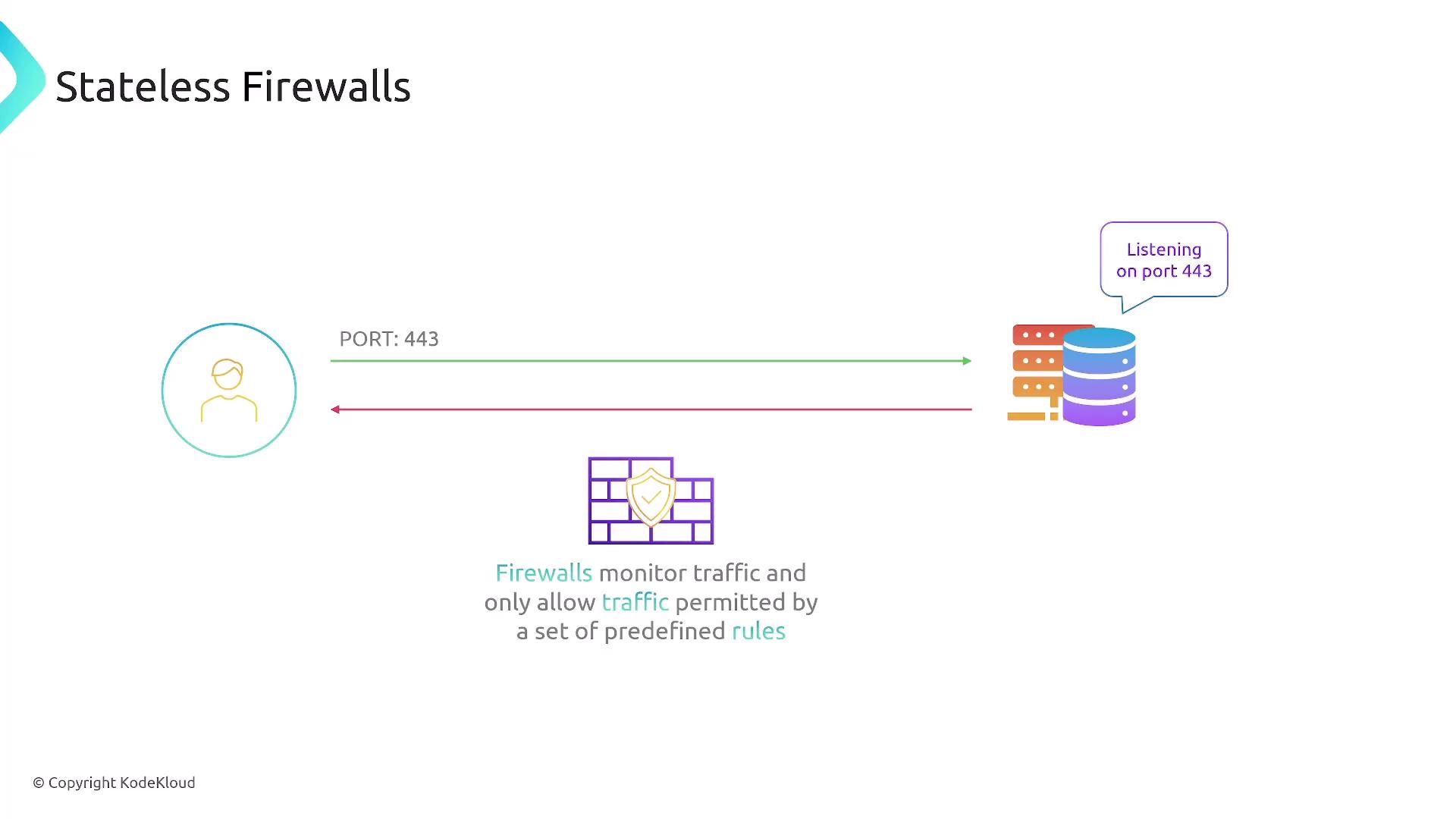

Security Groups: Stateful Firewalls
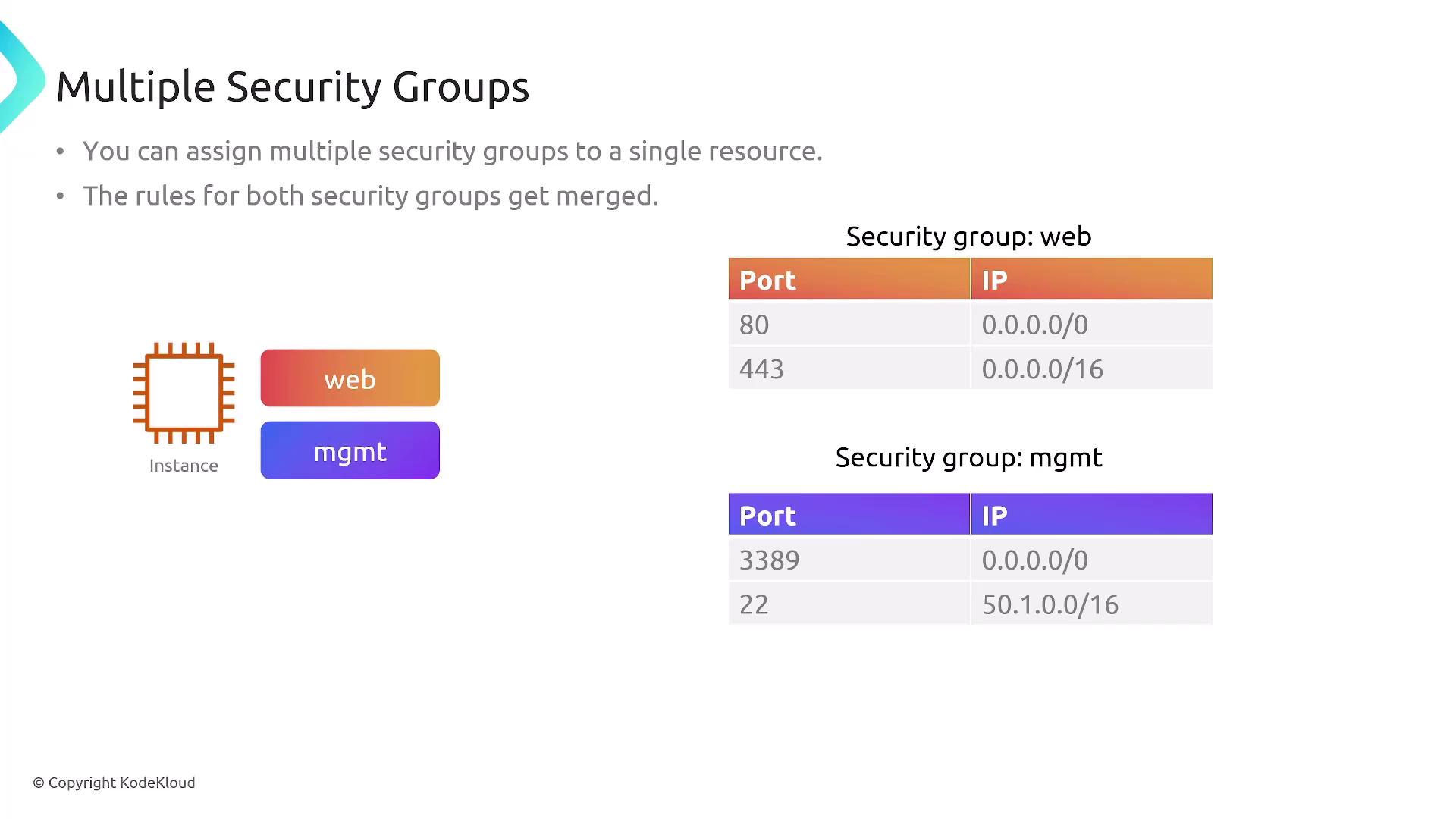
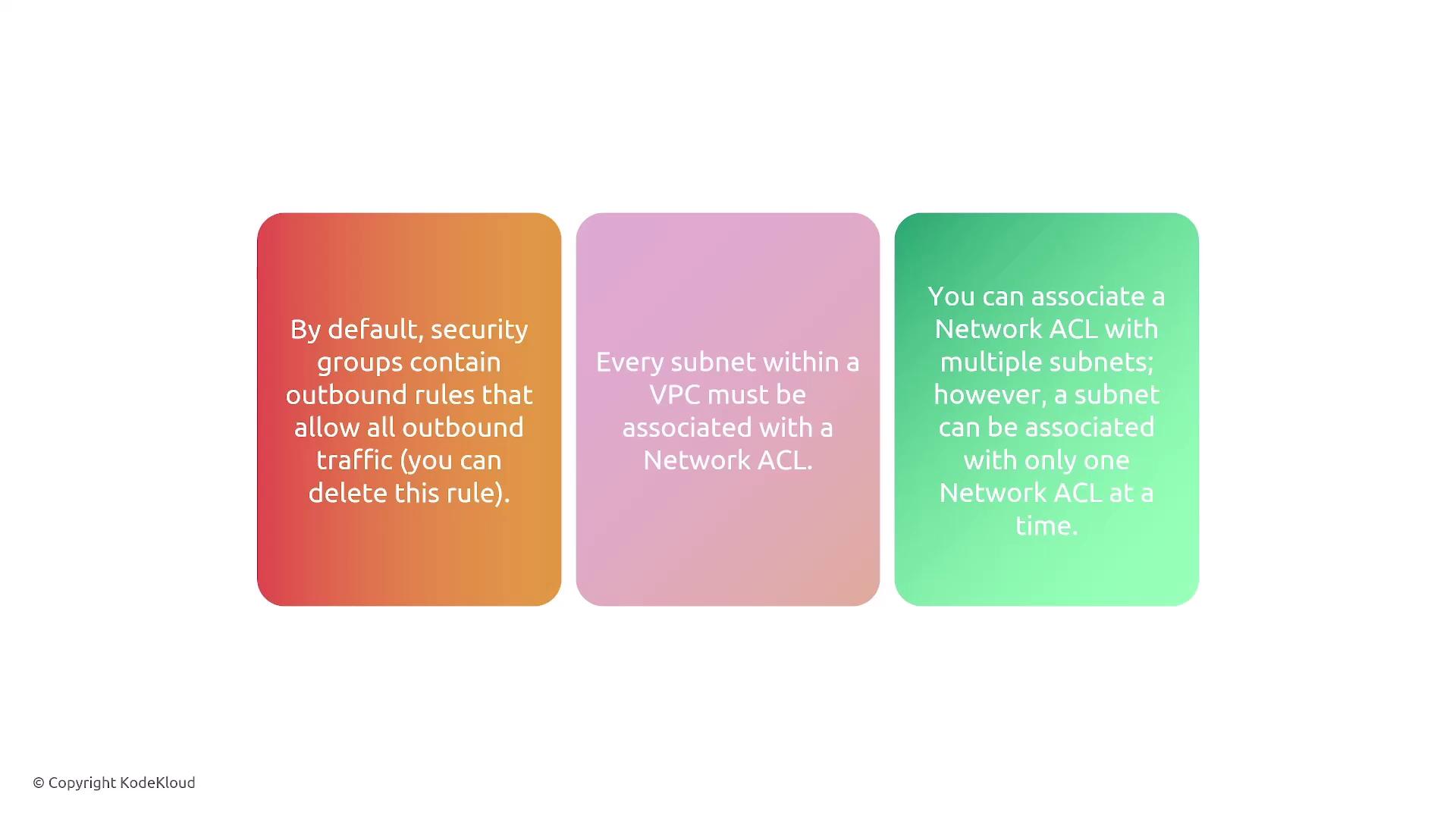
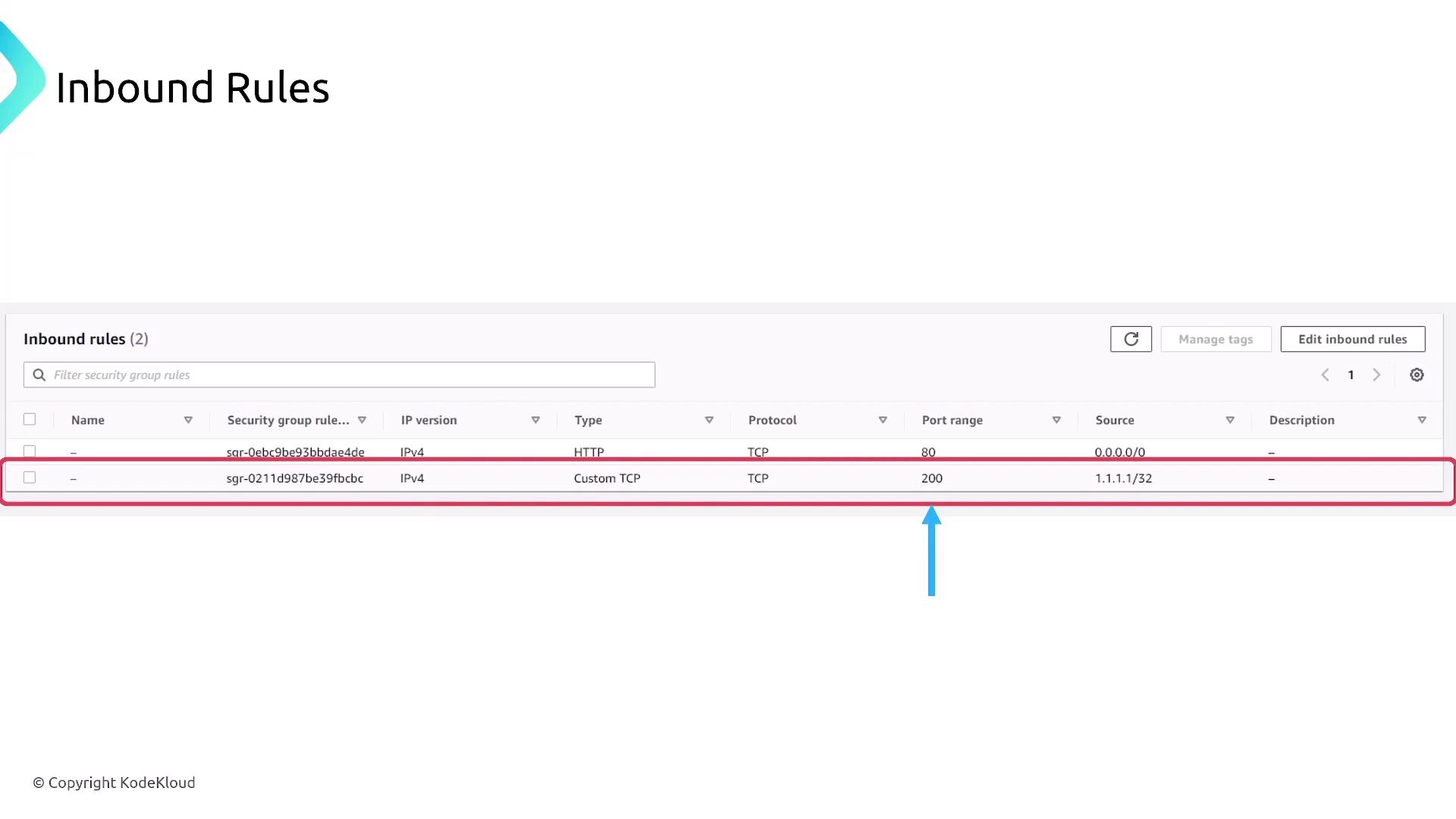
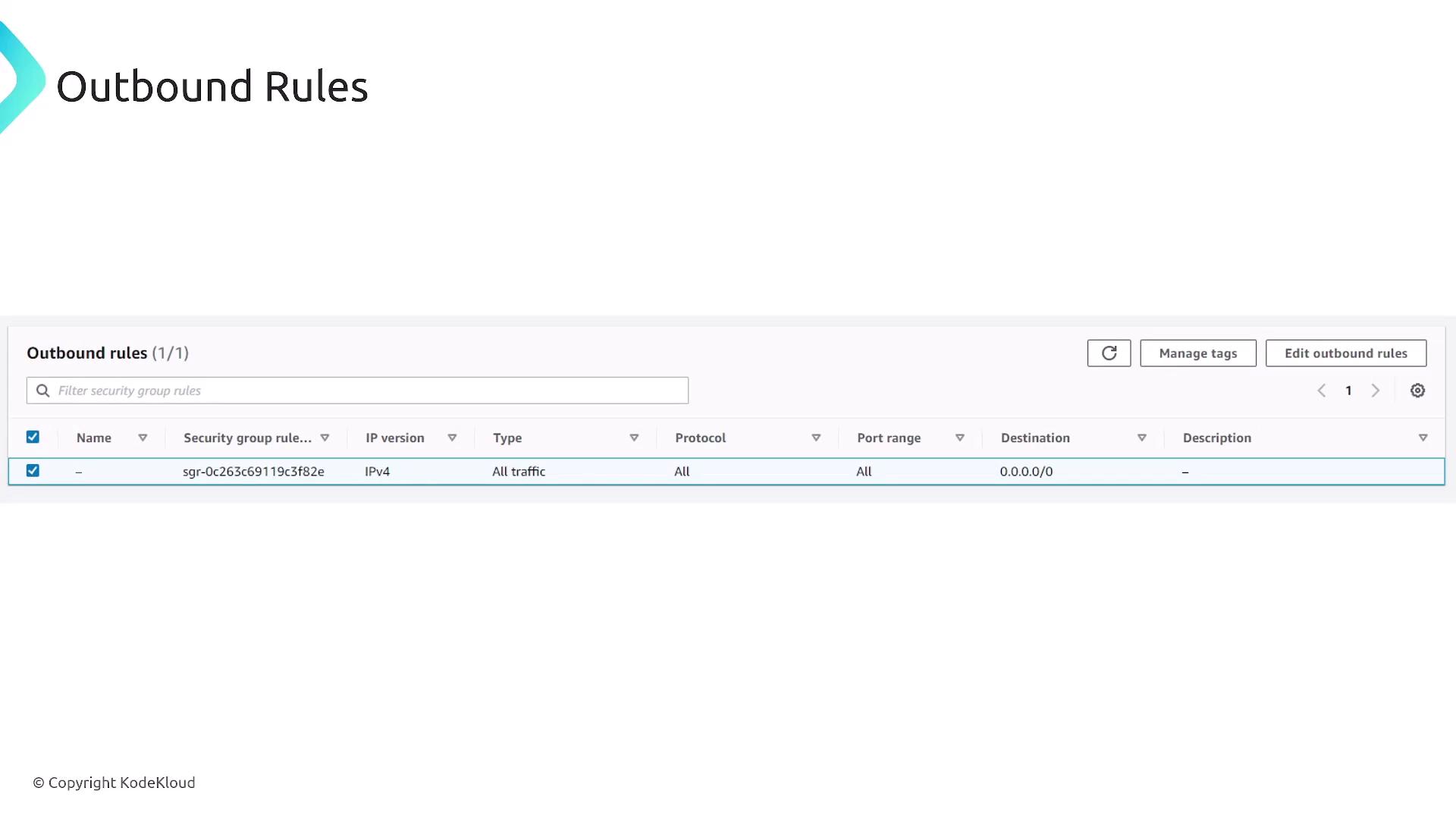
Security groups function as stateful firewalls applied at the resource level, such as EC2 instances, RDS databases, load balancers, and Lambda functions within a VPC. Since they are stateful, they automatically allow response traffic for outbound requests initiated by a resource. Consequently, you only need to define rules for inbound traffic (or outbound if you choose to restrict it). For example, to allow HTTP traffic, you would create an inbound rule for TCP port 80 with a source of 0.0.0.0/0, while outbound traffic is allowed by default.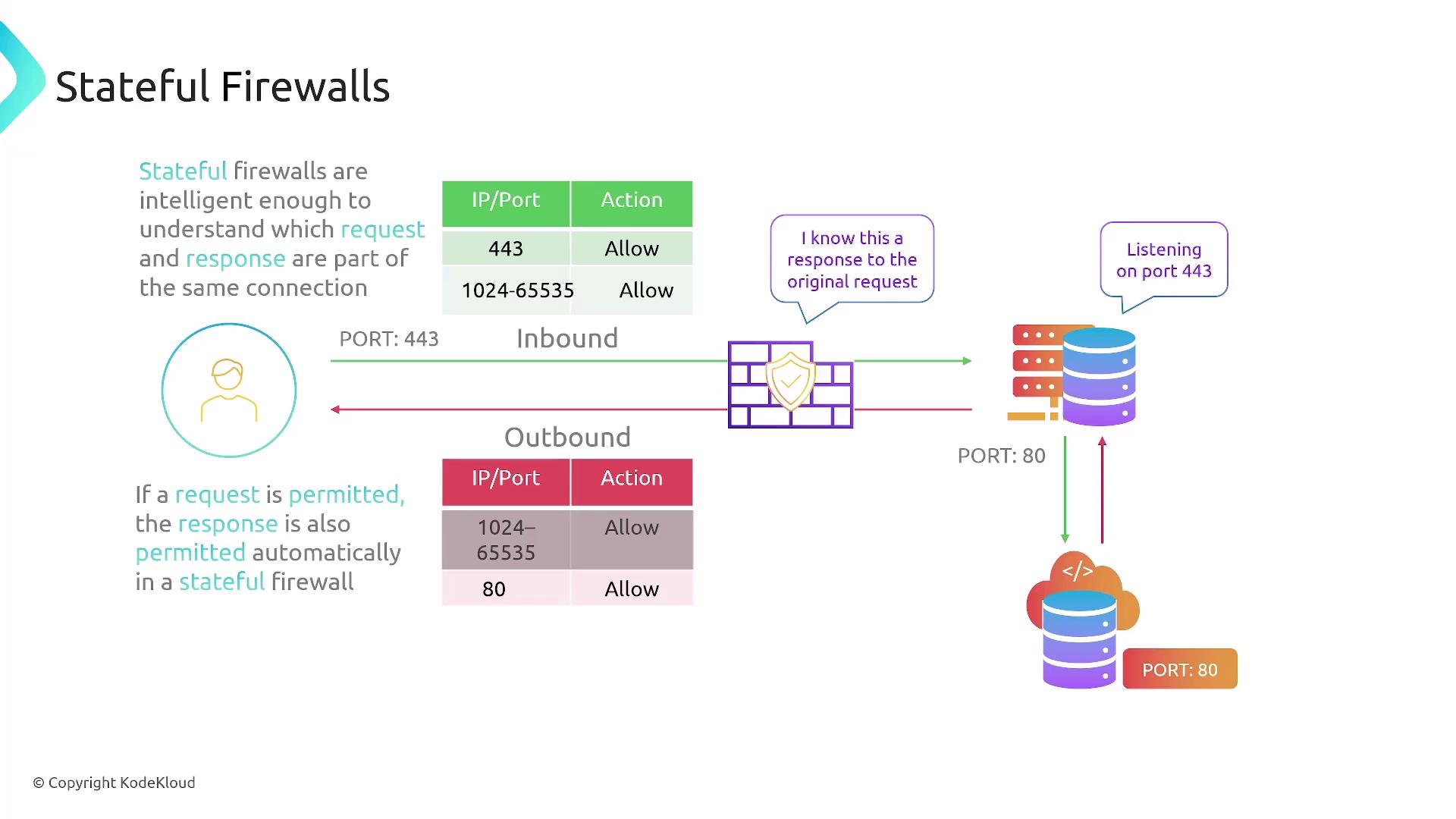
Comparing NACLs and Security Groups
Below is a summary that highlights the key differences between NACLs and security groups:| Feature | NACLs (Stateless) | Security Groups (Stateful) |
|---|---|---|
| Level of Protection | Subnet-level filtering | Resource-level filtering |
| Traffic Evaluation | Separate evaluation for inbound and outbound | Automatically allows return traffic |
| Rule Options | Both allow and deny | Only allow rules (no explicit deny) |
| Use Case | Broad filtering of unwanted IP ranges or ports | Granular, resource-specific protection |
Configuring Rules in Security Groups and NACLs
Security Group Rules
- Specify inbound rules to permit required traffic, for example:
- Allow IPv4 HTTP traffic (TCP port 80) from any source (0.0.0.0/0).
- Allow custom TCP traffic on port 200 from an IP such as 1.1.1.1/32.
- Outbound traffic is allowed by default due to the stateful nature of security groups, though additional outbound rules can be added if desired.
NACL Rules
- NACLs require rules for both inbound and outbound traffic.
- Rules are evaluated in order—meaning precedence is essential.
- Example:
- An inbound rule may deny port 80 access for a source IP of 40.0.0.8, while a following rule might allow traffic that does not match the denial criteria.
- The final rule in a NACL typically defaults to denying all traffic not expressly allowed.
Avoid opening RDP (port 3389) to all IP addresses to prevent unauthorized access.