

Connecting via a Partner
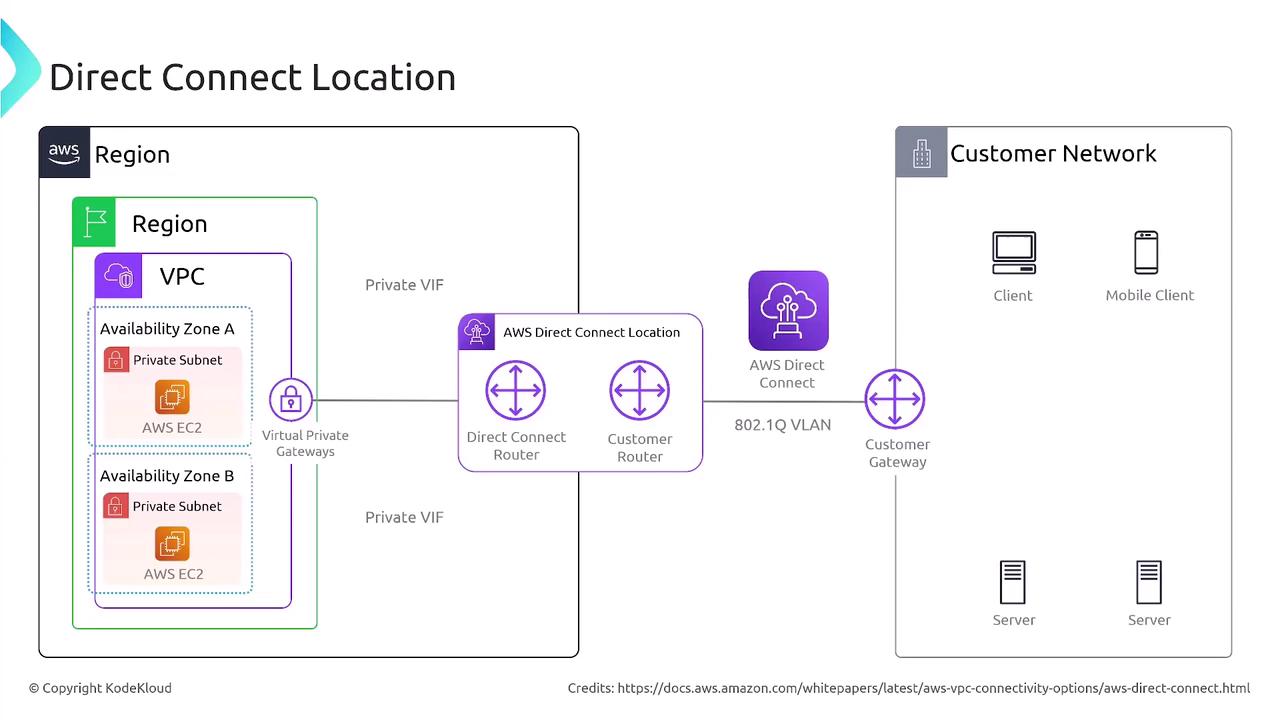
In most cases, setting up AWS Direct Connect involves connecting to an AWS Direct Connect partner. Here’s how it works:- Your connection reaches a partner’s data center.
- The partner’s data center links to the AWS data center.
- On the AWS side, your connection terminates at a virtual private gateway attached to a specific VPC via a private virtual interface.
Virtual Interfaces: Public, Private, and Transit
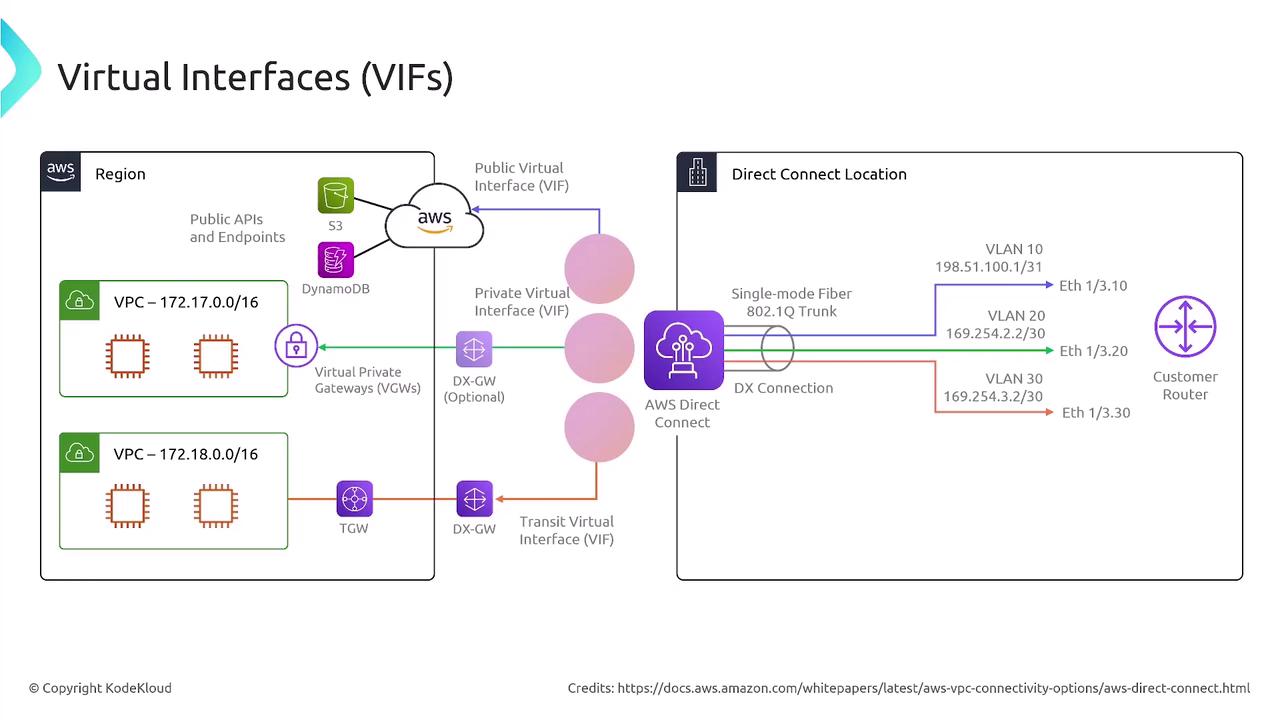
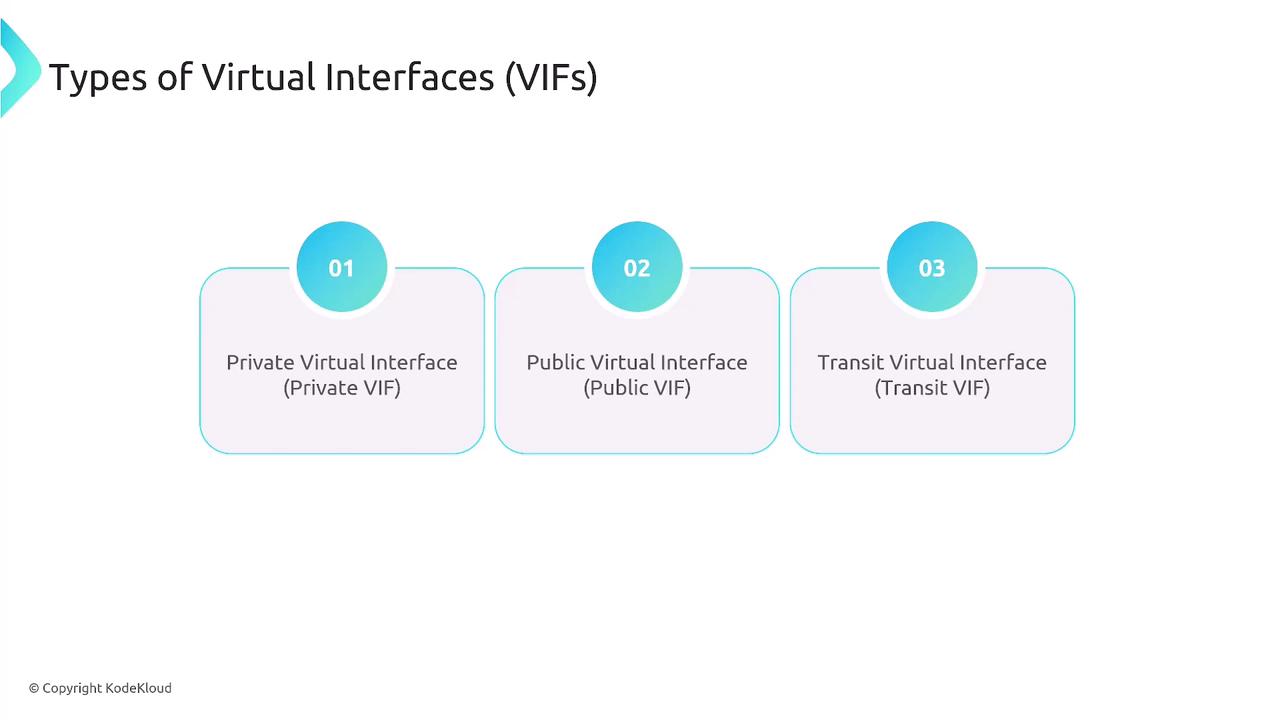
AWS Direct Connect employs virtual interfaces (VIFs) to manage different types of network traffic. Understanding the distinctions between these interfaces is key for designing an optimal network connection:- Private Virtual Interface: Connects directly to a VPC for accessing private resources.
- Transit Virtual Interface: Connects to a transit gateway for centralizing connectivity across multiple VPCs.
- Public Virtual Interface: Connects to AWS public services such as Amazon S3, DynamoDB, and other publicly accessible endpoints.
Types of Connections
AWS Direct Connect provides two primary connection types, each designed to meet different networking needs:- Dedicated Connection: Offers a physical line with speeds of 1, 10, or 100 gigabits per second.
- Hosted Connection: Provides a physical Ethernet connection, typically ranging from 50 megabits to 10 gigabits per second (note that 100 gigabit speeds are not available with hosted connections).

High Resiliency and Link Aggregation
To ensure high resiliency, many organizations deploy two Direct Connect connections. Some opt for a primary Direct Connect with a VPN backup for added security. Additionally, you can aggregate multiple connections using Link Aggregation Control Protocol (LACP) and Link Aggregation Groups (LAG) to achieve even higher effective throughput.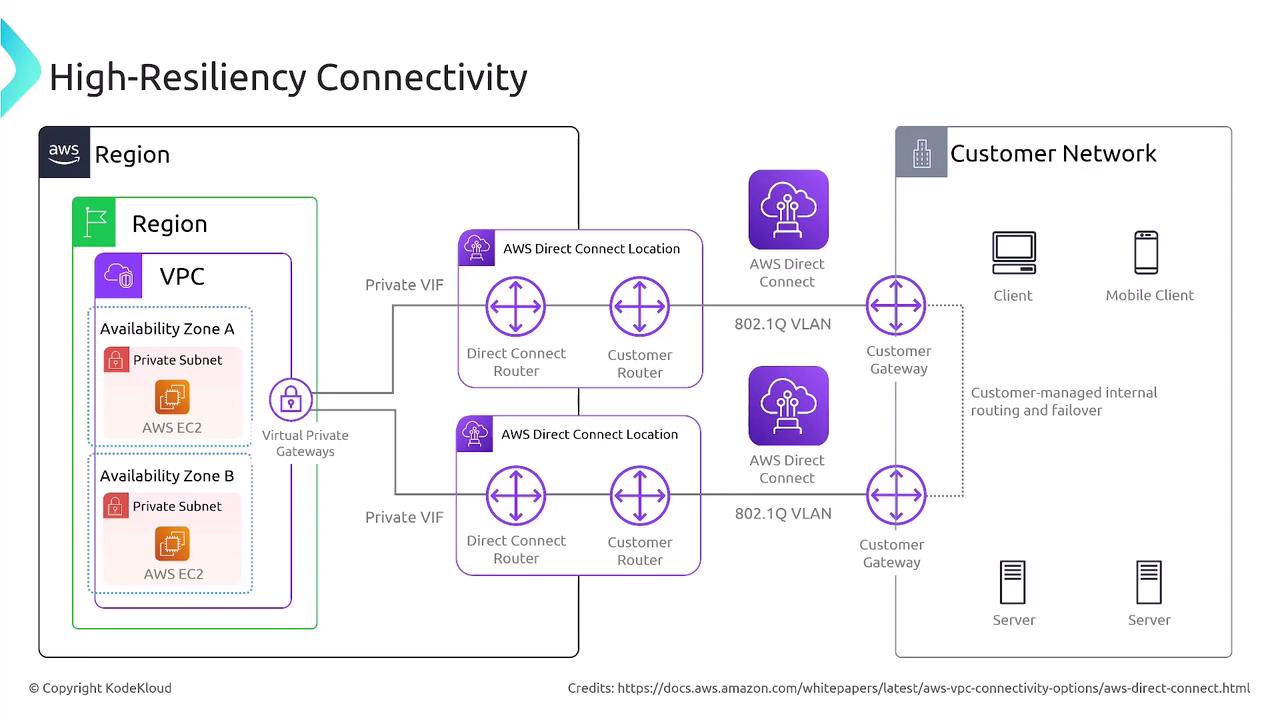
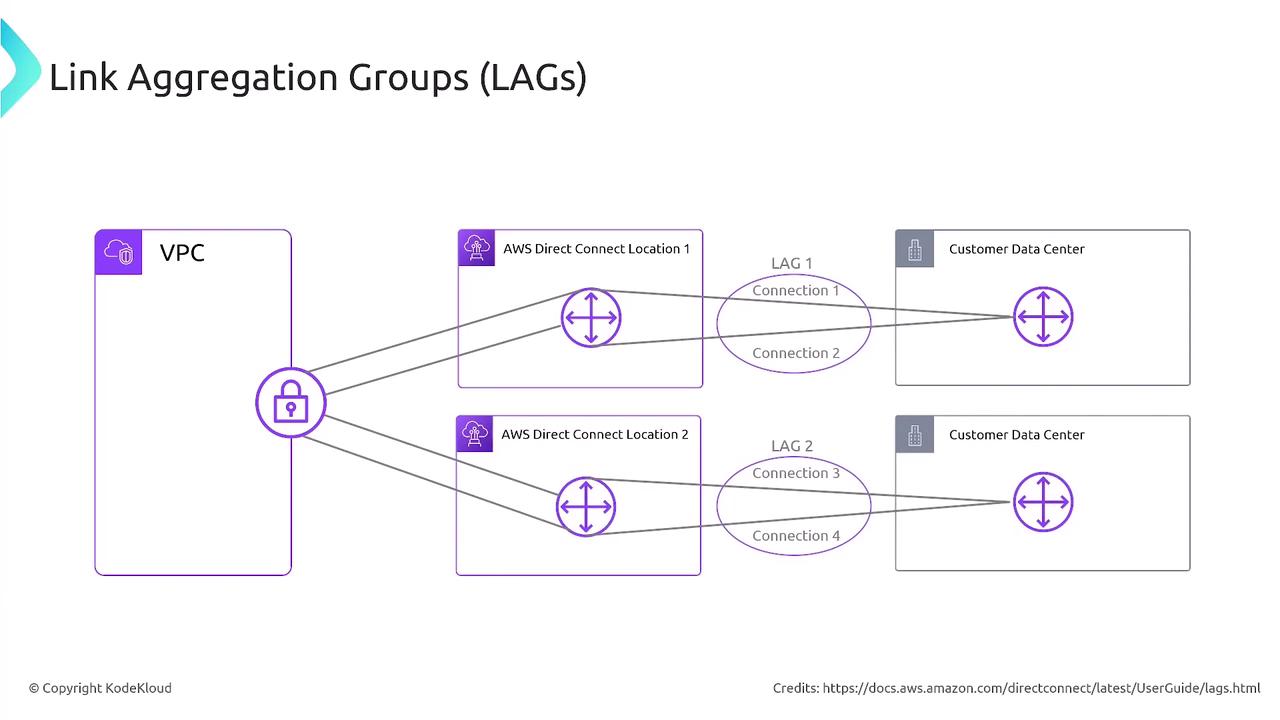
Deploying multiple Direct Connect connections not only increases resiliency but also enhances your network’s overall performance through link aggregation.
Summary
AWS Direct Connect provides a dedicated, high-performance network connection between your on-premises network and AWS. Key points to remember include:- Private Virtual Interfaces enable direct access to VPCs containing private resources.
- Public Virtual Interfaces allow access to AWS public services.
- Transit Virtual Interfaces facilitate connections to transit gateways.
- A Direct Connect Gateway may be required in certain configurations to terminate the connection.
- Available connection speeds typically include 1, 10, and 100 gigabits per second, with some configurations supporting up to 1,000 gigabits.
- Although Direct Connect offers reliable and consistent network performance, it does not provide encryption by default.