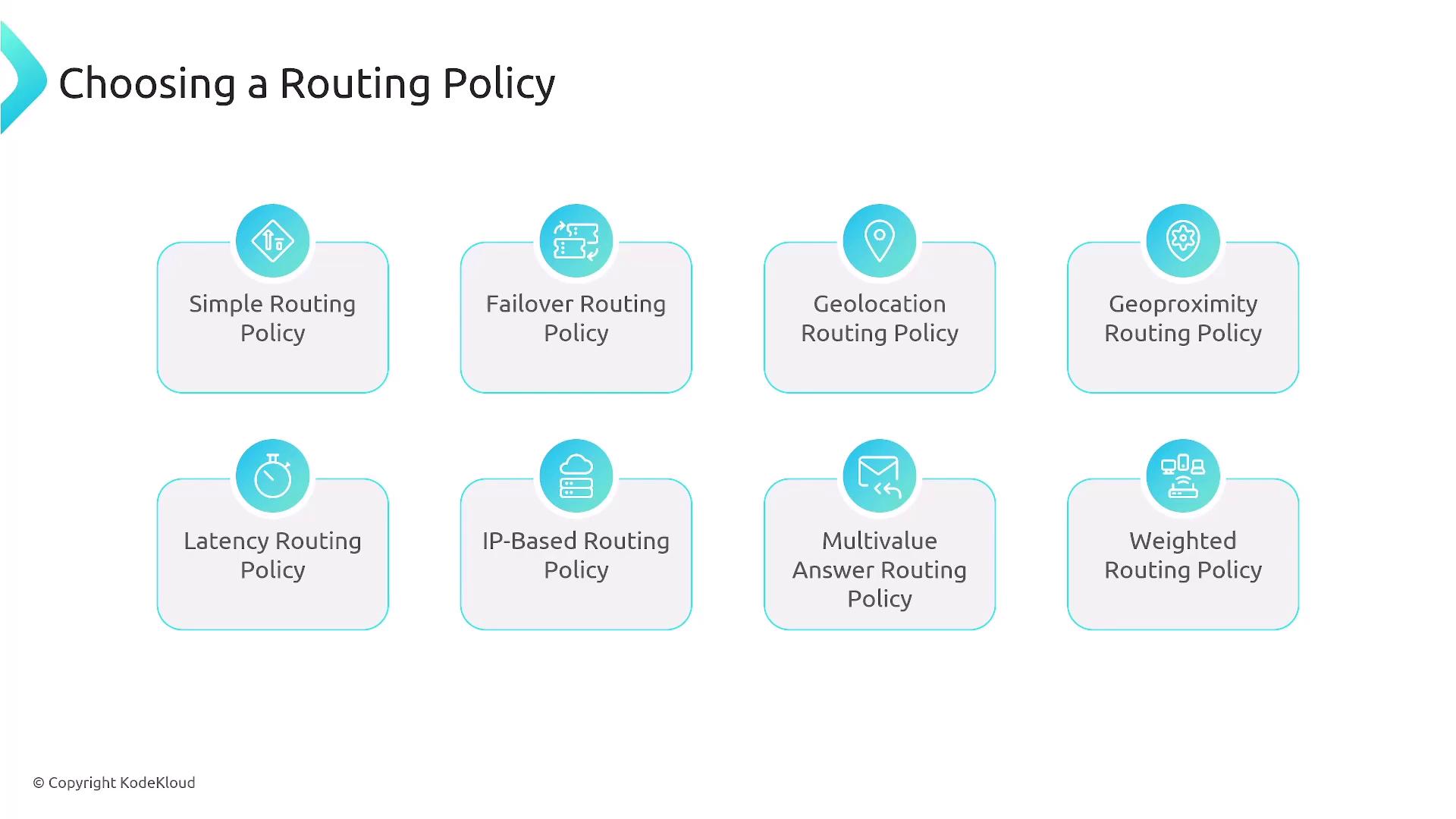
- Simple Routing Policy
- Failover Routing Policy
- Geolocation Routing Policy
- Geoproximity Routing Policy
- Latency Routing Policy
- IP-Based Routing Policy
- Multivalue Answer Routing Policy
- Weighted Routing Policy
1. Simple Routing Policy
The Simple Routing Policy creates a direct one-to-one mapping between DNS queries and a single resource, such as an IP address or server. It excludes advanced configurations like traffic distribution, redundancy, or geo-based routing.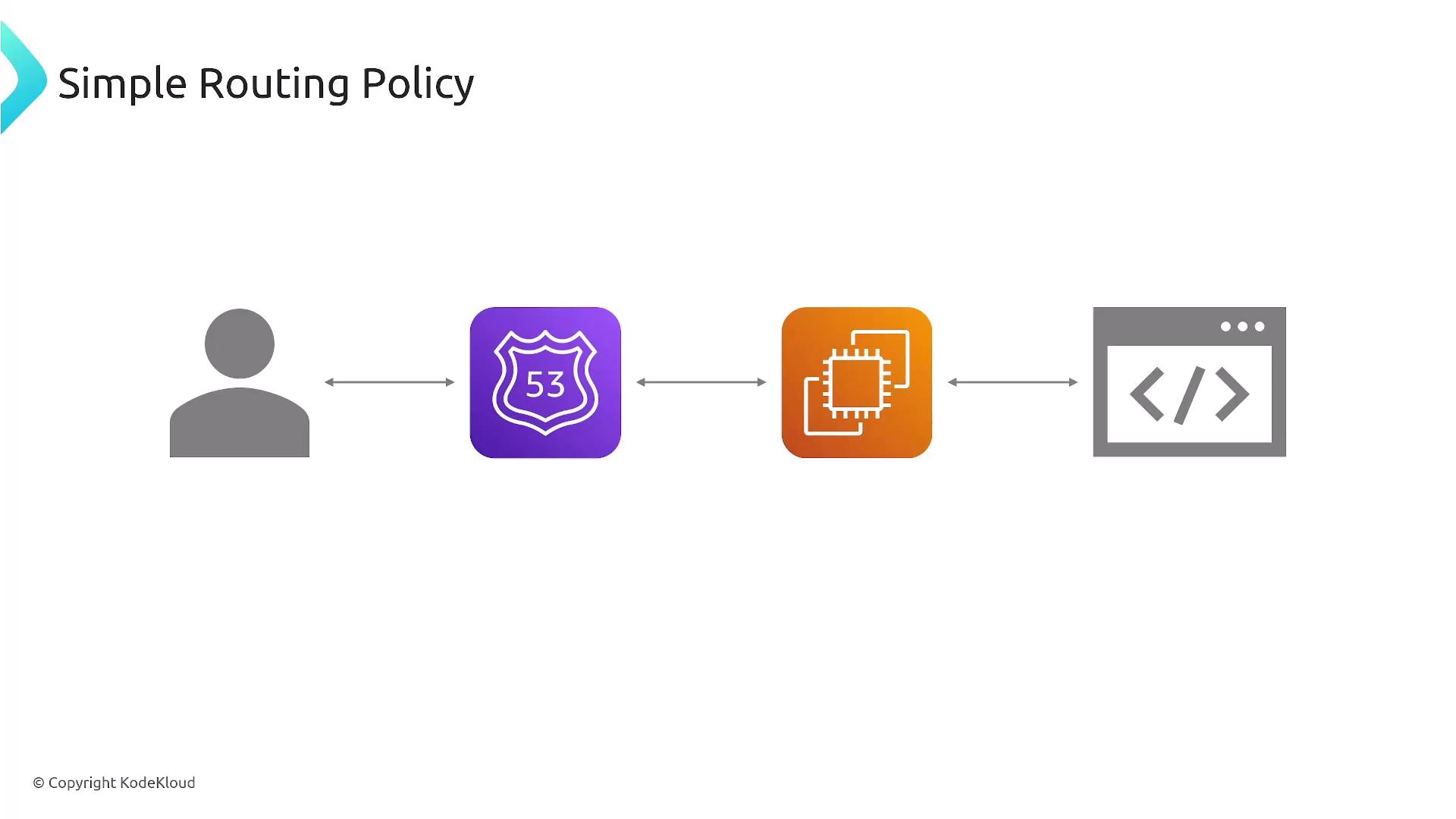
Route 53 is reputed for its 100% SLA, ensuring high availability even when using simple routing.
2. Failover Routing Policy
The Failover Routing Policy enhances disaster recovery and high availability. It works by designating primary and secondary resources, automatically redirecting traffic to the standby resource if the primary one fails a health check. Only one resource remains active at any moment.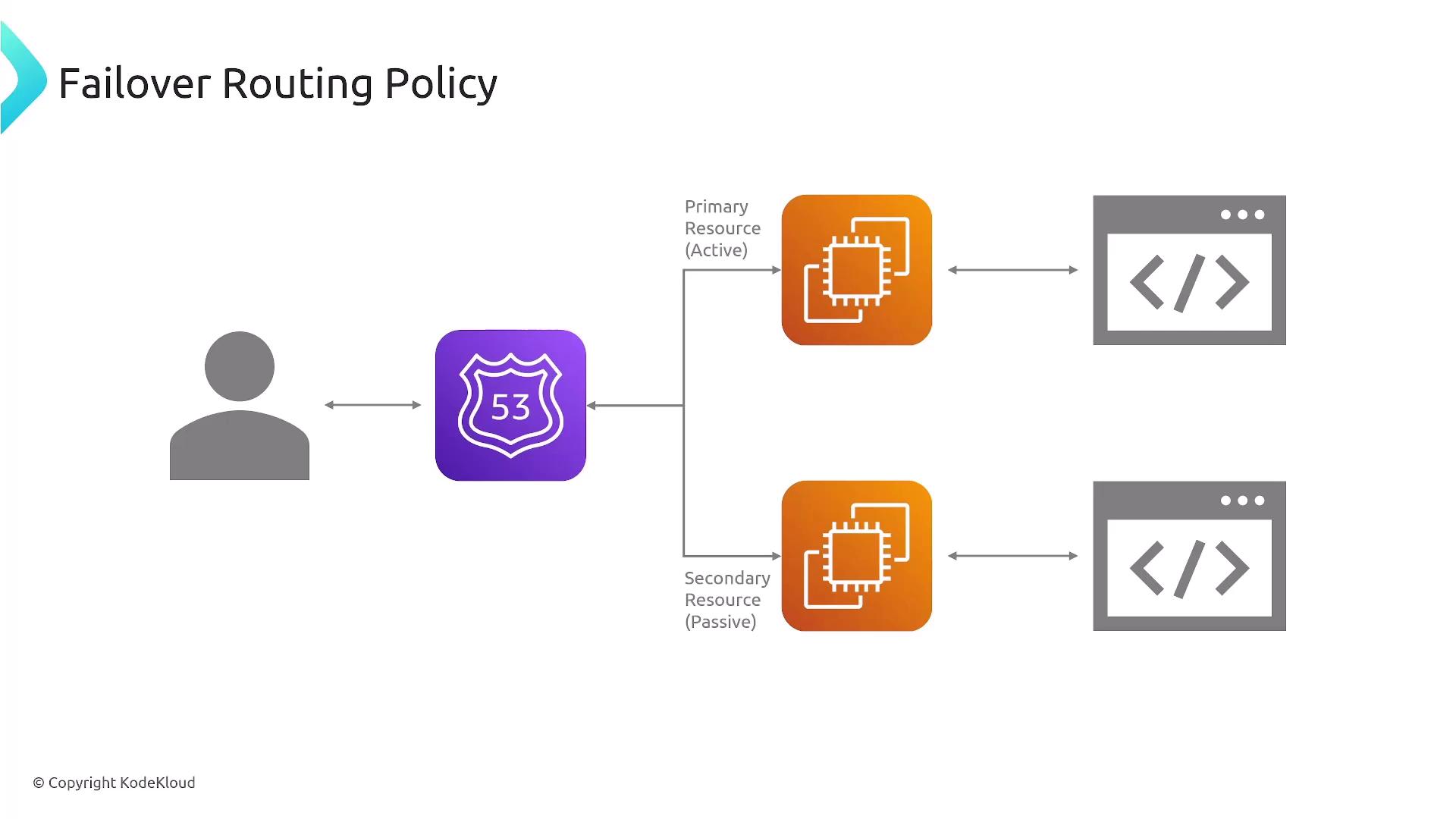
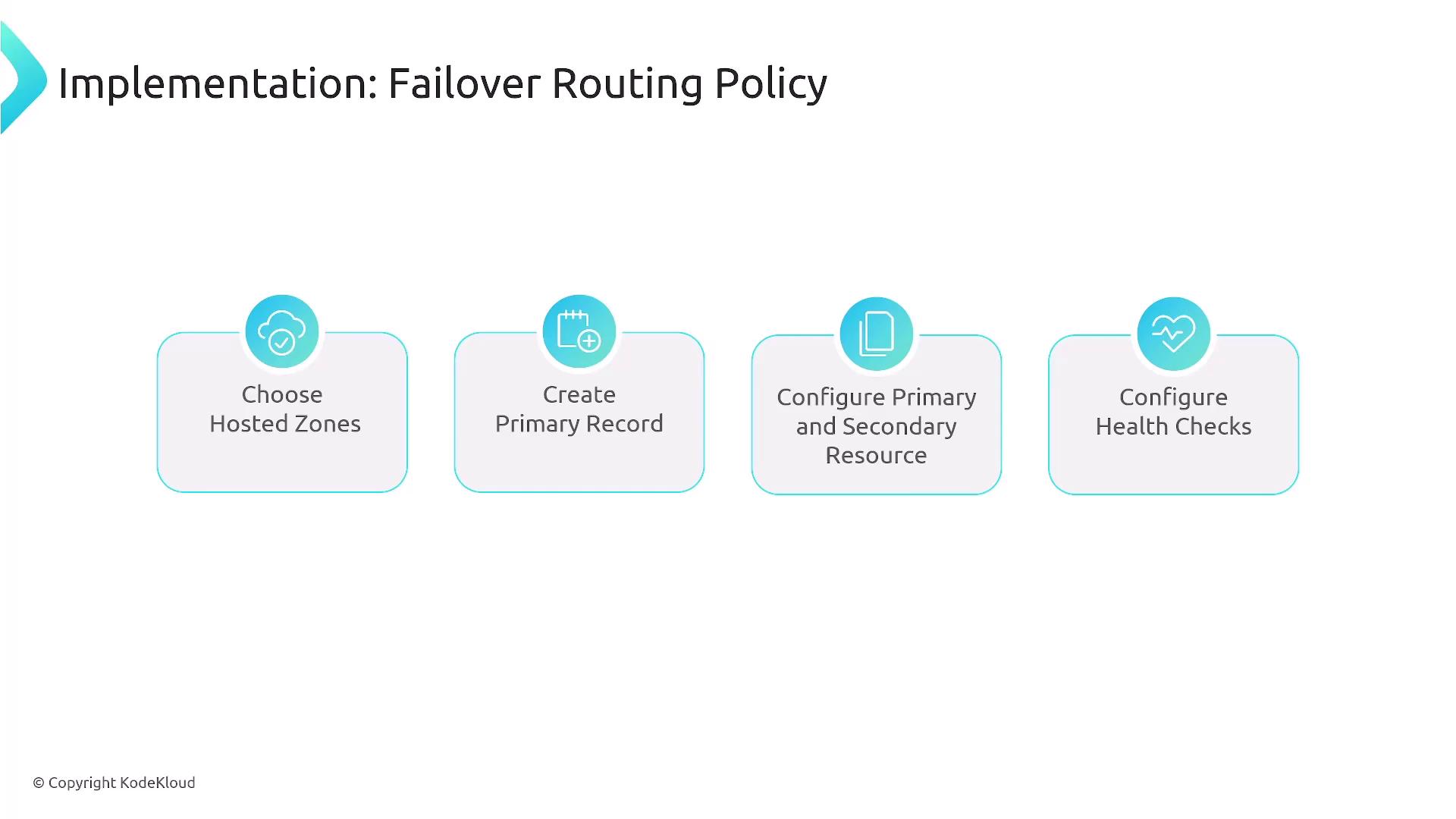
- Creating a hosted zone.
- Setting primary and secondary records.
- Configuring DNS or load balancer health checks.
3. Geolocation Routing Policy
Geolocation routing directs traffic based on the geographical location of users at the continent or country level. This policy is useful for tailoring content or services to specific regions. For more granular needs (e.g., state or county level), consider third-party solutions. For example, you can configure Route 53 to route users located in France, Spain, or Ireland to designated endpoints. The configuration process mirrors other routing policies: select the hosted zone, create a DNS record, and configure geolocation settings with the appropriate resource details.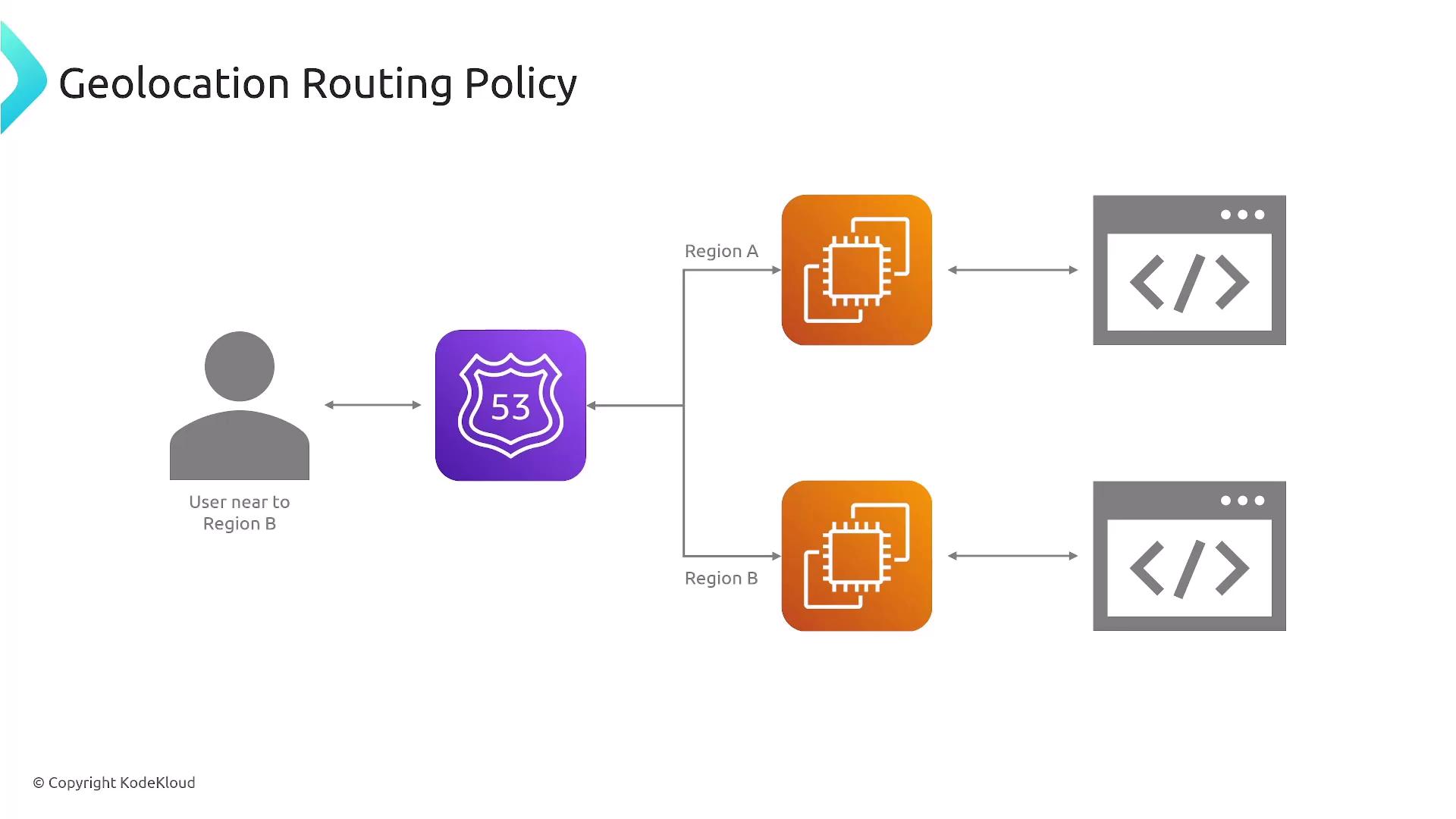
4. Geoproximity Routing Policy
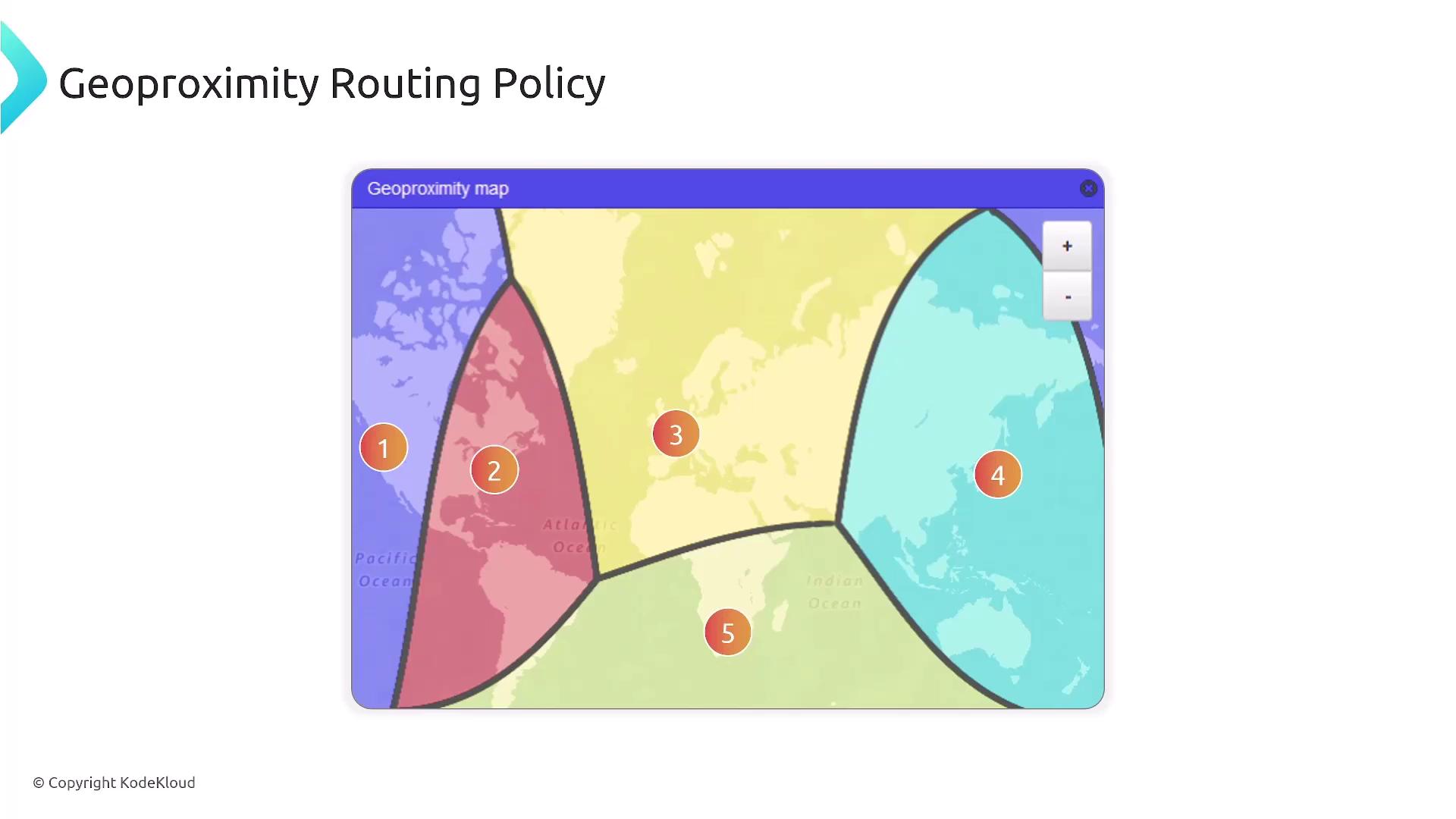
Unlike geolocation, Geoproximity Routing takes actual physical proximity into account. It routes users by determining the closest resource based on the distance between the user and your data centers. Additionally, you can apply a bias to favor a particular location. For instance, users in northern Great Britain might be routed to an Ireland data center if it is closer than a data center in London. The implementation steps are similar:- Choose your hosted zone.
- Create the required record.
- Configure the geoproximity settings.
- Provide resource details.
5. Latency Routing Policy
Latency Routing Policy improves user experience by directing traffic to the region that offers the lowest network latency. It bases decisions on performance testing rather than strict geography, meaning that the fastest responding region may not always be the nearest geographically. The setup mirrors that of other policies: create a hosted zone, establish the record, and configure latency settings for each targeted region.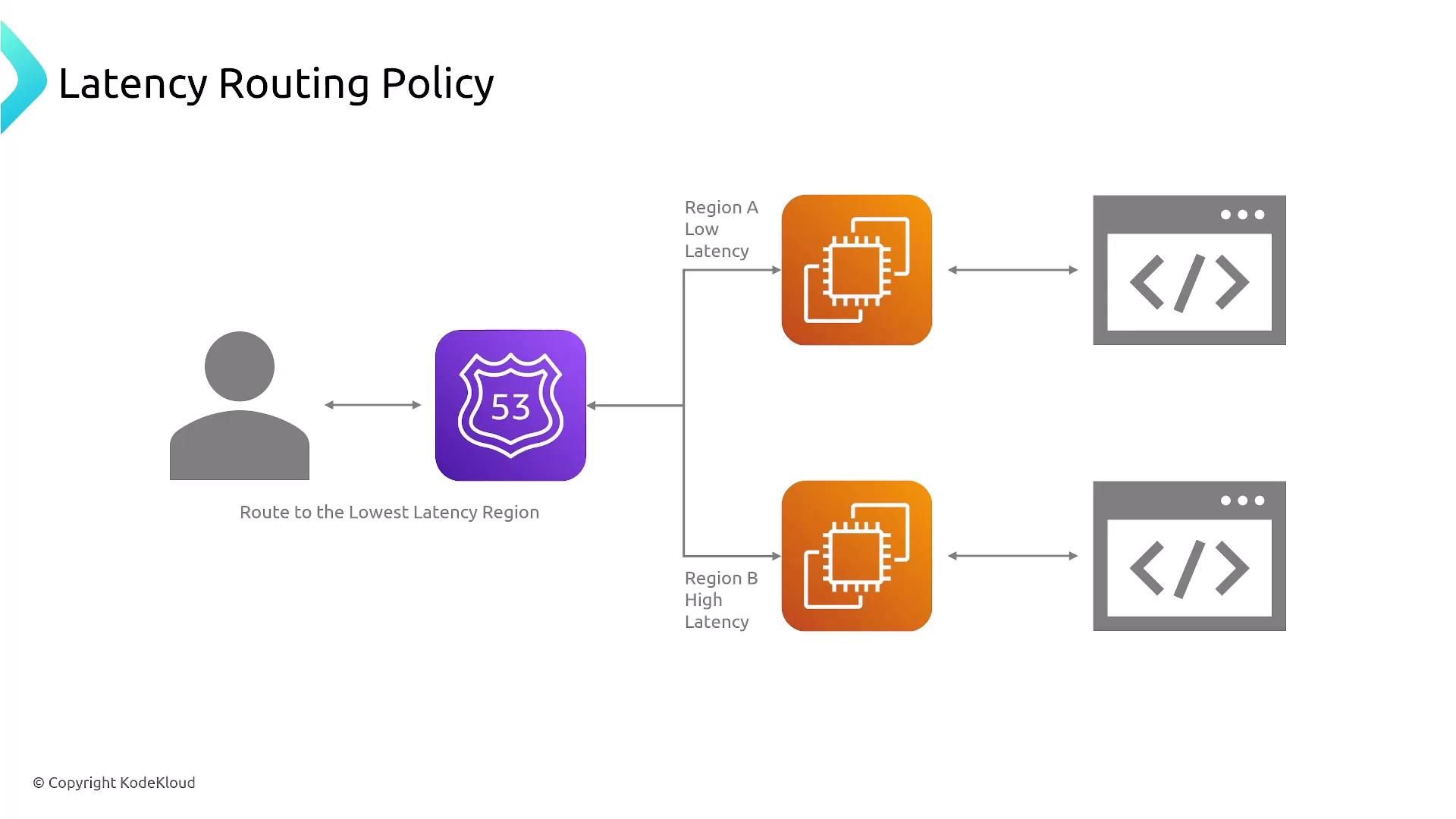
6. IP-Based Routing Policy
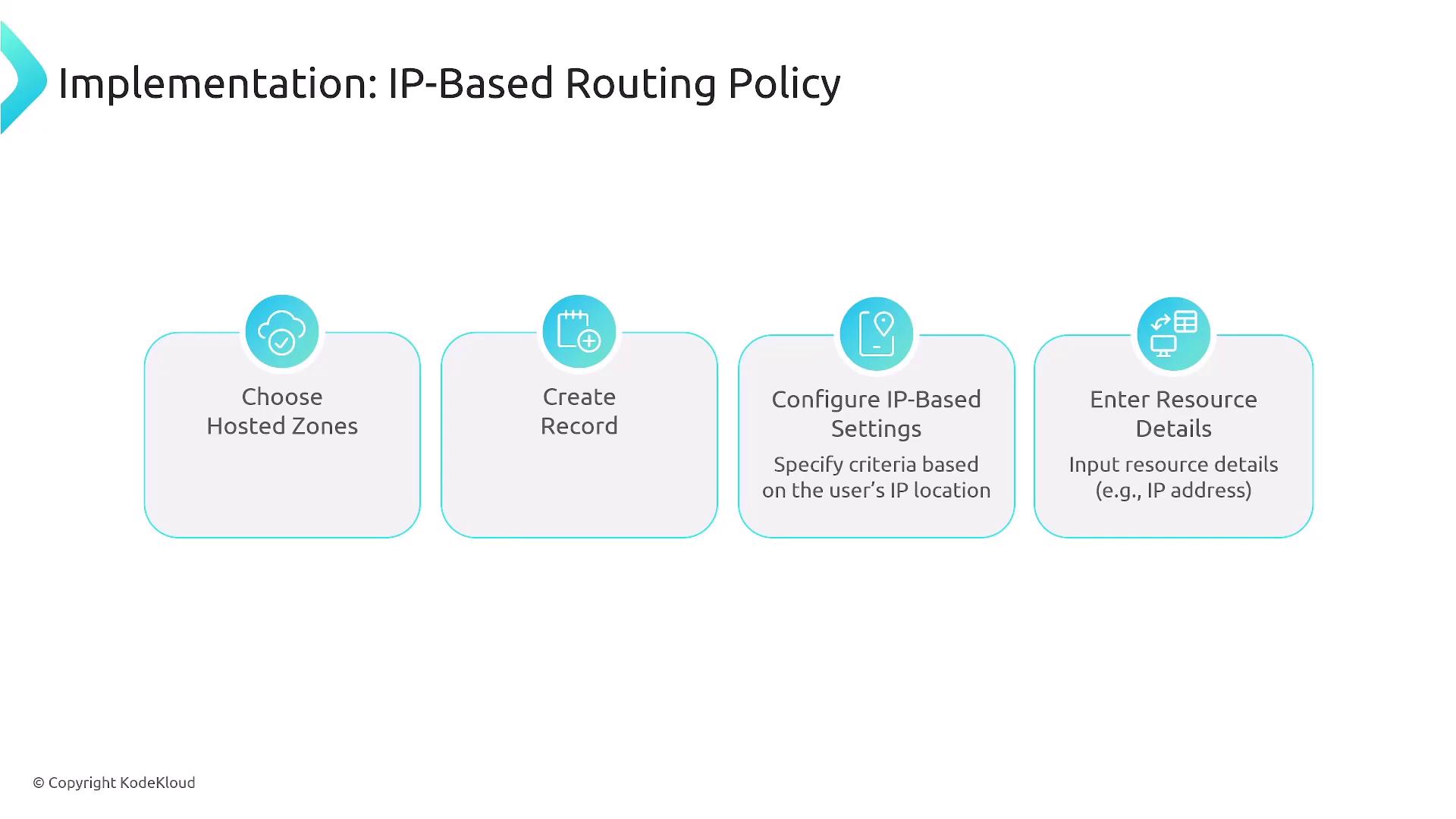
IP-Based Routing directs traffic according to the IP address of the requester. This policy is especially useful for filtering out malicious traffic or routing internal corporate traffic to dedicated resources. You can also set a catch-all rule for traffic not matching specified IP ranges. To implement this policy, follow these steps:- Choose your hosted zone.
- Create the required DNS record.
- Configure the IP-based settings.
- Provide the necessary resource details.
7. Multivalue Answer Routing Policy
The Multivalue Answer Routing Policy enables Route 53 to return up to eight healthy records in response to a single DNS query. This policy supports health checks and offers built-in load balancing by randomly selecting one healthy record among many. It is an excellent option when you need to distribute traffic across multiple endpoints without the complexity of advanced configurations.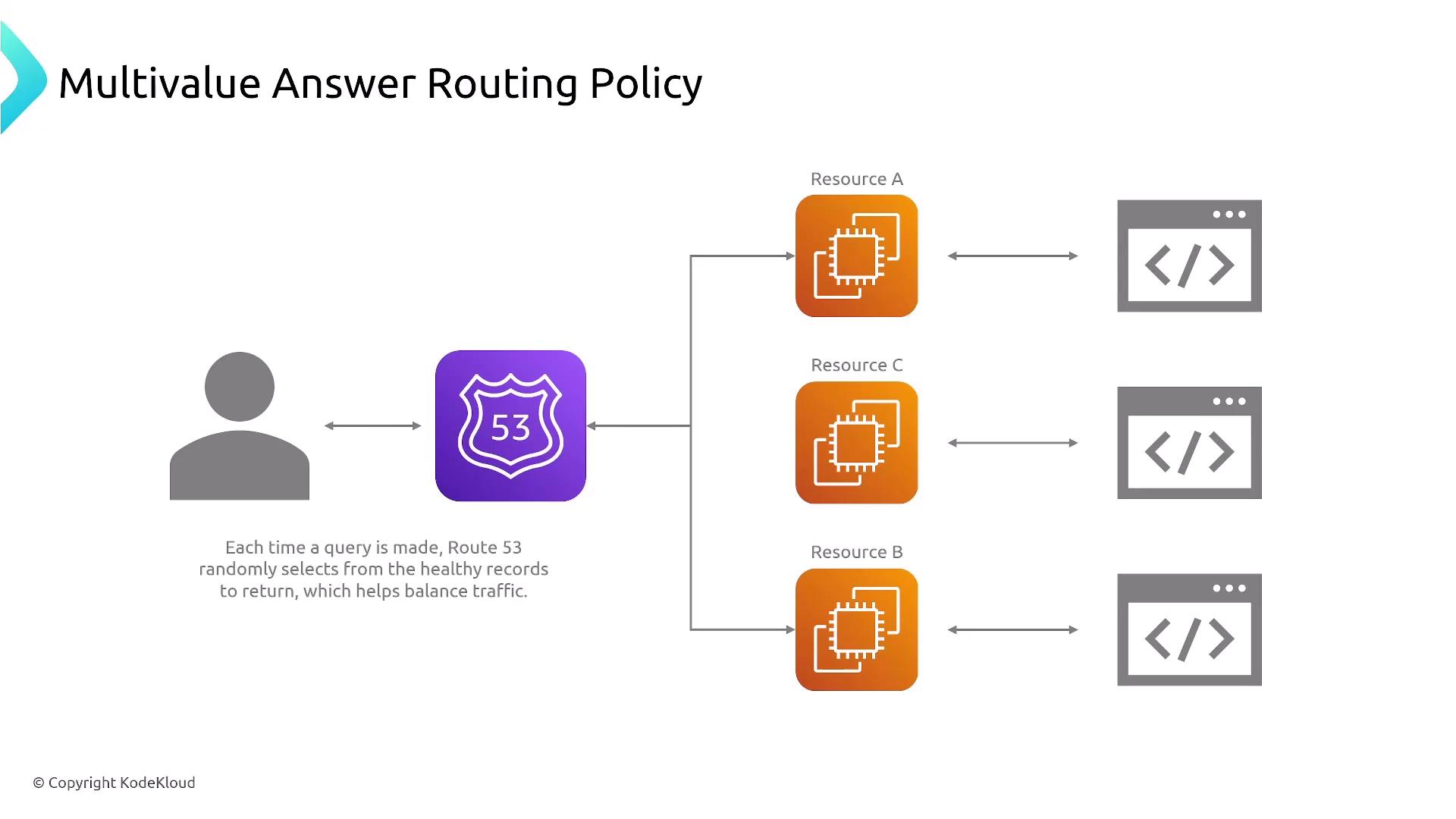
8. Weighted Routing Policy
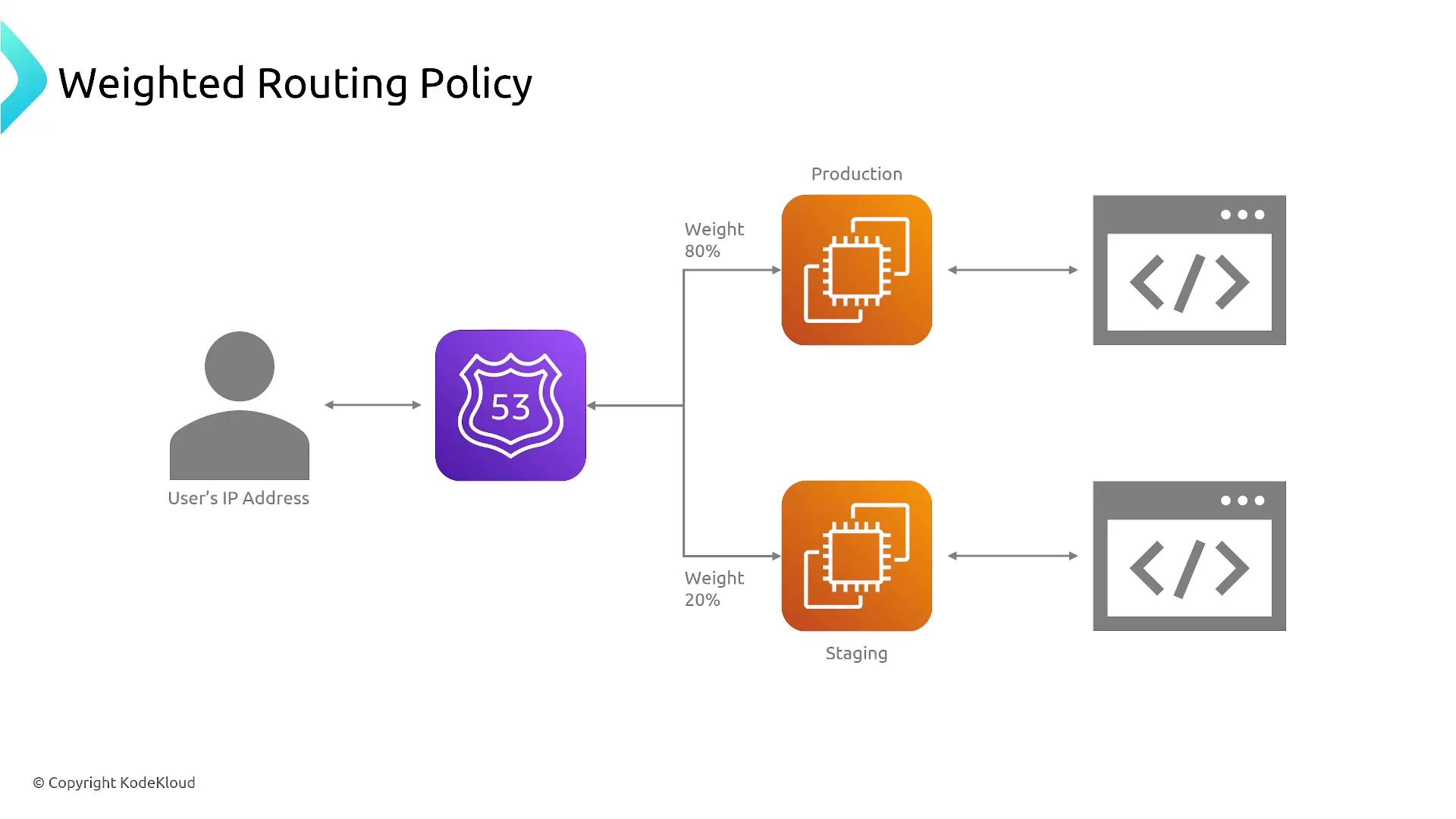
The Weighted Routing Policy allows you to distribute traffic based on assigned weight values, making it ideal for A/B testing or gradually shifting traffic between environments—such as production versus staging. For example, you may assign 80% of traffic to the production endpoint and 20% to staging, or any other desired distribution. A weight set to zero effectively removes a resource from serving traffic. Implementation details include:- Creating your hosted zone.
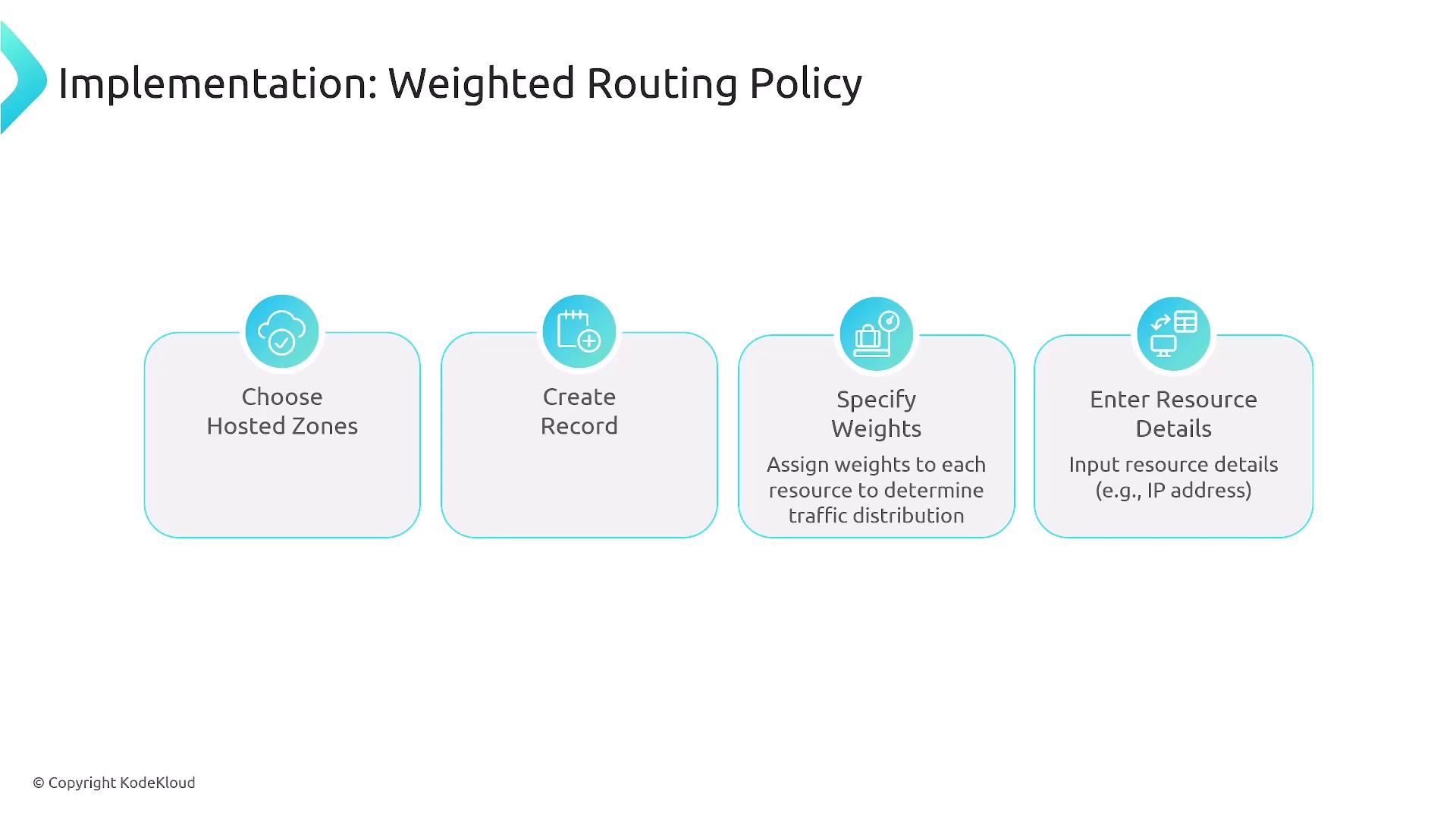
- Adding the DNS record.
- Specifying the weights and resource details.