This article provides a guide on installing and configuring the CloudWatch agent on an EC2 instance to stream logs to CloudWatch.
Welcome to this comprehensive guide on setting up the CloudWatch agent on an EC2 instance. In this tutorial, you will learn how to configure the agent to stream logs from your instance to a CloudWatch Log Group. With logs centralized in CloudWatch, you can easily create metric filters, alarms, and dashboards to monitor your system’s performance and security.
Create a configuration file (e.g., cloudwatch-agent-config.json) to specify which logs should be collected and where they should be sent. Below is an example configuration to collect audit logs:
With your configuration file prepared, use the commands below to fetch the configuration and launch the CloudWatch agent:Fetch the configuration:
Copy
Ask AI
[root@ip-172-31-27-251 ~]# sudo /opt/aws/amazon-cloudwatch-agent/bin/amazon-cloudwatch-agent-ctl -a fetch-config -m ec2 -cf file:cloudwatch-agent-config.json -s2023-11-30 00:37:13 Reading region from ec2... Successfully fetched the config and saved in /opt/aws/amazon-cloudwatch-agent/etc/amazon-cloudwatch-agent-config.json.tmp2023-11-30 00:37:13 Validation completed successfully
Start the agent:
Copy
Ask AI
[root@ip-172-31-27-251 ~]# sudo /opt/aws/amazon-cloudwatch-agent/bin/amazon-cloudwatch-agent-ctl -a start2023-11-30 00:37:13 Agent has already been registered as a service. /etc/systemd/system/amazon-cloudwatch-agent.service.
To verify that the agent is running, check its status:
The CloudWatch agent logs are accessible via a symbolic link in /var/log that points to the actual logs directory. Follow these steps to review the logs:
Change to the /var/log directory and confirm the symlink:
Copy
Ask AI
[root@ip-172-31-27-251 amazon]# cd /var/log[root@ip-172-31-27-251 log]# ls -lrtlrwxrwxrwx. 1 root root 37 Nov 11 18:46 amazon-cloudwatch-agent -> /opt/aws/amazon-cloudwatch-agent/logs
Navigate to the CloudWatch Agent log directory and list its contents:
Copy
Ask AI
[root@ip-172-31-27-251 log]# cd amazon-cloudwatch-agent[root@ip-172-31-27-251 amazon/cloudwatch-agent]# ls -lrttotal 0drwxr-xr-x. 3 root root 36 Nov 10 23:05 ssm-rw-r--r--. 1 root root 5 /opt/aws/amazon-cloudwatch-agent/logs/amazon-cloudwatch-agent.logconfiguration-validation.log state
To monitor the log output in real-time, use the following command:
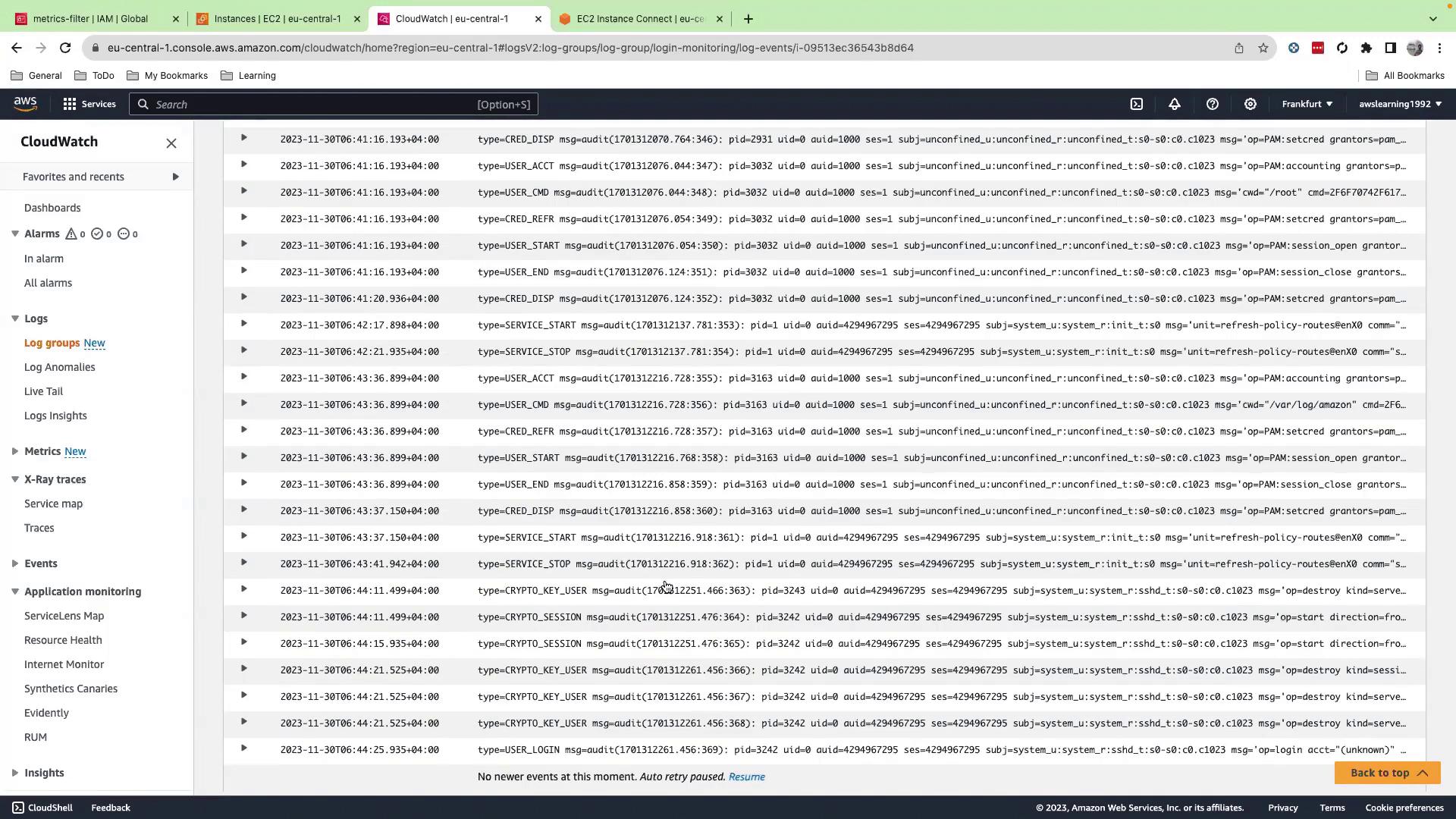
After starting the agent, review the CloudWatch Logs console to see a log stream (named after your EC2 instance ID) populated with the audit log entries.
In this guide, we configured the CloudWatch agent on an EC2 instance to forward audit logs to CloudWatch Logs. With the logs available in CloudWatch, you can set up metric filters, alarms, and dashboards to monitor critical patterns and system activities effectively.Thank you for following this tutorial. Happy monitoring!