

Creating a CloudFront Distribution
Let’s start by creating a new CloudFront distribution. Although I have several distributions already configured, I’ll build one from scratch for this demonstration. When selecting an origin, you can choose from multiple sources, including Amazon S3 buckets, load balancers, and more. In this example, we’ll select a web Application Load Balancer (ALB) configured for secure connections.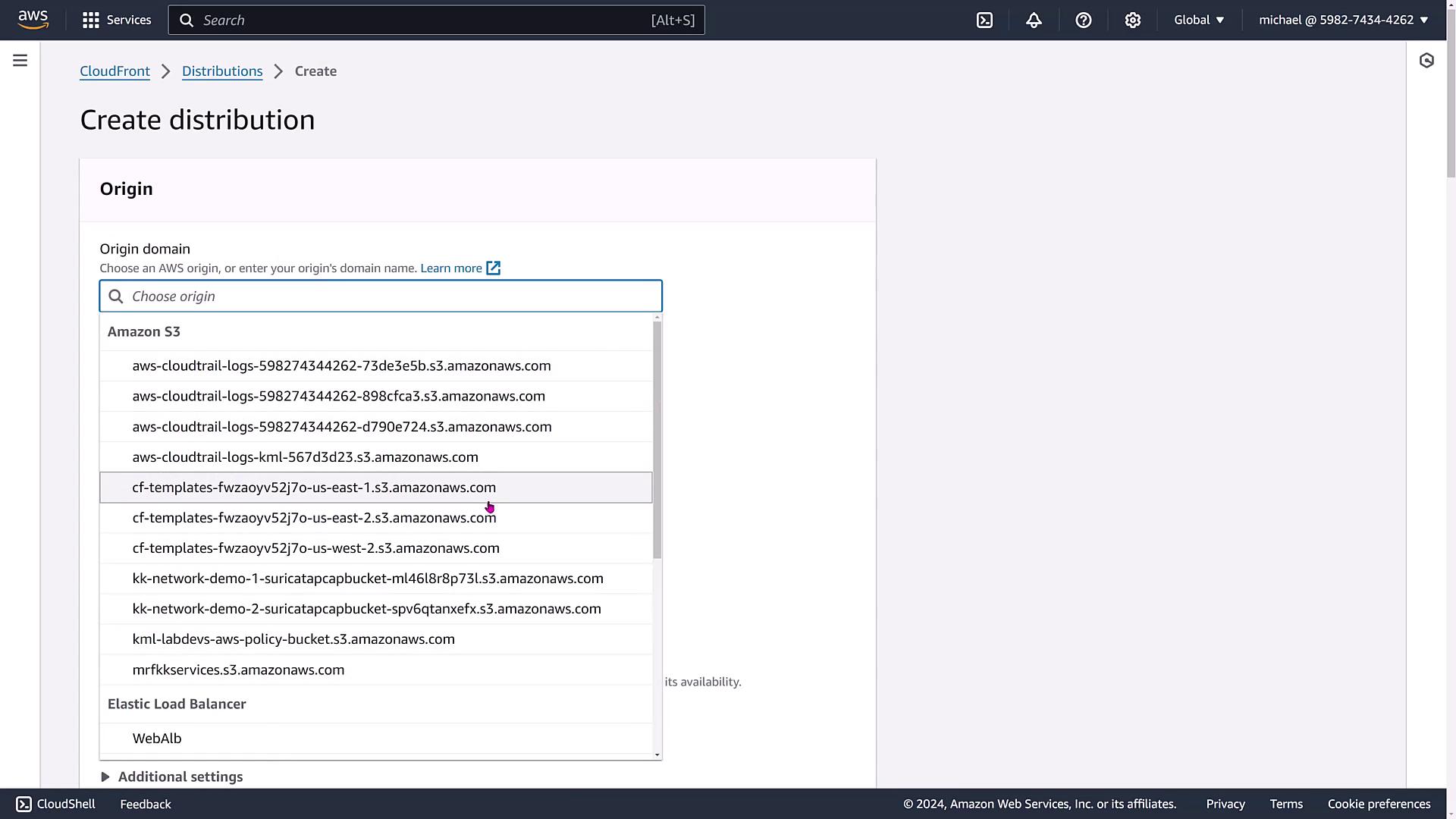
Configuring Additional Settings
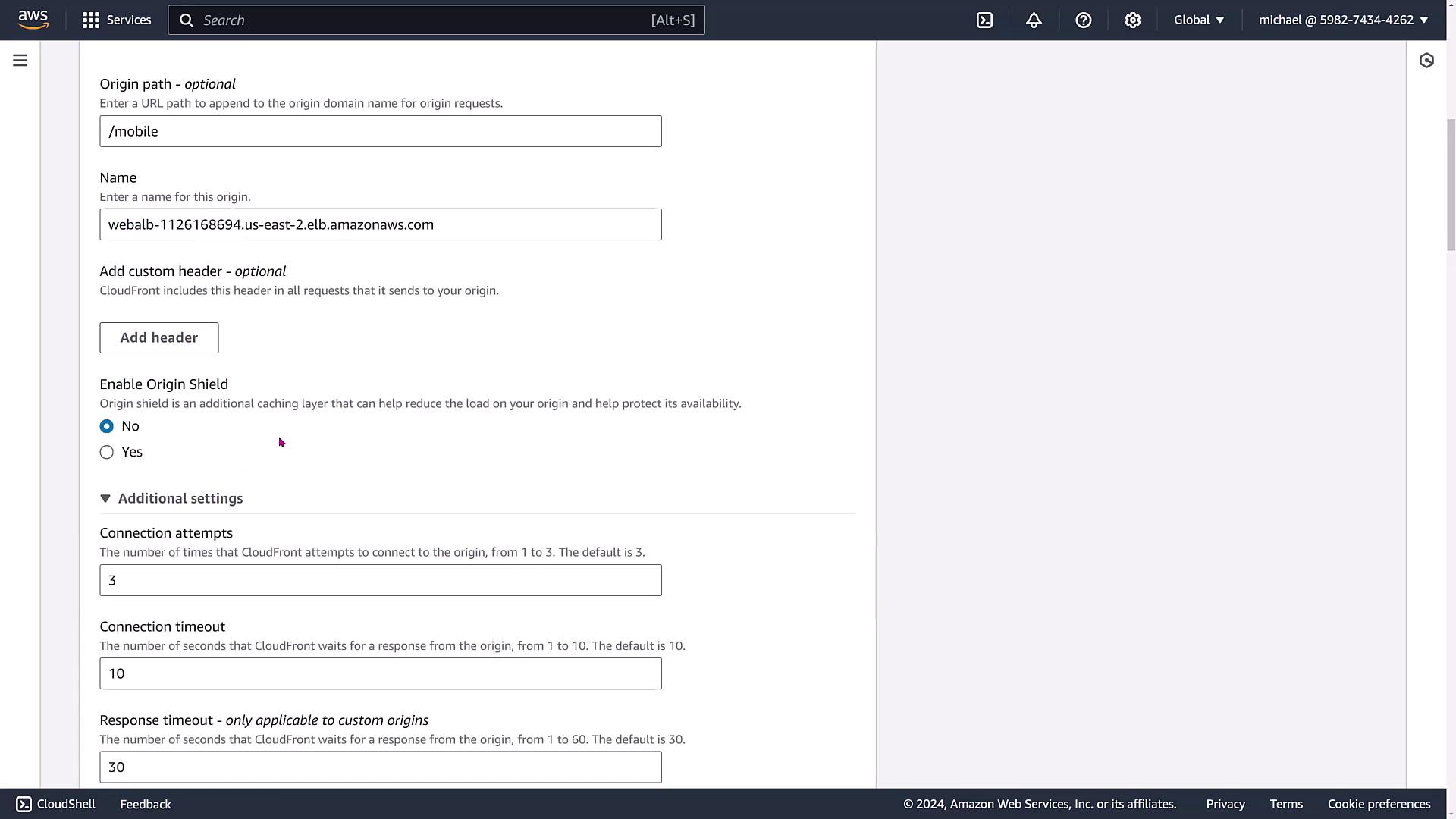
Several settings can be fine-tuned during setup, including:- Timeouts and Connection Attempts: Adjust these parameters as necessary.
- Protocol Enforcement and SSL/TLS Versions: Specify the origin domain, enforce protocols (or allow matching viewer protocols), and choose SSL/TLS versions.
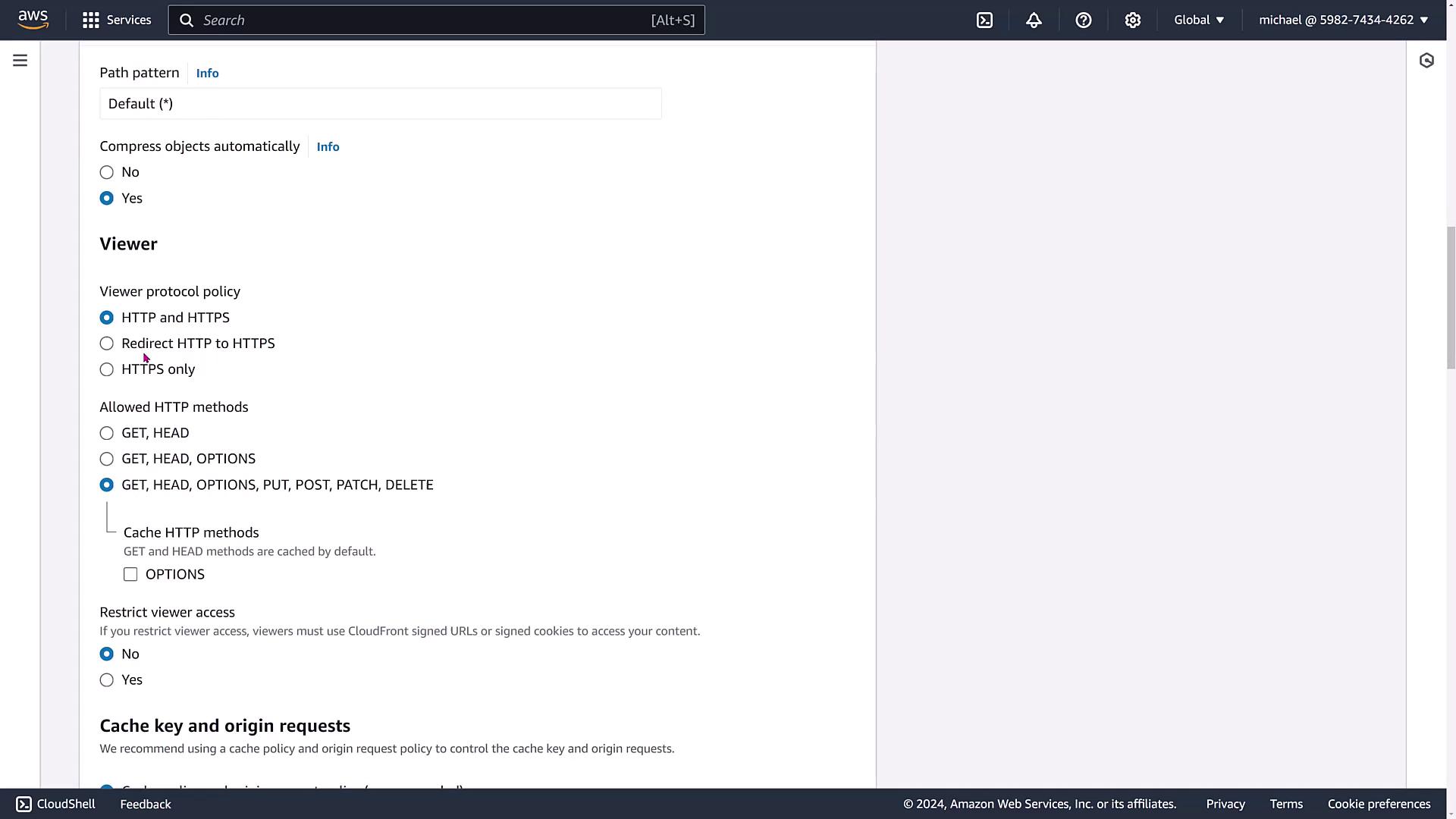
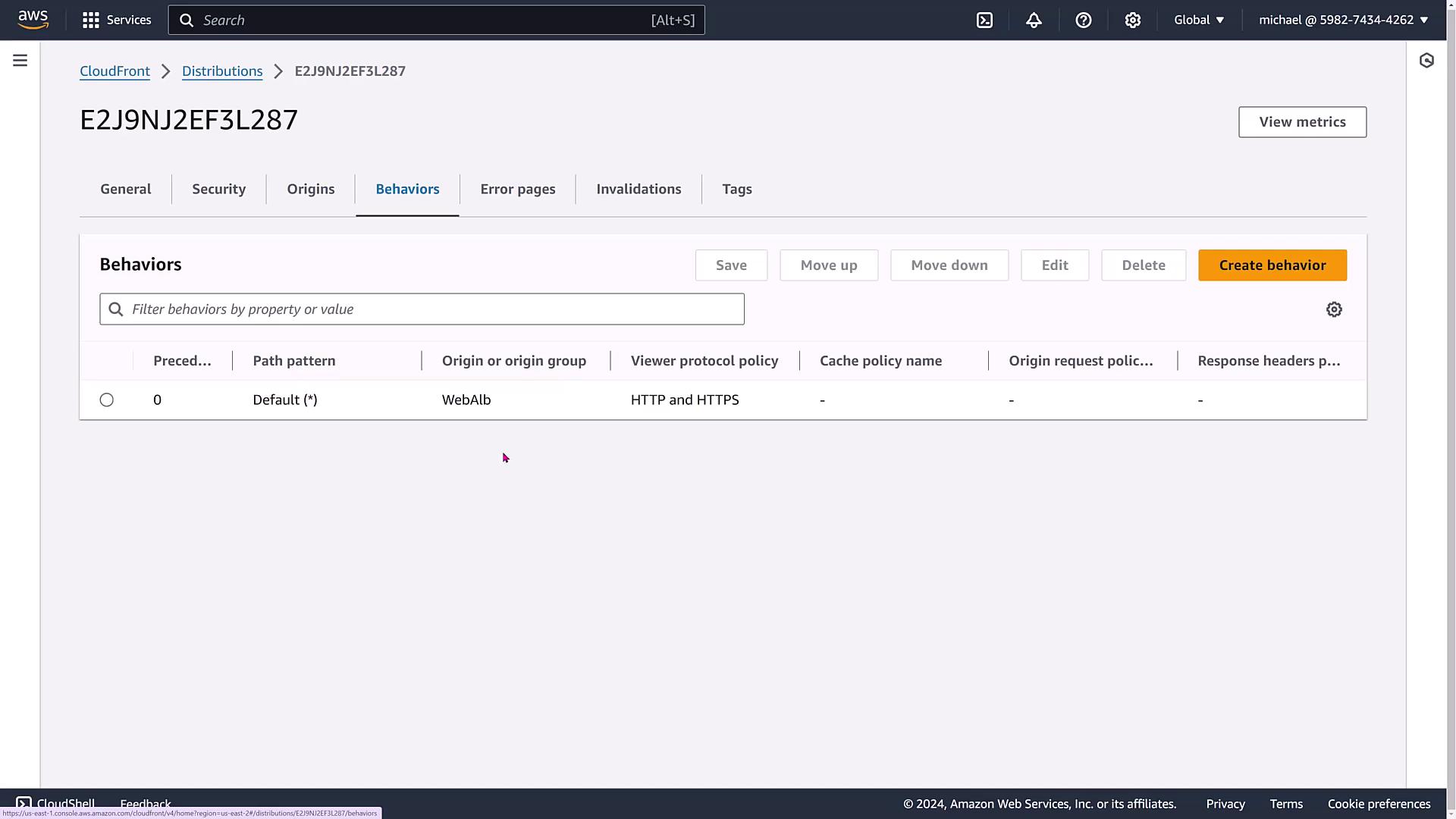
- Path Patterns, Custom Headers, and Viewer Protocol Policies: Set up default or custom path patterns (e.g., for JPEGs or HTML files) and configure policies to force redirection from HTTP to HTTPS.
Cache Keys and Origin Requests
Beyond viewer settings, you can configure cache keys and origin requests. By setting up a cache policy, CloudFront can forward viewer request parameters to your Elastic Load Balancer, enhancing load balancing efficiency.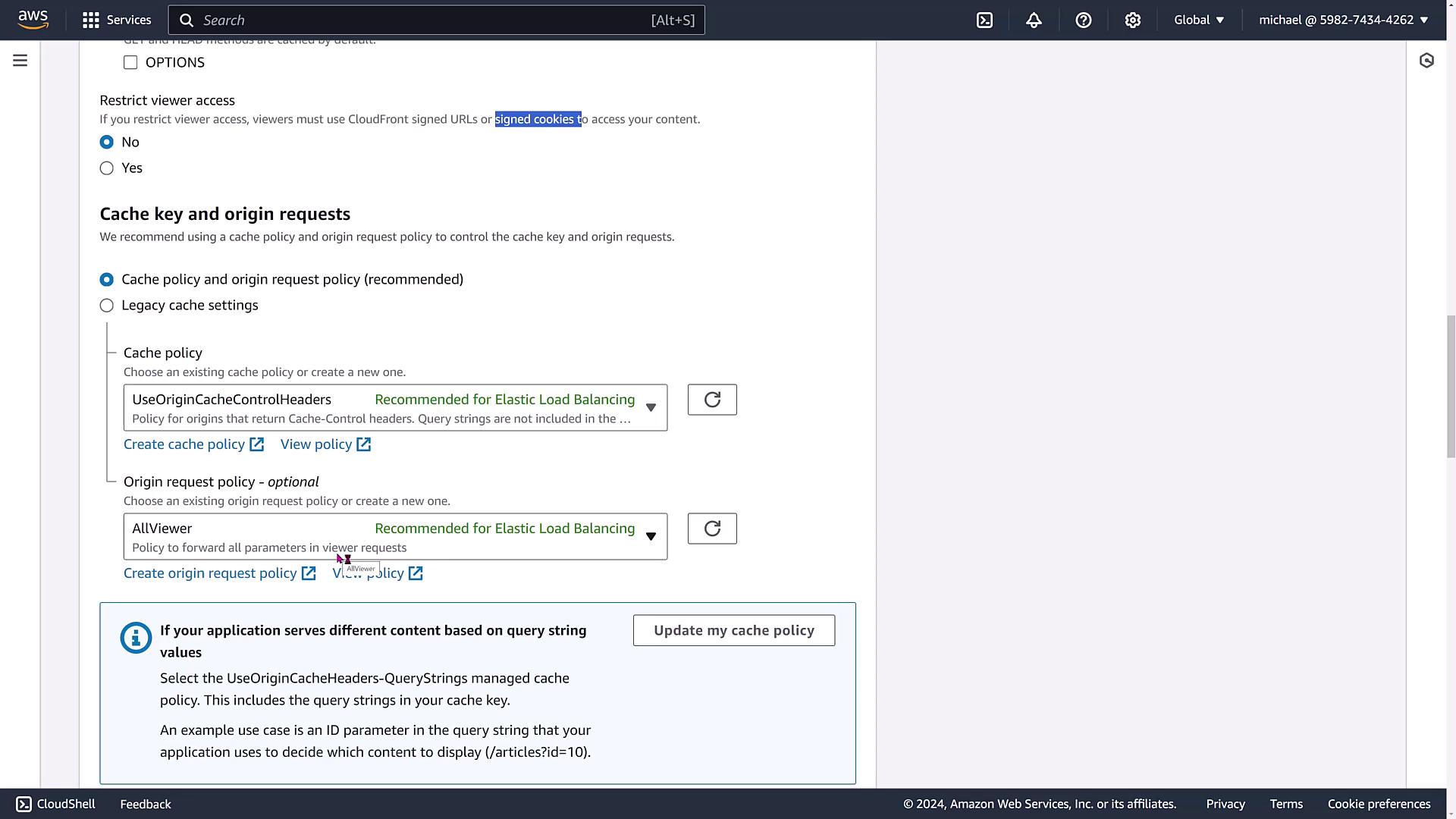
- Leveraging Origin Cache Control headers.
- Defining response header policies for cross-origin resource sharing (CORS).
- Enabling support for smooth streaming in IIS.
- Configurations for field-level encryption, real-time logs, and CloudFront functions.
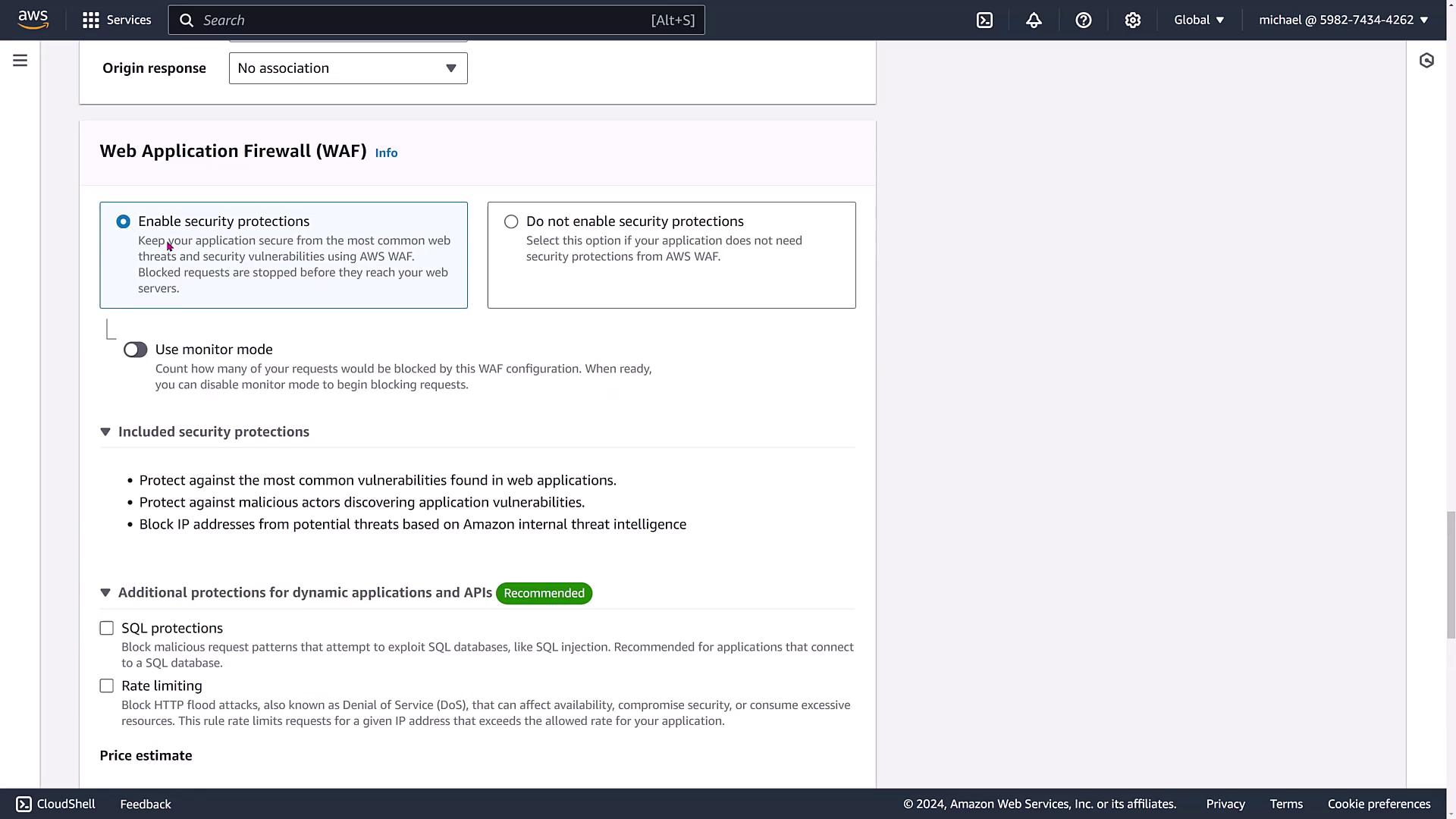
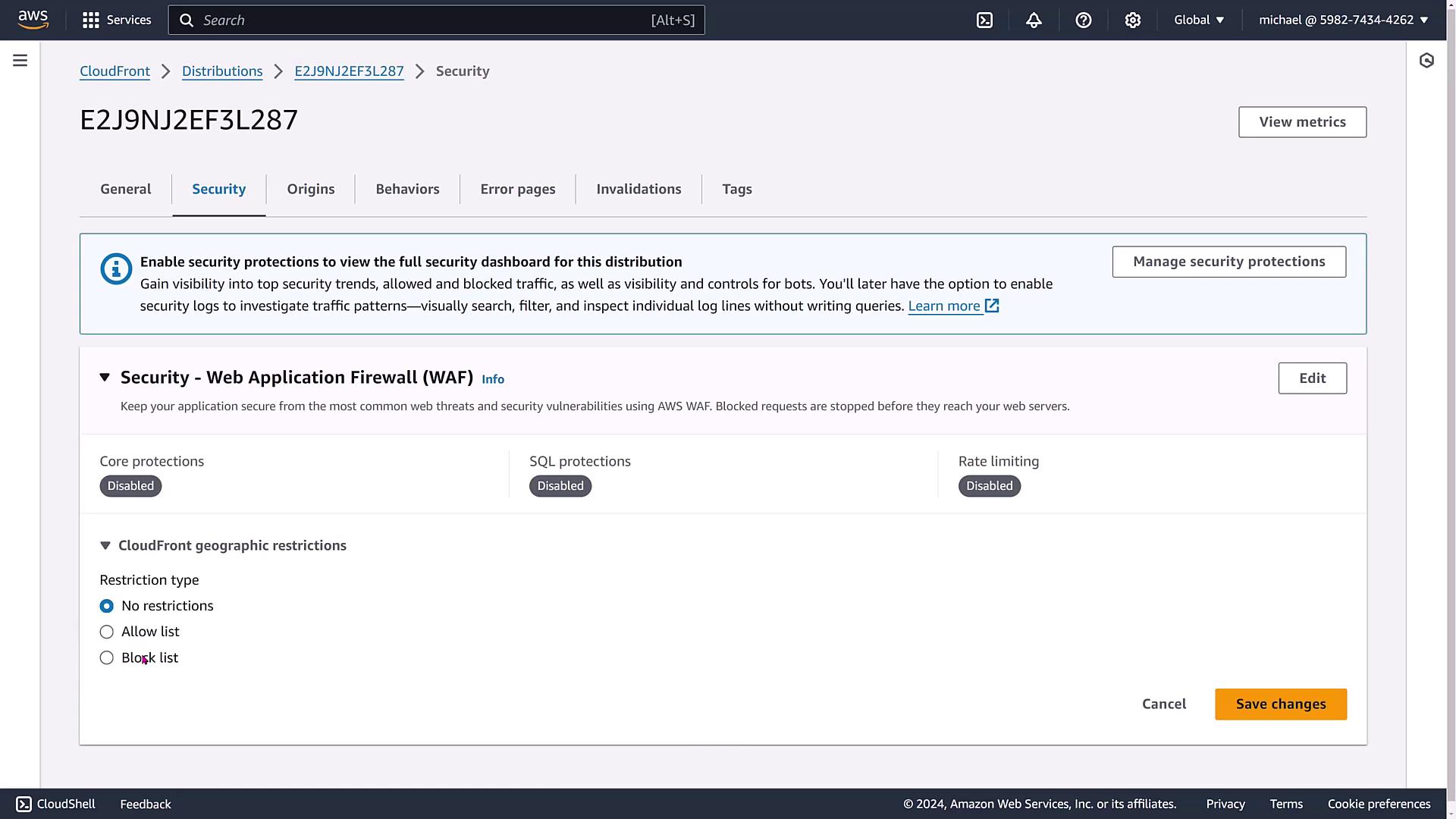
Enhance your CloudFront distribution security further by integrating AWS WAF (Web Application Firewall). While we are not configuring WAF in this demo, its SQL protections, rate limiting, and other security measures can significantly bolster your security posture.
Customizing Distribution Properties
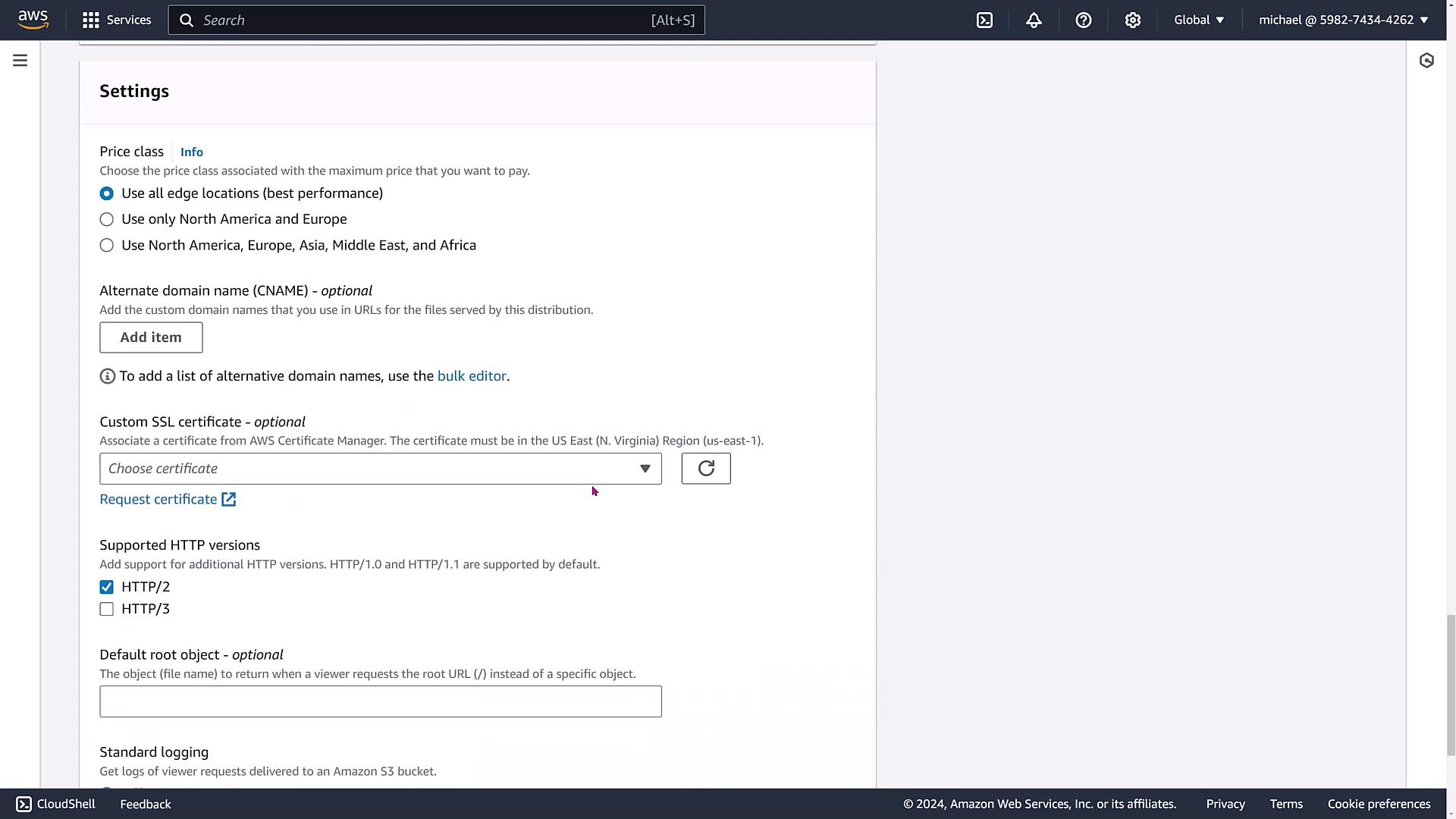
You can also refine your distribution by choosing which edge locations to utilize. By default, CloudFront serves all available locations, but you can restrict them to specific regions (e.g., North America and Europe) to enhance performance for users in targeted areas without significantly increasing costs. Other customization options include:- Adding alternate domain names (CNAMEs).
- Attaching your own SSL certificate (note that AWS Certificate Manager certificates must reside in Virginia).
- Configuring settings for newer HTTP versions, default root objects, centralized logging (with bucket and prefix configurations), and IPv6.
Managing Origins and Behaviors
CloudFront allows multiple origin configurations or origin groups that define primary and secondary failover behaviors.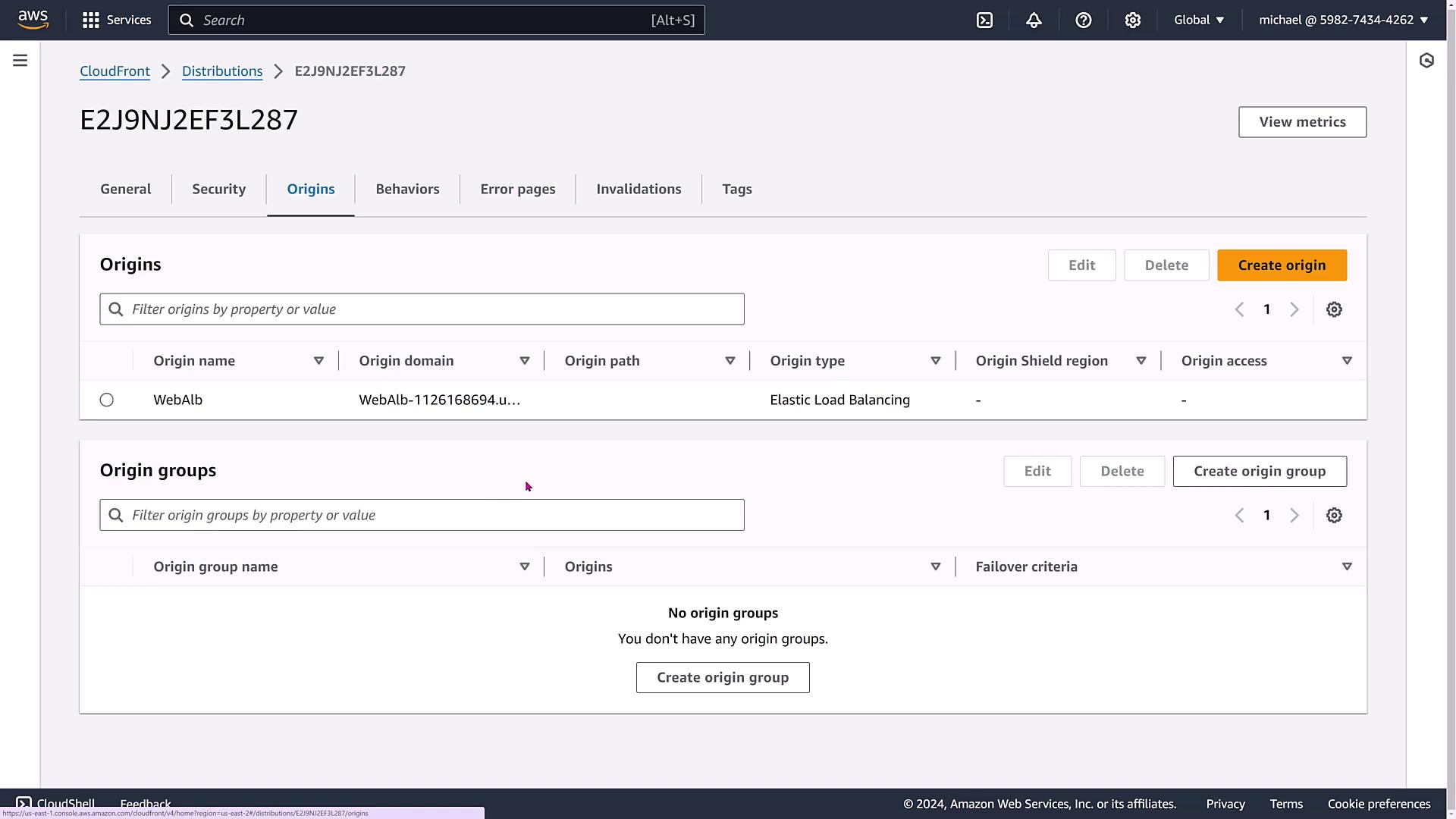
Handling Invalidations and Tags
Invalidations let you remove objects from the CloudFront cache if assets are updated. However, note that invalidations carry costs and impact your entire distribution. A more efficient approach is to version your assets (for example, picture_101.jpg, picture_102.jpg) when updates occur.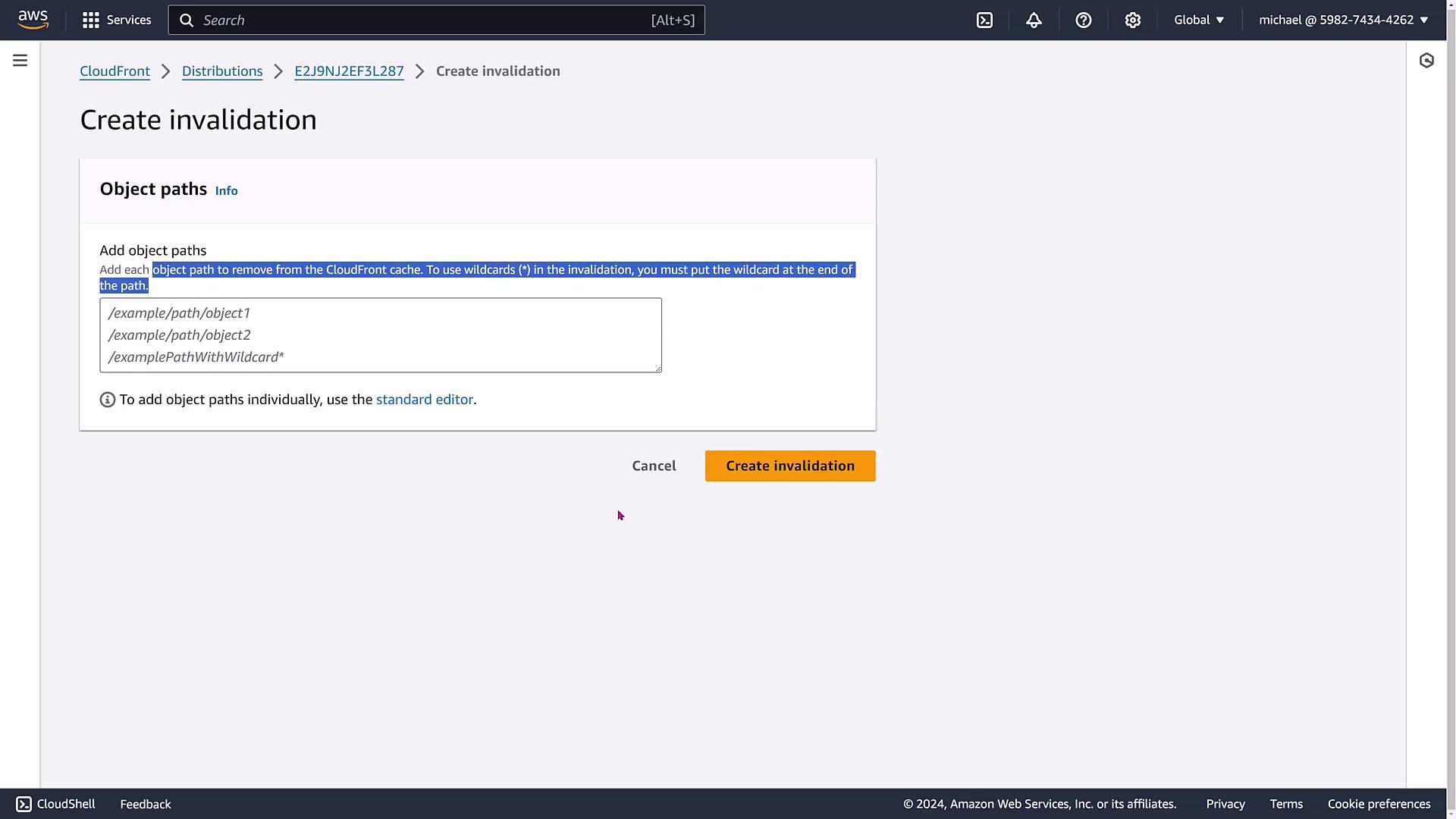
Monitoring and Metrics
Once the distribution is active, navigate to the metrics dashboard to review key performance indicators, such as hit rates, request counts, and error rates. Even if no data appears immediately, this dashboard provides valuable insights as traffic increases. Metrics for CloudFront functions or Lambda@Edge events will also be displayed here.
Conclusion
This lesson has detailed the extensive configuration options available with CloudFront distributions. Key points include:- A multitude of security features, such as field-level encryption and AWS WAF integration.
- Flexibility in choosing origins, path patterns, and caching policies.
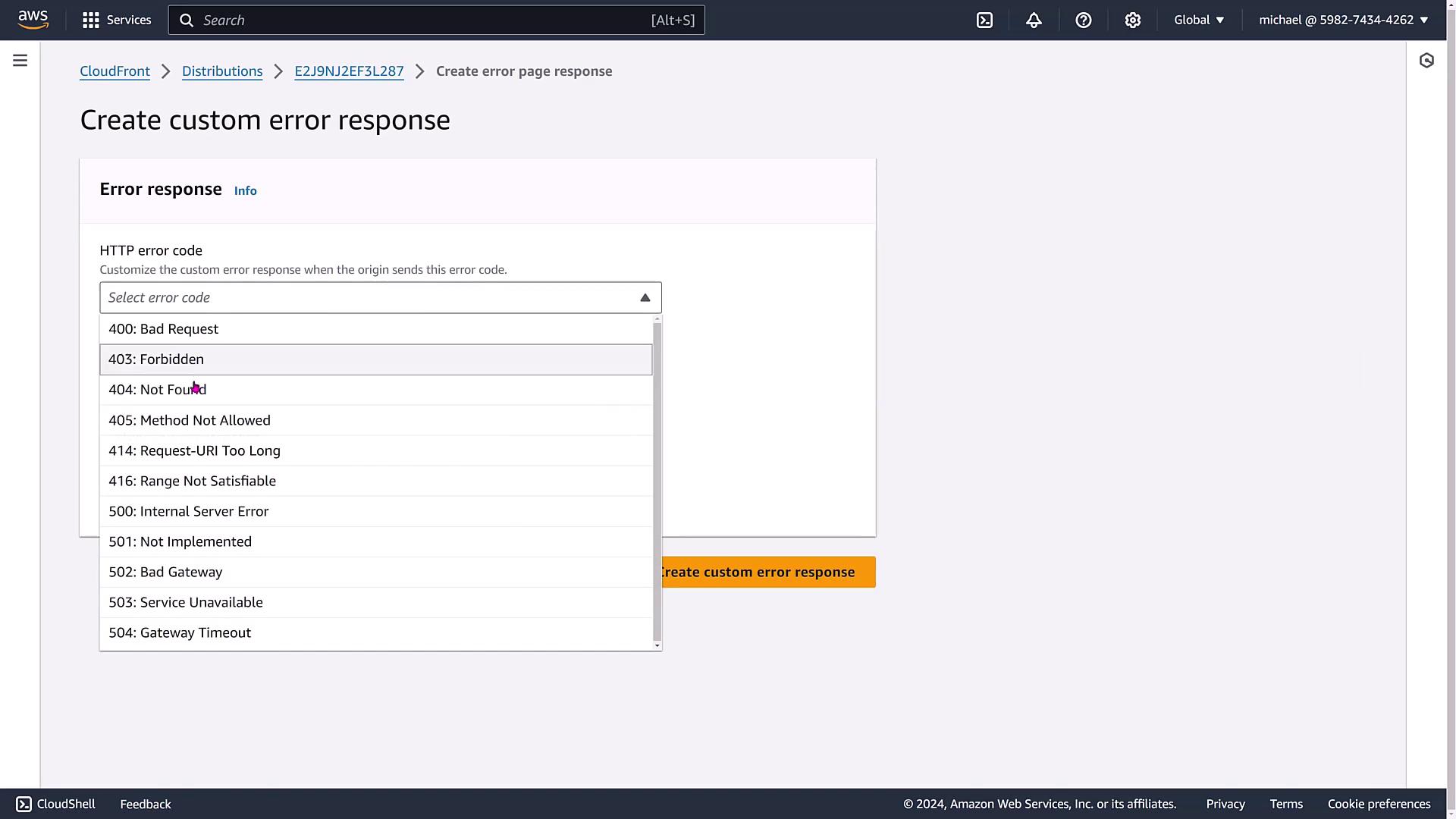
- The ease of scaling distributions and the ability to customize error responses and behaviors.
- Robust monitoring capabilities to keep track of distribution performance.
CloudFront offers a comprehensive and secure content delivery solution that is highly adaptable to your website, API, and web server needs. Experiment with these settings to optimize performance and security for your audience.