

Understanding DNS and Its Role in Load Balancing
When you enter www.example.com into your browser, DNS (Domain Name System) translates that human-friendly domain name into a machine-readable IP address. This process enables your browser to locate and connect to the server hosting the website—often behind an Elastic Load Balancer (ELB) which then delivers the content.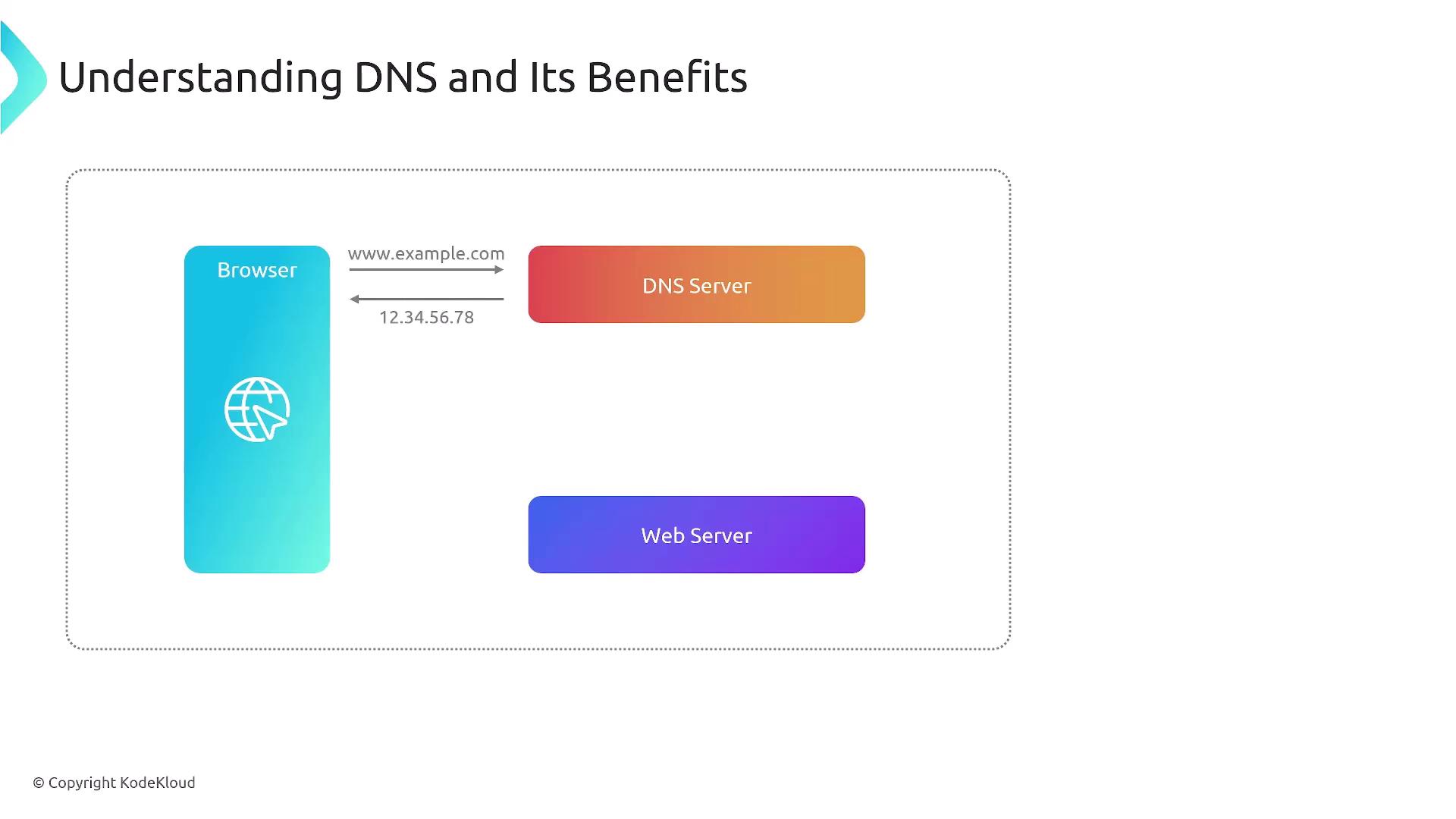
Route 53 health checks can be integrated with ELBs to monitor the availability of your endpoints. This setup enables automated failover for continued application performance.
DNS Failover with AWS Route 53
One of the key features of Route 53 is its DNS failover capability. In this scenario, Route 53 monitors the health of your application via health checks (often shared with your ELB) and automatically redirects traffic to a secondary site if the primary becomes unhealthy. Although Application Load Balancers offer health checks on a regional level, Route 53 extends support across regions. In some cases, AWS Global Accelerator may offer better traffic distribution, but DNS-based methods continue to be well-regarded and frequently appear on AWS certification exams.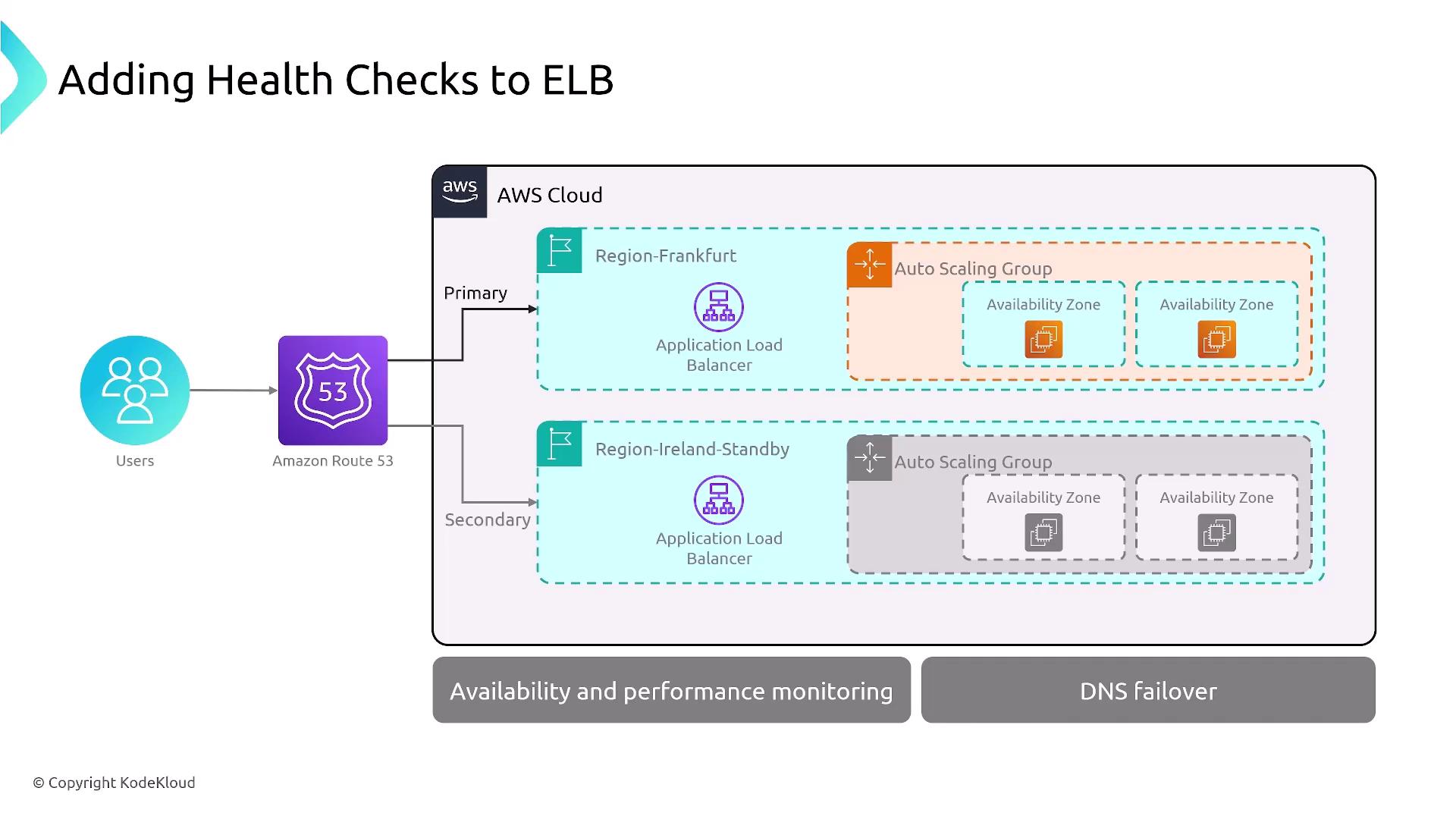
Configuring Route 53 Health Checks
When setting up health checks in Route 53, you can select from multiple protocols—including HTTP, HTTPS, and TCP (with a designated port). These health checks support both IPv4 and IPv6, and you have the option to enable calculated health checks or monitor private endpoints. By default, health checks are performed every 30 seconds, and you have the flexibility to define thresholds that determine when an endpoint is considered healthy.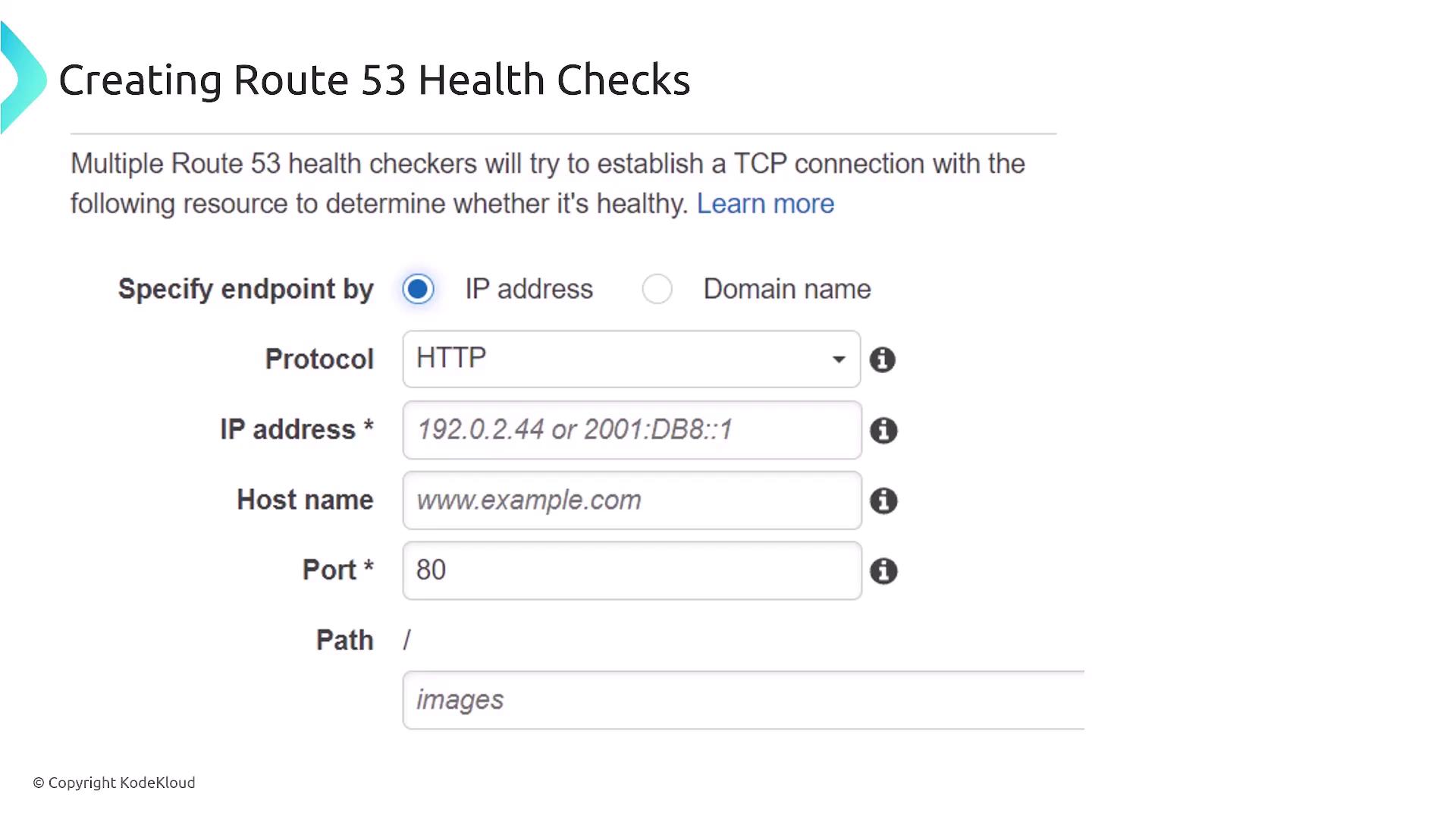
Exploring Route 53 Routing Policies
Route 53 offers a variety of routing policies to balance traffic effectively while ensuring high availability. These policies are tailored to meet different application requirements and network conditions.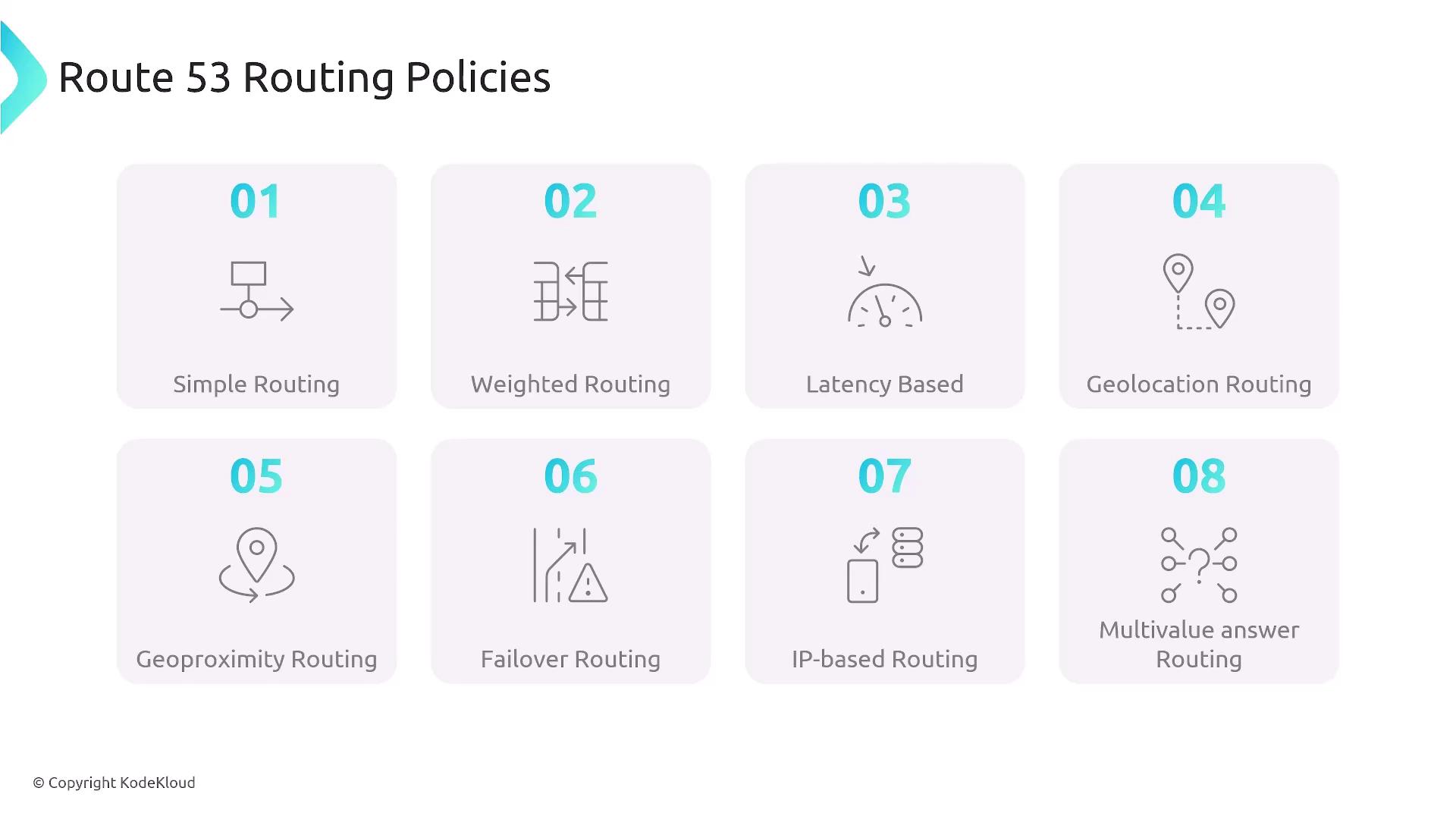
1. Simple Routing Policy
The Simple Routing Policy resolves a DNS query by returning one record (typically an A record) from a configured set. This straightforward method is best suited for basic DNS resolution tasks, such as routing to an ELB or an EC2 instance. Note that health checks cannot be integrated with this policy type.2. Weighted Routing Policy
Weighted Routing allows you to distribute incoming traffic across multiple endpoints by assigning a specific traffic percentage to each. For example, you could direct 30% of traffic to one region and 70% to another, or even set a weight to zero to effectively disable an endpoint temporarily.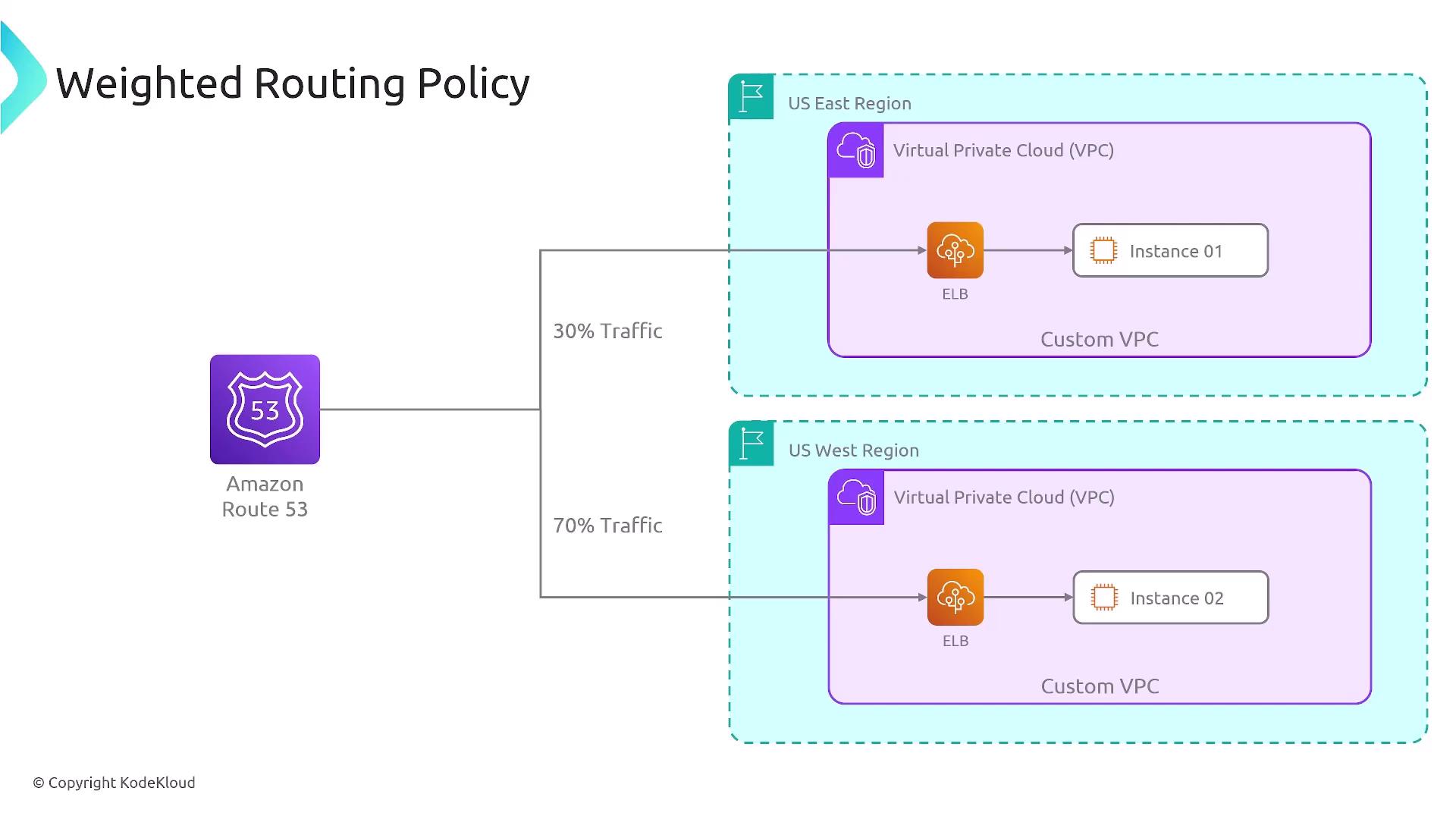
3. Latency Routing Policy
Latency Routing directs users to the endpoint that offers the lowest latency. For instance, a European user might be routed to a European server instead of one located in the United States if it provides a faster response time.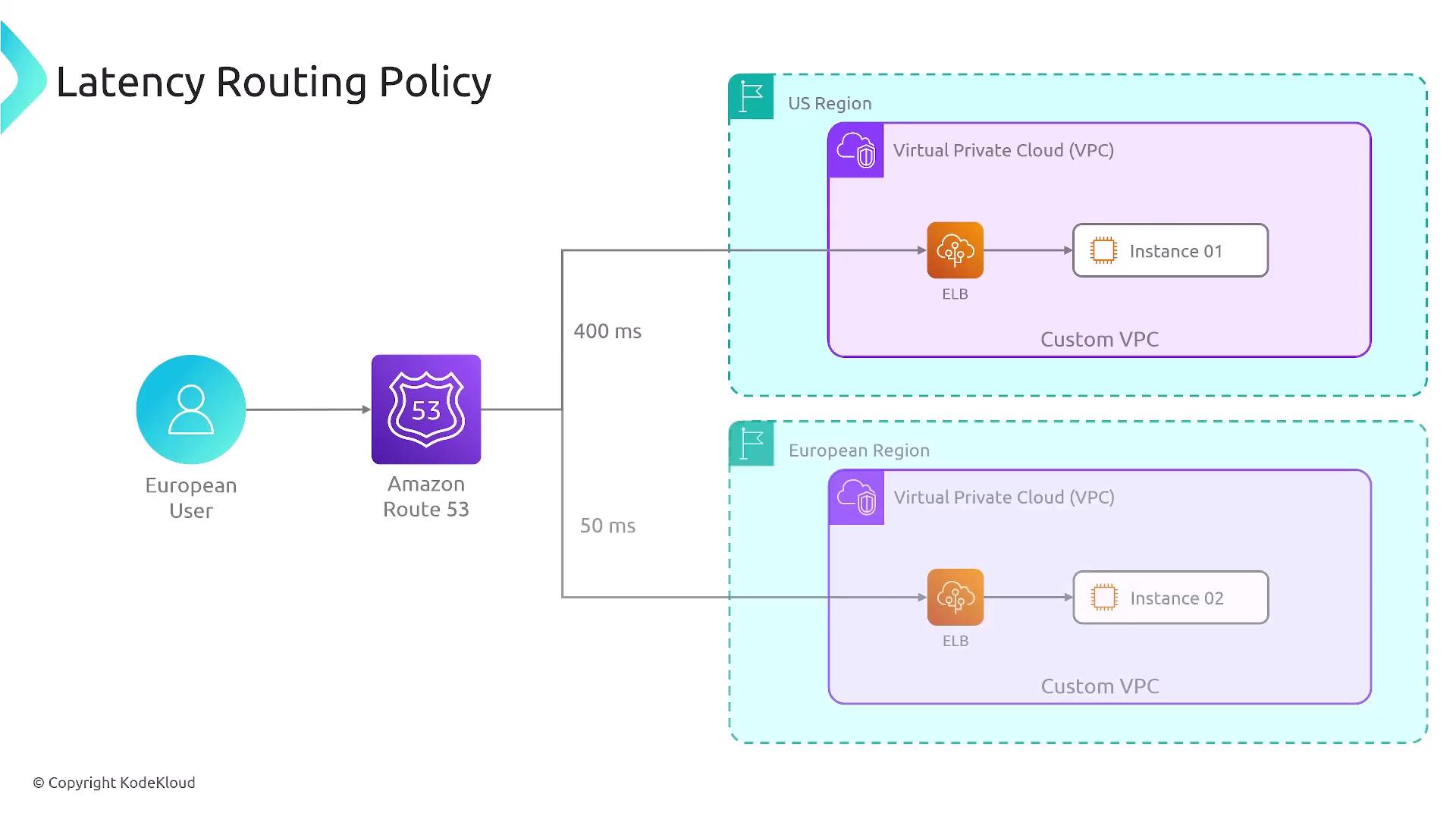
4. Geolocation Routing Policy
This policy routes users based solely on their geographical location, directing them to endpoints designated for a specific country or region. For example, visitors from France will be served by endpoints configured for France, regardless of potential lower latency offered by nearby servers.5. Geoproximity Routing Policy
Geoproximity Routing sends users to the data center closest to them in physical distance. Unlike geolocation, it supports biasing—allowing you to adjust the routing to favor one endpoint over another even within the same area.
6. Failover Routing Policy
Failover Routing is designed for high availability. It defines a primary (active) endpoint and a secondary (passive) endpoint. If the primary becomes unhealthy, Route 53 automatically routes traffic to the secondary. This policy can mimic an active-active setup if configured appropriately, automating the failover process based on health check results.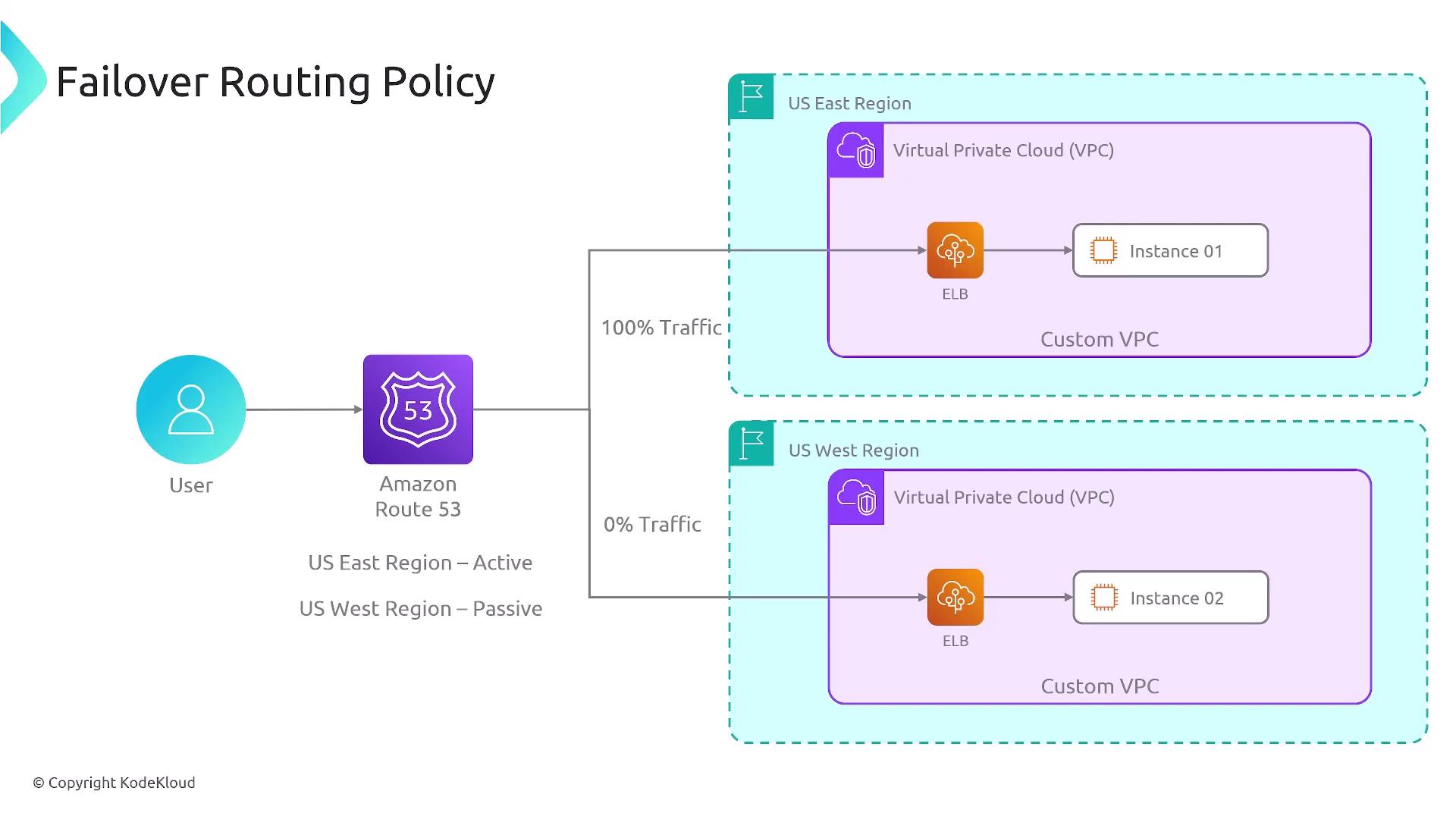
7. IP-Based Routing Policy
IP-Based Routing directs traffic based on the source IP address of the DNS query. This method grants you granular control over traffic distribution and is especially useful for applications where security or specific network policies are vital.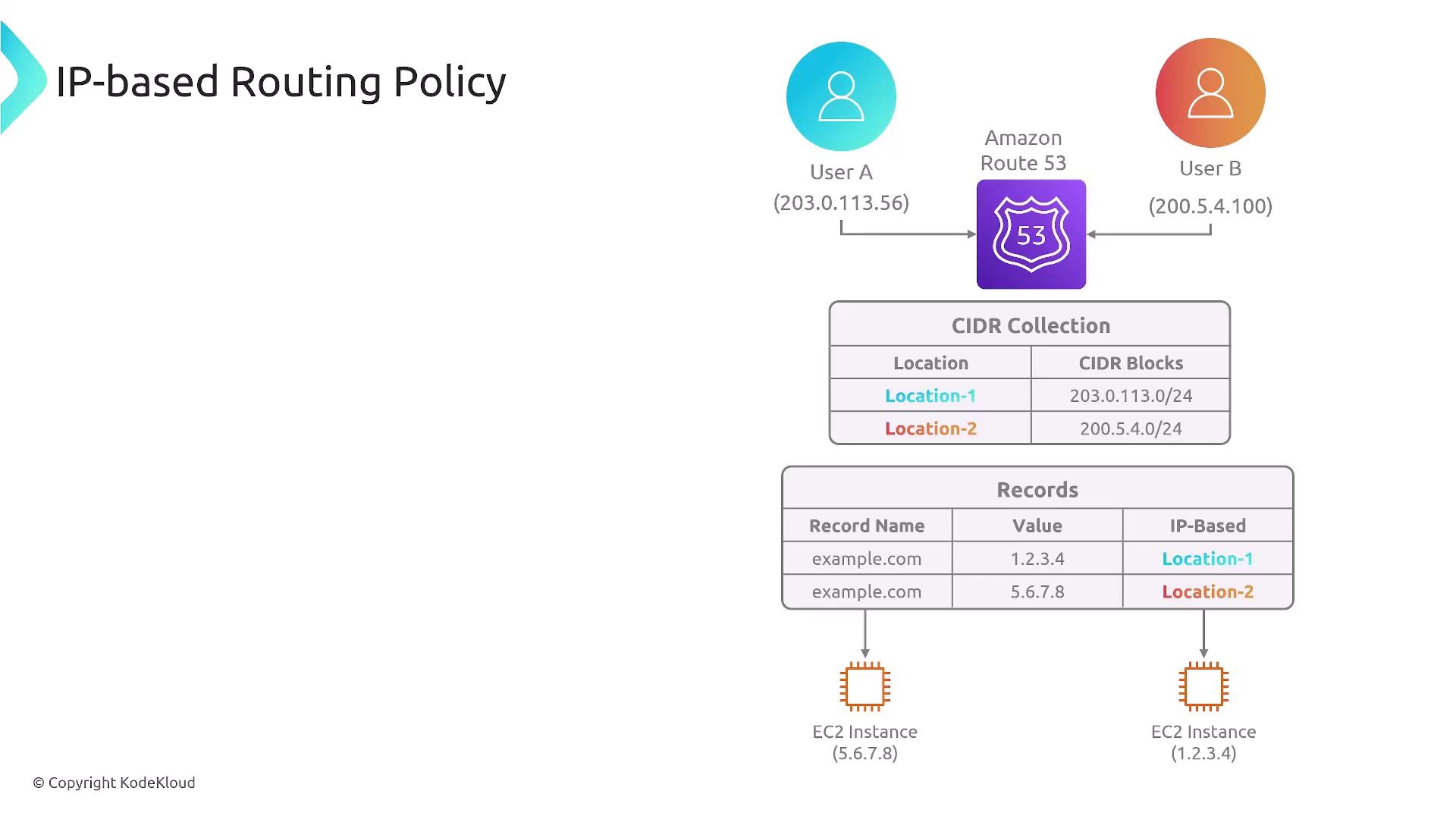
8. Multivalue Answer Routing Policy
This policy returns multiple health-verified records (up to eight) for a single DNS query. With integrated health checks, only healthy endpoints are included, providing a robust and redundant routing solution.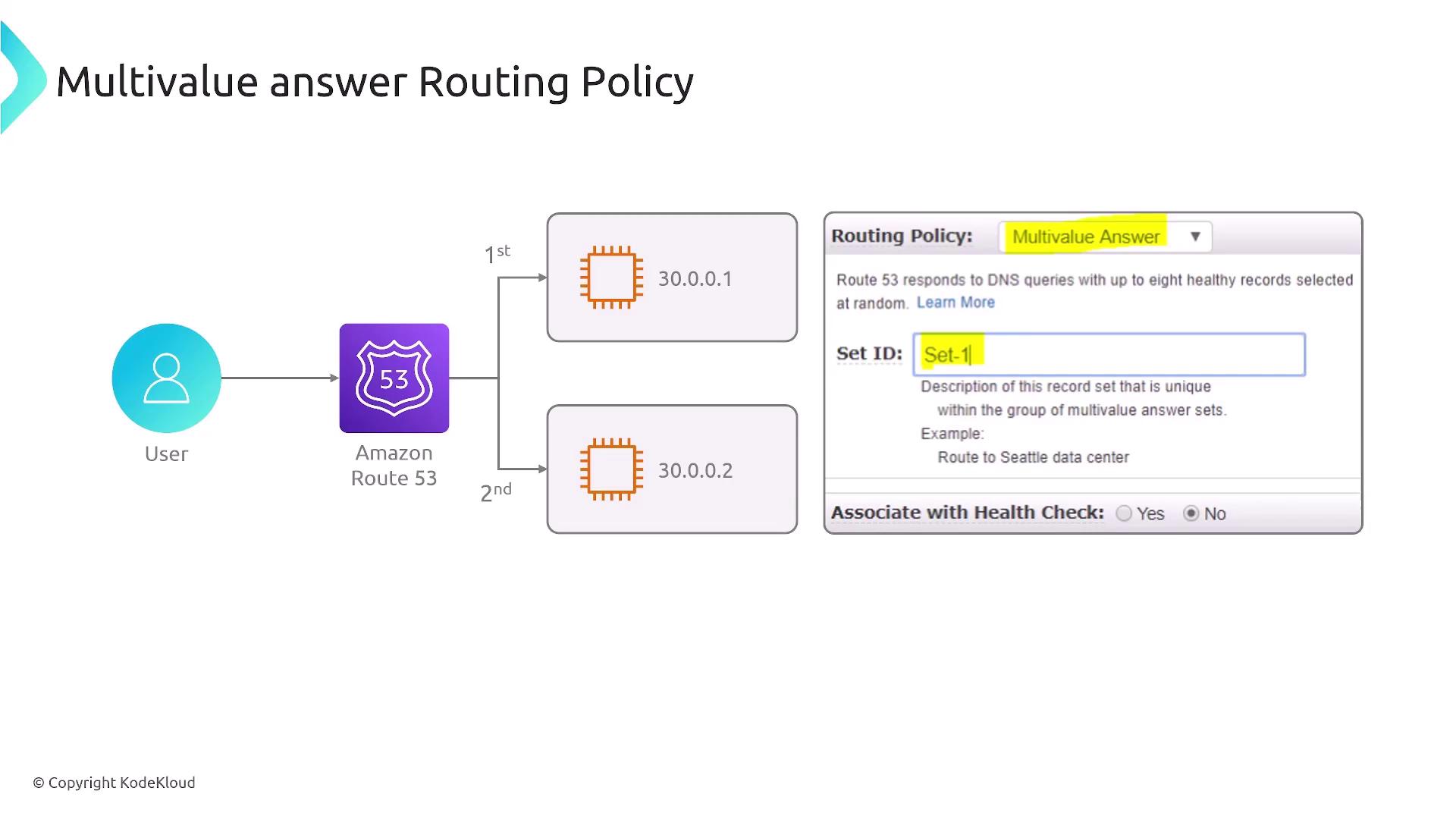
AWS Route 53 offers a range of DNS routing policies designed to optimize traffic distribution and ensure high availability. Familiarity with these policies is essential for managing complex, distributed applications and is a valuable topic for AWS certification exams.