

What Is an AMI?
An AMI is a pre-configured image that includes the operating system, configuration data, file system data, and optional template settings such as instance sizing. Much like a container image packages everything needed to run an application, an AMI bundles all the data required to boot an EC2 instance. AWS supports a variety of operating systems, including Ubuntu (and other Linux distributions), Windows, and macOS. You can also import virtual machines from other infrastructures like VMware. Although AWS has experimented with older systems such as SunOS or classic Unix variants, its primary support focuses on modern Linux, Windows, and macOS. AMIs can launch multiple virtual machine copies across public and private subnets in your VPCs. They can be copied between regions, and due to the operating system often defining the processor architecture (e.g., Intel or ARM), the image includes important details such as the root device type and sometimes the virtualization type (such as HVM or PV).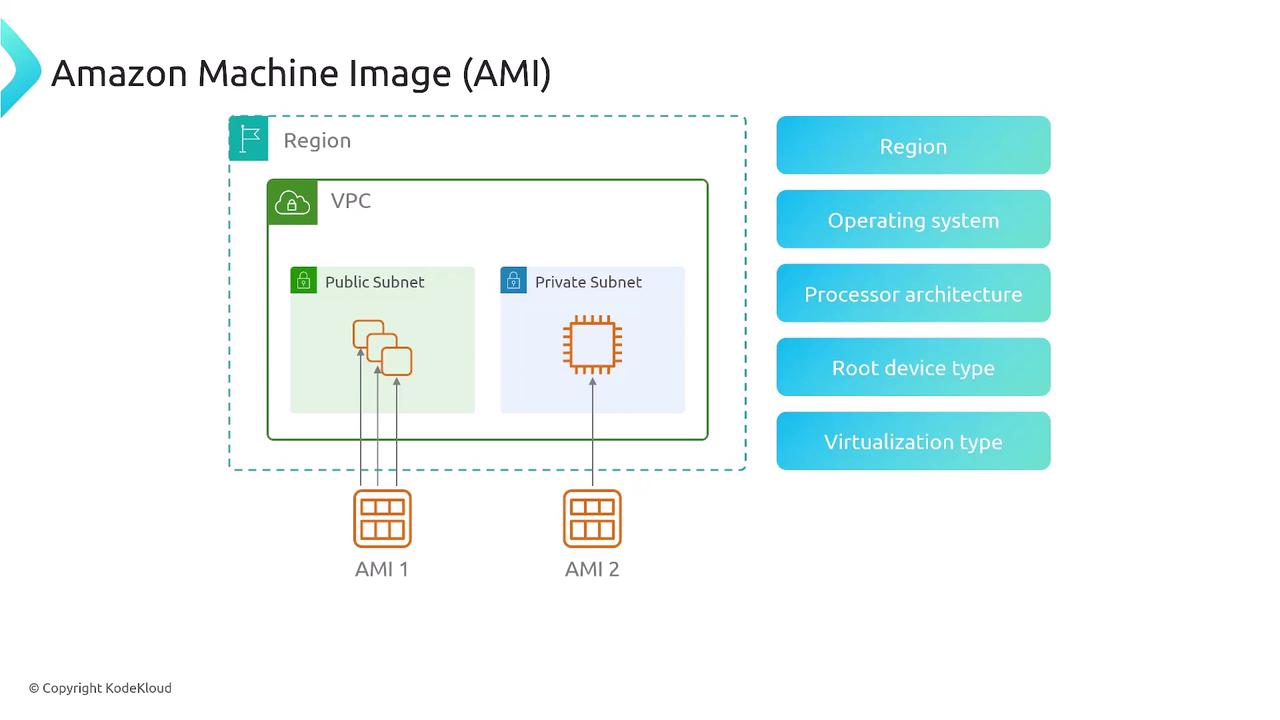
Characteristics of an AMI
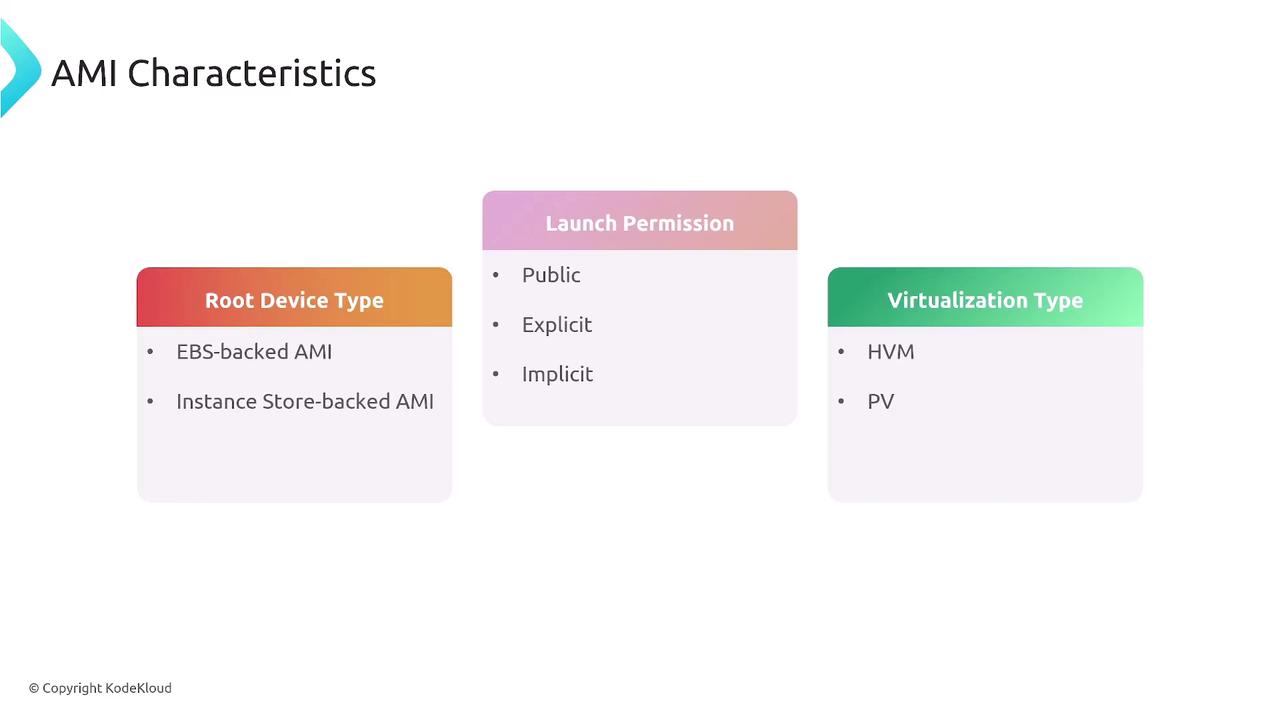
AMIs typically come in two primary types based on their storage:- Elastic Block Store (EBS)-Backed AMIs: These are the most common. They leverage EBS volumes that can be snapshotted or backed up.
- Instance Store-Backed AMIs: Though available, these rely on the underlying instance storage and are less frequently used.
Benefits of Using AMIs
Using AMIs in your AWS environment provides multiple benefits:- Scalability: Launch thousands of virtual machine instances from a single AMI.
- Customization: Create and upload fully customized AMIs that meet your organization’s standards. Version control is enhanced by tagging, dating, and setting permissions (private or public) on your AMIs.
- Flexibility: Public AMIs are available for well-known operating systems like Ubuntu, Red Hat, or Windows. Companies often build private AMIs based on controlled sources to satisfy specific compliance or security requirements.
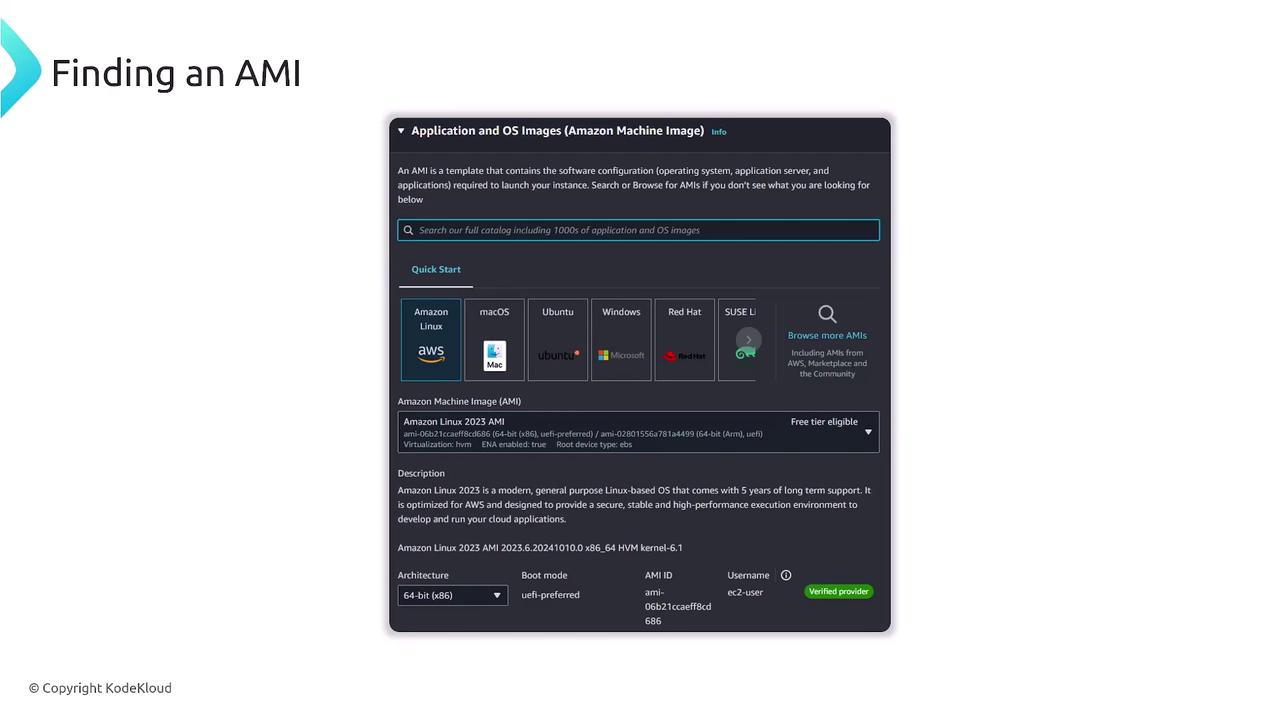
When exploring a public AMI, you will typically find details such as the architecture (e.g., x86, ARM), the default username for logins, verified provider tags signifying a certified image, and long-term support metrics (for example, Amazon Linux may offer a five-year support cycle).
Launching an AMI
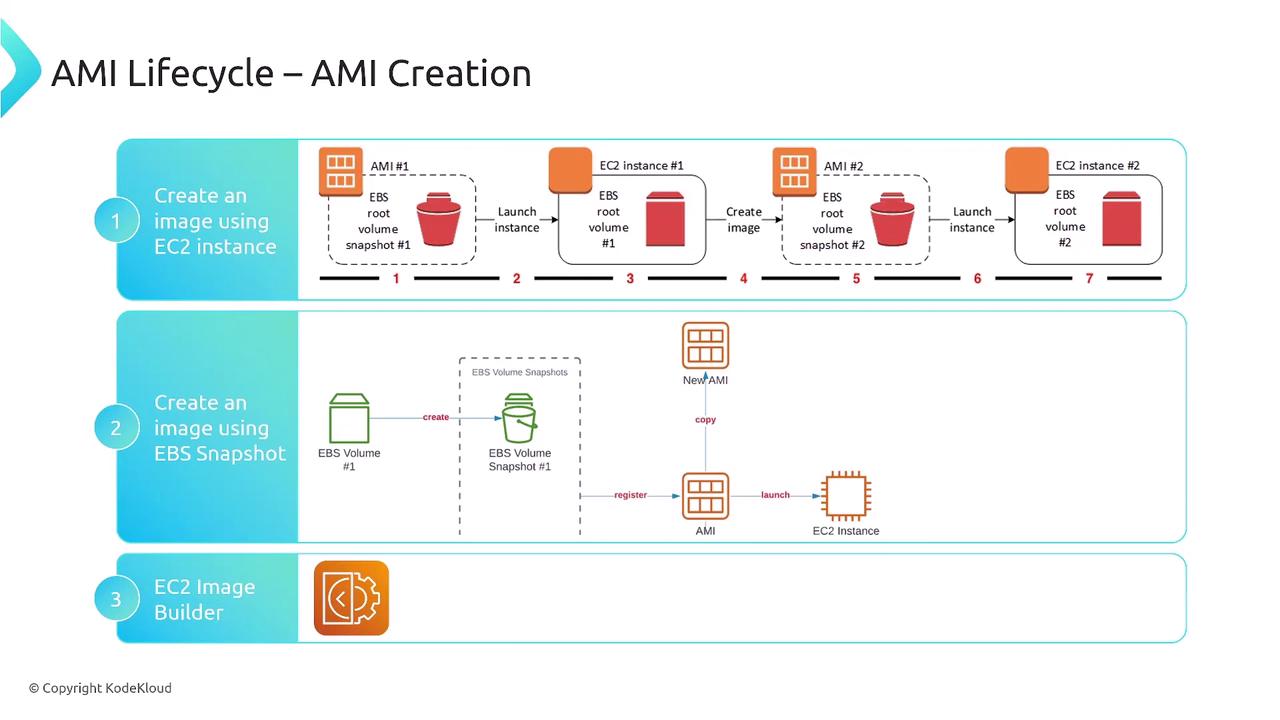
Launching an EC2 instance from an AMI involves a series of steps:- Image Creation: Launch a virtual machine from an existing AMI, customize your system, and then use the AWS Management Console, CLI, or tools like Terraform to create a snapshot of the modified instance.
- Snapshot Creation: Create an EBS snapshot to capture the disk state without disrupting the running instance. This snapshot becomes the basis for your custom AMI, which can be replicated or used to launch new instances.
Storage and Lifecycle of AMIs
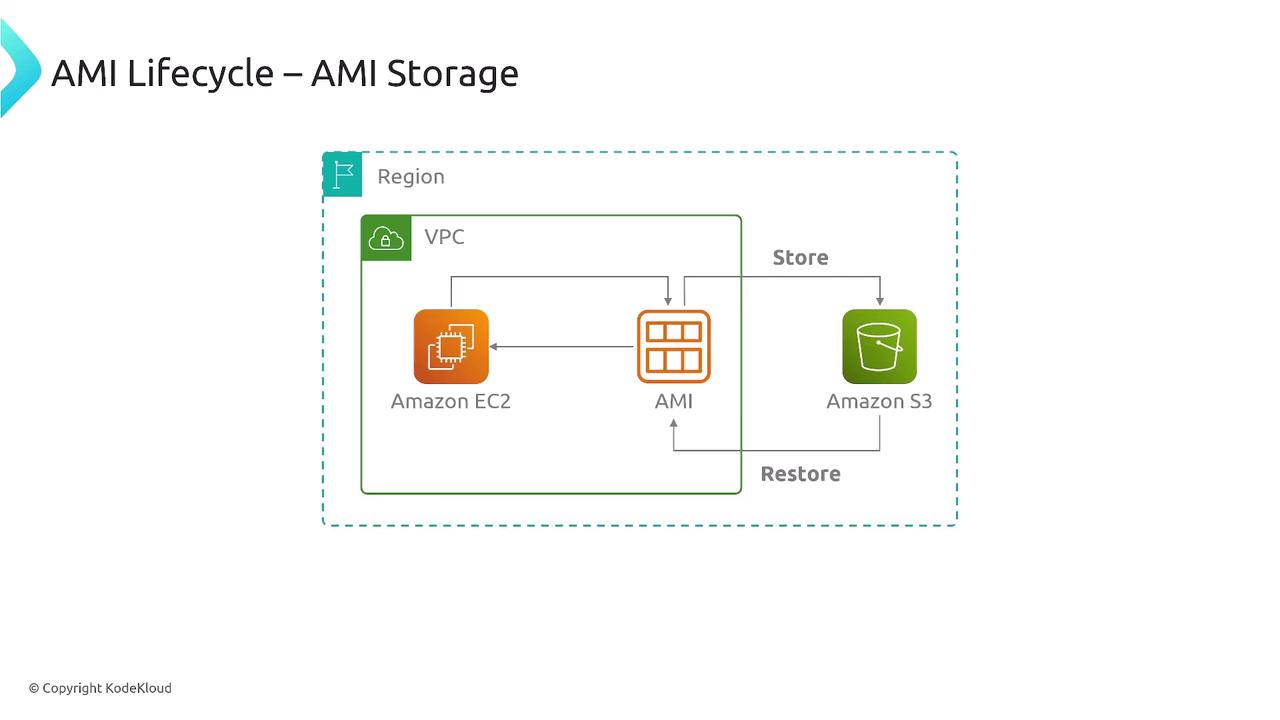
AMIs reside in a concealed section of Amazon S3. Their storage footprint is generally small, but costs may add up if you maintain a large number of substantial AMIs. The typical AMI lifecycle involves the following stages:- Registration: Create and register a new AMI from an instance or an EBS snapshot.
- Usage: Utilize the AMI to launch new EC2 instances.
- Deregistration and Deletion: Once an AMI is no longer needed, deregister it and remove the associated EBS snapshots and other resources to avoid ongoing storage charges.
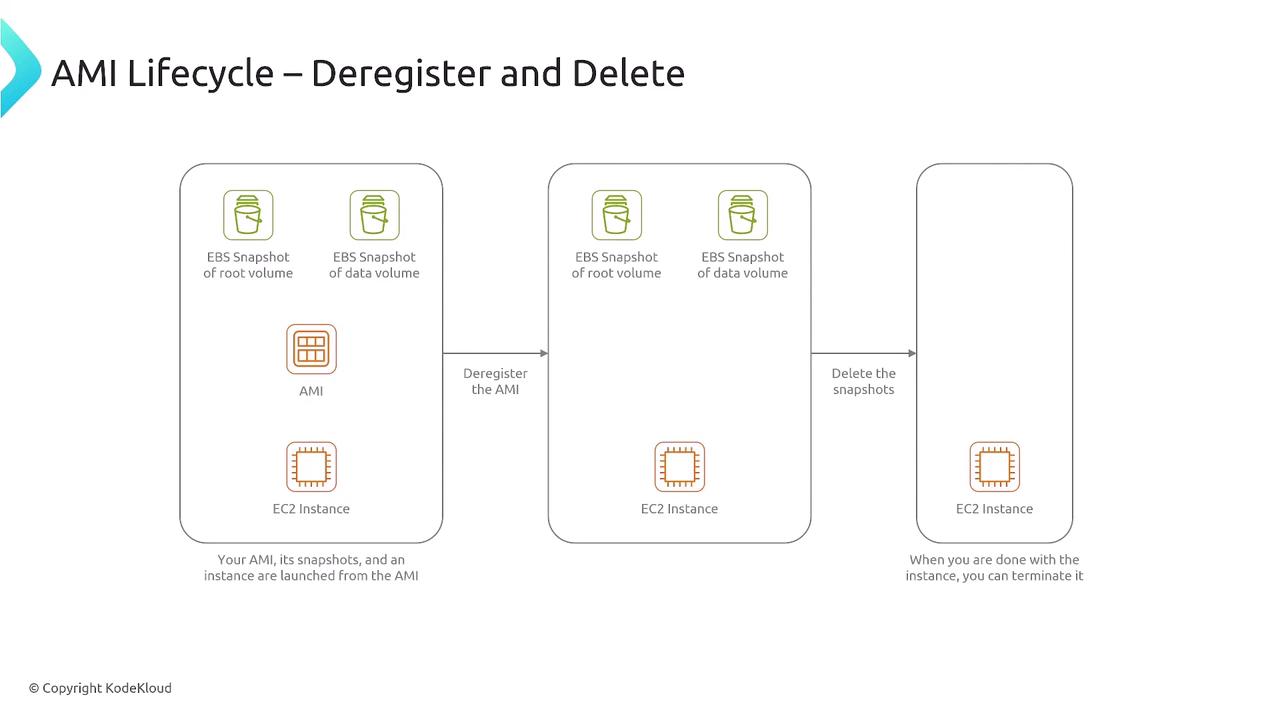
Ensure that you deregister outdated AMIs and delete unused snapshots on time to prevent accumulating unnecessary storage costs.