

User-supplied data from GitHub events (e.g.,
github.event.issue.title) should never be used directly in run steps without proper validation or sanitization.Example Workflow
The following workflow labels new issues that contain the word bug. It reads the issue title from the event payload and uses a shellif test to decide whether to print messages.
- Checks out the repository.
- Retrieves the issue title.
- Logs a message and (hypothetically) assigns a BUG label if the title contains “bug.”
Triggering and Initial Test
- Push the workflow file to your
mainbranch. - Open a new issue with the title
bug in code.
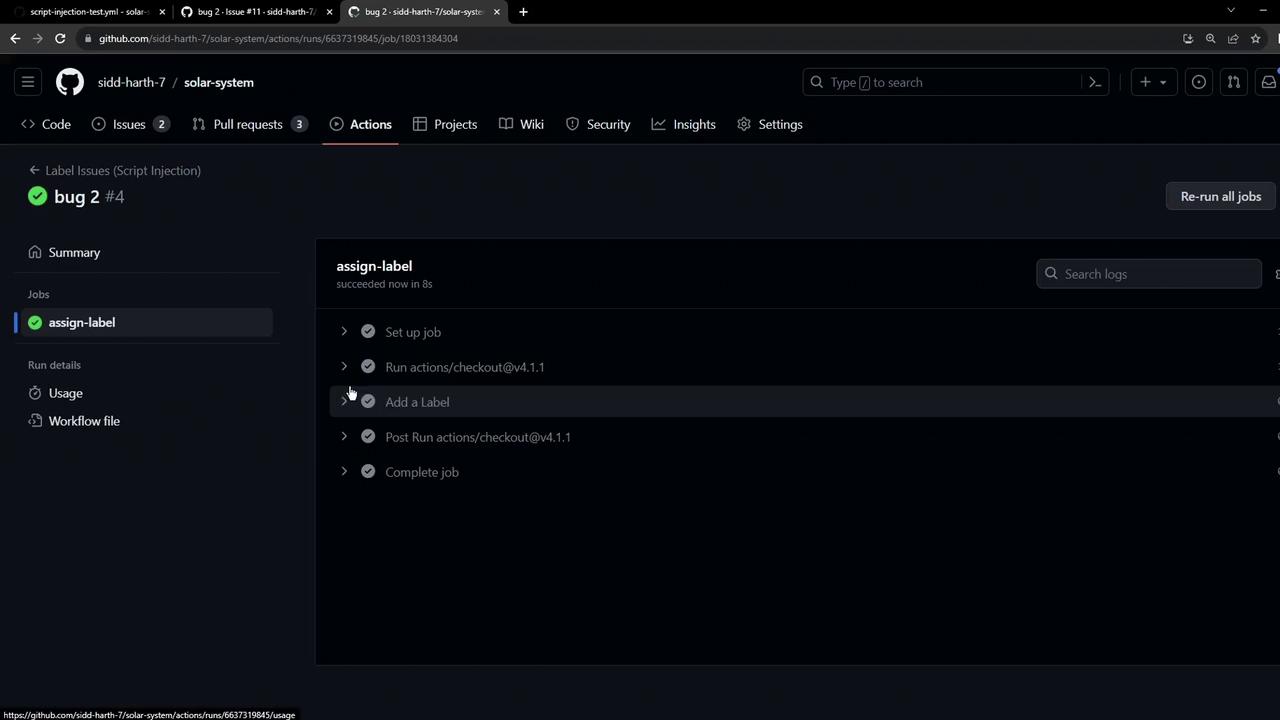
Demonstrating Script Injection
An attacker can sneak shell commands into the title by using operators like: or ;. For instance:
- Title:
bug: ls $GITHUB_WORKSPACE - Body:
testing.
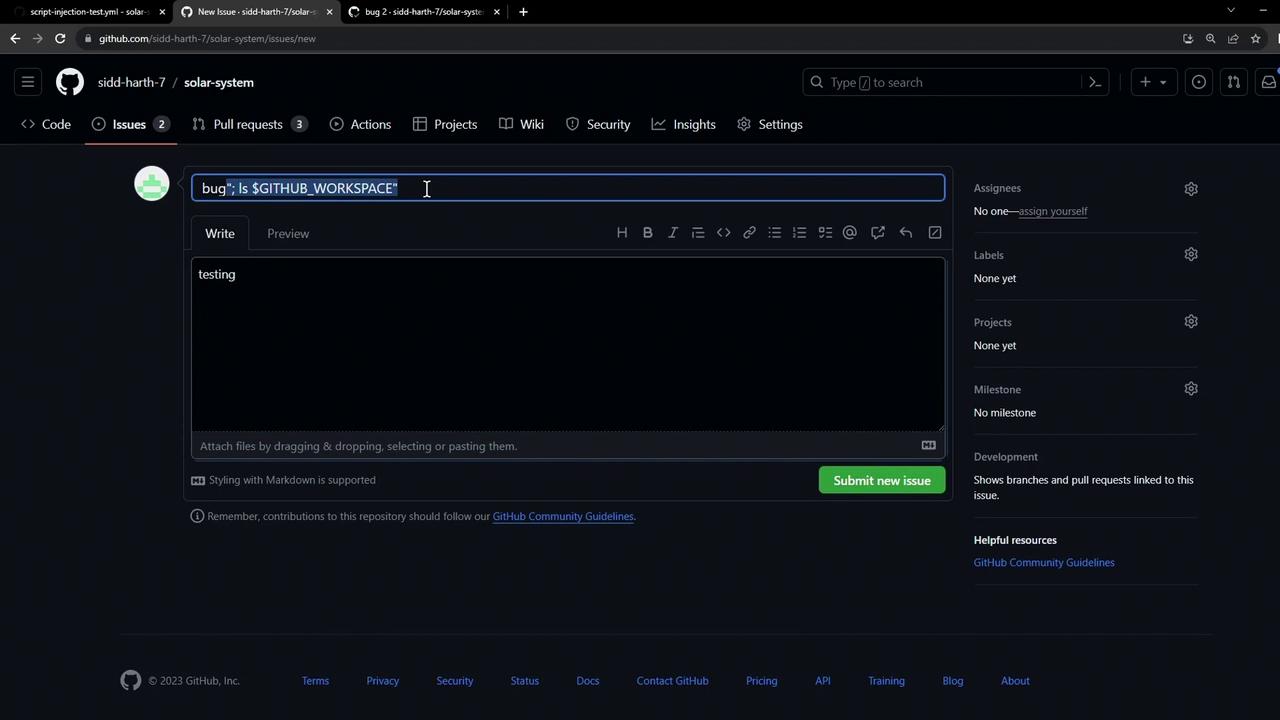
ls command runs on the runner and prints the workspace contents:
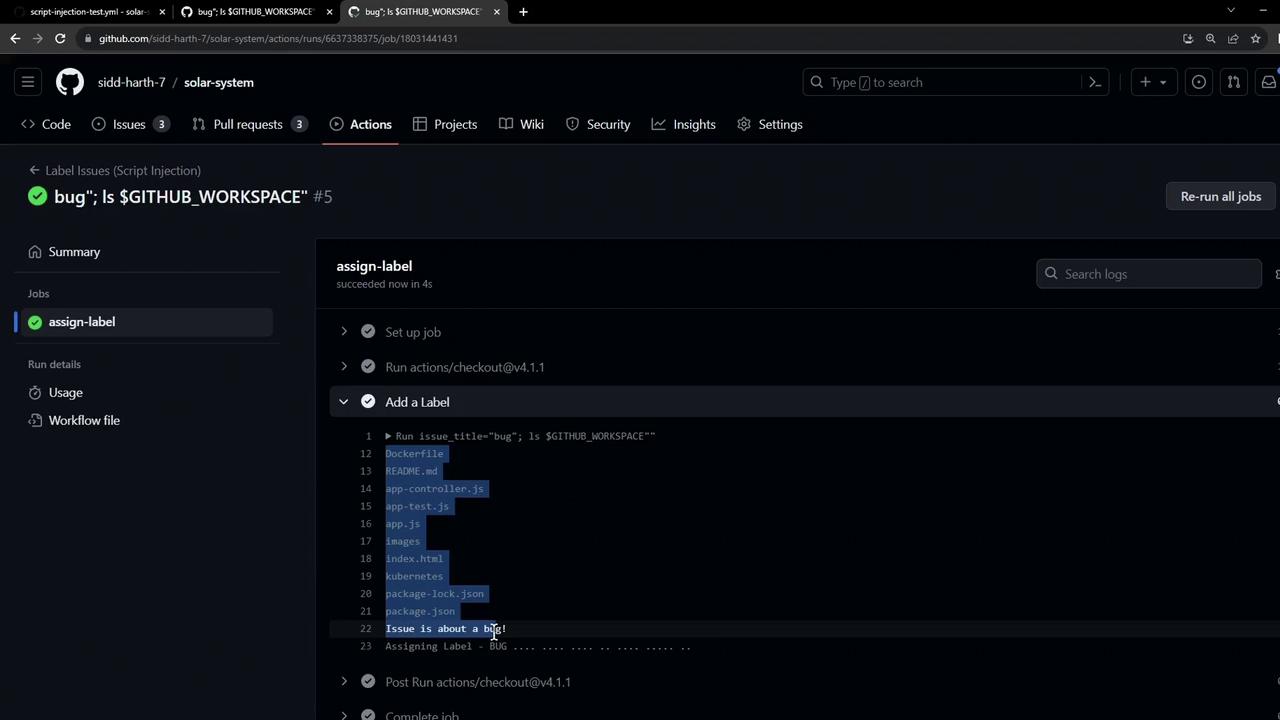
Exfiltrating Secrets
Beyond harmless commands, attackers can leak secrets. Consider this malicious issue title:curl request and posts your secret:
Unvalidated event data can execute arbitrary code on your runner and expose sensitive secrets like
AWS_SECRET_ACCESS_KEY. Always sanitize or escape inputs before using them in shell commands.In the next lesson, we’ll explore best practices and built-in GitHub Actions features to safely handle untrusted inputs and prevent script injection attacks.