cowsay). This approach reduces verbosity and keeps your CI/CD pipeline maintainable.
Workflow with Separate Steps
Initially, our workflow consisted of four discrete steps:Combining Multiple Commands in One Step
You can collapse several shell commands under a singlerun key by using a multiline pipe (|). Each command executes in sequence on the same virtual environment.
Grouping commands reduces the number of workflow steps and improves readability. Remember that if any command fails, the entire step stops.
Adding a Third-Party CLI Tool
Next, let’s usecowsay—a fun ASCII art generator—to create a dragon illustration and append it to dragon.txt:
The default Ubuntu runner does not include
cowsay. You must install it before running the command.Installing Dependencies
Add an installation step immediately before invokingcowsay:
Complete Workflow Example
Putting it all together, here’s your optimized workflow:| Step Name | Action | Purpose |
|---|---|---|
| Checkout Repo | uses | Clone the repository to the runner |
| List and Read Files | run (multiline) | Echo a message, list and read files |
| Install Cowsay | run (multiline) | Install the cowsay package |
| Generate ASCII Artwork | run | Generate ASCII art into dragon.txt |
Troubleshooting
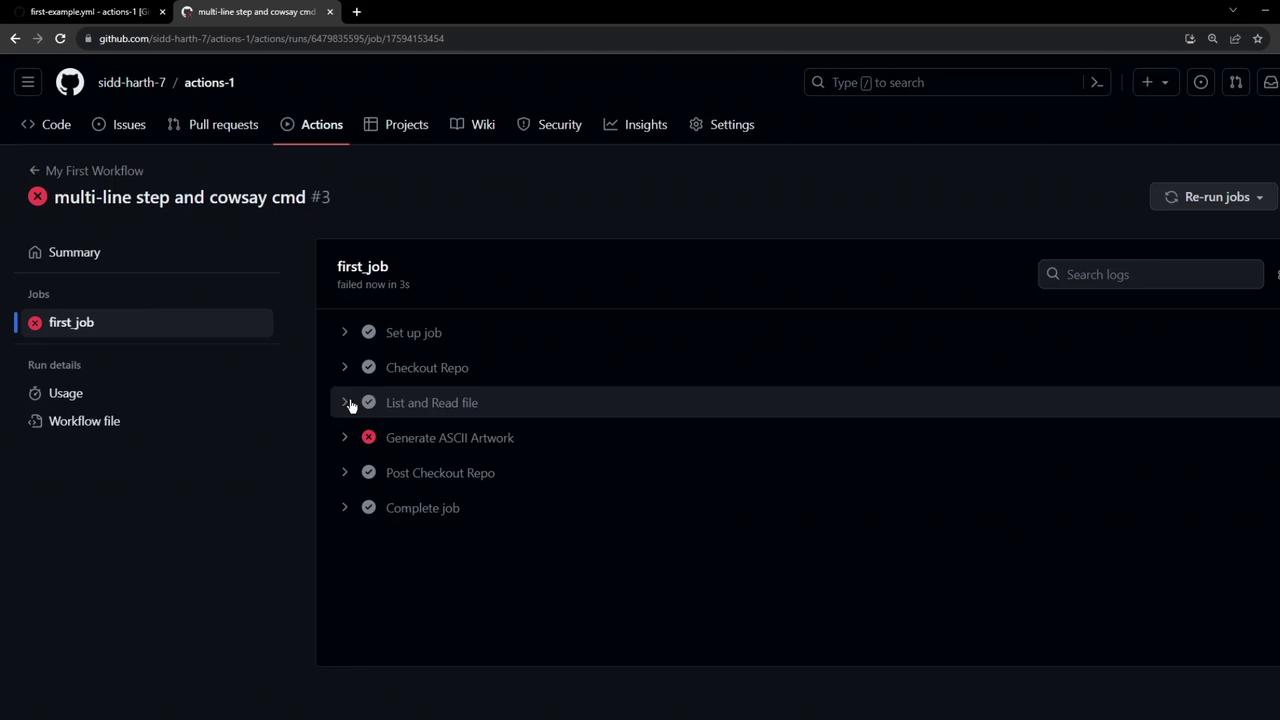
Once you commit and push these changes, navigate to the Actions tab to monitor your workflow. If you forget to installcowsay, you’ll see a failure like this: