

Table of Contents
- Recap: Single-Job Workflow
- Multi-Job Workflow Setup
- Default Parallel Execution & Failures
- Common Errors
- Issues to Address Next
- References
Recap: Single-Job Workflow
Our original workflow ran every step in one job:Multi-Job Workflow Setup
Below is an improved workflow with three distinct jobs: build_job_1, test_job_2, and deploy_job_3. Each job runs on its own runner:Job Overview
| Job Name | Purpose | Key Steps |
|---|---|---|
| build_job_1 | Install dependencies & generate | Install cowsay, create dragon.txt |
| test_job_2 | Validate build output | Check for “dragon” in dragon.txt |
| deploy_job_3 | Output & deploy | Print file content, simulate deployment |
Default Parallel Execution & Failures
By default, GitHub Actions runs jobs in parallel on separate VMs. Since there’s no shared filesystem or enforced order, downstream jobs may start before the build completes.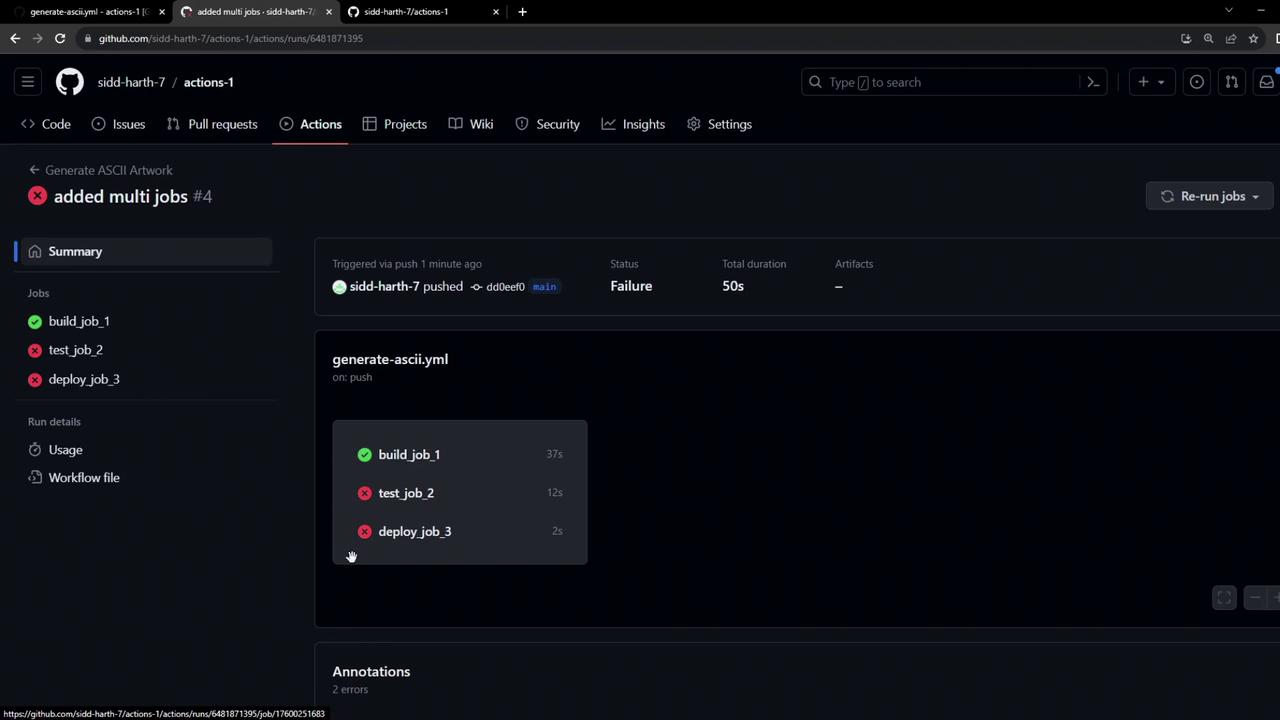
Jobs in GitHub Actions are isolated by default. To share files or enforce ordering, you’ll need to use job dependencies and artifacts.
Common Errors
When jobs run in parallel without dependencies, you may see errors like:Issues to Address Next
-
Job Sequencing
Ensurebuild_job_1completes beforetest_job_2, andtest_job_2beforedeploy_job_3using theneedskeyword. -
Artifact Sharing
Useactions/upload-artifactin the build job andactions/download-artifactin downstream jobs to passdragon.txt.