

rtCamp/action-slack-notify@v2 action. This guide covers setting up a Slack Incoming Webhook, securing it as a GitHub secret, and adding a notification job that always runs.
1. Overview
The Slack Notify action sends a customizable message to your Slack channel at the end of a workflow. You provide it with environment variables for configuration:| Variable | Description | Example |
|---|---|---|
| SLACK_WEBHOOK | Your Slack Incoming Webhook URL (secret) | ${{ secrets.SLACK_WEBHOOK }} |
| SLACK_CHANNEL | Channel name or ID | general |
| SLACK_COLOR | Attachment color (good, #ff0000, etc.) | ${{ job.status }} |
| SLACK_ICON | URL for a custom icon | https://github.com/rtCamp.png?size=48 |
| SLACK_MESSAGE | The notification text | "Build *${{ github.workflow }}* completed" |
| SLACK_TITLE | Title shown above the message | "CI/CD Pipeline" |
| SLACK_USERNAME | Username for the Slack bot | rtCamp |
2. Create a Slack Channel & Webhook
- In Slack, create a new channel (e.g.,
github-actions-channel). - Visit Incoming Webhooks in the Slack API and click Create an App → From scratch.
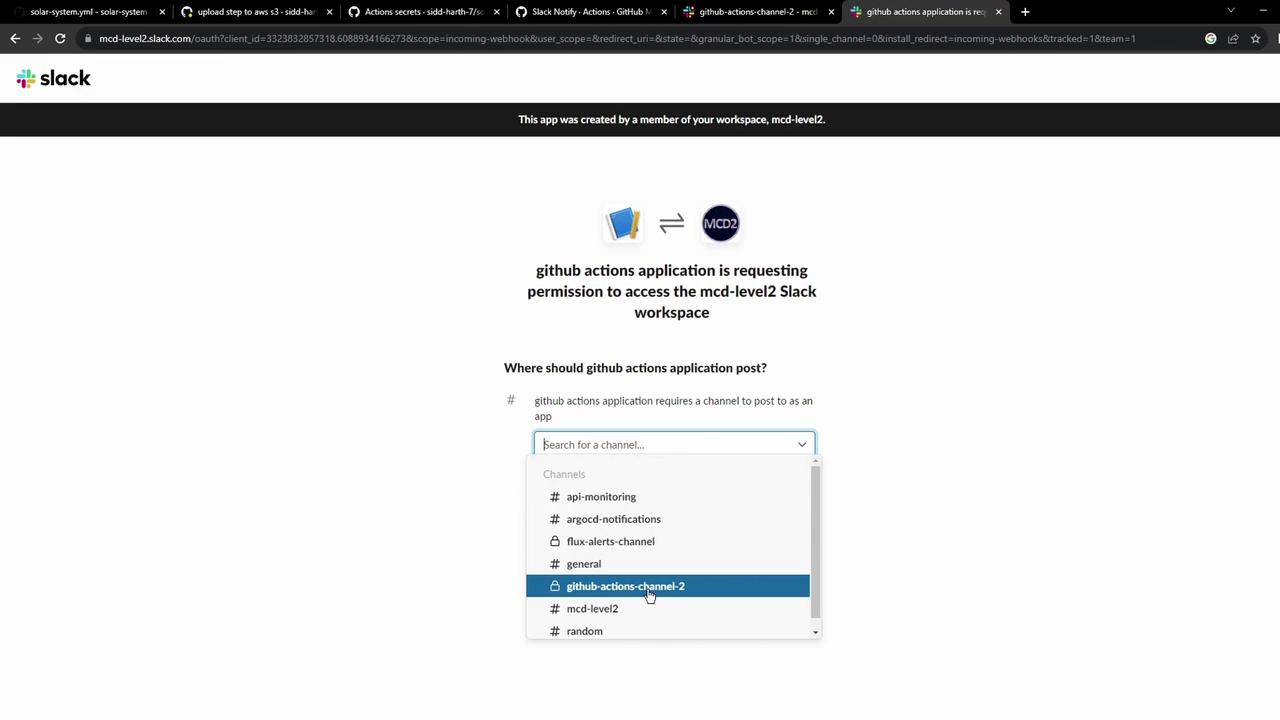
- Enable Incoming Webhooks and add to your channel.
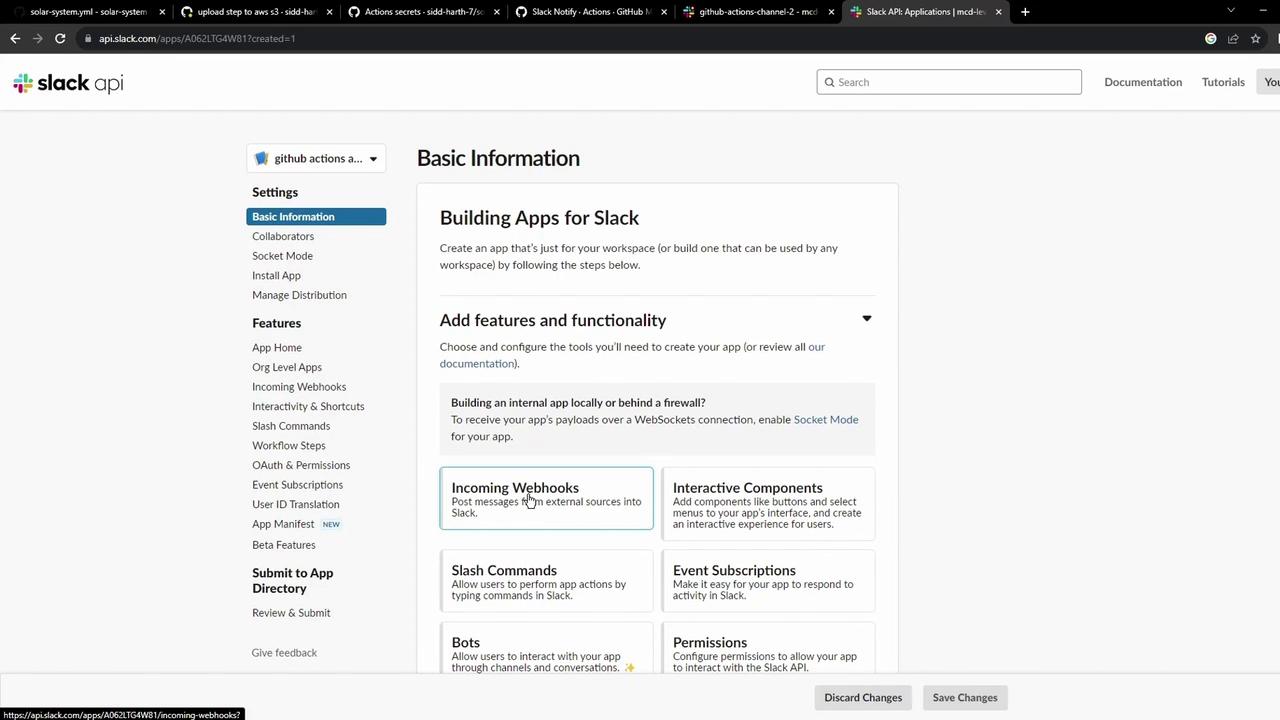
- Select your channel; Slack generates a Webhook URL. Test it with:
3. Store the Webhook as a GitHub Secret
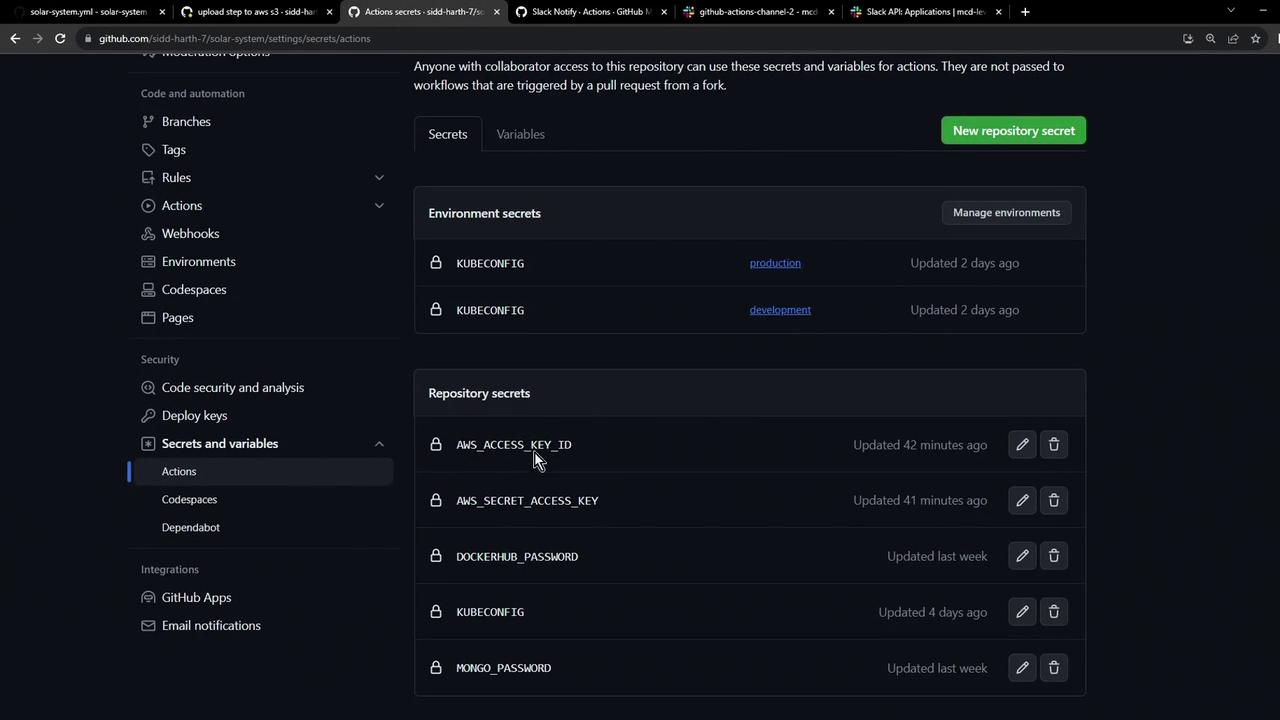
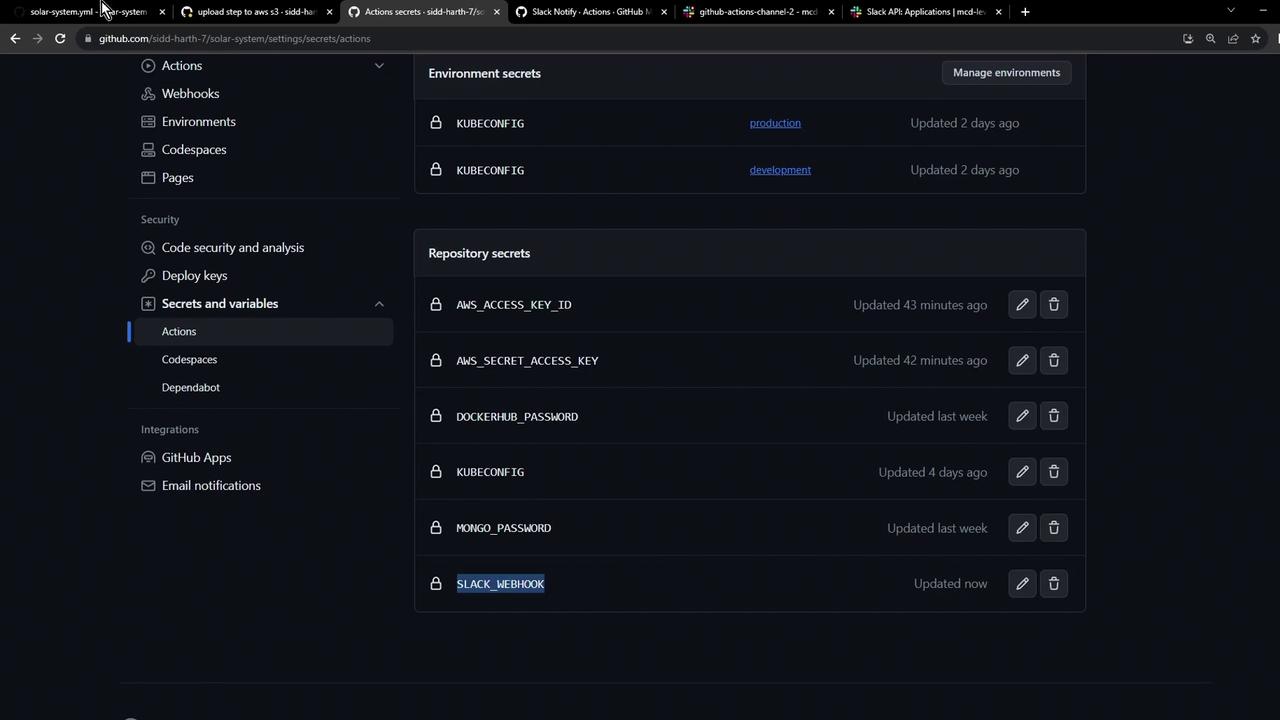
- Navigate to your repo’s Settings → Secrets and variables → Actions.
- Click New repository secret and add:
- Name:
SLACK_WEBHOOK - Value:
<your-slack-webhook-url>
- Name:
Keep your Webhook URL confidential. Anyone with this URL can post messages to your Slack channel.
4. Add the Slack Notification Job
Append this job to your workflow file (e.g.,.github/workflows/solar-system.yml). It uses if: always() so it runs regardless of success, failure, or cancellation, and continue-on-error: true to avoid blocking the pipeline.
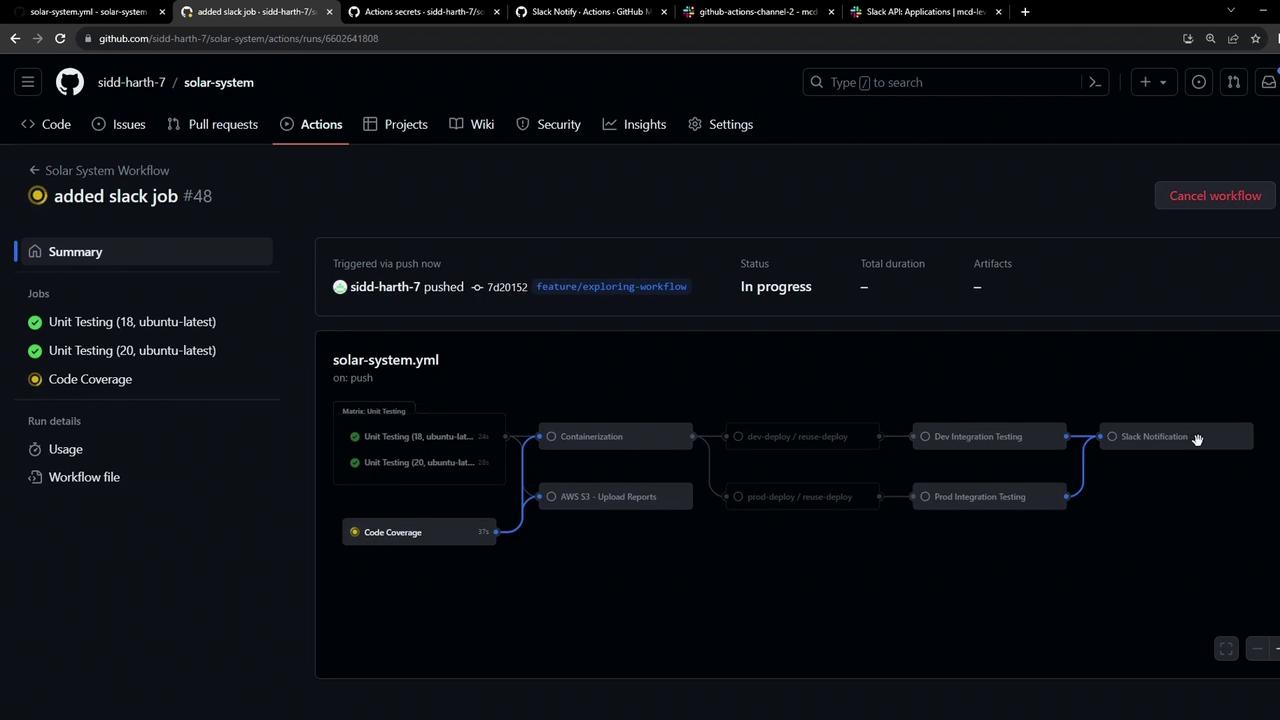
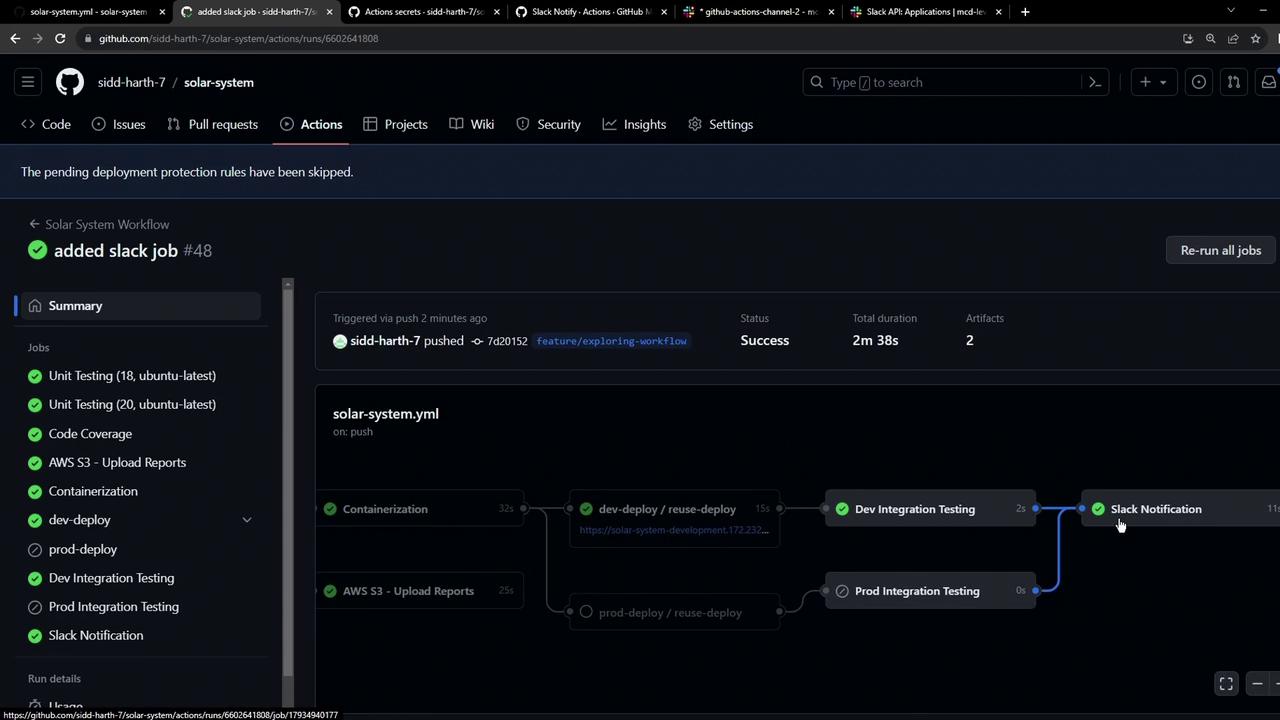
5. Verify always() Behavior
Even if the workflow is canceled or fails, the Slack notification runs because of if: always():
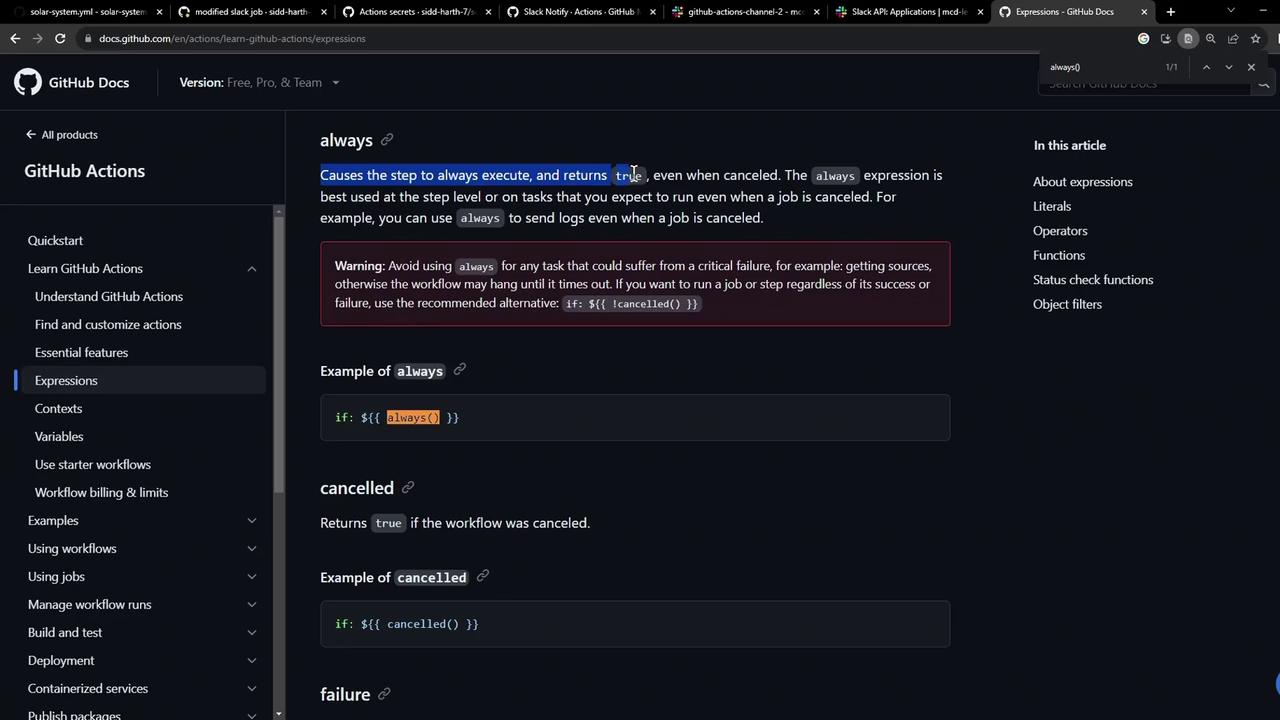
With this setup, every GitHub Actions run—successful, failed, or canceled—triggers a Slack notification, keeping your team informed in real time.