

Types of Actions in Your Workflows
- Official GitHub Actions (e.g.,
actions/checkout,actions/setup-node) - Custom Composite Actions (e.g.,
./github/custom-actions/npm-action) - Verified Marketplace Actions (e.g., Docker, Azure)
- Community Actions (e.g.,
jakejarvis/s3-sync-action@master)
Example Workflow: NodeJS CI
Below is an excerpt from.github/workflows/nodejs-ci.yml showcasing various action types:
If you enable strict policies without allowing required actions, existing workflows will fail. Always test policy changes on a non-production branch first.
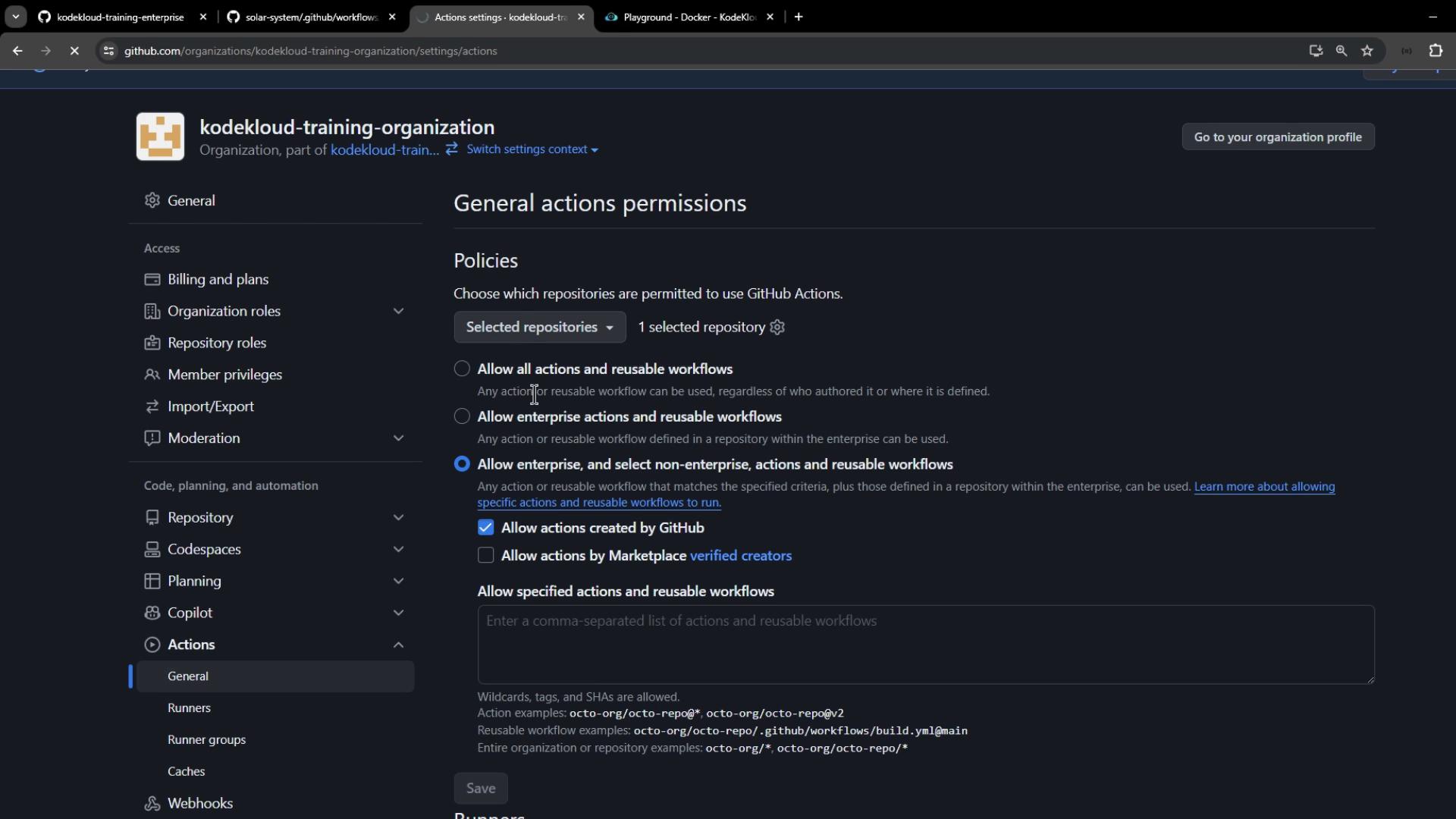
Configuring Organization-Level Policies
- Navigate to Organization → Settings → Actions → General.
- Under Repository access, select Allow actions and reusable workflows selected repositories, then add solar-system.
-
Choose a Workflow permissions option:
Policy Level Description Allow all actions and reusable workflows No restrictions; all actions run freely. Allow local actions only Only actions within your enterprise repositories. Allow local & verified Marketplace actions Actions from your enterprise or GitHub-verified creators. Custom policy Precisely list allowed actions and workflows. - To restrict to official GitHub actions, select Allow actions created by GitHub.
- Click Save.
Testing Your Policy
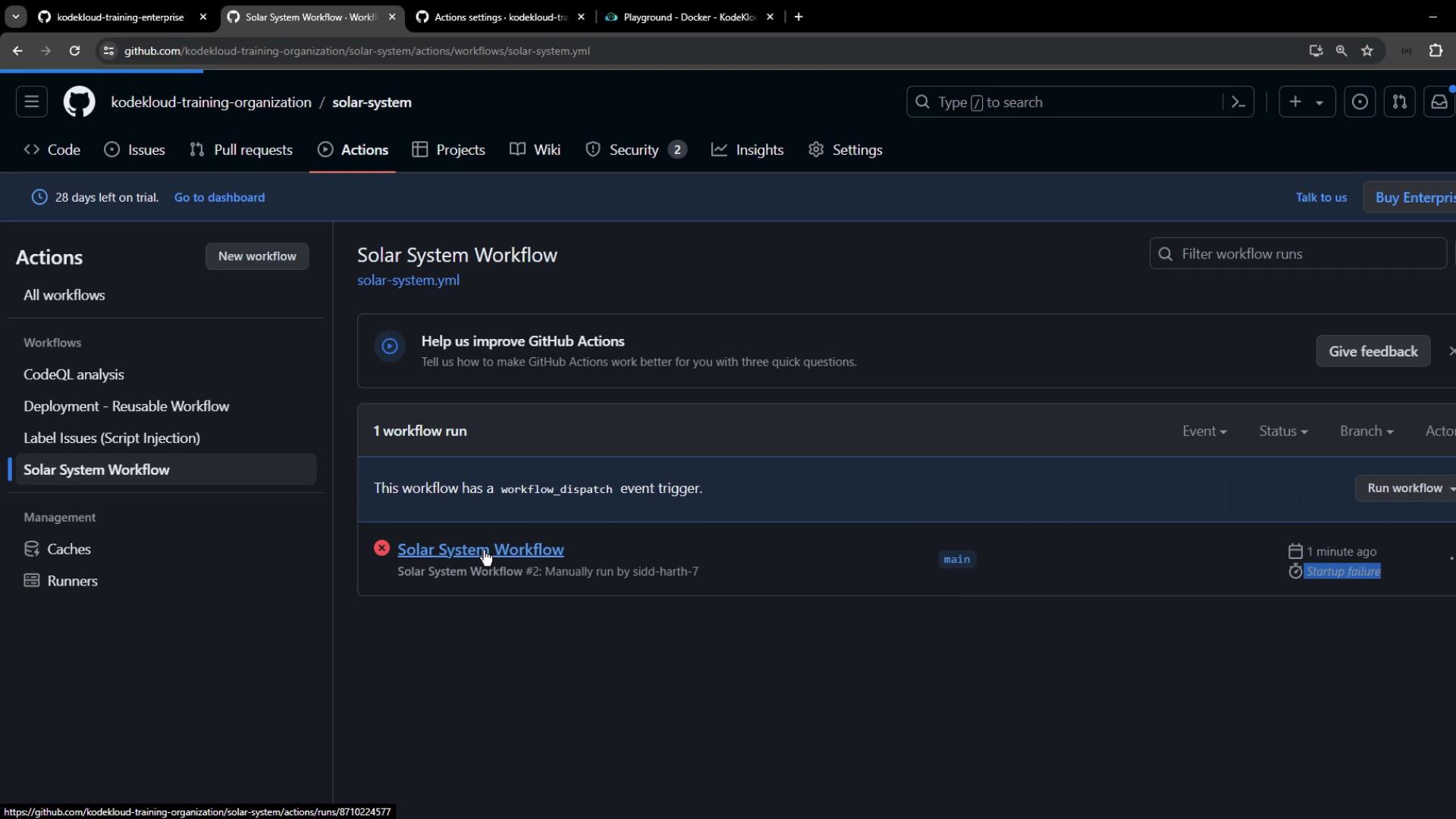
In solar-system repository:- Open the Actions tab.
- Choose Solar System Workflow.
- Click Run workflow.
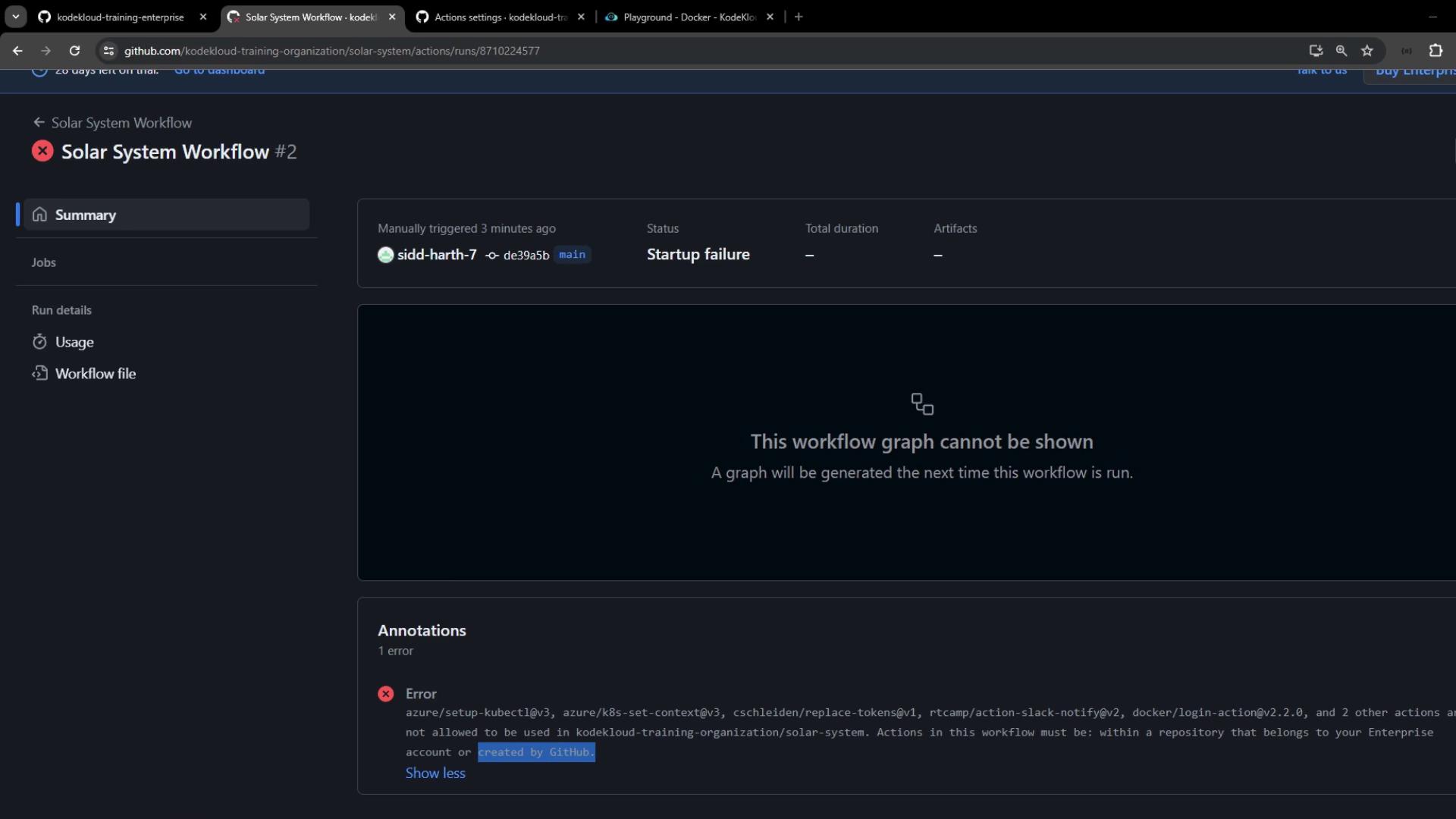
Allowing Verified & Specific Community Actions
To include verified Marketplace actions (Azure, Docker) without approving all third-party code:- Go back to Organization → Settings → Actions → General.
- Under Workflow permissions, select Allow actions from GitHub, local Enterprise, and GitHub Marketplace (verified creators).
- Click Save and rerun the workflow.
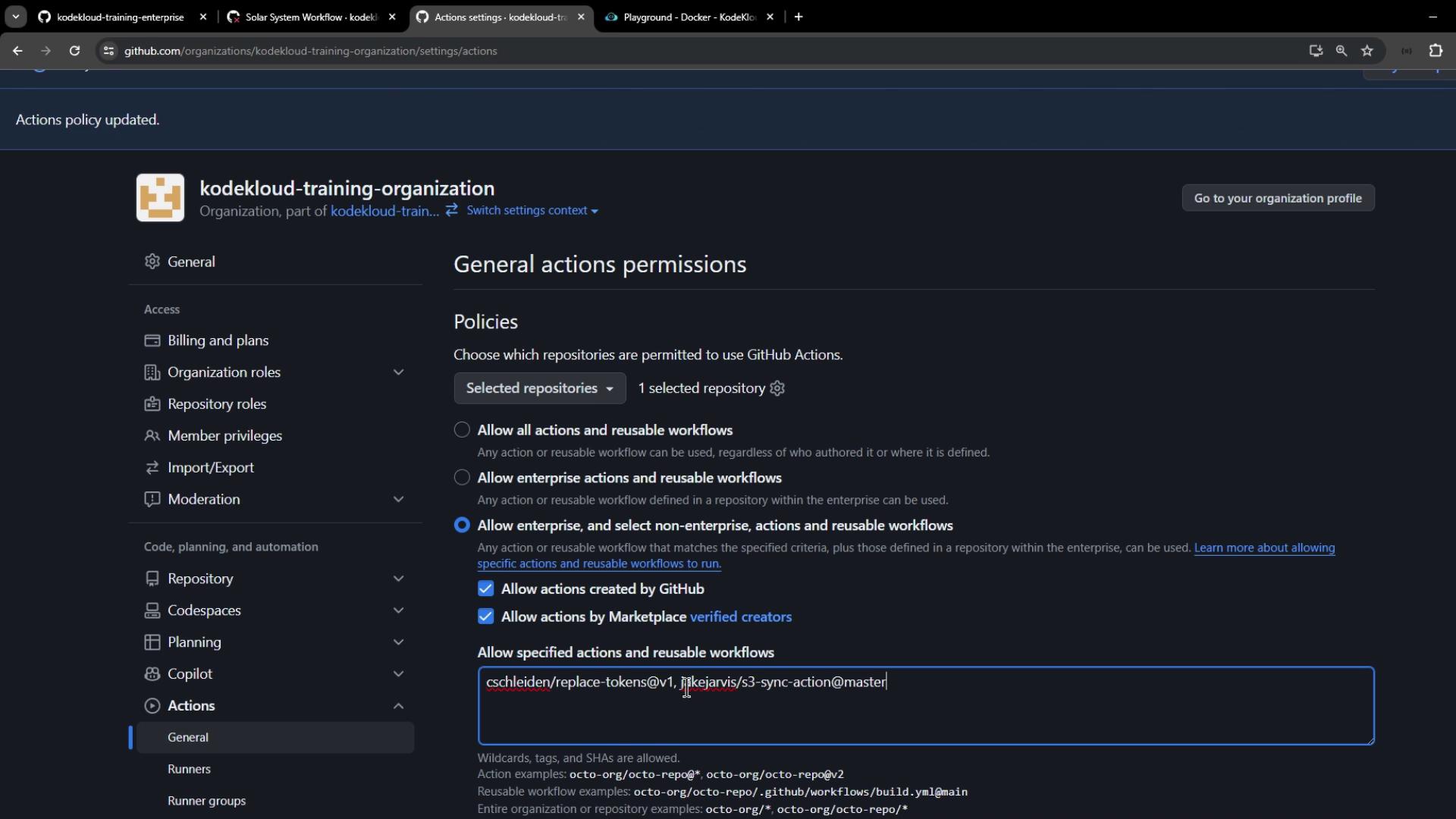
Summary
By enforcing organization-level use policies for GitHub Actions, you can:- Restrict workflows to approved actions
- Mitigate risks from untrusted third-party code
- Maintain consistent, secure CI/CD practices across all repositories