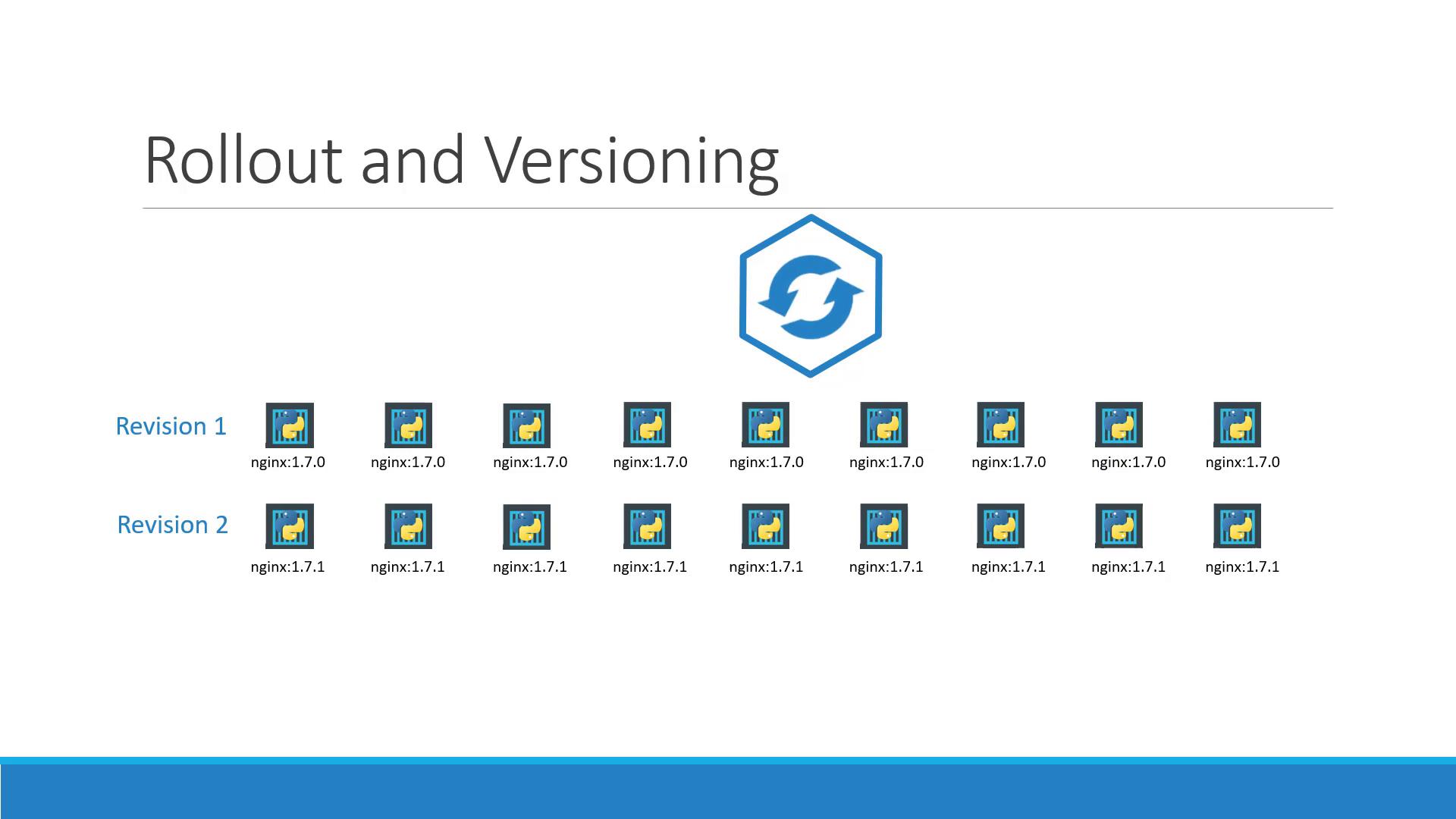
Whenever you create or modify a Deployment, Kubernetes starts a new rollout, creating a revision:
To monitor your rollout and review history:
Copy
Ask AI
kubectl rollout status deployment/myapp-deployment# Waiting for rollout to finish: 0 of 10 updated replicas are available...# ...kubectl rollout history deployment/myapp-deployment# REVISION CHANGE-CAUSE# 1 initial create# 2 updated image to nginx:1.7.1
Use kubectl rollout status to ensure a smooth update before proceeding with any dependent tasks.
To see strategy settings, ReplicaSet events, and scaling details:
Copy
Ask AI
kubectl describe deployment myapp-deployment
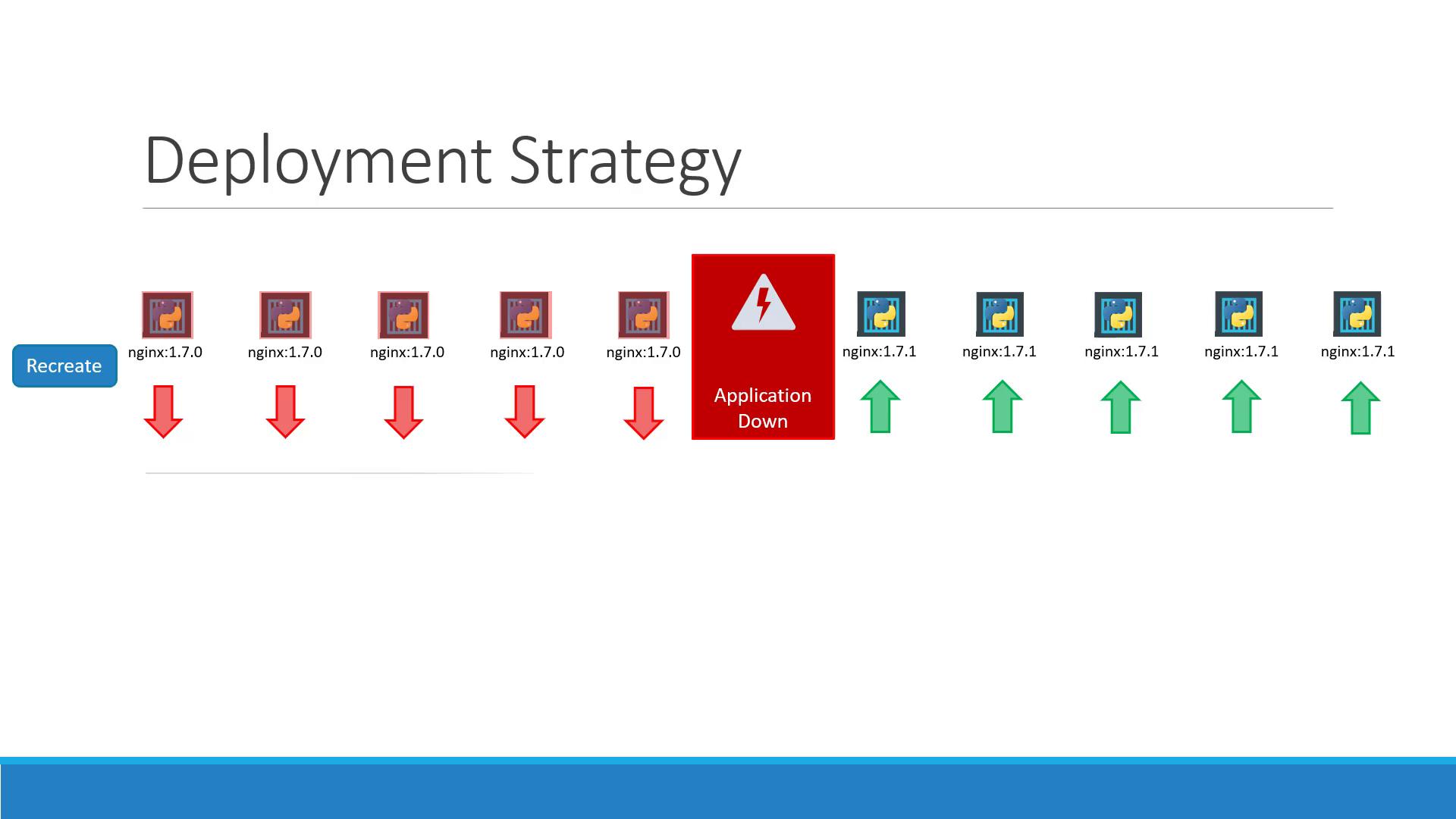
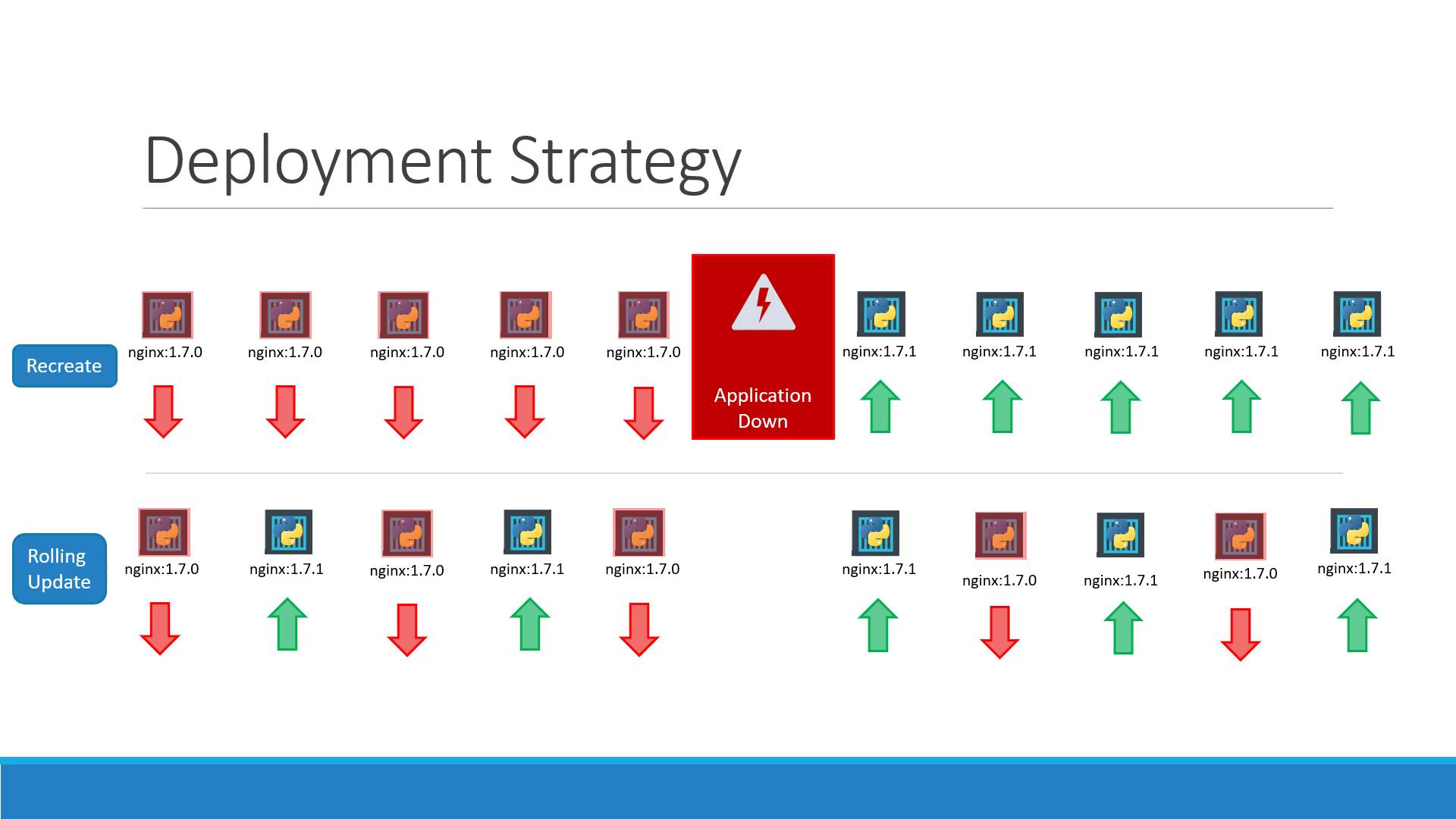
Example for Recreate:
Copy
Ask AI
Name: myapp-deploymentStrategyType: RecreateReplicas: 5 desired | 5 total | 5 availableEvents: Type Reason Age From Message ---- ------ ---- ---- ------- Normal ScalingReplicaSet 11m deployment-controller Scaled up replica set myapp-deployment-6795… to 5
Example for RollingUpdate:
Copy
Ask AI
Name: myapp-deploymentStrategyType: RollingUpdateRollingUpdateStrategy: 25% max unavailable, 25% max surgeReplicas: 5 desired | 6 total | 4 available | 2 unavailableEvents: Type Reason Age From Message ---- ------ ---- ---- ------- Normal ScalingReplicaSet 1m deployment-controller Scaled up replica set myapp-deployment-67c7… to 5
Under the hood, each Deployment manages ReplicaSets:
List ReplicaSets:
Copy
Ask AI
kubectl get replicasets# NAME DESIRED CURRENT READY AGE# myapp-deployment-67c749c58c 0 0 0 22m# myapp-deployment-75d7bdbd8d 5 5 5 20m