

Table of Contents
- Review Documentation and Prerequisites
- Prepare the DTR Node
- Add the DTR Node as a UCP Worker
- Install Docker Trusted Registry
- Verify DTR Access
1. Review Documentation and Prerequisites
Before proceeding, review the official Docker Trusted Registry installation guide and confirm your environment meets the requirements:| Requirement Type | Details |
|---|---|
| Software | Docker Enterprise Engine, fixed hostname on DTR node, UCP-managed worker nodes |
| Hardware (Minimum) | 16 GB RAM, 2-core CPU, 10 GB free disk |
| Hardware (Production) | 16 GB RAM, 4-core CPU, 25–100 GB free disk |
| Network Ports | TCP 80, TCP 443 |
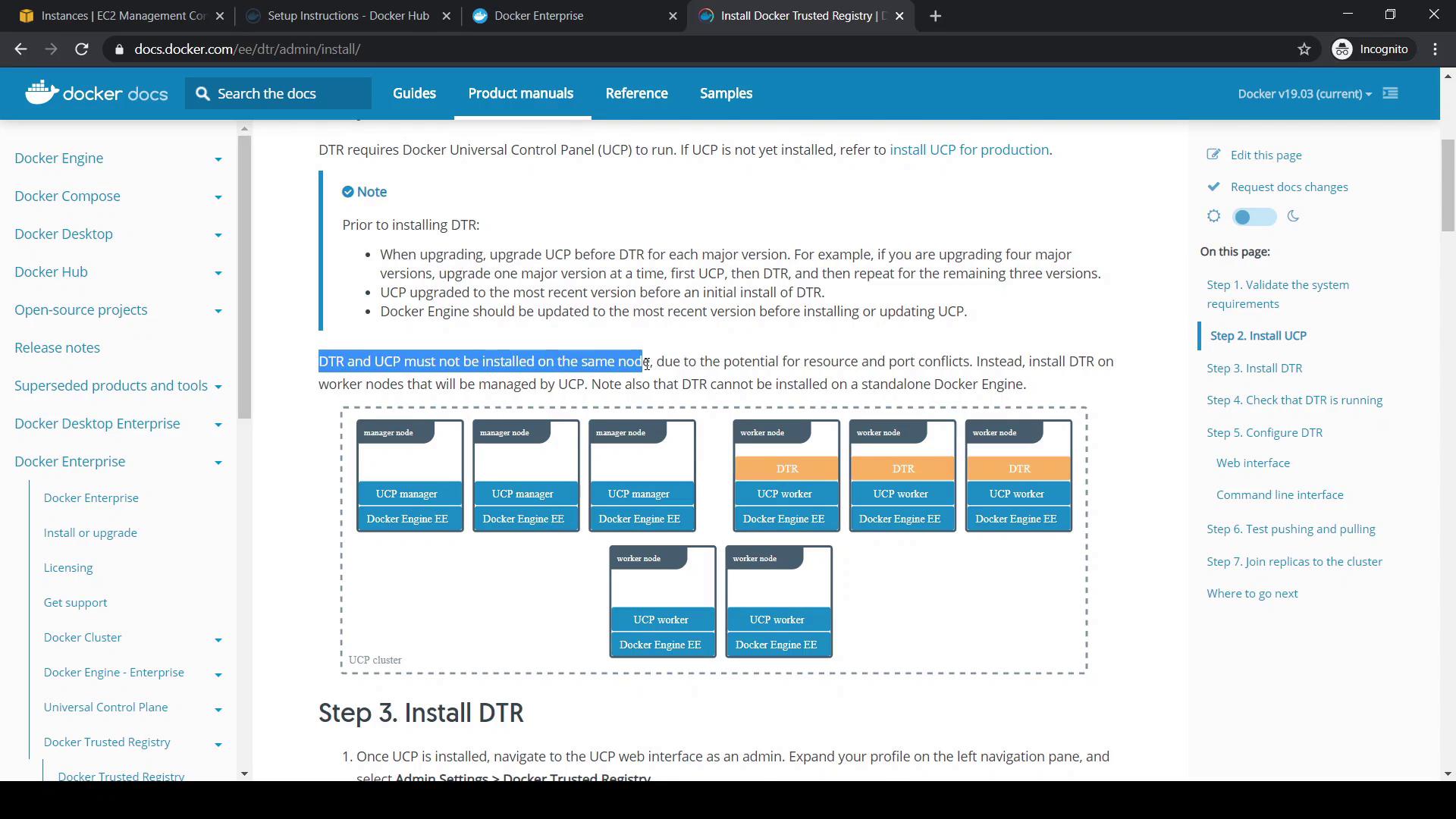
Never co-locate a UCP manager and DTR on the same host—each requires its own node.
2. Prepare the DTR Node
2.1 Remove Existing Docker Packages
Ensure no conflicting Docker packages remain:After removal, confirm that no Docker daemons are running:
ps aux | grep docker2.2 Install Docker Engine Enterprise
Follow the Docker Engine installation guide for your OS. After installation, verify the Docker version:3. Add the DTR Node as a UCP Worker
- In UCP, navigate to Shared Resources > Nodes.
- Click Add Node, select Linux, and choose Worker.
-
Copy the generated
docker swarm joincommand: -
On the DTR node, run the join command:
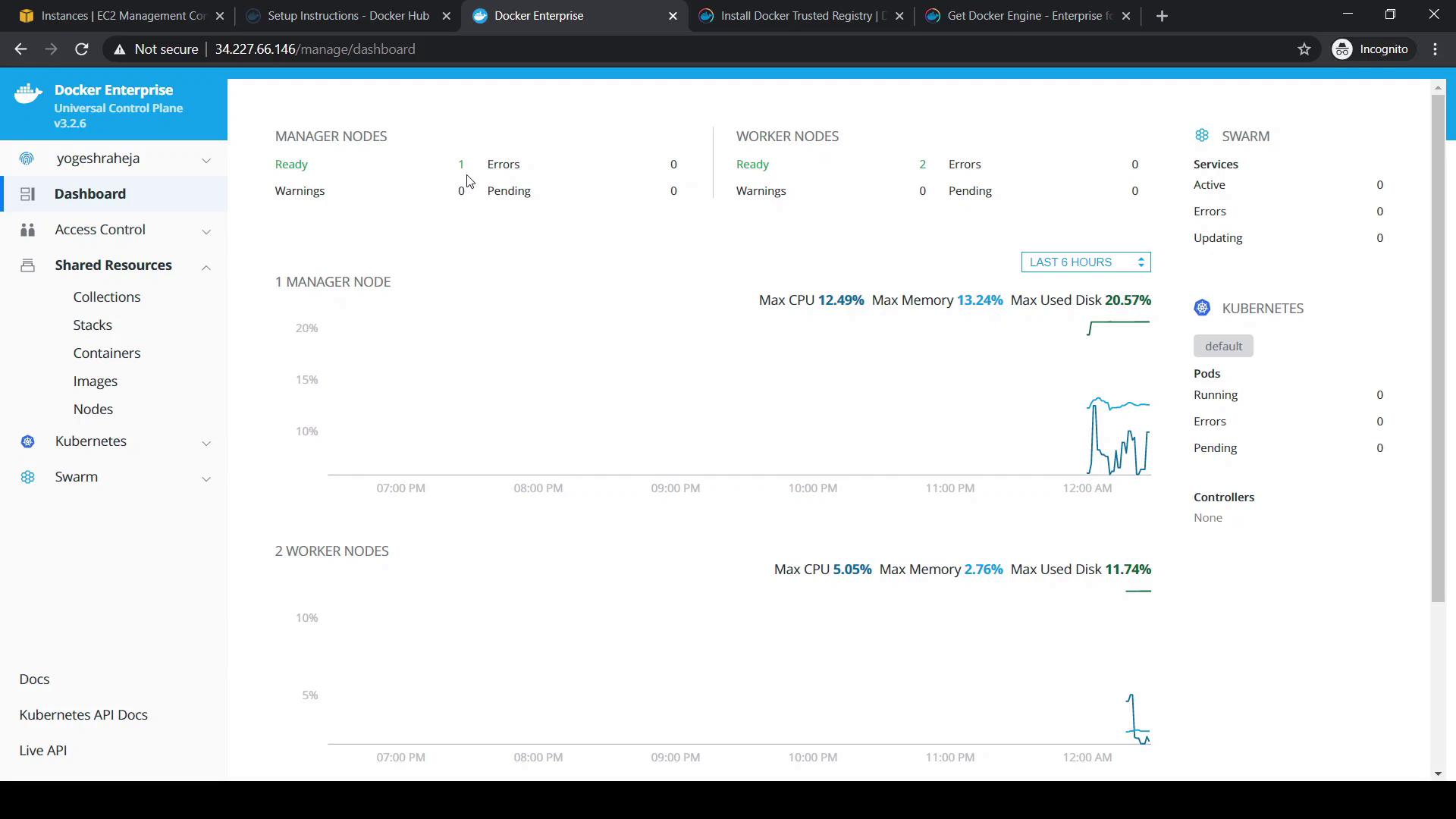
- Return to the UCP console and confirm the new worker status turns green.
- In Dashboard, verify you have one manager and two workers.
4. Install Docker Trusted Registry
- In UCP, click your admin username, then navigate to Admin Settings > Docker Trusted Registry.
- Select your DTR node and, if needed, set an external DTR URL. For demos, you can enable Disable TLS verification (not recommended for production).
-
Copy the installer command and replace
--ucp-urlwith your manager’s private IP: -
Enter your UCP password when prompted. The installer will:
- Pull the
docker/dtrimage - Perform prechecks on ports 80 and 443
- Create the
dtr-olnetwork - Provision certificates, volumes, and database containers
- Pull the
5. Verify DTR Access
- Retrieve the public IP of your DTR node from your cloud provider.
- Open
https://<DTR_IP>in a browser. - Log in with your UCP credentials. On first access, no repositories appear.
- Explore the DTR sidebar for Users, Organizations, Repositories, and Settings.