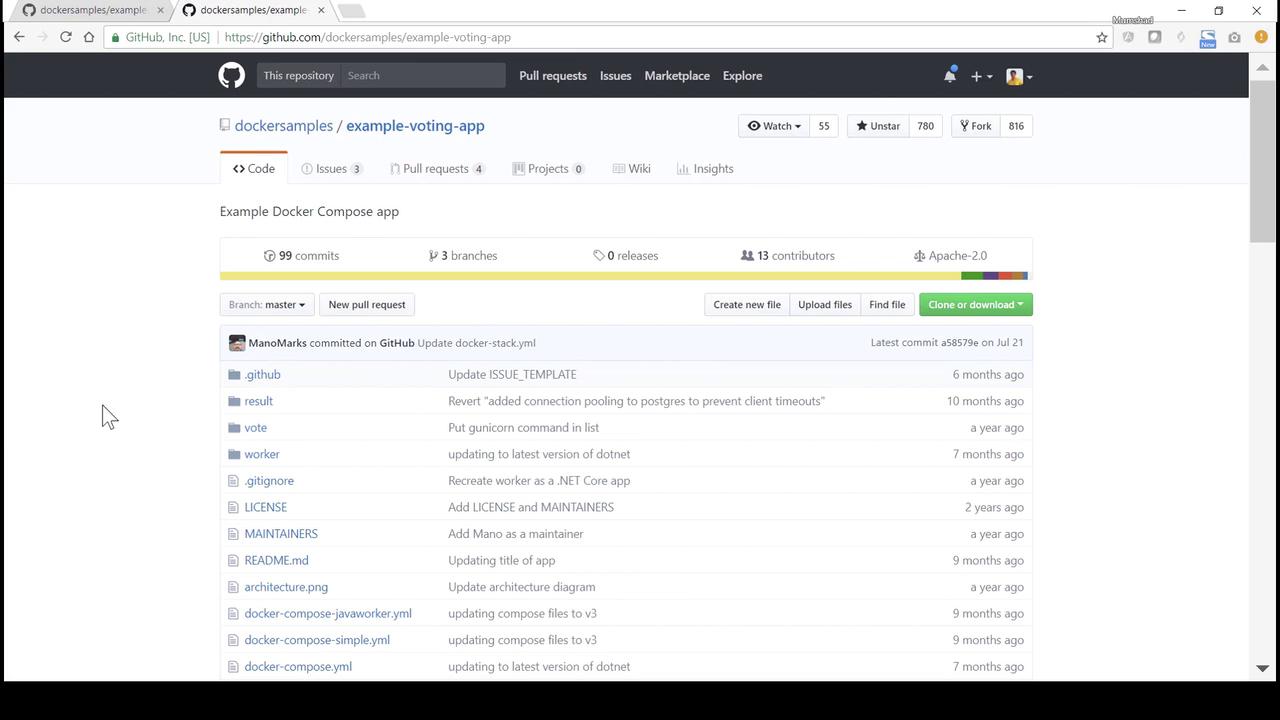
Welcome to this hands-on demo of the Example Voting App. This sample application demonstrates how to build and deploy a simple microservices-based voting system using Docker. The complete source code is available in the Docker samples repository on GitHub under example-voting-app :
In this guide, we will:
Review the overall architecture.
Dive into each component’s source code and Dockerfile.
Deploy all services step by step with docker run.
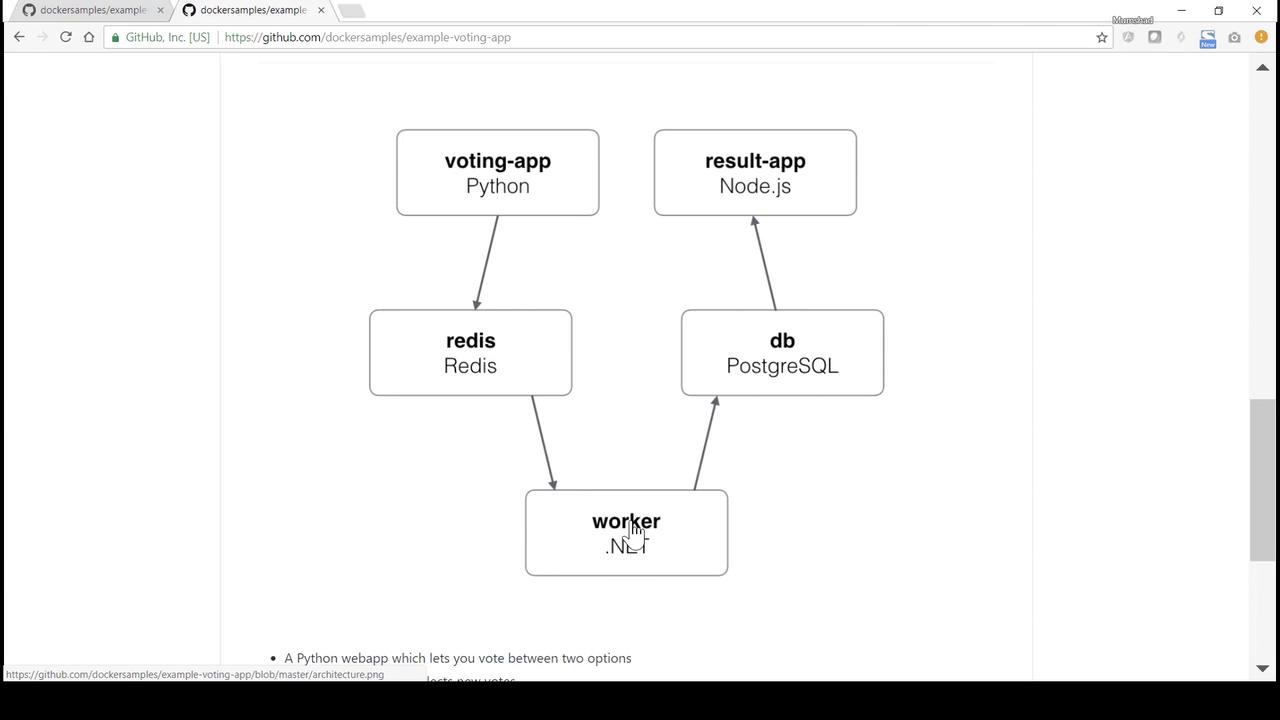
Architecture Overview The voting system consists of five microservices:
Component Language/Tech Responsibility vote Python (Flask) Web UI for casting votes redis Redis Message queue for vote events worker Java Consumes votes from Redis and writes to DB db PostgreSQL Stores vote records result Node.js/Express Displays aggregated voting results
1. vote (Python Flask) The vote service provides a simple web page to cast votes and pushes each vote into Redis.
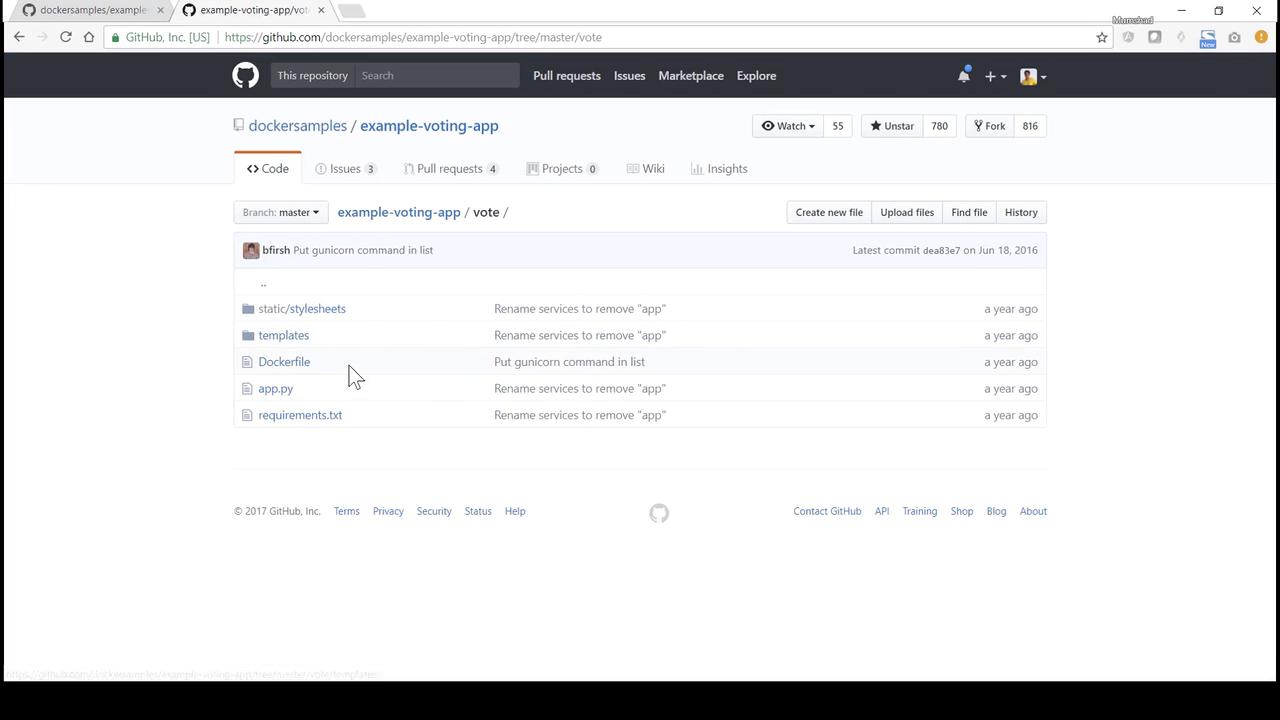
Navigate to the vote directory to explore its code and Dockerfile:
app.py from flask import Flask, request, make_response, render_template, g from redis import Redis import os, random, json, socket option_a = os.getenv( "OPTION_A" , "Cats" ) option_b = os.getenv( "OPTION_B" , "Dogs" ) hostname = socket.gethostname() app = Flask( __name__ ) def get_redis (): if not hasattr (g, 'redis' ): g.redis = Redis( host = "redis" , db = 0 , socket_timeout = 5 ) return g.redis @app.route ( "/" , methods = [ "GET" , "POST" ]) def vote_page (): voter_id = request.cookies.get( 'voter_id' ) if not voter_id: voter_id = hex (random.getrandbits( 64 ))[ 2 : - 1 ] vote = None if request.method == 'POST' : redis_conn = get_redis() vote = request.form[ 'vote' ] data = json.dumps({ 'voter_id' : voter_id, 'vote' : vote}) redis_conn.rpush( 'votes' , data) resp = make_response(render_template( 'index.html' , option_a = option_a, option_b = option_b, hostname = hostname, vote = vote, )) resp.set_cookie( 'voter_id' , voter_id) return resp if __name__ == "__main__" : app.run( host = "0.0.0.0" , port = 80 , debug = True , threaded = True )
The Redis host is referenced as redis. Ensure the Redis container is linked or networked under this name.
Dockerfile # Use official Python runtime FROM python:2.7-alpine WORKDIR /app # Install dependencies ADD requirements.txt /app/ RUN pip install -r requirements.txt # Copy application code ADD . /app EXPOSE 80 # Launch with Gunicorn CMD [ "gunicorn" , "app:app" , "-b" , "0.0.0.0:80" , "--workers" , "4" , "--keep-alive" , "0" ]
2. worker (Java) The worker service consumes vote messages from Redis and writes them into PostgreSQL.
Worker.java import redis.clients.jedis.Jedis; import org.json.JSONObject; import java.sql. * ; import java.util.List; class Worker { public static void main ( String [] args ) { try { Jedis redis = new Jedis ( "redis" ); Connection dbConn = DriverManager . getConnection ( "jdbc:postgresql://db/postgres" , "postgres" , "password" ); System . err . println ( "Watching vote queue" ); while ( true ) { List < String > item = redis . blpop ( 0 , "votes" ); String voteJSON = item . get ( 1 ); JSONObject voteData = new JSONObject (voteJSON); String voterID = voteData . getString ( "voter_id" ); String vote = voteData . getString ( "vote" ); System . err . printf ( "Processing vote '%s' by '%s'%n" , vote, voterID); updateVote (dbConn, voterID, vote); } } catch ( SQLException e ) { e . printStackTrace (); System . exit ( 1 ); } } static void updateVote ( Connection dbConn , String voterID , String vote ) throws SQLException { PreparedStatement stmt = dbConn . prepareStatement ( "INSERT INTO votes (id, vote) VALUES (?, ?)" ); stmt . setString ( 1 , voterID); stmt . setString ( 2 , vote); stmt . executeUpdate (); } }
Dockerfile # Use .NET SDK image FROM microsoft/dotnet:1.1.1-sdk WORKDIR /code # Copy and restore/publish the worker ADD src/Worker /code/src/Worker RUN dotnet restore src/Worker && \ dotnet publish -c Release -o out src/Worker CMD [ "dotnet" , "out/Worker.dll" ]
3. result (Node.js/Express) The result service queries PostgreSQL for vote counts and renders a results page.
server.js const express = require ( 'express' ); const { Client } = require ( 'pg' ); const app = express (); const port = process . env . PORT || 80 ; const client = new Client ({ host: 'db' , user: 'postgres' , password: 'password' , database: 'postgres' }); client . connect (); app . set ( 'view engine' , 'pug' ); app . use ( express . static ( 'public' )); app . get ( '/' , async ( req , res ) => { const result = await client . query ( 'SELECT vote, COUNT(*) AS count FROM votes GROUP BY vote' ); res . render ( 'results' , { votes: result . rows }); }); app . listen ( port , () => console . log ( `Result app listening on ${ port } ` ));
Dockerfile FROM node:5.11.0-slim WORKDIR /app # Global utilities RUN npm install -g nodemon ADD package.json /app/ RUN npm config set registry http://registry.npmjs.org && \ npm install && npm ls # Copy app code ADD . /app EXPOSE 80 CMD [ "node" , "server.js" ]
4. Deploying with docker run 4.1 Clone & Build the Voting UI git clone https://github.com/dockersamples/example-voting-app.git cd example-voting-app/vote docker build -t voting-app .
4.2 Start Redis & Voting UI # Redis message queue docker run -d --name redis redis:latest # Voting UI linked to Redis on port 5000 docker run -d --name vote-ui \ -p 5000:80 \ --link redis:redis \ voting-app
Open http://localhost:5000 to cast your vote.
4.3 Launch PostgreSQL Database docker run -d --name db \ -e POSTGRES_PASSWORD=password \ postgres:9.4
4.4 Build & Run the Worker cd ../worker docker build -t worker-app . docker run -d --name vote-worker \ --link redis:redis \ --link db:db \ worker-app
4.5 Build & Run the Result App cd ../result docker build -t result-app . docker run -d --name vote-result \ -p 5001:80 \ --link db:db \ result-app
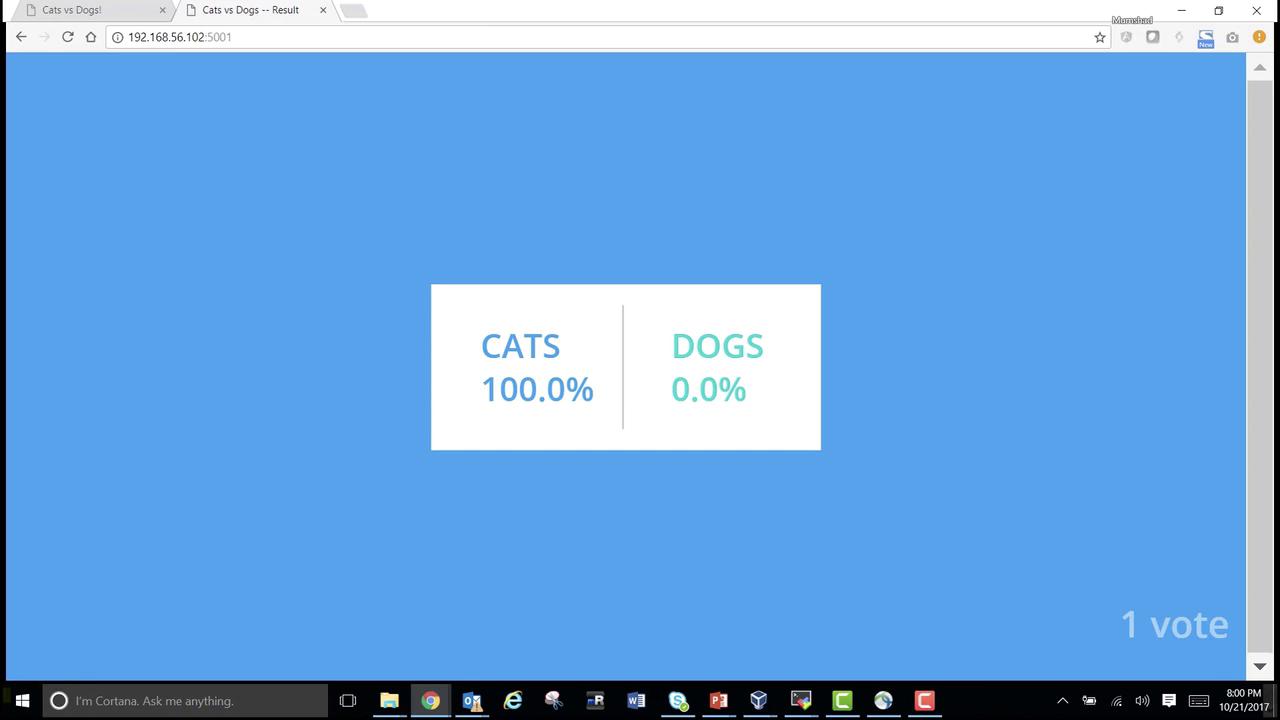
Visit http://localhost:5001 to see live voting results:
Congratulations! You’ve manually deployed all services using docker run, linked them together, and completed a full voting workflow. Next, we’ll automate this setup with Docker Compose .
References