Managing service placement in Docker Swarm ensures that each workload runs on the best-suited node. By default, Swarm distributes tasks evenly across any node with available resources. In real-world clusters, however, you often have nodes optimized for different workloads:
Node NameLabelProfile
worker1type=CPU-optimizedCPU-optimized (batch processing)
worker2type=memory-optimizedMemory-optimized (real-time analytics)
worker3type=GPGeneral-purpose (web servers)
And services such as:
Service NameResource Profile
batch-processingCPU-intensive
realtime-analyticsMemory-intensive
webGeneral-purpose
Without explicit placement constraints, Swarm might schedule a CPU-heavy task on a memory-optimized node or vice versa, causing contention and inefficiency.

1. Labeling Nodes

Assign key-value labels to each node to reflect its resource profile:
docker node update --label-add type=CPU-optimized    worker1
docker node update --label-add type=memory-optimized worker2
docker node update --label-add type=GP               worker3
After labeling, confirm with:
docker node inspect --format '{{ .Description.Hostname }}: {{ .Spec.Labels }}' worker1
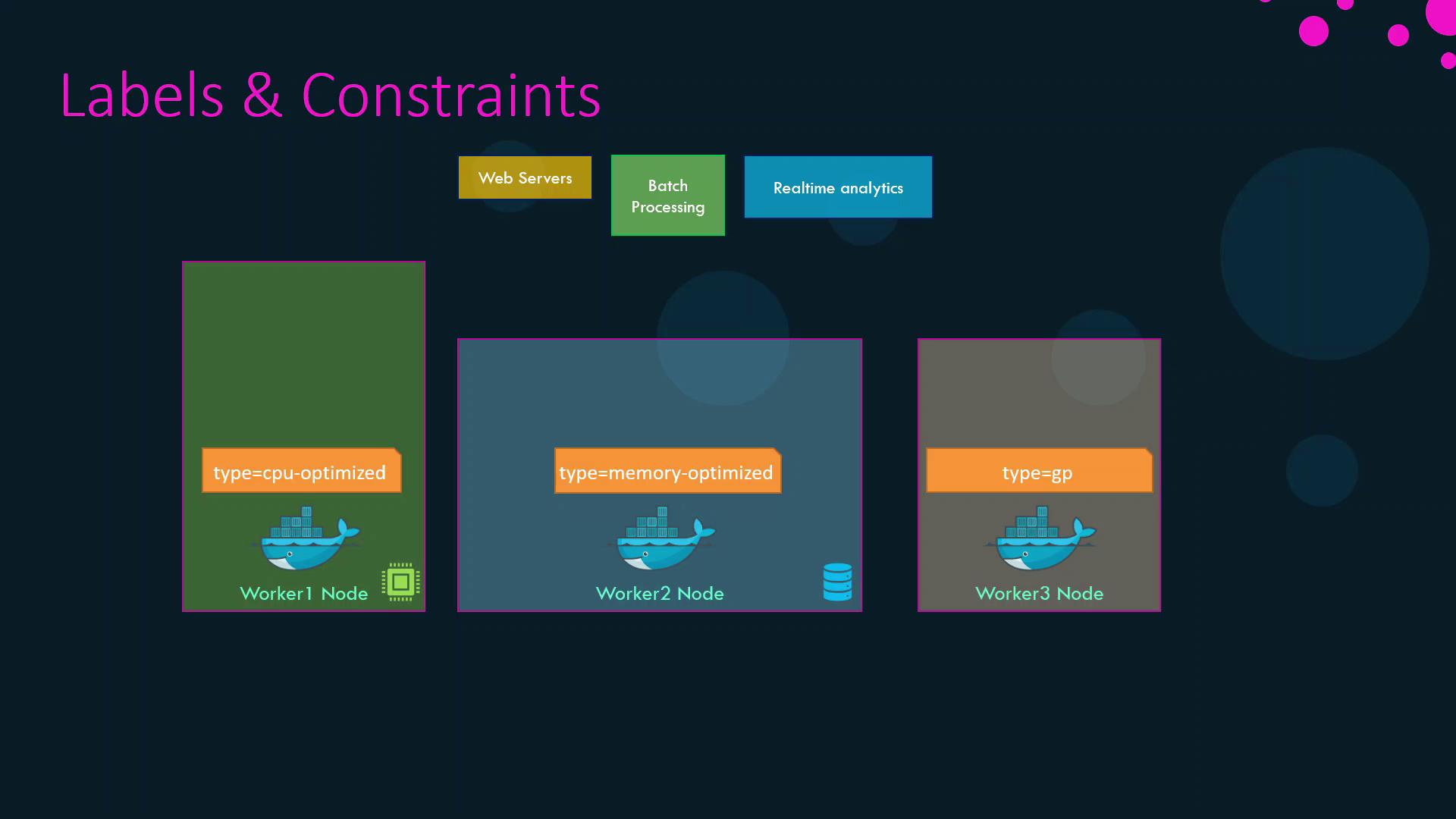
Below is a diagram illustrating the labeled nodes and associated workloads:
The image illustrates a system architecture with three worker nodes labeled as CPU-optimized, memory-optimized, and general-purpose, alongside components for web servers, batch processing, and real-time analytics.

2. Applying Placement Constraints

Use the --constraint flag with docker service create to bind services to nodes based on labels or built-in properties.

2.1 Match a Label

Schedule CPU-intensive and memory-intensive services on their respective optimized nodes:
docker service create \
  --name batch-processing \
  --constraint 'node.labels.type==CPU-optimized' \
  batch-processing

docker service create \
  --name realtime-analytics \
  --constraint 'node.labels.type==memory-optimized' \
  realtime-analytics

2.2 Exclude a Label

Prevent the web service from running on memory-optimized nodes:
docker service create \
  --name web \
  --constraint 'node.labels.type!=memory-optimized' \
  web
This ensures web is placed on either the CPU-optimized or general-purpose node.
Constraint expressions are case-sensitive and must be enclosed in quotes.
For more options, see the Service Create reference.

2.3 Using Built-in Node Properties

You can also constrain by node role. For example, to run a service only on worker nodes (excluding managers):
docker service create \
  --name worker-only-service \
  --constraint 'node.role==worker' \
  alpine:latest ping docker.com

3. Summary of Constraints

Service NameConstraint
batch-processingnode.labels.type==CPU-optimized
realtime-analyticsnode.labels.type==memory-optimized
webnode.labels.type!=memory-optimized
worker-only-servicenode.role==worker
By combining node labels with placement constraints, you guarantee that each workload in your Swarm cluster runs on the most suitable hardware, improving both performance and resource utilization.