In this lesson, you’ll learn how to:
  • Promote and demote Swarm nodes
  • Drain nodes for maintenance
  • Remove nodes from your cluster
These operations help maintain high availability and streamline cluster management.

Promote and Demote Nodes

Only Swarm manager nodes can orchestrate the cluster. You can elevate a worker node to manager or revert a manager back to a worker. Run these commands on any current manager.

Promote a Worker to Manager

docker node promote worker1
Promoting a node requires you to be connected to an active manager. Check your current context with docker info.
Verify the updated node list:
IDHOSTNAMESTATUSAVAILABILITYMANAGER STATUSENGINE VERSION
91uxgq6…manager1ReadyActiveLeader19.03.8
2lux7z6…worker1ReadyActiveReachable19.03.8
w0qr6k2…worker2ReadyActive19.03.8

Demote a Manager to Worker

docker node demote worker1
Confirm the demotion:
IDHOSTNAMESTATUSAVAILABILITYMANAGER STATUSENGINE VERSION
91uxgq6…manager1ReadyActiveLeader19.03.8
2lux7z6…worker1ReadyActive19.03.8
w0qr6k2…worker2ReadyActive19.03.8

Drain a Node for Maintenance

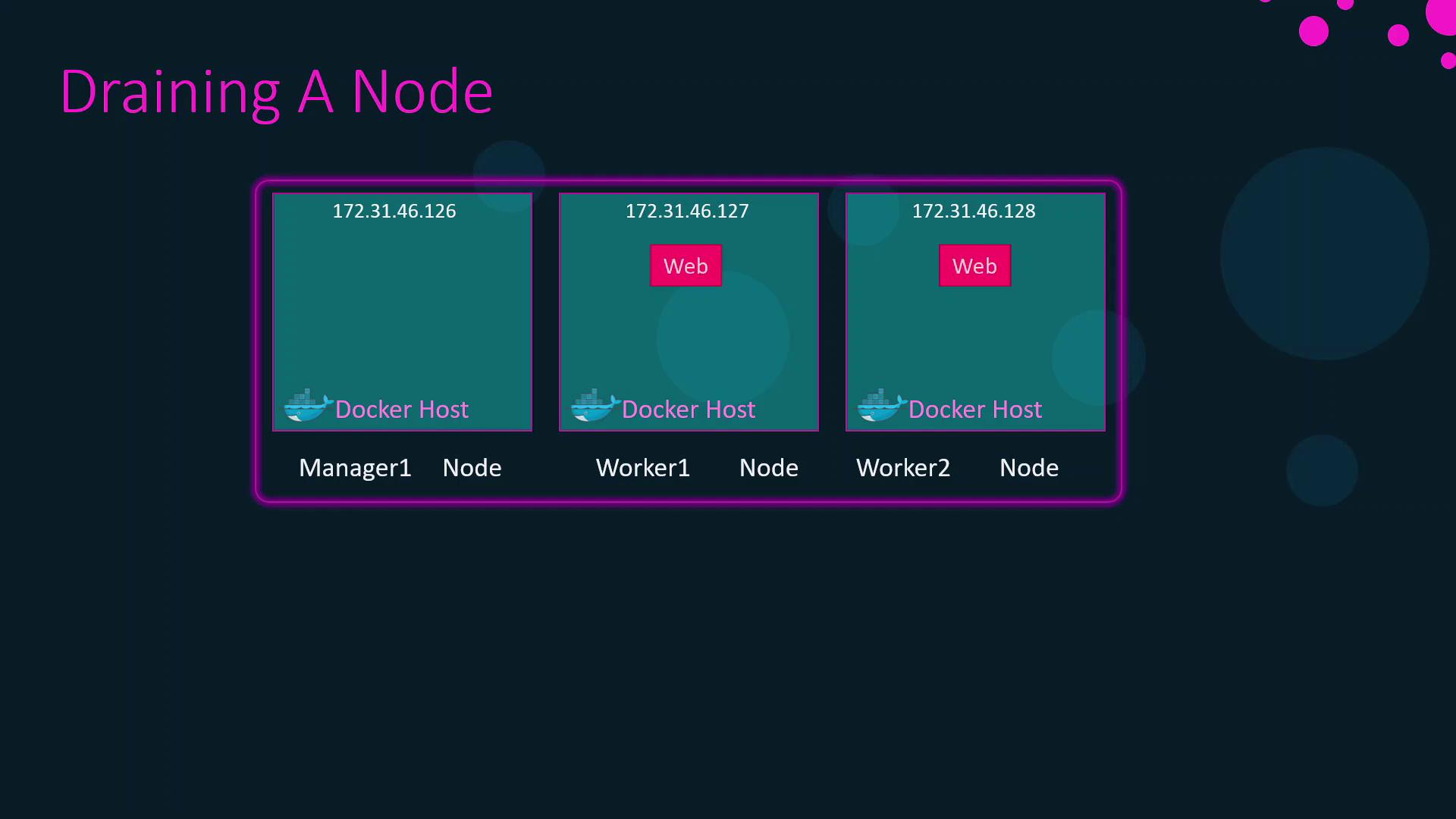
Before patching or upgrading, remove workloads from a node to avoid downtime. The following diagram shows a Swarm cluster with one manager and two workers running a “Web” service.
The image illustrates a Docker Swarm setup with three nodes: one manager node and two worker nodes, each labeled with an IP address and a "Web" service.
Drain worker1 to migrate its tasks:
docker node update --availability drain worker1
Draining a node stops new tasks from being scheduled and reschedules existing ones on other workers. Ensure your cluster has enough capacity before draining.
Check the drain status:
IDHOSTNAMESTATUSAVAILABILITYMANAGER STATUSENGINE VERSION
91uxgq6…manager1ReadyActiveLeader19.03.8
2lux7z6…worker1ReadyDrain19.03.8
w0qr6k2…worker2ReadyActive19.03.8
After maintenance, reactivate scheduling:
docker node update --availability active worker1
Now worker1 will accept new tasks:
IDHOSTNAMESTATUSAVAILABILITYMANAGER STATUSENGINE VERSION
91uxgq6…manager1ReadyActiveLeader19.03.8
2lux7z6…worker1ReadyActive19.03.8
w0qr6k2…worker2ReadyActive19.03.8

Remove a Node from the Swarm

To permanently remove a worker node:
  1. Drain the node:
    docker node update --availability drain worker2
    
  2. Log in to worker2 and leave the swarm:
    docker swarm leave
    
Example confirmation:
Node left the swarm.
At this point, worker2 is safely removed, and your cluster continues with the remaining nodes.

References