This lab explores role-based access controls in Kubernetes, focusing on roles, role bindings, and user permissions.
In this lab, we explore role-based access controls (RBAC) within a Kubernetes cluster. You will inspect the environment, review the API server authorization modes, and work through practical scenarios with roles, role bindings, and user permissions.
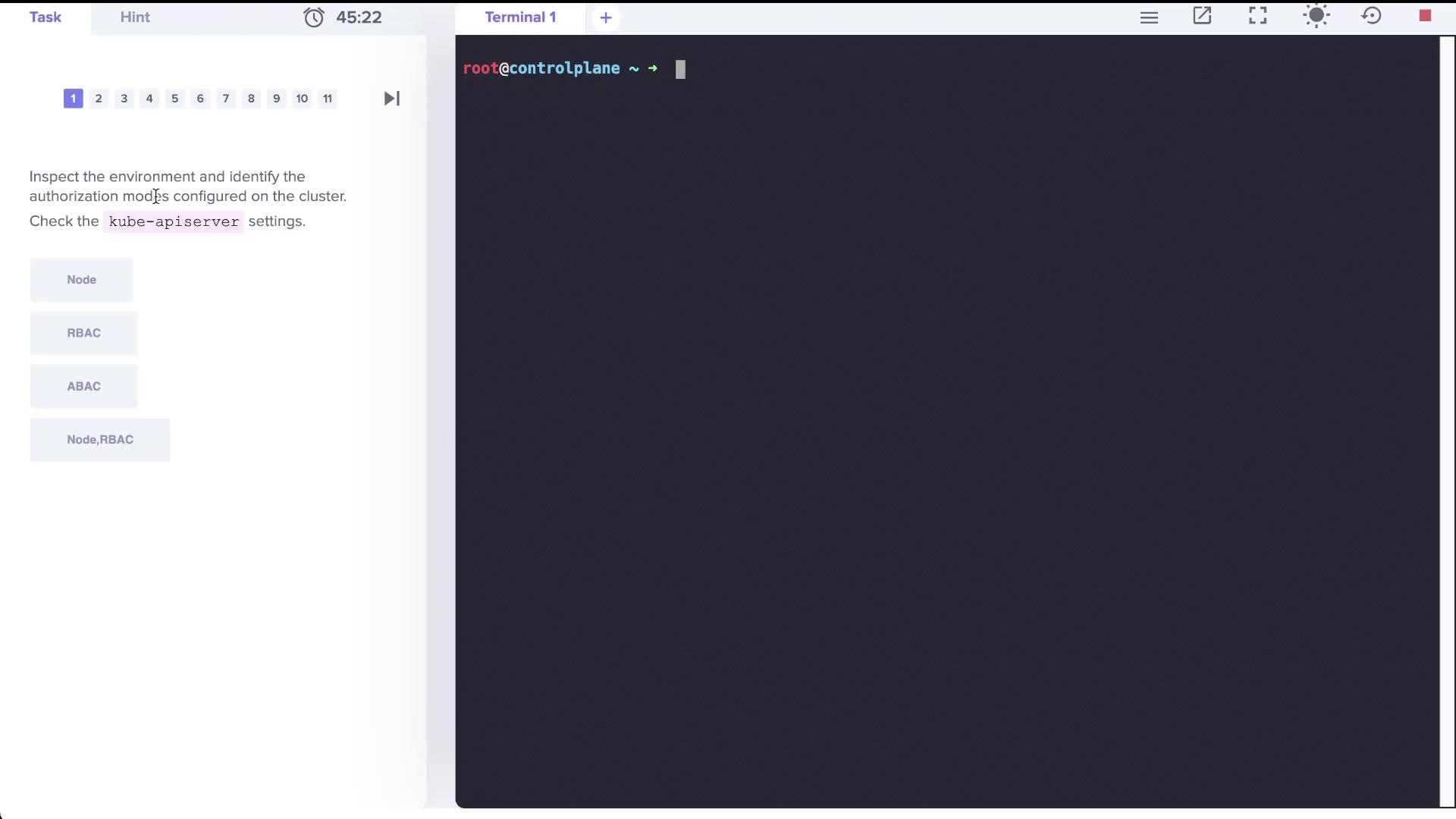
The first step is to examine the cluster configuration to determine which authorization modes are active. One approach is to review the Kubernetes API server manifest. The diagram below illustrates a terminal interface where the task is focused on inspecting Kubernetes authorization modes—specifically, Node, RBAC, and ABAC—by checking the kube-apiserver settings.
Examine the kube-apiserver manifest file. In the YAML excerpt below, note that the parameter --authorization-mode is configured with the value Node,RBAC:
Alternatively, you can verify the authorization mode by inspecting the running control plane processes. Look for the authorization-related parameters using this command:
Inspect the roles available in the cluster by counting the total number of roles across all namespaces:
Copy
Ask AI
root@controlplane ~ # k get roles -A --no-headers | wc -l12
Next, review the kube-proxy role within the kube-system namespace to see what resources it manages:
Copy
Ask AI
root@controlplane ~ # k get roles -A --no-headersblue developerkube-public kubeadm:bootstrap-signer-clusterinfokube-system system:controller:bootstrap-signerkube-system extension:apiserver-authentication-readerkube-system kube-proxykube-system kubeadm:kubelet-config-1.23kube-system system:leader-locking-kubeadm-configkube-system system:leader-locking-kube-controller-managerkube-system system:controller:cloud-providerkube-system system:controller:token-cleanerroot@controlplane ~ # k get roles -A --no-headers | wc -l12
To determine which accounts are associated with the kube-proxy role, review the role bindings in the kube-system namespace:
Copy
Ask AI
root@controlplane ~ # k get rolebindings -n kube-systemNAME AGEkube-proxy 48mkubeadm:kubelet-config-1.23 48mkubeadm:nodes-kubeadm-config 48msystem:extension-apiserver-authentication-reader 48msystem:leader-locking-kube-controller-manager 48msystem:leader-locking-kube-scheduler 48msystem:controller:bootstrap-signer 48msystem:controller:cloud-provider 48msystem:controller:token-cleaner 48m
The kube-proxy role is assigned via its respective role binding, which generally targets a specific group (for example, system bootstrappers).Additionally, a user account named “dev-user” is created with corresponding credentials in the kubeconfig file. To inspect this file, execute:
Copy
Ask AI
kubectl config view
Below is an excerpt from the kubeconfig showing the “dev-user” credentials:
Test the “dev-user” permissions by attempting to list pods in the default namespace:
Copy
Ask AI
root@controlplane ~ # k get pods --as dev-userError from server (Forbidden): pods is forbidden: User "dev-user" cannot list resource "pods" in API group "" in the namespace "default"
Since listing pods is forbidden for “dev-user,” you will need to create an appropriate role and role binding that grants permissions to create, list, and delete pods.
Create a Role named developer in the default namespace that permits listing, creating, and deleting pods. Ensure that you use the singular form for resource flag:
Copy
Ask AI
root@controlplane ~ # k create role developer --verb=list,create,delete --resource=podsrole.rbac.authorization.k8s.io/developer created
Create a RoleBinding called dev-user-binding that assigns the developer role to the “dev-user”:
Copy
Ask AI
root@controlplane ~ # k create rolebinding dev-user-binding --role=developer --user=dev-userrolebinding.rbac.authorization.k8s.io/dev-user-binding created
Inspect the binding details to confirm the assignment:
Copy
Ask AI
root@controlplane ~ # k describe rolebinding dev-user-bindingName: dev-user-bindingLabels: <none>Annotations: <none>Role: Kind: Role Name: developerSubjects: Kind Name Namespace ---- ---- --------- User dev-user
When “dev-user” attempts to access the pod (named dark-blue-app) in the blue namespace, a forbidden error occurs. Begin by checking the roles and role bindings in the blue namespace:
Copy
Ask AI
root@controlplane ~ # k get roles -n blueNAME CREATED ATdeveloper 2022-04-24T17:25:04Zroot@controlplane ~ # k get rolebindings -n blueNAME ROLE AGEdev-user-binding Role/developer 24m
View the details of the developer role in the blue namespace:
The current configuration permits access only to a pod named “blue-app”. To allow “dev-user” to access the dark-blue-app pod, edit the role accordingly:
Copy
Ask AI
root@controlplane ~ # k edit role developer -n blue
After updating the resource names, verify access using the following command:
Copy
Ask AI
root@controlplane ~ # k --as dev-user get pod dark-blue-app -n blueNAME READY STATUS RESTARTS AGEdark-blue-app 1/1 Running 0 25m
Always double-check that the resource names in your Role match the actual names in the namespace. This ensures that the correct permissions are applied.
The next requirement is to allow “dev-user” to create Deployments in the blue namespace. Initially, an attempt to create a deployment as “dev-user” might fail due to insufficient permissions:
Copy
Ask AI
root@controlplane ~ # k --as dev-user create deployment nginx --image=nginx -n blueerror: failed to create deployment: deployments.apps is forbidden: User "dev-user" cannot create resource "deployments" in API group "apps" in the namespace "blue"
To fix this, update the developer role in the blue namespace to include a new rule for deployments in the “apps” API group. The updated role should maintain the existing permissions for pods while adding the required permissions for deployments. An example of the modified role manifest is shown below:
This lab provided a comprehensive walkthrough on inspecting Kubernetes authorization modes, reviewing role assignments, and adjusting Role-Based Access Control (RBAC) configurations. By carefully modifying roles and role bindings, you ensure that users like “dev-user” receive only the permissions required to perform their tasks, enhancing both security and operational efficiency.Happy clustering!