Imagine you have multiple environments—a development environment on your local machine, a staging environment, and a production environment. You need your deployment to behave differently in each, with varying numbers of replicas. For example:
1 replica in development,
2–3 replicas in staging, and
5–10 replicas in production.
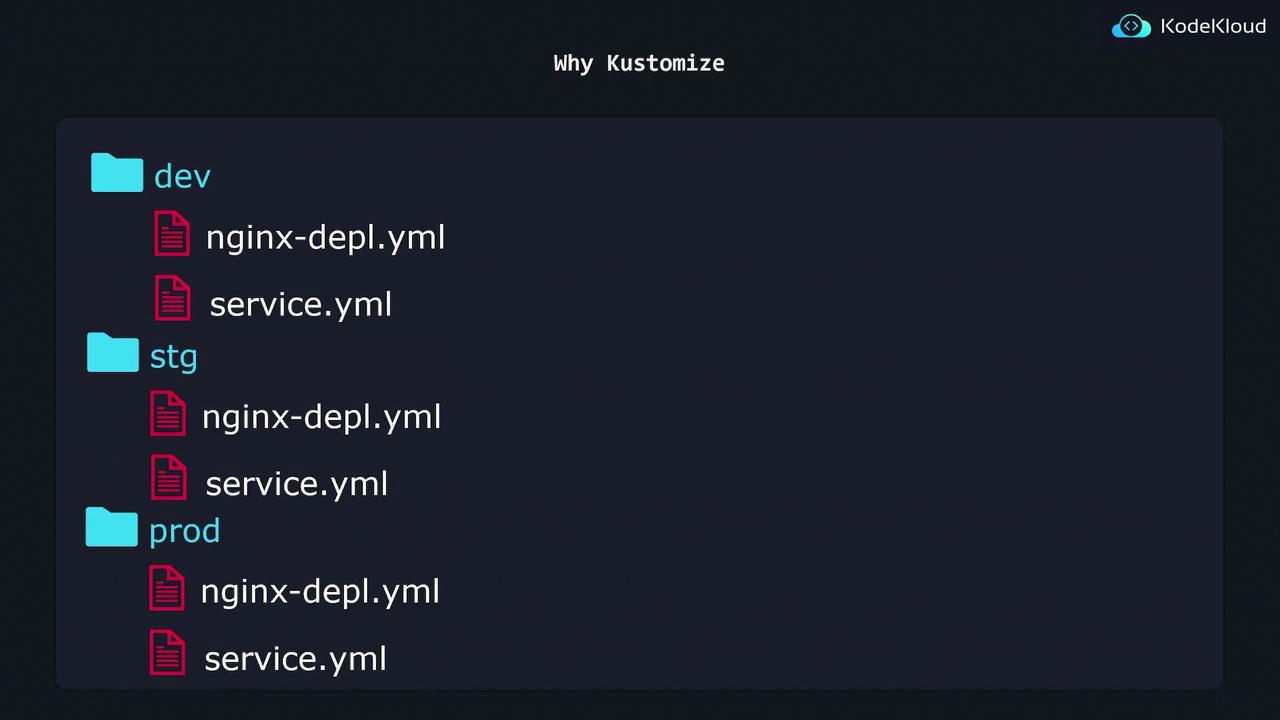
If you use a single nginx deployment YAML file, each environment would deploy only one replica. A common workaround is to create separate directories (dev, stg, prod) and duplicate your configuration file while modifying only the replica count.
To deploy the configuration, you would run a command for each environment, for example:
Copy
Ask AI
$ kubectl apply -f dev/deployment.apps/nginx-deployment created
For the staging environment:
Copy
Ask AI
$ kubectl apply -f stg/deployment.apps/nginx-deployment created
This command creates two nginx pods for staging.
This approach works for small deployments. However, as you add more resources (e.g., a separate service.yaml file), you must copy every new file to each environment directory, increasing both maintenance overhead and the risk of inconsistencies.
The directory structure might end up looking like this:
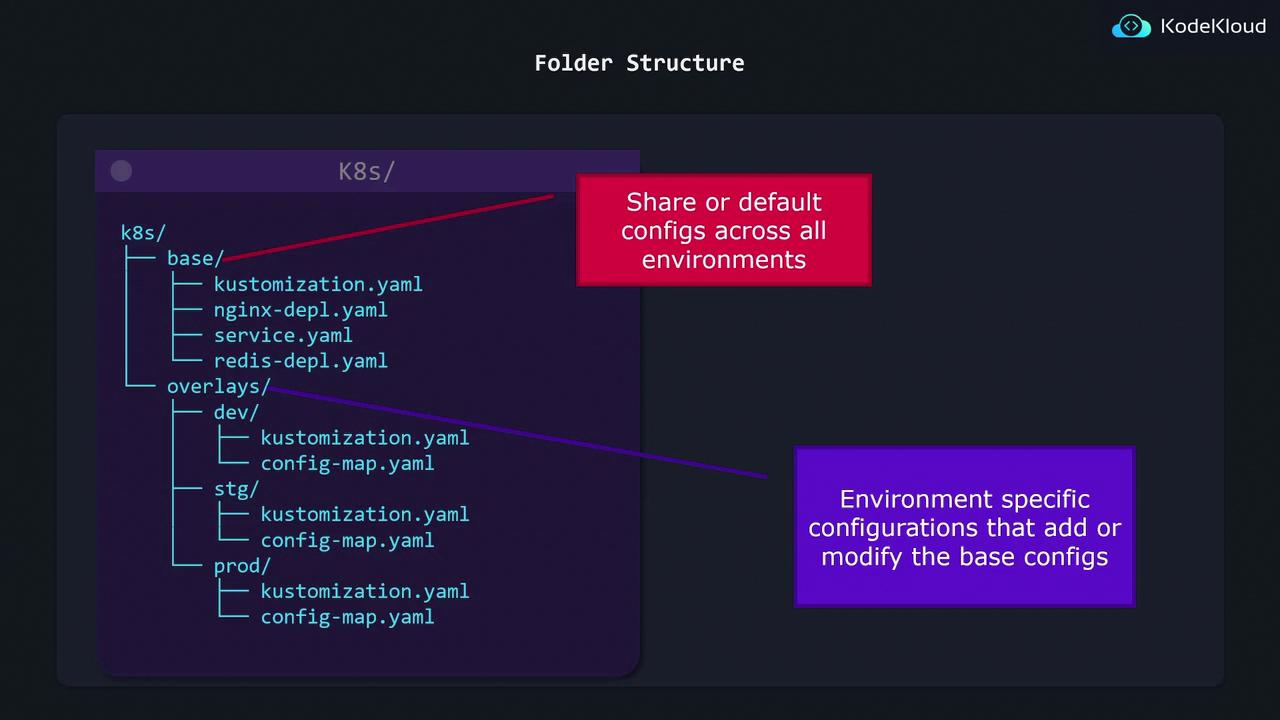
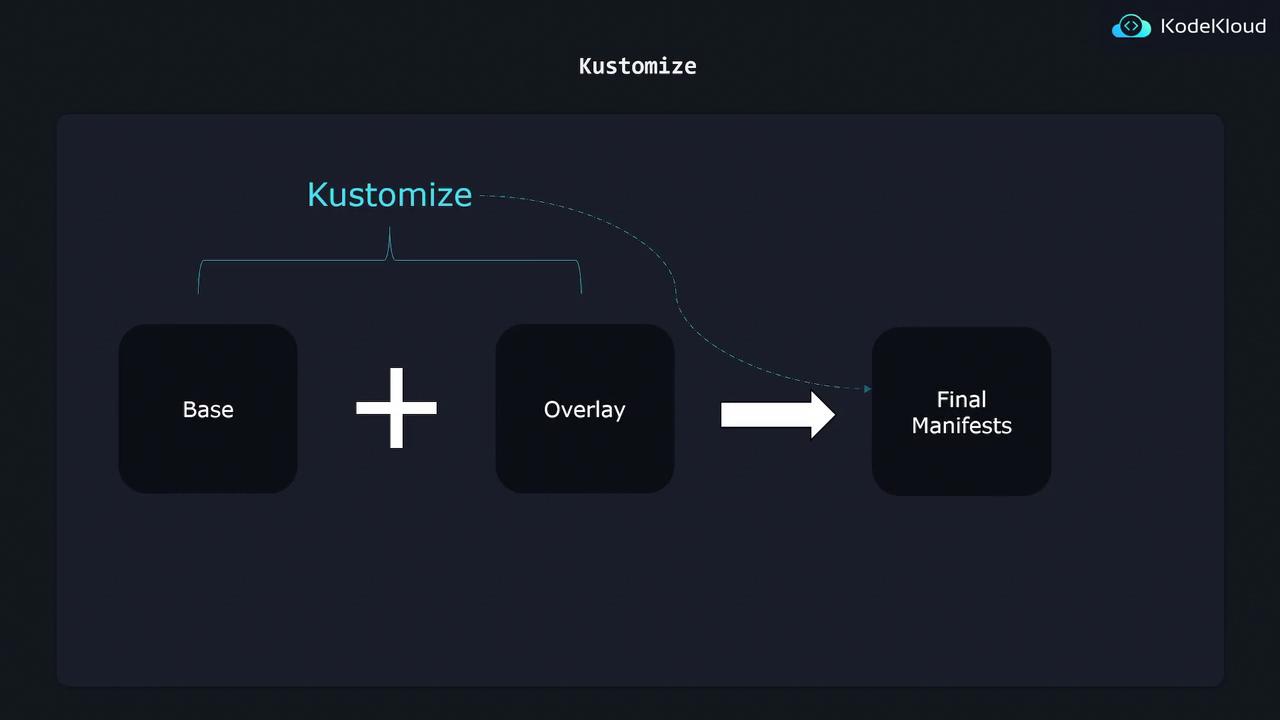
Kustomize provides a scalable solution to avoid excessive duplication. Instead of maintaining separate configurations for each environment, you can create a single Base configuration and apply environment-specific Overlays for adjustments.
Overlays: Allow you to override or add environment-specific configurations. For example, you can change the replica count to 2 for staging and 5 for production.
A typical folder structure when using Kustomize might include:
A base directory containing all the shared Kubernetes configurations.
An overlays directory with subdirectories for each environment (dev, stg, and prod). Each subdirectory includes patches or additional resources that override the Base configuration.
This organization ensures that common configurations remain in the base folder, while environment-specific modifications are managed separately, preventing configuration drift and reducing the effort required for updates.
This approach adheres to the principle of treating configuration as code, minimizing repetition while ensuring consistency across your Kubernetes deployments.
When you run Kustomize, it merges the Base configuration with your selected environment overlay, producing a complete set of manifests ready for deployment.
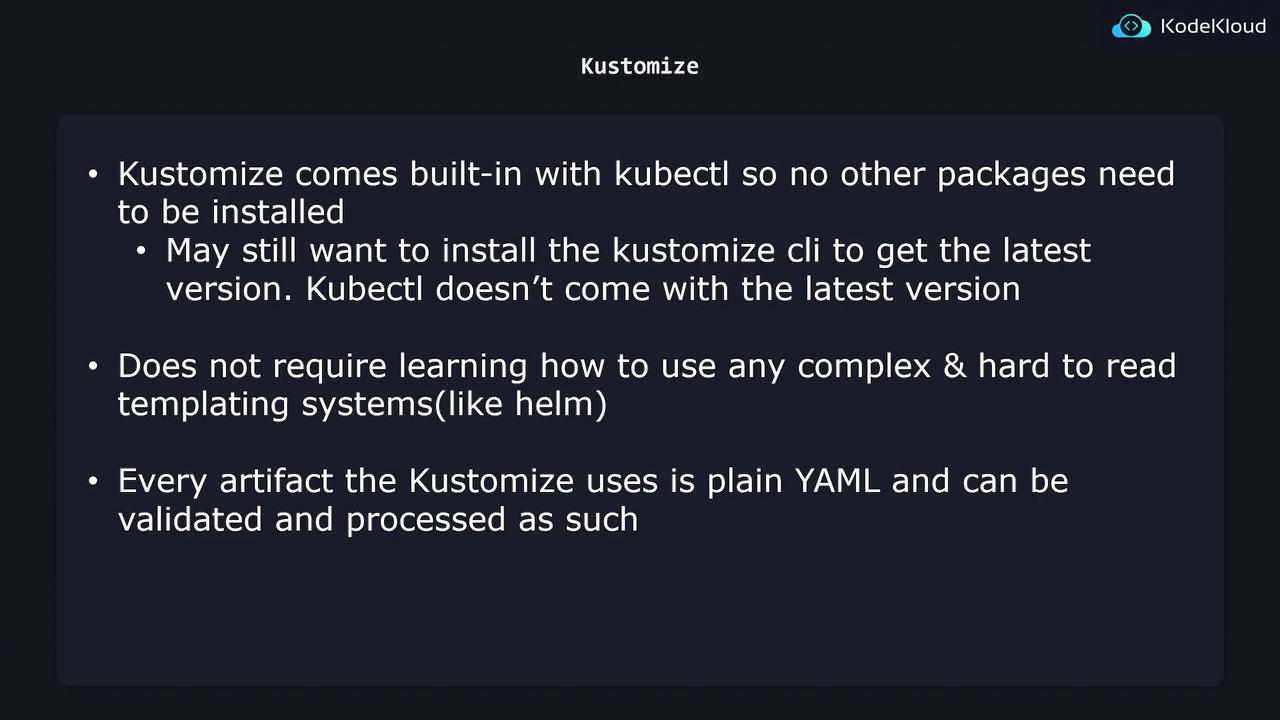
One of Kustomize’s best features is its seamless integration with kubectl. Since it is built into kubectl, no additional installation is required (although you might update it later if necessary). Unlike Helm, Kustomize avoids complex templating, relying instead on plain YAML files which are easy to read, validate, and maintain.
Kustomize effectively addresses the challenges of managing configurations across multiple environments by allowing you to maintain a single Base configuration and apply minimal, environment-specific Overlays. This strategy ensures consistency, reduces maintenance overhead, and scales well as your Kubernetes deployments grow.Happy customizing!