

Manual Networking vs. Weave CNI
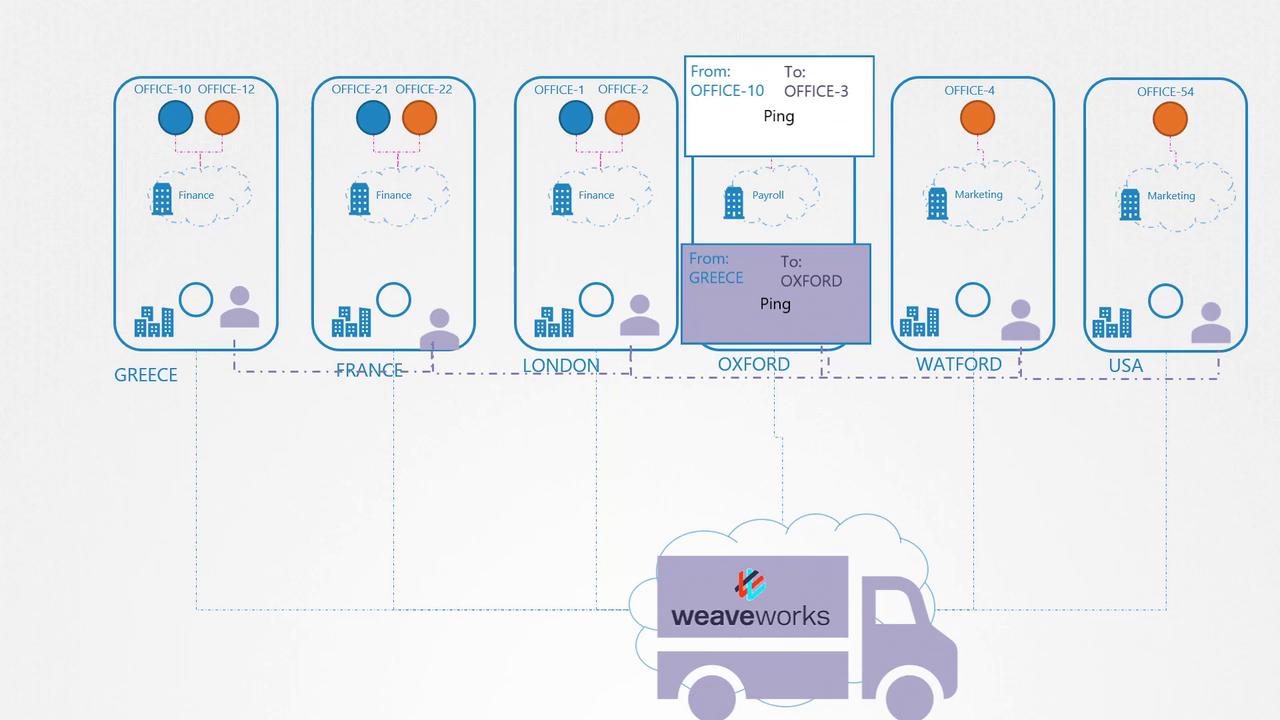
In traditional networking, the routing table on each host maps different networks. When a packet moves from one pod to another, it usually exits through the network and is directed by a router to the destination node hosting the target pod. Although this works well in small-scale networks, scaling to hundreds of nodes and pods makes managing numerous routing table entries extremely challenging. Imagine a Kubernetes cluster as a company with different office sites (nodes). Each office has various departments (pods). Initially, a package (packet) may be delivered using a simple routing method. However, as the company expands across regions and countries, maintaining a comprehensive routing table becomes unmanageable.Think of Weave as a specialized shipping service. It deploys dedicated agents (pods) at each node that collectively form a peer-to-peer network, ensuring efficient communication and accurate routing in a large-scale environment.
How Weave Works
The Weave CNI plugin deploys an agent on each Kubernetes node. These agents exchange information about nodes, networks, and pods to maintain a complete topology of the cluster. Each node runs a Weave bridge, allowing dynamic IP address assignment. In the upcoming practice lesson, you will determine the exact range of IP addresses assigned by Weave. Keep in mind that a pod may be connected to multiple bridge networks (e.g., both the Weave bridge and the Docker bridge). The container’s routing configuration controls the path a packet follows, and Weave ensures that each pod has the correct route through its assigned agent. When sending a packet to a pod on another node, Weave intercepts, encapsulates, and routes it using updated source and destination details. At the destination node, the corresponding Weave agent decapsulates the packet and delivers it to the intended pod.Network Diagrams
The following diagram illustrates a network setup with multiple Docker nodes, each residing in its own subnet, interconnected using Weaveworks to manage container networking: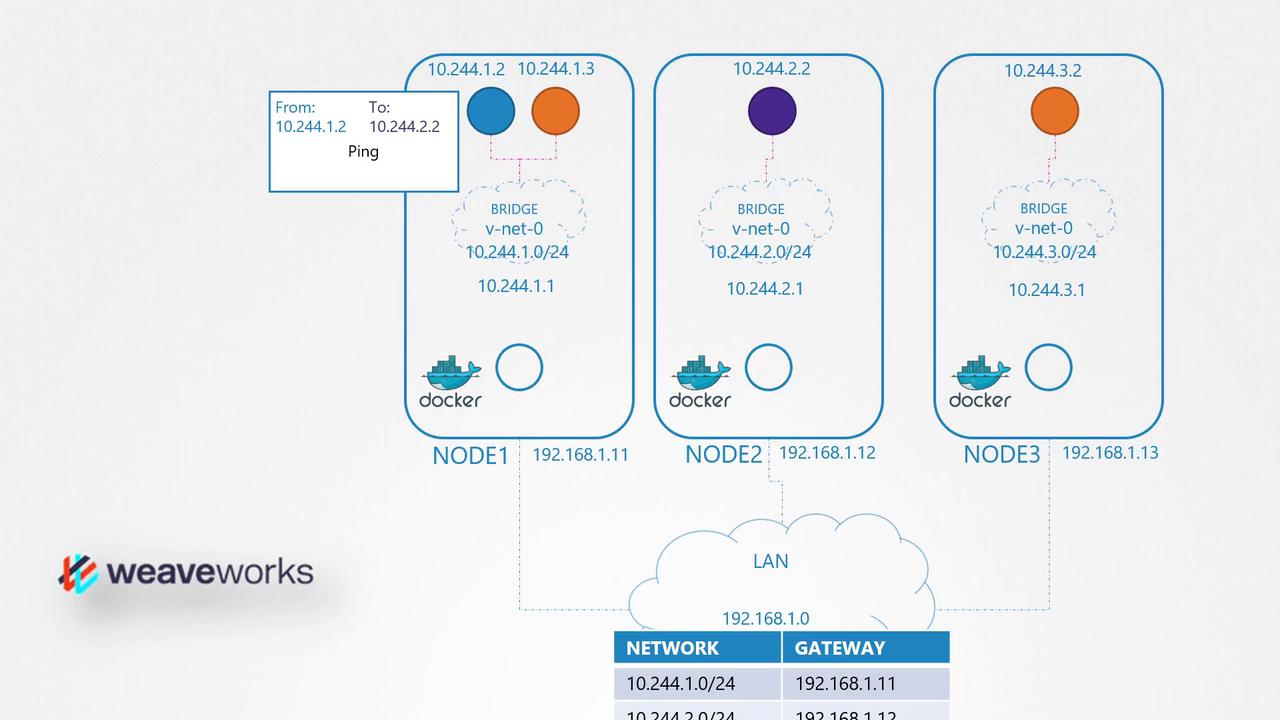
Deploying Weave on a Kubernetes Cluster
Deploying Weave on a Kubernetes cluster is straightforward. Once you have set up your base Kubernetes environment—with nodes, inter-node networking, and control plane components—you can deploy the Weave plugin using a single command. This command deploys the necessary components (Weave peers) as pods on every node, often configured via a DaemonSet. Here’s an example command to inspect the routing settings within a running pod:For more detailed troubleshooting steps and configuration options, refer to the Weaveworks documentation.