

A Brief History of Helm
Helm’s journey began in February 2016 with Helm 1.0, followed by Helm 2.0 in November 2016. The major milestone was achieved with the release of Helm 3.0 in November 2019. As Kubernetes itself advanced, Helm matured to better leverage Kubernetes functionalities, resulting in a more robust and secure package management experience.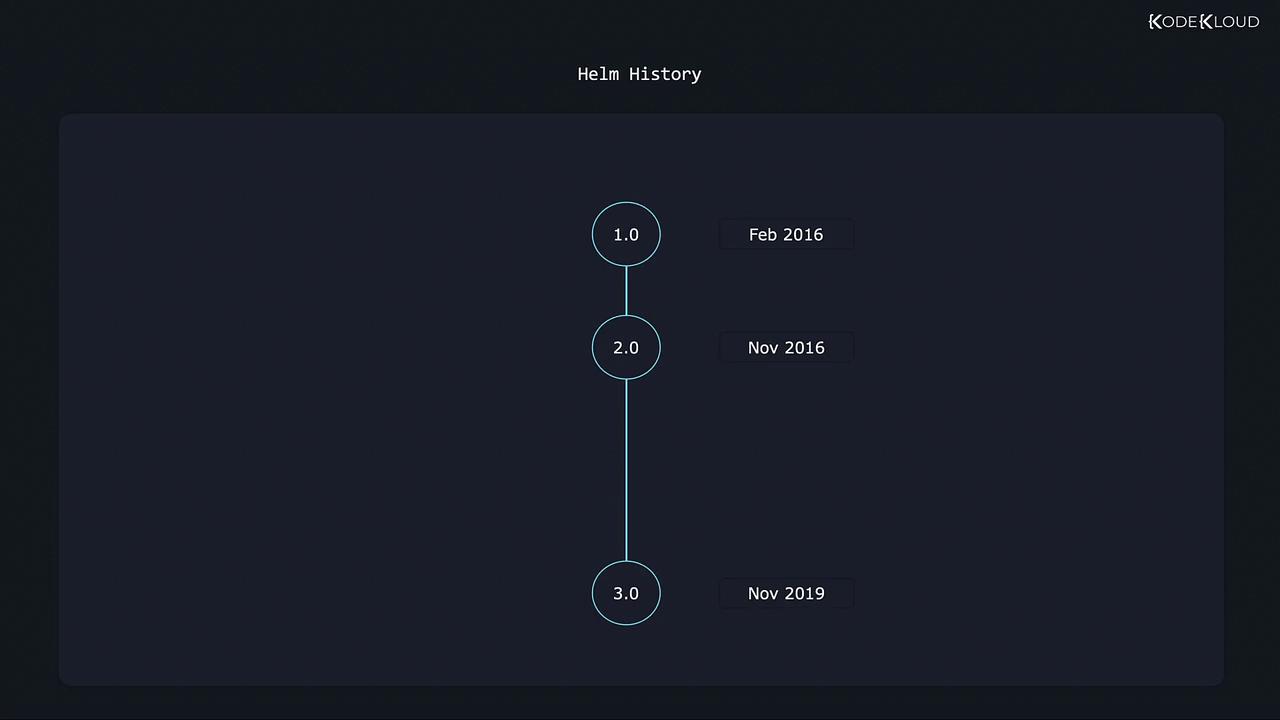
Helm 2: The Role of Tiller
In the era of Helm 2, Kubernetes limitations such as the absence of role-based access control (RBAC) and custom resource definitions (CRDs) meant that an additional component, Tiller, was required. Tiller acted as an intermediary between the Helm CLI and the Kubernetes cluster, managing the installation and upgrade of charts. However, this approach introduced several challenges:- Complexity: The interaction between the CLI and Tiller added an extra layer to the deployment process.
- Security Risks: Tiller operated with broad privileges, often referred to as running in “God mode,” increasing the risk of potential security issues.
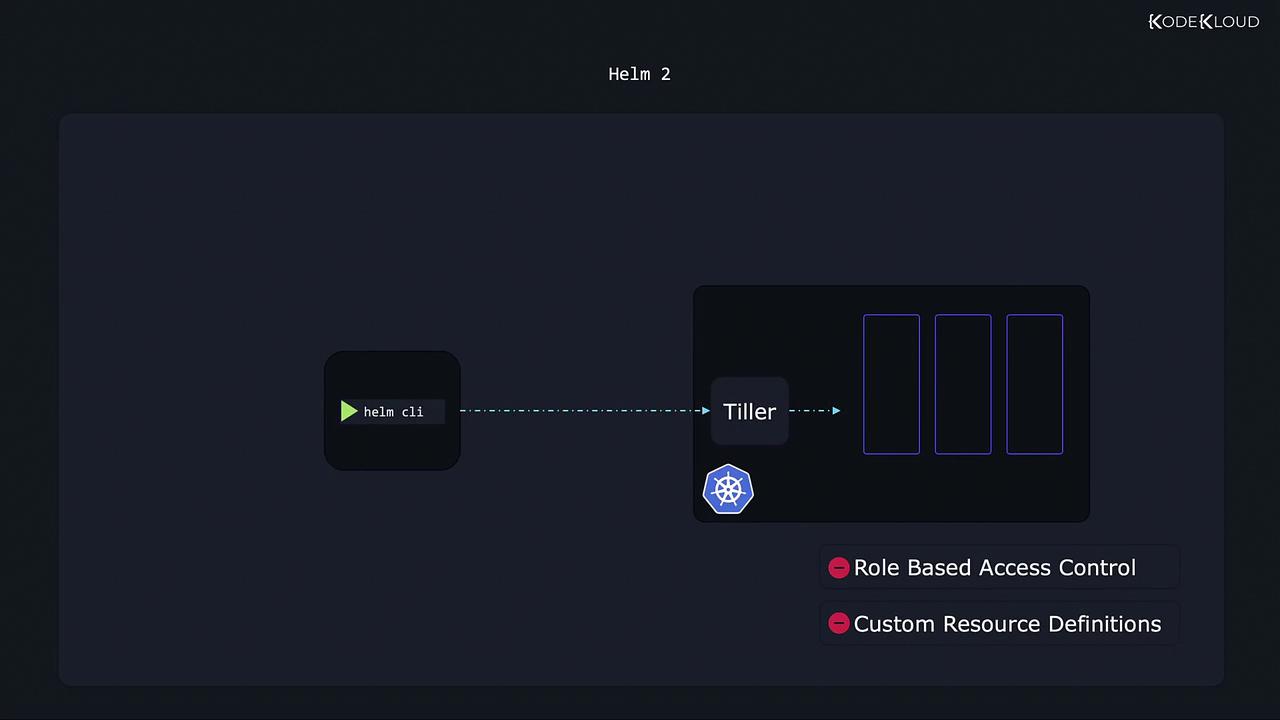
Using Tiller in Helm 2 means that any misconfiguration could lead to elevated security risks due to its extensive privileges.
Helm 3: Simplified and Secure
Helm 3 brings notable improvements by eliminating the need for Tiller. Instead, the Helm client now communicates directly with Kubernetes, leveraging its native RBAC capabilities. This change simplifies the architecture and enhances security, as every Helm action is subject to the same RBAC permissions applied when using kubectl.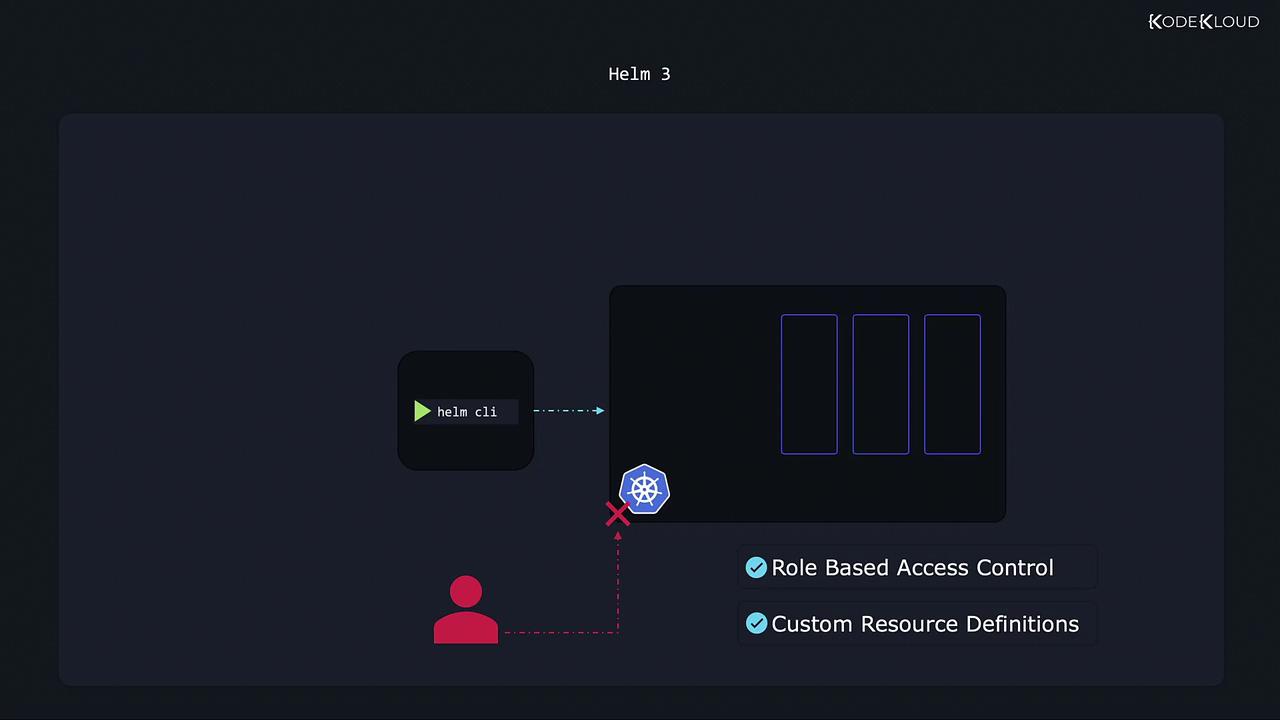
Key Differences Between Helm 2 and Helm 3
| Feature | Helm 2 | Helm 3 |
|---|---|---|
| Intermediary Component | Requires Tiller | No intermediary; direct communication |
| Security Model | Elevated risk due to broad privileges | Enhanced security leveraging Kubernetes RBAC |
| Rollback Mechanism | Basic revision comparison | Three-way strategic merge patch |
Improved Rollback and Upgrade Process in Helm 3
One of the significant advancements in Helm 3 is the handling of rollbacks through a three-way strategic merge patch, resembling a snapshot mechanism. Consider the example of deploying a WordPress website using a Helm chart:- Installation: When you install the chart, Helm creates revision 1.
- Upgrade: After changing configurations, such as upgrading the WordPress image, Helm creates revision 2.
- Rollback: If needed, reverting to revision 1 will restore the previous state.
Revision Changes in YAML
Helm 3’s intelligent three-way comparison considers the following:
- The previous chart revision,
- The desired chart state,
- The live state of Kubernetes objects. This approach ensures that discrepancies—such as manual changes using kubectl—are correctly reconciled.
Handling Manual Changes and Upgrades
In Helm 2, if a user manually modified Kubernetes objects (e.g., usingkubectl set image) after deployment, these changes were not recorded in Helm’s revision history, meaning Helm might not detect any differences during a rollback. In contrast, Helm 3 compares the live state against both the current and desired revisions. This ensures:
- Manual modifications outside of Helm are preserved during upgrades.
- Overwritten configurations are avoided unless explicitly intended.