kubectl describe pod, which may reveal messages like this when resources (such as CPU) are insufficient:
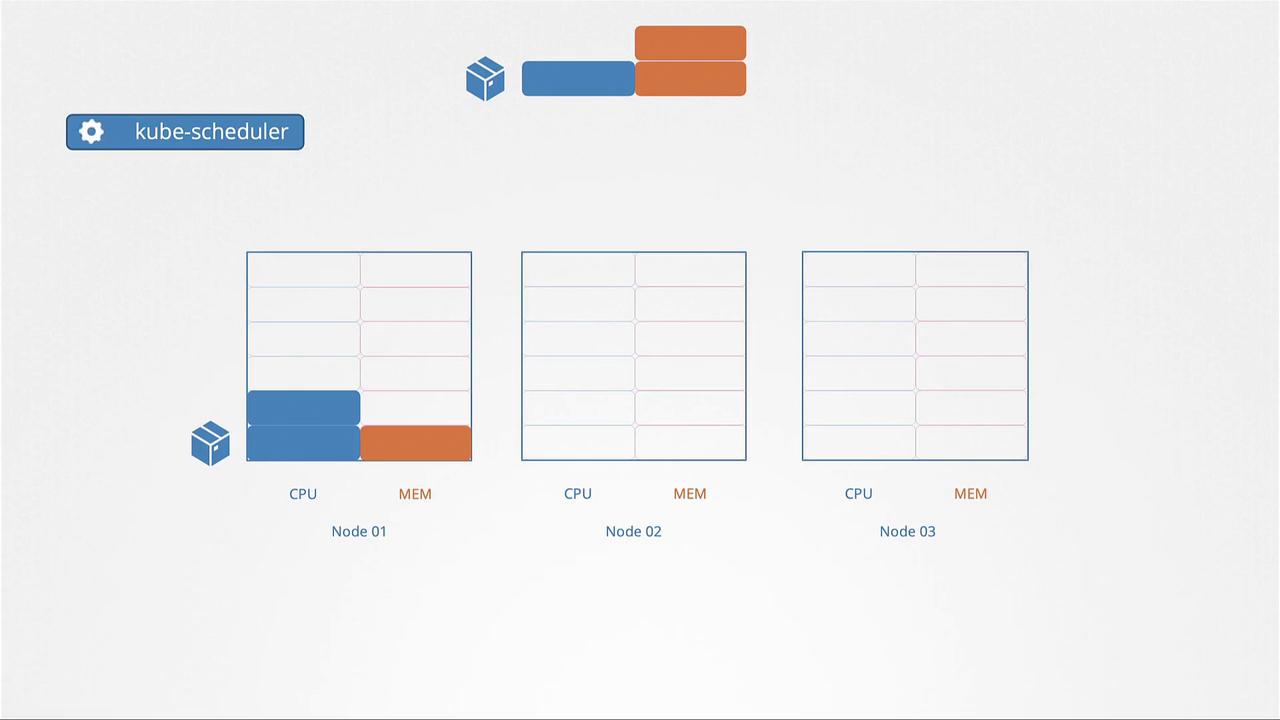
Resource Requests
Resource requests define the minimum CPU and memory a container is guaranteed when scheduled. Specifying a request, for instance, of 1 CPU and 1 GB memory in a pod definition ensures that the pod will only be scheduled on a node that can provide these minimum resources. The Kubernetes scheduler searches for a node that meets these requirements, guaranteeing the pod access to the declared resources. Below is an example snippet of a pod definition with resource requests set to 4 Gi of memory and 2 CPU cores:Resource Limits
By default, a container in a pod can consume all the available resources on its node if no limits are set. However, you can restrict its usage by defining resource limits. Setting a limit, such as 1 vCPU, prevents the container from using more than that allocation. Similarly, memory limits restrict its maximum memory usage. Note that while CPU usage is throttled when a pod reaches its limit, memory usage is not. If a pod exceeds its memory limit, it may be terminated due to an Out Of Memory (OOM) error. Below is an example of a pod definition that includes both resource requests and limits for memory and CPU: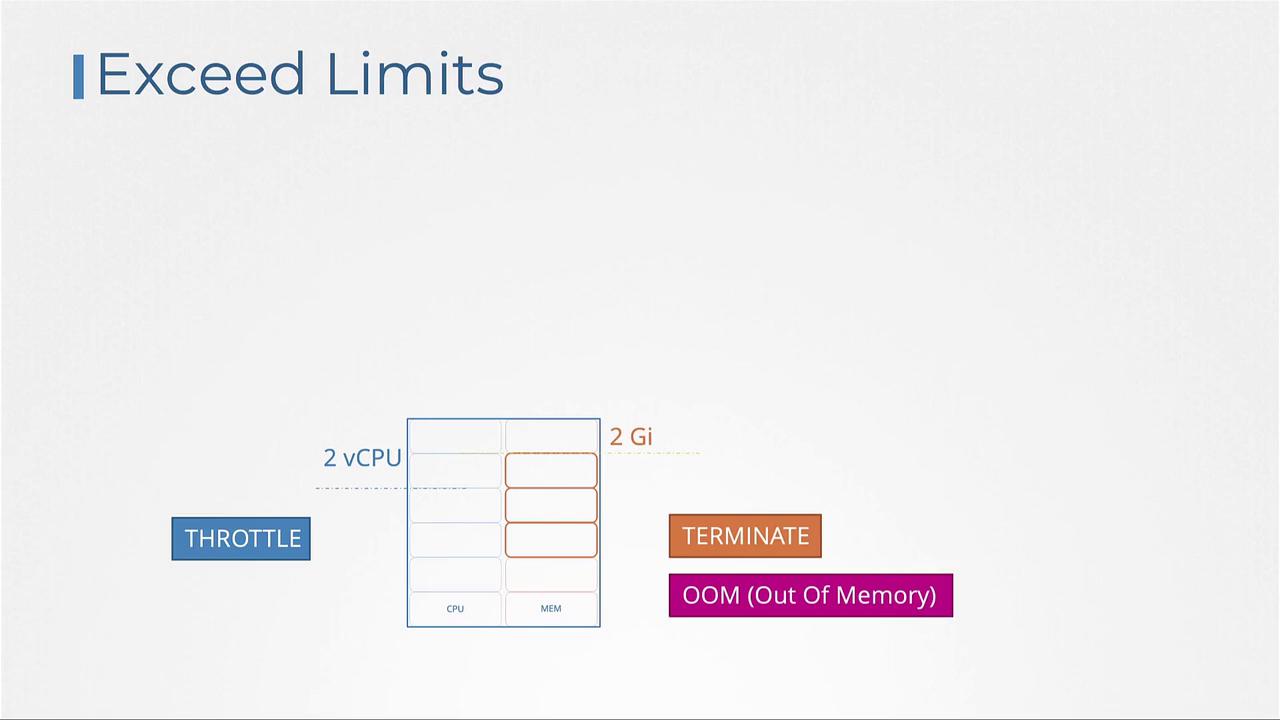
Default Behavior and Scenarios
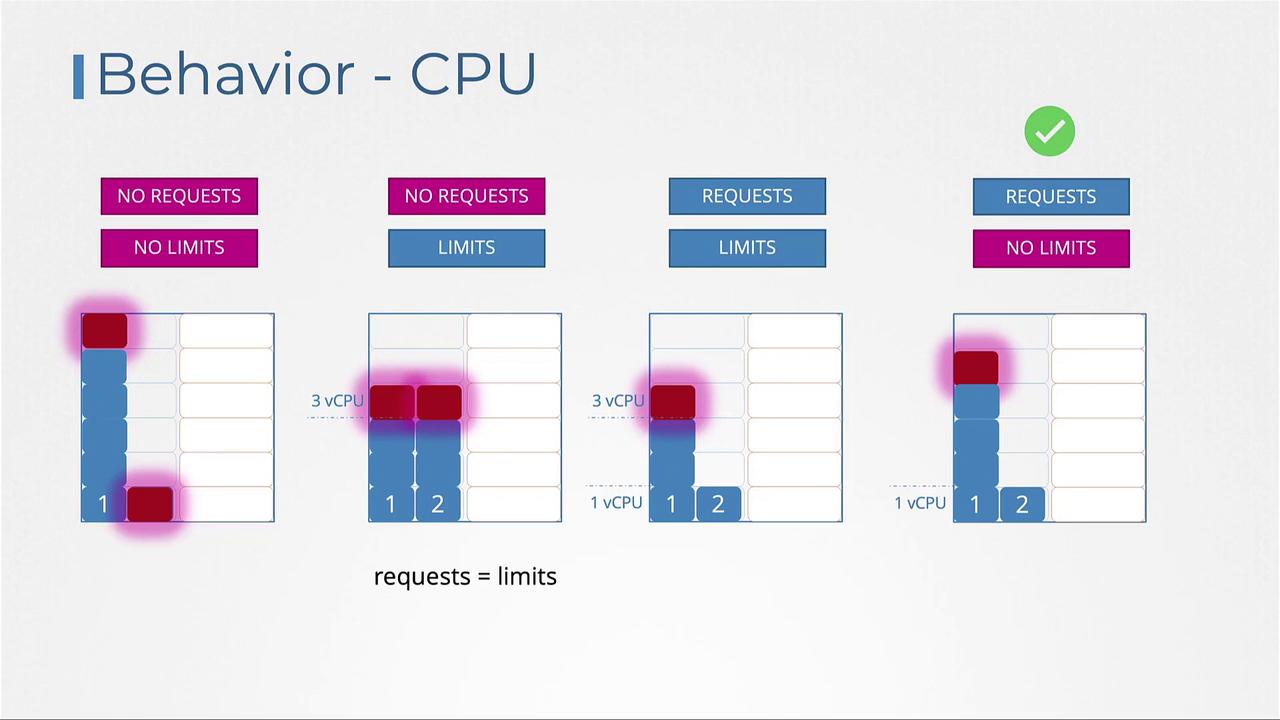
By default, Kubernetes does not enforce CPU or memory requests and limits. This means a pod without specified limits can consume all available resources on its node, potentially affecting other pods and system processes. Below are several scenarios for CPU configurations:- No Requests or Limits:
A container can utilize all available CPU, potentially starving other pods. - Limits Specified Without Requests:
Kubernetes assumes the request value is equal to the limit (e.g., setting a limit of 3 vCPUs results in a request of 3 vCPUs). - Both Requests and Limits Defined:
The container is guaranteed its requested amount (e.g., 1 vCPU) but can use additional CPU up to its defined limit (e.g., 3 vCPUs). - Requests Defined Without Limits:
The container is guaranteed its requested CPU value, with access to additional cycles if available, which allows for efficient utilization of idle resources.
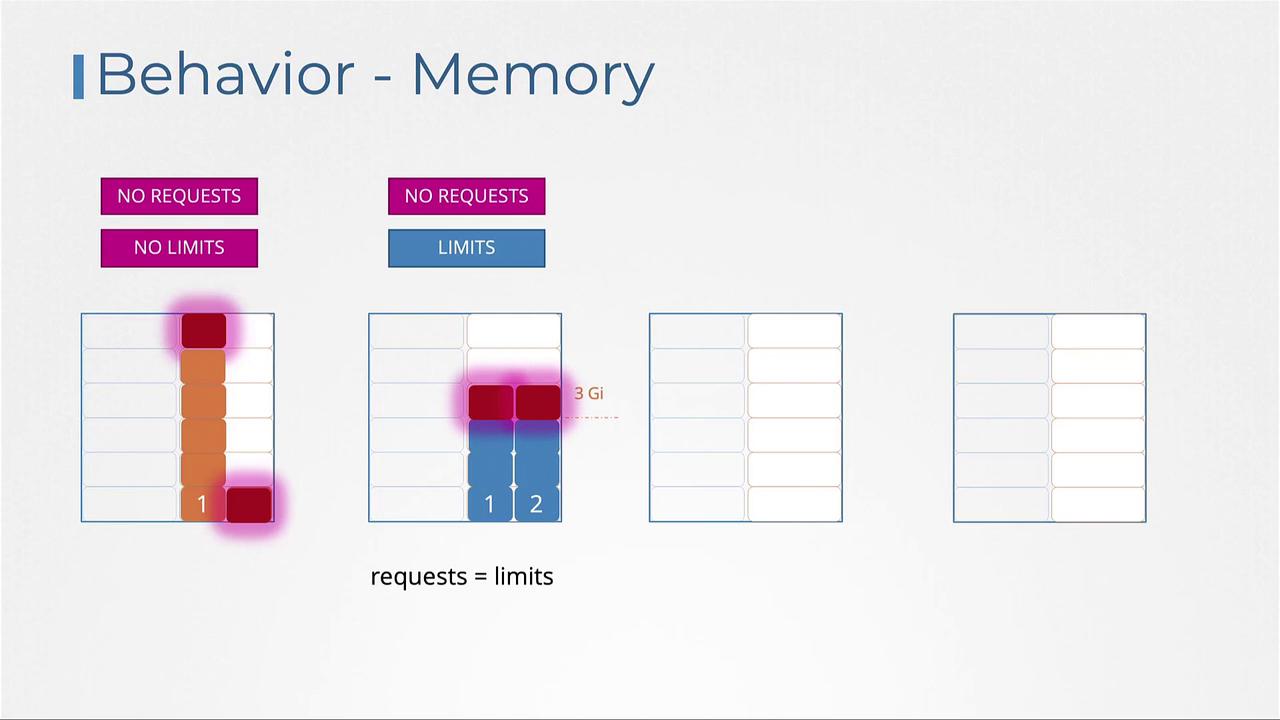
- Without any resource configurations, a single pod may monopolize node memory.
- When only limits are specified, Kubernetes sets the memory request equal to the limit.
- With both requests and limits, the pod is allocated a guaranteed memory amount and can burst up to the limit.
- Only specifying requests guarantees the pod a base amount of memory but might let it consume more, potentially leading to termination if memory usage becomes excessive.
Limit Ranges
By default, Kubernetes does not enforce resource requests or limits on pods. To ensure that every pod in a namespace receives default resource settings, you can define a LimitRange. LimitRanges are namespace-level objects that automatically assign default resource values to containers that do not specify them.
Resource Quotas
Resource Quotas allow you to restrict the overall resource consumption for all applications within a namespace. By setting a Resource Quota, you can define hard limits on the aggregate consumption—such as restricting total CPU requests to 4 vCPUs and total memory to 4 GB, while also defining maximum limits (for example, 10 vCPUs and 10 GB) across all pods. This approach helps maintain balanced resource allocation within a namespace even if individual pods lack explicit limits.Conclusion
In this lesson, we covered the essential concepts of resource requests and limits in Kubernetes. We learned how to declare resource requests to ensure pods receive the necessary resources and how setting resource limits prevents any single pod from overwhelming its node. Additionally, we discussed the implementation of LimitRanges to provide default values within a namespace and Resource Quotas to control aggregate resource usage. For more detailed information, refer to the official Kubernetes documentation, and consider practicing these configurations in your own Kubernetes environments.