

Overview of the Azure Security Benchmark
The Azure Security Benchmark provides a comprehensive roadmap for implementing robust security controls. It aligns with multiple compliance frameworks and regulatory requirements including PCI DSS, HIPAA, and GDPR. Integrated directly with Microsoft Defender for Cloud, the benchmark evaluates your resource configurations and offers remediation recommendations based on periodic assessments.By assigning the Azure Security Benchmark, you not only secure your environment but also receive targeted recommendations to improve your overall security posture.
How Defender for Cloud Works
Once the required policies are assigned, Defender for Cloud evaluates your Azure resources, checking them against the defined requirements. It then reports on compliance levels and provides clear remediation recommendations. Additional policy initiatives, including PCI or HIPAA, can be incorporated as needed to further tailor your security strategy.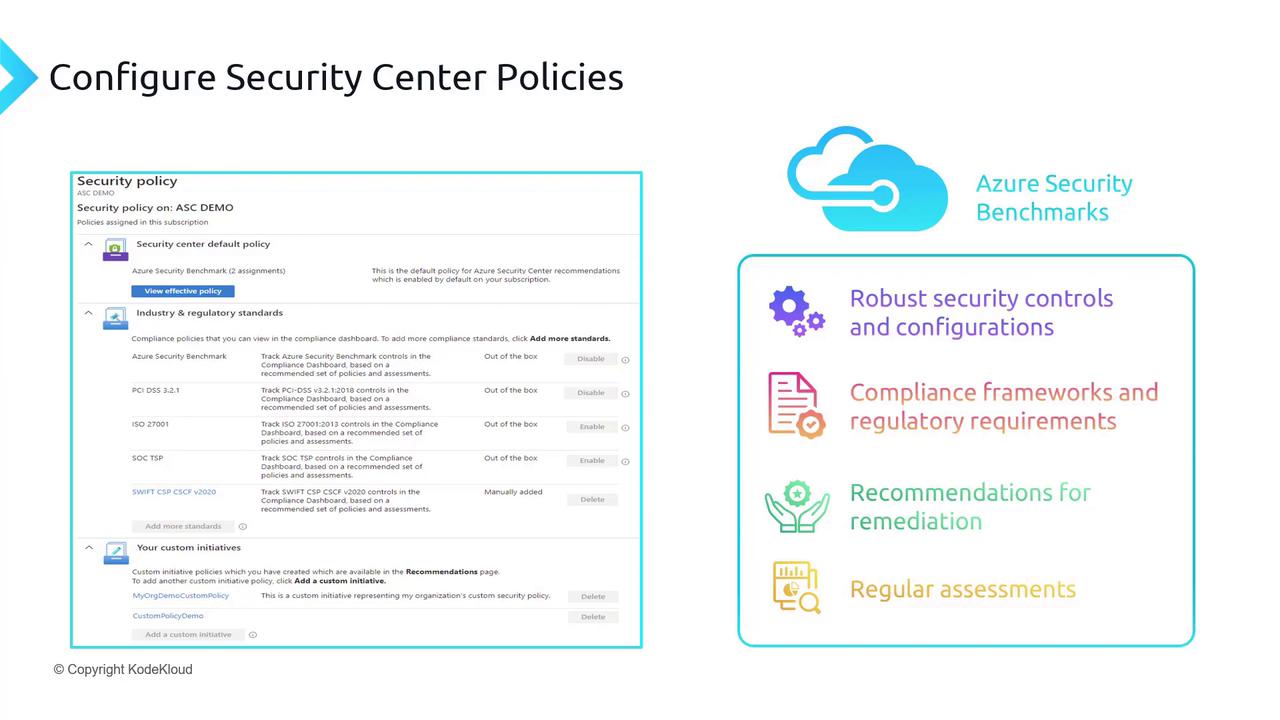
Navigating the Azure Portal
To see these policies in action, follow these steps in the Azure portal:- Open the portal and navigate to Microsoft Defender for Cloud.
- Enter the environment settings where you enable security plans.
- Click on Edit settings to access the security policies view.
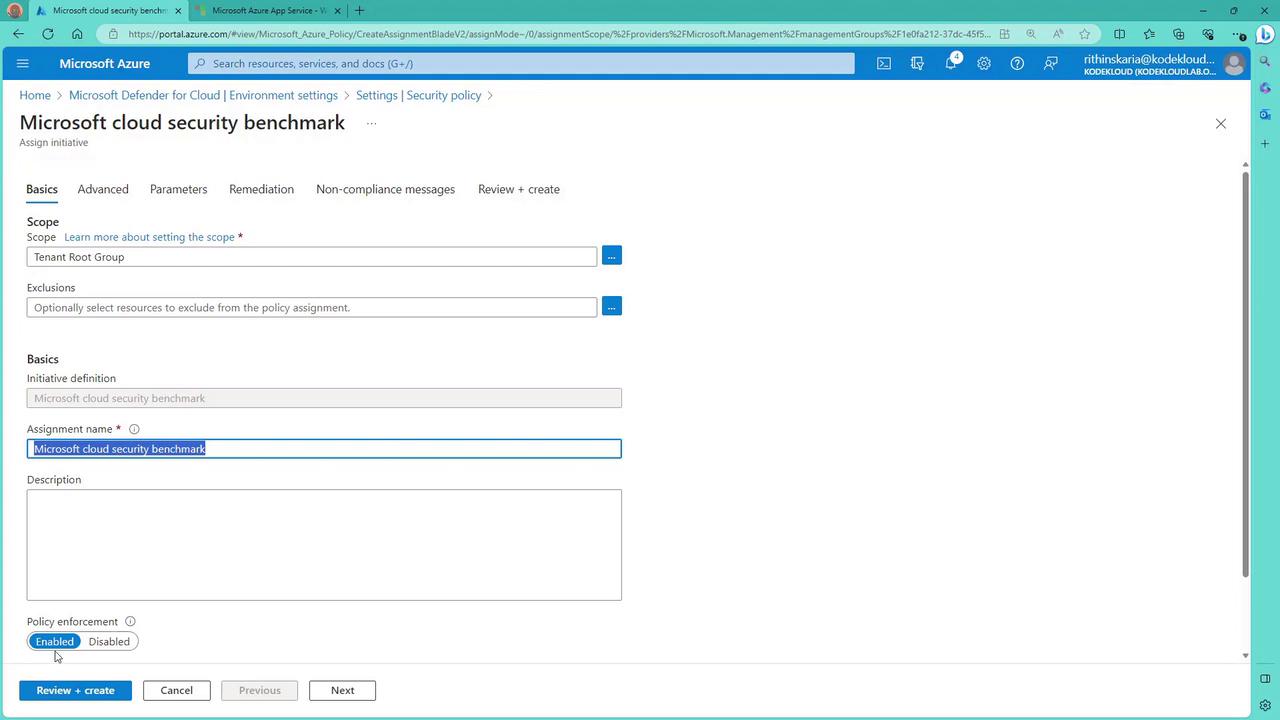
Adding Additional Regulatory Standards
If you want to include additional standards such as PCI DSS, you can easily do so:- Locate the PCI DSS standard in the list.
- Click the Add button next to it.
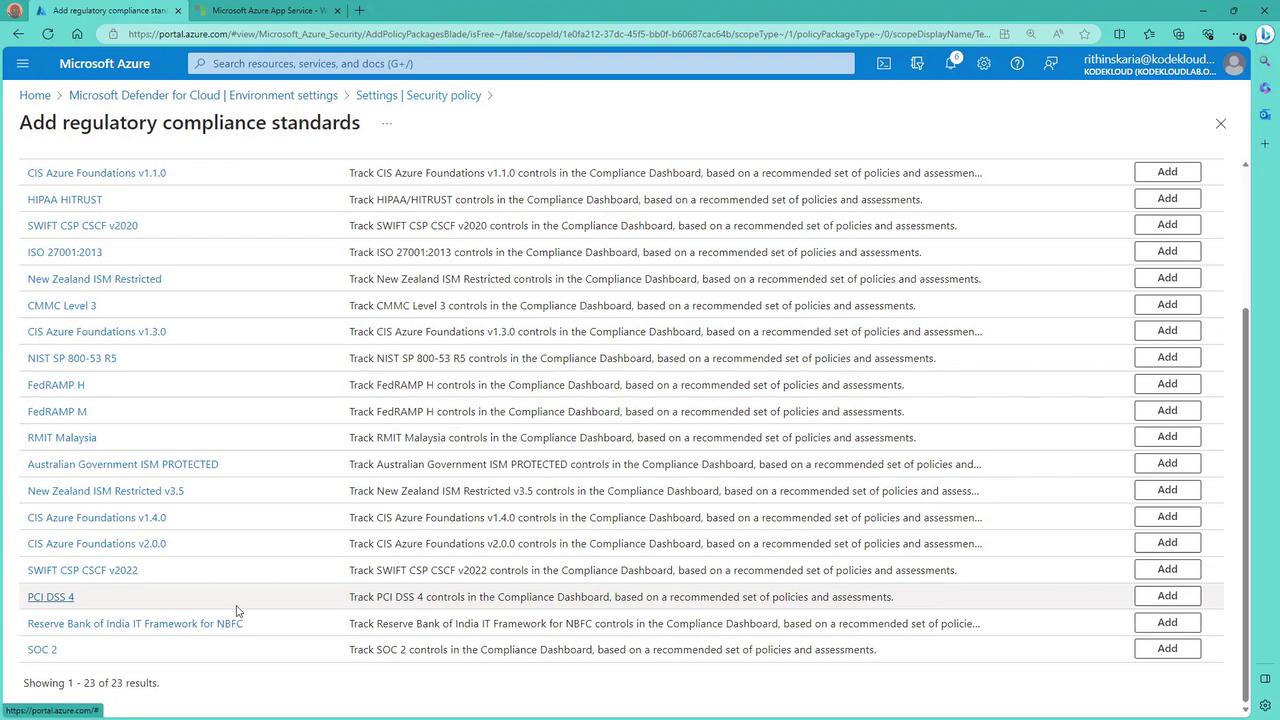
The following sections will delve deeper into the remediation recommendations generated by these policies and provide guidance on how to address compliance issues effectively.