

Overview
At its core, a security policy serves as a blueprint, outlining suggested controls for resources in a subscription or resource group. For these policies to be effectively enforced, proper data collection must be enabled. Microsoft Defender for Cloud depends on data from your virtual machines to assess their security posture, deliver tailored recommendations, and promptly alert you to potential threats. Microsoft Defender for Cloud goes beyond reactive measures by offering proactive security guidance. It continuously monitors your cloud environment and presents recommendations based on industry best practices, compliance requirements, and Microsoft’s extensive security expertise. Key features include:- Customized Security Controls: Recommendations are tailored based on factors such as network design, identity governance, data protection, and access controls.
- Prioritized Risk Mitigation: Each recommendation is ranked by risk severity, ensuring that the most critical vulnerabilities are addressed first.
- Automation and Integration: These security recommendations seamlessly integrate with your existing systems and processes, including Azure services and various third-party solutions.
- Compliance and Audit Readiness: Implementing these recommendations helps align your resources with industry standards and facilitates audit processes.
- Continuous Improvement: Microsoft regularly updates these recommendations to stay agile with the evolving security landscape.
Viewing Recommendations
The recommendations in Microsoft Defender for Cloud primarily focus on host security. You can filter recommendations by resource type—for example, to view all virtual machine recommendations.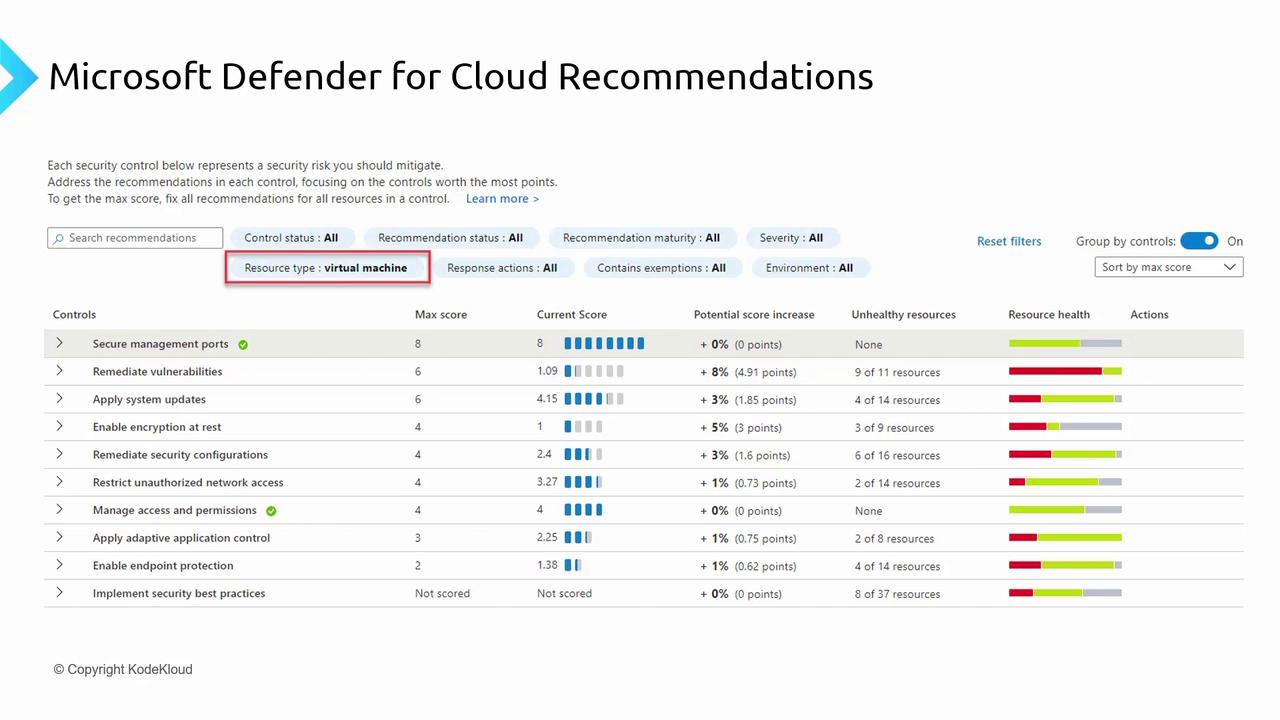
- Securing management ports
- Remediating vulnerabilities
- Applying system updates
- Encryption at rest
- Security configuration enhancements
- Preventing unauthorized network access
Using Microsoft Defender for Cloud
By default, Microsoft Defender for Cloud provides these recommendations at no extra cost. However, for features like full remediation, enhanced automation, secure score improvements, and other advanced capabilities, additional purchases may be required. These advanced features will be discussed in a subsequent lesson. When you access the Azure portal and navigate to Defender for Cloud, you will find a dedicated section for security recommendations. For instance, selecting “All recommendations” displays a comprehensive dashboard: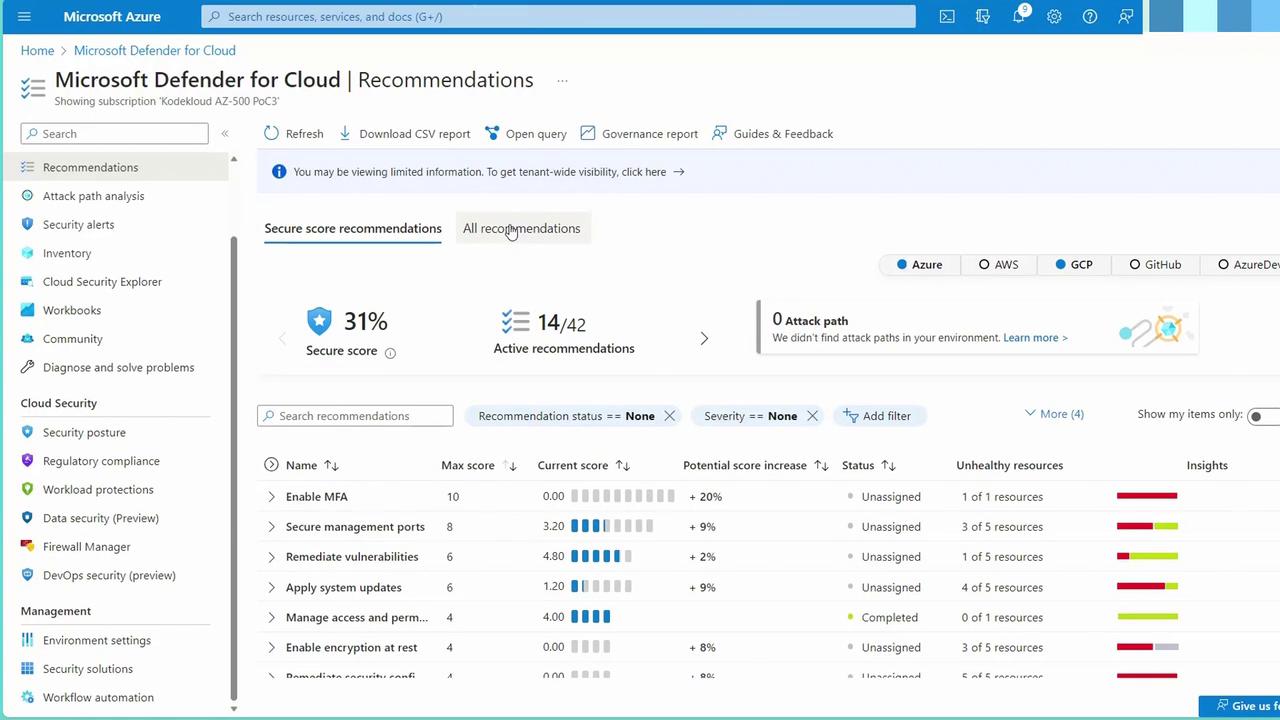
Example: Managing Virtual Machine Recommendations
Some recommendations may already be in progress or completed. For example, protecting management ports on virtual machines with just-in-time access might be partially implemented, as indicated by a status such as three out of five recommendations being complete. When you select a recommendation, detailed information is provided, such as the presence of unhealthy machines with public IP addresses. You can then choose to remediate the issue directly from the portal—a key advantage of using Microsoft Defender for Cloud.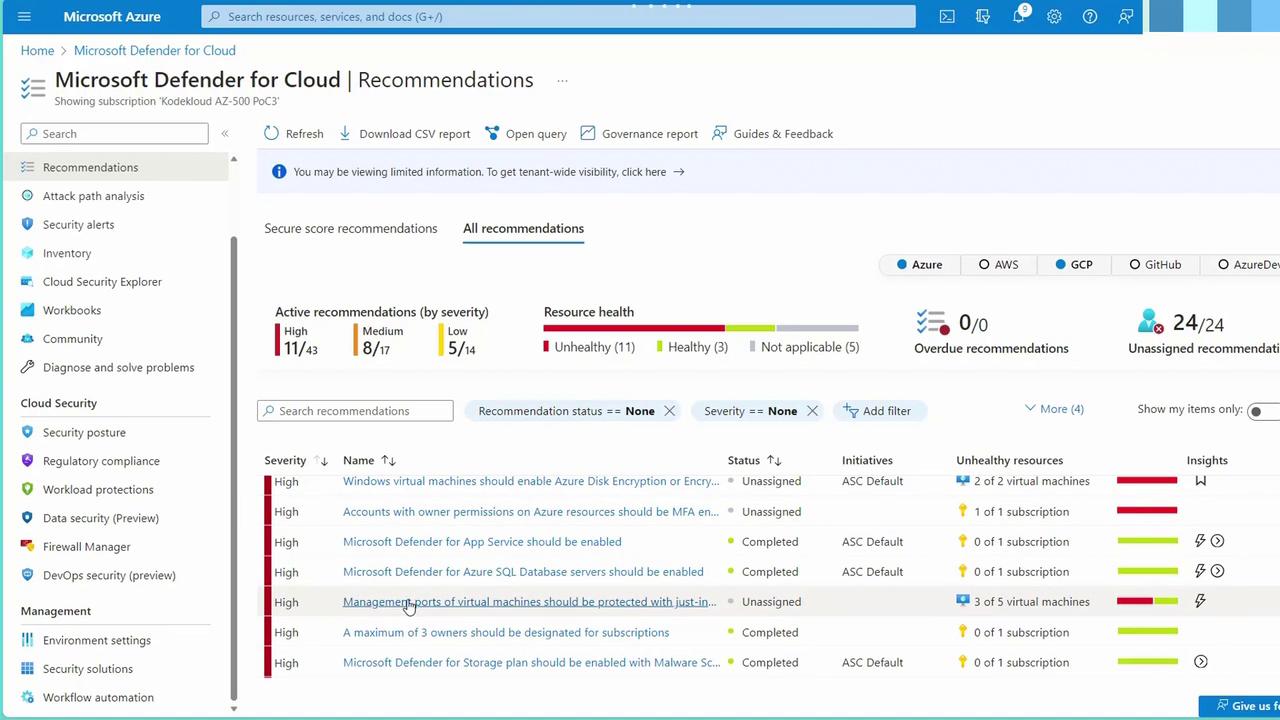
It is essential to regularly review and act upon the recommended security measures to continuously enhance the security posture of your virtual machines.