

Management Groups
When managing multiple projects or departments with separate Azure subscriptions, management groups provide an effective way of consolidating administration. They enable you to group subscriptions under a single hierarchical structure, making it easier to apply policies and governance across the organization. At the top of the hierarchy is the root management group, which is provided by default. This ultimate parent oversees all other groups and subscriptions. Azure supports nesting up to six levels beneath the root management group, accommodating even complex organizational requirements. For instance, consider the diagram below, which illustrates a root management group containing two management groups—“IT” and “Finance.” Under the “IT” management group, further subdivisions like Production and Development may be used to segregate environments.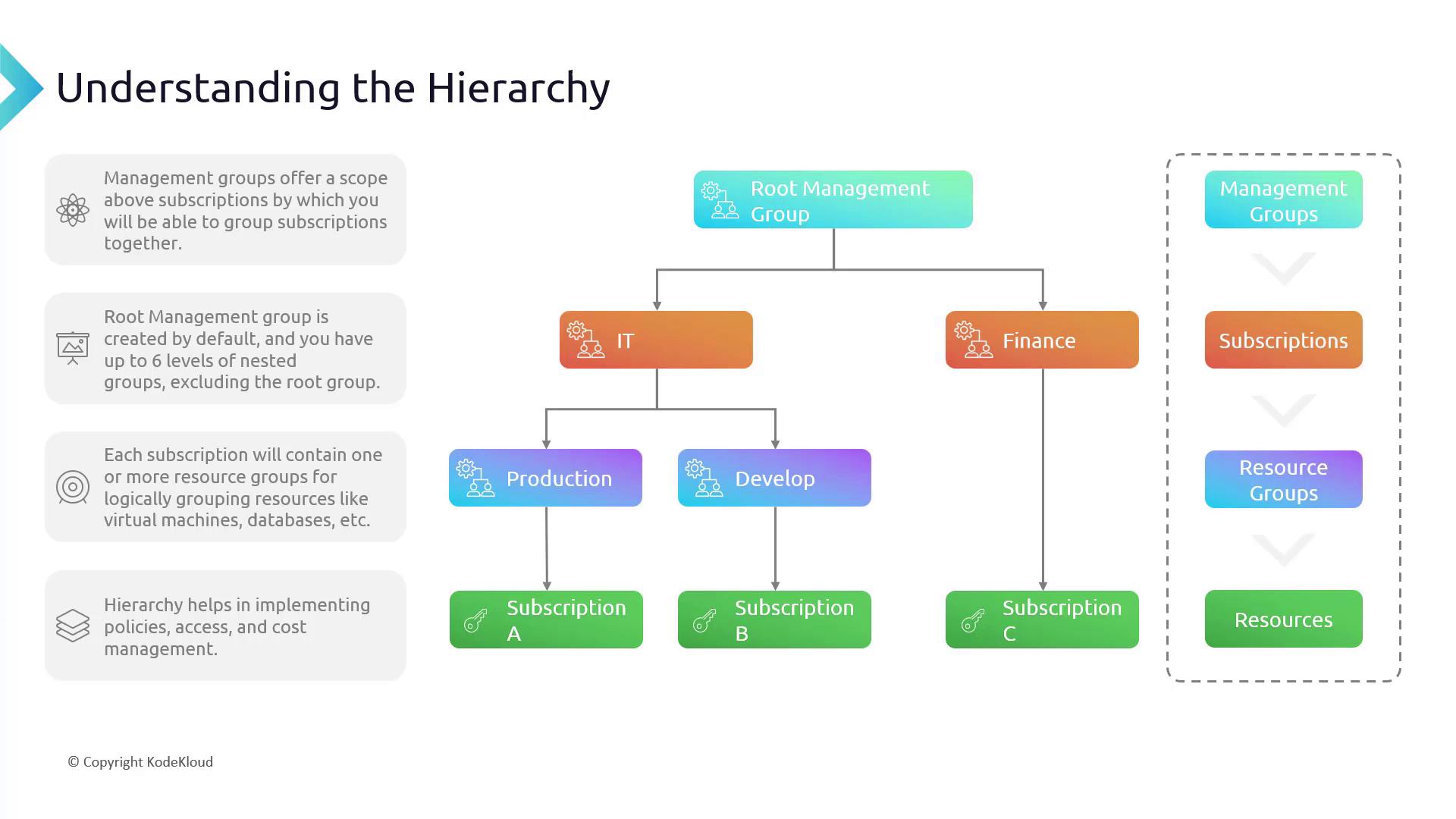
Subscriptions and Resource Groups
Descending down the hierarchy, each subscription in Azure serves as a distinct account in which resources are provisioned. Within a subscription, resources are logically organized into resource groups. Resource groups are containers that house virtual machines, databases, app services, and other assets, enabling granular management of settings, policies, and budgets. This structured approach is essential for robust governance, controlled access, and effective cost management. It provides a comprehensive overview of your resources while allowing flexibility to focus on individual components as necessary.Working with Management Groups in the Azure Portal
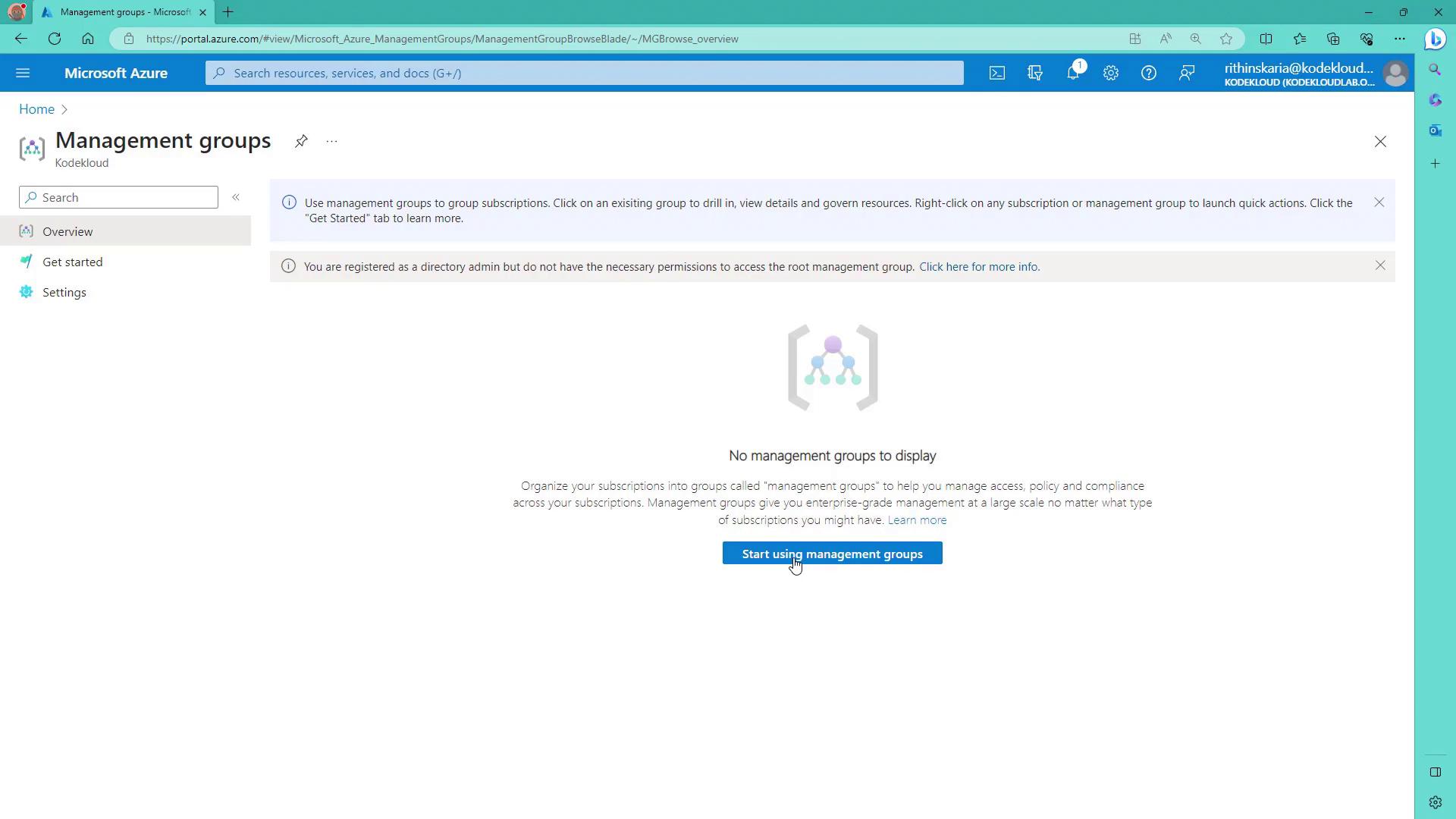
Managing Azure’s hierarchy is straightforward via the Azure portal. The following steps illustrate how to create and manage management groups:- When you access the management groups section for the first time, you’ll encounter a button labeled “Start using management groups.” Clicking this initiates the creation of the root management group.
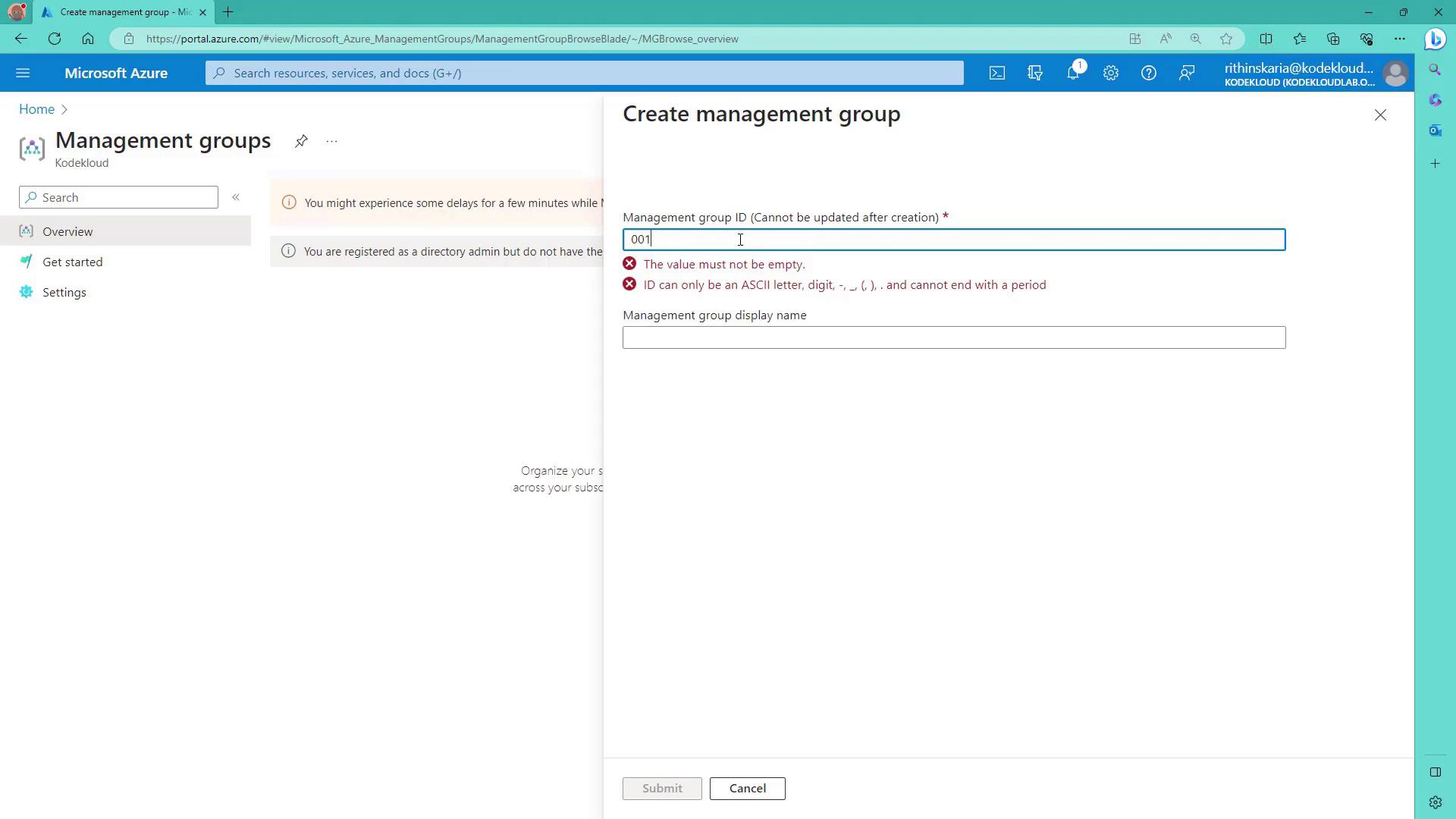
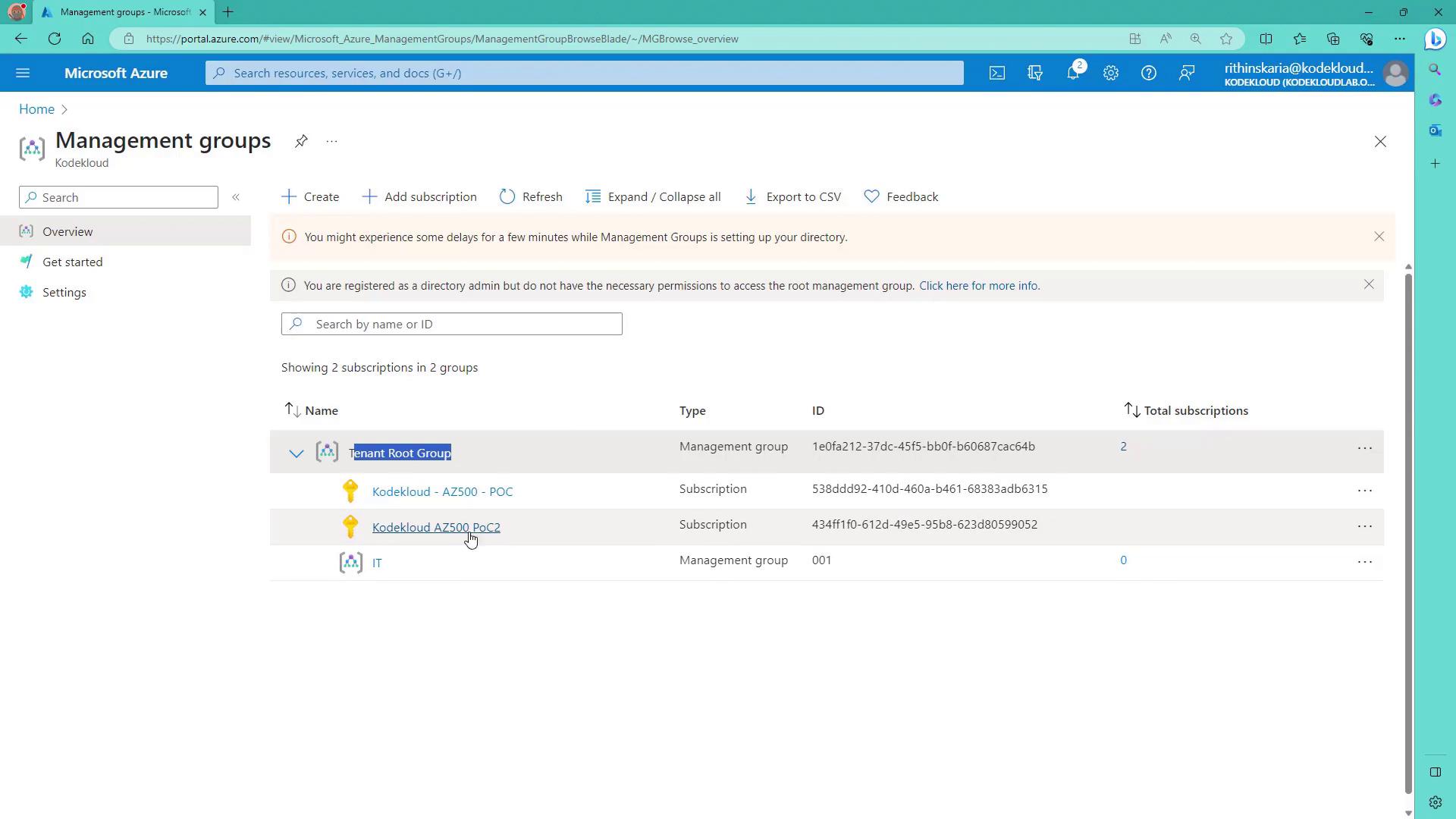
- After initialization, you are prompted to set up a new management group (e.g., assign an ID like “001” and a name such as “IT”).
Elevated Permissions and Access Control
To move subscriptions or manage the tenant root group, you must have elevated permissions through Azure Active Directory (Azure AD). Typically, this requires Global Administrator rights.
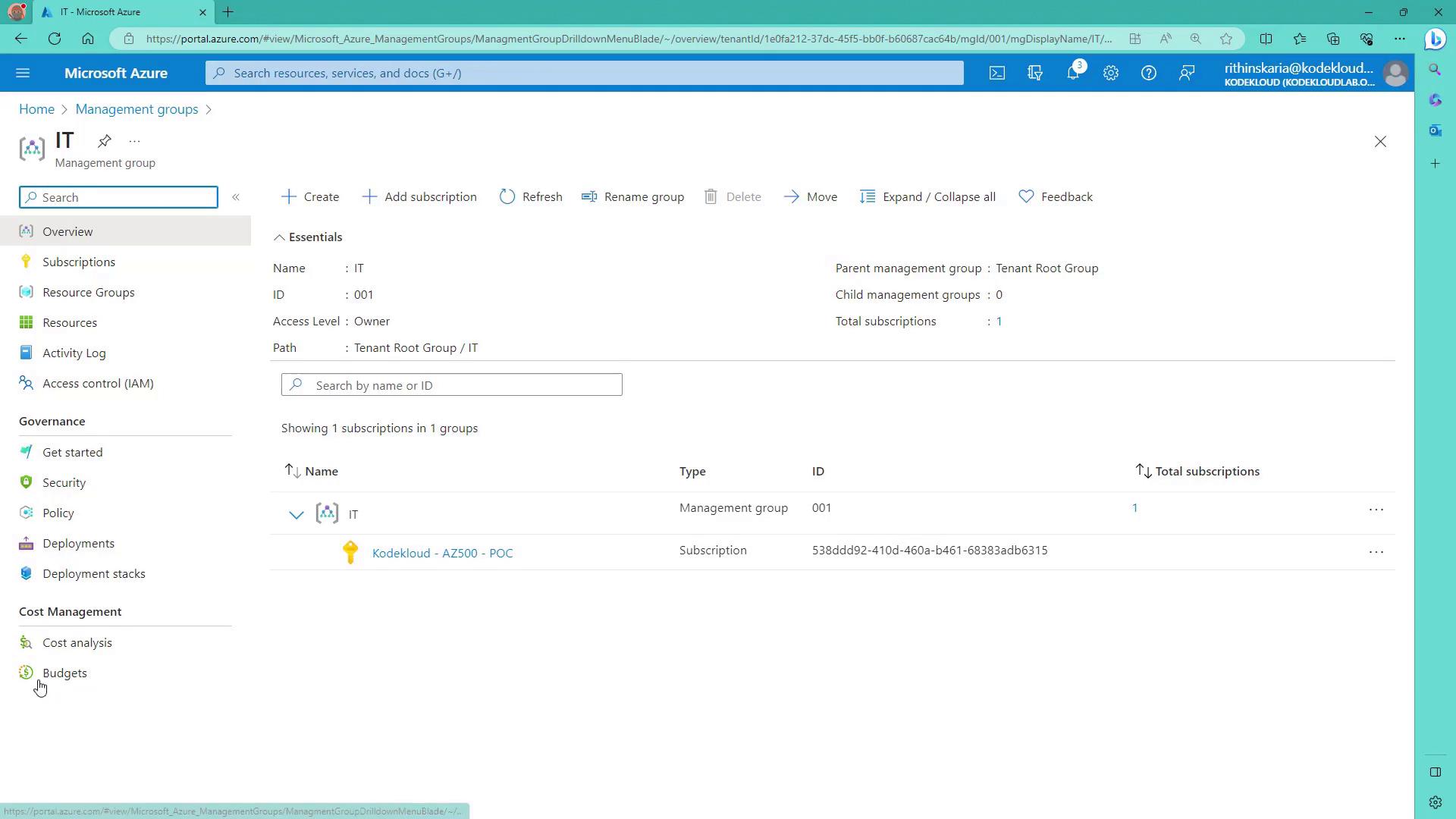
Be aware that governance and cost management features are not available for the tenant root group unless you have the required elevated permissions. If you attempt to access the root group without proper rights, you will receive an authorization error.
Summary of Azure Hierarchy Components
Below is a concise summary of the key components of Azure’s hierarchy:| Component | Description | Example |
|---|---|---|
| Management Groups | Top-level grouping that organizes subscriptions and nested management groups. | ”IT”, “Finance” |
| Subscriptions | Accounts under which resources are provisioned. They are organized under management groups. | Subscription 001 |
| Resource Groups | Logical containers for resources within subscriptions such as virtual machines, databases, etc. | Production/V2 |