

- Windows: Windows 7, 8.1, 10, 11, and Windows Server (from 2008 onward)
- Mobile: Android and iOS
- Others: Linux and macOS
Key Security Features
Windows Defender Credential Guard
Windows Defender Credential Guard uses virtualization-based security to isolate sensitive data, ensuring that only privileged system software can access critical information. By protecting password hashes, ticket-granting tickets, and other stored credentials, it builds a robust barrier against credential theft attacks—such as pass-the-hash or pass-the-ticket exploits.Windows Defender Application Control
To further secure your environment, Windows Defender Application Control restricts which applications can run on a device. It reinforces system integrity by enforcing policies on unsigned scripts and MSIs and ensures that Windows PowerShell operates under constrained language mode, reducing the risk of executing malicious applications.Managing Microsoft Defender for Endpoint
To manage Microsoft Defender for Endpoint, use the Microsoft 365 Defender Portal at security.microsoft.com. This centralized portal not only manages endpoint protection but also integrates other Defender solutions such as Microsoft Defender for Identity and Microsoft Defender for Cloud Apps. Within the portal, navigate to the Assets section and select Devices to view onboarded machines such as Azure virtual machines (VMs). These VMs are automatically onboarded through a policy configured in Azure. Each device displays key information including risk and exposure levels, operating system platform, and onboarding status. For example: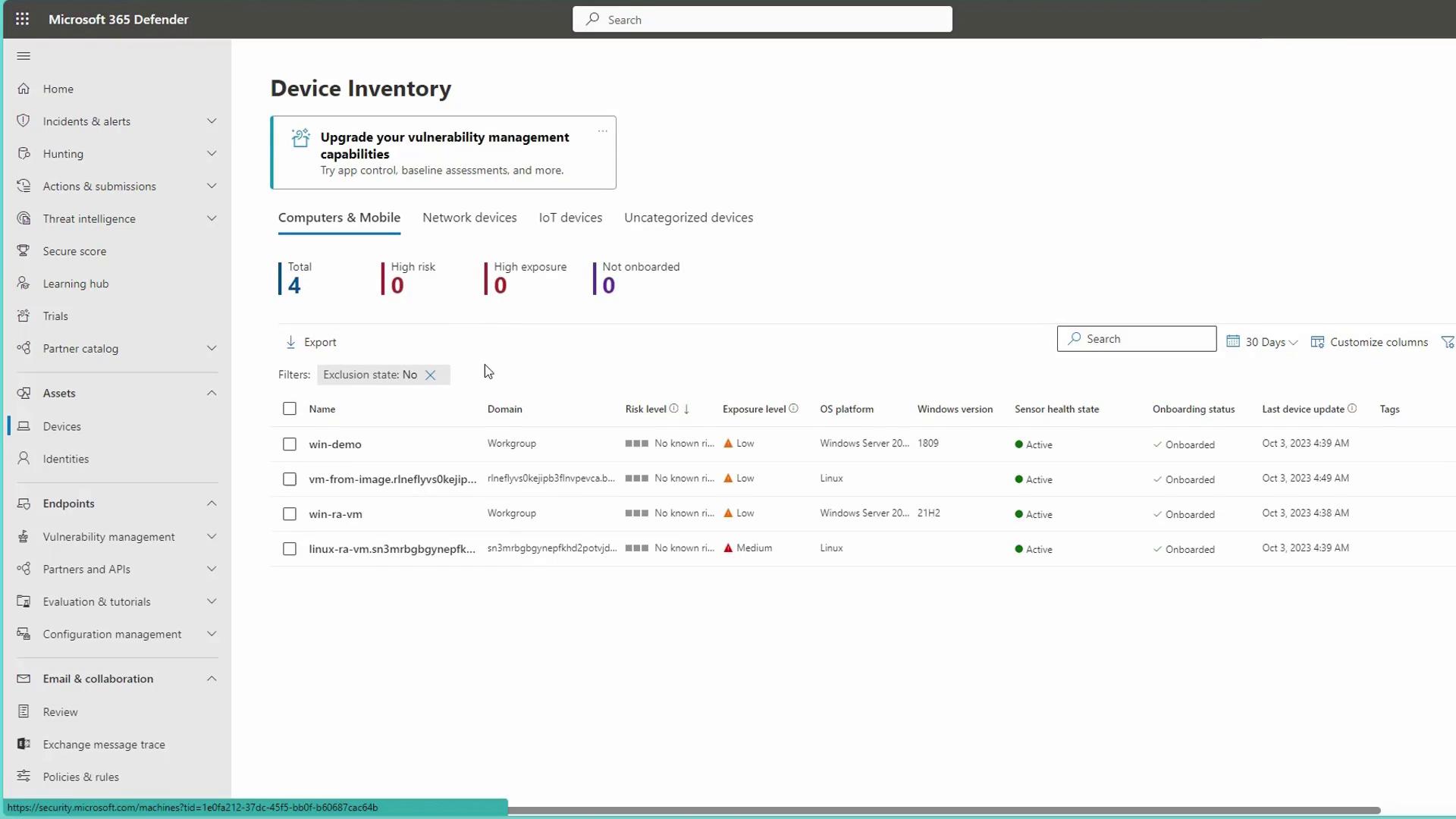
Onboarding Examples
Onboarding Windows Devices
For Windows devices, you might use a PowerShell script similar to the following:Onboarding via Azure Policy
For devices onboarded through an Azure policy, use a curl command during the process:When onboarding iOS or macOS devices, the portal provides specific instructions and corresponding packages to ensure seamless integration.
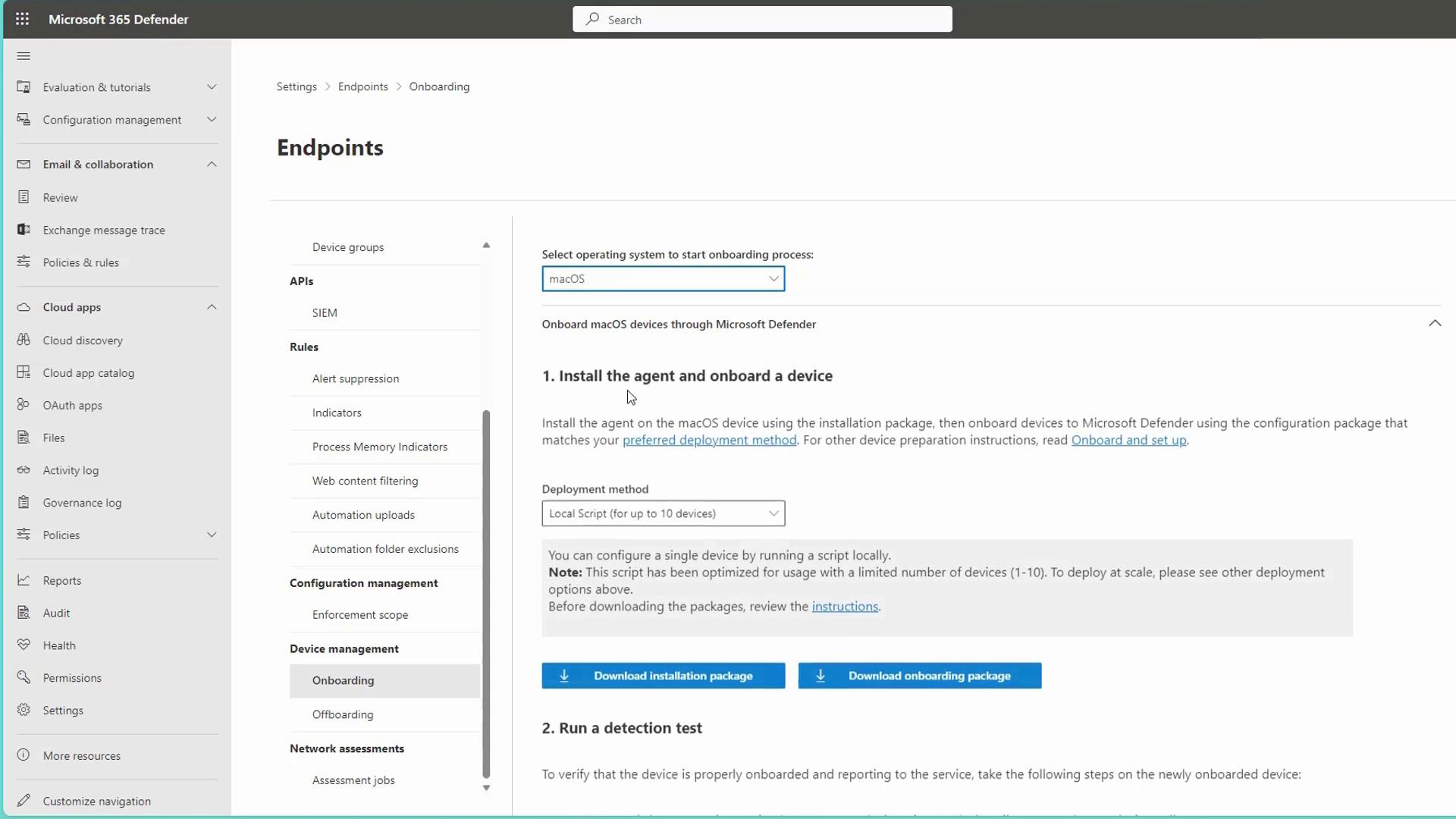
Onboarding in Azure Environments
In Azure environments, onboarding is typically managed by a policy. The Microsoft Defender for Cloud automatically deploys a policy that onboards virtual machines to Endpoint Protection. This ensures that any new virtual machine within the subscription is automatically enrolled. You can review this integration in the Defender for Cloud environment settings: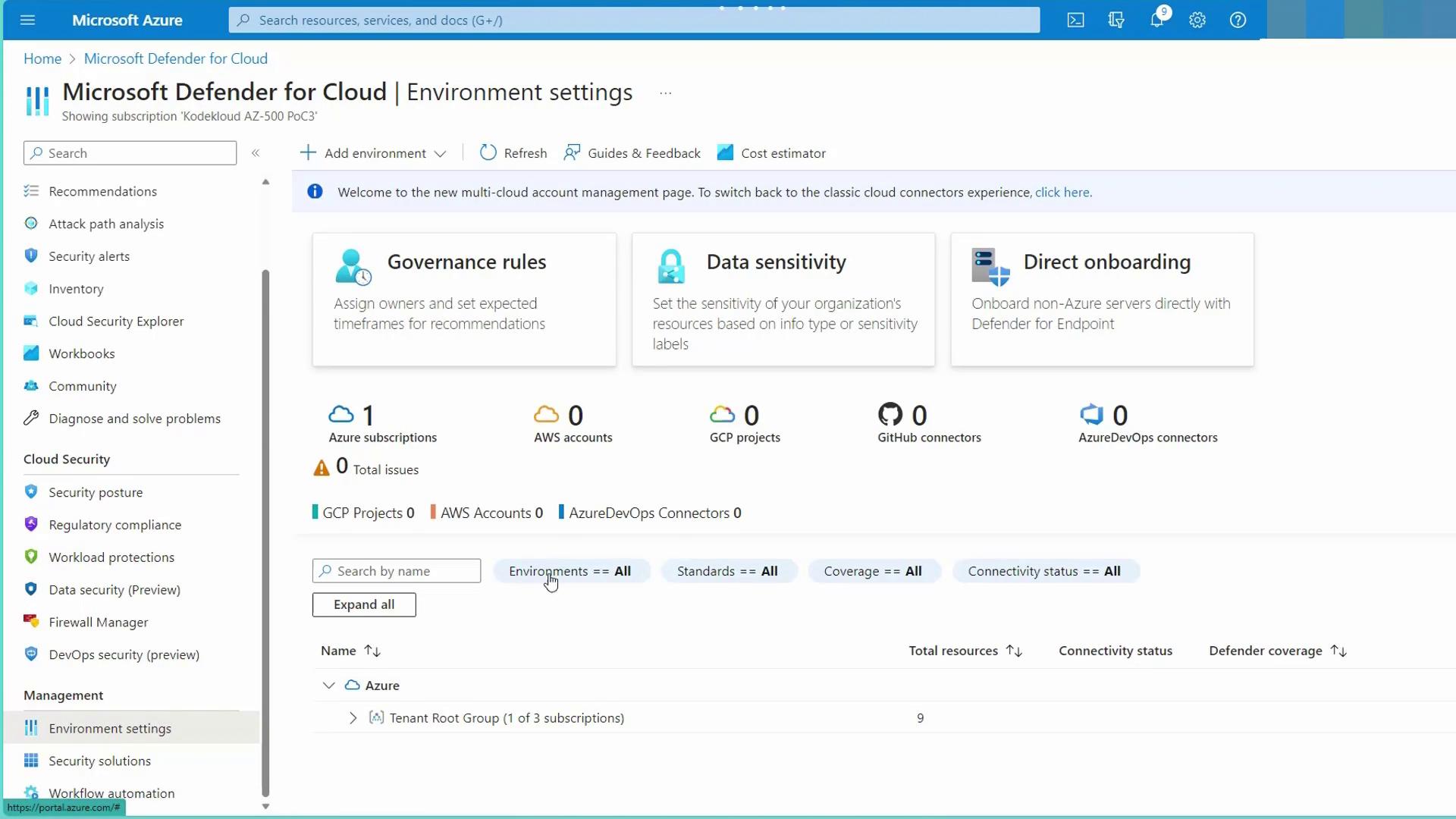
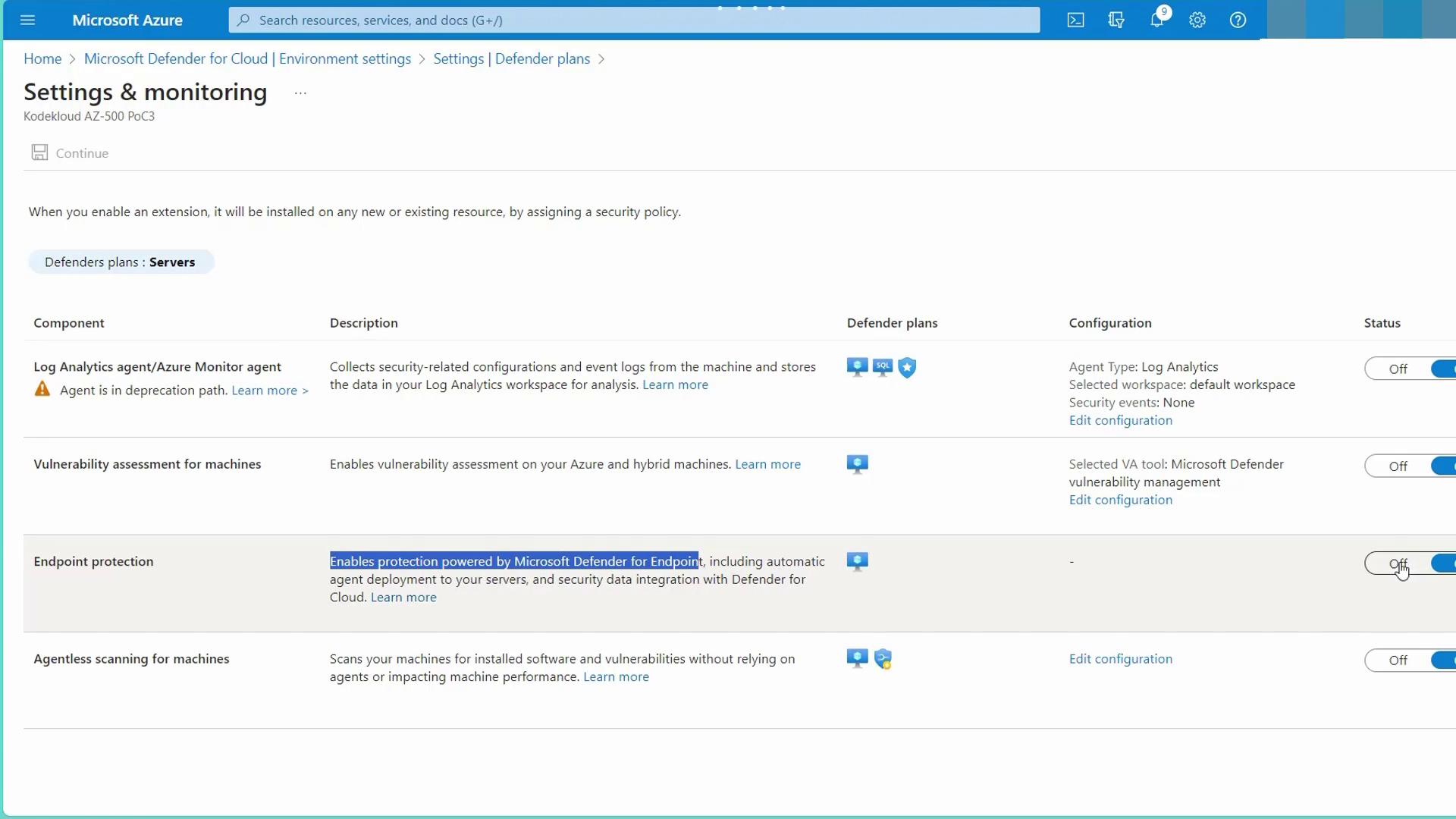
Viewing Alerts and Security Assessments
After onboarding, you can view active alerts, security assessments, and device health statuses directly in the portal. The interface provides detailed reports on security scans—both full and quick scans—and shows exposure levels along with actionable recommendations. Simply click on “View Recommendations” to see a detailed list of security tasks specific to each device.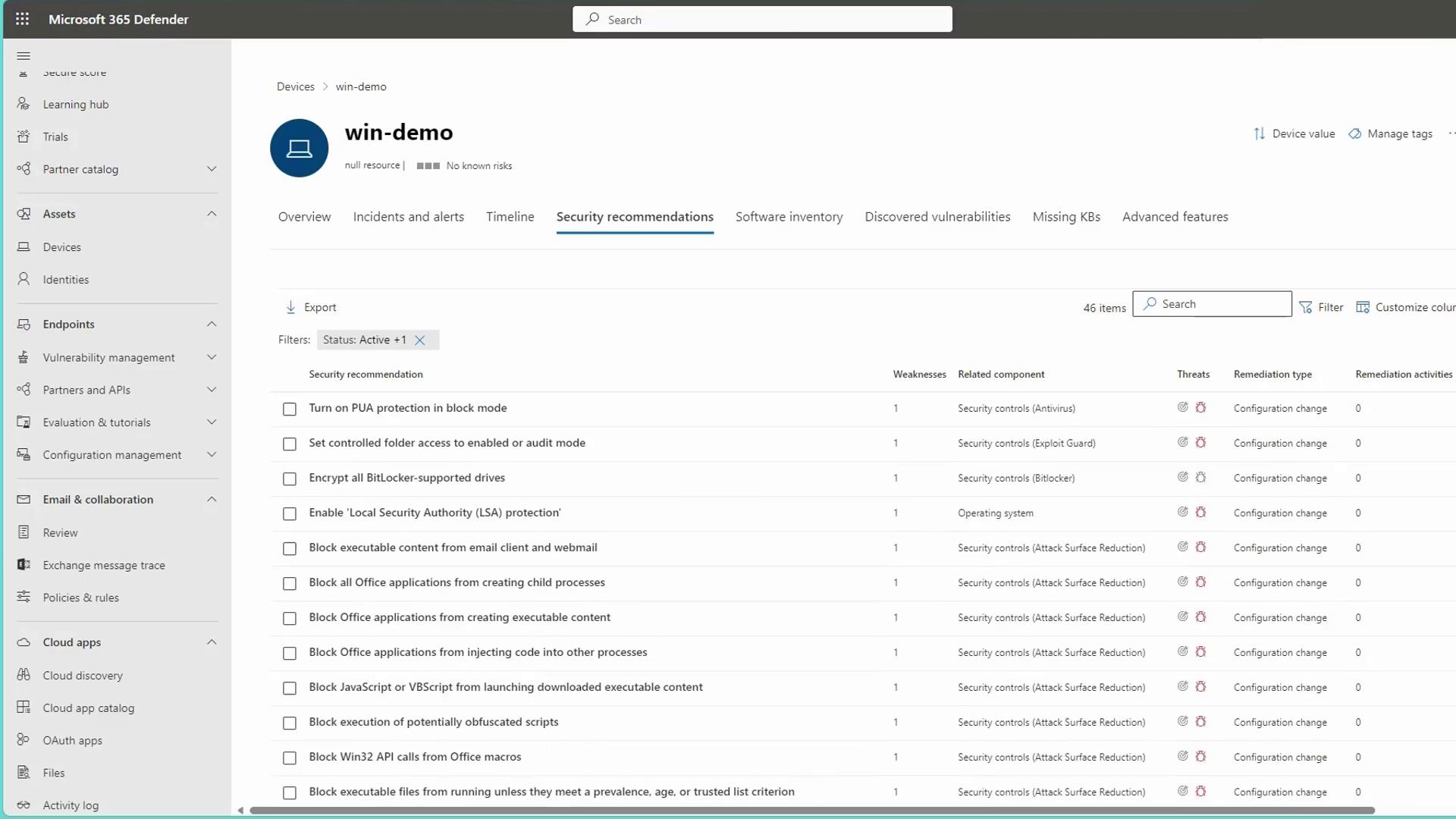
This overview of Microsoft Defender for Endpoint highlights its core security features, the onboarding process, and management via the Microsoft 365 Defender Portal. By integrating advanced threat detection and automated response capabilities, MDE significantly enhances enterprise security across a range of platforms.